


 TL;DR:
Seedance 2.0 excels in precise prompt control and character consistency for commercial projects, while Kling 3.0 is the superior choice for physics-accurate cinematic motion and rendering at a maximum of 4K 60fps.
● Seedance 2.0 supports up to 12 simultaneous reference assets and generates highly accurate native lip-syncing across 8+ languages, avoiding the slight audio delays observed in Kling 3.0.
● Kling 3.0 includes a Multi-shot AI Director interface to individually configure camera paths and durations for up to six separate shots, whereas Seedance relies on faster but less precise in-prompt tagging.
● Kling provides 66 standalone free daily credits for watermarked videos and subscriptions starting at $6.99/month with expiring credits, while Seedance requires an active paid plan starting at $30.10 but allows unused tokens to roll over.
Ask AI for a summary
 ChatGPT
 Perplexity
 Gemini
 Claude
 Grok
Grok
Seedance 2.0 and Kling 3.0 are arguably two of the hottest AI video generators right now. On paper, they look almost identical. Multimodal input, native audio generation, multi-shot capability, cinematic output — they tick pretty much every box you'd want from an AI.
Yet, they approach video generation differently. Seedance thinks like a director, while Kling thinks more like a physicist. We put Seedance vs Kling to the test, and here's what we found.
Quick Takeaways
- Seedance currently ranks #1 on the AI Video Arena leaderboard, while Kling 3.0 ranks 9th.
- Seedance 2.0 is better for precise, director-style control, where you can feed it up to 12 reference assets (images, video, audio, and text) and guide the output with precision.
- Kling 3.0 is better for cinematic motion, physics accuracy, and multi-shot planning with up to 6 individually defined shots.
- Kling is cheaper to start and offers free daily credits.
- Seedance credits roll over, making it a better value for heavy users.
Part 1. Seedance vs Kling AI at a Glance
| Seedance | Kling | |
| Latest Version | Seedance 2.0 | Kling 3.0 |
| Developer | ByteDance | Kuaishou Technology |
| Video Length | 4–15 seconds per shot | 3–15 seconds (extendable up to 3 minutes) |
| Resolution | Up to 1080p | Up to 4K 60fps (Multi Shot mode) |
| Input Methods | Text, image, video, audio | Text, image, video, audio |
| Max Input Files | Up to 12 (9 images + 3 videos + 3 audio) | Multiple image/video references; 3–8s video for character extraction |
| Audio Generation | Native audio-visual sync, lip-sync in 8+ languages | Native audio, lip-sync in 6+ languages |
| Pricing | Starts at $30.10/7M Tokens, or $18 – $84/month (via Dreamina subscription) | Starts at $6.99/month (Standard) up to $127.99/month (Ultra) |
Part 2. What is Seedance?
Seedance is ByteDance's AI video generation model, now in its second major version: Seedance 2.0. It adopts a multimodal architecture that supports text, image, audio, and video inputs, giving it what the company calls "the most comprehensive multimodal content reference and editing capabilities in the industry."
If you’re used to typing a prompt and hoping for the best, Seedance 2.0 changes that through its Omni Reference system. You can upload up to 12 reference files, and then use @tagging in your prompt to point to each asset, so the model knows exactly what to pull from each one.
This multimodal reference workflow has helped the model produce videos that feel "directed." As of April 2026, Seedance 2.0 holds the #1 spot for both Text to Video (score: 1,460) and Image to Video (score: 1,454) on the Artificial Analysis Video Arena.
- Omni Reference (up to 12 references): Seedance 2.0 accepts up to 12 reference files simultaneously (9 images, 3 video clips, and 3 audio files).
- Multi-shot sequences: Seedance 2.0 can generate a structured, multi-shot sequence with cuts, angles, and pacing of up to 15 seconds in a single pass.
- Character consistency: Faces, clothing, and visual style stay consistent across shots, as Seedance 2.0 introduces industry-leading ID preservation and composition analysis technology to keep characters recognizable throughout.
- Native audio-visual sync: Unlike most AI video models, Seedance 2.0 generates video and audio together, automatically creating dialogue, ambient soundscapes, and sound effects that match the visuals frame by frame.
- Lip-sync in over 8 languages: The model supports multilingual lip-sync, covering English, Chinese, Japanese, Korean, and more.
- Video editing and extension: You can input new prompts based on the last frame of a generated video, and the AI continues generating subsequent frames based on contextual logic.
How to Access Seedance AI?
Seedance 2.0 is available through several channels, though availability continues to roll out by region:
- Via Dreamina, ByteDance's own AI creative platform that serves as the primary access point for Seedance 2.0.
- Via the CapCut app or desktop software. ByteDance has been rolling out Seedance 2.0 in CapCut for paid users across several regions.
- Via integrated platforms. Seedance 2.0 is also available on an AI video editor like Wondershare Filmora.
Part 3. What is Kling AI?
Kling AI is a creative platform developed by Kuaishou Technology, the Chinese tech giant behind the Kwai short-video app. Since its launch, Kling has generated more than 600 million videos, hitting $240 million in annualized revenue in December 2025, as reported by Tech in Asia.
Before Seedance 2.0 officially rolls out, its latest version, Kling 3.0, is already getting a lot of attention for the quality it produces, especially in motion control and multi-shot generation. Currently, the v3.0 ranks 9th on the Arena leaderboard for its image-to-video generation feature, with a score of 1,358.
- Multi-shot AI Director: Kling 3.0 lets you specify up to six different shots within one generation. You can specify each shot's duration, framing, and camera movement
- Motion Control: Gives you precise control over how objects and characters move within a scene. You can define motion paths and speed for specific subjects.
- Omni (subject/style reference): Kling's Omni model works similarly to Seedance's Omni Reference system. You provide reference subjects or styles that are consistent across generations.
- Native audio: Kling 3.0 generates audio natively alongside video, including dialogue with accurate lip-sync, sound design, automatic voiceover generation, and environmental sound effects that correspond to on-screen actions.
- Lip-sync in 6 languages: Supported languages include English, Chinese, Japanese, Korean, Spanish, and more, with accent control and multi-character dialogue.
How to Access Kling AI?
- Via the official Kling website at klingai.com
- Via integrated platforms and API through klingai.com/dev
Part 4. Seedance 2.0 vs Kling 3.0 Video Quality Test
Since both Seedance 2.0 and Kling 3.0 are known for their exceptional video quality, let’s put them to the test.
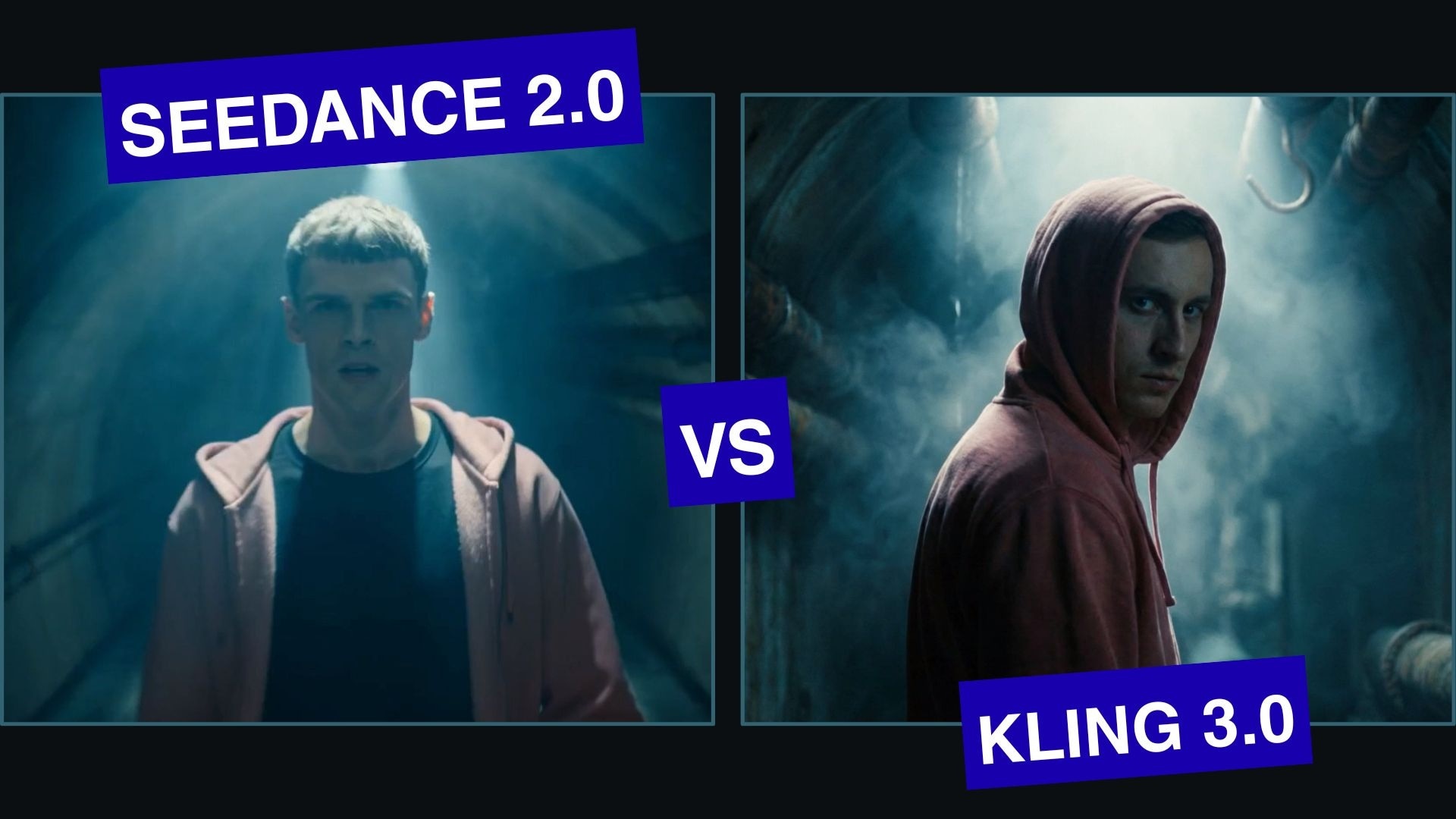
We ran the same prompt on both models to see how they actually compare: Each model must generate a handheld camera shot of a man in a pink hoodie walking directly toward the camera through a dark tunnel, with an ultra-realistic, cinematic, dark thriller tone. Check out the results:
Seedance 2.0:
Kling 3.0:
Seedance 2.0 vs Kling AI: Motion and Audio
Both models handled this well. The character's walk looks realistic in both, and the way the hoodie sways with the body movement is natural. One particular difference we notice here is the lip sync.
We asked both tools to say the same line, but Kling AI’s mouth movement looked a bit more off than Seedance 2.0. Kling’s looks like the dialogue was laid over the video in post, while the Seedance result sounds like the character was actually saying the line, not mouthing along to it.
Winner: Seedance 2.0
Seedance vs Kling 3.0: Camera Movement and Lighting
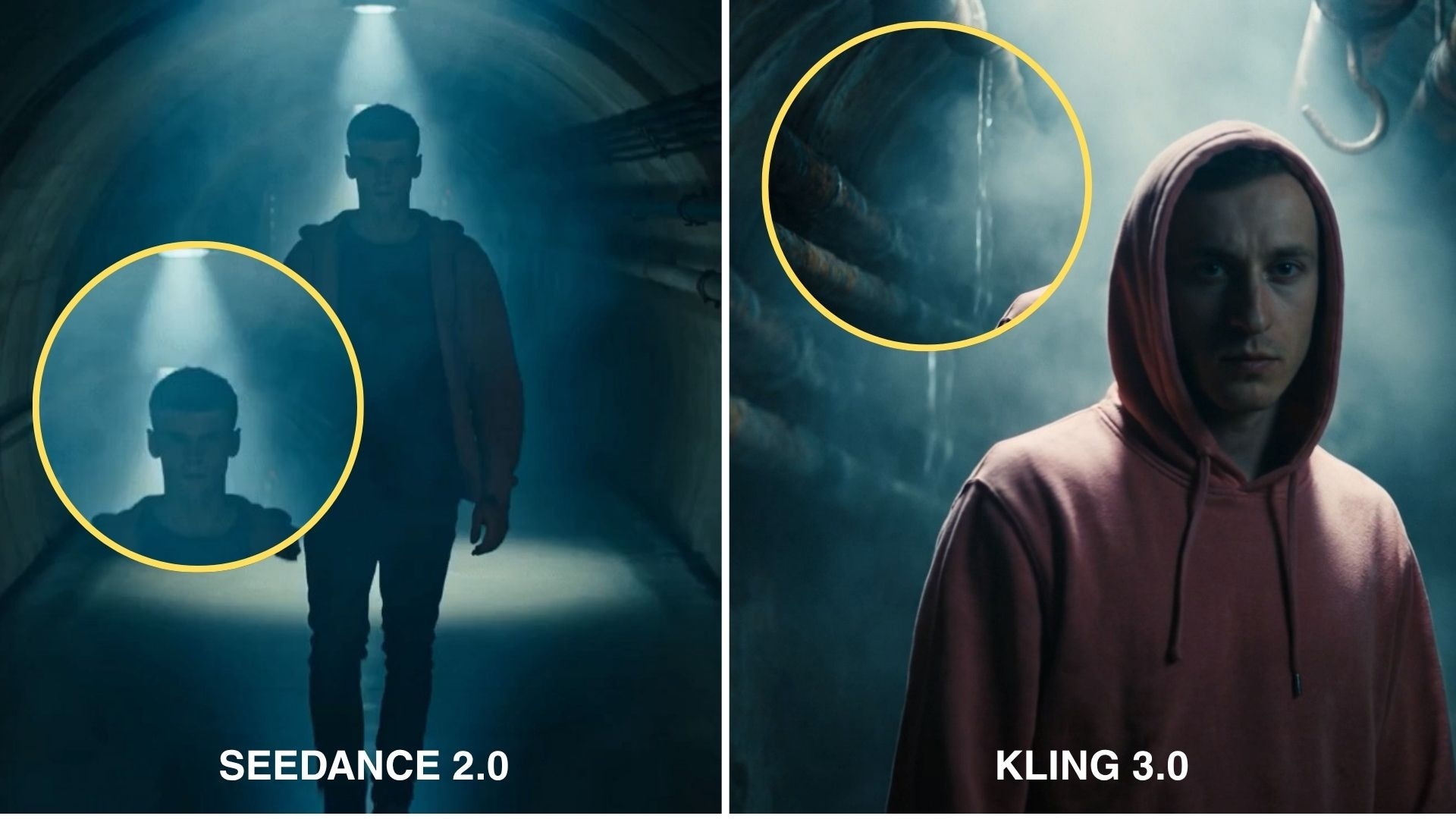
Both models interpreted the "handheld camera" instruction and "dark thriller" lighting pretty well. Kling 3.0 leaned into a slightly more cinematic look. The motion and color science reflect what people call its strongest trait. Seedance's output was close, though marginally less polished on the lighting detail in this particular test.
Winner: Kling 3.0
Seedance 2 vs Kling 3: Scene Consistency in Multi-shot Scenes
For scene consistency on multi-shot outputs, we looked at other video samples from both models.
Seedance 2.0:
Kling 3.0:
What we observed is that they both can keep the subject consistent and create a cohesive full scene even as the camera angle and environment change, thanks to the Omni reference systems. But Kling gives better flexibility for planning multi-shot sequences, since it has a dedicated multi-shot interface where you can separate and define each shot individually.
Seedance doesn't have this kind of structured shot-planning tool. You label shots directly in your prompt ("@video1", "@video2"), which is faster to set up but gives you less precision over where each cut actually lands.
Winner: Kling 3.0
Part 5. Seedance vs Kling Pricing and Credit Systems
Seedance 2.0 on Dreamina runs on a token-based resource pack system. These credits don't expire and roll over month to month. It's pricing scales up across three tiers:
| Light Plan | Production Plan | Premium Plan | |
| Pricing | $30.10/7 million Tokens | $43/10 million Tokens | $55.9/13 million Tokens |
| Generated Videos* | 28 x 480P videos | 40 x 480P videos | 52 x 480P videos |
| Video duration | 4 to 15 seconds | 4 to 15 seconds | 4 to 15 seconds |
*) Since each video generation burns tokens based on resolution, duration, and frame rate, the Seedance pricing above is only a practical estimate. If you generate at 720P or 1080P, the same pack gets you fewer videos. Audio also adds cost.
Kling's pricing is split into monthly, annual, and one-time, with intro pricing that increases at renewal, so check the fine print before committing to an annual plan.
| Standard | Pro | Premiere | Ultra | |
| Pricing | $6.99/month or $120/year | $25.99/month or $444/year | $64.99/month or $1,104/year | $127.99/month or $2,160/year |
| Monthly Credits | 660 | 3,000 | 8,000 | 26,000 |
| 4K Video Generation | ||||
| Video Extension |
For one-time pricing, it’s available for $1.19/week (Standard).
Seedance vs Kling Free Credits
Kling gives you 66 free credits daily, which can convert to roughly one to two usable videos per day in Standard mode. Free videos come watermarked, and you may not be able to generate videos during peak hours.
Meanwhile, Dreamina usually gives 225 daily tokens, which you can use for roughly one to two short video generations in Seedance 2.0 as well. However, you still need an active paid subscription to unlock generation, so the free credits are more of a top-up than a standalone free tier.
Which One Gives Better Value?

The answer depends entirely on how often you generate. Kling is cheaper to start compared to Seedance, and you can try it for free without a credit card. Seedance's per-credit value holds up better over time than Kling's if you're generating regularly.
A quick way to decide between Seedance vs Kling if your concern is cost:
- For heavier, more predictable workloads, Seedance's rollover credits make budgeting more straightforward.
- For light, occasional use, Kling's lower monthly entry price and daily free credits are easier to start with.
Part 6. Final Verdict: Seedance vs Kling Strengths and Limitations
After all the testing and comparisons, here's a summary of everything we found across both models.
Seedance Pros and Cons
- Lip-sync feels more natural and closer to real-time delivery
- Stronger prompt control, what you ask for is generally what you get
- Omni Reference keeps character appearance and style consistent across generations
- Native audio generated alongside video, including dialogue, sound effects, and voiceover
- Credits roll over month to month, so unused tokens don't disappear
- Multimodal input support, combining image, video, audio, and text in a single generation
- No dedicated multi-shot planning tool, building structured sequences requires more manual work
- International access is still fragmented, mainly through Dreamina and CapCut, with regional limitations
- Free tokens alone aren't enough to generate videos; an active paid plan is still required
- Paid plans have a steeper entry point than Kling
- Content moderation is fairly strict; Recognizable real faces cannot be used as reference inputs
Kling Pros and Cons
- Multi-shot AI Director lets you plan up to six individual shots with different angles, durations, and camera movements
- Handles varying lighting conditions and atmospheric scenes well
- Physics behavior and environmental detail, like water, fabric, and surface textures, look convincing
- Motion Control gives precise control over how subjects move within a frame
- 66 free credits daily
- Lip-sync can feel slightly delayed, like audio was added after the fact
- All subscription credits expire at the end of each billing cycle, with no rollover
- You won’t be able to generate videos for free during peak hours
- Content filtering is aggressive
Bonus: Complete Your AI Video Workflow with Filmora
Both Seedance 2.0 and Kling 3.0 are impressive at generation. But a great clip doesn't always come out perfect on the first try, and fixing small issues shouldn't cost you another generation or burn through your credits.
If you want to make adjustments or push the clip further, pair your AI-generated clips with Wondershare Filmora and refine everything until you’re satisfied with the final output. Trimming a clip, swapping the background, or adding captions is faster and cheaper to handle in a proper editor like Filmora.
On top of that, Filmora’s AI video generator tools now support Seedance 2.0, alongside ToMoviee and Veo 3.1, directly inside its editing timeline. You can generate and refine without jumping between platforms.
 Secure Download
What’s Inside Filmora
- AI Video Generator: Generate clips directly inside Filmora using Seedance 2.0, ToMoovie, and Veo 3.1 within the editing timeline.
- AI Extend: Expands a few seconds of your clips forward or backward using AI. Upload your video, and add a prompt describing what you want to extend.
- Dynamic Captions: Auto speech-to-text into dynamic word-by-word captions that sync with your dialogue.
- AI Translation and Lip-Sync: Translate dialogue and sync lips with different languages using AI.
- AI Object Remover: Remove unwanted objects from footage, keeping your video clean and professional without needing to regenerate the entire clip.
- AI Video Enhancer: One-click solution to elevate video quality, improving clarity by reducing blur and adding fine details, even upscaling content to 4K.
Secure DownloadConclusion
From what we tested in this Seedance vs Kling comparison, neither model is objectively better. AI video generation has advanced so much that both tools make their case for a reason that holds up.
Seedance 2.0's greatest strength is in its prompt control and lip-sync accuracy. Meanwhile, Kling 3.0 is better at cinematic motion and multi-shot planning. While you figure out which one fits you better, pair and refine your generated clips with Filmora, and you won't have to burn credits to complete your videos.
FAQs
-
1. How long does Seedance take to generate a video?
Generation time with Seedance varies depending on resolution, duration, and platform load. Based on our experience, generating a video can take a few minutes. If you are generating with Filmora, you will receive a notification once your video is ready, so you can focus on other parts of your edit in the meantime. -
2. Which is better for commercial projects, Seedance or Kling?
Seedance 2.0 is good for commercial work that requires consistent characters, precise prompt control, and natural dialogue. Kling 3.0 is better suited for cinematic, motion-heavy commercial video, where it focuses more on lighting and physics than dialogue. Both support high-resolution output, with Kling reaching up to 4K 60fps and Seedance up to 1080p. -
3. Can I use Seedance and Kling for free?
Kling offers 66 free credits daily with no credit card required, though free videos come watermarked. Seedance gives daily free tokens through Dreamina, but you still need an active paid plan to generate videos, so it isn't truly free. -
4. Which is better for short-form content like Reels or TikTok?
Both work for short-form content, but Seedance has a slight edge if your content is dialogue-heavy or character-focused. It also has a natural connection to TikTok since it's built by ByteDance, the same company that owns TikTok.
