

 TL;DR:
VideoExpress AI is a simple, budget-friendly AI video generator offering a one-time lifetime payment model, but it is only recommended if you purchase the All-Access plan because the basic tier restricts outputs to three-second clips.
● The updated VideoExpress AI 2.0 provides 1080p watermark-free exports cleared for commercial use, though its editing controls are limited and visual quality can be inconsistent for complex scenes.
● Filmora is the top alternative for professional creators requiring advanced timeline editing, supporting up to 8K resolution and utilizing Veo 3.1 and Sora 2 models across desktop and mobile devices.
● For other specific use cases, Adobe Express is best for brand-driven social media design despite a 1GB free upload limit, while Synthesia is ideal for corporate presentations utilizing realistic AI avatars.
Ask AI for a summary
 ChatGPT
 Perplexity
 Gemini
 Claude
 Grok
Grok
The AI video generator market is evolving rapidly in 2026. While big names dominate the space, VideoExpress AI has emerged as a budget-friendly option for creators. In this comprehensive VideoExpress AI review, we'll analyze its features, Reddit user feedback, and Trustpilot ratings to see if it's the ultimate tool for your workflow or if a professional VideoExpress AI alternative like Filmora is a better fit.
Part 1. Getting to Know VideoExpress AI: What It Does and Why People Use It
Basically, VideoExpress AI is a cloud-based AI video generator that helps you create videos just by typing what you want to see. So, instead of spending hours editing clips, adjusting timelines, or recording footage, the platform takes care of most of the process for you.
This simple workflow is a big reason why it's getting more attention lately. It's especially appealing to beginners, marketers, and content creators who want quick results without dealing with complicated editing tools.
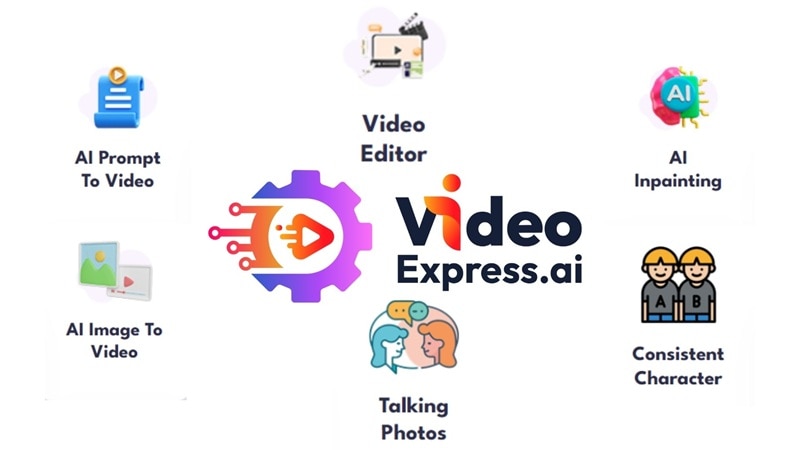
Key Features of VideoExpress AI
1. AI Video Generation from Simple Prompts
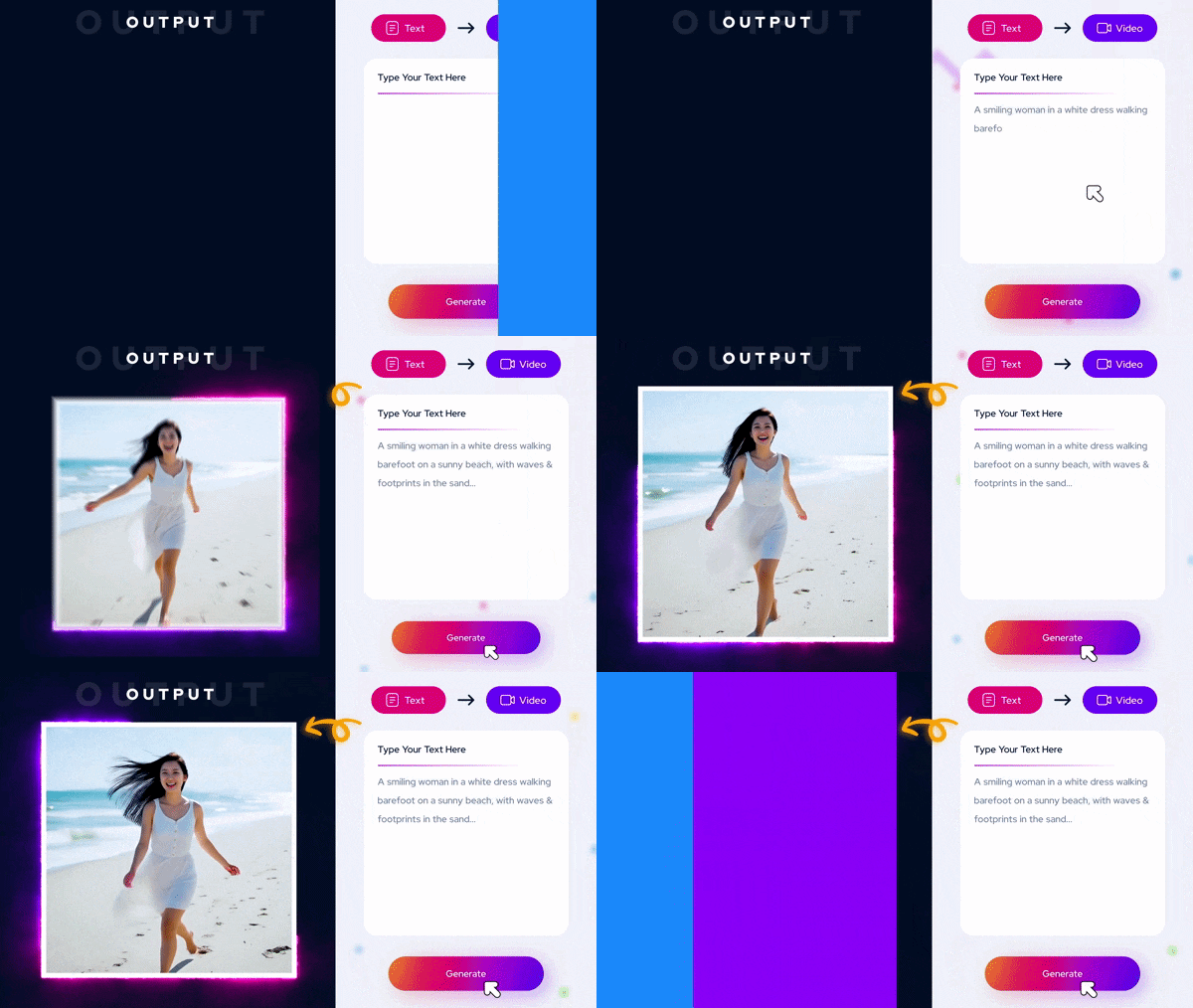
With this feature, all you have to do is just describe your idea in a prompt, and the system turns it into a video automatically. Then, VideoExpress AI will generate scenes, visuals, and motion based on your input.
2. Talking Photos
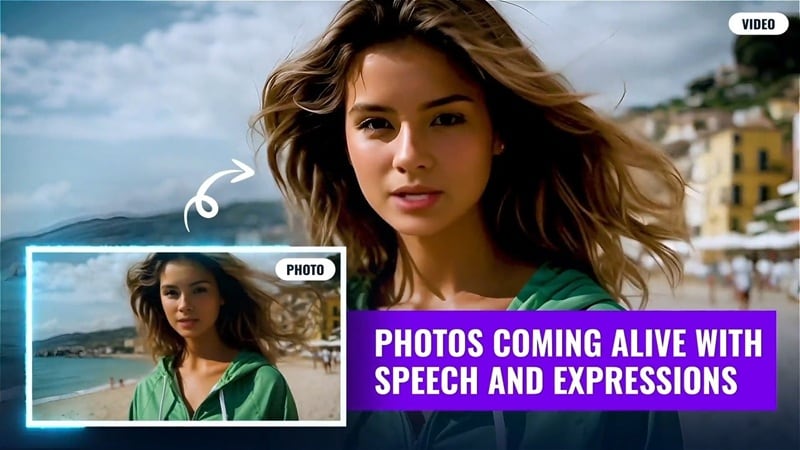
This feature lets you turn a regular photo into a speaking avatar with realistic lip sync. You can even make the character sing or speak in different languages, which makes it useful for marketing videos, presentations, or social content.
3. Consistent Character AI
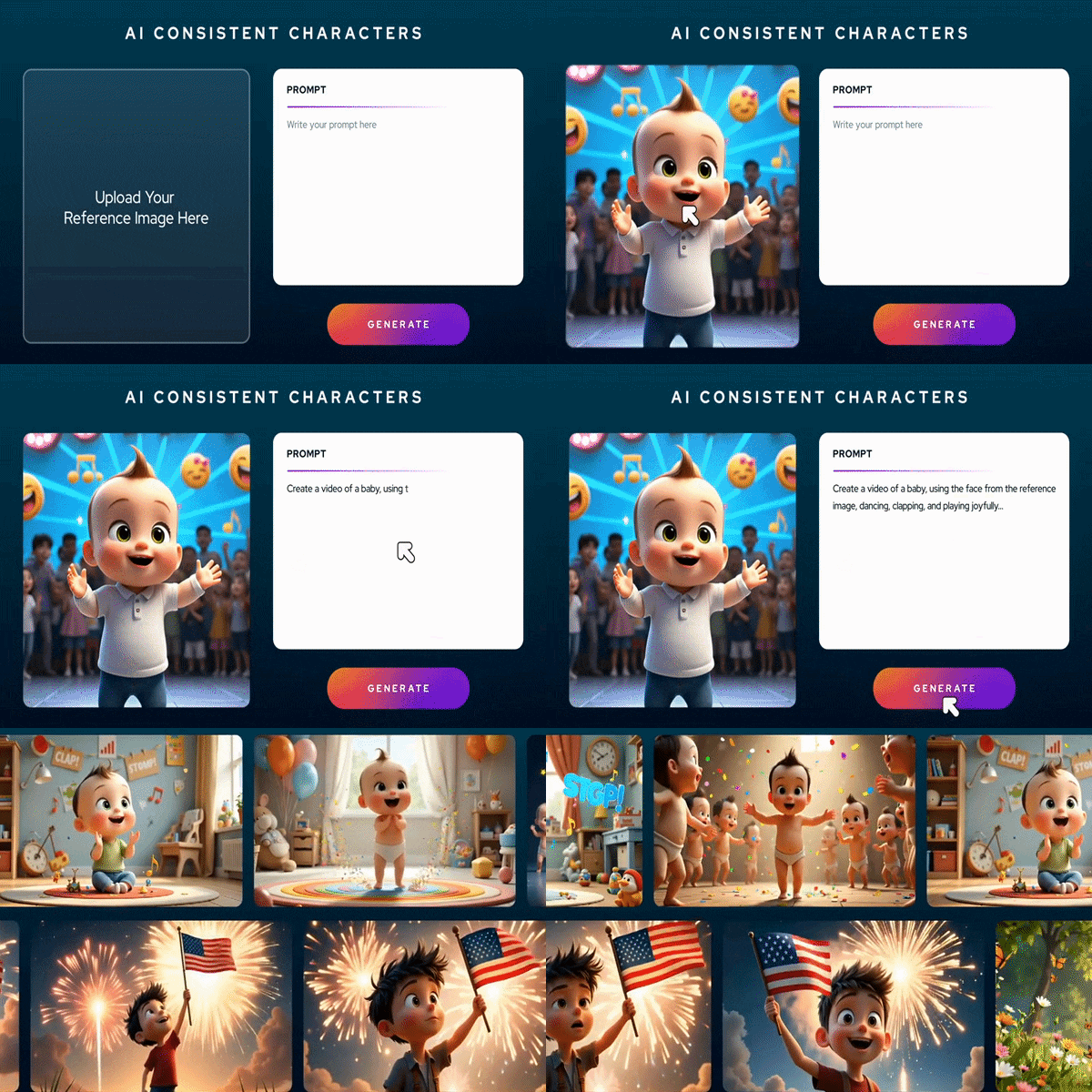
VideoExpress AI can keep the same character appearance across different clips. This helps maintain a consistent look for branding, storytelling, or recurring content without recreating characters every time.
4. Additional Capabilities
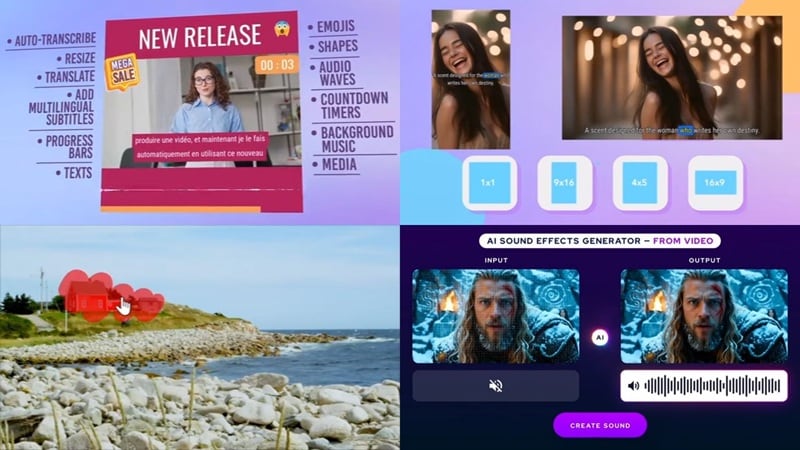
Aside from creating videos, VideoExpress AI also comes with a set of extra tools that help you finish everything in one place without switching between different apps. That includes:
- AI voiceovers and subtitles help you add narration and captions quickly.
- AI video inpainting lets you change or replace parts of your video, whether it's an object, a person, or other elements in the scene.
- AI video object removal helps you remove unwanted items from your footage to keep the visuals clean.
- AI sound effect generator creates sound effects that match your video's mood or action.
- Social media optimization tools help you resize and prepare videos for different platforms like TikTok, Instagram, or YouTube.
Part 2. VideoExpress AI Review: Our Real Testing Experience
All those features sound good on paper, but what really matters is how the tool works when you actually use it. So, we tried to review VideoExpress AI ourselves to see how it performs in real workflows and everyday use. Here's what the experience was like.
Interface and Ease of Use
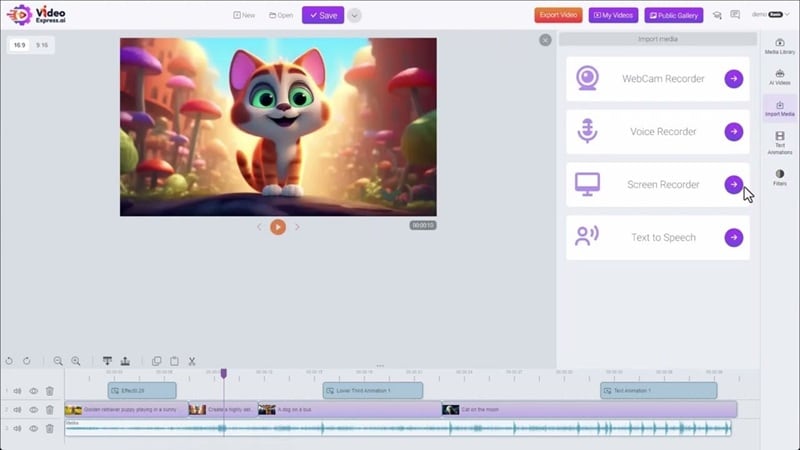
Most of the workflow in VideoExpress AI is prompt-based, but the platform also comes with its own built-in video editor. Thankfully, everything feels clean and easy to understand from the start. The dashboard is simple, the layout makes sense, and moving around the tools feels pretty straightforward. If you're new to video editing, you probably won't feel overwhelmed here.
AI Features
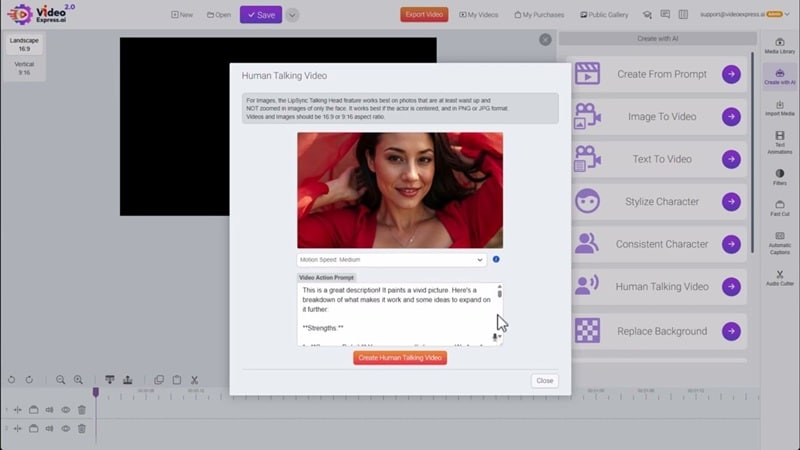
Most of the AI tools in VideoExpress AI work pretty much the way you expect. They do what they're supposed to do, even though the quality isn't anything crazy. That said, many of the stronger AI features are locked behind the higher paid plans. The basic plan also limits your output to very short clips, usually around three seconds, so that's something to keep in mind.
Output Quality & Rendering Performance
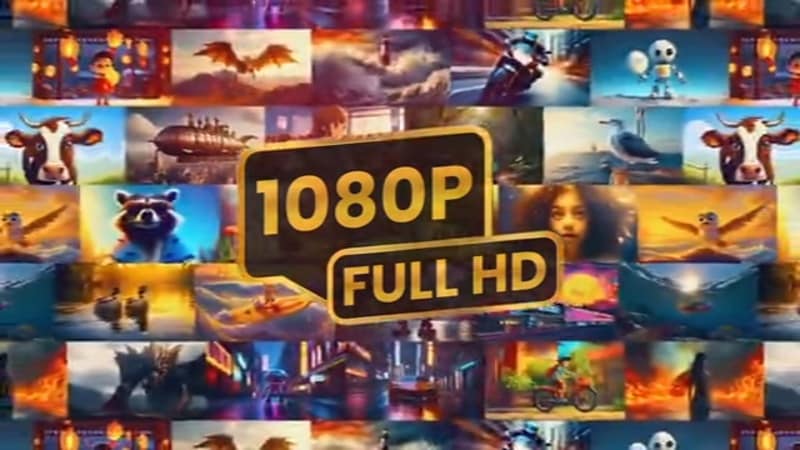
When it comes to quality, the newer VideoExpress AI 2.0 shows clear improvements compared to the older 1.0 version. Rendering feels faster, the generation process is more stable, and motion looks smoother overall. Also, the platform now supports 1080p output, which makes the results look more polished than before.
Overall Experience Summary
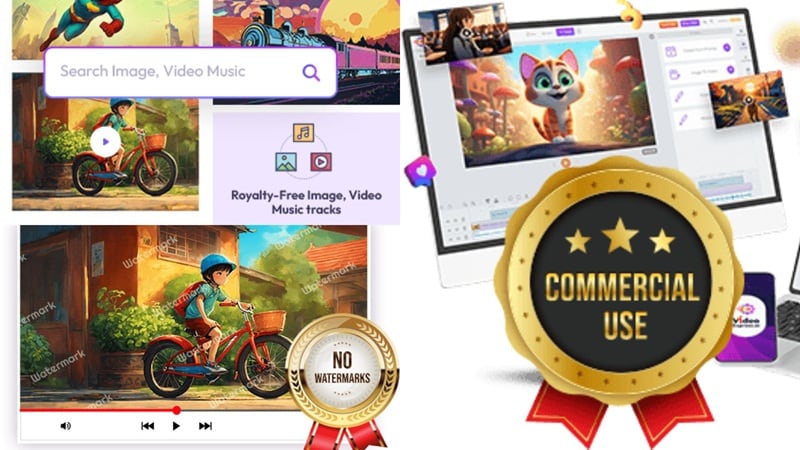
Overall, using VideoExpress AI feels pretty easy. The workflow is simple, and you don't have to wait too long for each video to generate. The built-in media library is also helpful if you need extra assets. Another nice thing is that exports don't have watermarks, and you can use the videos commercially, which makes it useful for content creators.
Part 3. VideoExpress AI User Reviews: What Reddit and Trustpilot Say
Our own testing only shows part of the picture. If you really want a clear VideoExpress AI review, it also helps to see what actual users are saying after using the tool themselves. That's why checking community feedback on Videoexpress AI Reddit and Trustpilot can give you a more balanced view.
So, let's check what people are saying online, go through the Videoexpress AI review on Trustpilot, and see what users like on Reddit, what they complain about, and what you should know before using it.

What Reddit Says
If you look through the VideoExpress AI review on Reddit discussions, here are the things people commonly talk about:
- The All-Access plan is more worth it because the basic plan feels too limited.
- Good for quick social media videos since it's fast and easy to use.
- Editing features are limited if you want more control.
- Video quality can be inconsistent, especially with complex scenes.
Trustpilot Ratings
Meanwhile on Trustpilot, the feedback on VideoExpress AI is mostly positive. The platform holds around a 4.7/5 rating, and many users seem happy with their overall experience. Here are the things people often mention:
- The platform is easy to use and feels simple to understand.
- The tutorials are helpful and easy to follow.
- Customer support responds quickly and helps solve issues.
- Some users report refund issues or say the results did not match their expectations.
Part 4. Pricing Breakdown: Lifetime Deal vs Subscription Tools
Besides AI features and ease of use, pricing is something most people really think about when choosing an AI tool. And in this case, VideoExpress AI works a little differently from many other platforms.
Tools like InVideo and similar platforms use a subscription model, which means you keep paying monthly or yearly to keep using them. But instead of charging you every month, VideoExpress AI offers a one-time payment for lifetime access. But the question is whether a lifetime deal actually saves more money? Let's break it down.
| Category | Lifetime Deal | Subscription Tools |
| Payment Type | One-time payment | Monthly or yearly fee |
| Long-Term Cost | Pay once, no recurring cost | Costs increase over time |
| Updates | May depend on plan or version | Usually included regularly |
| Feature Access | Some features locked by tier | Often full access while subscribed |
| Flexibility | One purchase, permanent access | Can cancel anytime |
| Best For | Beginners or budget users | Professionals or frequent users |
| Overall Value | Good for long-term saving | Good for continuous updates |
|
Show More
Show Less
|
||
Part 5. Better Options to Consider: Top VideoExpress AI Alternatives (2026)
Now that you've got a better idea of how VideoExpress AI works, it also helps to check out a few other options. Looking at different tools gives you a wider view of what's out there, so you can figure out which one really fits your needs and workflow.
To help you compare, here are three strong VideoExpress AI alternative options worth checking out.
1. Filmora AI: Best All-In-One Professional Alternative
 Secure Download
If you find VideoExpress AI too basic, Wondershare Filmora is the best VideoExpress AI alternative for professional results. Unlike simple prompt-based tools, Filmora integrates advanced AI Text-to-Video with a professional timeline, powered by industry-leading models like OpenAI Sora and Veo.
- AI Text-to-Video, AI Image-to-Video, and AI Audio-to-Video help you create videos instantly from different types of input.
- AI Smart Short Clips and AI Smart Scene Cut help turn long videos into short content for social media.
- Advanced AI audio and effects tools give you better control over sound and background effects.
- Professional editing tools like dual monitor editing, planar tracking, motion tracking, and keyframing give you more creative flexibility.
- Supports video quality up to 8K.
- Uses advanced AI models like Veo 3.1 and Sora 2 for high-quality results.
- Works on Windows, macOS, Android, and iOS with regular updates and improvements.
- The free version adds a watermark to exported videos.
2. Adobe Express: Best for Brand-Focused Content
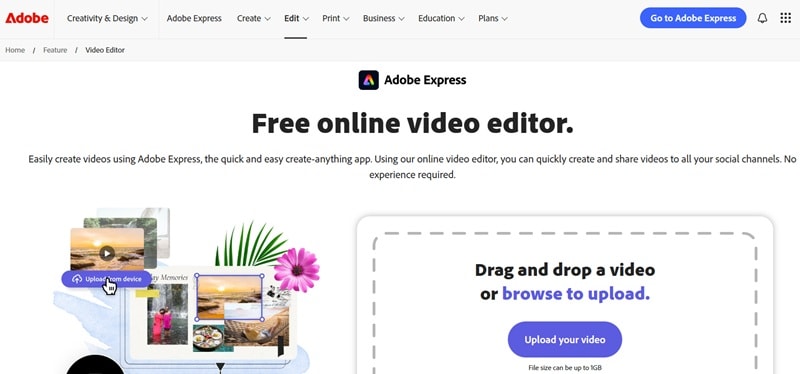
Another strong VideoExpress AI alternative you can check out is Adobe Express. It's Adobe's simple video editor that focuses more on design and branding rather than heavy editing. Most of the work happens online, and there's also a mobile app, so you can edit and post content straight from your phone.
- You get access to over 100,000 templates for both images and videos, which makes starting a project much faster.
- You can add animated effects to give your videos a fresh and polished look.
- There's a huge library of over one million Adobe Stock photos, videos, music tracks, and design assets.
- It connects smoothly with other Adobe tools, which is helpful if you already use Adobe software.
- It's quick to create content that fits TikTok, Instagram Reels, or Facebook Stories.
- AI features are limited, and the editing tools are fairly basic.
- The free version only allows a 1GB upload size, which may not work well for longer projects.
3. Synthesia: Best for High-End AI Avatars
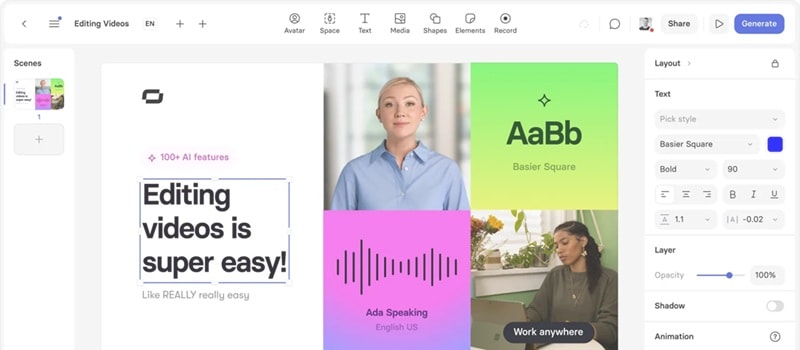
Synthesia can also be a strong VideoExpress AI alternative if your main goal is to create videos with realistic talking presenters. It's a well-known platform that focuses on AI avatars, so instead of filming yourself, you can generate a digital presenter that speaks your script for you. This makes it especially useful for business videos, training content, and professional presentations where you want a clean and polished look without recording anything.
- You can create voiceovers in more than 160 languages, which helps you reach global audiences easily.
- There are over 240 AI avatars you can choose from for different styles and use cases.
- You can export videos in SCORM format, which works well for learning platforms and training systems.
- The AI avatars look very realistic and professional.
- You can create custom avatars based on your own appearance or brand needs.
- The free plan only allows around 10 minutes of video per month.
- Not ideal for cinematic videos or complex visual storytelling.
Part 6. Side-by-Side Comparison: VideoExpress AI vs Top Alternatives
Alright, all three tools above are strong options, but you might be wondering how they actually compare to VideoExpress AI itself. Each one has its own strengths, so seeing them side-by-side makes it much easier to understand which one fits your needs better.
To help you get a clearer picture, here's a simple comparison showing how VideoExpress AI stacks up against its top alternatives.
| Feature | VideoExpress AI | Filmora | Adobe Express | Synthesia |
| Platforms | Windows, macOS | Windows, macOS, Android, iOS | Online, Android, iOS | Online |
| Pricing Model | One-time payment | Subscription or perpetual | Subscription | Subscription |
| Free Trial / Version | Unavailable | Available | Available | Available |
| Video Quality Output | Up to 1080p | Up to 8K | Up to 4K | Up to 1080p |
| AI Video Generation | Yes | Yes | No | Yes |
| Editing Control | Basic editing tools | Advanced timeline editing | Basic editing | Limited editing |
| Templates and Assets | Basic media library | Extensive effects and asset library | Huge template collection | Presentation-focused templates |
| Audio and Voice Tools | AI voice and sound tools | Advanced AI audio editing tools | Basic audio tools | Multilingual voiceover |
| Best For | Quick content creation | Professional video production | Branding and social media | Training and presentations |
|
Show More
Show Less
|
||||
Part 7. Final Verdict: Should You Buy VideoExpress AI?
Conclusion
In this VideoExpress AI review, we looked closely at the features, tested its performance, and checked real user feedback online to see if it's actually worth your money. The truth is, VideoExpress AI can be useful if you go for the All Access plan, since that's where you unlock the full set of AI features and get the most value out of the platform.
But if you're planning to work on more serious projects and want something more complete, there are stronger VideoExpress AI alternative options like Filmora. It offers everything VideoExpress AI does and builds on it with richer AI tools and much more flexible editing control. It also supports higher quality output and gives you room to grow from beginner level to more advanced editing without switching platforms.

FAQs
-
Is VideoExpress AI a scam?
No, VideoExpress AI is not a scam. A lot of people first hear about it through ads, which can make it feel a bit suspicious at first. You'll also see mixed discussions about it on Reddit, which is normal for most online tools. But the platform itself is real and works as advertised. -
How does VideoExpress AI 2.0 differ from the previous version?
VideoExpress AI 2.0 mainly improves performance and output quality compared to the older version. It has faster rendering speed, a more stable generation process, and smoother motion in the final videos. The platform also supports 1080p output now, which makes videos look clearer and more polished. -
What is the best Video Express AI alternative for beginners?
One of the best VideoExpress AI alternative options for beginners is Filmora. It's easy to use but still gives you much more control over your videos. You get AI tools like AI Text-to-Video, AI Image-to-Video, and AI audio features, along with a full timeline editor that helps you fine-tune everything.
