


 TL;DR:
Vont is a lightweight mobile app best suited for beginners wanting to manually add custom typography to short clips, while Wondershare Filmora is the necessary upgrade for creators requiring automated captions and full-scale video editing.
● Vont provides over 400 built-in fonts and supports custom font installations on iOS and Android, but completely lacks a timeline, requiring users to sync every word to specific video moments entirely by hand.
● The application is strictly limited to static text overlays without transitions, effects, or smart tools, making it functional for basic quote videos but highly inefficient for fast-paced reels or multi-scene content.
● Wondershare Filmora eliminates Vont's manual workflow limitations by offering AI auto-captions, subtitle translation across more than 20 languages, full timeline editing, and AI generative templates powered by Veo 3.1 and Sora 2.
Ask AI for a summary
 ChatGPT
 Perplexity
 Gemini
 Claude
 Grok
Grok
Social feeds move fast, and people scroll even faster. If a video does not have text on it, most viewers will skip before the first second passes. That is why tools like the Vont app have started to catch attention.
There are plenty of apps that add text to videos, but Vont is a bit different. It stays quiet, simple, and very typography-focused. Not many people talk about it, which makes it interesting on its own.
Today, we break down what the Vont text on video actually does, where it works well, and where it starts to feel limited. By the end, you might confirm it fits your needs, or you might spot a better option for your videos.
Getting Familiar with the Vont App Before Using It
Before jumping into the features, it helps to understand what the app Vont is really meant for. The Vont editing app comes from the same developer as Phonto, and that influence shows right away. Fonts and text control sit at the center, while everything else stays minimal and out of the way.
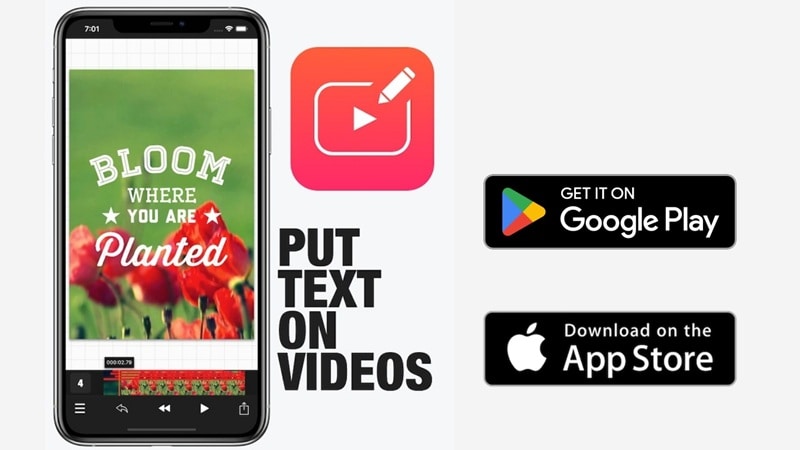
Vont text on videos is a mobile-focused app, so you can download the Vont app for free from the Google Play Store or the Apple App Store. If you prefer other options, some users choose to get the Vont app for Android from third-party sources. In that case, you will often see it listed as a Vont text on video apk on various sites online.
Quick Overview Table: Vont App at a Glance
The Vont app is free to use with ads, which works fine for quick projects. There’s also a paid option that removes ads and makes the experience smoother. If you want a clearer picture of how the app is set up and what it offers, the simple overview below lays it out in a way that’s easy to scan and understand.
| Category | Details |
| Platforms | Android, iOS |
| Ease of Use | Very easy, no learning curve |
| Performance & Speed | Lightweight and runs smoothly |
| Ratings | 4.8/5 on Google Play Store, and 4.6/5 on Apple App Store |
| Best Use Case | Adding clean text and fonts to videos |
Key Features & Capabilities
So, now you get the general idea of Vont, but the real question is whether its features are actually good enough to earn a spot on your phone. Below, we’ll break down what this app truly offers and how it feels in real use.
Extensive Text Fonts
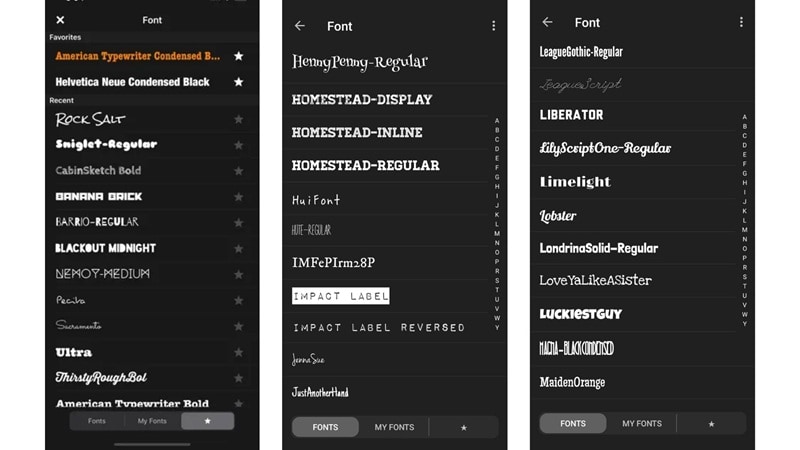
If typography matters to you, Vont fonts are easily its strongest point. It comes with more than 400 fonts, which is rare for a mobile text tool. On top of that, you can install your own custom fonts, giving designers more control than most simple caption apps.
Flexible Text Adjustments
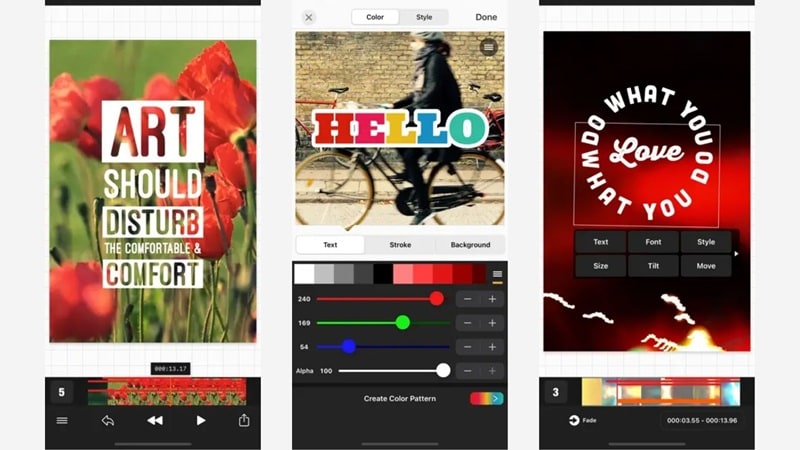
Vont text stays fully manual, which is part of what makes the app easy to use. You get the essentials without extra clutter, including:
- Text size can be adjusted freely.
- Text color can be changed with solid colors.
- Text shadow can be added for readability.
- Text rotation helps with creative layouts.
These tools feel basic, but they work reliably, which is often enough for social captions or quote style videos.
Same Developer as Phonto
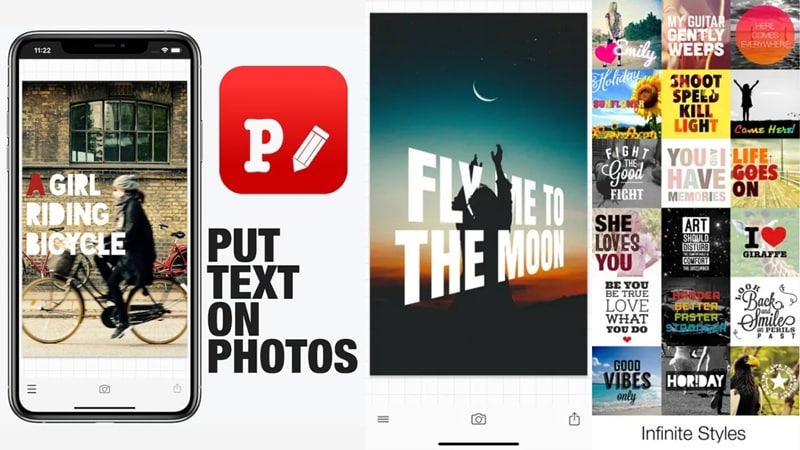
If you have used Phonto, Vont will feel familiar. Phonto focuses on adding text to photos, while Vont video focuses on adding text to videos. The design logic and font handling are very similar between the two apps.
The Good and the Not So Good After Real Use
No app is perfect, and the Vont app is no exception. So, after trying it out ourselves making quick videos with Vont, we found what’s good about it and what’s still lacking and needs improvement. Here is a balanced look.

- Free and Easy to Try: The Vont app lets you add text on videos without paying upfront. You can test everything first, which makes it easy to see if Vont text fits your style before spending anything.
- Runs Smoothly on Most Phones: Vont is very lightweight, so it opens fast and does not slow your device down. Even older Android phones can handle the Vont app without lag or crashes.
- Strong Focus on Fonts: This is where Vont fonts really stand out. The app gives you hundreds of fonts and even lets you install your own, which makes your text feel more personal and less generic.
- Clean and Simple Layout: The interface stays clear and uncluttered. You open the app, add text, adjust it, and export, which makes Vont text on videos easy for beginners.
- Only Works for Text Edits: The Vont editing app focuses only on adding text. If you want transitions, effects, or layered visuals, you will quickly hit a wall.
- No Smart or AI Tools: There are no AI captions or automatic features. Every piece of Vont text on video has to be placed and adjusted by hand, which can slow things down.
- Basic Text Placement Only: There is no real timeline to work with. Text stays simple, and syncing words to specific moments takes extra effort.
- Not Built for Complex Videos: For short captions or quotes, the Vont app for Android and iPhone works fine. But once you try reels, multi-scene videos, or fast-paced content, its limits become obvious.
Better Option to Add Text on Videos: Wondershare Filmora
Looking at the pros and cons of the Vont app above, you may start to feel boxed in once your videos need more than captions. When that happens, it makes sense to look at other tools, and Wondershare Filmora stands out right away.
It's an advanced AI video editor but still feels friendly if you are new to editing. One feature that really helps is AI captions. It can listen to your audio and turn speech into subtitles automatically, which saves a lot of time compared to placing Vont text on video by hand.
On top of that, Filmora gives you ready-made text templates, animated titles, and motion presets. These feel designed for reels and short videos, not just static words on screen. If you like the simplicity of the Vont editing app but want more room to grow, Filmora makes that jump feel natural.
 Secure Download
What Filmora Can Do Beyond Basic Text
What we mentioned above is only a small part of what Filmora can handle. Unlike the Vont app, which stays focused on text, Wondershare Filmora works as an all-in-one editor that supports the whole editing process from start to finish.
Instead of only adding words on screen like Vont text on videos, Filmora lets you build the entire video in one place. You can edit clips, add music, style text, and export everything without switching apps.
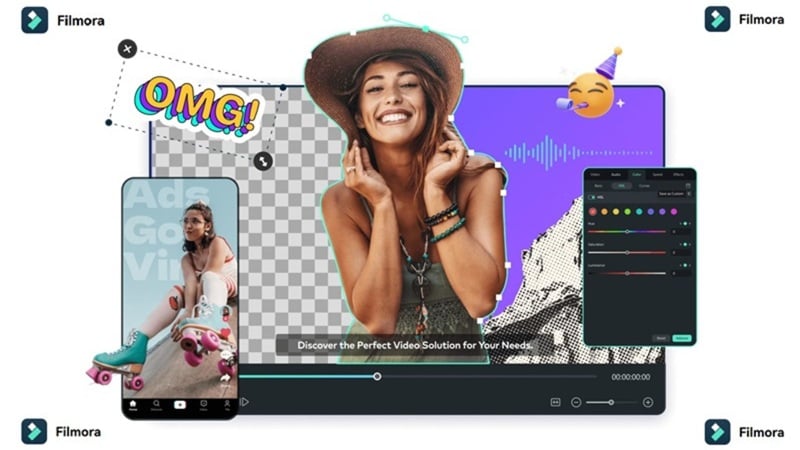
Here are some of the features where Filmora really shows its strength and gives you more room to work with.
Turn Ideas Into Videos Fast
With Filmora, you can create clips using AI text to video and AI image to video templates without starting from scratch. These tools tap into advanced AI models like Veo 3.1 and Sora 2, which helps your ideas turn into motion quickly. Compared to placing Vont text on video line-by-line, this feels much faster and more flexible.
Full Timeline Editing
Filmora gives you a real timeline where everything lives together. You can cut and trim clips, layer text, add music, and stack effects without jumping between screens. You can even work with multiple clips in one timeline or use a dual monitor when you want more control over how scenes flow.
Reach More People With Caption Translation
Filmora includes AI video translation, which makes sharing videos across regions much easier. You can translate subtitles into more than 20 languages, so your content does not stop at one audience. This is something Vont text does not cover at all.
Export Ready for Social Media
Filmora takes the guesswork out of sizing. It comes with preset aspect ratios for reels, shorts, and TikTok, so your videos fit perfectly on each platform. You can also export straight to social apps, which saves time and keeps things simple.
Available on Mobile Too
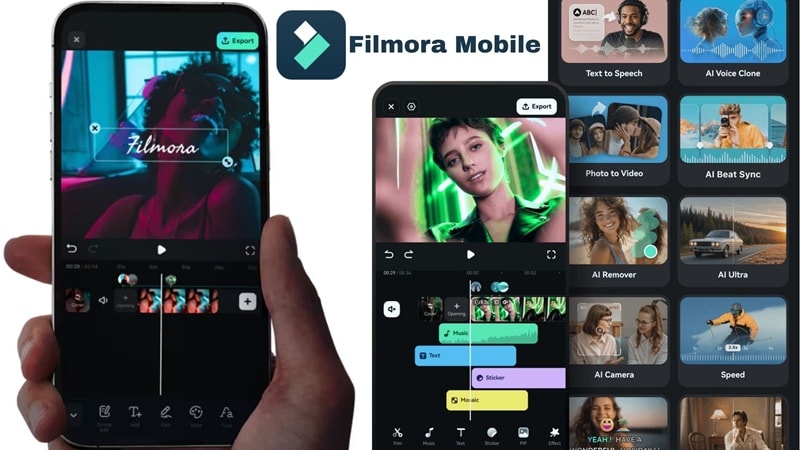
Filmora is not limited to desktops. It is also available on Android and iOS, and the mobile version holds up well. You still get AI captions, text animations, AI text to video, and AI image to video. If you started with the Vont editing app and want more room to grow, Filmora feels like a natural next step.
Secure DownloadConclusion
In the end, Vont text on video works as a simple mobile app for adding words to clips, and that is really all it tries to be. We reviewed the Vont editing app to see if it is worth your time, and after breaking down the features along with the pros and cons, it feels too basic for most users. It handles text, but every adjustment happens manually, line-by-line, which can turn into a lot of work once your videos get longer.
If you want more than just placing Vont text on a screen, other tools make more sense. Editors like Wondershare Filmora go further by offering AI captions, rich text styles, and a wider set of editing tools in one place. You get a more complete editing experience without losing that beginner-friendly feel, which makes it easier to grow your videos beyond simple text overlays.
