

 TL;DR:
To bypass Luma AI's long queue times and short clip limits, professional creators favor Runway Gen-4.5 for stable visual control, while those frustrated by platform hopping can use Wondershare Filmora to integrate Sora 2 and Google Veo 3.1 directly into a complete editing timeline.
● Sora provides the longest single-clip generation at 20 seconds with highly natural physics handling, but it restricts regional public access and completely lacks built-in editing features.
● Hailuo AI and PixVerse AI produce fast 10-second outputs for mobile users, though Hailuo enforces a strict two-task limit alongside watermarked free exports, while PixVerse trades high-end cinematic realism for rapid 20-second rendering and template variety.
● Specialized workflows demand distinct alternatives, such as inVideo AI for building 30-second marketing videos starting at 35 dollars per month, or Kiri Engine for scanning flat media into exportable 3D models for software like Blender and Unreal Engine.
Ask AI for a summary
 ChatGPT
 Perplexity
 Gemini
 Claude
 Grok
Grok
Luma AI's Dream Machine has revolutionized the AI video space with stunning realism. However, due to long queue times and motion glitches, many creators are seeking a reliable Luma AI alternative. Whether you need a free Luma AI alternative for testing or a professional tool for high-end production, this 2026 guide compares the top 10 rivals to help you find the perfect fit for your workflow.
Part 1. Why You Might Need a Luma AI Alternative in The First Place
You might be wondering why people are looking for a Dream Machine Luma AI alternative to begin with. But the thing is, Luma AI is impressive, no doubt about that. However, it is not perfect for everyone. Some common frustrations keep popping up. Including;
- Long queue times during peak usage.
- Motion glitches in complex physics scenes.
- Short clip duration limits.
- Limited built-in editing tools.
- Credit system that may not suit heavy creators.
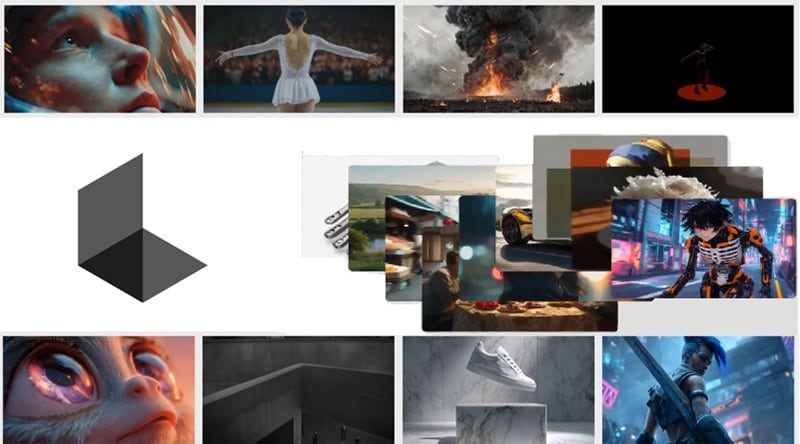
None of this is shocking, though. As creators grow, their needs grow too. And that's why many people want a Luma AI alternative free tool so they can test ideas without worrying about credits. Others want smoother physics, faster generation, proper Android access, or built in editing so they do not have to jump between tools.
Part 2. Luma AI vs The Big Players: Quick Reality Check
So, if Dream Machine is not the only option anymore, what actually comes close or maybe even does better? Well, there are a lot of names floating around right now, and we have 10 recommendations of Luma Dream Machine AI alternatives for you.
But before we go deep into each one, let's zoom out and look at a side-by-side comparison of how Luma compares to these top competitors. That way, you can quickly see which Luma AI alternative suits for your style.
| Tool | Max Video Length | Motion Quality | Platform Support | Free Trial / Credits |
| Luma AI | 10 seconds | Excellent | Online, iOS | Available |
| Kling AI | 15 seconds | Extra realistic | Online, Android, iOS | Available |
| Runway Gen-4.5 | 10 seconds | Excellent | Online, iOS | Unavailable |
| Sora (OpenAI) | 20 seconds | Detailed | Online, iOS | Unavailable |
| Pika 2.2 | 10 seconds | Less realistic | Online, iOS | Available |
| Google Veo 3.1 | 8 seconds | Stable motion | Online | Unavailable |
| Hailuo AI | 10 seconds | Realistic | Online, Android, iOS | Available |
| PixVerse | 10 seconds | Average | Online, Android, iOS | Available |
| Kiri Engine | N/A | Realistic | Online, Android, iOS | Available |
| CapCut | 12 seconds | Excellent | Online, Windows, macOS, Android, iOS | Available |
| invideo AI | 30 seconds | Excellent | Online, Android, iOS | Available |
|
Show More
Show Less
|
||||
Part 3. Top 5 Professional Luma AI Alternatives for High-End Video Production
Alright, now let's actually talk about the tools themselves. To begin our list, we'll dissect recommendations that give you cinematic quality and stronger generation than basic tools. So, if you're looking for a serious Luma Dream AI alternative, this is where you'll find the heavy hitters.
1. Kling AI
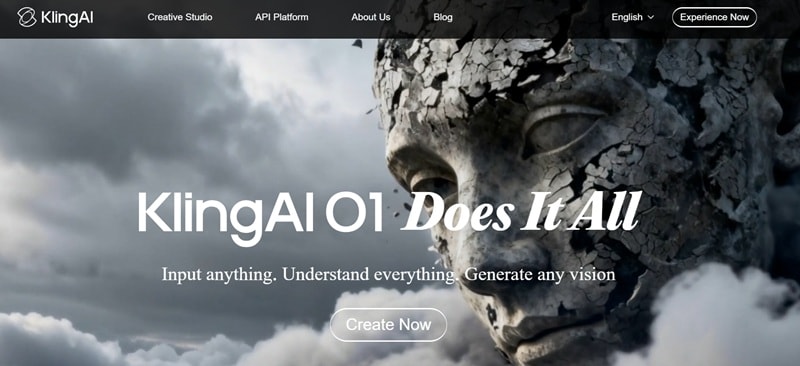
- Text and image to video generation that helps you create scenes quickly from prompts or photos.
- Start and end frames to video control so your scene transitions feel smoother and more natural.
- Native audio generation that produces sound along with the video for more complete results.
- Motion Control feature that lets you upload a reference video or image to mimic movement and style.
- It has better motion continuity than many tools.
- The facial expressions look very realistic and detailed.
- The latest model still has limited access in some regions.
- Processing time can slow down when servers are busy.
2. Runway Gen-4.5

- Change the lighting of a scene, restyle a shot, or add and remove elements using simple text prompts.
- Motion capture tools that help create more realistic character movement.
- Generate complex visual effects just by describing what you want to see.
- You can use reference images to guide the results and make prompts more accurate.
- Very strong creative control for styling and scene changes.
- Credits cost more compared to many other tools.
- Results depend heavily on how clear and detailed your prompts are.
3. Sora (OpenAI)
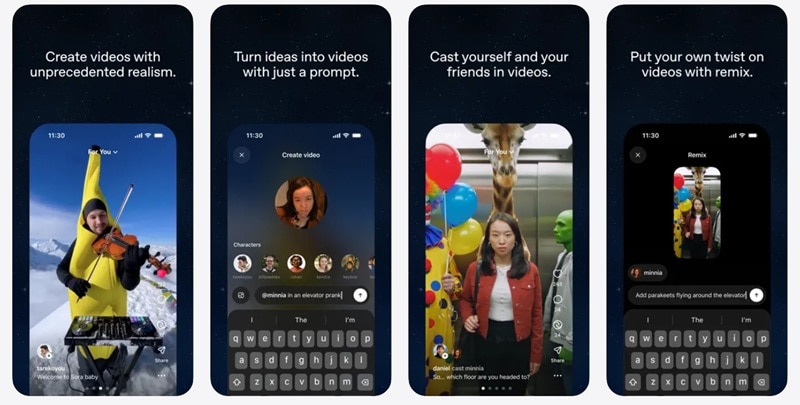
- Text-to-video generation that creates detailed scenes from simple descriptions.
- Image reference support that helps guide style and visual consistency.
- Cameo feature that lets you upload yourself or a subject into generated scenes.
- The movement handles complex scenes very well and looks natural.
- Integrated access for ChatGPT users makes the workflow easier.
- Limited public access in some regions.
- No built-in editing features.
4. Pika 2.2
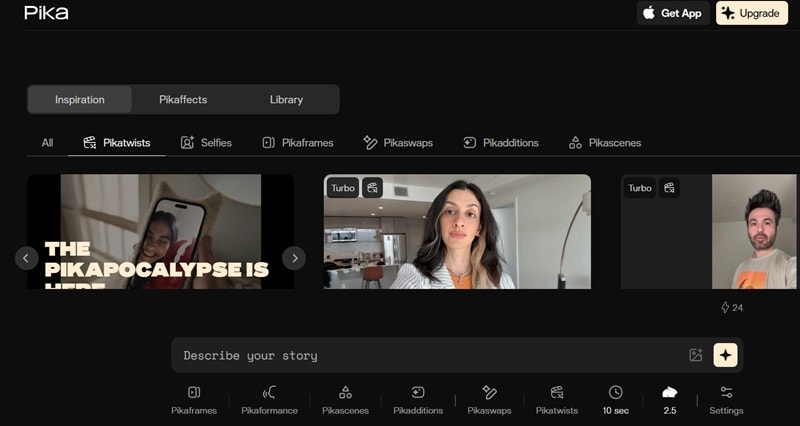
- Pikaeffects that let you apply visual transformations like melting, inflating, or crushing objects in a scene.
- Pikascenes that help generate short animated environments quickly from prompts.
- Pikaswaps that allow you to replace objects or subjects inside a video.
- Supports negative prompts so you can remove unwanted results or control the output better.
- The free version is good enough for testing ideas.
- Human motion is less realistic compared to high-end tools.
- Less control over cinematic camera movement.
5. Google Veo 3.1
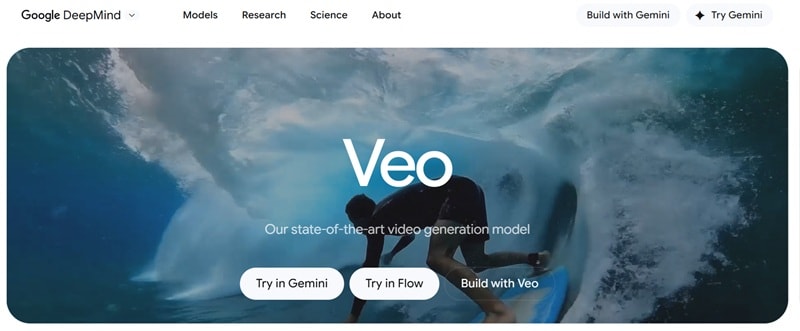
- Generate video with audio from text prompts or images in one process.
- Works smoothly with Google tools like Gemini, Flow, and other supported platforms.
- Strong scene consistency that helps maintain visual quality across frames.
- The rendering process is usually fast compared to many tools.
- Strong integration with the Google ecosystem.
- The pricing structure can feel confusing for beginners.
- Video length can be shorter than some competing tools.
Part 4. Best Free Luma AI Alternatives and Top Options for Android/iOS
The five tools above are certainly powerful and worth considering. But not everyone needs studio-level output every time. Sometimes, you just want to test an idea, post something quick, or create straight from your phone without opening a full desktop setup.
If you are looking for a Luma Labs AI alternative free option, or specifically a Luma AI alternative for Android, this section is for you. So, let's go through them and see which one fits your style.
1. Hailuo AI
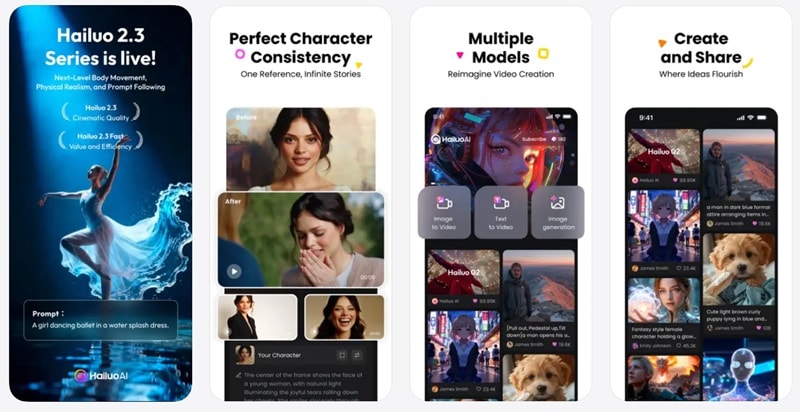
- Turn written descriptions into video scenes using text-to-video generation.
- Use subject reference to keep the same character looking across different scenes.
- Transform still images into moving visuals with image-to-video tools.
- Generates videos with natural and expressive character emotions.
- Fast generation time for short clips.
- You can only run up to two tasks at the same time even on higher plans.
- The free version adds a watermark to exported videos.
2. PixVerse AI
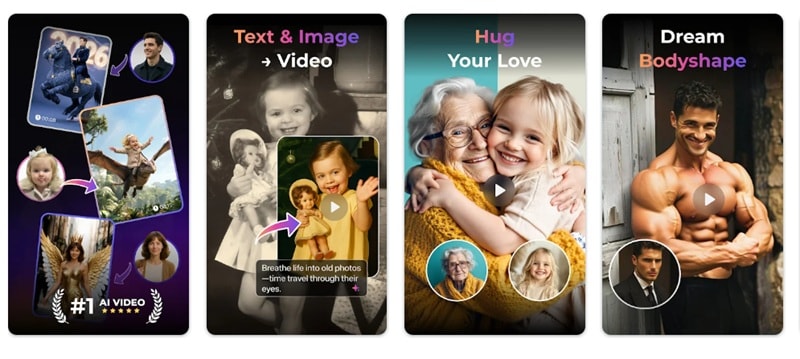
- Generate videos from text or images to quickly turn ideas into short visual clips.
- A wide range of creative templates that let you create stylized videos just by uploading your photo.
- Native audio generation that adds sound directly to your video output.
- There are several ways to earn credits without buying a subscription.
- Fast generation process that usually takes around 20 seconds.
- The realistic quality is not as strong as more professional tools.
- Limited control over camera movement and complex scenes.
3. Kiri Engine
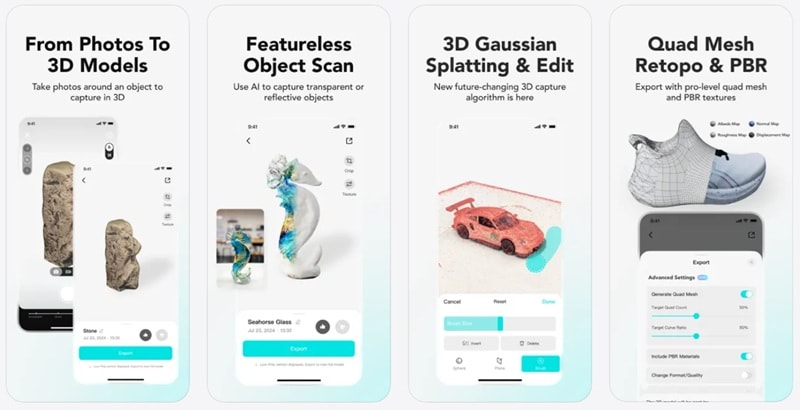
- Scan objects into 3D models using video, even shiny or textureless surfaces.
- Turn regular photos into detailed 3D models with photo scan tools.
- Export files in multiple formats like OBJ, STL, FBX, GLTF, and more for use in other software.
- The free version already offers plenty of features for most users.
- Works well with tools like Blender, Unreal Engine, and Autodesk Maya.
- The output style is limited to 3D models and scenes.
- Processing large scans can take time depending on device performance.
4. CapCut
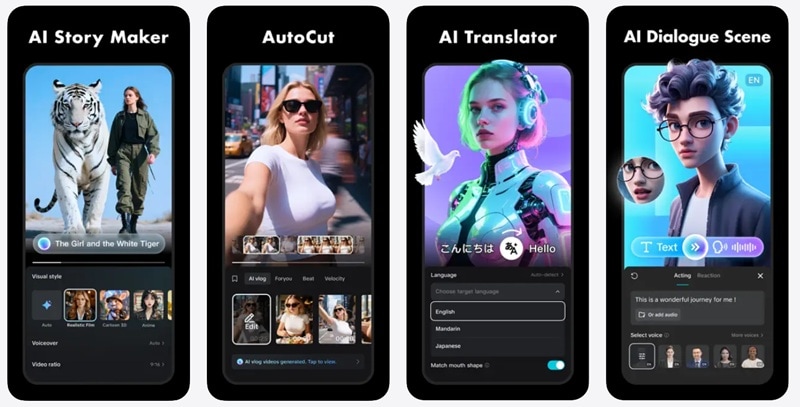
- AI text-to-video and AI image-to-video tools that help you generate clips from prompts or photos.
- A wide range of creative AI templates for quick social media content.
- Strong subject and style consistency across scenes.
- Runs on multiple AI models, so you get more creative options in one place.
- Available almost everywhere, including desktop, mobile, and web.
- Getting high-quality results often takes detailed prompts and some trial and error.
- Some advanced styles and features are mainly available on the web version.
5. inVideo AI
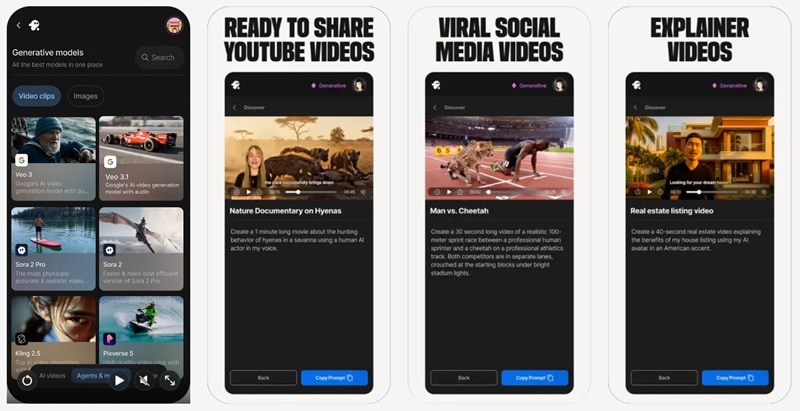
- AI movie maker tools that help you generate full-length videos or documentaries in different styles.
- Script to video feature that turns your written idea into complete scenes automatically.
- Photo to video generation that transforms images into animated visuals.
- The free version does not include full generative features.
- More expensive compared to many other tools on this list.
- The free version does not include full generative features.
- More expensive compared to many other tools on this list.
Part 5. Real User Verdict: What Reddit Really Thinks About Luma AI Alternatives
Alright, we've gone through a bunch of strong options for a Luma AI alternative, but now comes the real question. What are actual creators using day to day? If you want honest takes, Reddit is usually where people stop being polite and start being real.

When you scroll through Luma AI alternative Reddit threads in 2026, one name that keeps popping up is Runway. A lot of users see it as a serious contenders, due to:
- It feels more stable during heavy usage.
- The motion and lighting look cinematic without too much tweaking.
- It blends generation and editing in a smoother way.
What Creators Actually Care About
Interestingly, after reading through different threads, a few things become clear. People still respect Luma for its realism, because the quality can look amazing. And yet:
- Many dislike queue times.
- Some shift to tools that combine generation + editing.
This shows that workflow matters as much as generation quality. It can be annoying to generate clips in one tool, then move everything into an editing platform to finish the job properly. And to solve that, we have one editor that does it all: Wondershare Filmora.
 Secure Download
Part 6. How Filmora Revolutionizes Your AI Video Workflow
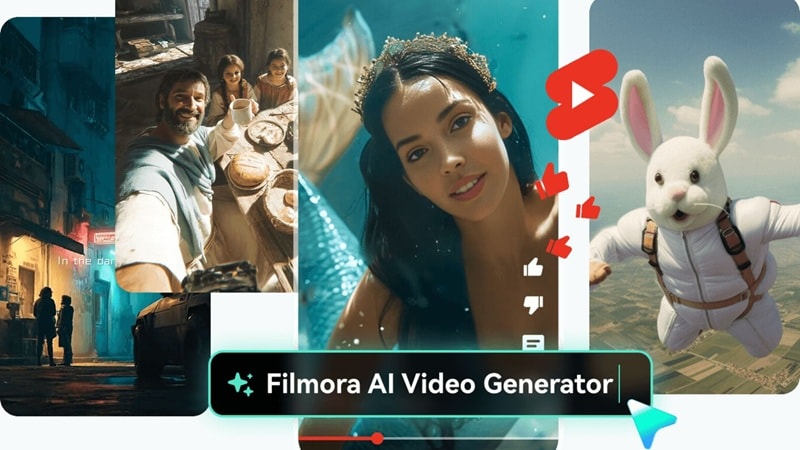
Unlike standalone tools, Filmora acts as a comprehensive AI video editor, integrating world-class models like Sora 2 and Google Veo 3.1 directly into your editing timeline. This eliminates the need to jump between different Luma AI alternative sites.
And due to its all-in-one workflow, you can pretty much finish all your projects without hopping between different platforms just to get one video done.
Secure DownloadThat's because Filmora brings everything you need into one place, including:
1. Edit Clips Instantly
Right after you finish creating scenes using powerful models like Veo 3.1 and Sora 2 right inside the editor, you can trim it, cut it, or rearrange it on the timeline. It feels natural, like regular editing, just with smarter starting material.
2. Add Transitions, Music, and Captions
Filmora comes with a big built-in media library and plenty of AI features. You can add smooth transitions, background music, and auto captions right inside your project, so everything comes together naturally instead of feeling pieced together.
3. Enhance Visual Quality Automatically
You can quickly improve how your video looks without doing much manual work. Just upscale the resolution, fix the lighting, or clean up details using tools like AI Video Denoiser, AI Video Enhancer, and even AI Video Beauty Filter, so your footage looks clearer and more polished in seconds.
4. Extend and Combine AI Clips Easily
Filmora also comes with an AI Video Extender, and when you pair it with the timeline editor, you can easily build longer videos. You are not stuck with short clips like many tools. Just combine scenes, extend your ideas, and shape everything into one complete story on the same timeline.
5. Resize For Social Formats
Filmora is designed with social platforms in mind. If you need vertical for TikTok or square for Instagram, just change the format and move on. It saves a lot of time, especially when you post the same video on different platforms.
Conclusion
Luma AI with its Dream Machine helped shape modern AI video creation, but the competition in 2026 is stronger than ever. That is why we explored the best Luma AI alternative options worth trying, from professional Luma AI dream machine alternative tools like Runway to practical picks like Hailuo AI if you need a Luma AI alternative for Android.
There are now great choices at every level, but not many combine powerful AI models with a smooth editing workflow like Filmora. This AI editor lets you generate, edit, and polish your videos in one place, so your ideas turn into finished content faster. It brings everything together in a simple workflow that helps creators focus more on storytelling instead of juggling multiple tools.

