



 100% Security Verified | No Subscription Required | No Malware


 ChatGPT
 Perplexity
 Gemini
 Claude
 Grok
Grok
Making eye contact in videos is a sign of professionalism and self-confidence. If a presenter is not looking someone in the eye in a podcast or an interview, it can be weird. Rerecording a video due to the wrong gaze direction can cost a lot of time and money.
CapCut's AI tools are designed to correct visual focus in videos without needing a retake. This article is a detailed review of CapCut's eye contact correction tools while suggesting a workable alternative.
In this article
Part 1. Benefits of Fixing Eye Contact in Videos
Correcting eye direction in videos can serve many hidden benefits to the creators. The following points highlight some of the advantages of fixing bad eye contact in films:
- Improved Audience Engagement: Gaze alignment makes the speaker look like they are looking directly at the camera. This automatically engages the audience and keeps them involved in the discussion.
- More Professional Appearance: Proper eye alignment makes the video and the presenter look professional and prepared for the talk. It also enhances the credibility of the speaker in the footage.
- Better Storytelling Impact: Emotions and messages feel more direct and convincing when the speaker's gaze is directly on the camera.
- Fixes Recording Issues: Eye correction helps resolve problems like looking off-screen or reading from notes without needing a retake of the footage.
- Increases Viewer Retention: Natural-looking gaze direction keeps viewers focused longer, reducing drop-off rates in videos.
Part 2. How to Use CapCut Eye Contact (Step-by-Step Tutorial)
The eye correction feature in CapCut is a one-click application, which saves time. It instantly detects the eyes in the video and uses its algorithms to fix the gaze direction. Users can observe the preview window to see real-time eye correction results. Follow this guide and learn how the CapCut fix eye contact feature can be used on the desktop:
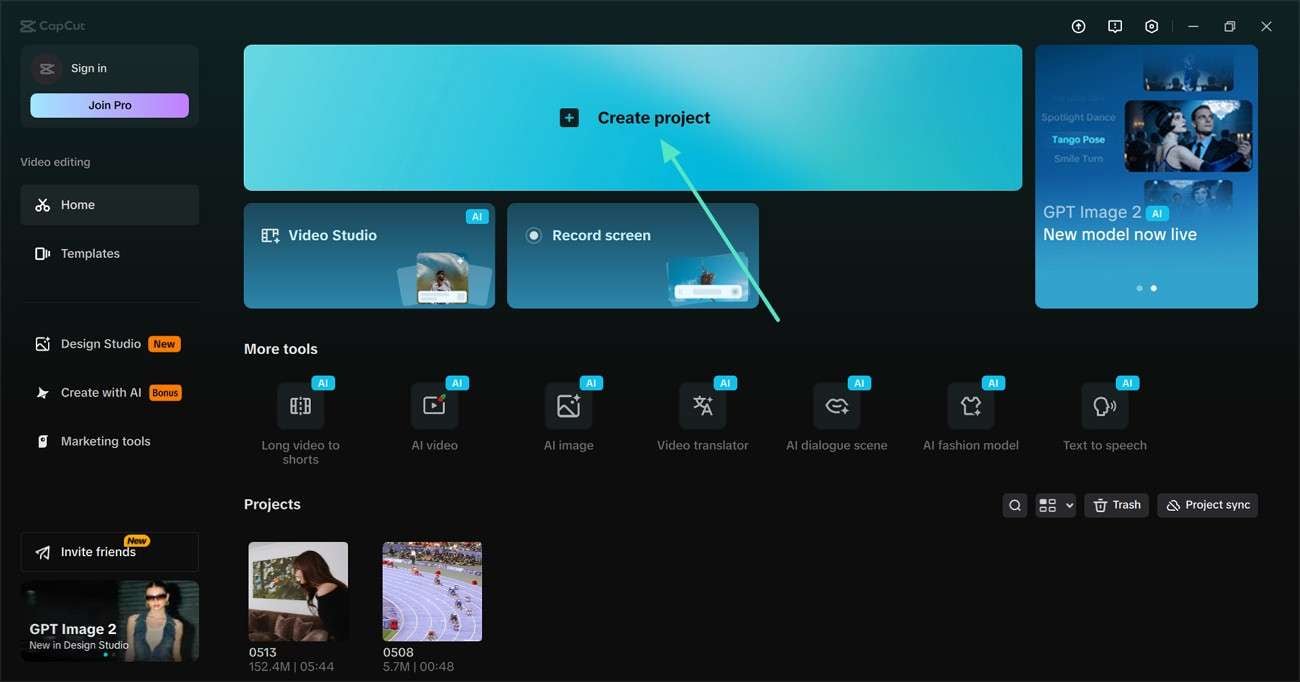
Step 1. First, select the "Create Project" button and import a video from the device.
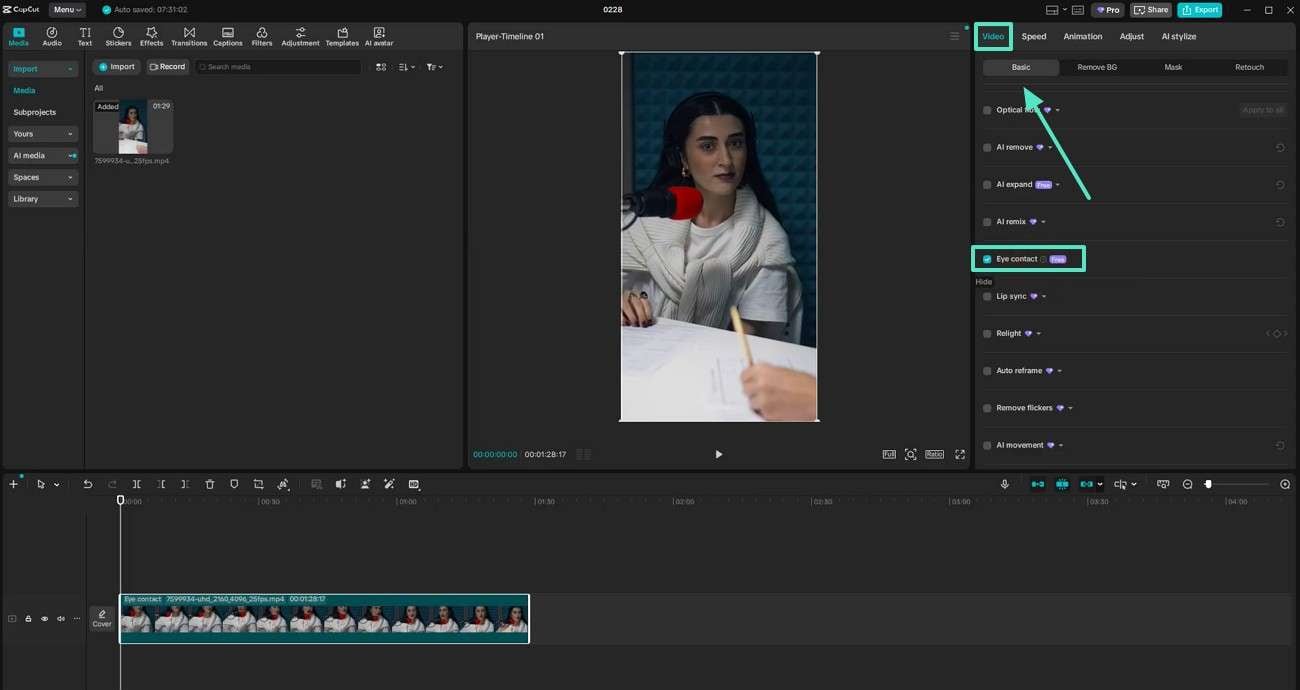
Step 2. Now, enter the "Video" panel from the right and expand the "Basic" section. Scroll down the panel and enable the "Eye Contact" feature. When the gaze is fixed in the preview window, export the project to the PC.
Part 3. Need Another Way to Fix Eye Contact? Try Filmora AI
Although the CapCut Eye Contact feature is workable, it is rather slow. Moreover, it is accessible only in selected parts of the world. Users looking for an easily accessible eye correction tool can look into Wondershare Filmora. Its eye contact correction feature makes the video look natural with the help of AI technology.
This feature is especially useful for talking-head content or videos where maintaining viewer engagement matters. Users can avoid reshooting by using AI assistance to improve eye alignment. This creates more professional-looking videos while saving time.
A Step-by-Step Guide to Fixing Eye Contact Using Wondershare Filmora
The correction feature has a one-click application that streamlines the user's workflow. Go through the following guide to learn how to fix eye contact in CapCut alternative:
-
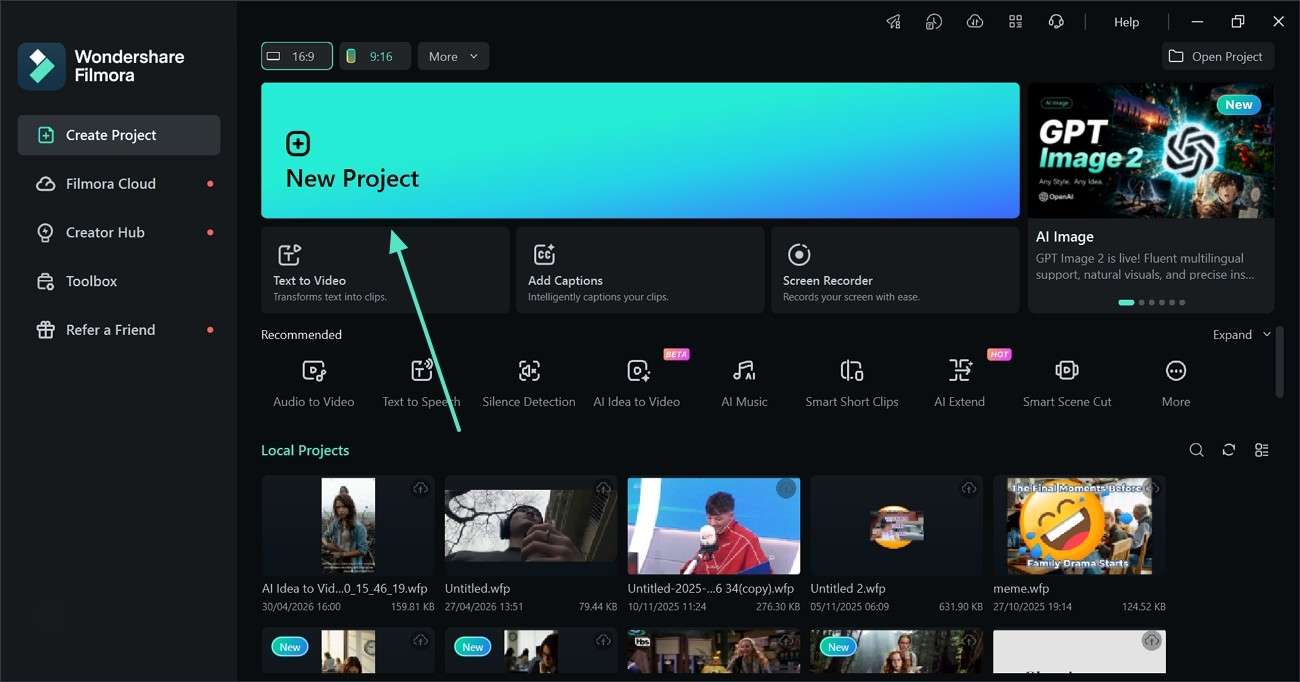
Step 1. Click New Project to Initiate
To start the process, click the "New Project" button and import a video.
-
Step 2. Execute the One-Click Eye Correction Process
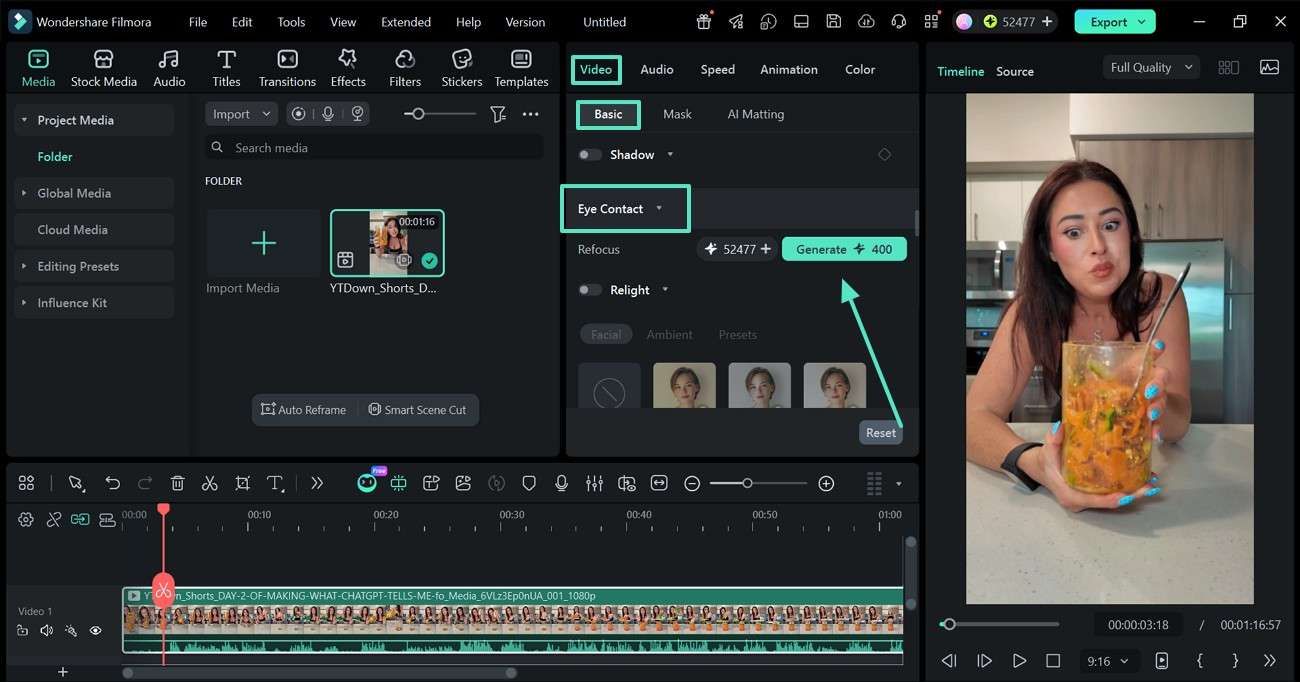
In the "Video" menu, enter the "Basic" section and expand the "Eye Contact" feature. Now, click the "Generate" button to start the process of eye contact correction.
-
Step 3. Export the Video with Fixed Eye Contact
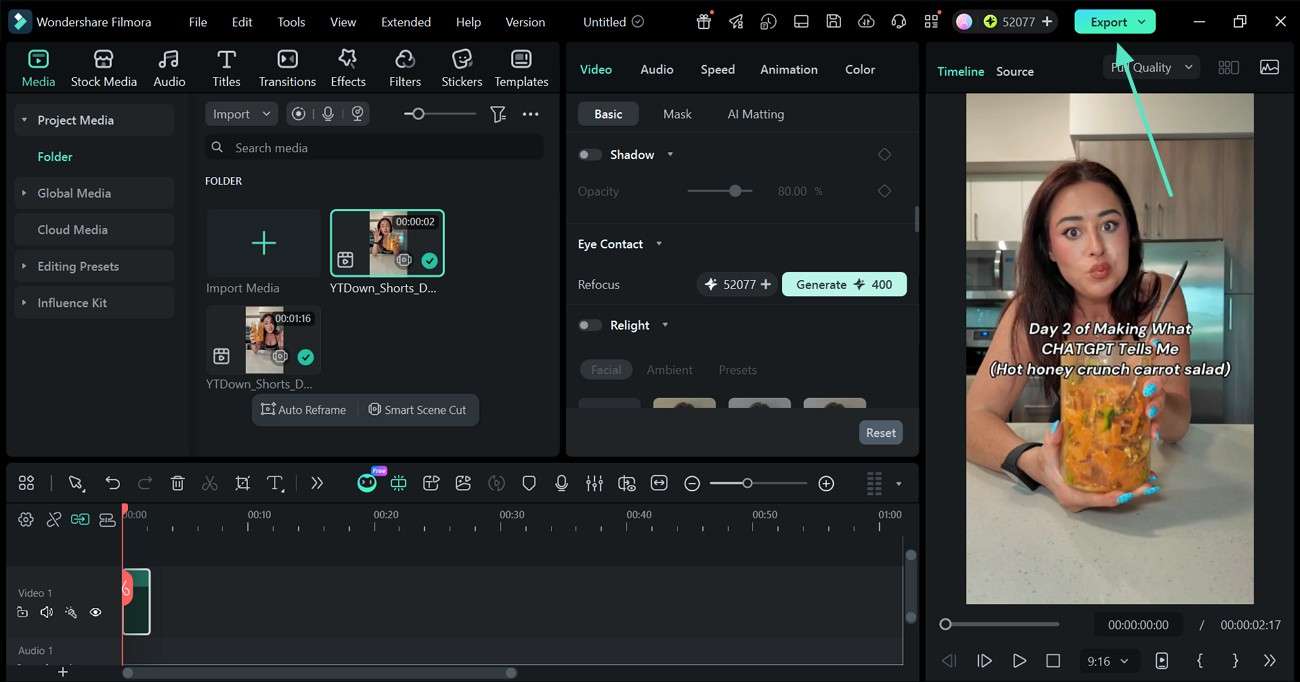
After the process completes, preview the video in the Preview window and "Export" it if satisfied.
Part 4. CapCut vs. Filmora: Which One Should You Choose?
CapCut eye contact and Filmora cater to different types of users. The following table compares the features and uses of these two tools to help the readers pick their need-based option:
| Feature | CapCut | Filmora |
| Platform Support | Windows, Mac, Android, and iOS | Windows, Mac, Android, and iOS |
| Dedicated Eye Contact Feature | Most versions lack the eye correction feature | Offers AI-powered eye contact correction in supported versions |
| AI Gaze Adjustment | Limited or unavailable depending on region/version | Better AI gaze alignment for talking-head videos |
| Ease of Use | Beginner-friendly interface with quick editing tools | Simple interface with more advanced AI controls |
| Best for | Social media creators needing quick edits | Creators wanting talking videos with eye correction |
Conclusion
Reshooting the video because of bad eye contact can be time-consuming and expensive. Modern AI Power tools feature an eye contact correction feature that fixes the gaze direction with a single click. This tool was a thorough review and comparison of CapCut's eye contact correction and Wondershare Filmora's glare fixing feature. Users looking for a faster workflow and a worldwide accessible tool can use Wondershare Filmora.
Frequently Asked Questions
-
1. Can eye contact correction improve viewer engagement?
Natural eye contact will make videos more personal and engaging to boost engagement to maximize video retention. -
2. Why is eye contact important in videos?
Videos that engage viewers and feel trustworthy rely on good eye contact, helping creators to connect with viewers better. In case the presenter does not make eye contact in the video, they can correct that using Filmora or CapCut. -
3. Is eye contact correction useful for YouTube and business videos?
Bad eye contact in videos can be particularly helpful for tutorials or presentations where a face-to-face interaction is needed. -
4. Does eye contact correction make videos look fake?
Eye contact correction can make videos look fake. However, using platforms like Filmora and CapCut can make subtle adjustments to make the eyes look real.
