



 100% Security Verified | No Subscription Required | No Malware


 ChatGPT
 Perplexity
 Gemini
 Claude
 Grok
Grok
You finally finish recording an important video for an online course. After watching the final clip, one problem instantly stands out. Your eyes keep shifting away from the camera, making the video feel less personal and less engaging. This is a common issue for creators, educators, remote workers, and marketers who record while reading notes or looking at screens.
AI eye contact correction tools can now fix this problem in minutes. These smart tools automatically adjust your gaze, helping your videos look more professional. This article discusses the top methods on how to fix eye contact in videos using different methods.
In this article
Part 1. What is Eye Contact Correction in Video and Why It Matters
Eye contact correction in video is an AI-powered editing technique that adjusts a person's eye direction. It makes them appear to be looking directly into the camera. The technology analyzes facial movements and corrects eye contact while keeping expressions natural. This technology is widely used in video meetings and other online content where a strong viewer connection matters.
Why It Matters
- Creates Stronger Audience Connection: Direct eye contact helps viewers feel personally connected and emotionally engaged throughout videos.
- Improves Professional Appearance: Corrected eye focus makes recorded videos appear polished, confident, and professionally produced online.
- Reduces the Need for Multiple Retakes: AI correction removes gaze mistakes without requiring creators to repeatedly record difficult scenes.
- Helps While Reading Scripts or Notes: Speakers can follow scripts naturally while still appearing to be directly focused on the camera lenses.
- Boosts Viewer Trust and Attention: Natural-looking eye contact keeps audiences attentive and improves communication during important recorded presentations.
- Useful for Remote Meetings and Online Teaching: AI gaze correction improves communication quality during virtual classes and meetings.
Part 2. Traditional Methods vs AI-Powered Eye Contact Correction
Traditional and automated approaches are being used by video editors to correct eye contact. Traditional methods rely on manual adjustments and repeated retakes to correct eye contact in the video during recording. These techniques often require extra time. On the other hand, automated AI-powered approaches use advanced facial tracking and intelligent editing to correct gaze direction instantly. Let us have a look at both approaches in detail:
Traditional Methods of Fixing Eye Contact
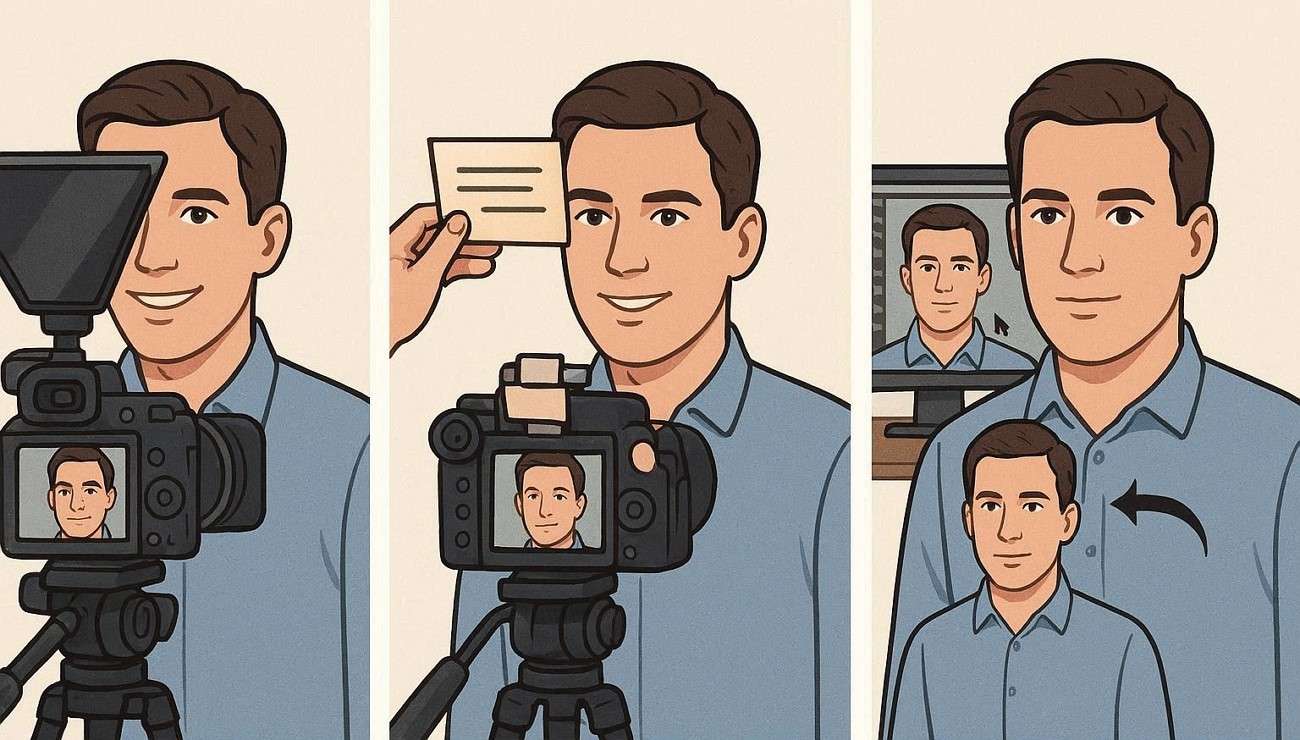
It is important to look at the manual techniques used before AI tools became available. These methods focus on guiding the speaker's gaze during recording or correcting it afterward through editing. Provided below are the top common options;
1. Using a Teleprompter
This device shows the script in front of the camera lens while recording a video. makes speakers maintain a steady gaze while reading their lines naturally. This eye contact corrector also helps deliver content smoothly without breaking eye contact or losing focus.
2. Placing Notes Near the Camera Lens
Many creators position key points or scripts close to the camera so their eyes stay aligned with the viewer's perspective. The movement and shift of the eye during recording are minimal to zero during this method. This simple setup helps maintain a more natural connection with the audience while speaking.
3. Manual Eye Replacement in Post-Production
Editors carefully adjust or replace eye frames during editing to correct the gaze. The process is time-consuming and requires advanced skills. It also demands a lot of attention to detail to keep the video looking natural and consistent.
AI-Powered Eye Contact Correction
After exploring traditional methods on how to fix eye contact, the next step is to look at how modern technology helps. Mentioned below are some of the top tools that offer automatic gaze correction for your videos:
1. Wondershare Filmora
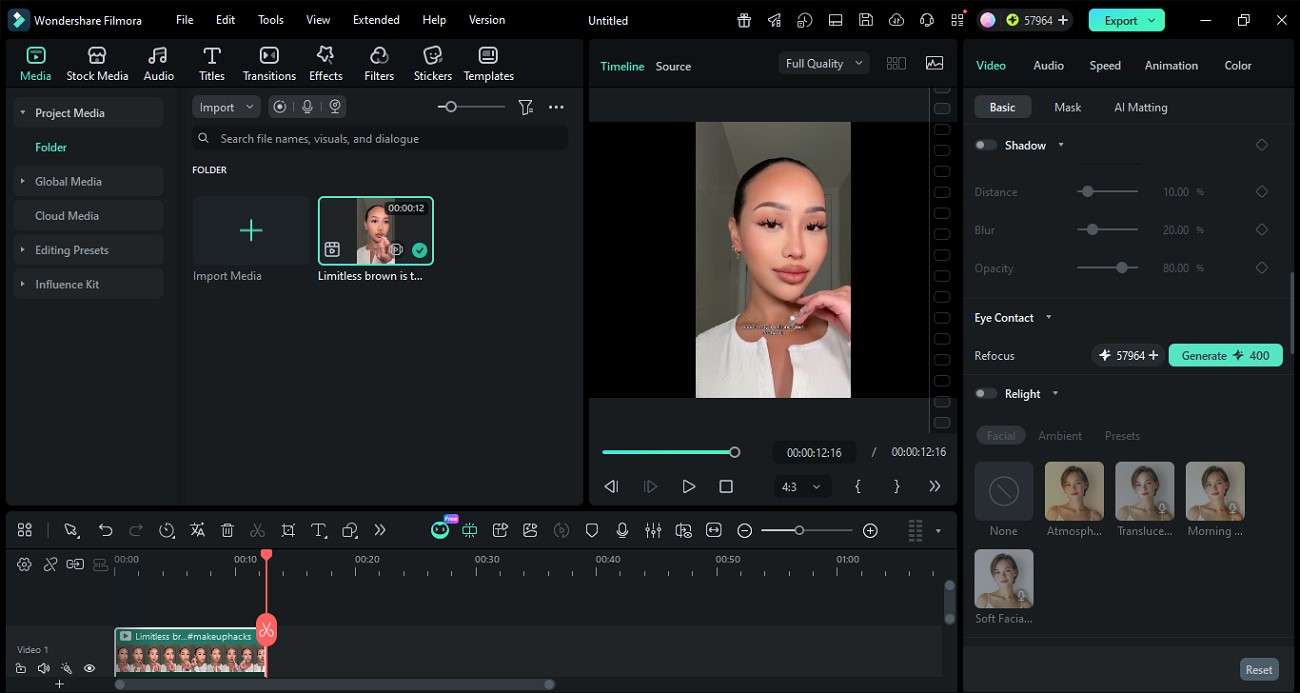
One of the most reliable tools that offers a dedicated Eye Contact feature to correct the subject's eye position in a video is Wondershare Filmora. The system analyzes facial landmarks and eye movements frame by frame. It then subtly repositions the eyes while preserving natural expressions. This creates a realistic effect where the speaker seems fully engaged with the audience.
Users get the ability to upload a video and correct eye contact in no time. The tool works best for content creation and videos where audience engagement is essential. AI correction ensures communication feels more direct and professional by removing distractions caused by off-camera gaze.
Key Features
- Seamless Background Processing: Eye correction happens automatically without interrupting the video editing workflow or requiring manual adjustments.
- Expression Preservation: Facial emotions and head movements remain unchanged during the process to maintain authenticity.
- Refocus: The refocus feature intelligently redirects the subject's gaze toward the camera center.
- Save As New Video: Filmora allows users to export the AI-corrected footage as a separate video file without altering the original recording.
2. VEED
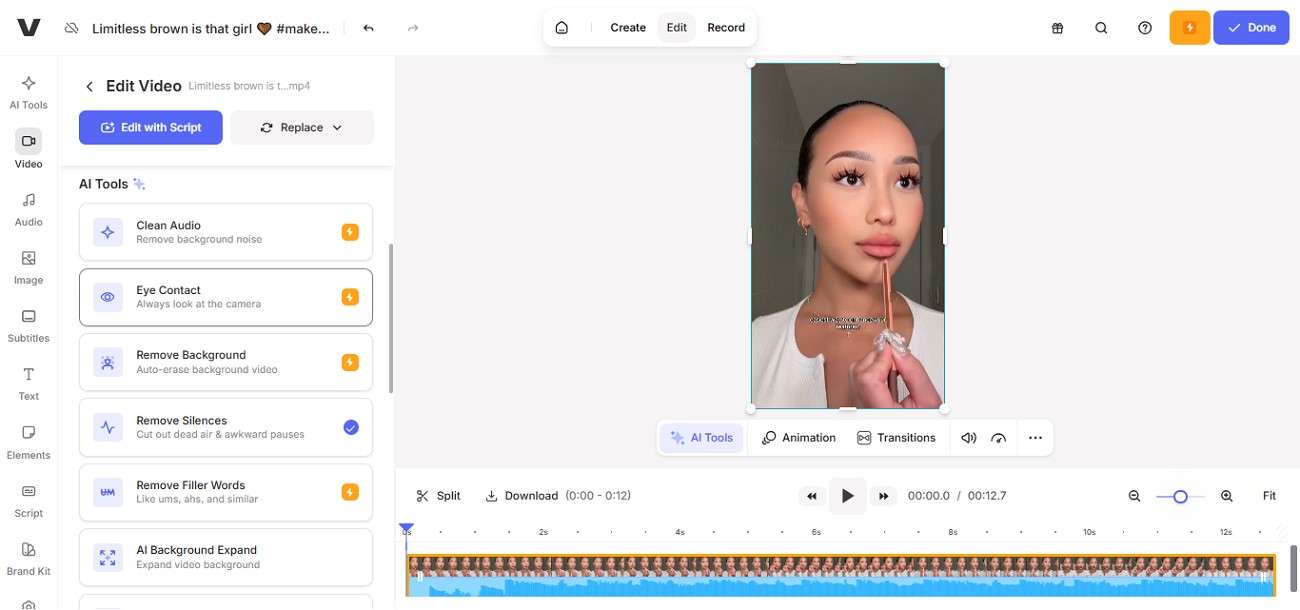
This video editor helps creators instantly correct gaze direction in videos and make speakers appear naturally focused on the camera. It improves viewer engagement and works seamlessly with online editing tools. The system ensures smooth fix of eye contact in video while preserving facial expressions. Moreover, it automatically synchronizes the audio of the video when correcting the eye contact.
Key Features
- Works directly in the web browser without needing software installation.
- Quickly applies eye contact correction with a single action for fast video improvement results.
- Allows users to download videos in various formats suitable for social media.
3. Descript
This eye contact correction tool uses advanced technology to make speakers appear naturally focused on the camera. This works well even when the subject is reading scripts or notes off-screen. The feature improves viewer engagement and creates a more professional on-camera presence. It works inside Descript's video editor while preserving realistic facial expressions.
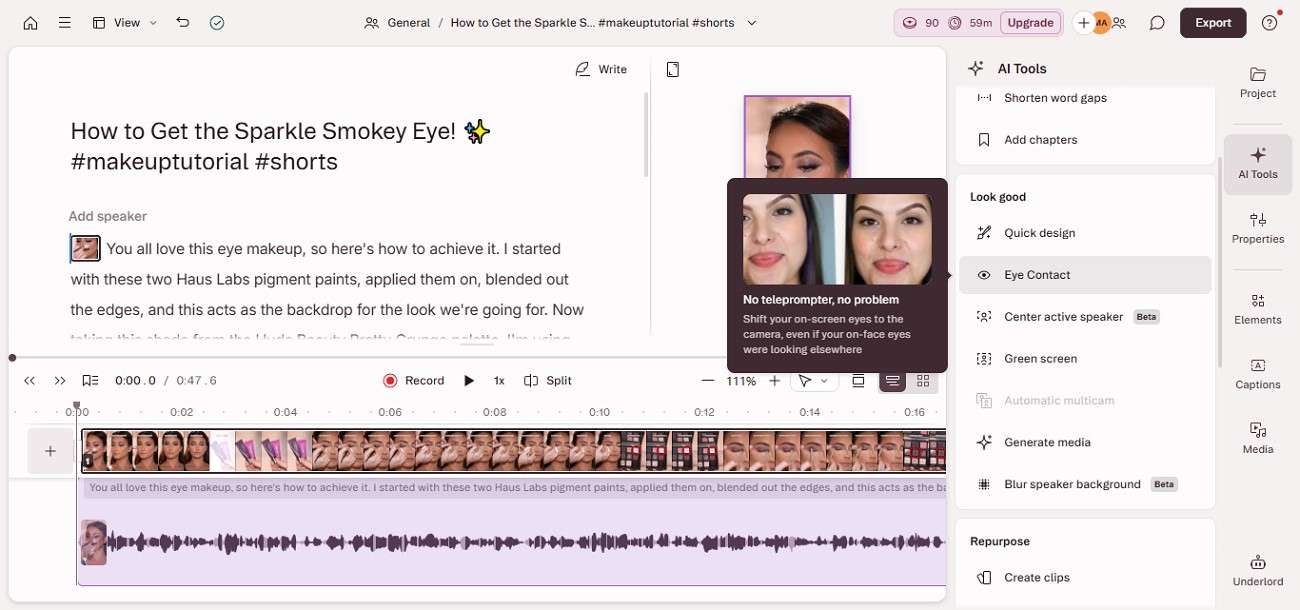
Key Features
- Enables users to toggle eye correction effects on or off anytime during editing.
- Detects facial landmarks precisely for smoother and more believable AI eye correction.
- It also lets you remove the applied eye contact effect from your video.
4. Riverside
It automatically adjusts a speaker's gaze to create natural-looking camera focus during recordings and edited videos. The feature is designed for creators and remote professionals who often read scripts during the video. It improves viewer engagement while maintaining realistic facial expressions and smooth video quality.
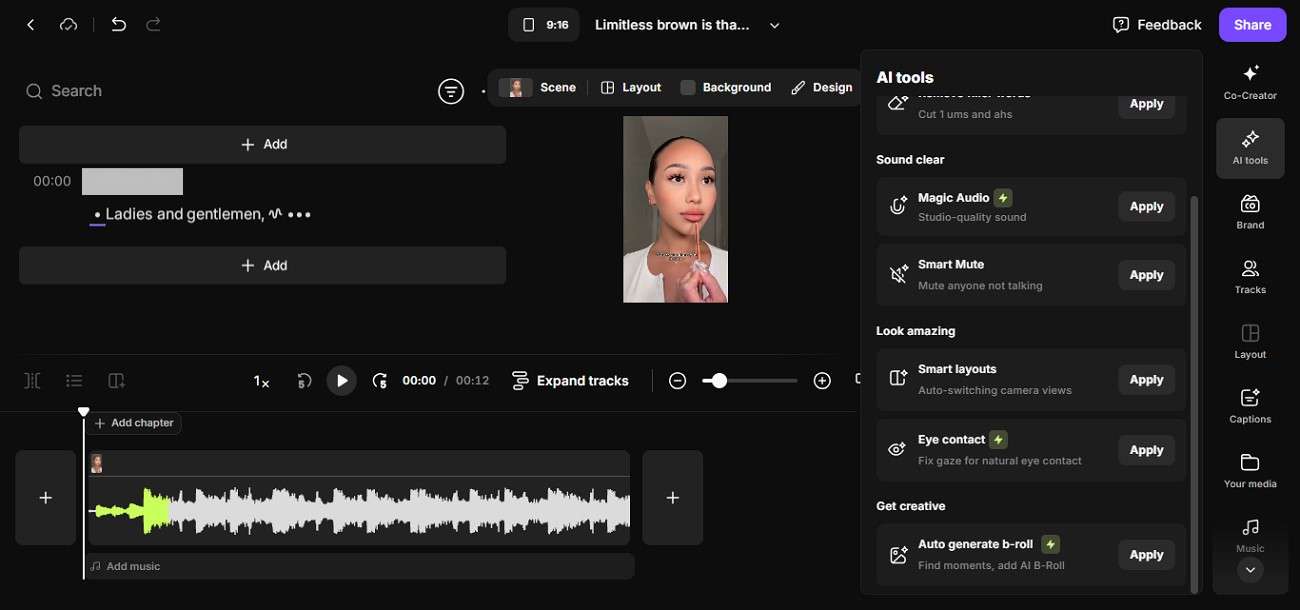
Key Features
- Corrects eye contact naturally toward viewers without affecting realistic facial expressions.
- Supports videos recorded directly through Riverside's browser-based studio for gaze correction.
- Allows creators to apply eye correction individually across selected participant video tracks.
5. Captions
The Eye Contact feature of this tool helps users correct off-camera gaze automatically and makes videos appear more natural. This feature uses AI to correct eye contact in video smoothly while preserving realistic expressions. It is especially useful for scripted recordings and social media content where a direct viewer connection is needed.
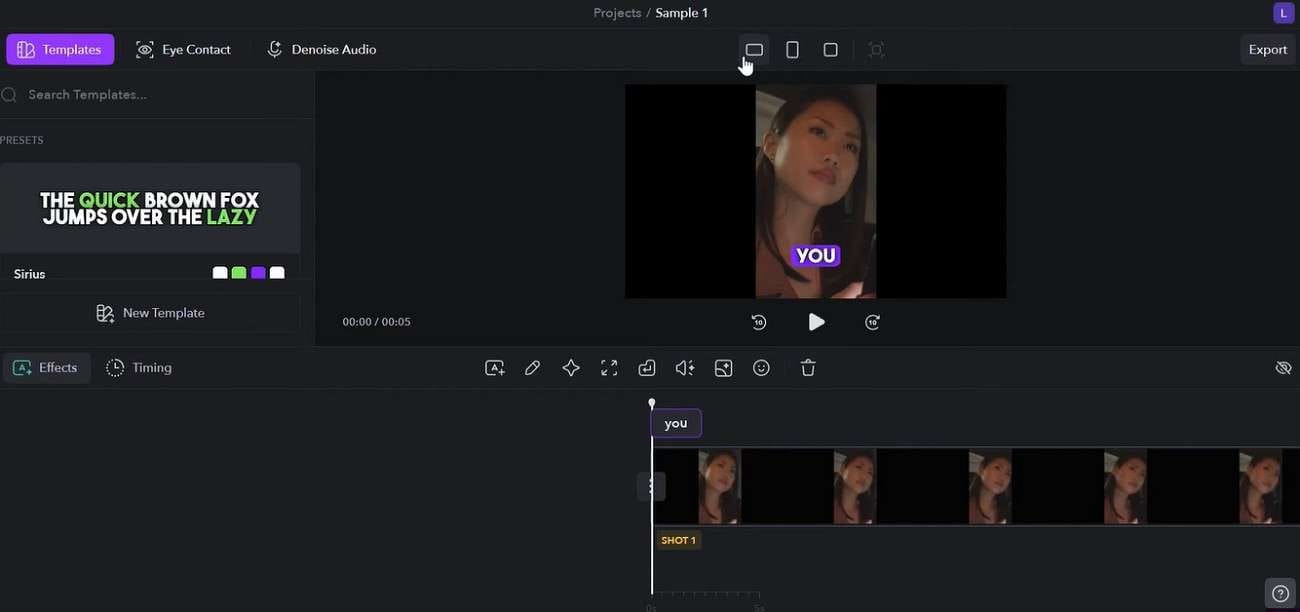
Key Features
- Maintains natural eye contact even while creators read scripts during video.
- Supports video editing across desktop and browser environments for flexible content creation.
- It adds natural pauses and blinks to make the results look more natural.
6. NVIDIA Broadcast
This is a generative AI model designed to simulate natural eye contact correction in videos by intelligently redirecting a person's gaze toward the camera. It works by estimating eye direction and reconstructing a realistic forward-looking gaze. All this is done while preserving facial details and lighting consistency. Moreover, it operates using advanced neural networks and GPU acceleration for smooth performance.
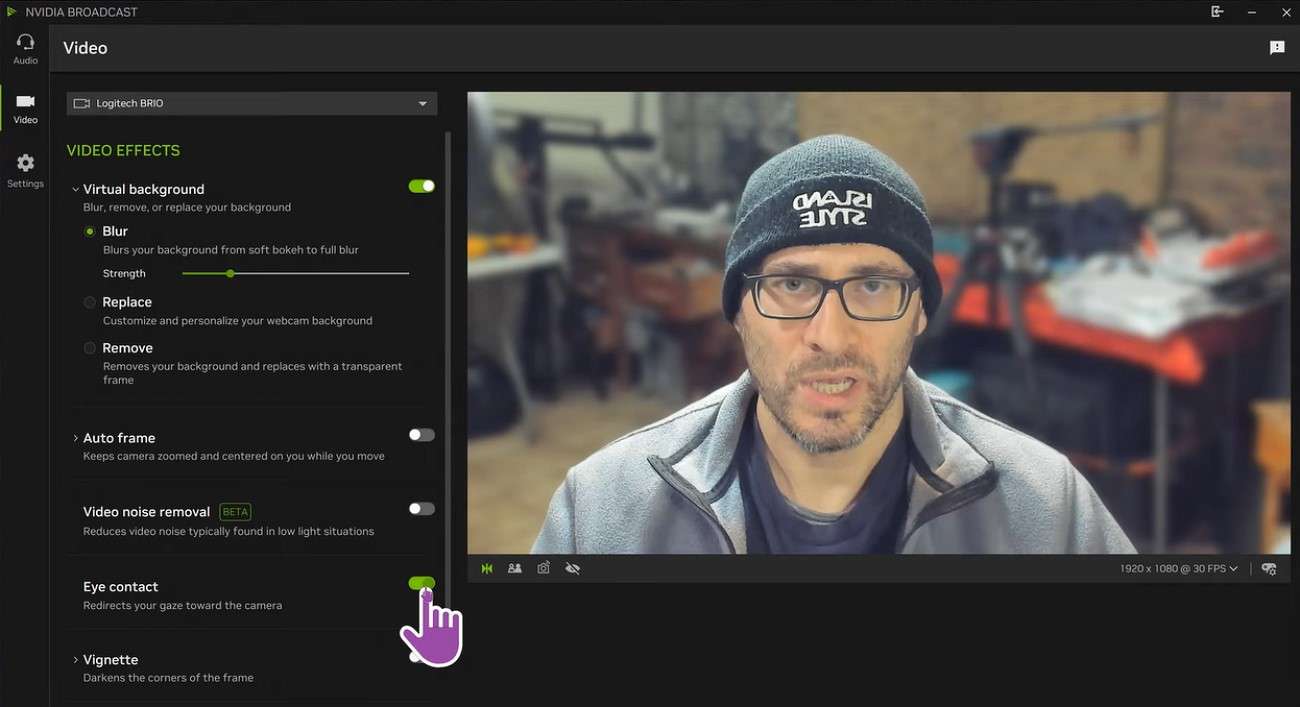
Key Features
- Processes eye regions through a transformer-style model that separates gaze and facial features.
- The tool pays attention only on the eye region of each frame without changing the full face or background.
- Combines facial landmarks and 6DOF head pose data to ensure realistic gaze alignment.
Different Eye Contact Correction Solutions Compared
It is clear that each solution offers unique strengths for eye contact correction depending on workflow and editing needs. Let us now compare the most popular options side by side to understand which one delivers the best overall results:
| Solution | Best For | Real-Time Support | Video Quality | Main Limitation |
|---|---|---|---|---|
| Filmora | YouTubers, educators, marketers, all-round editing | Post | Very high (balanced & natural) | Requires desktop app installation |
| VEED | Online editors, marketing videos | No | Good | Can struggle with complex motion |
| Riverside AI | Remote interviews, podcast recording | Yes (during recording) | High | Mainly focused on browser-based workflow |
| Captions AI | Social media creators, quick edits | No | Good | Less control over fine editing details |
| Descript | Podcasts, interviews, scripted content | No | Very natural | Limited advanced video editing features |
| NVIDIA Broadcast | Livestreaming, gaming, and real-time meetings | Yes | High (real-time optimized) | Requires RTX GPU and strong hardware |
Part 3. How to Fix Eye Contact in Filmora
Unlike tools that focus only on streaming or only on post-editing, Filmora seamlessly fits into the entire video creation workflow. Let us have a look at the steps for how to correct eye contact in a video using this tool:
-
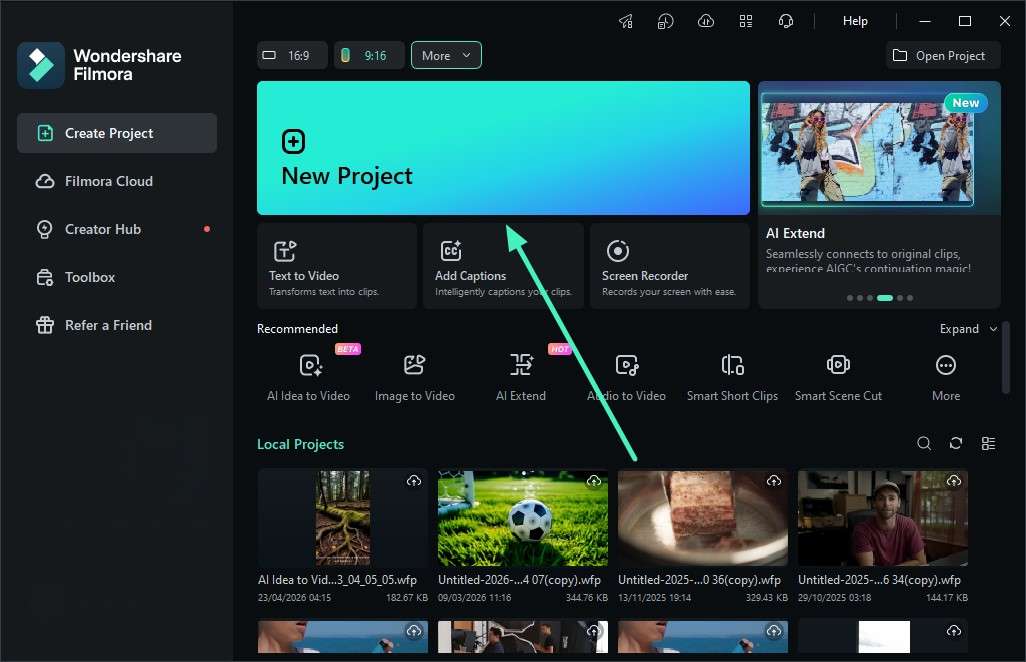
Step 1. Start a New Project
Launch Filmora and create a new project using the "New Project" option. Import the video you want to enhance to the tool's interface.
-
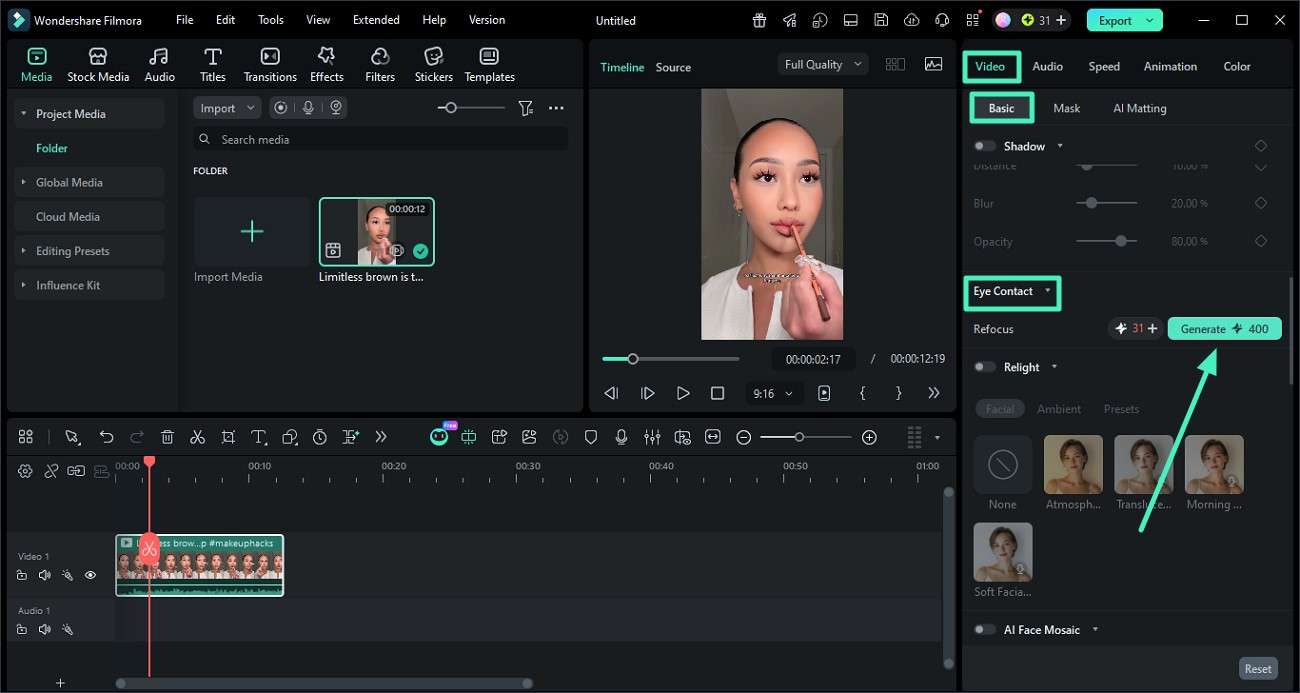
Step 2. Turn On Eye Contact Tool
Go to the right-side "Properties" panel and open the "Basic" settings. Find the "Eye Contact" option and turn the toggle on. Click the "Generate" button to apply the effect.
-
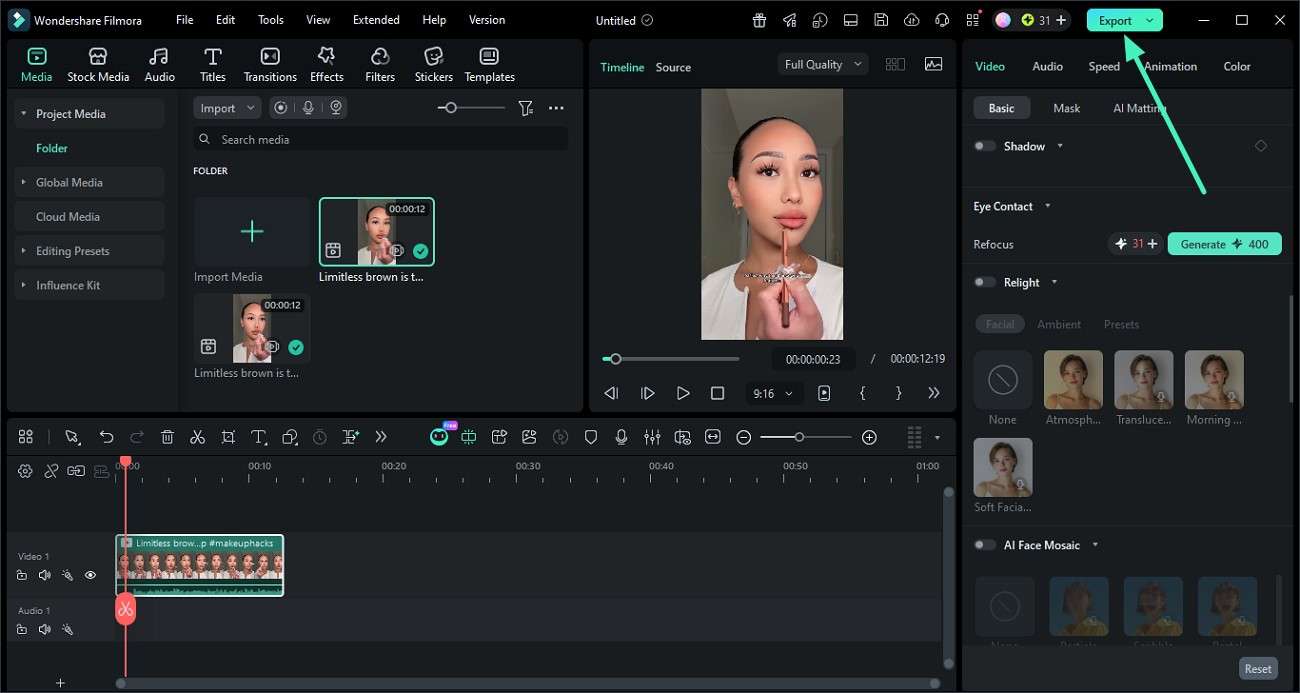
Step 3. Export the Final Video
Review the result in the preview window after processing is complete. Click "Export" to save your edited video when everything looks good.
Part 4. Tips to Improve Eye Contact When Recording Videos
It is helpful to look at a few simple habits that can make a big difference in how natural your on-camera eye contact appears. These small adjustments can instantly improve viewer connection and overall video quality while fixing eye contact in the video:
- Keep your camera aligned with your eyes so your gaze feels natural and direct.
- Pay attention to the lens instead of the display for true audience connection and engagement.
- Position important points near the lens to maintain natural eye direction while speaking.
- Rehearse content earlier to reduce mistakes and maintain smoother eye contact.
- Use a teleprompter to read scripts comfortably while still appearing to maintain direct eye contact.
Conclusion
In conclusion, this article provided a detailed guide on how to fix eye contact in a video using various methods. The article proposed a traditional method to perform the task. We also learned about various tools that offer automatic eye contact correction in the videos. However, one of the tools that stands out among others is Filmora, as it offers seamless eye contact correction while keeping visuals natural.
Frequently Asked Questions
-
1. What is AI eye contact correction in videos?
It is a technology that adjusts your eye direction, so you appear to be looking directly into the camera. This helps create a more natural and engaging viewing experience for your audience. -
2. Do I need special equipment to use eye contact correction tools?
You can use these tools with a normal webcam or already recorded video files. Most platforms work directly through software or online editors without extra hardware. -
3. Is eye contact correction noticeable to viewers?
The correction looks very natural and blends smoothly into the video when it is done properly. Most viewers will not realize any editing has been applied. -
4. Which tool is best for eye contact correction?
Filmora is one of the reliable options because it combines AI eye correction with easy video editing in one platform. It is simple to use and delivers professional-looking results.
