

 100% Security Verified | No Subscription Required | No Malware


 ChatGPT
 Perplexity
 Gemini
 Claude
 Grok
Grok
Gray light blue sits between soft sky tones and neutral grays, so it feels calm, clear, and subtly modern. It is often linked with focus, trust, and quiet confidence, which makes it perfect for creators who want their videos or branding to feel relaxed but still professional. Compared with stronger blues, gray light blue reads as softer on the eyes, ideal for long-form content like study-with-me sessions, talk shows, tutorials, and cinematic vlogs.
Below you will find 15 gray light blue color palettes with HEX codes, designed for thumbnails, intros, overlays, title cards, and full visual identities. Whether you grade your footage directly or build graphics in Filmora, you can copy these combinations into your project and keep a consistent aesthetic across YouTube, TikTok, Instagram, and more.
In this article
Soft & Airy Gray Light Blue Color Palettes
Morning Frost Haze
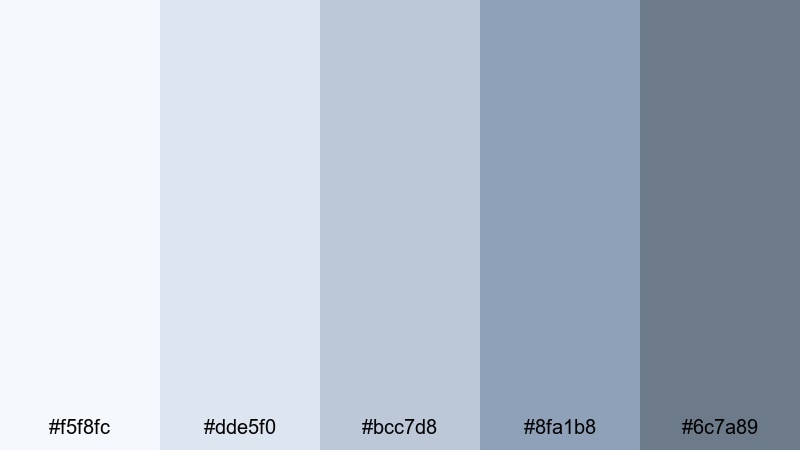
- HEX Codes: #f5f8fc, #dde5f0, #bcc7d8, #8fa1b8, #6c7a89
- Mood: Calm, gentle, and quietly uplifting.
- Use for: Perfect for soft vlog intros, day-in-the-life montages, and lifestyle channel banners.
Morning Frost Haze feels like opening your window on a still winter morning. The palest tones (#f5f8fc and #dde5f0) wash your frame with a cool light, while the mid grays and blues (#bcc7d8, #8fa1b8, #6c7a89) add just enough contrast to keep text readable and faces flattering.
Use this palette for minimal thumbnails, soft lower thirds, and gentle color grading on lifestyle or productivity videos. It works especially well for journaling vlogs, cozy work sessions, and reflective voiceovers where you want a clean, bright look without harsh whites or saturated blues.
Pro Tip: Keep Your Gray Light Blue Aesthetic Consistent in Filmora
Once you choose a palette like Morning Frost Haze, consistency is what makes your channel look polished. In Filmora, you can save title styles, overlays, and lower thirds using these exact HEX values, then reuse them across intros, b-roll labels, and end screens. This keeps your gray light blue mood the same on YouTube, Shorts, and social teasers.
Try building a simple brand kit: set your background color to the lightest blue-gray, choose the mid-tone for shapes and borders, and reserve the darkest shade for text. When you copy these presets from project to project in Filmora, your audience will recognize your videos at a glance.
AI Color Palette
If you have a reference image that nails your dream gray light blue look, you can turn it into a full video grade with Filmora. Filmora's AI Color Palette feature analyzes the colors in a frame or still image, then transfers that palette to your entire timeline.
Import a screenshot using Morning Frost Haze, let AI match the tones, and apply it to all your clips. This keeps your vlog intro, talking head, and b-roll in the same soft, frosty mood without spending hours tweaking sliders clip by clip.
 secure download

HSL, Color Wheels & Curves
After matching your overall look, fine-tune the gray light blue tones in Filmora using HSL, color wheels, and curves. You can gently desaturate blues in the shadows to avoid banding, push mid-tone blues slightly toward teal for a fresher feel, or raise the highlights curve for a bright, airy glow. If you want more control, explore advanced color correction tips in Filmora and adapt them to your palette.
Use the color wheels to keep skin tones natural while your backgrounds stay frosty and cool, and adjust the RGB curves to prevent the image from turning too cyan or too gray. Small, precise changes will keep your video soft and cinematic instead of flat.
secure download1000+ Video Filters & 3D LUTs
If you want fast results, you can start from Filmora presets instead of building every look from scratch. Filmora’s video filters and 3D LUTs make it easy to nudge your footage toward a soft gray light blue style, then you can tweak saturation and contrast to match Morning Frost Haze exactly.
Layer a subtle cool-toned filter, reduce saturation slightly, and save it as a custom preset. Then, with one click, your vlogs, B-roll, and YouTube Shorts will share the same frosty, uplifting feel without complex grading workflows.
secure downloadCloud Drift Daydream
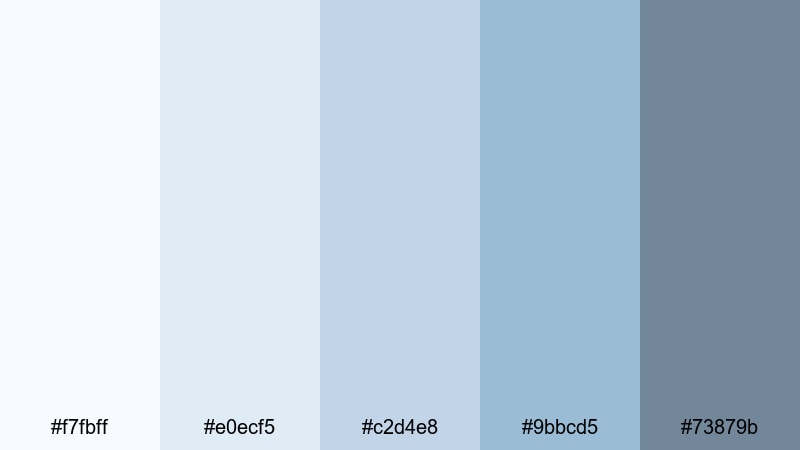
- HEX Codes: #f7fbff, #e0ecf5, #c2d4e8, #9bbcd5, #73879b
- Mood: Dreamy, weightless, and serene.
- Use for: Great for study-with-me videos, travel diaries, and calm cinematic b roll overlays.
Cloud Drift Daydream layers soft whites and sky blues into gentle gray shadows, creating a floating, airy feel. The lighter colors are perfect as clean backgrounds for text, timers, or chapter markers, while the darker slate blue (#73879b) anchors important elements.
Try this palette for dreamy study setups, overhead shots of notebooks, or light-filled travel b-roll. In thumbnails, use the mid-tones to frame your subject and the darkest shade for your title text, keeping everything legible even on small mobile screens.
Sea Glass Whisper
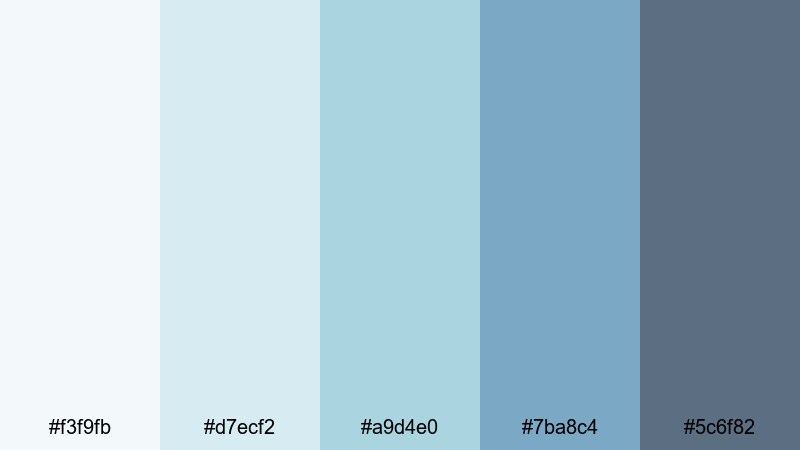
- HEX Codes: #f3f9fb, #d7ecf2, #a9d4e0, #7ba8c4, #5c6f82
- Mood: Coastal, refreshing, and meditative.
- Use for: Ideal for wellness channels, ocean themed edits, and spa or travel brand visuals.
Sea Glass Whisper mixes gentle seafoam blues with harbor grays, echoing smooth pieces of glass washed up on the shore. The palette stays light and clean but has enough saturation in #a9d4e0 and #7ba8c4 to feel fresh and inviting.
Use this for meditation intros, spa promos, or beach vlogs where you want calm clarity rather than bold tropical colors. In Filmora, combine these HEX codes with soft transitions and slow movement for ASMR, yoga flows, or breathing exercises that look as soothing as they sound.
Pale Skyline Glow
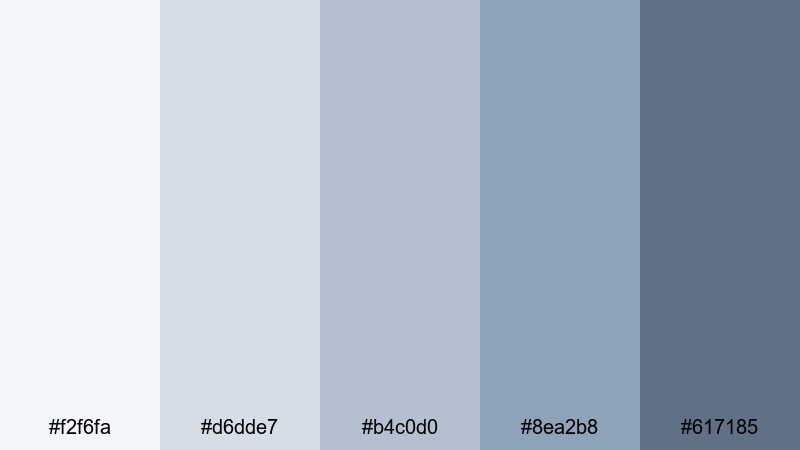
- HEX Codes: #f2f6fa, #d6dde7, #b4c0d0, #8ea2b8, #617185
- Mood: Optimistic, clean, and light filled.
- Use for: Works well for city vlogs, educational explainers, and minimalist thumbnail designs.
Pale Skyline Glow is inspired by early morning light reflecting off buildings. The soft blues and cool grays create an optimistic, ready-for-the-day feeling without being overly bright. #8ea2b8 and #617185 provide solid accent colors for text and icons.
Apply this palette to tech explainers, productivity tips, or city lifestyle content. It is especially effective for minimalist thumbnails and infographic-style animations in Filmora, where you want a clear, structured look that still feels approachable.
Modern Minimal Gray Light Blue Color Palettes
Nordic Screen Space
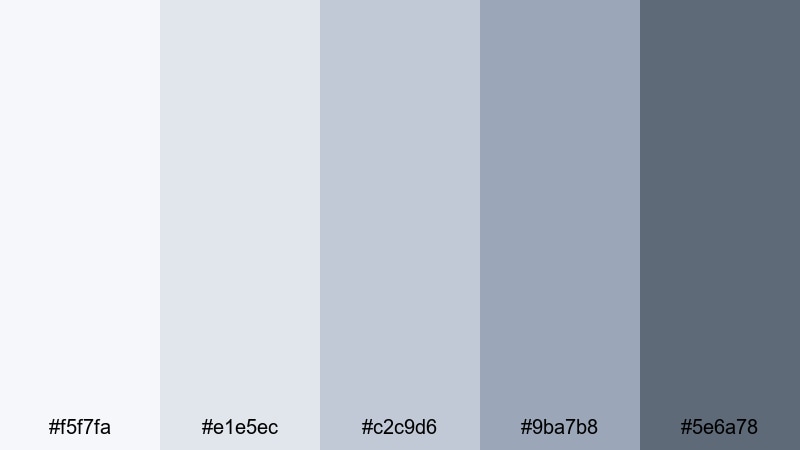
- HEX Codes: #f5f7fa, #e1e5ec, #c2c9d6, #9ba7b8, #5e6a78
- Mood: Minimal, balanced, and professional.
- Use for: Perfect for tech reviews, productivity channels, and clean lower third graphics.
Nordic Screen Space feels like a Scandinavian workspace translated into pixels: clean surfaces, balanced grays, and just a hint of muted blue. The palette is low contrast but clear, making it ideal for content that focuses on information and structure.
Use the lighter shades as background plates for screen recordings or UI demos, and the darker tones for lower thirds, callouts, and button shapes. This palette helps your viewers focus on what you are explaining while still giving your channel a strong, modern brand identity.
Steel Sky Interface
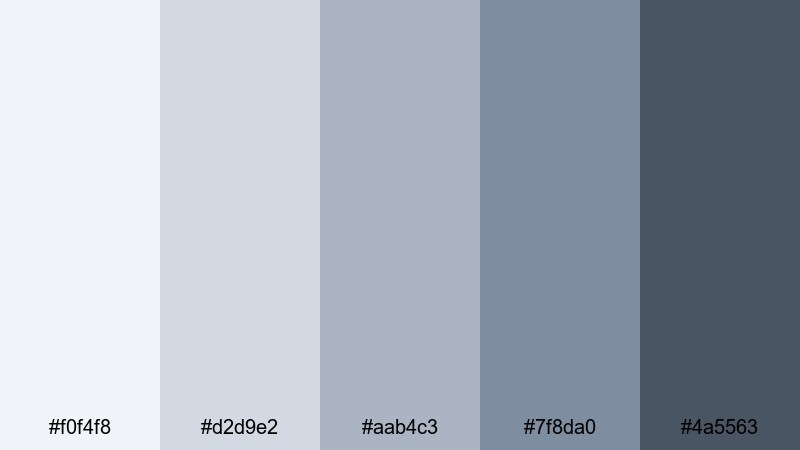
- HEX Codes: #f0f4f8, #d2d9e2, #aab4c3, #7f8da0, #4a5563
- Mood: Sleek, digital, and confident.
- Use for: Great for app promos, UI demos, and motion graphics overlays in tutorials.
Steel Sky Interface combines steel gray with interface blue, giving a crisp, dashboard-like feel. The darker accents (#7f8da0 and #4a5563) are excellent for high-contrast text, icons, and buttons over light UI backgrounds.
This palette suits app launch trailers, SaaS explainers, or channel branding where you want a tech-forward look without going full neon. In Filmora, pair these colors with subtle zooms, masked reveals, and HUD-style overlays to reinforce the sense of modern software and reliability.
Urban Loft Air
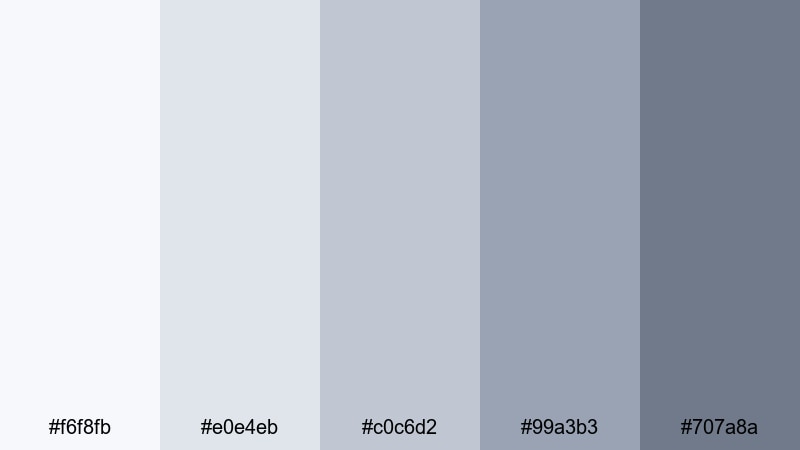
- HEX Codes: #f6f8fb, #e0e4eb, #c0c6d2, #99a3b3, #707a8a
- Mood: Contemporary, airy, and stylish.
- Use for: Ideal for design portfolios, architecture reels, and aesthetic room makeover content.
Urban Loft Air blends soft industrial grays with just a hint of blue, reminiscent of concrete, glass, and natural daylight. It gives your visuals a curated, interior-design feel that works well with clean lines and negative space.
Try this palette for room tours, workspace makeovers, and design breakdowns. Use the lighter tones as background for before-and-after labels or floor plan graphics, while the darker shades frame text or logos on intros and end screens.
Tech Blueprint Mist
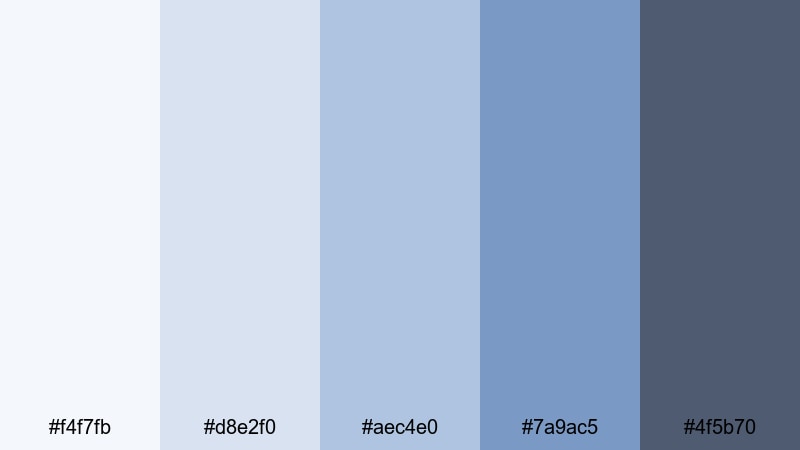
- HEX Codes: #f4f7fb, #d8e2f0, #aec4e0, #7a9ac5, #4f5b70
- Mood: Innovative, focused, and cool headed.
- Use for: Use in product launches, SaaS explainer videos, and infographic animations.
Tech Blueprint Mist borrows from blueprint blues but softens them with misty grays, so it feels forward-thinking without being aggressive. The mid and deep blues (#aec4e0, #7a9ac5) add just enough intensity to highlight key sections or calls to action.
This palette is great for launch trailers, pitch decks turned into motion graphics, and data visualizations. In Filmora, you can animate charts, arrows, and icon sets using these shades to create a cohesive, tech-savvy look across your entire video.
Cinematic Gray Light Blue Color Palettes
Neo Noir Overcast
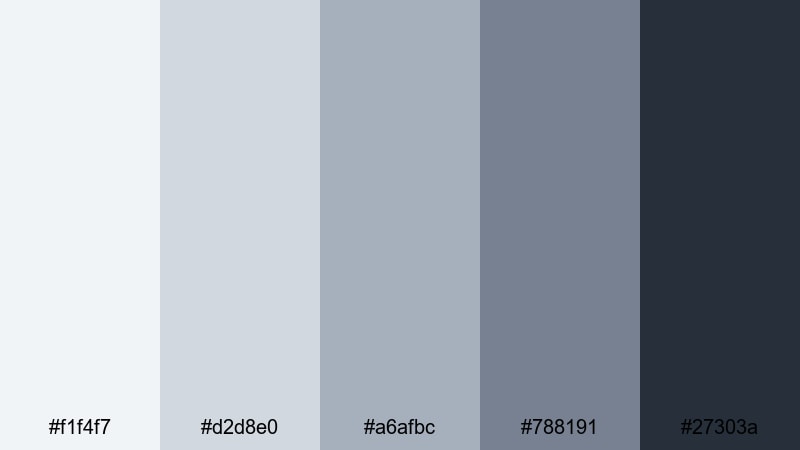
- HEX Codes: #f1f4f7, #d2d8e0, #a6afbc, #788191, #27303a
- Mood: Moody, cinematic, and introspective.
- Use for: Great for short films, narrative edits, and dramatic talking head setups.
Neo Noir Overcast drifts from soft, cloudy grays into a deep charcoal blue (#27303a), giving your footage subtle tension and depth. It feels like a rainy city evening; not too dark, but full of atmosphere.
Use this palette to grade short films, docu-style interviews, or dramatic commentary videos. Let the lighter grays drive your highlights and skin tones, while the deep blue anchors backgrounds, titles, and letterboxing for a modern noir aesthetic.
Icy Teal Cinema
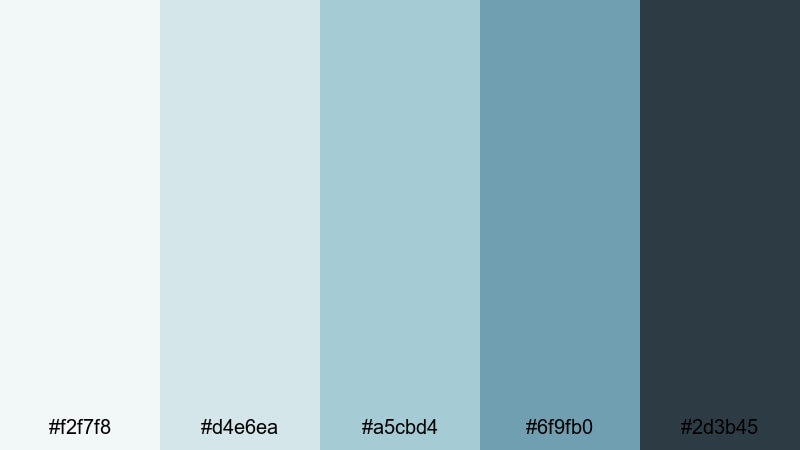
- HEX Codes: #f2f7f8, #d4e6ea, #a5cbd4, #6f9fb0, #2d3b45
- Mood: Cool, cinematic, and slightly mysterious.
- Use for: Perfect for travel films, tech commercials, and stylized music videos.
Icy Teal Cinema leans into teal-tinted blues balanced by deep slate (#2d3b45). It delivers a familiar teal-and-gray movie look without going as extreme as classic teal-and-orange grades.
It is a strong choice for travel sequences with water, city nights, or reflective music videos. In your editor, use these tones to cool down shadows and mid-tones while keeping highlights neutral, then build titles and overlays using the darker shades for a cohesive cinematic brand.
Foggy Harbor Frame
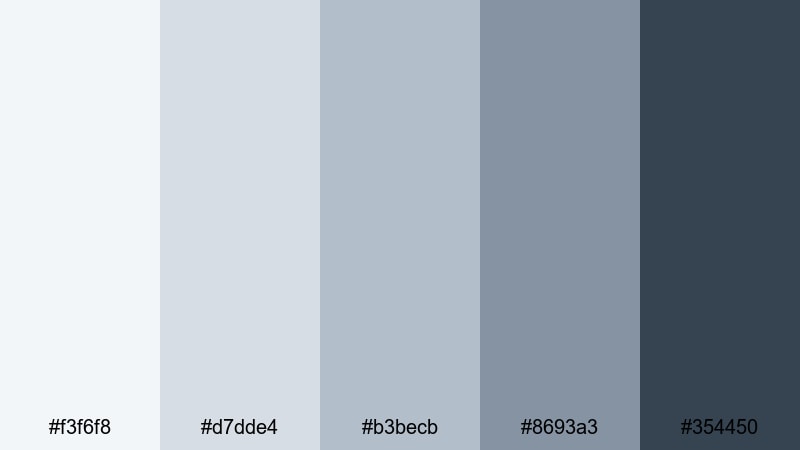
- HEX Codes: #f3f6f8, #d7dde4, #b3becb, #8693a3, #354450
- Mood: Reflective, coastal, and cinematic.
- Use for: Use for dockside scenes, reflective monologues, and calm documentary sequences.
Foggy Harbor Frame captures the look of a quiet port covered in mist. The soft grays and muted blues give a grounded, poetic feeling that works beautifully with slow camera movement and natural sound.
Use this palette when you want your footage to feel introspective and grounded: documentaries, reflective vlogs, or behind-the-scenes storytelling. The deeper blue-gray (#354450) makes a strong base for titles, subtitles, and credit rolls at the end of your film.
Midnight Stream Titles
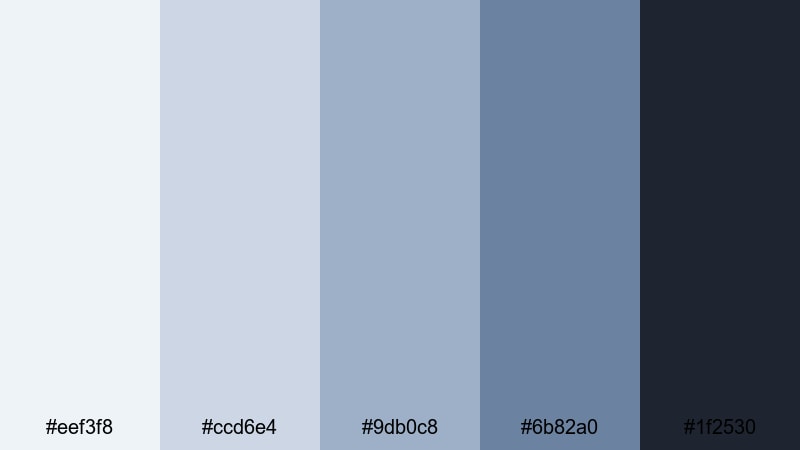
- HEX Codes: #eef3f8, #ccd6e4, #9db0c8, #6b82a0, #1f2530
- Mood: Focused, dramatic, and high contrast.
- Use for: Ideal for title cards, streaming overlays, and channel intros with a cinematic twist.
Midnight Stream Titles pairs bright, cool highlights with a nearly-black midnight gray (#1f2530). The result is a crisp, high-contrast palette that keeps UI elements, text, and logos extremely readable.
This is excellent for Twitch overlays, YouTube intro slates, or channel rebrands. Use the dark tone as a base layer and bring in the lighter blues for borders, panels, and typography so that everything looks sleek and consistent on both monitors and mobile devices.
Playful Retro Gray Light Blue Color Palettes
Arcade Sky Neon
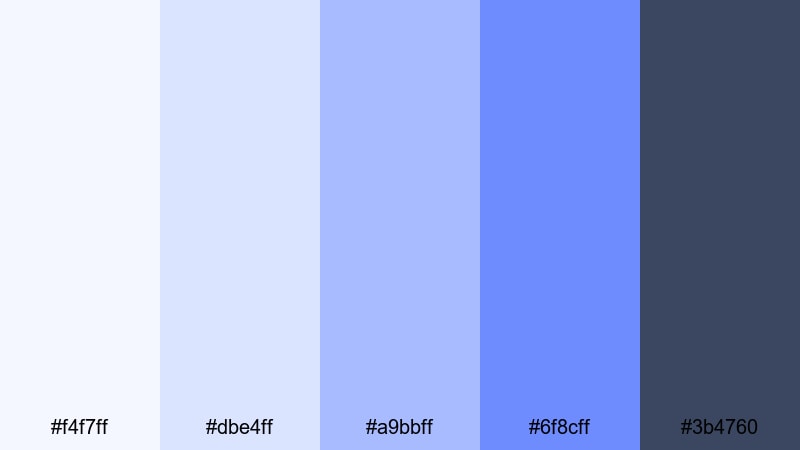
- HEX Codes: #f4f7ff, #dbe4ff, #a9bbff, #6f8cff, #3b4760
- Mood: Fun, nostalgic, and slightly electric.
- Use for: Great for gaming intros, retro inspired edits, and energetic social media clips.
Arcade Sky Neon mixes soft gray blues with punchy neon sky accents. It has a playful retro-console vibe, but the grayed base tones stop it from feeling too loud or childish.
Use this palette for gaming montages, retro title cards, and short looping animations. In Filmora, combine these colors with pixel fonts, scanline overlays, and snappy transitions to get a polished but nostalgic arcade mood.
VHS Cloud Pop
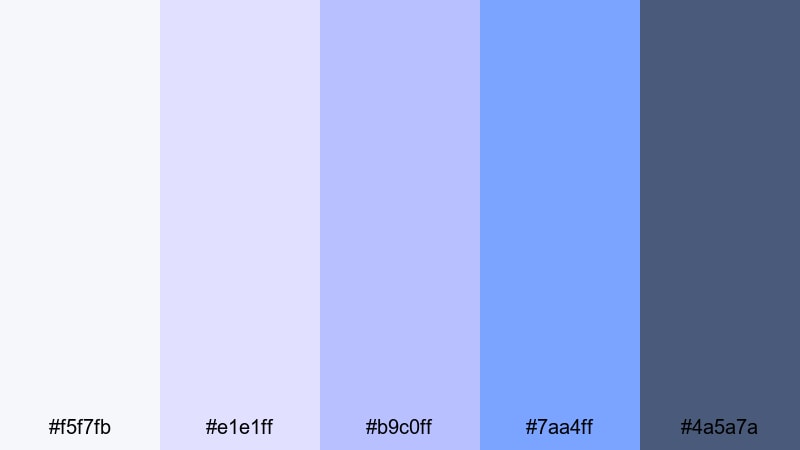
- HEX Codes: #f5f7fb, #e1e1ff, #b9c0ff, #7aa4ff, #4a5a7a
- Mood: Playful, dreamy, and vintage tech inspired.
- Use for: Perfect for lifestyle vlogs, throwback edits, and animated sticker style overlays.
VHS Cloud Pop is a dreamy mix of pastel blues and gentle grays, like a clouded TV screen frozen on a favorite tape. The pops of brighter blue (#7aa4ff) give it energy while the base tones keep it soft and shareable.
Use this palette with VHS-style effects, grain, and frame glitches for throwback edits or nostalgic lifestyle vlogs. In thumbnails and end cards, lean on the darker gray-blue (#4a5a7a) for text so your titles stay sharp against the pale backgrounds.
Pixel Wave Breeze
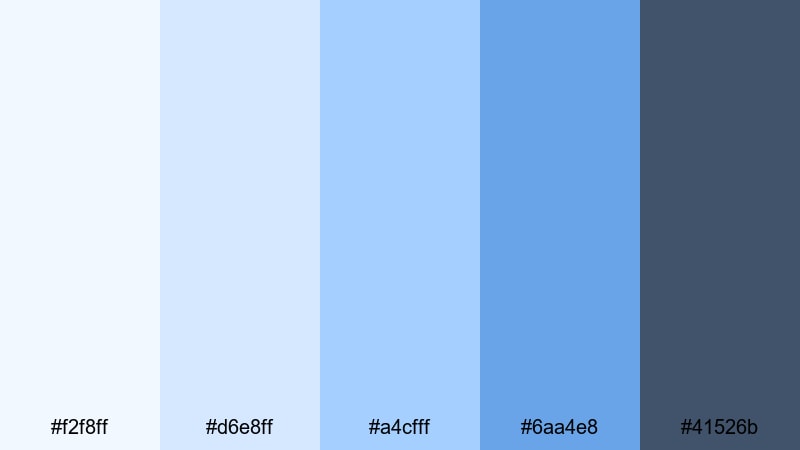
- HEX Codes: #f2f8ff, #d6e8ff, #a4cfff, #6aa4e8, #41526b
- Mood: Lively, fresh, and slightly futuristic retro.
- Use for: Use for motion graphics, channel branding, and upbeat montage sequences.
Pixel Wave Breeze rides the line between retro and modern: bright, pixel-soft blues on top of a cool gray base. The combination feels fresh and digital, like an 80s arcade rebooted for today.
It suits fast-paced edits, kinetic typography, and upbeat montage sequences. Bring these HEX codes into Filmora to color your transitions, shapes, and titles, then add light pixel or grid overlays to complete the futuristic retro aesthetic.
Tips for Creating Gray Light Blue Color Palettes
Gray light blue is flexible enough for cozy vlogs, clean tech channels, and cinematic films. A few simple guidelines will help you combine it with other colors while keeping your videos readable, on-brand, and easy to watch.
- Pair gray light blue with a strong neutral for text, such as deep navy, charcoal, or near-black, to keep titles and captions crisp on thumbnails and overlays.
- Use the lightest gray-blue as your background base, mid-tones for shapes and UI panels, and the darkest shade for key information like titles, CTAs, and stats.
- Keep skin tones natural by limiting heavy blue grading on faces; instead, push blue into shadows and backgrounds while leaving mid-tone warmth intact.
- For branding, select 3 core colors from a palette (light, mid, dark) and reuse them consistently across intros, lower thirds, end screens, and channel art.
- Increase contrast slightly when designing for mobile: darker text, bolder outlines, and clearer separation between background and foreground elements.
- Mix in accent colors carefully. A single complementary accent (like muted coral or soft mustard) can highlight buttons or subscribe prompts without breaking the gray light blue mood.
- Test your palette on real footage by adding temporary color overlays or LUTs in Filmora; adjust saturation and exposure until the image feels calm, not washed out.
- Export a few thumbnail variations using the same palette and compare at small sizes to ensure your main subject and title still stand out clearly.
Gray light blue color palettes are powerful tools for shaping how your audience feels: calm and focused for study content, confident and modern for tech, or softly cinematic for storytelling. With the right combination of pale highlights, muted mid-tones, and deep anchors, your channel or brand can look cohesive from the very first frame.
Experiment with the 15 palettes above inside Filmora, then customize them with AI tools, HSL adjustments, and LUTs until they match your personal style. Once you lock in your signature gray light blue look, reusing it across intros, thumbnails, and social edits will make your content instantly recognizable.
Whether you run a vlog, tutorial channel, or creative portfolio, treating color as part of your storytelling will help your videos feel more professional and memorable. Open a new project in Filmora, drop in one of these palettes, and start building your own gray light blue visual identity.
secure downloadNext: Retro 80s Color Palette
