

 100% Security Verified | No Subscription Required | No Malware


 ChatGPT
 Perplexity
 Gemini
 Claude
 Grok
Grok
Orange Gray is a powerful mix of warmth and neutrality. Orange brings energy, friendliness, and attention, while gray adds calm, professionalism, and balance. Together, they create a versatile orange gray color palette that can feel cozy, cinematic, or techy depending on how you use the proportions and brightness.
For video creators, YouTube thumbnails, intros, lower thirds, and branding, Orange Gray color combinations are ideal: orange pulls the eye to titles and buttons, while gray keeps backgrounds clean and modern. Below you will find 15 curated Orange Gray color palettes with HEX codes that you can copy directly into Filmora, your brand kit, or any design tool.
In this article
Soft & Cozy Orange Gray Color Palettes
Morning Ember Mist
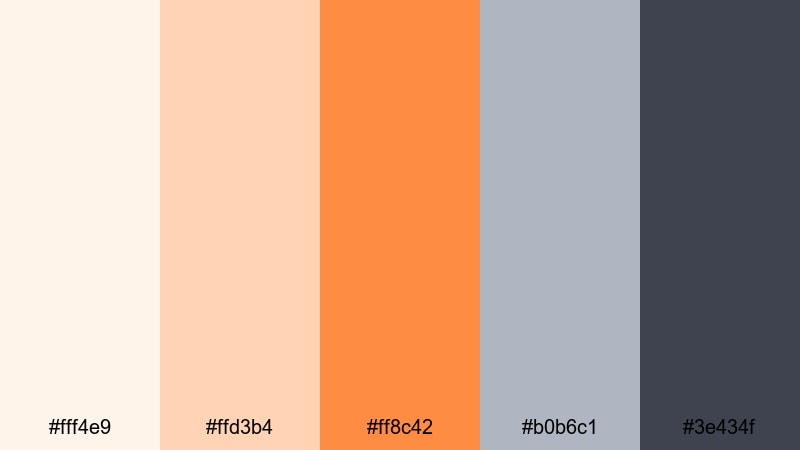
- HEX Codes: #fff4e9, #ffd3b4, #ff8c42, #b0b6c1, #3e434f
- Mood: Gentle, warm, and comforting with a cinematic softness.
- Use for: Ideal for lifestyle vlogs, morning routines, and calming channel intros.
Morning Ember Mist feels like sunlight just starting to slip through sheer curtains in a quiet studio. Soft creams and peachy oranges give your frame a gentle glow, while the muted grays keep everything polished and slightly cinematic instead of overly cute.
This orange gray color palette works beautifully for morning routines, day-in-the-life vlogs, ASMR intros, and soft branding for wellness or productivity channels. Use the lighter tones for backgrounds and overlays, and reserve the deeper gray and rich orange for text, subscribe buttons, and thumbnail focal points so your key elements stay readable without breaking the cozy mood.
Pro Tip: Build a Soft Orange Gray Aesthetic in Filmora
To keep a Morning Ember Mist vibe consistent across an entire edit, create a simple visual system in Filmora. Use the light cream and peach tones for lower third backgrounds, chapter labels, and end screen panels, then apply the deeper slate gray for text and UI lines so everything feels cohesive from intro to outro.
You can also set up custom color presets inside Filmora for your titles, shapes, and overlays using these exact HEX codes. That way, every new thumbnail, reel, or B-roll caption uses the same Orange Gray color palette without you needing to eye-drop it from scratch each time.
AI Color Palette
If you have a mood board or still frame that already matches Morning Ember Mist, Filmora's AI Color Palette feature can automatically transfer that color mood to the rest of your footage. Just pick a reference clip with the look you love, then let AI apply similar Orange Gray tones to other shots in your timeline.
This is perfect when you shoot on different days or cameras and want your vlog, intro, and B-roll to feel like they live in the same soft, cozy world. The AI Color Palette helps neutralize harsh colors and gently nudges everything toward your warm oranges and balanced grays.
 secure download

HSL, Color Wheels & Curves
To fine-tune this Orange Gray look, use Filmora's HSL sliders to gently pull back overly saturated oranges and to cool or warm your grays. Color wheels help you keep highlights creamy without clipping, while pushing shadows slightly cooler for a modern, cinematic finish. If you want more technical control, follow Filmora's guide to color correction and grading and use curves to add soft contrast without crushing detail.
Small adjustments on the midtone wheels and RGB curves can make skin tones flatter your oranges, keep backgrounds neutral, and avoid color banding in soft gradients like skies and walls.
secure download1000+ Video Filters & 3D LUTs
If you do not want to manually tweak every shot, Filmora's video filters and 3D LUTs make it easy to lock in an Orange Gray mood fast. Start with a soft cinematic or warm lifestyle LUT as a base, then nudge the intensity until your oranges feel gentle and your grays stay neutral.
You can mix filters with your own custom color settings to quickly build a recognizable channel style. Save that as a preset, then apply it to new intros, talking head clips, and shorts to keep your Morning Ember Mist aesthetic consistent everywhere your content appears.
secure downloadSoft Charcoal Citrus
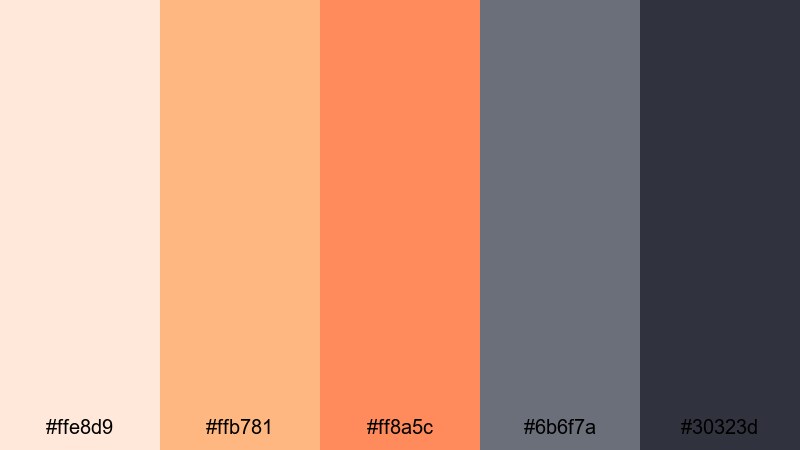
- HEX Codes: #ffe8d9, #ffb781, #ff8a5c, #6b6f7a, #30323d
- Mood: Inviting and balanced with a cozy contrast between citrus and charcoal.
- Use for: Great for creator logos, channel banners, and friendly tutorial thumbnails.
Soft Charcoal Citrus blends creamy backgrounds with warm orange accents and grounded charcoal grays. The result feels both friendly and structured, like a cozy studio with good lighting and clear framing.
Use the softer oranges for buttons, badges, and highlight text in YouTube thumbnails, and lean on the charcoal for titles and icons so they stand out on mobile. This orange and gray HEX palette is ideal if you want a welcoming, teacher-like personality while still looking professional for tutorials, how-to videos, and digital product promos.
Warm Studio Glow
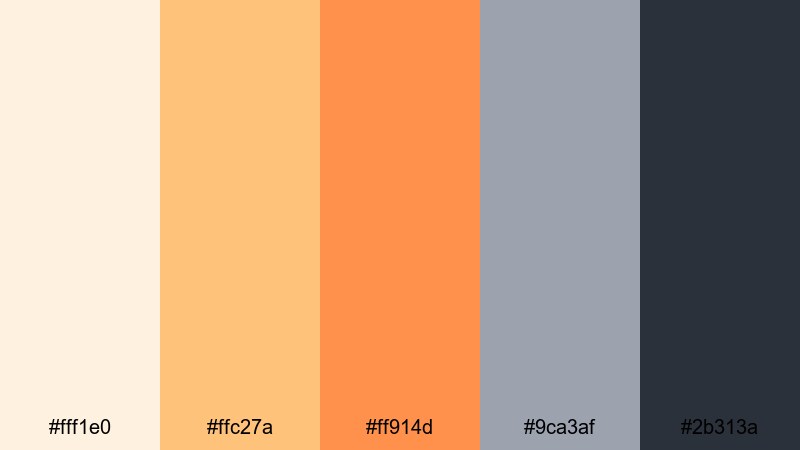
- HEX Codes: #fff1e0, #ffc27a, #ff914d, #9ca3af, #2b313a
- Mood: Cozy, creative, and softly illuminated like a well-lit studio.
- Use for: Perfect for talking head videos, podcast covers, and background lower thirds.
Warm Studio Glow mimics the look of a thoughtfully lit creative workspace. Creamy highlights and mid-range oranges feel inviting and human, while the cooler grays add a subtle tech edge that keeps things from feeling overly casual.
Apply this neutral Orange Gray color scheme to podcast cover art, intro cards, or split-screen interviews. Keep backgrounds in the lighter shades and reserve the darkest gray for text and waveform elements so everything remains readable on both light and dark mode interfaces.
Cloudy Tangerine Whisper
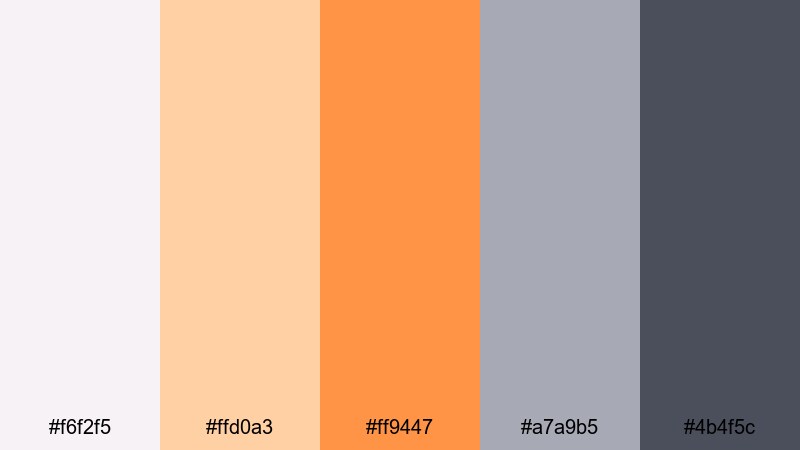
- HEX Codes: #f6f2f5, #ffd0a3, #ff9447, #a7a9b5, #4b4f5c
- Mood: Softly optimistic with a muted, overcast atmosphere.
- Use for: Use in subtle title cards, lifestyle reels, and aesthetic montage sequences.
Cloudy Tangerine Whisper feels like a bright day filtered through a layer of clouds. The tangerine tones are cheerful yet slightly muted, while the cool grays add a soft haze that keeps everything calm and aesthetic.
This palette fits lifestyle reels, study-with-me content, and montage sequences where you want positivity without neon intensity. Use the mid-gray as a base for text bars and let the tangerine accents highlight key words, progress markers, or chapter timestamps in your edits.
Bold & Cinematic Orange Gray Color Palettes
Neon Sunset Concrete
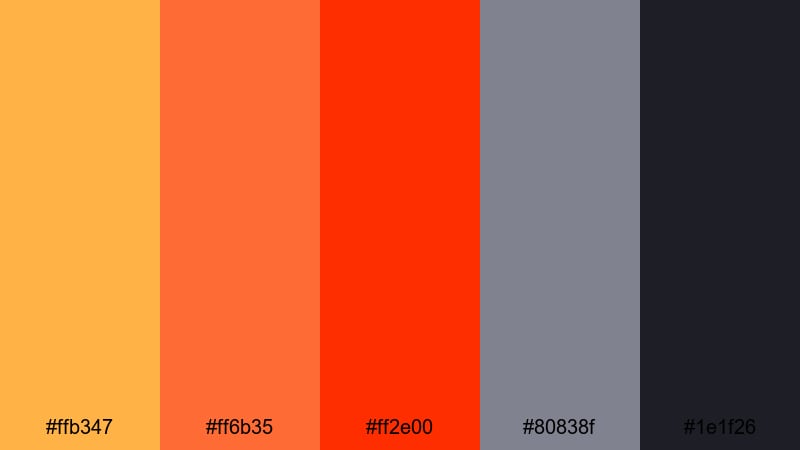
- HEX Codes: #ffb347, #ff6b35, #ff2e00, #80838f, #1e1f26
- Mood: High-energy and dramatic like a neon sunset over a city skyline.
- Use for: Designed for bold YouTube thumbnails, streaming overlays, and trailer-style intros.
Neon Sunset Concrete is all about impact. Hot oranges and fiery reds clash with cold, concrete-like grays to create a thumbnail that screams for attention in a crowded feed. The darkest gray nearly hits black, giving you strong contrast for type and icons.
Use the brightest orange (#ff2e00) for call-to-action buttons or key text like Live Now and New Episode. Keep your background in deep gray and softer orange gradients so faces and titles pop on every device, from TVs to phones.
Cinematic Amped Alloy
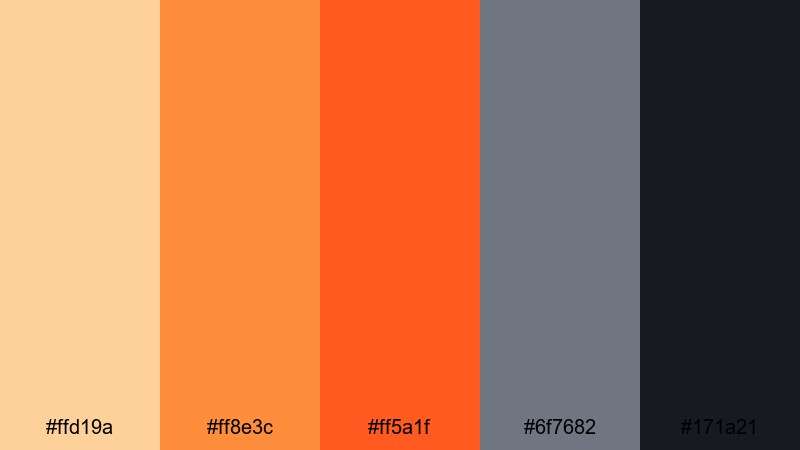
- HEX Codes: #ffd19a, #ff8e3c, #ff5a1f, #6f7682, #171a21
- Mood: Intense and polished, with blockbuster trailer energy.
- Use for: Great for gaming highlights, tech reviews, and dynamic motion graphics packages.
Cinematic Amped Alloy mixes bright highlight oranges with deeper metal grays to create a big-screen feel. It looks like a cross between a movie poster and a sleek tech product shot.
This orange gray color combination is strong for gaming montages, high-stakes tech reviews, or anything with fast cuts and bold typography. Use the darkest shade for backgrounds and letterboxing bars, then stack bright oranges in your text strokes, glitch effects, and HUD-style graphics.
Action Frame Ember
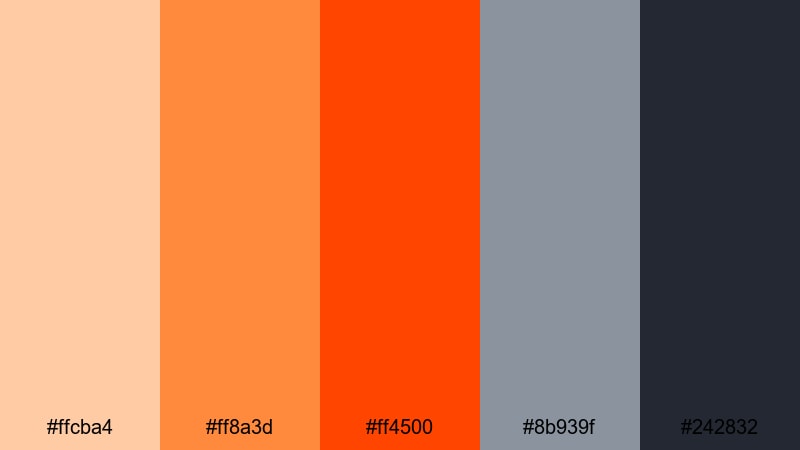
- HEX Codes: #ffcba4, #ff8a3d, #ff4500, #8b939f, #242832
- Mood: Adrenaline-filled and fiery with a gritty undertone.
- Use for: Best for sports edits, action montages, and energetic channel stingers.
Action Frame Ember feels like sparks flying off a steel surface. The ember oranges give a sense of heat and speed, while the cool metal grays bring in grit and realism.
Use this palette when you want motion to feel intense: sports b-roll, behind-the-scenes stunts, car edits, or boxing highlights. Combine bright oranges with quick motion graphics and keep text in the darker gray to stay readable against fast-moving backgrounds.
Streaming Alert Punch
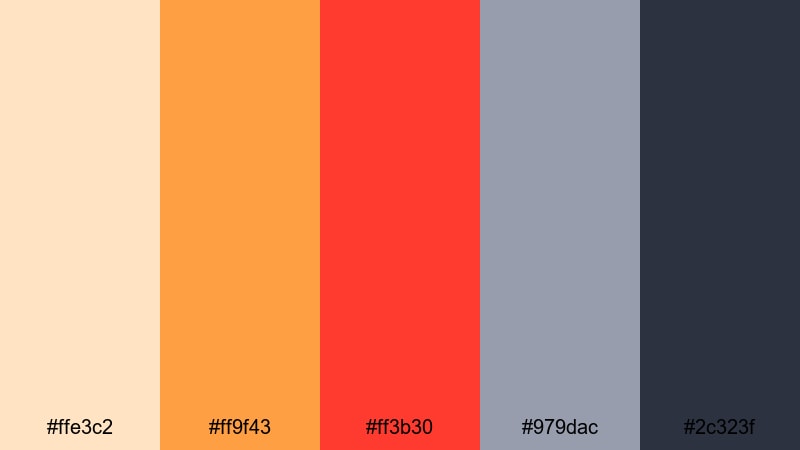
- HEX Codes: #ffe3c2, #ff9f43, #ff3b30, #979dac, #2c323f
- Mood: Urgent, modern, and attention-grabbing.
- Use for: Ideal for live stream alerts, subscribe buttons, and notification popups in overlays.
Streaming Alert Punch is built to get clicks and reactions. The bright oranges and alert red pull the eye instantly, while the cool gray backdrop stops the frame from feeling chaotic.
This is perfect for live overlay packs: use the warm gradient for alerts like New Follower or Donation and pair it with dark gray panels behind text so it stays legible on top of gameplay or IRL footage. It also works well for YouTube subscribe animations and banner ads.
Minimal & Modern Orange Gray Color Palettes
Urban Loft Citrus
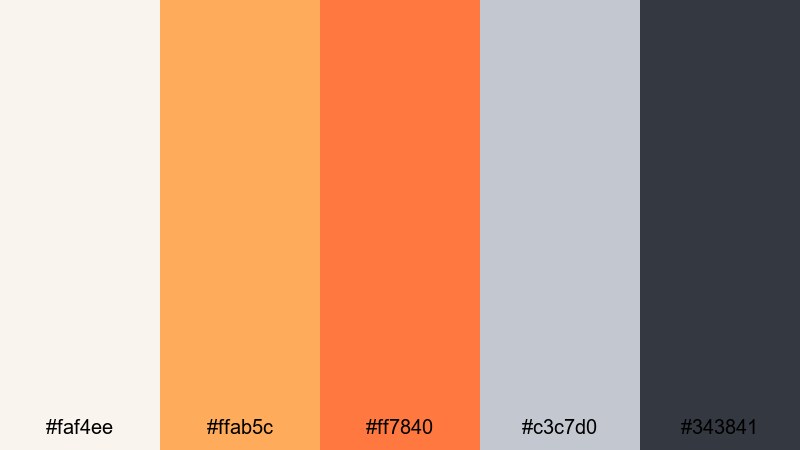
- HEX Codes: #faf4ee, #ffab5c, #ff7840, #c3c7d0, #343841
- Mood: Clean, stylish, and contemporary like a city loft studio.
- Use for: Use for branding kits, logo animations, and minimalist title sequences.
Urban Loft Citrus combines soft off-whites and cool grays with just enough orange to feel creative. It has the calm of a neutral brand palette but still adds personality through the citrus tones.
This modern orange gray palette is ideal for intros, logo stings, and modular title templates. Keep the background in off-white or light gray, use deep gray for text, and let the oranges act as accent bars, underlines, and animated icons in your Filmora projects.
Clean Grid Contrast
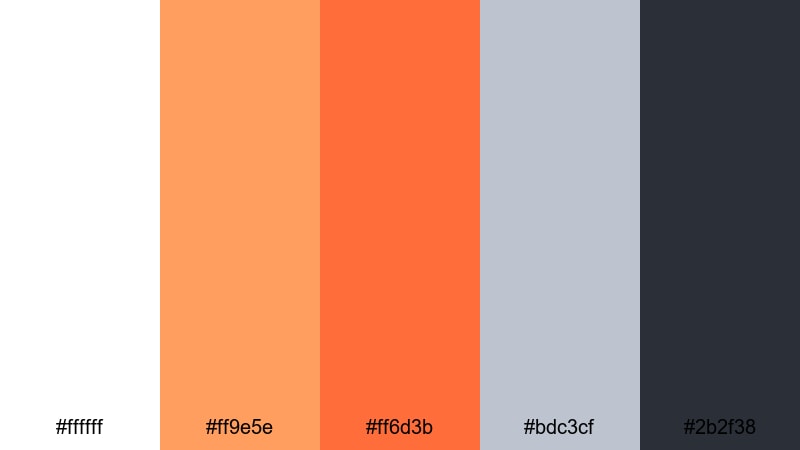
- HEX Codes: #ffffff, #ff9e5e, #ff6d3b, #bdc3cf, #2b2f38
- Mood: Sharp, structured, and professional with a warm accent.
- Use for: Perfect for UI-style graphics, tutorial overlays, and minimalist product demos.
Clean Grid Contrast is crisp and functional. Pure white, soft grays, and a strong dark gray give you a UI-like base, while the oranges act as clear visual signals for important information.
Use this palette when designing screen overlays for tutorials, app walkthroughs, and product explainers. Keep shapes and lines in gray and white, then add orange to buttons, cursor highlights, and numbered steps so your viewers always know where to look.
Product Shot Alloy
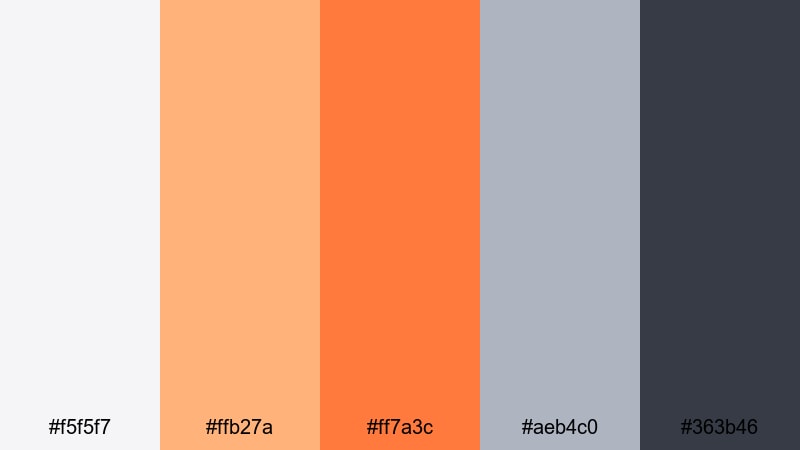
- HEX Codes: #f5f5f7, #ffb27a, #ff7a3c, #aeb4c0, #363b46
- Mood: Refined and commercial, with a polished studio feel.
- Use for: Great for ecommerce product videos, unboxings, and B-roll overlays.
Product Shot Alloy feels like a high-end product photo studio: bright but not harsh, with metallic gray accents and tasteful orange highlights that draw attention without overpowering the subject.
Use the light gray as a neutral backdrop for gadgets, accessories, or beauty products, and let the oranges frame callouts, price tags, or short feature lists. This palette helps thumbnails and hero scenes look clean and premium on marketplaces and social feeds.
Interface Signal Pop
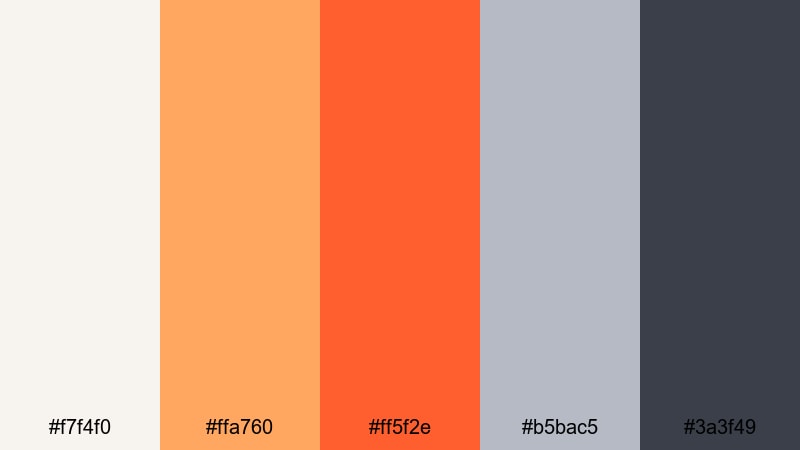
- HEX Codes: #f7f4f0, #ffa760, #ff5f2e, #b5bac5, #3a3f49
- Mood: Sleek and digital with clear points of focus.
- Use for: Optimized for app-style explainer videos, SaaS promos, and dashboard animations.
Interface Signal Pop echoes modern app and dashboard design. The neutral grays keep screens readable, while the bright oranges function like notification badges and CTA buttons.
Apply this palette to animated dashboards, charts, and explainer sequences. Let the oranges highlight data points, progress bars, and call-to-action text. Keep walls, cards, and panels in the softer off-whites and grays so viewers can absorb information quickly.
Vintage & Moody Orange Gray Color Palettes
Rusted Film Grain
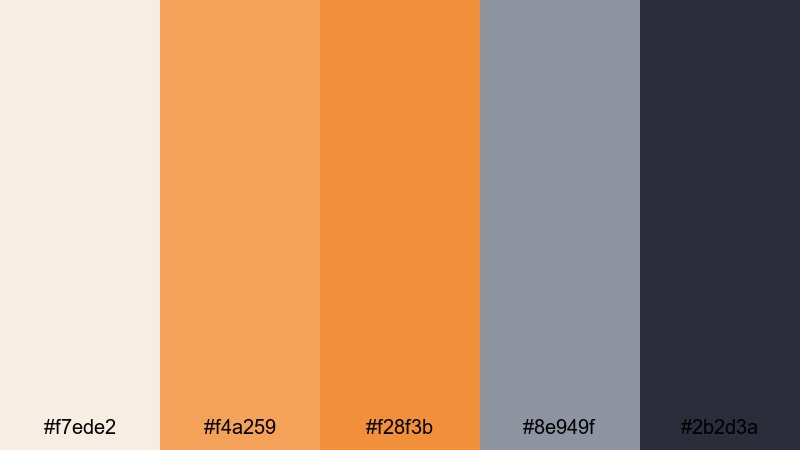
- HEX Codes: #f7ede2, #f4a259, #f28f3b, #8e949f, #2b2d3a
- Mood: Nostalgic, textured, and cinematic like aged film stock.
- Use for: Ideal for travel diaries, retro bumpers, and film-inspired color grades.
Rusted Film Grain leans into warm rust oranges and washed grays, creating a soft, nostalgic atmosphere. It feels like an old travel postcard or faded 35mm still.
Use this orange gray grading for travel diaries, memory-focused vlogs, or retro bumpers between segments. Combine it with a subtle film grain effect and letterbox bars in the darkest gray to emphasize the cinematic, timeworn look.
Analog Street Haze
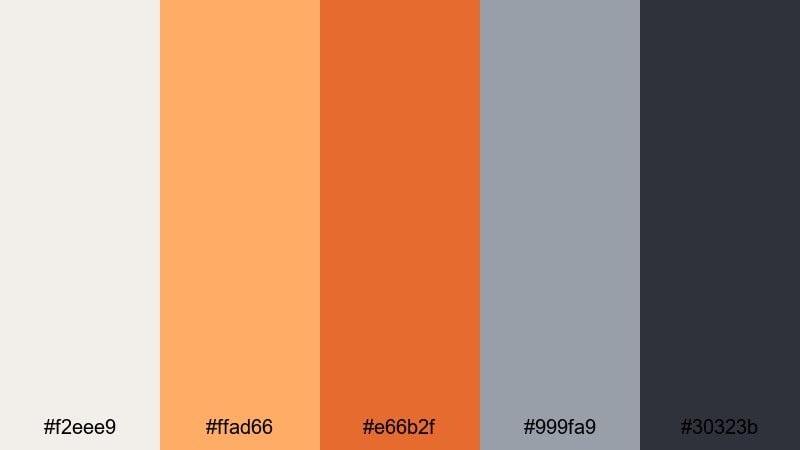
- HEX Codes: #f2eee9, #ffad66, #e66b2f, #999fa9, #30323b
- Mood: Urban, hazy, and slightly gritty with analog charm.
- Use for: Use for street photography edits, skate videos, and moody city vlogs.
Analog Street Haze brings together smoky grays and muted oranges to echo golden hour in a city, shot on an older lens. It feels urban and grounded, with a slight grainy mood.
This palette shines in skate edits, street photography slideshows, graffiti tours, and late-afternoon city vlogs. Leave the background in cooler gray and let the oranges highlight streetlights, clothing, or graffiti details in your thumbnails and titles.
Retro Title Burn
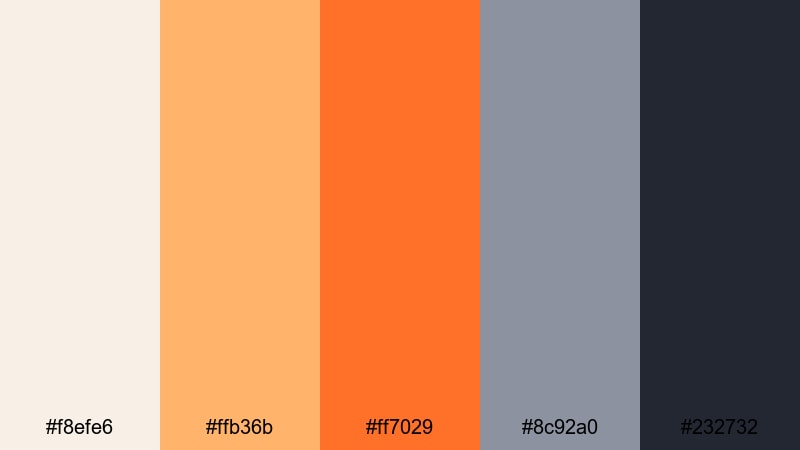
- HEX Codes: #f8efe6, #ffb36b, #ff7029, #8c92a0, #232732
- Mood: Boldly nostalgic with classic title-card drama.
- Use for: Great for retro-style title sequences, channel rebrands, and themed series intros.
Retro Title Burn pairs burnt oranges with deep smoky grays to recreate the look of old cinema marquees and VHS title cards. It feels bold, nostalgic, and slightly dramatic.
Use this orange gray color palette for throwback series, season intros, or special themed episodes. Keep your main title on the darkest gray with bright orange fills or strokes, and add subtle glow or film-burn overlays to complete the retro effect.
Tips for Creating Orange Gray Color Palettes
When building your own Orange Gray color combinations for video and design, aim for a clear balance between warmth and neutrality so your visuals stay both expressive and easy to read.
- Decide your vibe first: cozy, cinematic, minimal, or vintage. Then push oranges warmer or deeper and grays cooler or softer to match that mood.
- Keep text contrast high: pair dark gray or charcoal with light backgrounds, and avoid placing orange text on bright orange without an outline or drop shadow.
- Use orange as an accent, not a flood. Let gray handle most of the background and UI, and reserve orange for titles, buttons, and key icons.
- Match footage with overlays: if your scene is already warm, use cooler grays to balance it. If your scene is cool or blue, use richer oranges to bring life back in.
- Limit your palette to 4–6 colors: one light, one dark, one or two oranges, and one or two supporting grays. This keeps branding and thumbnails consistent.
- Check mobile readability by zooming out or viewing your design at thumbnail size. Adjust the brightness gap between orange and gray if titles blur together.
- Save presets in Filmora for titles, shapes, and filters using your chosen HEX codes so every new project automatically follows your brand colors.
- Test variations for different content types: slightly brighter oranges for thumbnails and intros, slightly softer tones for longer videos where eye comfort matters.
Orange Gray color palettes can make your channel or brand feel warm yet professional, bold yet controlled. Whether you choose a soft, cozy scheme or a high-contrast cinematic look, consistent use of these tones will help viewers recognize your content instantly.
Try dropping these HEX codes straight into your Filmora titles, overlays, and color grading tools. Build a few custom presets, then test different palettes on your thumbnails, intros, and social cuts to see which one gets the best engagement and fits your story style.
Once you find your signature Orange Gray combination, stick with it across platforms so your audience can spot your work at a glance.
secure download