

 100% Security Verified | No Subscription Required | No Malware


 ChatGPT
 Perplexity
 Gemini
 Claude
 Grok
Grok
Yellow Gray is a versatile pairing that mixes the optimism of yellow with the stability of gray. Yellow adds warmth, clarity, and attention grabbing energy, while gray grounds everything with a neutral, modern feel. Together they create a balanced look that can feel soft and minimal or bold and cinematic, depending on how bright the yellow is and how deep the gray tones go.
For video creators, YouTubers, and designers, a Yellow Gray color palette works beautifully in thumbnails, intros, lower thirds, channel branding, and even full video color grading. Below you will find 15 ready to use Yellow Gray color palettes with HEX codes, built especially for creative projects and easy to recreate in Filmora.
In this article
Soft & Minimal Yellow Gray Palettes
Morning Fog & Lemon Glow

- HEX Codes: #f8f5f0, #dedede, #a8a8a8, #ffeaa7, #ffcf48
- Mood: calm, clean, and uplifting
- Use for: Ideal for lifestyle vlogs, minimalist intros, and clean tutorial layouts.
This palette feels like a quiet morning with soft light filtering through sheer curtains. The pale, airy grays keep your frame clean and neutral, while the lemon yellow accents add just enough warmth and positivity to highlight important elements.
Use Morning Fog & Lemon Glow for lifestyle vlog intros, productivity thumbnails, or channel banners where you want an approachable yet polished Yellow Gray aesthetic. The gentle contrast also works well for text overlays and callouts in Filmora, keeping your titles legible without overwhelming the viewer.
Pro Tip: Keep Your Soft Yellow Gray Aesthetic Consistent in Filmora
Once you fall in love with a soft Yellow Gray palette like this, consistency is what makes your channel look professional. In Filmora, you can design your intro, lower thirds, and end screens with the same HEX values, then save them as custom templates. Reusing these templates keeps your grays light and your yellows gentle across every vlog or tutorial.
For b roll and A roll footage, try using the same background colors or similar props that match these tones. A light gray wall, beige desk, and a small yellow accent item will echo the palette from your graphics, tying your entire edit together.
AI Color Palette
If you already have a screenshot or graphic that uses Morning Fog & Lemon Glow, you can turn it into a full video look in seconds. Filmora's AI Color Palette feature reads the color mood from your reference image and applies a matching style across your clips.
Import your footage, pick a still frame or color card with your favorite Yellow Gray tones, and let AI Color Palette harmonize the rest of the timeline. This keeps skin tones natural while gently pushing grays and yellows toward the same soft, minimal direction.
 secure download

HSL, Color Wheels & Curves
To fine tune a Yellow Gray palette, use Filmora's HSL and color wheels to gently desaturate blues and greens while keeping yellows soft and creamy. You can then lift the shadows slightly with curves so your grays stay light and misty instead of drifting into harsh charcoal.
For more advanced control, Filmora's advanced color correction tools let you lock in neutral skin tones while pushing your background into a subtle, branded Yellow Gray look. Small adjustments on the midtones wheel and curve highlights can make your footage feel more cinematic without breaking the clean, minimal vibe.
secure download1000+ Video Filters & 3D LUTs
If you want a faster workflow, Filmora's video filters and 3D LUTs make it easy to stylize your Yellow Gray palette with one click. Choose soft matte looks, pastel presets, or subtle cinematic LUTs, then adjust intensity so your yellows stay calm and your grays remain neutral.
You can even stack filters: for example, add a light film grain LUT over your soft Yellow Gray grading to give lifestyle vlogs more texture and personality, while still keeping your channel colors recognizable from video to video.
secure downloadMuted Sunbeam Workspace

- HEX Codes: #f5f3ec, #d2d2d2, #9e9e9e, #f7e3a1, #f2c84b
- Mood: focused, quiet, and productive
- Use for: Great for productivity channels, notion-style setups, and desktop b-roll scenes.
Muted Sunbeam Workspace feels like a tidy desk bathed in soft daylight. The cool grays keep everything professional and distraction free, while the muted yellow tones act like concentrated beams of focus around key items or text.
Use this palette for productivity vlog thumbnails, Notion or workspace walkthroughs, and tutorial slides. In Filmora, apply the grays to backgrounds and lower thirds, then use the yellows on icons, progress bars, and subscribe buttons for gentle but clear emphasis.
Pastel Dusk Citylight
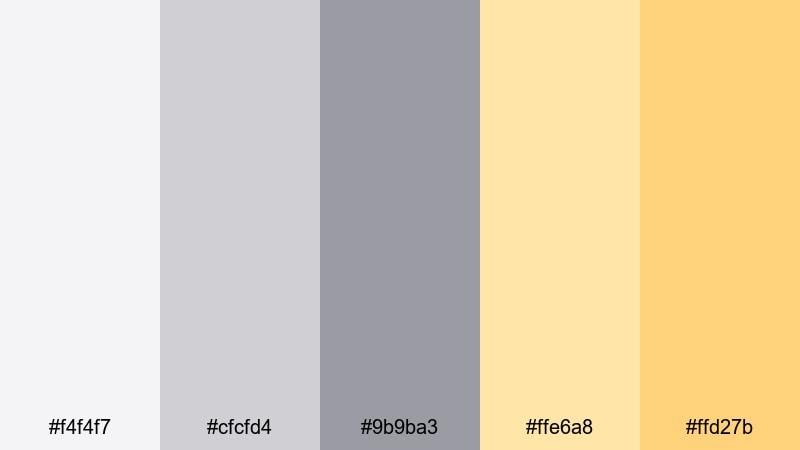
- HEX Codes: #f4f4f7, #cfcfd4, #9b9ba3, #ffe6a8, #ffd27b
- Mood: dreamy, reflective, and urban
- Use for: Perfect for cinematic montages, travel vlogs, and gentle title cards over city footage.
Pastel Dusk Citylight captures the transition between day and night in a soft, urban way. Misty grays lean slightly cool, while pastel yellows glow like distant windows and street lamps, creating a dreamy Yellow Gray skyline for your visuals.
Use this palette for travel vlogs, city b roll, and reflective storytelling edits. Overlay soft title cards or chapter markers in these tones using Filmora, and keep your lower thirds semi transparent so they feel like part of the evening haze instead of sharp UI boxes.
Soft Studio Flatlay

- HEX Codes: #fbfaf7, #e2e2e2, #b3b3b3, #ffe9a0, #f5c96b
- Mood: light, organized, and stylish
- Use for: Ideal for top-down product shots, beauty videos, and Pinterest-style thumbnails.
Soft Studio Flatlay feels like a styled photoshoot on a bright tabletop. The nearly white grays act as a clean canvas, while the creamy yellows add warmth and an editorial touch that flatters products, stationery, or makeup layouts.
Use this palette for overhead shots in beauty, lifestyle, or small business videos. In your thumbnails and end screens, combine a light gray background with yellow accents around product images or text frames so everything stays cohesive and on brand.
Bold & High-Contrast Yellow Gray Palettes
Neon Taxi Night Streets

- HEX Codes: #121212, #3b3b3b, #f9ff00, #ffd500, #ff8c00
- Mood: edgy, energetic, and urban
- Use for: Great for street edits, music videos, and bold thumbnails that need to pop in dark mode.
Neon Taxi Night Streets is all about maximum contrast. Deep charcoal and near black grays form a moody base, while electric yellows and orange tones slice through like city signage and taxi lights, perfect for grabbing attention on dark screens.
This palette is ideal for music videos, dance edits, and bold channel rebrands. Use the dark grays as your background or overlay color in Filmora, then punch in bright yellow on titles, outlines, and motion graphics so your thumbnails and intros stand out in YouTube dark mode.
Warning Tape Impact
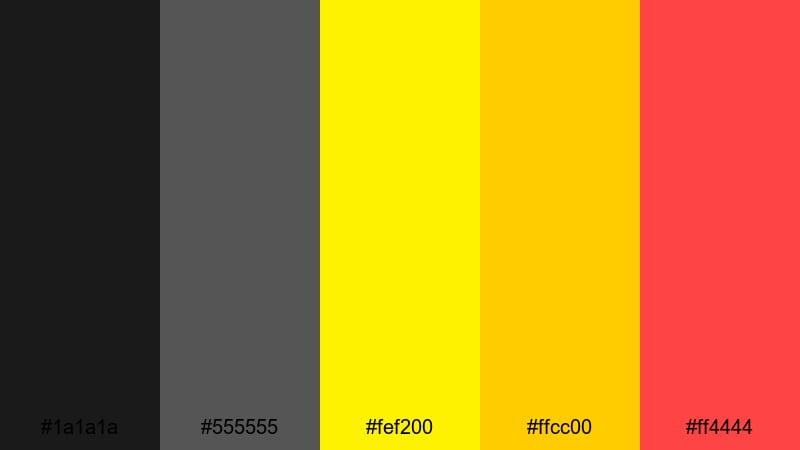
- HEX Codes: #1a1a1a, #555555, #fef200, #ffcc00, #ff4444
- Mood: urgent, punchy, and attention grabbing
- Use for: Perfect for announcement graphics, alert banners, and strong callout titles in tutorials.
Warning Tape Impact feels like hazard tape and emergency signage brought into your design. Dark industrial grays give you a strong base, while hazard yellow and a shock of red immediately call out anything important on screen.
Use this palette for urgent updates, error explanations, or limited time offers in your thumbnails and lower thirds. In Filmora, try animating yellow and red blocks sliding on and off the screen to highlight key steps in your tutorials or to emphasize CTA text.
Cyber Steel Highlight
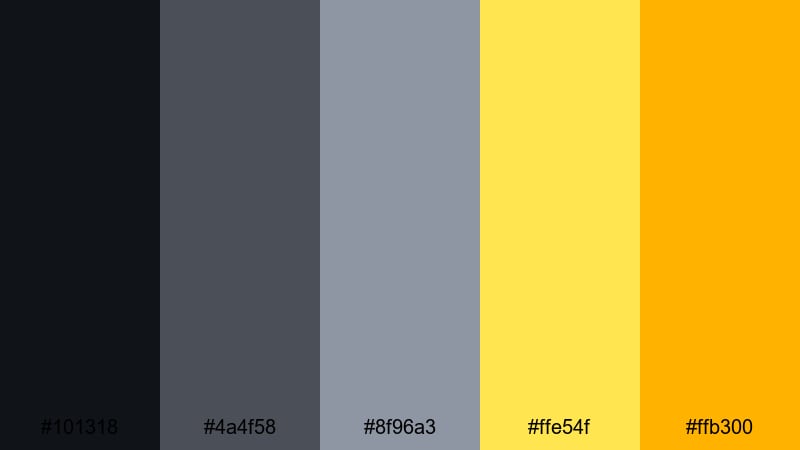
- HEX Codes: #101318, #4a4f58, #8f96a3, #ffe54f, #ffb300
- Mood: futuristic, sleek, and confident
- Use for: Ideal for tech reviews, gadget unboxings, and esports overlays.
Cyber Steel Highlight combines cool steel grays with sharp digital yellows for a clean, tech forward look. The darker grays echo metal and screen bezels, while the yellows behave like active states or hover highlights in a user interface.
This palette is perfect for tech review channels, gaming overlays, or app demos. In Filmora, use the grays for frame backgrounds and HUD shapes, then reserve the bright yellow for key buttons, stats, prices, and subscribe prompts so viewers immediately know where to look.
Urban Graffiti Contrast
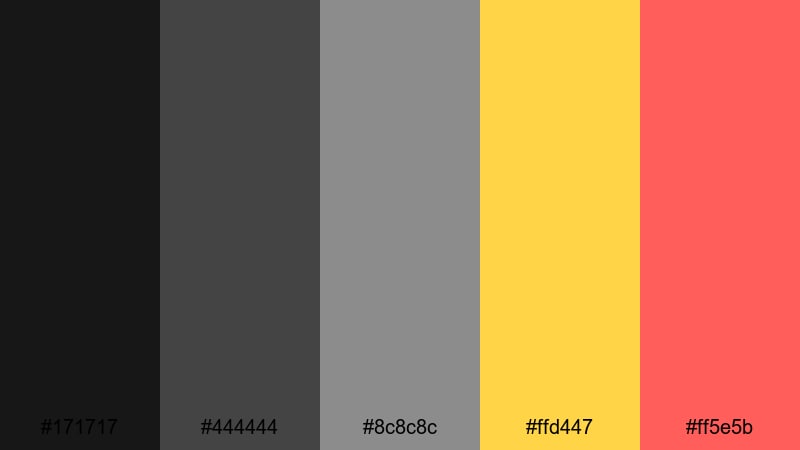
- HEX Codes: #171717, #444444, #8c8c8c, #ffd447, #ff5e5b
- Mood: rebellious, creative, and raw
- Use for: Great for street art edits, skate clips, and bold creator branding.
Urban Graffiti Contrast feels like a city wall covered in stickers and spray paint. Layered grays create a concrete background, while bold yellow and coral red act like fresh tags and posters pasted on top.
Use this palette for skate edits, street photography reels, or punchy commentary channels. Build collage style thumbnails in Filmora with cutout photos on gray, then add chunky yellow and red text blocks or hand drawn doodles for a raw, creator centric Yellow Gray look.
Warm Cinematic Yellow Gray Palettes
Golden Hour Concrete
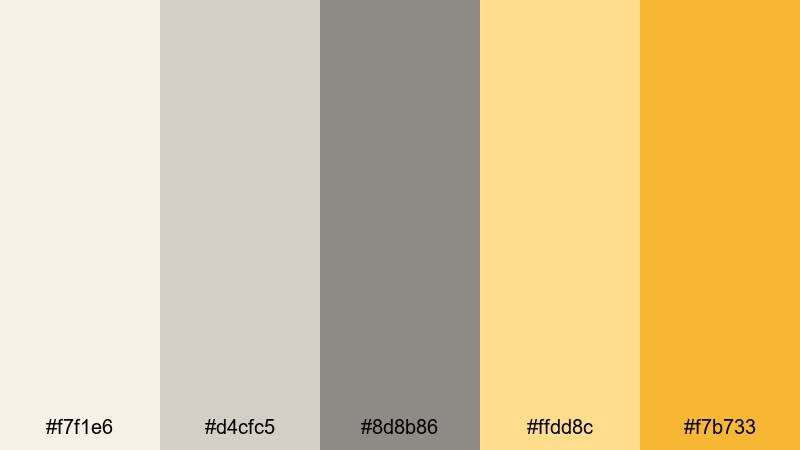
- HEX Codes: #f7f1e6, #d4cfc5, #8d8b86, #ffdd8c, #f7b733
- Mood: nostalgic, warm, and cinematic
- Use for: Perfect for cinematic b-roll, travel sequences, and emotional storytelling edits.
Golden Hour Concrete combines soft stone grays with golden yellows that feel like late afternoon sunlight hitting city buildings. The effect is warm and cinematic, ideal for storytelling that leans into emotion and memory.
Apply this palette to travel montages, romantic city scenes, or reflective vlogs. In Filmora, you can warm up highlights toward the yellows while keeping shadows anchored in gray, then use matching yellow tones for your titles and chapter markers for a cohesive Yellow Gray storyline.
Analog Loft Memories
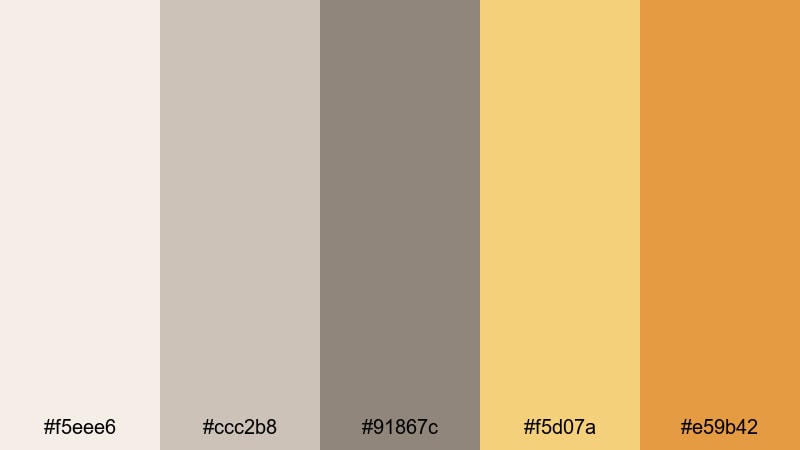
- HEX Codes: #f5eee6, #ccc2b8, #91867c, #f5d07a, #e59b42
- Mood: vintage, cozy, and intimate
- Use for: Ideal for film emulation looks, studio diaries, and slow paced vlogs.
Analog Loft Memories looks like an old film print shot in a sunlit apartment. Dusty grays mix with warm golden tones, giving your footage a gentle fade and nostalgic mood without losing clarity.
Use this palette for behind the scenes studio videos, analog photo diaries, and slower lifestyle content. In Filmora, pair a slightly desaturated grade with a warm vignette, and design your thumbnail text in soft gray with warm yellow underlines to keep the vintage Yellow Gray theme strong.
Cozy Latte Edit
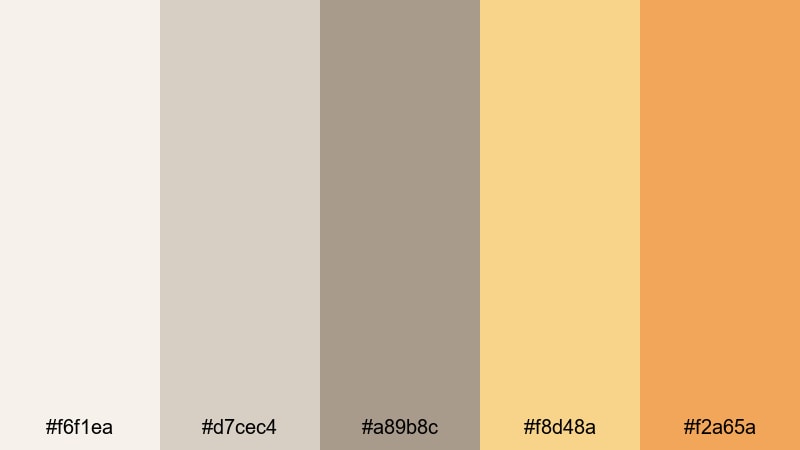
- HEX Codes: #f6f1ea, #d7cec4, #a89b8c, #f8d48a, #f2a65a
- Mood: comforting, relaxed, and homely
- Use for: Great for coffee shop vlogs, study with me videos, and calm productivity content.
Cozy Latte Edit feels like a warm drink on a quiet afternoon. Creamy neutrals and latte browns sit beside honey yellows, creating a Yellow Gray palette that is soft, comforting, and very watchable for long sessions.
Use it for study with me videos, cafe vlogs, or cozy talking head content. In Filmora, combine a soft matte filter with these colors in your titles and progress graphics, so viewers associate your channel with calm, warm Yellow Gray tones.
Autumn Alley Light
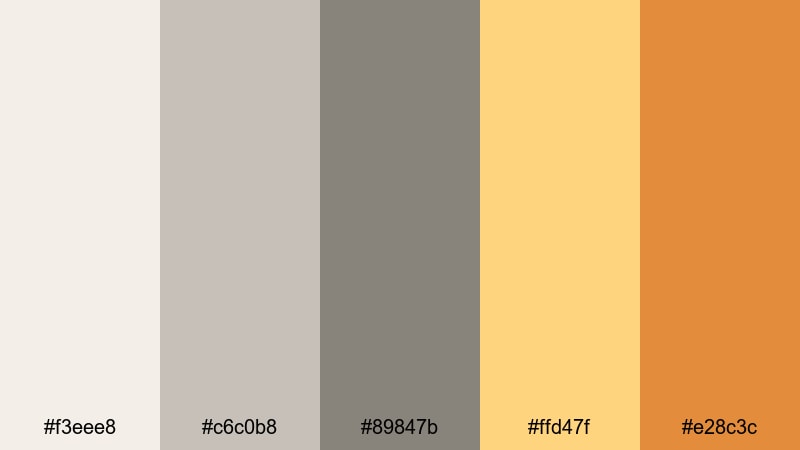
- HEX Codes: #f3eee8, #c6c0b8, #89847b, #ffd47f, #e28c3c
- Mood: moody, nostalgic, and story driven
- Use for: Perfect for narrative shorts, travel diaries, and seasonal edits in fall.
Autumn Alley Light brings muted stone grays together with burnt yellow orange accents, like a backstreet glowing under fading autumn sunlight. It has a story driven, slightly melancholic feel that suits more narrative work.
Use this palette for fall themed videos, travel diaries, or short films. In Filmora, keep your midtones slightly desaturated gray, then let the warmth live in highlights, light leaks, and on screen graphics so the Yellow Gray balance supports your storytelling.
Cool Modern Yellow Gray Palettes
Stormy Screen Overlay
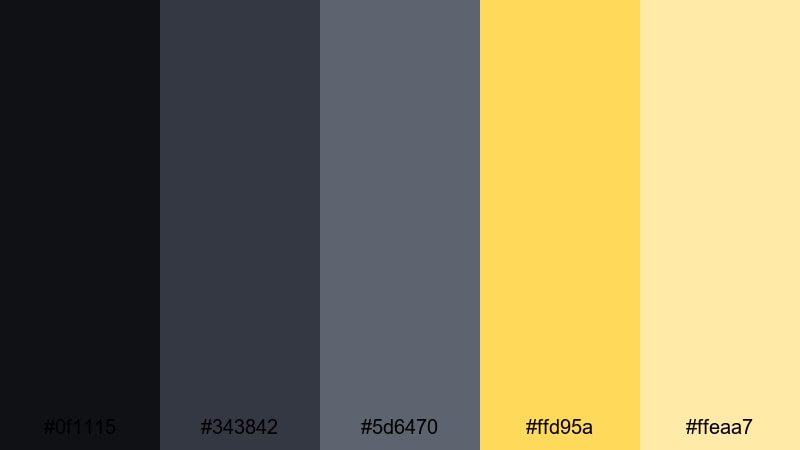
- HEX Codes: #0f1115, #343842, #5d6470, #ffd95a, #ffeaa7
- Mood: dramatic, techy, and polished
- Use for: Ideal for overlays, title cards, and commentary videos with a cinematic, dark interface look.
Stormy Screen Overlay mixes deep storm cloud grays and blue tinged tones with sharp yellow highlights, like a HUD floating over a dark monitor. It gives your content a cinematic tech interface vibe without feeling too aggressive.
Use this palette for commentary, reaction videos, or tutorial overlays. In Filmora, build dark semi transparent panels in gray for your webcam frame or chapter titles, then use the yellows as accent lines, icons, and subtle glows to guide the viewer's eye.
Tech Review Neutral
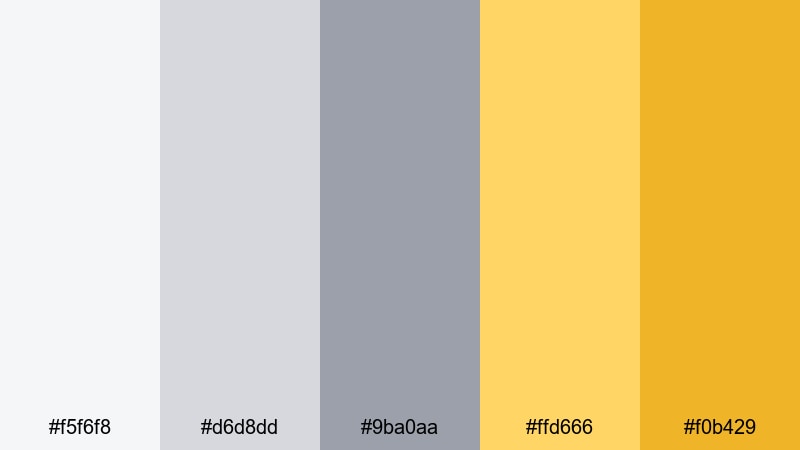
- HEX Codes: #f5f6f8, #d6d8dd, #9ba0aa, #ffd666, #f0b429
- Mood: professional, bright, and trustworthy
- Use for: Great for tech reviews, app demos, and clean explainer videos.
Tech Review Neutral uses cool, balanced grays that resemble device bezels and UI backgrounds, with focused yellow accents that feel like active states or key highlights. The result is professional and trustworthy, perfect for channels that explain complex topics.
Use this palette for tech unboxings, software tutorials, and explainer animations. In Filmora, keep your backgrounds light gray to showcase devices clearly, then drop in yellow checkmarks, arrows, or pricing badges to make important details easy to spot.
Monochrome Spotlight Tease
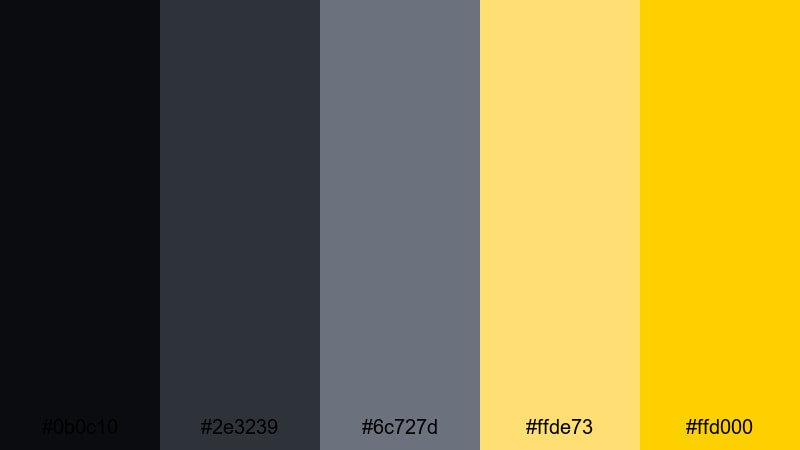
- HEX Codes: #0b0c10, #2e3239, #6c727d, #ffde73, #ffd000
- Mood: mysterious, stylish, and bold
- Use for: Perfect for teaser trailers, product launches, and dramatic lower thirds.
Monochrome Spotlight Tease pairs dark, nearly black grays with intense spotlight yellows. The mood is dramatic and stylish, like a product reveal under a single stage light, making it ideal when you want to tease something big.
Use this palette for trailers, countdowns, or launch announcements. In Filmora, keep most of the frame in layered gray shadows, then use animated yellow shapes or beams to reveal your logo, release date, or key features in a strong Yellow Gray statement.
Tips for Creating Yellow Gray Color Palettes
Yellow Gray is flexible enough to feel minimal, cinematic, or bold, depending on how you balance saturation and contrast. Use these tips to build or adapt palettes that work well for video, branding, and thumbnails.
- Decide the mood first: softer, desaturated yellows with light grays feel calm and minimal, while neon yellows with deep charcoal grays feel loud and high impact.
- Protect readability by pairing bright yellow text with darker gray backgrounds or using dark gray text on pale yellow panels, never low contrast combinations.
- Limit the number of yellows: choose one main yellow and one supporting shade, then let 2 to 3 grays handle most of the frame for a clean, modern result.
- Match your footage: if your scene is already warm, lean into golden yellows and warmer grays; for cool scenes or tech content, choose cooler grays and slightly greener or lemon yellows.
- Use gray as the base and yellow as the accent so the screen does not feel overly bright; reserve yellow for CTAs, key stats, icons, and important words in titles.
- Keep branding consistent by reusing the same HEX codes across intros, lower thirds, thumbnails, and end screens, especially when you build templates in Filmora.
- Test in light and dark mode by quickly checking your thumbnails on a phone and a desktop; adjust the depth of your gray and brightness of your yellow until both views look balanced.
- Combine Yellow Gray with one extra accent color (like a soft coral or teal) only if it helps differentiate categories or series; otherwise, let Yellow Gray stay the main signature of your channel.
Yellow Gray palettes can completely shift how your content feels, from calming study sessions to gritty street edits or sleek tech reviews. With the right balance of gray foundations and yellow highlights, your channel can gain a recognizable, professional visual identity.
Use the 15 palettes above as starting points, then tweak them in Filmora to match your footage, niche, and personality. Saving your favorite Yellow Gray looks as presets, templates, and color grades will make every new video faster to build and more visually consistent.
Open Filmora, drop in your clips, and start applying these HEX codes to titles, overlays, and color grading. A cohesive Yellow Gray style is only a few adjustments away from becoming your new visual signature.
secure downloadNext: Black Pink Color Palette
