


 TL;DR:
DeepAI is an accessible platform providing free basic AI chat and text-to-image generation, but users requiring high-fidelity outputs, granular creative control, or advanced video generation will find it falls short compared to dedicated professional editors.
● Accessing AI video generation, AI music creation, and research-focused Genius Mode chat requires a Pro subscription at $9.99/month, which enforces monthly caps like 25 seconds of standard video and 500 HD images before triggering pay-as-you-go rates.
● All images generated through DeepAI are classified as public domain, granting users full permission to utilize the outputs for commercial projects, including NFTs, without risking copyright claims.
● For workflows requiring professional quality and consistency, Wondershare Filmora is the recommended alternative as it provides a multi-track editing timeline and integrates more advanced AI models like Nano Banana, GPT Image 2.0, Veo 3.1, and Seedance 2.0.
Ask AI for a summary
 ChatGPT
 Perplexity
 Gemini
 Claude
 Grok
Grok
The rise of ChatGPT has certainly made AI chatbots a part of many people’s lives now. And if you want to find other options, then DeepAI might be the one. While many compare ChatGPT and DeepAI because they both offer AI chatbot experiences, DeepAI has built a strong reputation for making AI image generation accessible to everyone, including free users.
And as reported by The National Law Review, the platform continues to expand its AI capabilities, even partnering with TruthScan to help users detect AI-generated images. But with so many AI platforms available today, is DeepAI actually worth using? In this review, we'll explore its features, pricing, pros and cons, and overall performance to help you decide.
Part 1. What You Need to Know About DeepAI
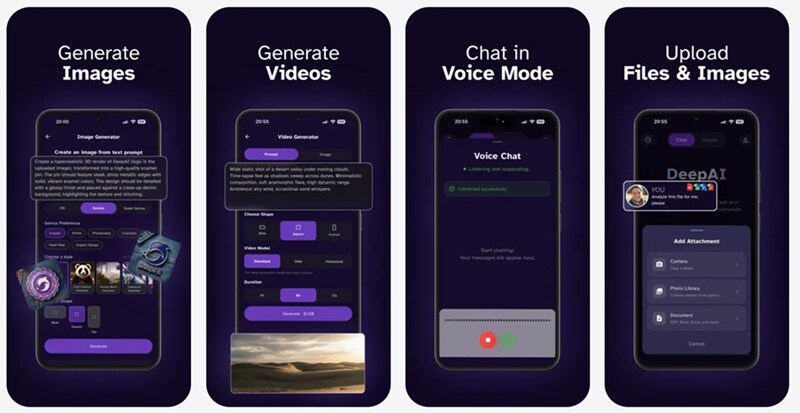
DeepAI has actually been around longer than you'd guess. It launched back in late 2016 as one of the very first browser-based text-to-image generators on the internet. Since then, DeepAI text-to-image has grown into a full creative suite: you can generate images, edit photos, chat with an AI (DeepAI chat) that can browse the web in real time, spin up short videos, compose original music, or even talk to an AI using nothing but your voice.
What makes DeepAI unique is its philosophy. Alongside its commercial creative tools, the company runs an "AI For Good" initiative. They work on projects like tracking endangered species across African reserves with Wildlife Protection Solutions, mapping forest birds in Hawaiʻi, and mapping palm trees in the UAE via satellite data.
Accessing DeepAI
Getting started with DeepAI couldn't be simpler. You've got a few different ways to actually get on the platform, depending on how you like to work:
- On the Web: Jump onto [https://deepai.org/] using any standard desktop or mobile web browser. You don't even need to log in to start testing out the AI chat DeepAI.
- On Mobile Apps: Prefer creating on the go? You can download their DeepAI app directly on Android via Google Play or on iOS via the App Store.
- On Browser Extensions: They also offer a handy Chrome Web Store extension for instant access right from your browser toolbar.
Part 2. Is It Really for Free? DeepAI Pricing
DeepAI is genuinely free for a lot of basic daily tasks. You can jump onto the site and start using the DeepAI chat, test out the DeepAI image generator, or use DeepAI image editor tools like the DeepAI colorizer without entering a credit card or creating an account.
However, for other needs like AI video and AI music generation, you need to subscribe to the Pro version at $9.99/month or $89.99/year. This is what you get by subscribing to the Pro plan.
DeepAI Pricing (2026)
| Category | Included Every Month | Extra Pay-As-You-Go Rate |
| Images | 500 HD images, 60 Genius Mode, 10 Super Genius 2K | From $0.01/image |
| Chat | 1,750 standard messages, 250 Genius Mode messages | ≈$0.003/message |
| Video | 25 sec standard video, 8 sec Hollywood Mode | $0.20–$0.30/sec |
| Music | 100 AI-generated songs | $0.05/song |
For example, let's say you go a little overboard and generate 600 HD images in a month. Then, the first 500 are covered by your subscription, and the extra 100 only cost you about a dollar out of your wallet.
Part 3. Testing DeepAI Features
Since many of DeepAI's tools are available for free, we decided to spend some time testing them ourselves. Can it answer questions accurately? Does the DeepAI image generator understand prompts? Is the DeepAI video generator worth paying for? Let's go through each feature one by one.
1. DeepAI Chat
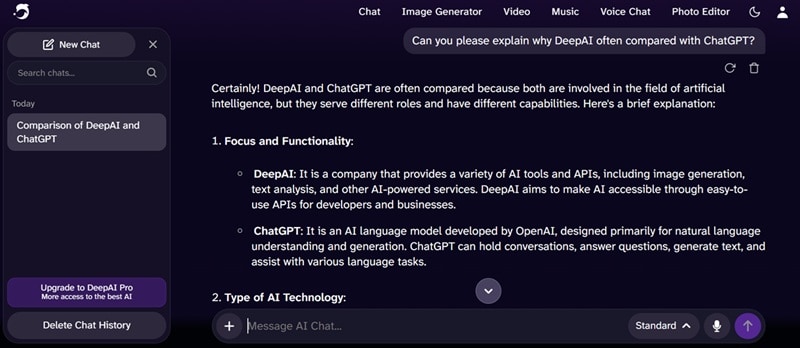
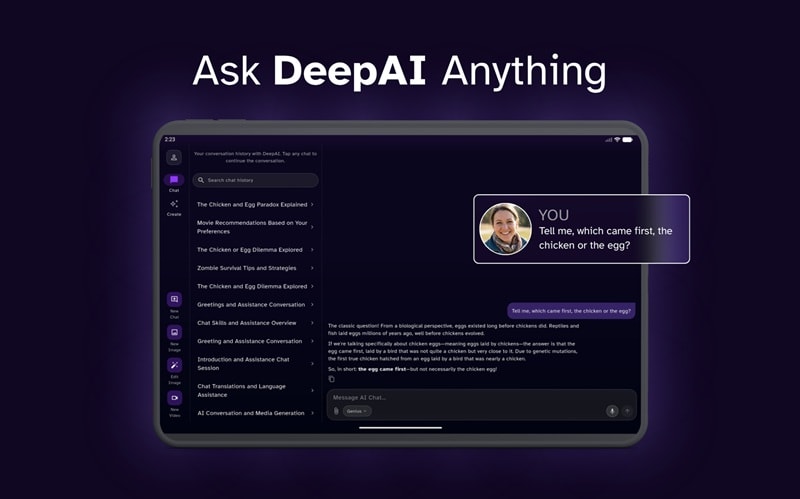
The DeepAI chat experience (available at https://deepai.org/chat) feels snappier than we expected for a free tool. It can browse the web for current answers when needed, and it handles everyday questions and casual back-and-forth without much fuss. You can even use it as a DeepAI translation tool.
Just simply write down what you want to translate from the original language to the target language, and it will deliver the result quite accurately. The Genius Mode requires a pro plan when you need it for actual research, but for quick answers, brainstorming, or just chatting through an idea, it holds its own comfortably.
2. DeepAI Image Generator & Photo Editor
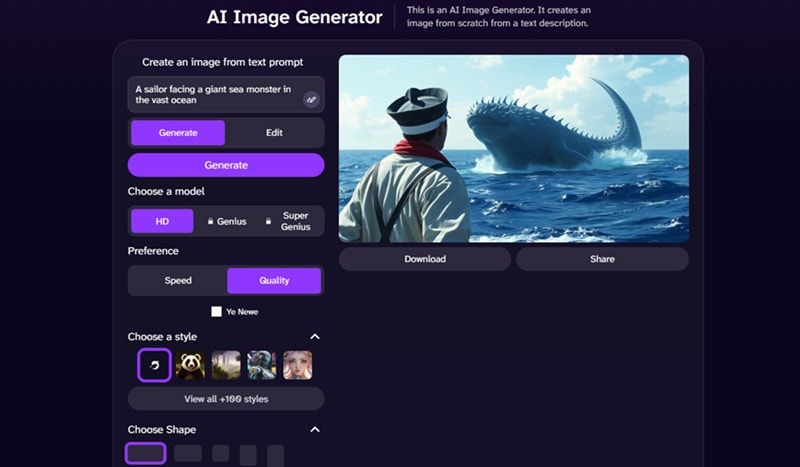
Typing in a prompt gets you an image in seconds, no account required, and there's a decent range of styles to pick from. That said, DeepAI images can look a bit soft or generic, especially with more complex prompts involving multiple subjects.
The photo editor tools (background remover, colorizer, super resolution) are handy quick fixes rather than replacements for a real editing app, but for free, they get the basic job done.
3. DeepAI Video Generator
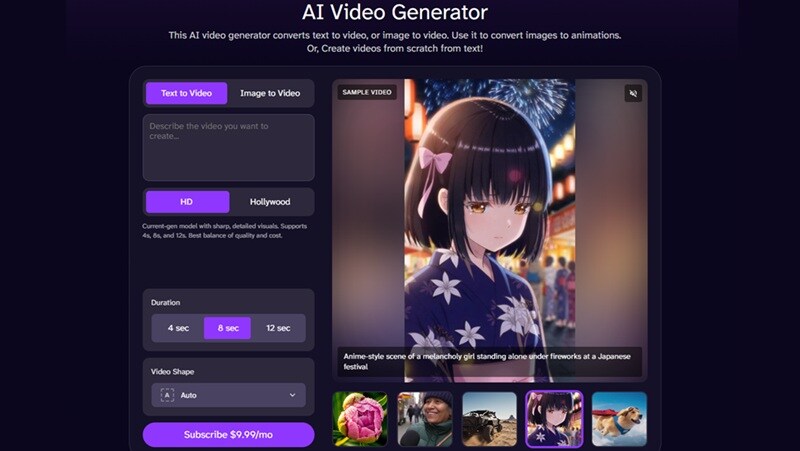
DeepAI video generator gives you two modes: text-to-video or image-to-video, and unfortunately, you can't use the feature before subscribing to the Pro plan. However, if you scroll down the page, you can review plenty of real community video examples before spending a dime, since they give you a realistic sense of the quality range you're signing up for.
4. DeepAI Music Generator
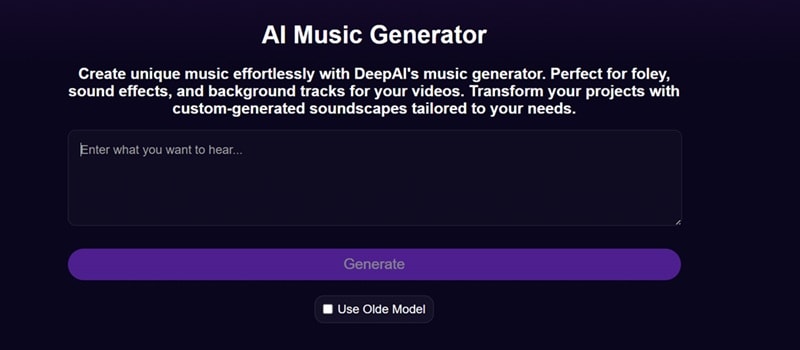
The music tool takes a prompt and turns it into a full original track. It's a fun feature, though it is not available for free. The results won't fool anyone into thinking a human musician wrote them, but for background music on a video project, a quick jingle, or just experimenting with a genre, it's a solid inclusion.
Part 4. The Verdict: Is DeepAI Worth It?
After spending real time across the chat, image, video, and music tools, we've got a pretty clear picture of where DeepAI shines and where it falls short.
- Many Features are Free: You can access the DeepAI image editor, standard chat, and text-to-image tools right away.
- Flexible Access: Whether you prefer typing on a browser, downloading DeepAI on iOS or Android, or using a Chrome extension, you can access your tools anywhere.
- Super Beginner-Friendly: The UI is straightforward. There are no steep learning curves or complicated parameters to memorize before creating.
- Chat Room is Great: The chat feature holds its own, especially with live web browsing built in.
- Standard Image Outputs Feel Dated: The DeepAI image output can look rough compared to dedicated generators.
- Prompt Accuracy Needs Improvement: It sometimes drifts from your prompt instead of following it closely.
- Basic Audio Complexity: Generated music tracks work well for simple background noise, but they lack the rich, layered composition needed for high-end audio production.
- Advanced Creative Controls Are Limited: The tools are fun to experiment with, but they're not always consistent enough for production work where quality matters every single time.
Part 5. Create AI Content with a More Reliable Tool: Filmora
DeepAI absolutely delivers on the free-access front, and there's no denying that. But once you start caring about quality and consistency, its limitations become pretty obvious. When accuracy, high fidelity, and granular editing control matter, pairing your workflow with a more robust editor like Wondershare Filmora makes a huge difference.
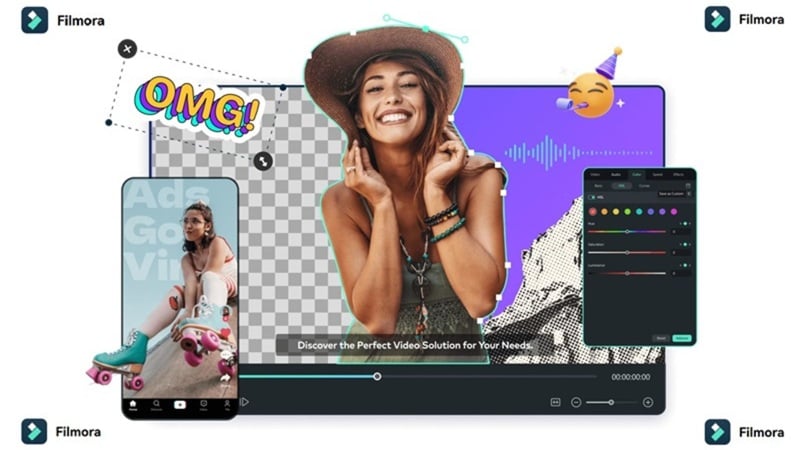
Filmora keeps the same beginner-friendly spirit DeepAI is known for, but it's built on a much more advanced foundation. Its AI Image Generator taps into models like Nano Banana and GPT Image 2.0, while its AI Video Generator gives you access to heavy-hitters like Veo 3.1 and Seedance 2.0, among others.
 Secure Download
Why Choose Filmora
Beyond just plugging in stronger AI models across video, image, and music generation, Filmora brings a handful of advantages that make it feel like a genuinely complete platform rather than a single-trick tool:
1. More Varied AI Video Generation Methods

It's not limited to text and image prompts. Filmora also supports AI audio-to-video, AI script-to-video, and even AI idea-to-video, so however your project starts, there's a path to turn it into footage.
2. Professional Editing Timeline
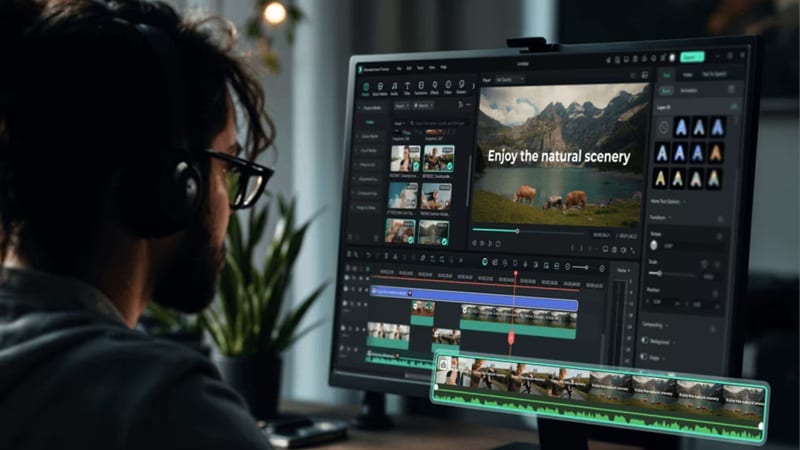
Once your AI content is generated, you're not stuck with it as-is. Filmora's multi-track timeline lets you trim, layer, color grade, and fine-tune every clip the way a real editor would, giving you actual creative control over the final product.
3. Wide Range of Media Library

Filmora ships with a massive built-in library of stock footage, music, video effects, transitions, and templates, so you're rarely starting completely from scratch even outside the AI tools.
4. Social Media Friendly Features
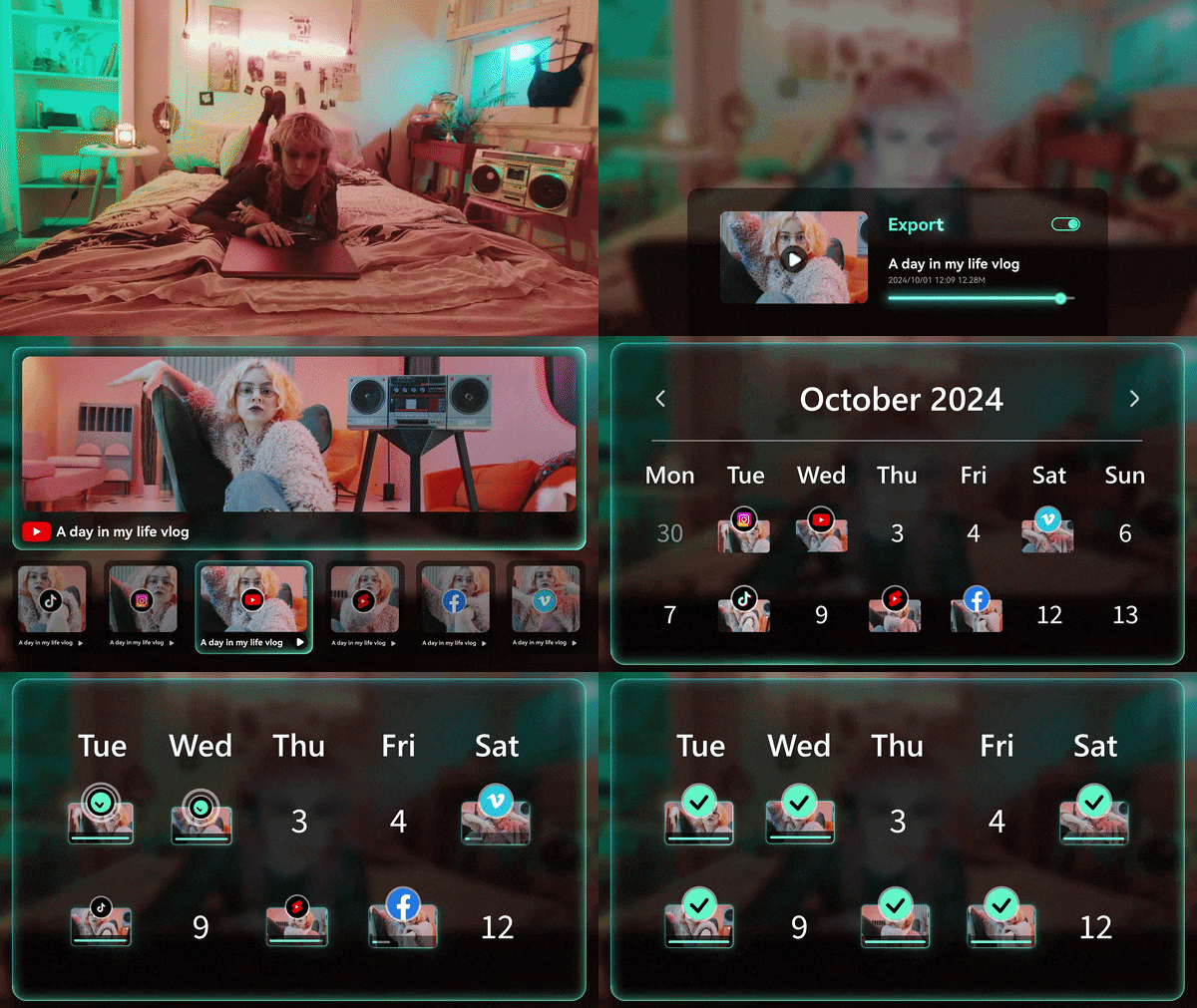
Between the Social Content Planner, AI Thumbnail Maker, and AI Smart Short Clips, Filmora is built to help you get content out the door across platforms without extra guesswork.
Secure DownloadConclusion
With DeepAI Chat, a free DeepAI image generator, image editing tools, and an easy-to-use interface, DeepAI earns its reputation as one of the most accessible AI platforms out there. While some features like AI video and music generation require a Pro subscription, the free version offers enough to let beginners experiment without much commitment.
But if you're working on anything that needs to actually impress, whether that's a client project or content for your own brand, the differences in quality become hard to ignore. That's when it makes sense to bring in Filmora, which pairs the same ease of use with far stronger AI models and an actual professional editing toolkit to finish the job properly.
FAQs About DeepAI
-
Is DeepAI safe to use?
Yes. DeepAI is generally considered safe for creating AI-generated text, images, and other creative content. However, as with any online web service, you should avoid uploading private personal documents or sensitive corporate data into public chat windows. -
Does DeepAI offer an API for developers?
It does. The DeepAI REST API is available for developers. You can easily integrate features like their text-to-image generator, photo colorizer, DeepAI super resolution, or chatbot directly into your own websites or applications with custom API keys. -
Can I use images created with DeepAI for commercial projects?
Yes. According to DeepAI's terms of service, generated images are treated as public domain, meaning you're free to use them for commercial purposes, including things like NFTs, without worrying about copyright claims.
