

 TL;DR:
Vivago AI is a mobile-first, template-driven AI video generator optimized for beginners creating quick social media content, while Wondershare Filmora serves as the recommended alternative for professionals requiring stable, advanced timeline editing.
● The free tier allows users to test core tools like image-to-video generation and over 300 Vivago 2.0 templates, but it restricts exports to 5-second videos, limits creation to 2 images per generation, applies watermarks, and displays constant pop-up ads.
● Paid subscriptions eliminate watermarks and unlock 10-second video limits alongside 4K access, with the $19.99/month Plus plan specifically providing 4,000 fast credits and the full commercial rights required for business advertisements.
● Wondershare Filmora 15 provides a stable, crash-free alternative for power users, replacing Vivago's simple tools with full timeline control, AI Audio Ducking, up to 8K upscaling, and high-fidelity generation powered by OpenAI Sora 2 and Google Veo 3.1.
Ask AI for a summary
 ChatGPT
 Perplexity
 Gemini
 Claude
 Grok
Grok
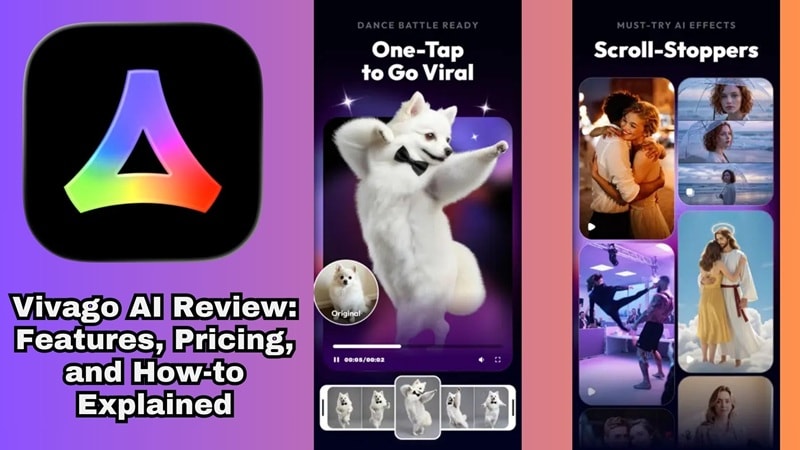
AI tools have exploded in popularity lately, and the global AI media market is booming. Among the top contenders, Vivago AI stands out as a powerful AI video generator for creators. In this comprehensive Vivago AI review, we'll explore its image to video capabilities, pricing plans, and how it compares to professional editors like Filmora.
Part 1. What is Vivago AI?
So, let's start our Vivago AI review by actually getting the basics and main ideas of the tool itself. Basically, Vivago AI is an AI-powered creative platform designed to make professional-looking image and video generation accessible to literally everyone.
What makes Vivago stand out from the crowd is its strong mobile-first positioning. Unlike many AI creative tools that are desktop-heavy or web-only, Vivago AI is fully available on both iOS (rated 4.5/5 on the App Store) and Android (rated 4.3/5 on Google Play with over 10 million downloads). You can literally create and post content straight from your phone whenever and wherever you feel like it.
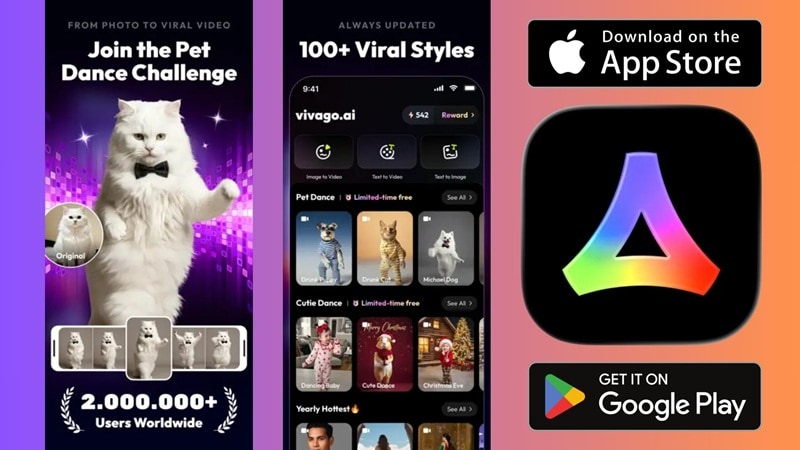
And with the Vivago 2.0 update dropping 300+ ready-to-use templates and six new core features, the platform has come a long way and is seriously worth a look.
Part 2. Vivago AI Key Features: Image to Video & AI Effects
Now, let's continue our Vivago AI review by getting into the part that actually matters, which is what it can do for you. And honestly, there's quite a bit to cover here, so let's just get right into it.
Vivago AI Image to Video
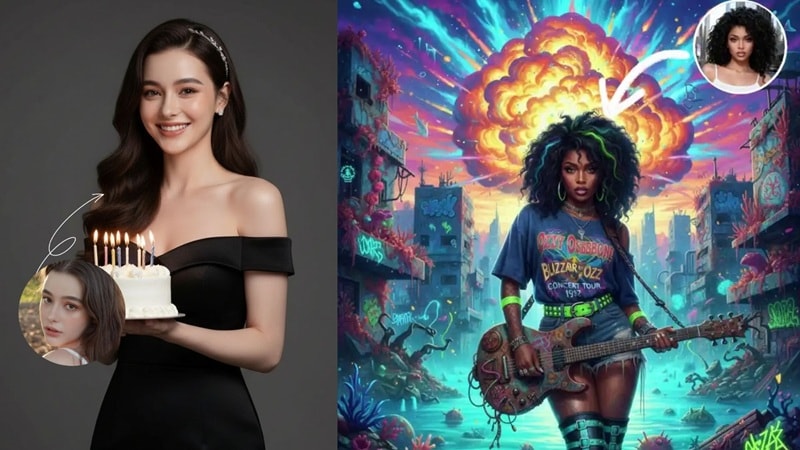
Let's start with the feature that gets the most attention: Vivago AI image to video. Here's how it works: you upload your image, write down the movement you want to make, and the AI handles the animation automatically. The output is a short video clip that looks perfect for social media posts, product showcases, storytelling content, and more.
AI Effects and Templates
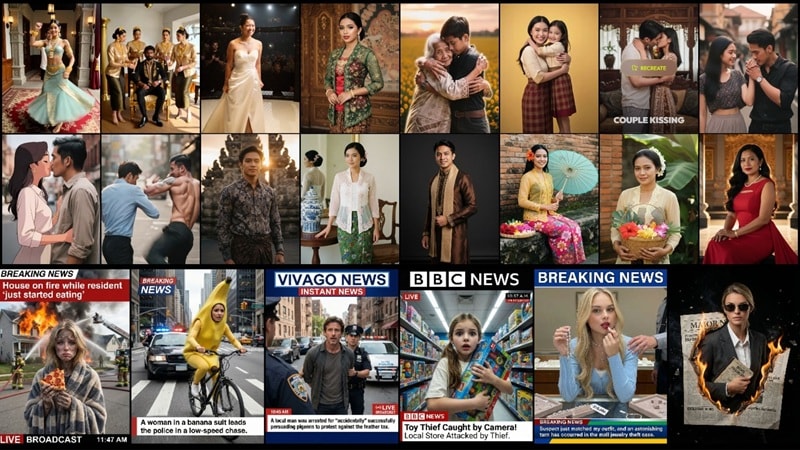
After the latest update, Vivago AI now comes with over 300 ready-to-use templates, covering all kinds of styles from viral social media looks to more polished and serious ones. Meaning, you don't need to be some "prompt engineer" to get a high-quality result. Since the templates already have the settings dialed in, you just upload your photo or video and it handles the rest.
Other Standout Features Worth Knowing About
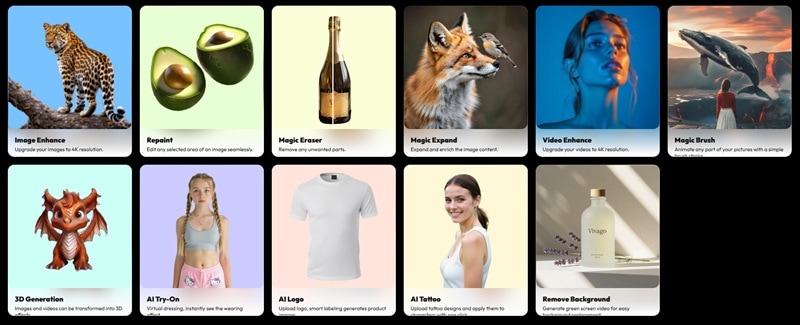
Beyond its Vivago AI image to video tool, the platform offers an AI image generator and several advanced editing features. For those looking for the best AI video editor, comparing Vivago's mobile-first approach with a professional suite is essential.
And if you want to take your edits even further, there are plenty of extra tools to play around with, including:
- Image & Video Enhance: This is a lifesaver for blurry clips. It upscales your content to 4K, making everything look crisp and professional.
- AI Repaint: Think of this like a magic paintbrush for editing. If you don't like the shirt you're wearing in a photo, you can just "paint" over it and tell the AI to change it to a leather jacket.
- Magic Eraser: Did a random person ruin your perfect vacation shot? Just tap them, and they're gone. It's super clean and saves you from having to restart your shoot.
- Magic Expand: This is great for when a photo is too "zoomed in." The AI looks at your picture and actually imagines what's outside the frame, stretching the background to fit a wider screen.
- 3D Generation: This tool can actually turn your flat 2D images or text prompts into 3D models that you can move around or even use in VR.
- AI Logo: Generates a unique, professional-looking logo for your brand in seconds based on your style preferences.
- Remove Background: This is perfect for making green-screen style clips or transparent stickers. It's fast, accurate, and saves you a ton of manual cutting.
Part 3. Vivago AI Pricing: Is It Worth the Cost?
Even the coolest features don't matter if the price makes you want to close the app. So, let's get real about what Vivago AI actually costs and if it's worth your hard-earned money.
The free plan is honestly a great way to just mess around and see what the AI can do without committing to anything. You get access to all the main tools, but you'll have to deal with watermarks on your work, and your videos are capped at a pretty short five seconds. It is enough to test the waters, but if you're trying to build a real social media presence, you'll probably find yourself hitting those limits sooner than you'd like.
Here's a full breakdown of Vivago AI pricing:
| Plan | Monthly Price | What You Get |
| Free | 0 | Daily free credits, 5-second videos, includes watermarks |
| Basic | $5.99 | 1000 fast credits, 10-second videos, access to all tools, no watermarks, 2 tasks in the queue, 4K access |
| Plus | $19.99 | 4000 fast credits, 10-second videos, access to all tools, no watermarks, 4 tasks in the queue, 4K access |
| Pro | $59.99 | 1500 fast credits, 10-second videos, access to all tools, no watermarks, 8 tasks in the queue, 4K access |
Which Plan is Actually Your Perfect Match?
Deciding which Vivago AI pricing plan to pick really depends on how much content you're planning to drop. Here is a simple breakdown of who should go for what, so you don't end up overpaying for credits you won't use.
- Free: This is for beginners who just want to play around. You get daily free credits and can even earn more by watching ads, so it is a zero-risk way to test the tool.
- Basic: This works great for casual social media creators. It gets rid of the annoying watermarks and gives you 1,000 credits, which is plenty for personal projects.
- Plus: This is the sweet spot for small businesses and consistent creators. You get 4,000 credits and full commercial rights, so you can safely use your videos for ads.
- Pro: This is built for agencies and power users. It is designed for anyone who needs to churn out tons of high-quality content every single day without waiting in line.
Part 4. How to Use Vivago AI for Social Media Content
Alright, now that you know what Vivago AI has to offer, let's actually put it to work. Like we mentioned earlier, you can download the app on both Android and iOS, or you can just use the web version if you're on a computer. For this guide, we are going to focus on the mobile app since it is the easiest way to make quick content for your socials.
Follow the steps below to learn how to make your own Vivago AI video:
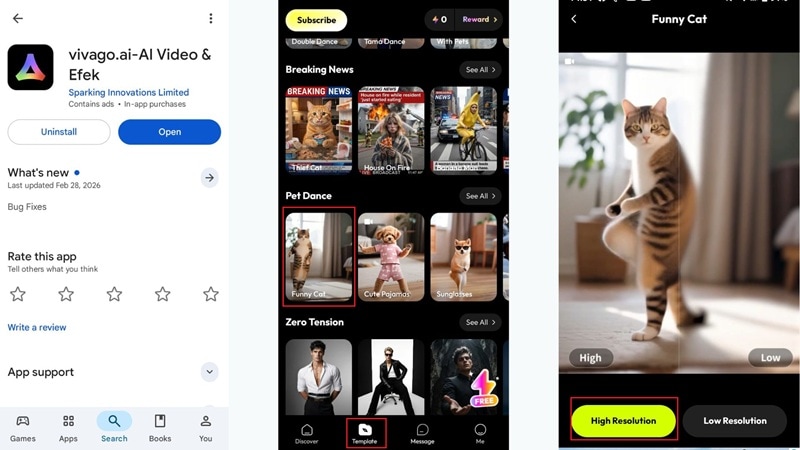
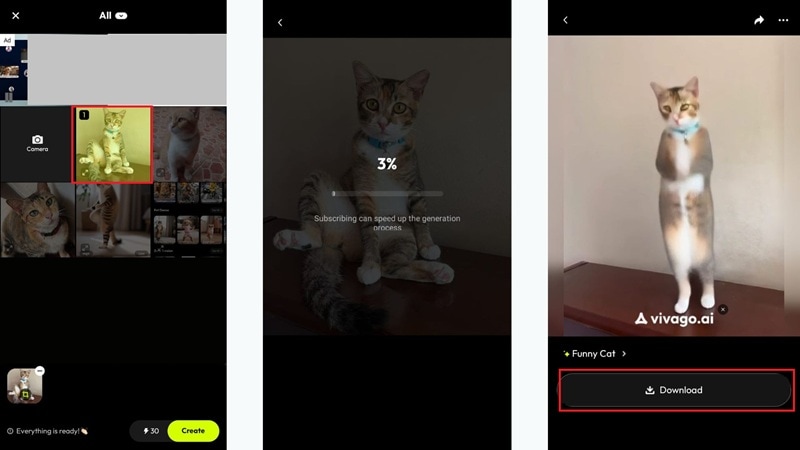
And that's pretty much it! In just a few simple steps, you've already got a clip that's ready to share on your favorite social platforms. But you might be wondering how good the Vivago AI videos actually are, so go ahead and see for yourself!

Part 5. Vivago AI vs. Professional AI Video Editors (The Comparison)
Now that you've seen what Vivago AI brings to the table, it's time to ask the real question: can it actually compete with the pros? To be honest, there are some reasons to be skeptical. While it's fun for quick clips, the constant pop-up ads and occasional bugs or crashes can get pretty annoying when you're just trying to get work done.
Because of that, looking at other options is definitely a smart move if you want something more reliable. And among all the AI video editors out there right now, there's one that consistently stands a cut above the rest: Wondershare Filmora.
 Secure Download
While Vivago AI is great as a quick, mobile-friendly creator, Filmora is a full professional suite. It is loaded with advanced tools that cover everything from the first shot to the final polish.
Why Filmora is the Best AI Video Editor
1. Create Epic Videos in Seconds
Filmora 15 uses world-class tech like OpenAI Sora 2 and Google Veo 3.1 to turn your ideas into reality. Whether you need AI Text-to-Video, AI Image-to-Video, or even AI Audio-to-Video, the clips it generates look incredibly realistic and cinematic, almost like you had a full camera crew on standby.
2. Build Your Own Custom Assets
You don't have to waste hours hunting for the perfect royalty-free files anymore. The built-in AI Sticker Generator, AI Music Generator, and AI Sound Effect Generator let you whip up unique elements on the fly that perfectly match the vibe of your project.
3. Fix Quality with a Single Click
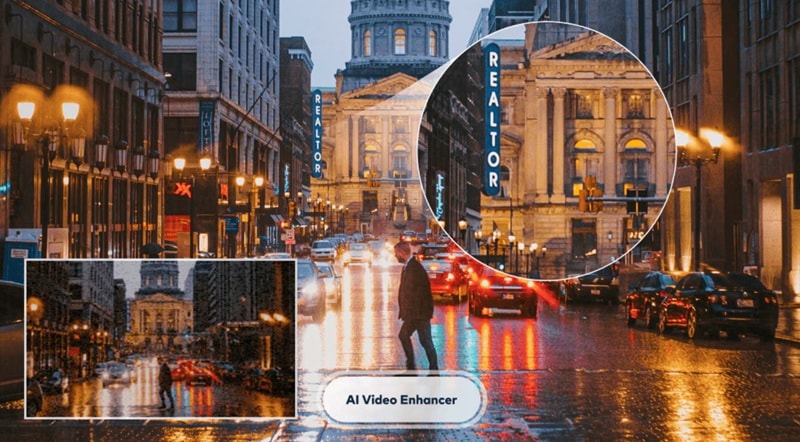
If you're working with grainy phone footage or a dark, low-light shot, the AI Video Enhancer and Video Denoise tools are total lifesavers. They can upscale your content to 4K or even 8K, cleaning up the noise and making everything look super sharp and clear.
4. Get That Professional Movie Look
Achieving a cinematic aesthetic is easy with the AI Color Palette, which lets you copy the color grading from your favorite movie and apply it to your own work. Plus, the AI Beauty Filter ensures everyone on screen looks polished and camera-ready without looking fake.
5. Master Your Sound Effortlessly
Great video needs great audio, and Filmora makes that easy with AI Audio Ducking, which automatically fades your music when someone starts talking. The AI Voice Enhancer also works wonders to strip away background hums or wind noise, leaving you with studio-quality narration.
Vivago vs. Filmora: Which One Should You Pick?
Honestly, after looking at everything Filmora can do, it's pretty clear it packs a much bigger punch compared to Vivago AI. Plus, what we talked about above is really just scratching the surface, because Filmora is loaded with way more AI tools than you'd expect.
But hey, you shouldn't just pick one based on who has the most AI bells and whistles. You've got to think about how you actually work, your main goals, and other things.
To make things easy for you, let's put them side-by-side and see how these two really compare when it comes to the features that matter most:
| Feature | Vivago AI | Filmora |
| Platforms Support | Android, iOS, Online | Windows, Mac, iOS, and Android |
| AI Video Generation | AI Text-to-Video, AI Image-to-Video, AI Image | AI Text-to-Video, AI Image-to-Video, AI Audio-to-Video, AI Image |
| Extra AI Tools | Simple stuff like background removal and 3D effects | Wide range of AI tools like AI Stickers, Music, and Color Palettes |
| Templates | About 300 plus social media styles | Over 3000 plus professional assets and presets |
| Audio Features | Very limited, mostly just text-to-music prompts | Advanced tools like AI Ducking. AI Audio Denoise, and Voice Enhancer |
| Editing Style | One-Click Templates | Full control with a professional timeline |
| Stability | Can be buggy with lots of annoying ads | Super stable and built for heavy editing |
| Best For | Casual AI clips for social media | Anyone wanting to make high-quality, pro-level videos |
|
Show More
Show Less
|
||
Conclusion
When you weigh everything up, Vivago AI is a solid choice for beginners who want quick, flashy social media clips without needing to learn complex software. The platform makes it incredibly easy to jump into the latest trends, but the constant ads and occasional crashes can definitely be a huge turn-off when you are in the middle of a creative flow.
While Vivago AI is great for quick mobile edits, serious creators may need more control. If you're looking for a more stable and powerful Vivago AI alternative, Wondershare Filmora offers professional AI tools to take your videos to the next level.

FAQs About Vivago AI
-
Is Vivago AI free to use?
Yes. Vivago AI pricing does offer a free plan, but it comes with some notable limitations. On the free tier, your exports will include watermarks, video generation is capped at 5 seconds, and you're limited to 2 images per generation.
-
How do you export videos from Vivago AI?
Exporting is super straightforward. Once you're happy with your creation, tap the download button to save it directly to your device. From there, you can share directly to your social media channels or upload to any platform of your choice.
-
Is Vivago AI good for beginners with zero editing experience?
Absolutely. In fact, that's pretty much its whole thing. Vivago AI was designed with non-technical users in mind. The interface is clean and intuitive, the templates do most of the heavy lifting for you, and the learning curve is minimal.
