
Fluid Transition Examples & Guides
Explore popular fluid transition categories and dynamic styles
Loading more fluid transition examples...
 Category:
 Duration:
 Aspect Ratio:
Everything You Need to Master Fluid Transitions
A well timed fluid transition completely transforms ordinary footage into a cinematic sequence. Filmora provides an expansive creative assets library featuring polished animations that drop instantly onto your timeline. Elevate your storytelling, connect diverse shots, and maintain visual momentum without complex keyframing.
Dynamic Movement With Instant Application
Dynamic Movement With Instant Application
Avoid spending hours building complex effects. The dedicated transition library within Filmora offers stunning liquid motions, warp zooms, and seamless swishes. Each template delivers smooth entry and exit points that automatically adapt to your clip duration. Simply drag the effect onto your timeline and watch your scenes blend flawlessly.
- Instant Timeline Integration - Drag your chosen effect between clips and it applies instantly.
- Automatic Timing Adjustment - The animation duration adapts perfectly to fit your selected timeline gaps.
- Vast Library Selection - Choose from numerous styles ranging from subtle water ripples to aggressive motion blurs.
Complete Control Over Animation Details
Complete Control Over Animation Details
Standard presets are just the foundation. Once you place a fluid transition on your timeline, you can manipulate its speed, blend modes, and motion paths. Expand your AI Video Editing capabilities by combining transitions with color grading and dynamic text. The final result feels highly customized and uniquely yours.
- Speed And Duration Adjustments - Stretch or compress the effect timing to match your narrative pacing.
- Blend Mode Configurations - Alter how the overlapping pixels interact for unique visual textures.
- Layering Capabilities - Stack multiple effects to create complex and highly engaging scene shifts.
Smart AI Subject Detection Integration

Smart AI Subject Detection Integration
Take your visual flow further using intelligent features. You can remove video background elements and apply fluid transitions specifically to isolated subjects. Filmora pairs advanced masking tools with dynamic transitions so characters can morph, dissolve, or slide between entirely different environments with pristine clarity.
- Precise Subject Isolation - Keep your main characters sharp while the background transitions dynamically.
- Automated Masking Synergy - Let intelligent algorithms handle complex edge detection during fast movements.
- Multi Platform Export - Render your polished project in ideal formats for vertical or widescreen viewing.
Frequently Asked Questions About Fluid Transitions
How to Add a Fluid Transition in Filmora
Create stunning visual connections in just a few simple actions without requiring advanced technical skills. Build your sequence using intuitive video templates or start entirely from scratch.
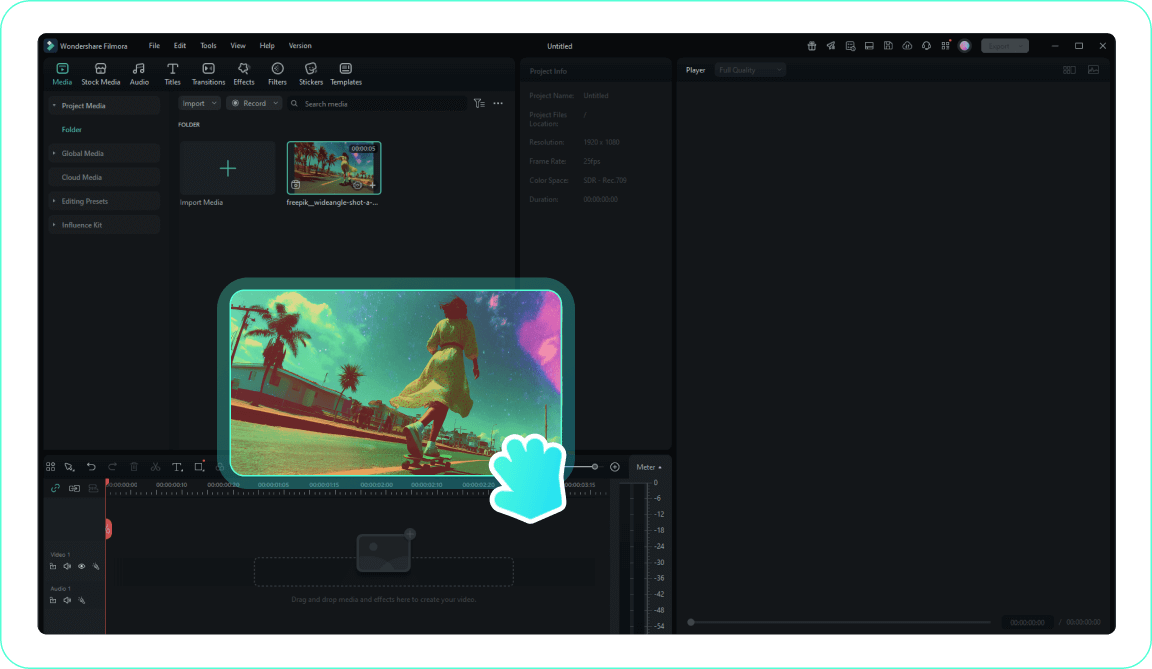
1. Import Your Media
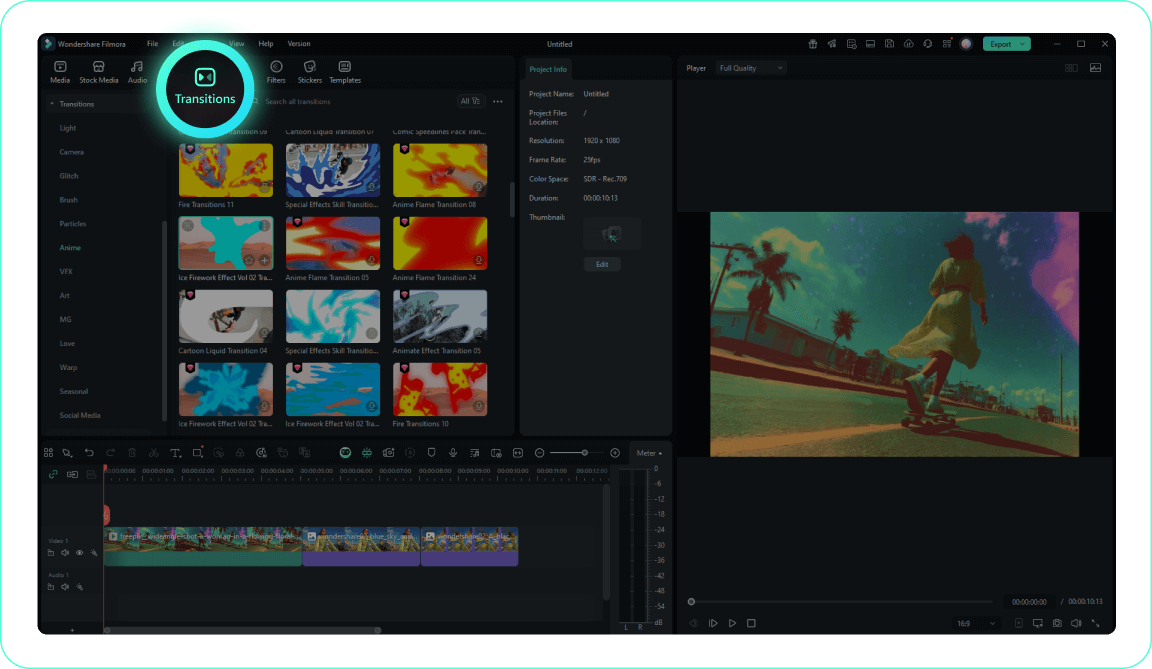
2. Open the Transitions Panel
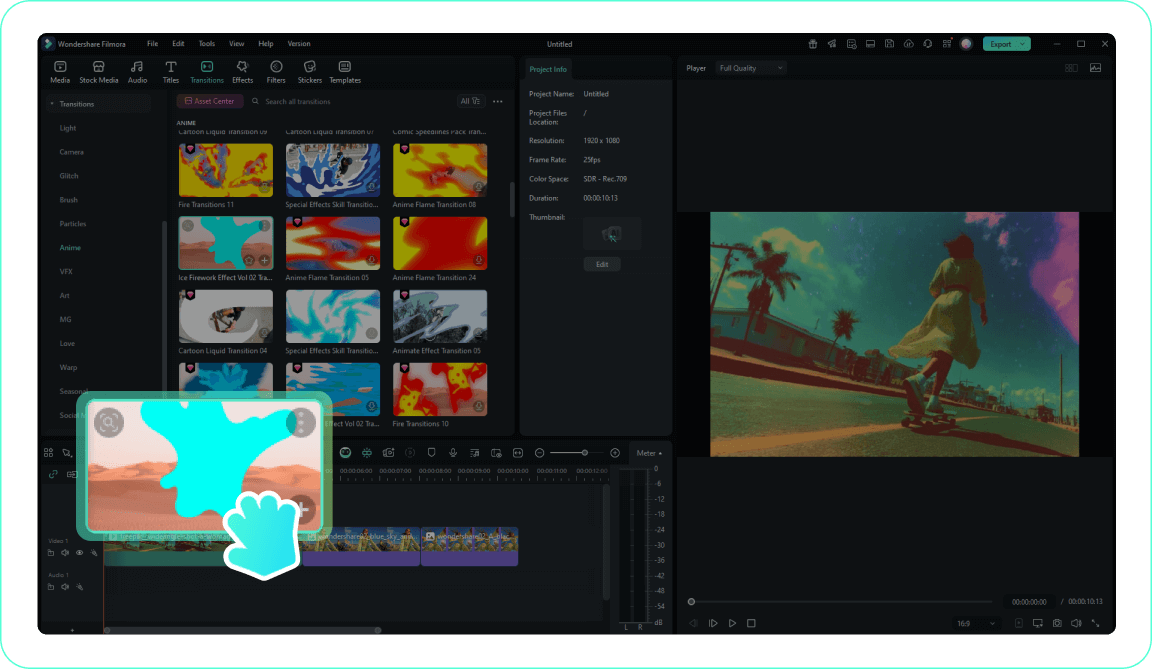
3. Apply the Effect
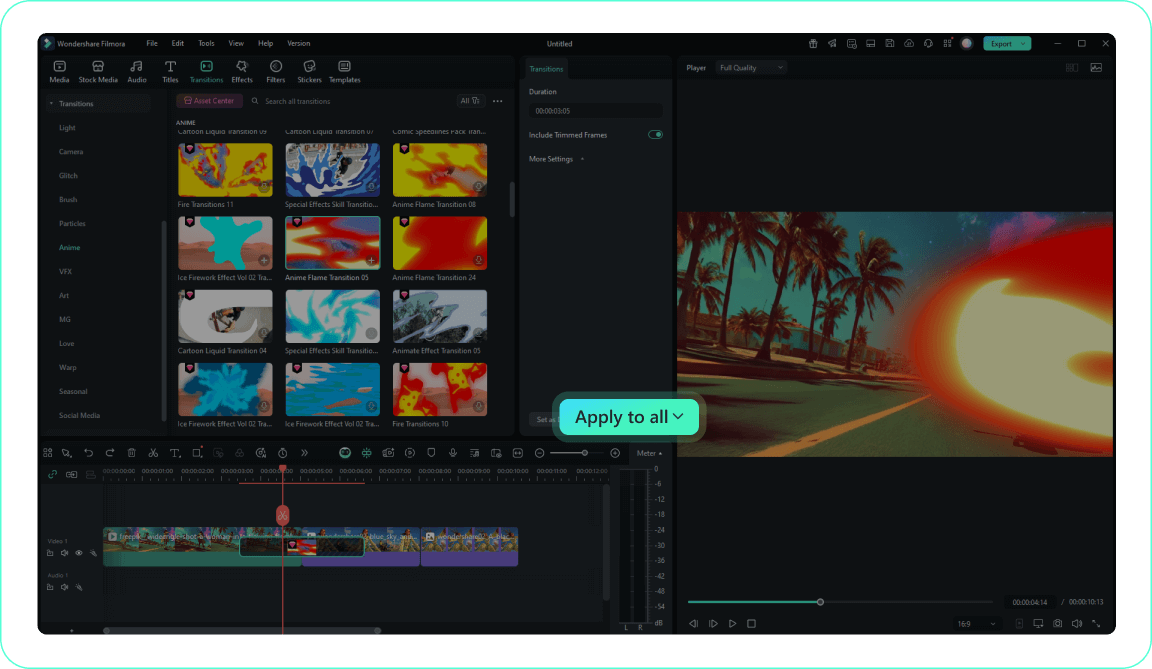
4. Customize and Preview
-
1. Import Your Media
Bring your video clips into the library and arrange them on the timeline in your desired sequence.Pro Tip: Organize your media into folders for easier access on larger projects. -
2. Open the Transitions Panel
Navigate to the designated tab to explore the vast collection of fluid transition styles available. -
3. Apply the Effect
Drag your selected fluid transition and drop it squarely between two adjacent clips on the timeline. -
4. Customize and Preview
Double click the applied effect to tweak its duration and edge blur, then play back to verify the smooth result.Pro Tip: Right-click on a transition and select "Apply to All" to use the same transition consistently throughout your project.
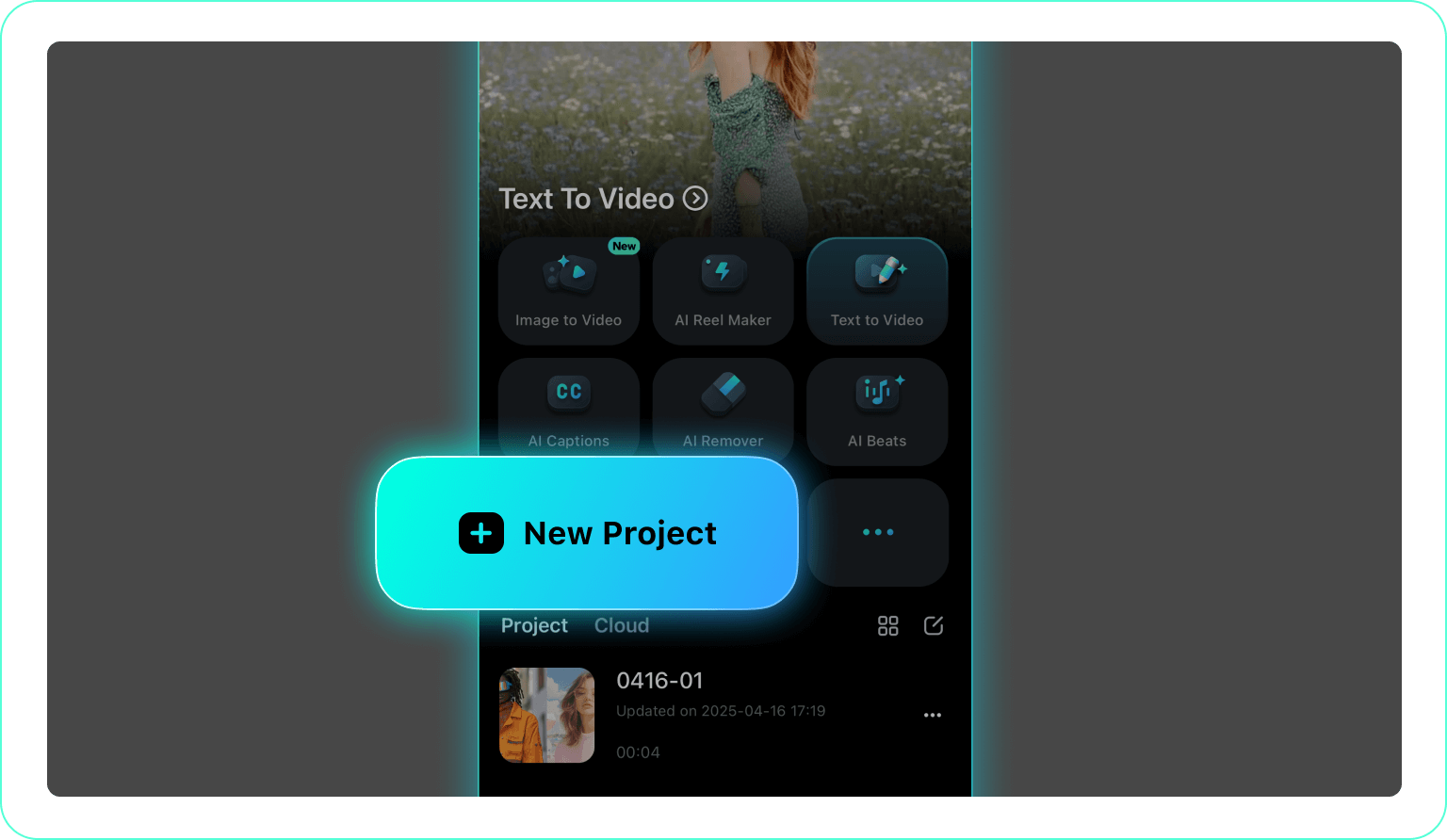
1. Launch Your Project
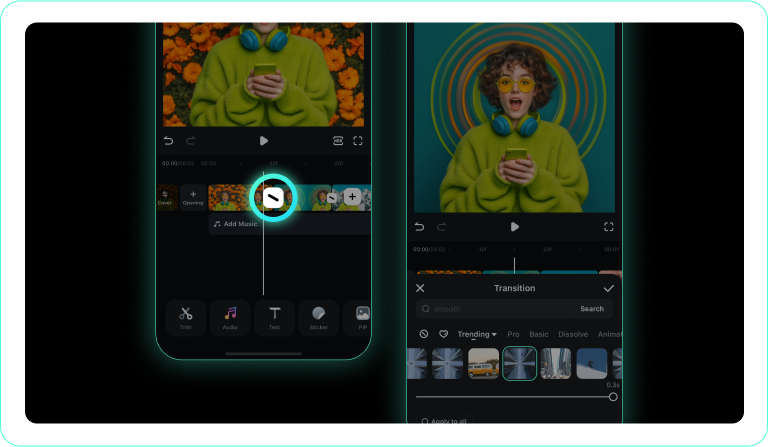
2. Tap the Effect Icon
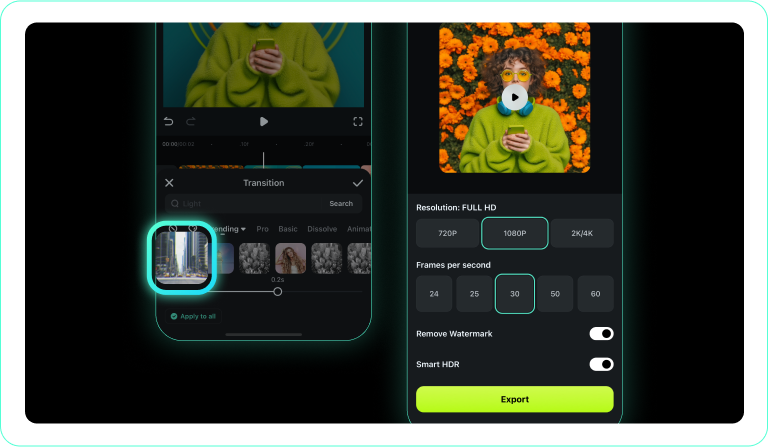
3. Select and Confirm
-
1. Launch Your Project
Open the Filmora mobile application and load the clips you wish to connect. -
2. Tap the Effect Icon
Tap the small connection box between your clips to open the available fluid transition library. -
3. Select and Confirm
Choose your favorite fluid transition style, preview the movement, and tap to confirm the application.
Expand Your Creative Horizons
Once you master the fluid transition, explore a myriad of other advanced capabilities within Filmora. Combine seamless scene shifts with dynamic text, stunning visual filters, and atmospheric overlays to build a truly cinematic experience. Use intelligent color correction to match the tones of adjoining clips, ensuring your fluid transitions look completely natural. Whether you are crafting a high energy vlog or a moody cinematic short, you possess every tool required to bring your unique visual identity to life.








