The Real-Time Messaging Protocol (RTMP) is a foundational technology designed for the high-performance transmission of audio, video, and data across the internet. At its core, the RTMP meaning refers to a TCP-based protocol that establishes a persistent, low-latency connection between a client (like a streaming encoder) and a server. Today, its primary and most critical application is for video ingestion—the "first mile" of a live broadcast where the stream is sent from the creator's computer to the streaming platform's servers.
In this article
A Brief History of RTMP
The RTMP real time messaging protocol was originally developed in the early 2000s by Macromedia, the company behind Flash. It was the engine that powered real-time communication for the once-ubiquitous Adobe Flash Player ecosystem. Although Flash is now obsolete, the protocol has proven resilient, evolving from a full-stack streaming solution to the industry-standard ingest protocol it is today.
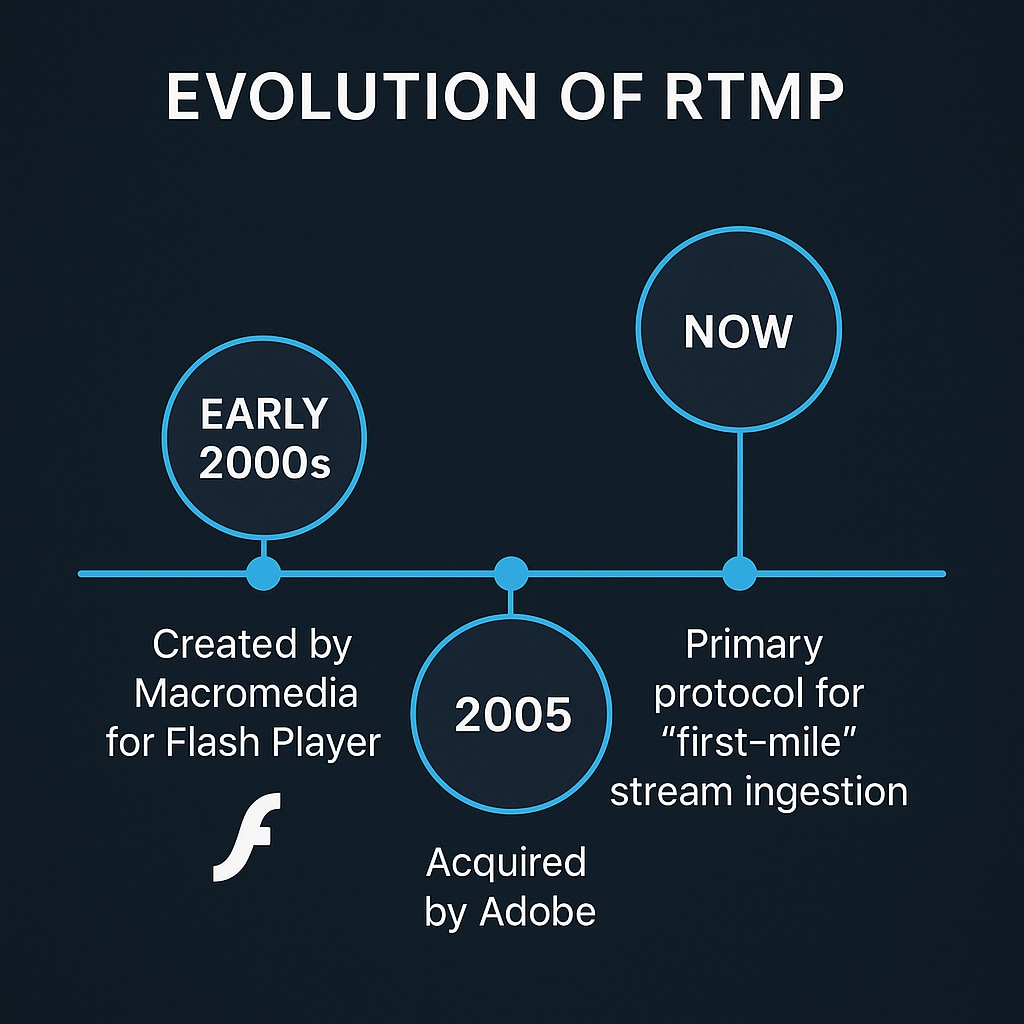
RTMP Technical Breakdown
Core Technology: The what is RTMP protocol question is best answered by its technical function. RTMP operates over a TCP connection, initiating a session with a handshake to establish a reliable and synchronized link. It then multiplexes video, audio, and data packets into a single, continuous stream. This stateful connection ensures that data arrives in order and with minimal delay.
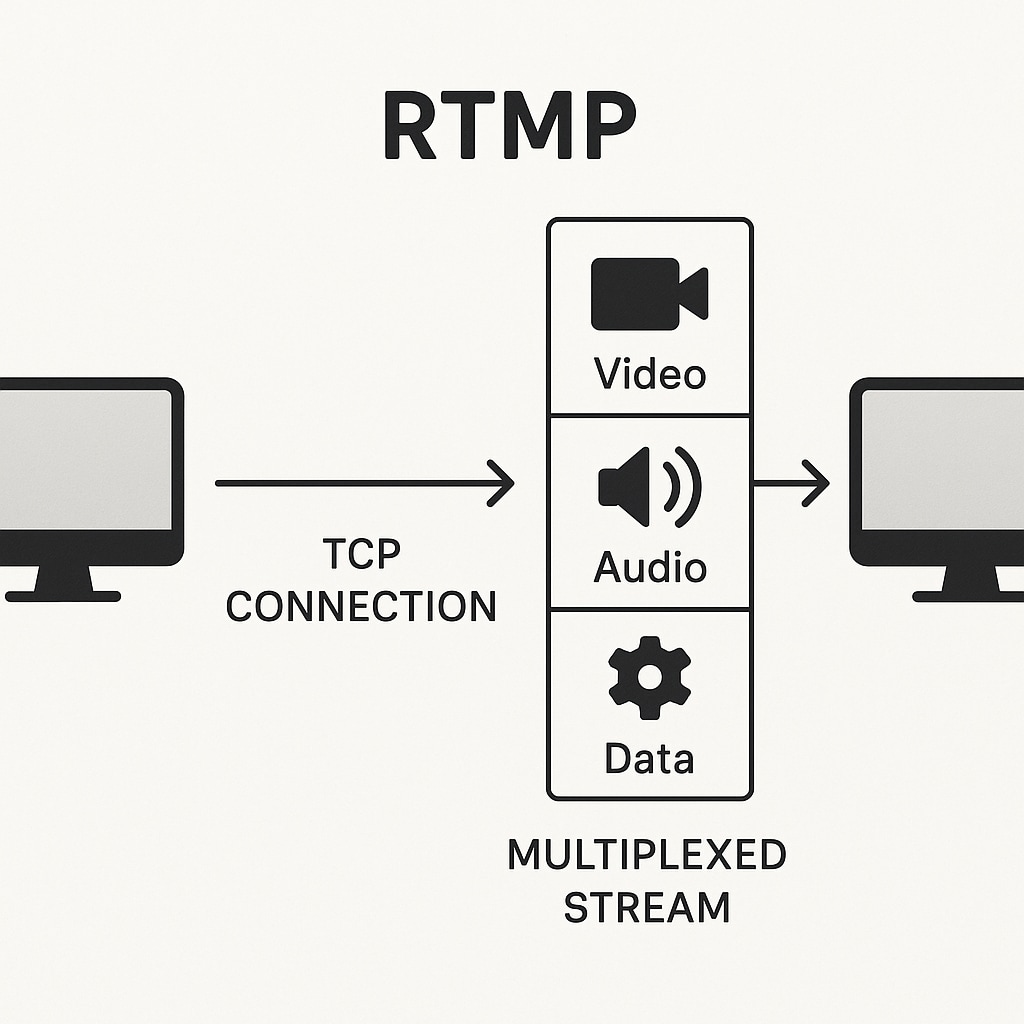
Key Innovations: RTMP's most significant innovation was its ability to maintain a persistent connection, which drastically reduces the latency inherent in other communication methods. This feature enabled the near-instant interactivity required for live content, a stark contrast to the higher delays of traditional HTTP-based delivery.
Current State: In the modern streaming landscape, the answer to what is RTMP streaming has shifted. It is rarely used for delivering video to viewers in browsers. Instead, it has become the de facto standard for contribution or ingest. Broadcasters send a single, high-quality RTMP stream to a platform like YouTube. What is a RTMP server in this context? It's the platform's ingest point that receives this stream, transcodes it into multiple adaptive bitrates, and then delivers it to viewers using modern, HTTP-based protocols like HLS and DASH. This answers the common question of what is YouTube HLS and RTMP—RTMP is for sending the stream to YouTube, while HLS is for delivering it from YouTube to the audience.
Part 2: Application Section - When/Where to Use RTMP
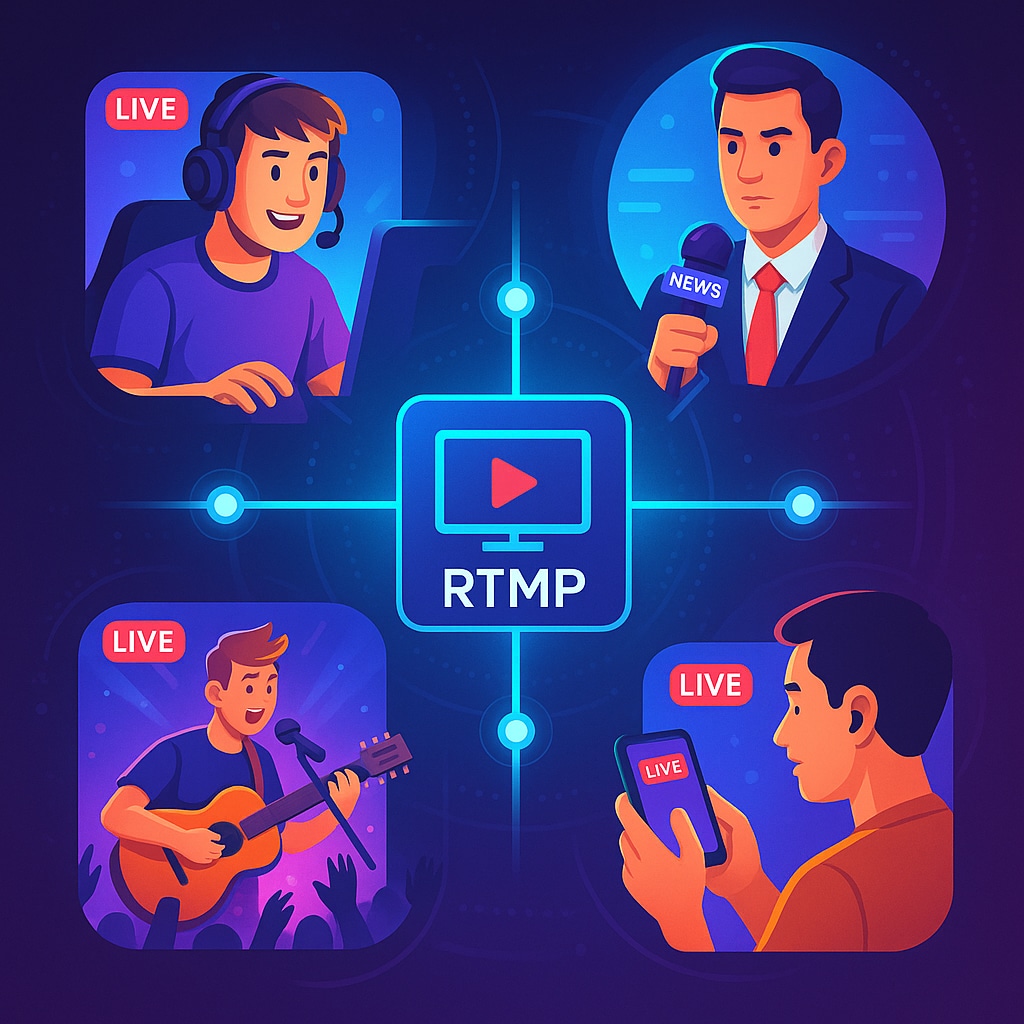
RTMP is the invisible backbone for countless real-time applications where low-latency ingest is non-negotiable. It is the go-to choice for professional live event broadcasting, competitive esports tournaments, interactive webinars, and social media streaming. If the goal is to get a live feed from a camera or software encoder to an online platform as quickly and reliably as possible, RTMP is almost always the answer.
Industry Impact

Case Studies
Case Study 1 (Twitch): Twitch built its entire live streaming empire on the reliability of RTMP ingest. The protocol's low-latency capabilities are fundamental to the real-time creator-to-viewer interaction—like live chat responses and donation alerts—that defines the platform's user experience.
Case Study 2 (YouTube Live): YouTube leverages RTMP as a primary and highly dependable ingest method for its creators. Once the RTMP real time messaging protocol stream arrives at YouTube's servers, its powerful infrastructure takes over, transcoding the feed into adaptive bitrate formats (HLS/DASH). This ensures a scalable, high-quality viewing experience for millions of concurrent viewers on any device, anywhere in the world.
Limitations and Challenges
Despite its strengths for ingest, the question of RTMP what is also involves acknowledging its limitations for modern delivery:
RTMP is not suited for large-scale delivery to viewers. It is not natively supported by modern HTML5 web browsers and can be blocked by firewalls, unlike standard HTTP traffic (ports 80/443).
The standard RTMP protocol lacks encryption. To secure a stream, the `RTMPS` variant is required, which tunnels the stream over a secure TLS/SSL connection.
Standard RTMP is generally limited to older codecs, primarily H.264 for video and AAC or MP3 for audio. It does not natively support newer, more efficient codecs like HEVC (H.265) or AV1.
Future Outlook
RTMP's future is firmly cemented in its "first-mile" contribution role. While newer protocols like SRT (Secure Reliable Transport) are emerging as powerful alternatives offering better performance over unreliable networks, RTMP's simplicity and universal adoption in virtually every hardware and software encoder ensure its relevance for years to come. The widespread use of its secure variant, RTMPS, further solidifies its position as a reliable ingest solution for the professional streaming industry.
Part 3: Practical Demonstration Section - How to Use RTMP
This step-by-step tutorial will guide you through setting up your first live stream using RTMP.
Step 1: Choose Your Streaming Platform
First, decide where you want to stream. Popular choices include YouTube Live, Twitch, and Facebook Live. Navigate to your chosen platform's live streaming dashboard or control panel to create a new live event.
Step 2: Get Your Stream Key and Server URL
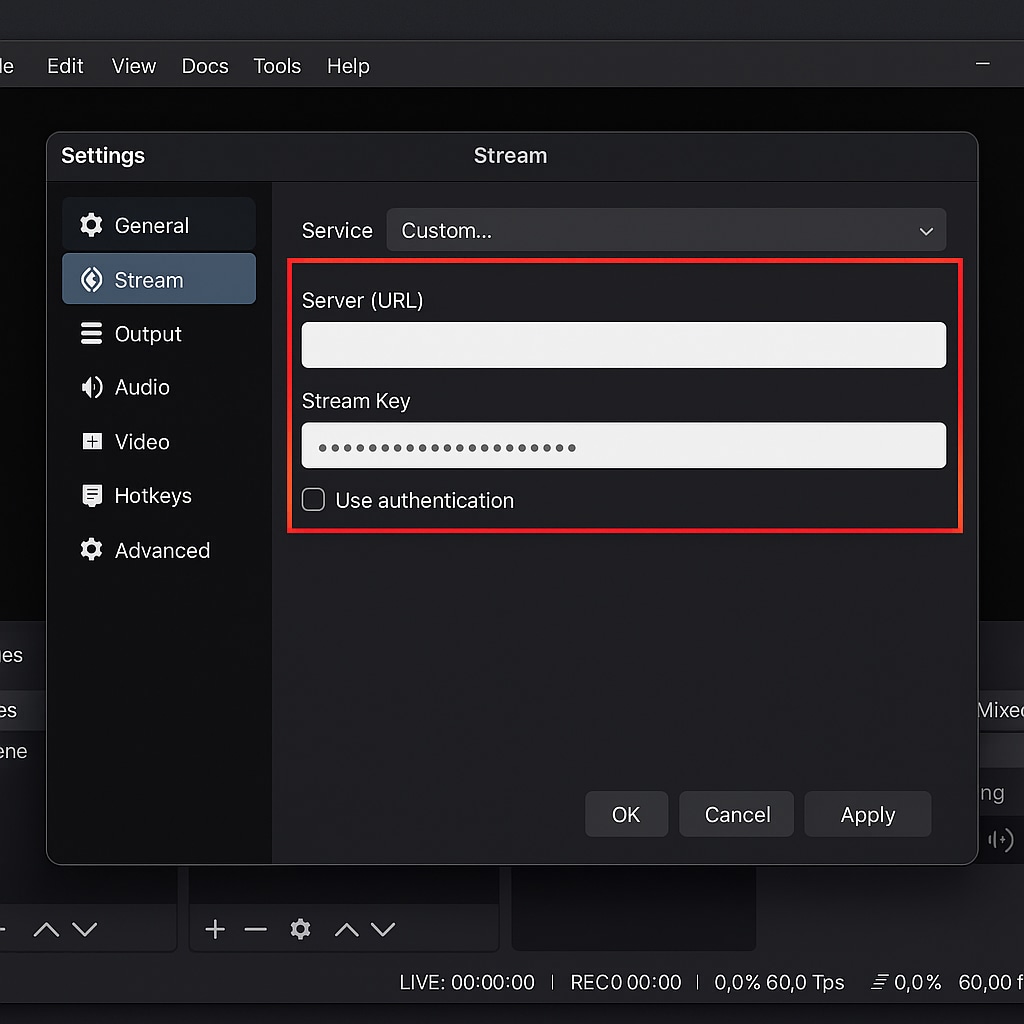
In your platform's live control room, you will find two critical pieces of information: the RTMP Server URL and the Stream Key.
Server URL: This is the address of the platform's ingest server.
Stream Key: This is a unique, private code that authorizes your software to stream to your specific channel. Treat this like a password; never share it publicly.\
Step 3: Configure Your Encoder
Open your streaming software, such as the popular and free OBS Studio. Go to the settings menu and find the 'Stream' section. Here, you can either select your service from a dropdown list (which often fills the URL automatically) or choose 'Custom' and manually paste the Server URL and Stream Key into the appropriate fields.
Bonus Tip: Prepare Your Content with a Powerful Editor
To elevate the production value of your live stream, consider preparing content beforehand with a user-friendly video editor like Wondershare Filmora. Filmora's intuitive interface is perfect for creating polished video intros, designing custom graphic overlays, or editing pre-recorded segments. You can easily integrate these professional assets into your live broadcast using your streaming software, giving your stream a more engaging and high-quality feel.

 Secure Download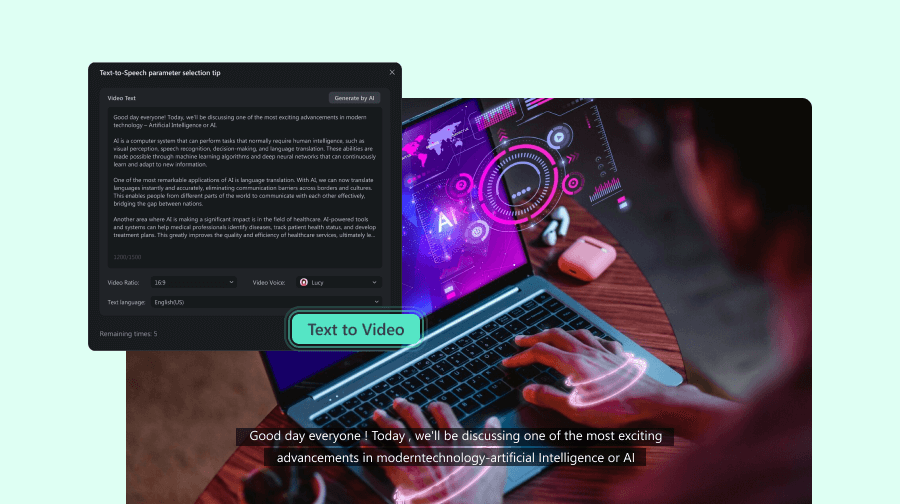
Conclusion
The Real-Time Messaging Protocol remains a powerful and essential technology in the modern streaming landscape. While its days as a direct-to-viewer playback protocol are over, its identity has been redefined. Today, RTMP is defined by its unparalleled role as a low-latency, reliable, and universally supported ingest solution. Its enduring presence in encoders and on major platforms solidifies its importance for powering the critical "first-mile" of any professional live stream, making it a fundamental concept for any content creator to understand.