In this article
Understanding Virtual Production
The concept of blending real actors with artificial environments has been a staple of filmmaking for decades. Now, imagine if directors could view and adjust those virtual settings in real time while filming. This is exactly what virtual production brings to modern filmmaking. The technology has been reshaping how movies, commercials, and even live events are created.
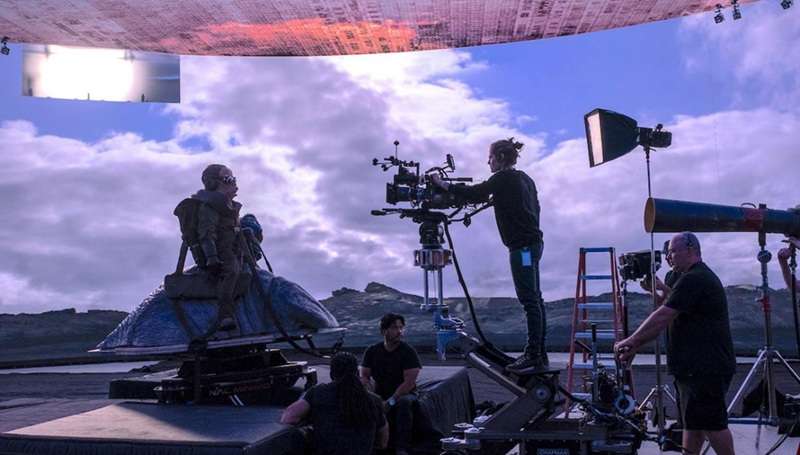
Virtual production is a filmmaking technique that combines physical sets with digitally created environments. This technology uses tools like motion capture and facial tracking to create realistic scenes.
If you're familiar with green screens and CGI, virtual production advances these techniques by giving filmmakers the ability to view and interact with digital elements live on set. Instead of waiting until post-production to see how a scene comes together, directors and crews can adjust lighting, camera angles, and visual effects in real time.
Types of Virtual Production
Depending on the stage of filmmaking and the goals of the production, virtual production techniques can be applied in different ways.
Benefits of Virtual Production
Because of the flexibility and efficiency it provides, virtual production is now widely used in filmmaking. Some of the main advantages include:
Technical Breakdown
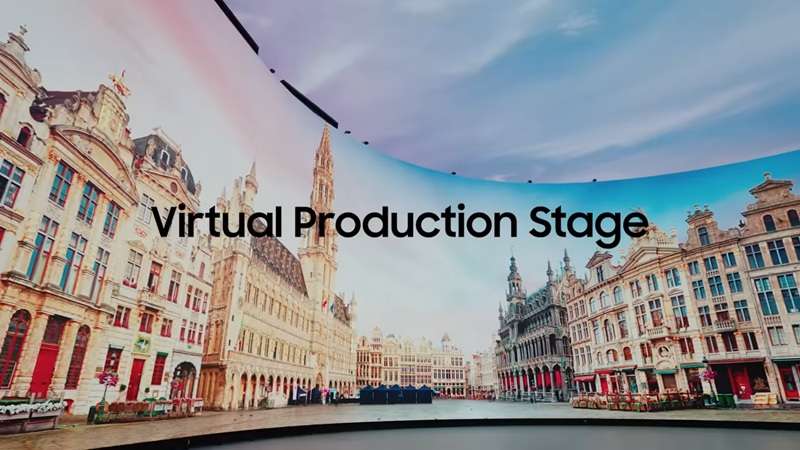
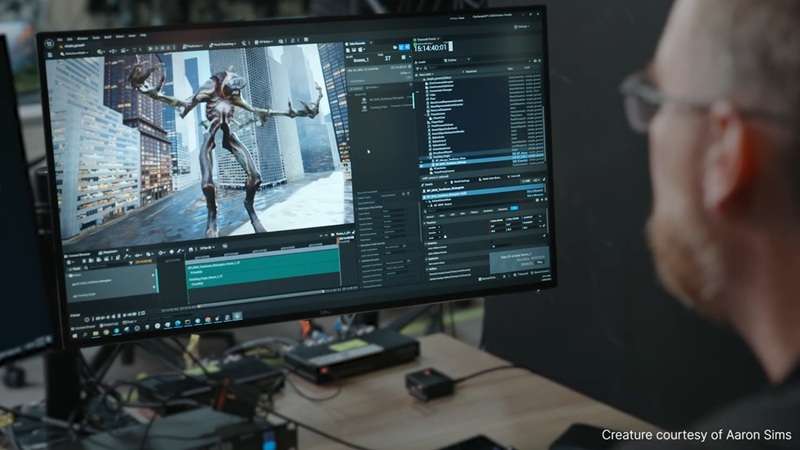
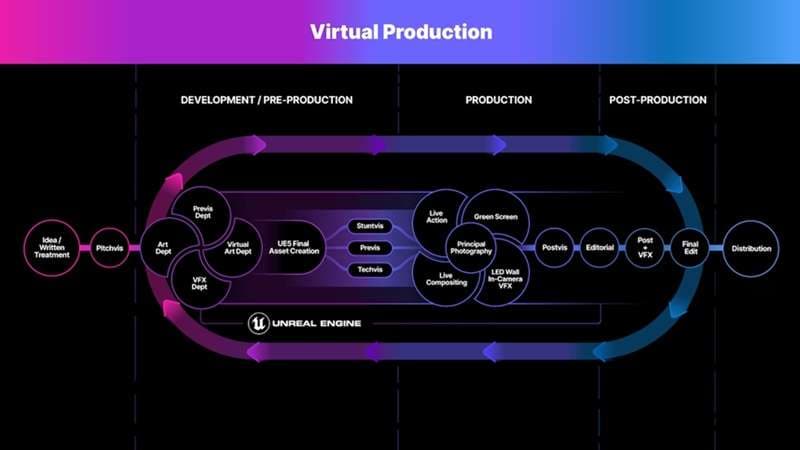
Now, you might be curious about how virtual production actually works. As we have briefly introduced, this technique relies on real-time rendering, camera tracking, motion capture, and large LED walls to merge live footage with digital environments as filming happens.
These systems are synchronized so that camera movements in the physical world match those in the virtual space and create seamless, realistic shots without waiting for heavy post-production.
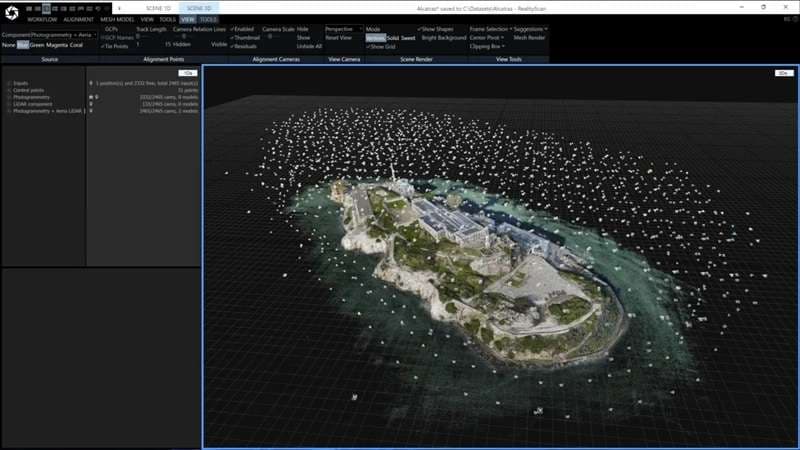
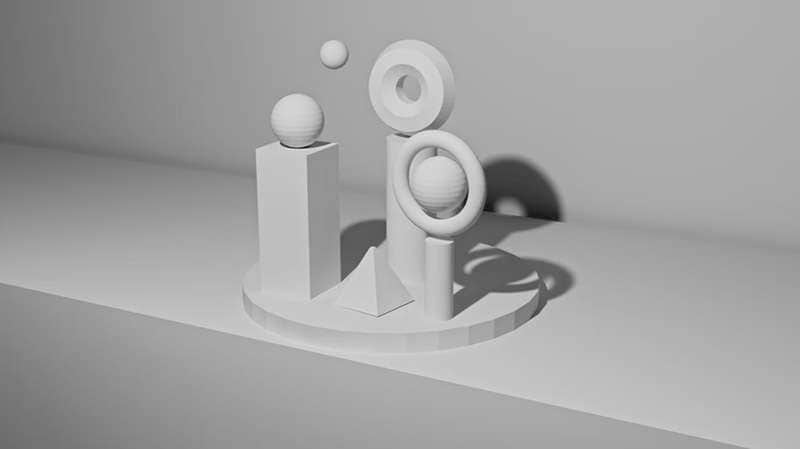
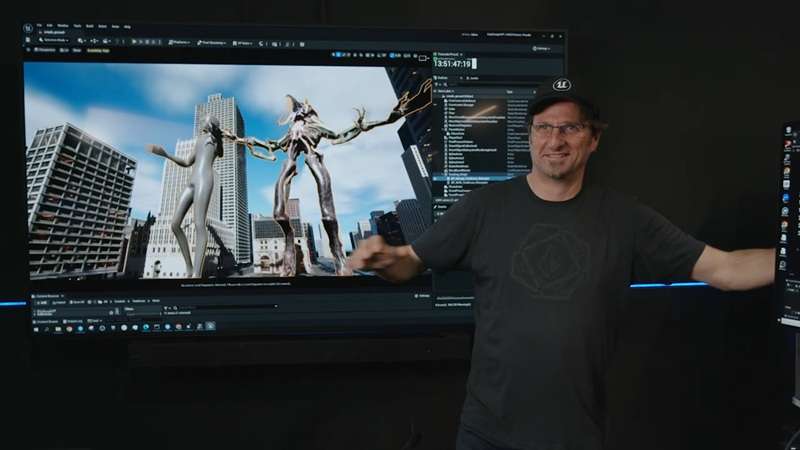
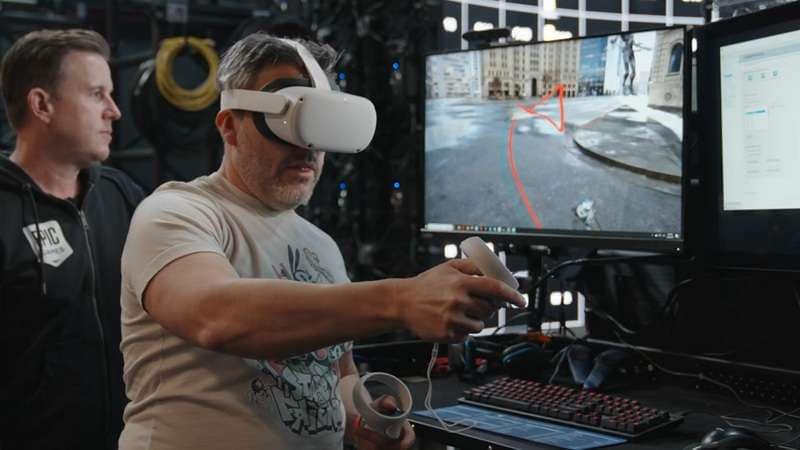
Tools Used in Virtual Productions
Traditional vs. Virtual Production
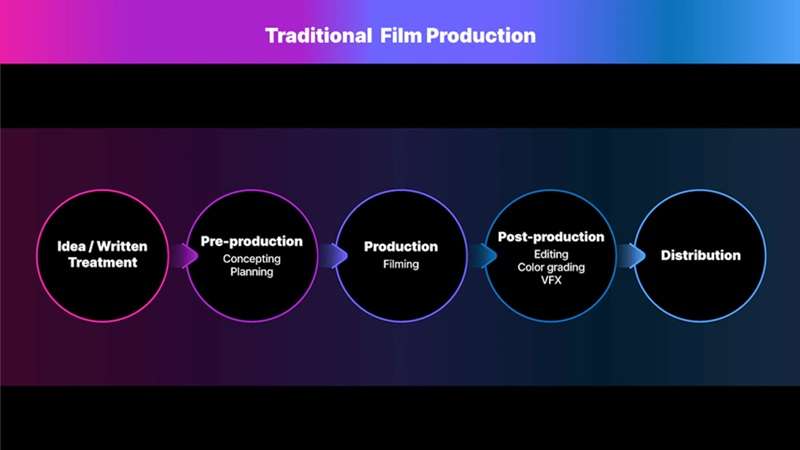
Before virtual production became common, filmmakers relied heavily on practical sets, location shoots, and green screens to create their scenes.
| Aspects | Traditional Production | Virtual Production |
| Workflow | Linear process with separate filming and editing phases | Integrated process with real-time visual feedback |
| Sets | Physical builds, real locations | Digital sets, LED walls |
| Costs | High travel and set expenses | Lower overall costs |
| Visual Effects | Added mainly in post-production | Real-time integration |
| Creative Control | Limited previews, many elements only visible after editing | Real-time visualization |
| Collaboration | Larger crews are needed for physical setups | Enables tighter collaboration across departments |
| Filming Space | Soundstages, physical sets, and locations | Dedicated virtual production studios with LED walls and digital environments |
Traditional Production Workflow
Virtual Production Workflow
Current State
Virtual production first emerged in the early 2000s, with filmmakers experimenting with game engines and real-time rendering. George Lucas was among the first to explore this technology for the Star Wars prequels.
Nowadays, the field is advancing rapidly with the help of real-time rendering engines like Unreal Engine and Unity, advanced camera tracking, and LED wall technology. These tools make it possible to capture immersive environments on set while integrating motion and facial capture for more lifelike performances.
After labor strikes in the previous year slowed down media and entertainment production, the adoption of virtual production surged, recording a 35% increase in use across corporate and educational fields.
Application Section - When/Where to Use Virtual Production
Real-World Applications of Virtual Production:
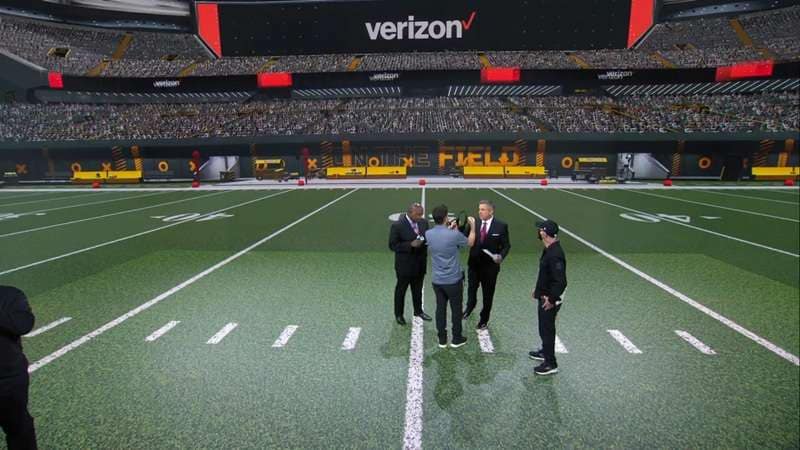
For most viewers, it's not always obvious which films or shows use virtual production, but the technology has found its place across many industries. Its versatility has made it valuable not just in filmmaking and television but also in advertising, gaming, live events, education, and corporate media.
Industry Impact:
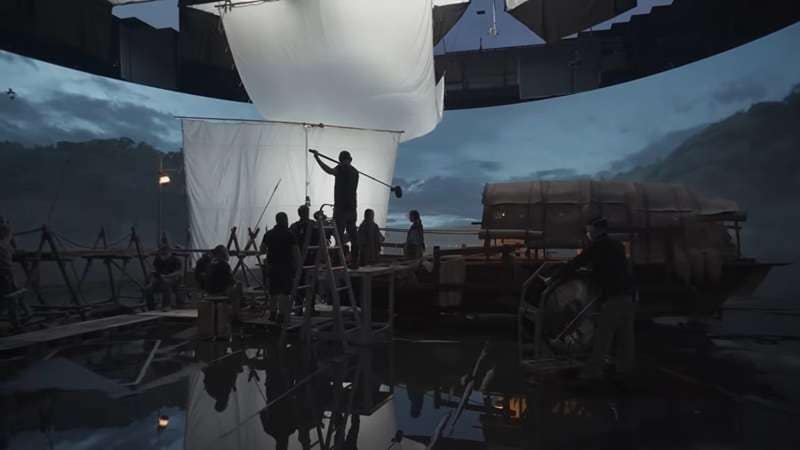
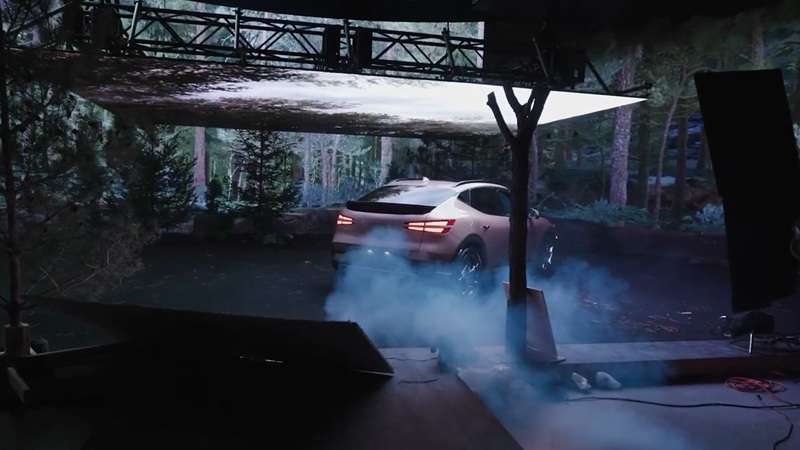
Case Studies of Virtual Production in Films
- Star Wars: The Mandaloria:The Disney+ series The Mandalorian set a new standard for virtual production by filming inside massive LED volumes. These high-resolution panels projected detailed environments that moved in sync with camera angles, creating lifelike backdrops without the need for green screens.
- Gravity (2013): The film Gravity (2013) showcased groundbreaking virtual production techniques using detailed previsualization for nearly every shot. The team introduced a “Light Box,” a 20-foot cube lined with over 4,000 programmable LED lights. These LEDs displayed moving visuals of space and Earth, giving actors a realistic reference to react to while providing accurate scene lighting. Most of the film’s visuals were computer-generated, with the actors’ faces being the only real elements in many shots.
- The Lion King (2019): The 2019 adaptation of The Lion King was filmed entirely in a virtual environment. Cinematographers used real-world equipment like cranes, Steadicams, and drones to control digital cameras, blending traditional filmmaking tools with a fully digital set for a seamless cinematic experience.
Limitations and Challenges
Future Outlook
Virtual production is expected to have a significant impact on shaping the future of filmmaking. The technology is evolving quickly, as creators have the tools to produce highly realistic visuals with greater speed and efficiency.
Moreover, virtual production is also creating opportunities for both large studios and independent filmmakers. Techniques that were once limited to high-budget productions are now within reach for smaller films and series. They can now experiment with ambitious storytelling, explore more creative worlds, and deliver cinematic-quality visuals without logistical barriers.
Practical Demonstration Section - How to Refine a Virtual Production Scene
During shooting, the crew can tweak lighting, colors, and environmental details instantly. Although some of the edits can be done live, post-production work is still needed to refine the visuals and polish the effects.
A great way to refine virtual production footage quickly is by using Wondershare Filmora. It is one of the best video editors that offers intuitive tools for color grading, motion tracking, visual effects, and AI-powered enhancements, making it easier to blend digital and physical elements.
How Filmora Helps Fine-Tune Virtual Production


 Secure Download
Frequently Asked Questions
-
What is the main difference between virtual production and traditional green screen?
The main difference is that virtual production uses LED walls to display digital environments in real-time during filming, allowing actors and crew to see the final background as they shoot. Traditional green screen requires actors to imagine their surroundings while filming, with all backgrounds added later in post-production. -
Do I need expensive equipment to start with virtual production?
While high-end virtual production setups with LED walls can be expensive, there are more accessible entry points. You can start with game engines like Unreal Engine, consumer-grade VR headsets, and basic motion tracking equipment. Many independent filmmakers begin with these tools before investing in more advanced setups. -
Can virtual production completely replace location shooting?
Virtual production can replace many location shoots, particularly for environments that are difficult, expensive, or impossible to access. However, some productions still benefit from authentic location filming, especially when specific natural elements or cultural authenticity are crucial to the story. -
What skills are needed to work in virtual production?
Virtual production requires a blend of traditional filmmaking skills and technical expertise. Key skills include knowledge of game engines (like Unreal Engine), 3D modeling, cinematography, lighting techniques, and understanding of real-time rendering. Collaboration between technical artists and creative filmmakers is essential. -
Is virtual production only for big-budget Hollywood productions?
While virtual production gained popularity through big-budget productions, the technology is becoming more accessible to smaller studios and independent filmmakers. Advances in technology and decreasing costs of equipment are making virtual production techniques available to a wider range of creators across different budget levels.