

 100% Security Verified | No Subscription Required | No Malware


 ChatGPT
 Perplexity
 Gemini
 Claude
 Grok
Grok
Army green sits between nature and discipline: it feels earthy, rugged, and dependable, but also strategic and precise. That is why army color palettes work so well for content that needs to feel grounded, adventurous, or mission focused, from gaming intros and military edits to travel vlogs and outdoor lifestyle branding.
Below you will find 15 ready made army color palettes with HEX codes you can plug directly into your thumbnails, overlays, intros, and channel branding. Each palette is designed with creators and Filmora users in mind, so you can quickly turn these army color combinations into cohesive color grades, titles, and templates across your whole video workflow.
In this article
Soft & Earthy Army Color Palettes
Morning Fog Garrison
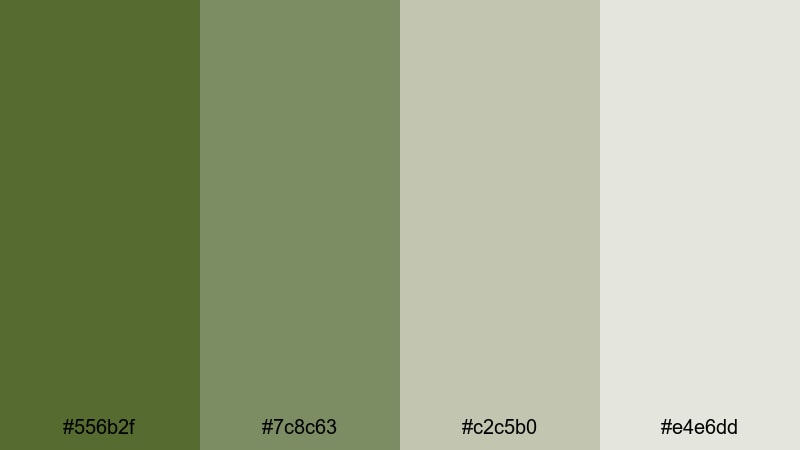
- HEX Codes: #556b2f, #7c8c63, #c2c5b0, #e4e6dd
- Mood: Calm, grounded, and quietly resilient, like dawn over a misty training field.
- Use for: Use this palette for cinematic vlog intros, outdoor B-roll, and minimal title cards that need a soft military mood.
Morning Fog Garrison is a muted blend of olive and sage that gently fades into pale fog tones. It feels steady but not aggressive, which makes it ideal when you want the army aesthetic without looking too harsh or high contrast.
Use it for cinematic openers, calm outdoor B-roll, and understated thumbnail backgrounds. The darker olive (#556b2f) works well for text or UI bars, while the light neutrals (#c2c5b0 and #e4e6dd) are perfect for clean titles, lower thirds, and branding elements that should feel earthy yet polished.
Pro Tip: Build a Cinematic Army Look in Filmora
To keep this soft army palette consistent, pick one key color (for example #556b2f) and apply it to titles, subscribe buttons, and transition graphics in Filmora. Then, use the lighter tones for backgrounds and overlays, so your whole edit feels like it lives in the same misty training field.
Save your favorite color settings as presets in Filmora, then reuse them across intros, B-roll sequences, and Shorts. This way your channel keeps a recognizable army visual identity without you having to rebuild the look from scratch every time.
AI Color Palette
If you have a reference frame or color card that nails this foggy army mood, you can turn it into your grading blueprint. Filmora's AI Color Palette feature lets you sample colors from one clip and apply the same tone and contrast to the rest of your timeline.
Drop your hero clip with the perfect Morning Fog Garrison look on the timeline, then use AI Color Palette to match the rest of your shots. It is a fast way to make your intros, outdoor sequences, and cutaways feel like one seamless story, even if they were shot on different days or cameras.
 secure download

HSL, Color Wheels & Curves
Once your base look is matched, fine tune the army greens using HSL, color wheels, and curves in Filmora. Slightly desaturate greens and lift the shadows to keep the palette soft, then add a gentle S curve to bring back cinematic contrast without crushing detail.
With the color correction tools in Filmora, you can push the highlights toward warmer beige for sunrise shots or cool them toward gray for a colder, tactical feel, all while keeping your key army tones consistent.
secure download1000+ Video Filters & 3D LUTs
To speed things up even more, you can start with Filmora presets and then nudge them toward your chosen army palette. Filmora’s video filters and 3D LUTs make it easy to add vintage fades, moody greens, or high contrast tactical looks in a couple of clicks.
Stack a subtle cinematic LUT with a soft vignette or glow filter, then adjust intensity so your Morning Fog Garrison colors stay visible. This gives your vlogs, gaming edits, and travel films a professional army inspired grade without hours of manual tweaking.
secure downloadForest Patrol Calm
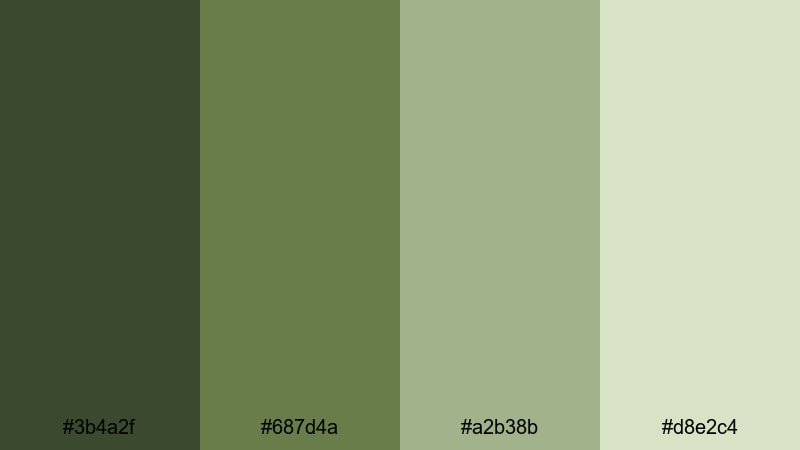
- HEX Codes: #3b4a2f, #687d4a, #a2b38b, #d8e2c4
- Mood: Serene and natural, evoking quiet movement through dense forest terrain.
- Use for: Ideal for travel vlogs, hiking content, and cinematic LUTs where you want organic depth without harsh contrast.
Forest Patrol Calm moves from deep, shadowy greens to soft herb and lichen tones. It feels like walking through a dense forest at golden hour, with enough depth for drama but still soothing on the eyes.
Use the darkest shade (#3b4a2f) for text, logo marks, and UI strips, and reserve the lightest tone (#d8e2c4) for clean backgrounds in thumbnails and lower thirds. It works especially well for nature vlogs, hiking intros, and any outdoor B-roll where you want an army hint without overwhelming your footage.
Riverbank Camouflage
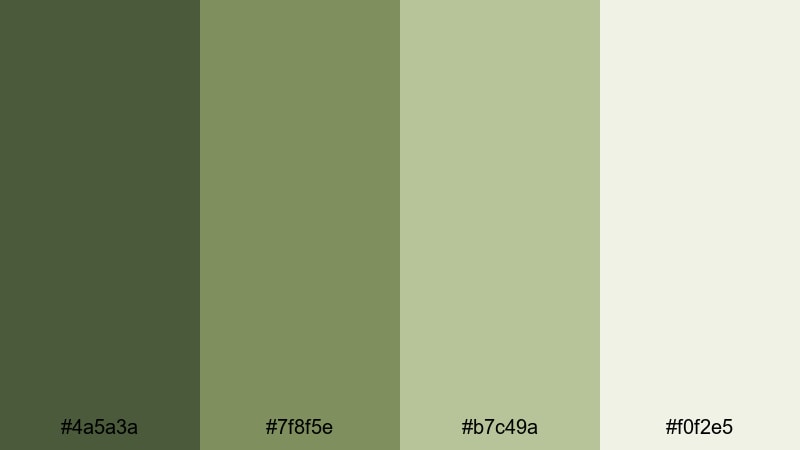
- HEX Codes: #4a5a3a, #7f8f5e, #b7c49a, #f0f2e5
- Mood: Balanced and refreshing, mixing earthy greens with light, watery neutrals.
- Use for: Use this palette for lifestyle reels, fishing or camping videos, and clean lower thirds with a rugged twist.
Riverbank Camouflage combines reed greens with pale sand and off white, echoing foliage reflected in shallow water. It feels fresh yet grounded, great when you want something between a nature palette and a camo palette.
In video, use the mid greens for subtle frames or boxes around captions, and let the off white (#f0f2e5) carry your text for strong readability. This combination is perfect for relaxed outdoor vlogs, fishing or camping channels, and minimalist intros that still nod to the military style.
Mossy Field Whisper
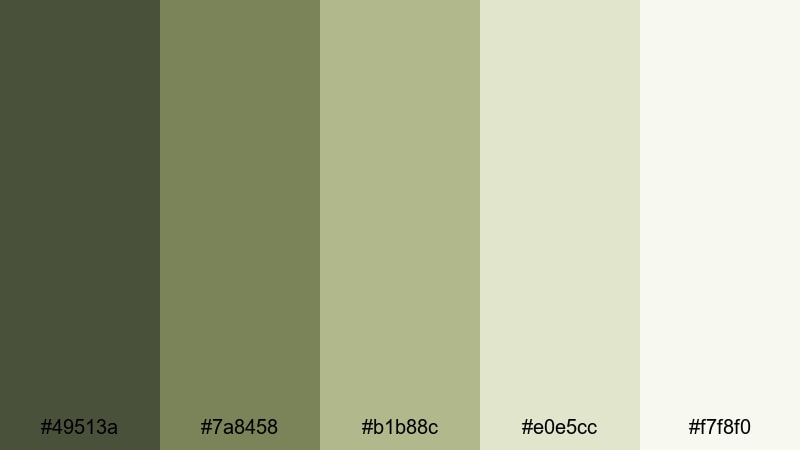
- HEX Codes: #49513a, #7a8458, #b1b88c, #e0e5cc, #f7f8f0
- Mood: Gentle and nostalgic, like a quiet field after drills have ended.
- Use for: Best for documentary titles, subtle overlays, and aesthetic B-roll grades where you want warmth without losing the military feel.
Mossy Field Whisper layers moss and grass tones over creamy, sun washed neutrals. It feels nostalgic and slightly vintage, like faded training photos or dusty field notebooks.
Use the mid greens for lower thirds and badges, then lean on the light creams (#e0e5cc, #f7f8f0) for backgrounds, title cards, and end screens. It is especially good for documentary intros, reflective montage sequences, and aesthetic army themed edits where you want emotion more than aggression.
Bold & Tactical Army Color Palettes
Night Ops Contrast
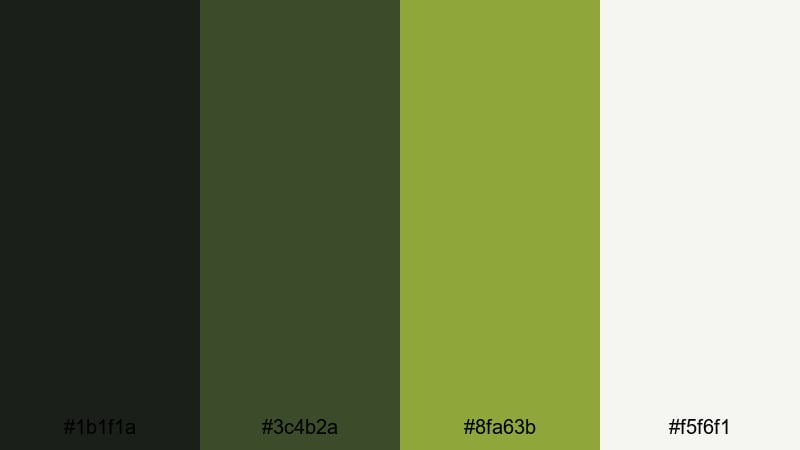
- HEX Codes: #1b1f1a, #3c4b2a, #8fa63b, #f5f6f1
- Mood: High contrast, stealthy, and focused, with a hint of bright tactical green.
- Use for: Perfect for gaming intros, action packed montages, and bold title screens that need a clear focal point.
Night Ops Contrast throws inky black and deep olive against a sharp tactical green accent. The result feels stealthy and mission ready, ideal when you want maximum focus on your main subject or text.
Use #1b1f1a as the primary background for intros, credit screens, and gaming overlays, then let #8fa63b highlight important buttons, scores, or calls to action. The off white (#f5f6f1) keeps text readable and clean, even when the overall grade is dark and intense.
Urban Combat Neon
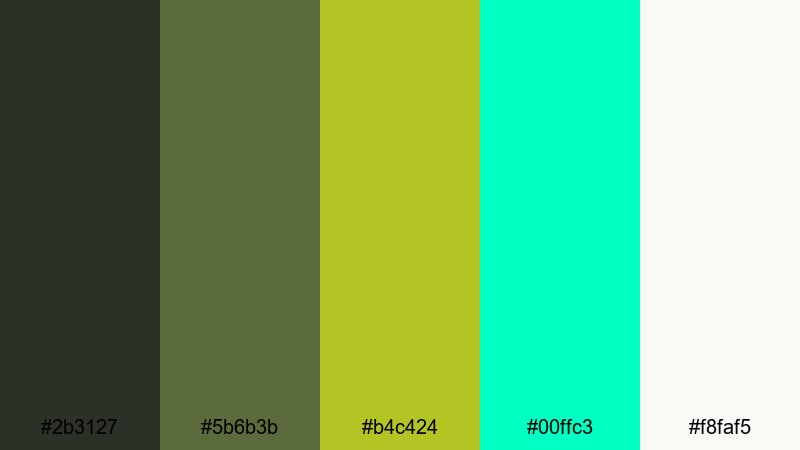
- HEX Codes: #2b3127, #5b6b3b, #b4c424, #00ffc3, #f8faf5
- Mood: Edgy and energetic, merging classic army tones with neon tech highlights.
- Use for: Use this for esports overlays, cyber military themes, and attention grabbing thumbnails.
Urban Combat Neon mixes grungy urban greens with electric chartreuse and teal neon. It feels like camo meets cyberpunk, perfect for fast paced edits or gaming content that blends military strategy with futuristic tech.
Keep the darker greens as base UI or background layers, and treat #b4c424 and #00ffc3 as sparing accent colors on text strokes, icons, or glow effects. This palette delivers high energy thumbnails, animated intros, and streaming overlays that pop instantly in a crowded feed.
Desert Strike Heat
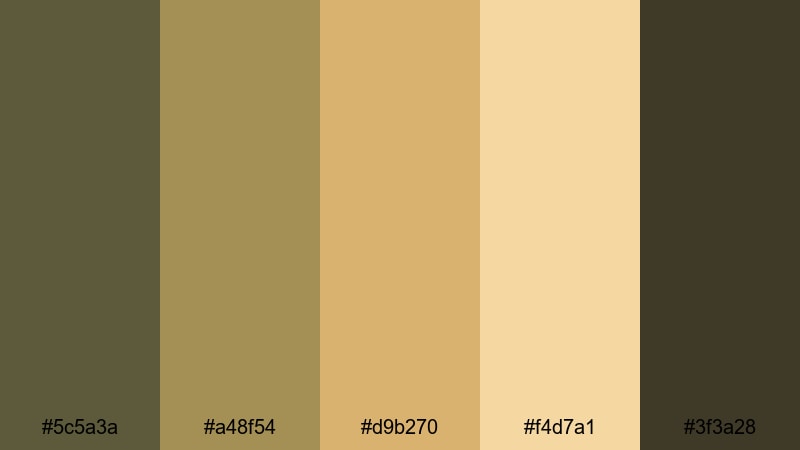
- HEX Codes: #5c5a3a, #a48f54, #d9b270, #f4d7a1, #3f3a28
- Mood: Hot, intense, and sun baked, inspired by desert missions and long marches.
- Use for: Great for action trailers, military themed shorts, and rugged travel edits with sand and sun.
Desert Strike Heat brings together dusty olive, golden tan, and deep shadow brown for a scorching, sun baked feel. It instantly evokes deserts, convoy missions, and long treks across sand.
Use the darker pair (#5c5a3a, #3f3a28) for bars, borders, and title backgrounds, while the warm highlights (#d9b270, #f4d7a1) make great overlays, text fills, or light leaks. It is perfect for travel vlogs in dry climates, action themed channel branding, and intense cinematic trailers.
Airborne Signal Flares
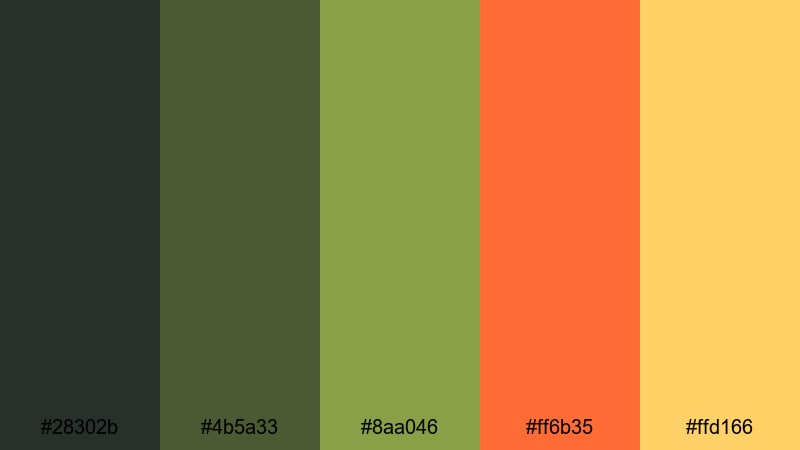
- HEX Codes: #28302b, #4b5a33, #8aa046, #ff6b35, #ffd166
- Mood: Alert and dynamic, where grounded greens meet bright, urgent signal colors.
- Use for: Ideal for alert graphics, subscribe animations, and kinetic text in high energy edits.
Airborne Signal Flares balances solid greens with vivid orange and soft yellow accents, like flare bursts against a field below. It feels urgent and dynamic without losing its grounded base.
Use the greens for overall UI and background tones, then keep #ff6b35 and #ffd166 for the most important labels, callouts, and motion graphics. This setup is great for subscribe animations, notification popups, or timestamp markers in highlight reels and tactical breakdowns.
Modern Minimal Army Color Palettes
Camo Studio Monochrome
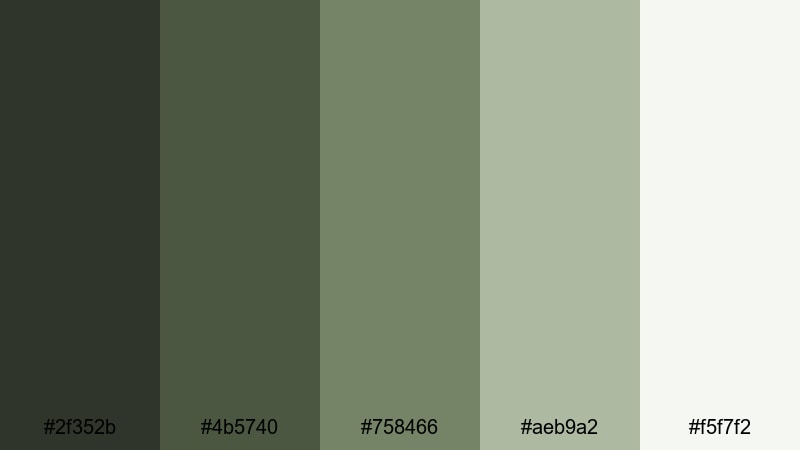
- HEX Codes: #2f352b, #4b5740, #758466, #aeb9a2, #f5f7f2
- Mood: Clean, modern, and understated, with a monochrome camo twist.
- Use for: Use this for minimalist channel branding, clean UI overlays, and tech reviews with a subtle army nod.
Camo Studio Monochrome stacks olive tones from deep to almost white, creating a sleek, tone on tone camo effect. It is army inspired but restrained, ideal if you want a professional look instead of full camouflage.
Use the mid tones (#4b5740, #758466) for panels, timelines, and background strips, with #f5f7f2 as your main canvas for text. This palette fits tech reviews, tutorial layouts, and portfolio sites that need a modern studio look with just a hint of military character.
Canvas And Camo Neutrals
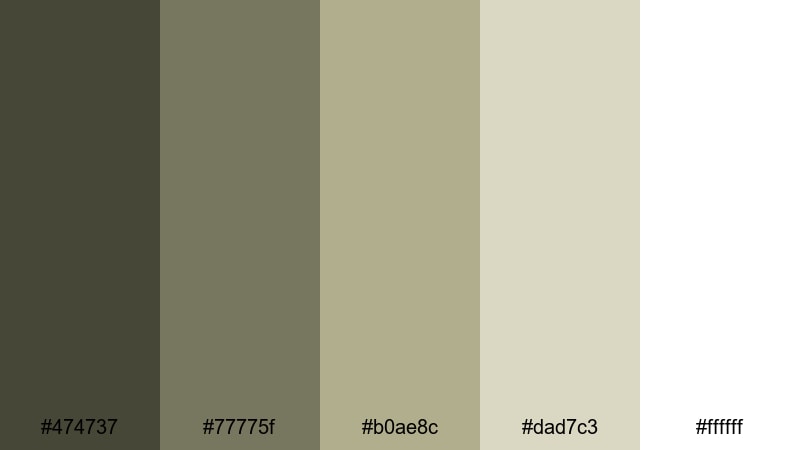
- HEX Codes: #474737, #77775f, #b0ae8c, #dad7c3, #ffffff
- Mood: Balanced and sophisticated, bridging rugged camo with gallery white minimalism.
- Use for: Ideal for tutorial layouts, text heavy explainer videos, and portfolio sites that pair design polish with army flair.
Canvas And Camo Neutrals merges smoky olive and khaki with warm beige and bright white. It feels like military gear displayed in a clean gallery, giving you both ruggedness and refinement.
Use the darker olives for accent elements, dividers, or logos, and reserve #dad7c3 and #ffffff for text heavy layouts, slides, and thumbnail backgrounds. This palette is excellent for educational content, UX case studies, or any channel that wants army flair without sacrificing clarity and professionalism.
Olive Grid Interface
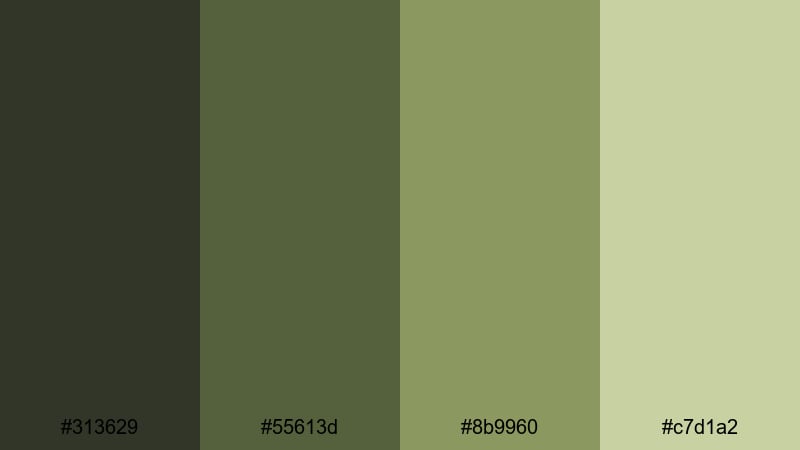
- HEX Codes: #313629, #55613d, #8b9960, #c7d1a2
- Mood: Focused and structured, like a digital HUD built from olive tones.
- Use for: Best for UI mockups, lower thirds, and sleek overlay elements in tutorials or tech content.
Olive Grid Interface keeps a narrow band of structured greens, moving from dark olive to soft chartreuse gray. It feels like a tactical HUD translated into a modern interface design.
Use #313629 for dark mode backgrounds, layer #55613d and #8b9960 into boxes and grids, and keep #c7d1a2 for highlight panels and hover states. It works especially well for lower thirds, infographics, and clean overlays on tutorial or tech videos where legibility and structure matter.
Stealth UI Overlay
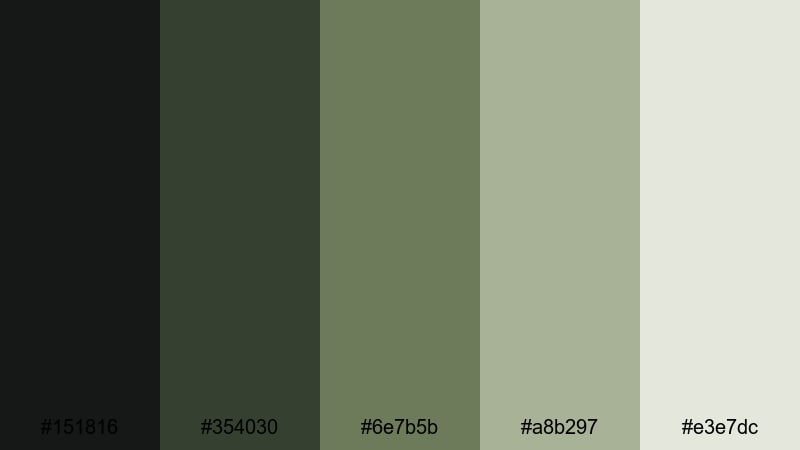
- HEX Codes: #151816, #354030, #6e7b5b, #a8b297, #e3e7dc
- Mood: Low key and stealthy, with a cool professional tone ideal for overlays.
- Use for: Use this palette for subtle HUD elements, streaming layouts, and dark mode interfaces with army inspiration.
Stealth UI Overlay mixes charcoal and deep olive with muted sage and pale stone. It is subtle and professional, ideal if you want a dark mode aesthetic that hints at military design but stays distraction free.
Use the darkest shades for backgrounds and transparent overlays, while #a8b297 and #e3e7dc handle labels, tooltips, and clean typography. It is a strong fit for streaming layouts, tactical dashboards, or tutorial interfaces where the content should stay center stage.
Vintage & Rustic Army Color Palettes
WW2 Trench Postcard
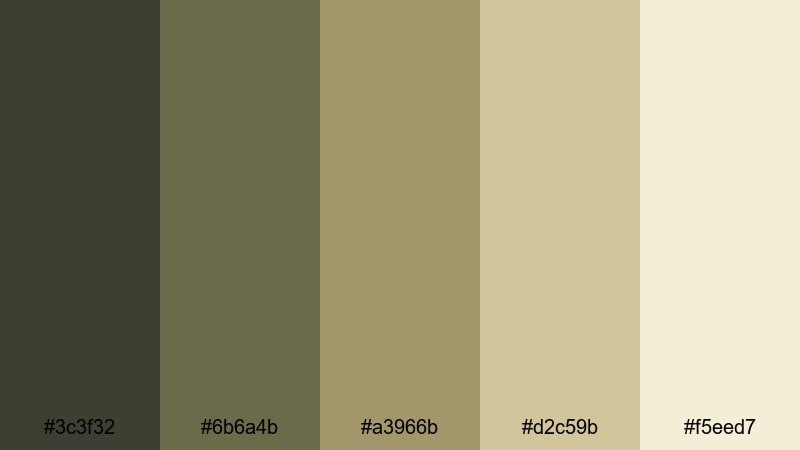
- HEX Codes: #3c3f32, #6b6a4b, #a3966b, #d2c59b, #f5eed7
- Mood: Nostalgic, dusty, and cinematic, evoking old war letters and sepia film.
- Use for: Great for historical documentaries, vintage edits, and title cards that need an aged military mood.
WW2 Trench Postcard blends muted olive and khaki with parchment creams, instantly evoking fading photographs and handwritten field letters. It feels historical and cinematic, perfect for story driven projects.
Use the darker tones for frames or letterbox bars, then let the lighter creams (#d2c59b, #f5eed7) carry text, maps, or overlays. It is ideal for history documentaries, war game lore videos, and vlog segments where you want to shift into a nostalgic, archival mood.
Rustic Barracks Timber
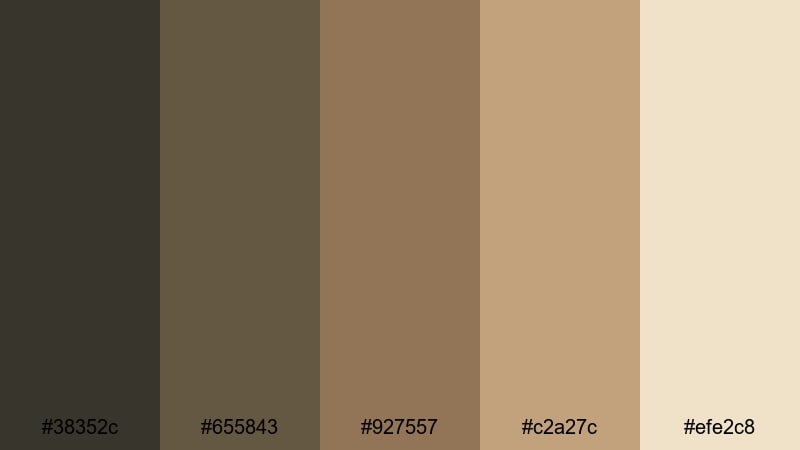
- HEX Codes: #38352c, #655843, #927557, #c2a27c, #efe2c8
- Mood: Warm and rugged, like wooden barracks lit by late afternoon sun.
- Use for: Use this for rustic logo stings, woodworking or diy content, and title designs with a military cabin feel.
Rustic Barracks Timber shifts toward earthy browns and tan board colors, with a soft cream highlight. It feels like weathered timber, canvas cots, and sunlight through dusty windows.
Use the deeper browns for your logo stings, lower thirds, and transitions, then keep #c2a27c and #efe2c8 for backgrounds and overlays. This palette suits DIY and woodworking channels, camping content, and lifestyle vlogs that want a cozy yet tough military cabin vibe.
Faded Surplus Gear
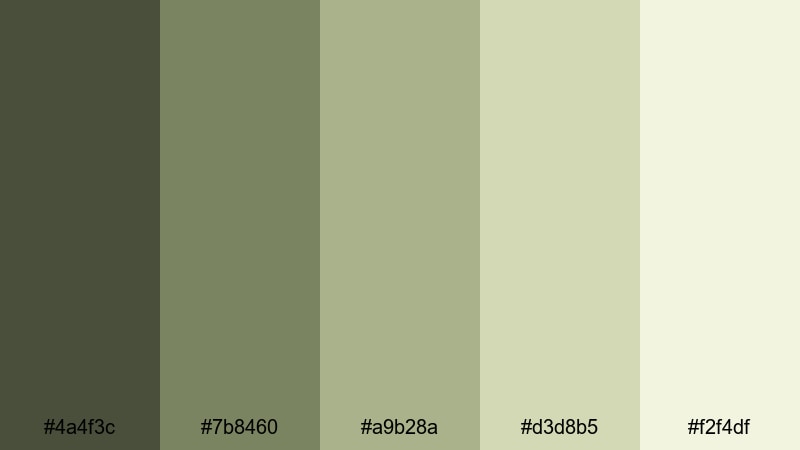
- HEX Codes: #4a4f3c, #7b8460, #a9b28a, #d3d8b5, #f2f4df
- Mood: Softly worn and utilitarian, like surplus uniforms washed by time.
- Use for: Perfect for thrift hauls, gear reviews, and aesthetic montages with a lived in military style.
Faded Surplus Gear uses weathered olives and dusty khakis that fade into chalky off whites. It feels practical, worn in, and honest, like surplus gear that has already seen years of use.
Use the mid greens for tags, price labels, or gear stats in reviews, and the pale tones for background cards and title slides. This palette works well for thrift hauls, surplus store tours, EDC or gear breakdowns, and lo fi aesthetic montages with a military backbone.
Tips for Creating Army Color Palettes
When you build your own army color palette for video or design, think about balance: combine grounded greens with supportive neutrals and just enough contrast so text stays readable across all your thumbnails, intros, and overlays.
- Pick a base army green first, then choose 2 to 4 supporting colors (darker for depth, lighter for backgrounds and highlights).
- Always test text contrast: place white and near white text over your darkest color, and dark text over your lightest color, to ensure readability on small screens.
- Add one accent color only (such as a bright saffron, orange, or neon) for calls to action like subscribe buttons and timestamps.
- Match your palette to your footage: if your scenes are already very green, shift your overlays slightly warmer or cooler so they do not blend in too much.
- Use desaturated tones for long form content and keep the most vibrant shades for thumbnails, banners, and short punchy segments.
- Stay consistent across platforms: reuse the same HEX codes in your YouTube banner, video titles, overlays, and social posts to strengthen brand identity.
- Create light and dark variants of the same army palette so you can support both bright daytime scenes and darker night or indoor footage.
- Save your palette as presets or templates in Filmora, so future intros, lower thirds, and end screens always match your established army theme.
Army color palettes bring discipline, adventure, and authenticity into your visuals, whether you lean soft and earthy or bold and tactical. With the right mix of greens, neutrals, and carefully chosen accents, your channel can feel instantly more cinematic and recognizable.
Try these 15 palettes as starting points, then adjust them inside Filmora using AI Color Palette, HSL, and LUTs until they match your footage and personality. Once you lock in your signature army look, reusing it on every thumbnail, intro, and reel will make your brand feel strong, cohesive, and intentional.
Open Filmora, drop a few test clips on the timeline, and experiment with these HEX codes in your titles, overlays, and grades. A few small color decisions can completely transform how professional and cinematic your army themed videos feel.
secure downloadNext: Saffron Color Palette
