

 100% Security Verified | No Subscription Required | No Malware


 ChatGPT
 Perplexity
 Gemini
 Claude
 Grok
Grok
Azure sits between blue and cyan on the color wheel, bringing the clarity of a summer sky with a slightly modern, digital twist. It signals calm, trust, and openness, which is why you see azure so often in tech branding, wellness content, and clean minimalist design. In video, azure can soften harsh footage, create breathable spaces in busy frames, and instantly connect your visuals to the idea of sky, water, and fresh air.
For thumbnails, intros, lower thirds, and entire brand systems, the right azure color palette keeps everything feeling consistent and intentional. Below you will find 15 ready-made azure color palettes with HEX codes you can plug straight into your design tools and Filmora. Use them to guide your color grading, overlays, titles, and YouTube thumbnails without guessing.
In this article
Soft & Airy Azure Color Palettes
Coastal Dawn Glow
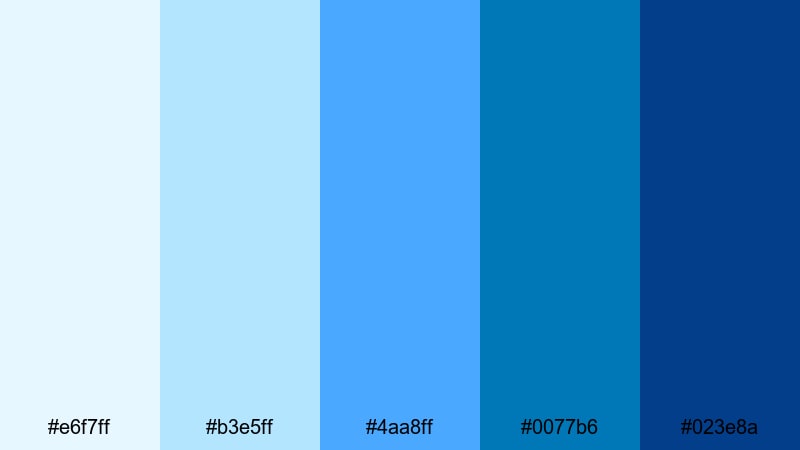
- HEX Codes: #e6f7ff, #b3e5ff, #4aa8ff, #0077b6, #023e8a
- Mood: Calm, refreshing, and optimistic like an early morning by the sea.
- Use for: Use for travel vlogs, seaside documentaries, and calm lifestyle intros that need a light yet vivid ocean feel.
Coastal Dawn Glow moves from a misty pale blue into richer marine tones, just like watching the shoreline wake up under the first light. The gentle top tints work beautifully as background washes, while the deeper azures anchor text, icons, and logo marks so your visuals stay readable and polished.
In video projects, use the lighter hues for overlays, titles, and lower thirds, and reserve the darker blues for call-to-action buttons, end screens, and key thumbnail elements. This palette is ideal for creators who want their azure color grading to feel soft and cinematic without losing a sense of brightness and adventure.
Pro Tip: Build a Cinematic Azure Look in Filmora
To keep this coastal-inspired azure palette consistent across your whole project in Filmora, start by locking in your key elements: intro title, lower thirds, and outro frame. Apply the lighter HEX codes to your text boxes and backgrounds, then use the darkest blue for outlines, key icons, and subscribe buttons so every frame feels like part of the same shoreline story.
Once your base look is set, copy these color settings to b-roll overlays, chapter cards, and YouTube Shorts cuts inside Filmora. You can reuse the same hex values across titles, shapes, and filters so your brand stays cohesive whether viewers are watching on desktop, mobile, or embedded players.
AI Color Palette
If you have a favorite coastal photo or a digital color card of Coastal Dawn Glow, you can turn it into a global look for your video using Filmora. Filmora's AI Color Palette feature analyzes the colors in your reference frame and transfers the same azure mood to other clips automatically.
Import your reference image, apply AI Color Palette to your timeline, and let Filmora match the cool highlights, gentle blues, and deeper marine shadows across every scene. This is an easy way to give your entire vlog or travel montage a unified azure tone without manually grading each shot.
 secure download

HSL, Color Wheels & Curves
To fine-tune your azure tones, use Filmora's HSL, color wheels, and curves controls. Slightly lifting the blues in the midtones and cooling your highlights can make Coastal Dawn Glow feel more cinematic, while pulling the shadows a touch toward teal keeps your ocean scenes rich but not muddy. For a step-by-step walkthrough, you can follow the techniques in the Filmora color correction guide and adapt them to this specific palette.
Curves are especially useful when you want your lightest azure to stay soft and airy without losing contrast. Anchor your dark blues on the curve, gently raise the lights, and use saturation sliders to avoid overblown cyan. This keeps your footage natural while still leaning into that clean azure aesthetic.
secure download1000+ Video Filters & 3D LUTs
Once your base colors are in place, you can quickly stylize your azure look using Filmora's filter and LUT library. Filmora's video filters and 3D LUTs make it easy to add subtle film grain, soft fade, or modern contrast while keeping your main blues intact.
Try pairing Coastal Dawn Glow with gentle cinematic LUTs or pastel-style filters for lifestyle content, or add a slightly warmer LUT to balance skin tones against the cool ocean hues. Because LUTs are non-destructive, you can test multiple looks until your intro, thumbnails, and full-length edit all share the same refined azure mood.
secure downloadSkyline Daydream
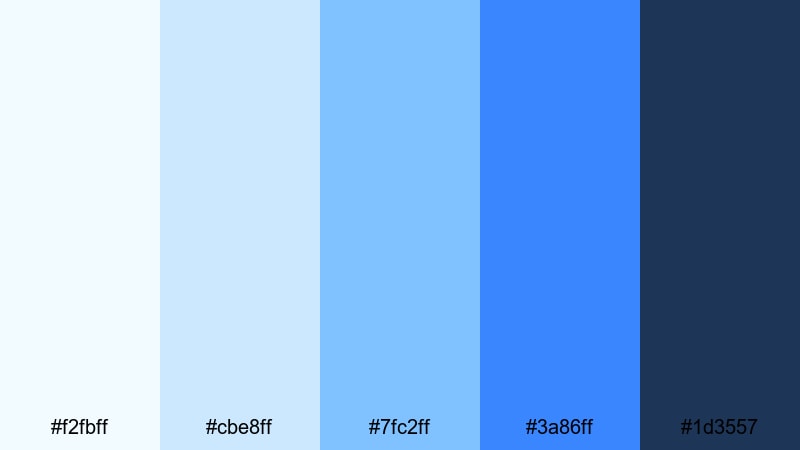
- HEX Codes: #f2fbff, #cbe8ff, #7fc2ff, #3a86ff, #1d3557
- Mood: Light, dreamy, and uplifting with a city-sky horizon vibe.
- Use for: Perfect for day-in-the-life videos, productivity content, and tech explainers that should feel bright and approachable.
Skyline Daydream layers soft sky tones with a confident azurite blue, giving your visuals a sense of open space and focus. The lightest shades are perfect for clean backgrounds in presentations or screen-recording overlays, while the bolder blues make buttons, key stats, and channel names stand out.
Use this palette in productivity vlogs, Notion or app tutorials, and bright tech reviews where you want viewers to feel energized but not overwhelmed. Carry the same HEX values from your intro animation into thumbnails and chapter cards so your entire azure-themed video series feels like one cohesive brand.
Seafoam Whisper
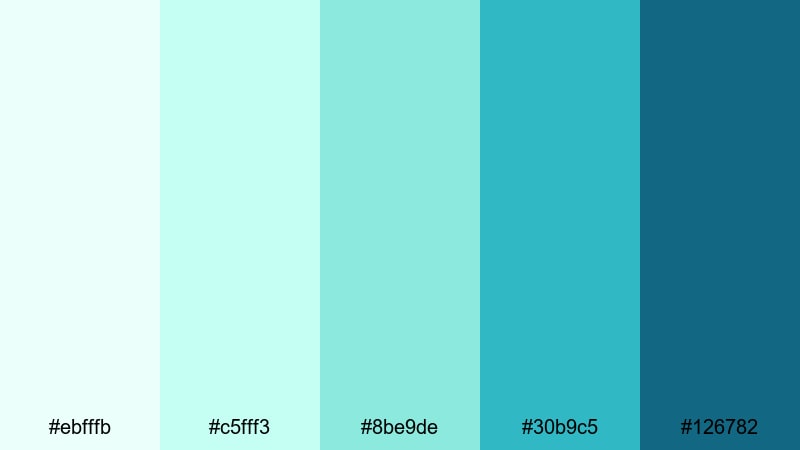
- HEX Codes: #ebfffb, #c5fff3, #8be9de, #30b9c5, #126782
- Mood: Gentle, soothing, and slightly playful, like waves over shallow water.
- Use for: Use for wellness content, ASMR, spa promos, and slow-travel reels where you want viewers to relax instantly.
Seafoam Whisper mixes airy aqua tones with deeper teal-azure accents, echoing clear lagoons and spa interiors. The pastel hues are ideal for soft gradient backgrounds and overlays that sit behind text without distracting, while the darker teal gives just enough contrast for logos and icons.
Apply this palette to meditation intros, yoga class titles, and ASMR thumbnails to create a consistent, calming identity. Keep transitions gentle, combine with slow motion or macro shots, and your azure aesthetic will instantly signal rest and relaxation in the feed.
Cloud Harbor Calm
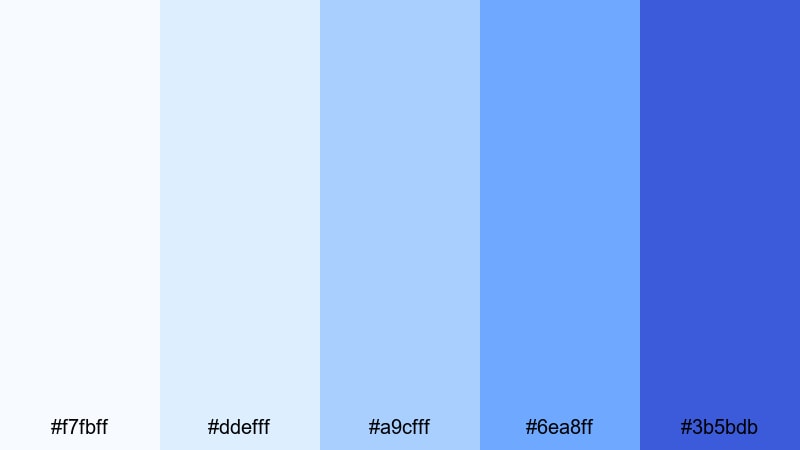
- HEX Codes: #f7fbff, #ddefff, #a9cfff, #6ea8ff, #3b5bdb
- Mood: Airy, gentle, and reassuring with a subtle nautical edge.
- Use for: Ideal for educational videos, brand tutorials, and onboarding flows that should feel trustworthy yet friendly.
Cloud Harbor Calm moves from pale cloud whites into muted azure and harbor blue, creating a soft but structured look. These hues work especially well in UI mockups, explainer videos, and course slides where clarity and trust are key.
Use the lightest tones for backgrounds and content blocks, keeping text primarily in a dark harbor blue for readability. This palette is excellent for building a calm azure brand system across thumbnails, intro stings, and animated checklists that guide viewers through your content step by step.
Bold & Electric Azure Color Palettes
Neon Surf Rush
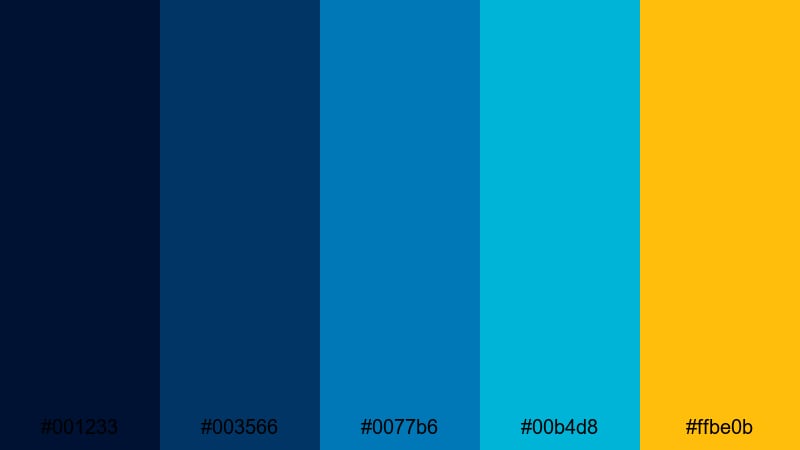
- HEX Codes: #001233, #003566, #0077b6, #00b4d8, #ffbe0b
- Mood: Energetic, edgy, and high-contrast, like a neon-lit surf city at night.
- Use for: Perfect for gaming intros, music videos, and hype reels that need punchy contrast and instant impact.
Neon Surf Rush throws deep navy and electric azure against bright aqua and a golden neon accent, giving your visuals a festival-ready punch. The darkest blues work as dramatic backgrounds, letting the mid-tone azure and glowing yellow pop for titles, progress bars, and UI-style overlays.
Use this palette for high-energy edits with fast cuts, glitch transitions, and bold typography. It is especially strong for gaming thumbnails, DJ or festival recaps, and sport highlight reels where you want viewers to feel the adrenaline from the first frame.
Digital Horizon Pulse
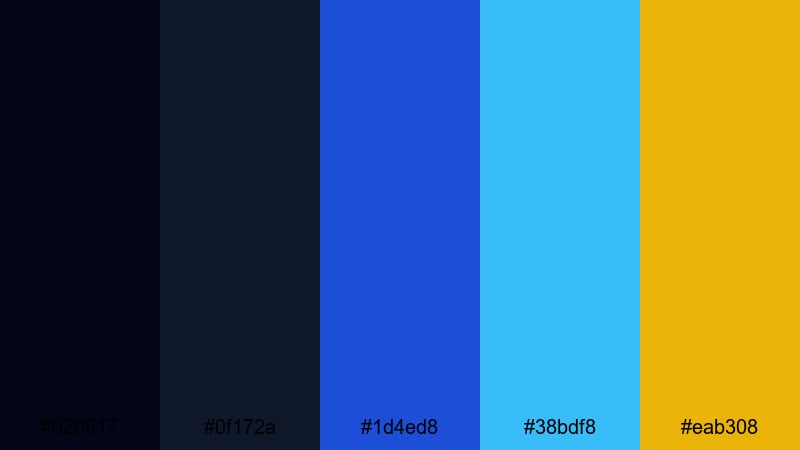
- HEX Codes: #020617, #0f172a, #1d4ed8, #38bdf8, #eab308
- Mood: Futuristic, powerful, and tech-driven with cinematic depth.
- Use for: Use for tech launches, app promos, and cyberpunk-style edits needing bold contrast and a digital glow.
Digital Horizon Pulse combines inky blues with intense azure and aqua highlights, plus a sharp golden accent. It feels like a holographic interface on top of a night cityscape, making it perfect for motion graphics and UI-heavy explainers.
Use the darkest shades for backgrounds and letterboxing, then paint key moments with the vivid blues to draw attention to your product, logo, or call to action. This palette works brilliantly with HUD graphics, neon titles, and sci-fi transitions in Filmora.
Tropical Wave Pop
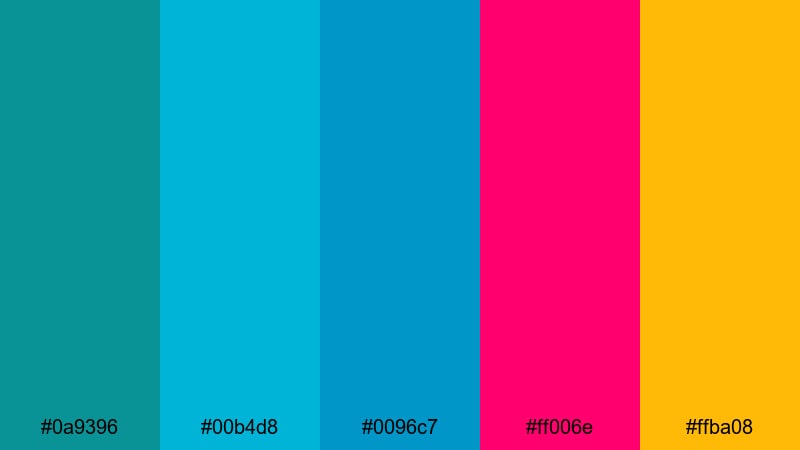
- HEX Codes: #0a9396, #00b4d8, #0096c7, #ff006e, #ffba08
- Mood: Playful, loud, and sun soaked with a modern beach-party vibe.
- Use for: Great for summer campaigns, festival recaps, and travel shorts that should feel fun and unforgettable in the feed.
Tropical Wave Pop mixes punchy azure and aqua tones with hot magenta and mango yellow for a full-on tropical explosion. The contrast is strong, so it grabs attention instantly in busy feeds and recommended lists.
Use the cool blues as your base colors and bring in magenta and yellow as accent strokes for lines, stickers, and animated emojis. This palette is perfect for playful intros, Reels or Shorts covers, and thumbnail text that needs to stand out even on small screens.
Cyber Aqua Blast
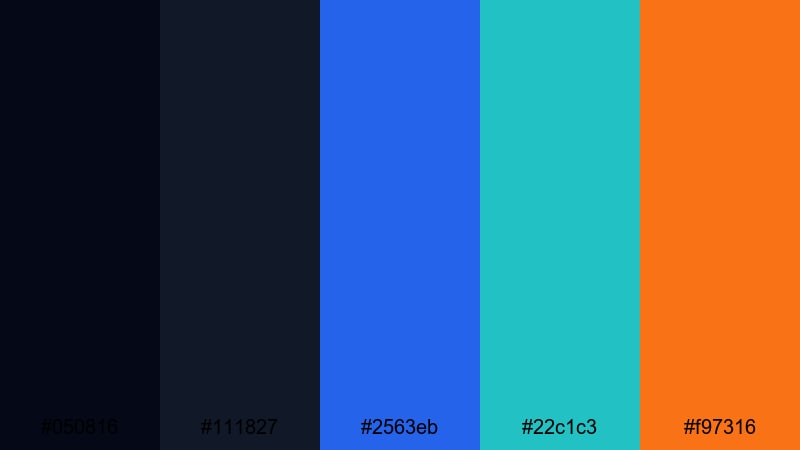
- HEX Codes: #050816, #111827, #2563eb, #22c1c3, #f97316
- Mood: Intense, high energy, and slightly rebellious with cyber aesthetics.
- Use for: Use for esports edits, product teasers, and fast cut montages where motion and color need to sync with bold sound design.
Cyber Aqua Blast slices glowing azure and aqua through a dark base, sparked by a vivid orange accent. The palette feels like a futuristic arena or a high-tech product launch, full of speed and motion.
Use the dark tones as a canvas for bold kinetic typography and HUD-style graphics. Then, accent key beats, logos, and hit points in animations with the orange for extra impact. It is ideal for esports highlight reels, tech gadget teasers, and energetic montage intros built in Filmora.
Elegant & Minimal Azure Color Palettes
Studio Loft Azure
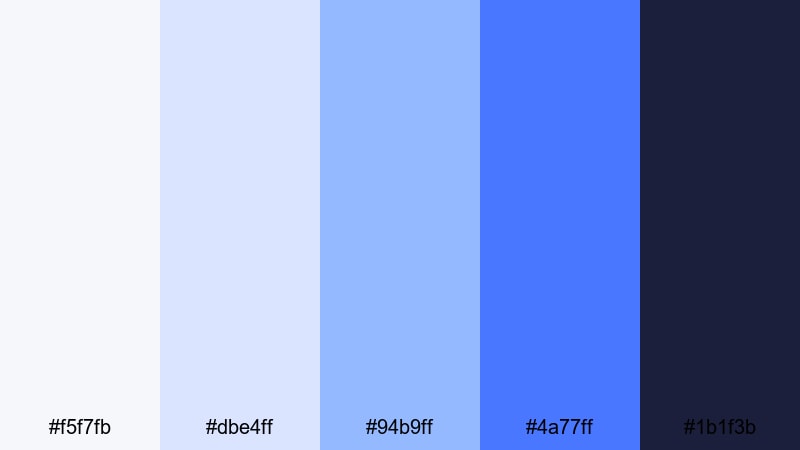
- HEX Codes: #f5f7fb, #dbe4ff, #94b9ff, #4a77ff, #1b1f3b
- Mood: Polished, modern, and softly professional like a design studio set.
- Use for: Ideal for brand films, SaaS explainers, and minimalist portfolio reels looking for quiet sophistication.
Studio Loft Azure pairs subtle off whites and powder blues with a confident studio azure and inky accent. It feels like a sunlit creative office, perfect for modern brands that want to look professional yet approachable.
Use the lightest shades as background blocks and negative space in your layouts, then pull in the darker blue for signatures, callouts, and end screens. This palette shines in portfolio reels, SaaS product tours, and channel rebrands that lean into a clean, azure-forward identity.
Marble Atrium
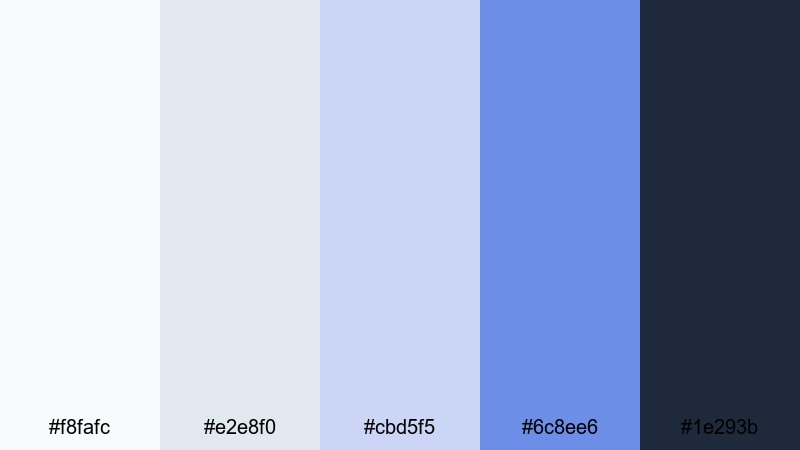
- HEX Codes: #f8fafc, #e2e8f0, #cbd5f5, #6c8ee6, #1e293b
- Mood: Refined, architectural, and calm with a gallery like stillness.
- Use for: Use for luxury branding, architectural tours, and product demos that need a premium yet understated mood.
Marble Atrium blends cool grays with soft azure to echo polished stone and glass facades. It delivers a premium look without shouting, making it suitable for brands that value restraint and structure.
Apply the grays as neutral backdrops and use the mid azure for accent lines, data highlights, and logo reveals. This is a strong palette for architecture videos, interior design reels, and minimalist product showcases where you want the subject to shine against a calm azure-inspired environment.
Midnight Interface
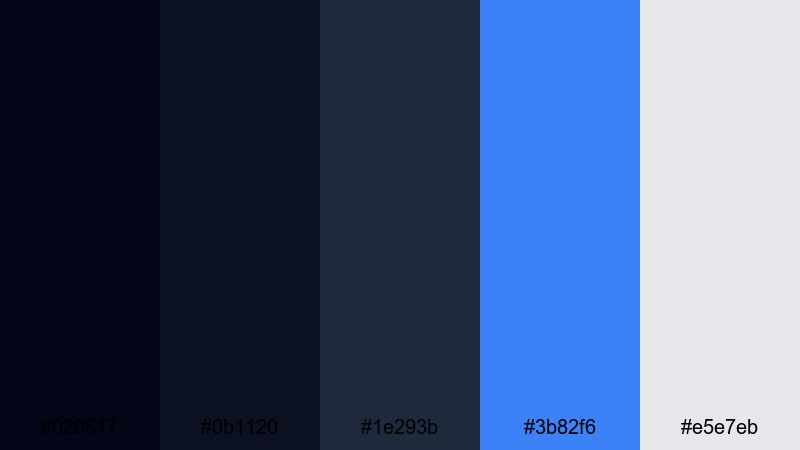
- HEX Codes: #020617, #0b1120, #1e293b, #3b82f6, #e5e7eb
- Mood: Sleek, focused, and modern with a night mode interface vibe.
- Use for: Great for UI demos, coding channels, and app walkthroughs that pair dark mode visuals with a clear azure highlight.
Midnight Interface uses layered charcoals and midnight blues to create a dark mode base, set off by a single luminous azure accent and a soft light gray text tone. It instantly feels like a polished app or dashboard.
Use the dark shades as full-frame backgrounds, with azure reserved for interactive elements, cursor trails, and highlighted buttons. This palette is ideal for screen recordings, coding tutorials, and UI breakdowns where clarity and a modern azure aesthetic are equally important.
Clean Air Branding

- HEX Codes: #ffffff, #edf7ff, #cde4ff, #5fa8ff, #1d3557
- Mood: Fresh, hygienic, and open, evoking bright offices and clear skies.
- Use for: Use for corporate videos, medical explainers, and eco brands looking for clarity and trust.
Clean Air Branding uses crisp whites paired with soft azure and a grounded navy to create a breathable, reliable look. It feels clean and trustworthy, making it perfect for healthcare, corporate, and sustainability content.
Keep most of your frame bright and open, using the deeper navy for headings, icons, and call-to-action buttons. This azure palette works well across slide decks, explainer videos, and YouTube channel branding where you want an immediate sense of clarity and professionalism.
Retro & Cinematic Azure Color Palettes
Analog Ocean Fade
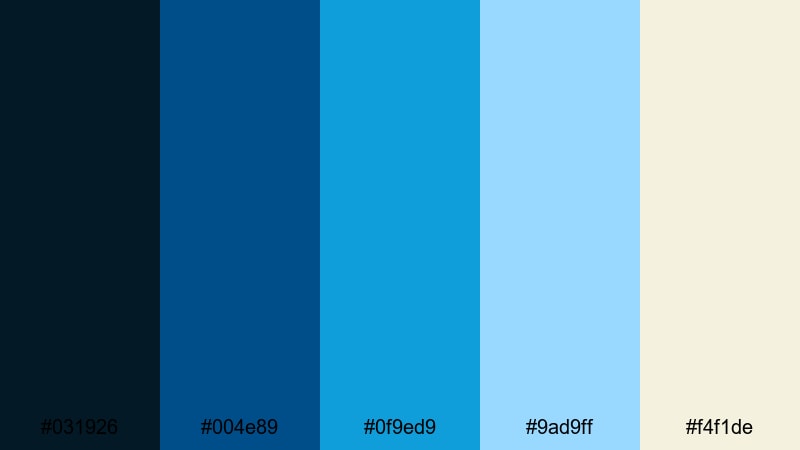
- HEX Codes: #031926, #004e89, #0f9ed9, #9ad9ff, #f4f1de
- Mood: Nostalgic, cinematic, and gently faded like vintage seaside film.
- Use for: Perfect for travel diaries, super 8 style edits, and nostalgic montages with a coastal twist.
Analog Ocean Fade combines dusty creams with washed azure and deep teal navy, mimicking film grain and soft seaside light. It feels like an old photo album of coastal memories, slightly faded but full of warmth.
Use the cream and pale azure as base tones, then layer subtle grain or vignette effects in Filmora to push the retro feeling. This palette is great for memory sequences, travel diaries, and nostalgic B-roll overlays that need a distinct azure but analog vibe.
Art Deco Riviera
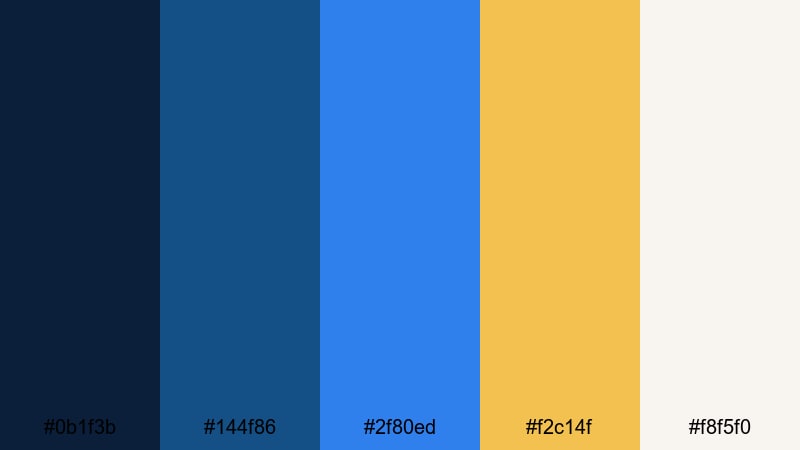
- HEX Codes: #0b1f3b, #144f86, #2f80ed, #f2c14f, #f8f5f0
- Mood: Glamorous, vintage, and sunlit like an old Riviera poster.
- Use for: Use for fashion lookbooks, resort promos, and retro themed openers needing luxe summer energy.
Art Deco Riviera pairs rich navy and iconic azure with champagne gold and warm ivory, capturing timeless coastal glamour. It is bold but classy, perfect for stylish content with a hint of nostalgia.
Use the azure and navy for geometric shapes, frames, and bold titles, then highlight key phrases or logos with the gold accent. This palette suits fashion reels, resort ads, retro movie-style openers, and any azure-centered design that wants a luxurious, poster-like feel.
Indie Travel Journal

- HEX Codes: #14213d, #1d6aa5, #1ea8fc, #ffd166, #ffe7c4
- Mood: Adventurous, warm, and story driven with a handcrafted feel.
- Use for: Great for backpacking vlogs, documentary intros, and story driven edits that mix maps, notes, and candid footage.
Indie Travel Journal combines dusty navy and sunlit azure with warm sand and notebook yellow, giving your visuals a cozy road trip atmosphere. It feels handcrafted and personal, like scribbles in a travel diary overlaid on film.
Use the blues for maps, route lines, and lower thirds, then bring in the yellows for headings, labels, and sticker-style graphics. This azure palette works especially well for chapter markers, scrapbook-style frames, and documentary intros in Filmora where storytelling is the focus.
Tips for Creating Azure Color Palettes
Azure pairs beautifully with both warm and cool tones, but the way you balance it will change the mood of your video or design. Use the tips below to build or customize your own azure color combinations for editing in Filmora or any design workflow.
- Decide on the mood first: soft azure with lots of white and gray feels calm and airy, while saturated azure with dark navy and neon accents feels bold and electric.
- Keep text readable: use your darkest blue or navy for body text over light azure backgrounds, and switch to white or off-white text over deep azure or navy blocks.
- Limit accent colors: choose one or two strong accents (like gold, coral, or magenta) to support azure, and reuse them consistently for buttons, icons, and key calls to action.
- Match your footage: if your original clips are warm and sunset-heavy, slightly warm your azure palette or add a subtle orange accent so the color grading feels natural.
- Use gradients carefully: blend pale azure into white or soft gray for backgrounds, then reserve flat solid colors for overlays, logos, and lower thirds to keep layouts clear.
- Plan for platforms: test your palettes on mobile and desktop thumbnails to make sure azure elements do not look washed out or too dark at small sizes.
- Stay on-brand: once you choose a palette, save the HEX codes and reuse them in all intros, end screens, and channel art so your audience can recognize you at a glance.
- Balance saturation: if your footage already has strong blues, reduce the saturation of your azure overlays so the frame does not become overwhelmingly blue.
Azure color palettes are powerful tools for shaping mood, clarity, and brand recognition in your videos. From soft and airy tones for wellness channels to bold electric blues for gaming and tech, using structured palettes with clear HEX codes keeps every frame feeling intentional.
Experiment with the 15 palettes above inside Filmora to find the combination that matches your story, then tweak it with AI Color Palette, HSL, and LUTs until it feels just right. Once you lock in your favorite azure look, carry it through thumbnails, intros, lower thirds, and end screens so your channel or campaign builds a strong, memorable visual identity.
Whether you are editing a cinematic travel diary or a clean product demo, letting azure lead your color story can bring freshness and focus to every cut.
secure download