

 100% Security Verified | No Subscription Required | No Malware


 ChatGPT
 Perplexity
 Gemini
 Claude
 Grok
Grok
Black Silver is one of the most versatile color themes for modern creators. Deep blacks communicate power, mystery, and focus, while silver adds a refined, metallic sheen that feels premium and high-tech. Together, Black Silver color combinations can make your thumbnails sharper, your titles more readable, and your brand instantly look more cinematic and professional.
Whether you edit YouTube intros, vlogs, trailers, or product promos, a good Black Silver color palette gives you a consistent style across thumbnails, overlays, and color grading. Below are 15 ready-made Black Silver color palettes with HEX codes, designed for creators and Filmora users who want moody, modern, and luxurious visuals without guessing every shade from scratch.
In this article
Cinematic & Dramatic Black Silver Color Palettes
Noir Studio Spotlight
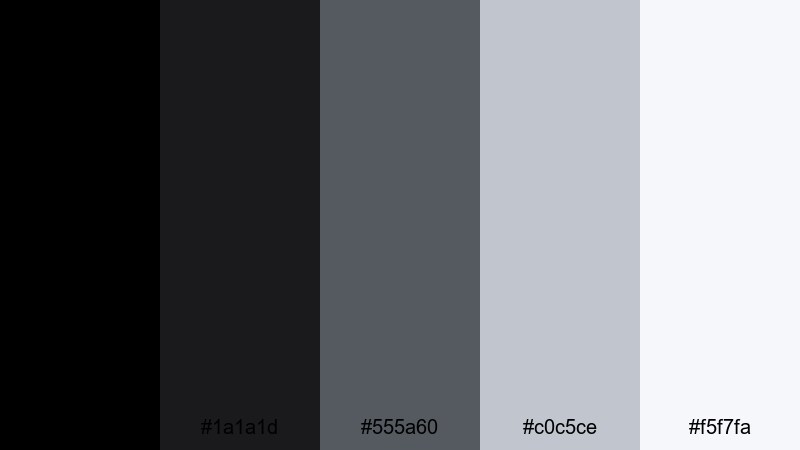
- HEX Codes: #000000, #1a1a1d, #555a60, #c0c5ce, #f5f7fa
- Mood: Moody, cinematic, and high-contrast with a soft silver glow.
- Use for: Great for dramatic film trailers, intros, and storyline thumbnails that need strong contrast.
This palette moves from pure black to a soft, almost-white silver, just like a character stepping into a spotlight on a dark soundstage. The deep shadows (#000000, #1a1a1d) make your frames feel intense and focused, while the mid silvers (#555a60, #c0c5ce) and highlight silver (#f5f7fa) give you clear areas for titles and UI elements.
Use Noir Studio Spotlight for hero shots, character intros, or any thumbnail where you want white or light silver text to pop against a dark background. In Filmora, you can apply these HEX codes to title cards, lower thirds, and overlays so your cinematic Black Silver theme stays consistent across trailers, shorts, and social cutdowns.
Pro Tip: Build a Cinematic Black Silver Look in Filmora
To keep this Noir Studio Spotlight mood across a whole video, use the darkest tones for backgrounds and letterbox bars, then pick the lightest silver for your title text and logo. Filmora lets you save customized title presets, so every intro, chapter card, and end screen can reuse the same Black Silver combination with one click.
For thumbnails, create a template in Filmora with a Black Silver gradient background and consistent text placement. Then simply swap the still frame and update the episode title, instead of rebuilding your palette every time. This keeps your channel grid clean, cinematic, and instantly recognizable.
AI Color Palette
If you design a perfect Noir Studio Spotlight frame, you do not have to manually match it to every clip. Filmora's AI Color Palette feature lets you choose that frame as a reference, then apply its Black Silver contrast and silver glow across your entire edit.
Import your footage, pick one clip with your preferred Black Silver grading, and let AI analyze the blacks, mid-tone grays, and highlights. Filmora will intelligently transfer that style to other clips, helping your intro, B-roll, and outro feel like one continuous cinematic story.
 secure download

HSL, Color Wheels & Curves
To fine-tune your Black Silver look, use HSL, color wheels, and curves inside Filmora. Gently lift shadows to keep black details visible, then cool your mid-tones to a steely gray. You can see this step-by-step in this Filmora color grading tutorial, which shows how to add cinematic contrast without crushing your blacks.
On the curves panel, create a subtle S-curve for extra punch, then use color wheels to cool highlights into silver instead of warm white. This keeps skin tones natural while your environment stays firmly in the Black Silver aesthetic.
secure download1000+ Video Filters & 3D LUTs
If you want to push this palette further, Filmora’s video filters and 3D LUTs make it easy to add stylized Black Silver looks in seconds. Stack a cinematic LUT with a vignette and light leaks to simulate studio spotlights around your subject.
You can also save custom LUTs based on your Noir Studio Spotlight grade, then apply them quickly to new projects, trailers, and shorts. This keeps your brand visuals cohesive while still giving you room to experiment with different levels of contrast and glow.
secure downloadMonochrome Trailer Tension
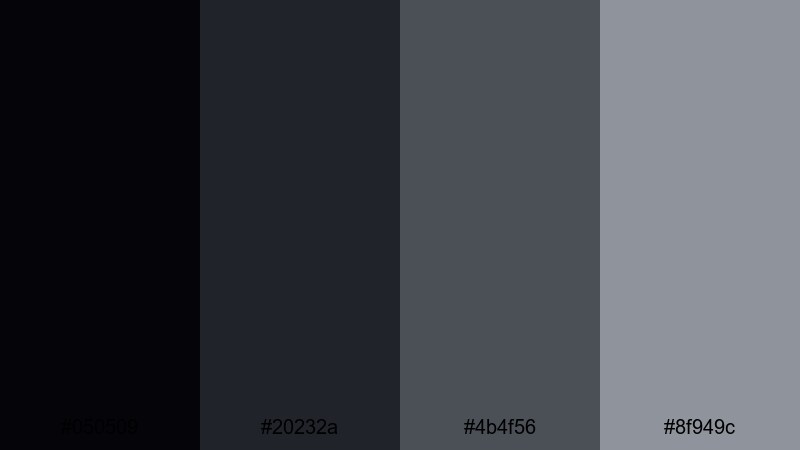
- HEX Codes: #050509, #20232a, #4b4f56, #8f949c
- Mood: Tense, gritty, and suspenseful with layered grays.
- Use for: Perfect for thriller trailers, crime documentaries, and edgy title cards.
Monochrome Trailer Tension builds suspense with stacked grays that never fully reveal the scene. The near-black base (#050509) keeps your frame heavy and grounded, while #20232a and #4b4f56 add industrial, urban grit. The soft silver-gray (#8f949c) is ideal for text, UI elements, or subtle light leaks that feel like fog creeping into the frame.
This palette is ideal for crime documentaries, true-story intros, and character backstory sequences. In Filmora, use the darkest tone as your background, then layer glitch transitions and gritty textures in the mid grays to keep everything on-theme. Title cards, lower thirds, and subtitles in #8f949c will stay readable without looking too bright or cheerful.
Midnight City Skyline
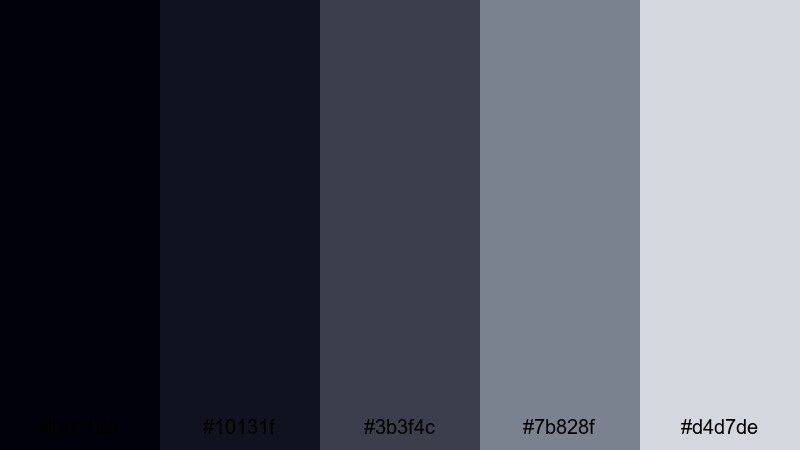
- HEX Codes: #00010a, #10131f, #3b3f4c, #7b828f, #d4d7de
- Mood: Urban, mysterious, and sleek with a faint city glow.
- Use for: Use for night-time B-roll sequences, urban vlog intros, and cinematic overlays.
Midnight City Skyline captures the feeling of skyscraper silhouettes against a metallic sky. The deepest tones (#00010a, #10131f) work well for night streets and sky backgrounds, while #3b3f4c and #7b828f replicate concrete, glass, and steel reflections. The lightest shade (#d4d7de) becomes your city-glow highlight for logotypes and icon overlays.
Apply this palette to nightlife vlogs, urban exploration edits, or moody city B-roll. In Filmora, tint shadows toward #10131f and bump highlights closer to #d4d7de, then use the mid silvers on animated maps, chapter markers, and subscribe buttons for a sleek, cohesive skyline look.
Shadowed Award Night
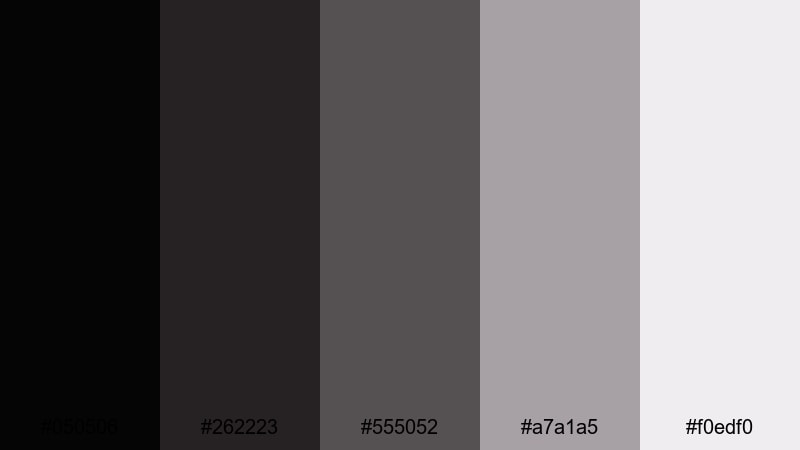
- HEX Codes: #050506, #262223, #555052, #a7a1a5, #f0edf0
- Mood: Elegant, formal, and slightly nostalgic.
- Use for: Works well for award show recaps, highlight reels, and red-carpet themed intros.
Shadowed Award Night brings together rich shadows and softly glowing silvers for a formal, almost nostalgic atmosphere. The darker tones (#050506, #262223) echo backstage curtains and dim auditoriums, while #555052 and #a7a1a5 mimic stage reflections. The pale silver (#f0edf0) is perfect for spotlight titles and subtle sparkle effects.
Use this palette for event highlight videos, red-carpet recaps, or any countdown intro that needs a premium feel. In Filmora, combine these tones with slow motion, light flares, and elegant serif fonts; your Black Silver aesthetic will feel like a televised award show, even if it is just your own channel celebration.
Minimal & Modern Black Silver Color Palettes
Clean Interface Chrome
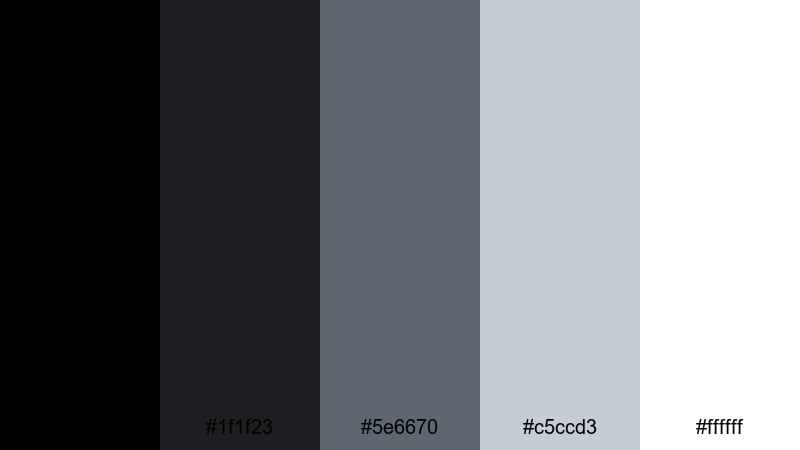
- HEX Codes: #000000, #1f1f23, #5e6670, #c5ccd3, #ffffff
- Mood: Minimal, polished, and tech-friendly.
- Use for: Ideal for UI mockups, app demos, and clean tutorial lower thirds.
Clean Interface Chrome blends deep black with crisp silvers and pure white to create a sharp, high-contrast interface look. The darker values (#000000, #1f1f23) ground your layouts, while #5e6670 and #c5ccd3 add soft, legible areas for buttons and cards. White (#ffffff) acts as your main text and highlight color.
This palette suits SaaS demos, dashboard walkthroughs, and how-to tutorials. In Filmora, apply these HEX codes to lower thirds, UI callouts, and keyboard shortcut overlays so everything feels like part of one modern system. It also works beautifully for clean YouTube thumbnail designs that need maximum readability on mobile.
Editorial Ink And Steel
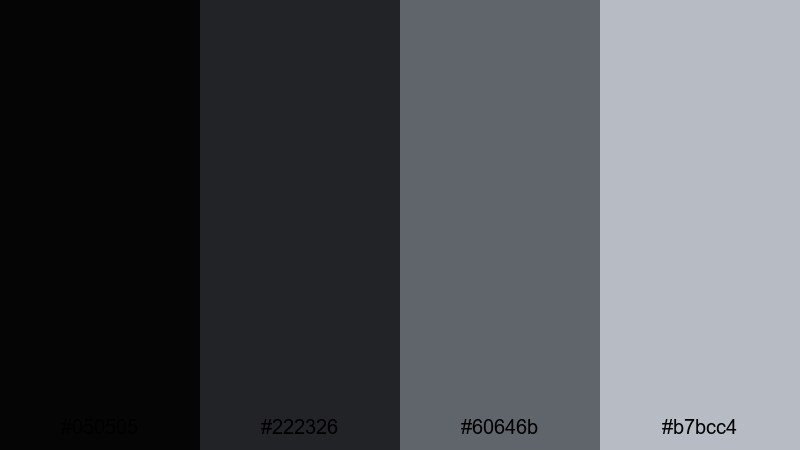
- HEX Codes: #050505, #222326, #60646b, #b7bcc4
- Mood: Sophisticated, editorial, and understated.
- Use for: Use for minimalist titles, magazine-style video layouts, and stylish B-roll overlays.
Editorial Ink And Steel feels like it came straight from a fashion magazine layout. The near-black base (#050505) acts as elegant negative space, while #222326 and #60646b provide muted steel tones for subtle frames and text boxes. The soft silver-gray (#b7bcc4) is ideal for headings and minimal graphic elements.
Use this palette for lookbook edits, lifestyle vlogs, or any video where typography is the star. In Filmora, pair it with simple motion graphics, slow zooms on photos, and clean sans-serif fonts to create thumbnails and intros that look like editorial covers rather than typical YouTube designs.
Studio Desk Flatlay
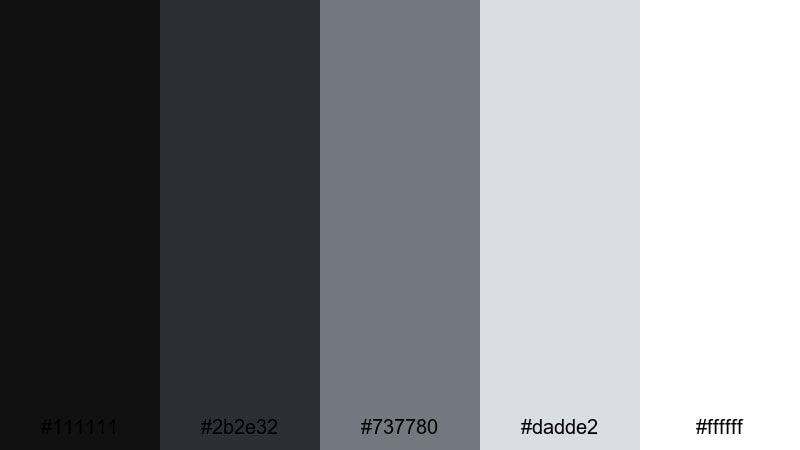
- HEX Codes: #111111, #2b2e32, #737780, #dadde2, #ffffff
- Mood: Calm, creative, and neatly organized.
- Use for: Perfect for productivity vlogs, desk tours, and tutorial slides.
Studio Desk Flatlay uses organized neutrals that echo camera gear, laptops, and notebooks on a tidy workspace. The darker shades (#111111, #2b2e32) frame your composition, while #737780 and #dadde2 feel like soft shadows and paper surfaces. White (#ffffff) is perfect for clear titles and annotations.
This Black Silver palette fits productivity channels, editing tutorials, and study vlogs. In Filmora, use it for chapter cards, checklist overlays, and callouts that highlight shortcuts or tips. For thumbnails, place your subject or gear in the center and surround it with panels in these grayscale tones for a cohesive, minimal flatlay look.
Monoline Logo Frame
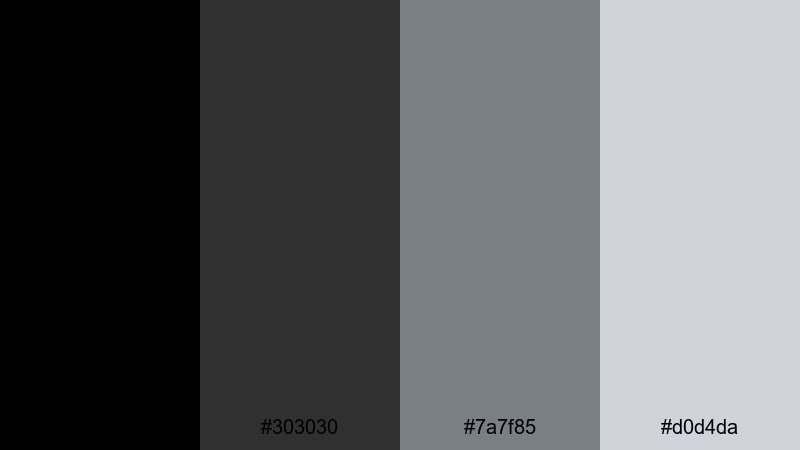
- HEX Codes: #000000, #303030, #7a7f85, #d0d4da
- Mood: Balanced, sleek, and logo-ready.
- Use for: Great for logo animations, watermark designs, and brand intros.
Monoline Logo Frame is designed to support your logo, not overpower it. The blacks and dark grays (#000000, #303030) create strong yet simple backgrounds, while #7a7f85 and #d0d4da offer soft, neutral frames that keep attention on your mark or wordmark.
Use this palette for clean logo reveals, watermark animations, and brand intro/outro screens. In Filmora, build a reusable intro template where your logo sits on #000000 with a thin frame in #d0d4da. You can then add small icons or social handles in #7a7f85 for a subtle but consistent Black Silver identity.
Luxury & Fashion Black Silver Color Palettes
Runway Spotlight Gleam
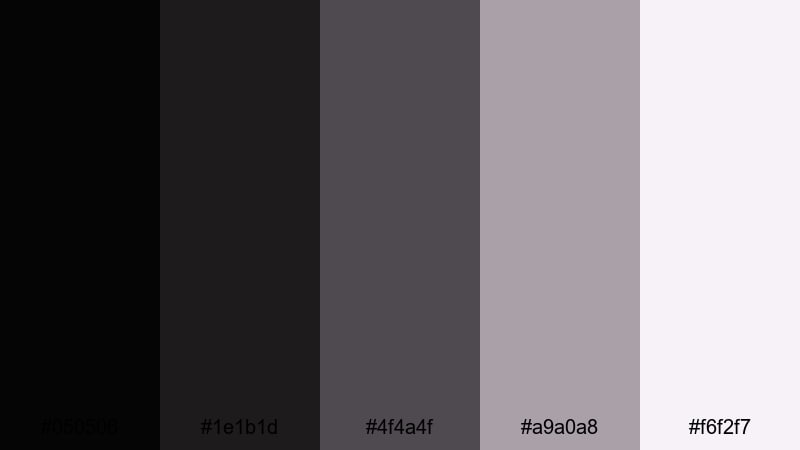
- HEX Codes: #050506, #1e1b1d, #4f4a4f, #a9a0a8, #f6f2f7
- Mood: Chic, glamorous, and soft-focus.
- Use for: Use for fashion lookbooks, beauty intros, and slow-motion runway edits.
Runway Spotlight Gleam combines velvety blacks with brushed silvers to recreate the glow of fashion show lighting. The deeper shades (#050506, #1e1b1d) feel like backstage shadows, while #4f4a4f and #a9a0a8 add soft metallic reflection. The lightest tone (#f6f2f7) is perfect for airy titles and product callouts.
Apply this palette to beauty campaigns, outfit lookbooks, and slow-motion runway clips. In Filmora, pair it with soft blur transitions and gentle lens flares. Use #f6f2f7 for text overlays on product close-ups so your Black Silver visuals feel luxurious yet approachable.
Diamond Dust Evening
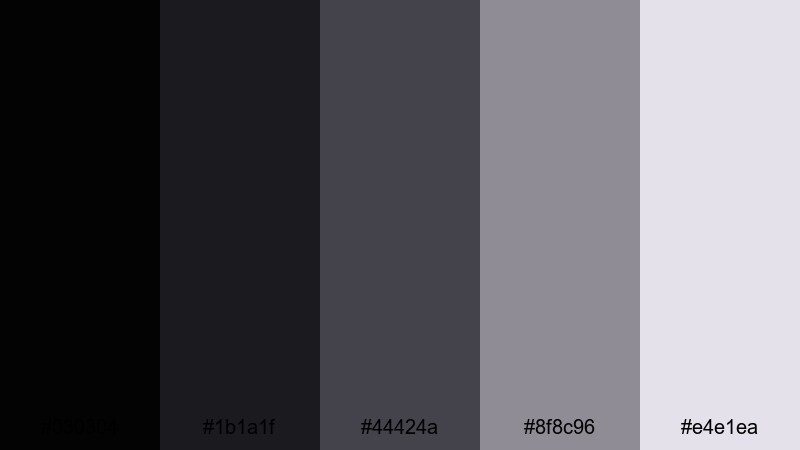
- HEX Codes: #030304, #1b1a1f, #44424a, #8f8c96, #e4e1ea
- Mood: Sparkling, romantic, and upscale.
- Use for: Perfect for wedding highlight films, jewelry promos, and luxury product reveals.
Diamond Dust Evening layers deep blacks with soft, shimmering silver-violets. The darker hues (#030304, #1b1a1f) create a romantic evening backdrop, while #44424a and #8f8c96 introduce a powdery, upscale shimmer. The highlight shade (#e4e1ea) gives you a gentle sparkle for text and glints.
Use this palette for wedding highlight reels, engagement teasers, or jewelry and fragrance promos. In Filmora, combine slow motion, close-up macro shots, and light bokeh overlays in these tones. Your thumbnails can place rings or products against #030304 with titles in #e4e1ea for a classy Black Silver aesthetic that still feels warm and emotional.
Velvet Box Couture
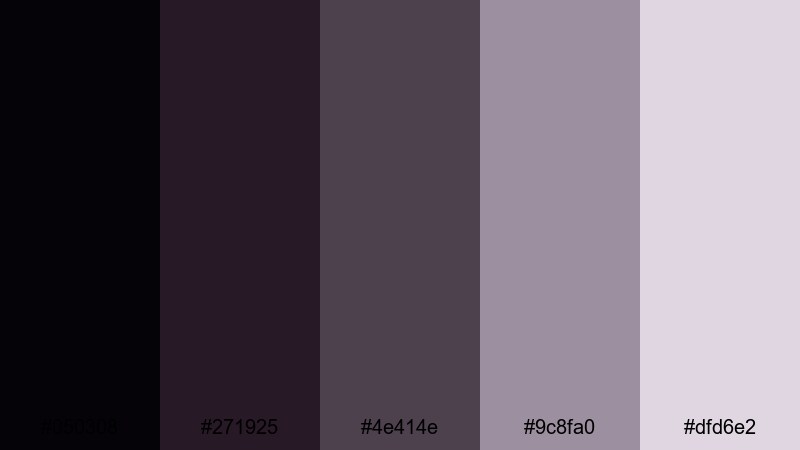
- HEX Codes: #050308, #271925, #4e414e, #9c8fa0, #dfd6e2
- Mood: Opulent, dramatic, and boutique.
- Use for: Great for perfume ads, fashion teasers, and high-end product flatlays.
Velvet Box Couture adds a touch of soft lilac to the Black Silver family, giving you an opulent, boutique feel. The deep plum-black tones (#050308, #271925) resemble velvet gift boxes, while #4e414e and #9c8fa0 bring a muted, powdery metallic edge. The lightest shade (#dfd6e2) softens everything like tissue paper inside a luxury package.
Use this palette for perfume teasers, handbag showcases, or limited-edition product drops. In Filmora, design flatlay scenes where your items sit on #271925 backgrounds with accents and titles in #dfd6e2. Thumbnails using this combination instantly communicate exclusivity and style.
Gala Night Marquee
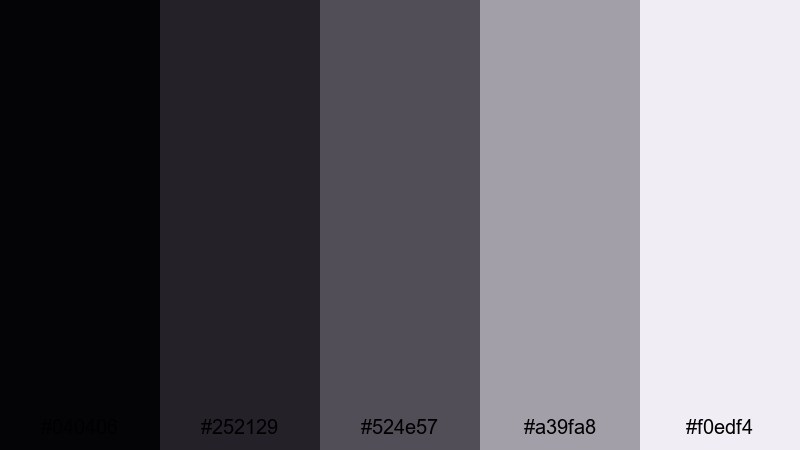
- HEX Codes: #040406, #252129, #524e57, #a39fa8, #f0edf4
- Mood: Festive, polished, and red-carpet ready.
- Use for: Use for event promos, gala recaps, and sophisticated countdown screens.
Gala Night Marquee sits between cinematic and celebratory. The dark tones (#040406, #252129) represent the theater interior, while #524e57 and #a39fa8 feel like reflective marquee frames. The bright silver-white (#f0edf4) is ideal for countdown numbers and event titles.
Use this palette for New Year events, charity galas, and red-carpet recaps. In Filmora, pair animated confetti or subtle particle effects with these Black Silver shades. Your intro screens and lower thirds will feel polished enough for any formal or corporate event coverage.
Tech & Futuristic Black Silver Color Palettes
Cyber Grid Matrix
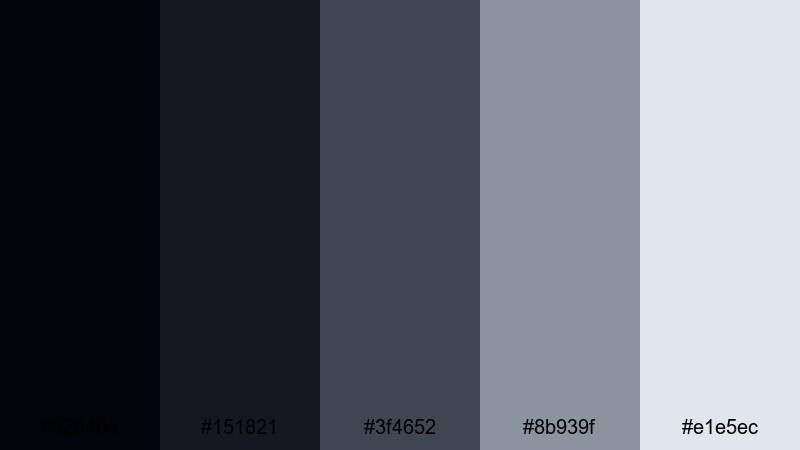
- HEX Codes: #02040a, #151821, #3f4652, #8b939f, #e1e5ec
- Mood: High-tech, futuristic, and data-driven.
- Use for: Perfect for tech explainers, startup pitch decks, and HUD-style motion graphics.
Cyber Grid Matrix mixes deep digital blacks (#02040a, #151821) with cool silvers (#3f4652, #8b939f, #e1e5ec) that feel like glowing data panels. The gradient from dark to light works beautifully for layered HUD graphics, dashboards, and animated infographics.
Use this palette for startup intros, tech explainers, and cyber-themed edits. In Filmora, you can build timeline markers, animated charts, and interface overlays using these tones so everything looks like part of one futuristic OS. Thumbnails with a black background and silver data lines will stand out in any tech niche.
Neon Circuit Alloy
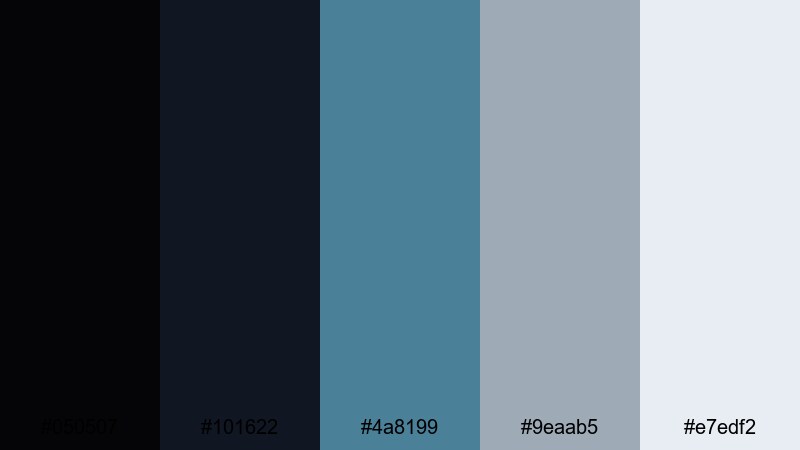
- HEX Codes: #050507, #101622, #4a8199, #9eaab5, #e7edf2
- Mood: Energetic, digital, and slightly futuristic.
- Use for: Use for gaming intros, motion overlays, and energetic tech promos.
Neon Circuit Alloy jolts classic Black Silver with a cool blue accent. The dark bases (#050507, #101622) give you a strong nighttime backdrop, while the teal-blue #4a8199 behaves like neon circuitry. #9eaab5 and #e7edf2 round things out with misty digital highlights.
Use this palette for gaming intros, esports overlays, and high-energy app promos. In Filmora, animate lines and shapes in #4a8199 over black backgrounds to mimic circuit paths, then use #e7edf2 for scores, timers, and call-to-action text that remain bright and readable.
Holographic Console Glow
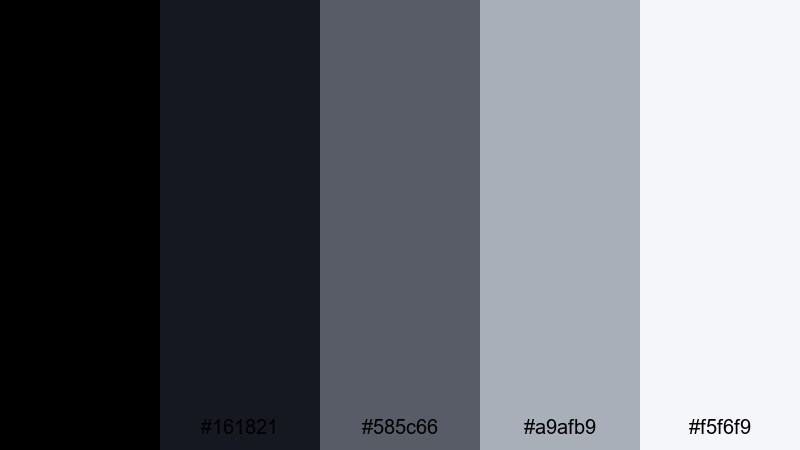
- HEX Codes: #000000, #161821, #585c66, #a9afb9, #f5f6f9
- Mood: Sleek, futuristic, and quietly immersive.
- Use for: Great for software walkthroughs, sci-fi bumpers, and subtle lower third designs.
Holographic Console Glow takes you inside a calm, futuristic control room. True black (#000000) and deep blue-gray (#161821) keep the environment dim and focused, while #585c66 and #a9afb9 emulate softly lit panels. The top-end silver (#f5f6f9) becomes your holographic highlight for icons and text.
Use this palette for software demos, dashboard walkthroughs, and sci-fi bumpers where you want clarity without loud colors. In Filmora, apply these hues to pointer highlights, UI annotations, and subtle lower thirds so your content feels like a polished, next-gen interface.
Tips for Creating Black Silver Color Palettes
When you design your own Black Silver color palette for video and design, focus on balance: use rich blacks for depth, several silvers for contrast, and only a few accents so your visuals stay clean and readable.
- Decide your base first: choose one or two blacks as your background and shadow colors, then build silver tones around them.
- Keep text highly legible: use the lightest silver or white for typography over dark backgrounds, and darker grays over very pale silver sections.
- Limit accent colors: if you add blue, lavender, or gold to Black Silver, keep it to one accent so your brand does not feel messy.
- Match your footage: in Filmora, use color wheels and HSL to push your footage shadows toward your chosen black, and highlights toward your chosen silver.
- Use contrast in thumbnails: pair pure black with almost-white silver around faces, products, or key text so viewers can read on small screens.
- Stay consistent with branding: reuse the same HEX codes for logos, lower thirds, and end screens across all videos to build recognition.
- Test on different devices: export a test frame and check it on phone, tablet, and desktop to make sure your Black Silver tones are not too dark or too low-contrast.
- Save presets in your editor: create Filmora presets for titles, overlays, and LUTs so you can apply your Black Silver palette in seconds on every new project.
Black Silver color palettes are powerful tools for shaping mood, focus, and brand identity. From gritty trailers to luxe fashion campaigns and clean tech demos, the right combination of deep blacks and refined silvers can make your videos feel more cinematic and intentional.
Use the HEX codes above as starting points, then refine them in Filmora until they match your channel’s story and audience. Once your Black Silver look is dialed in, save it as a repeatable style for intros, thumbnails, and social clips so every upload looks like part of one polished universe.
The more consistently you use your chosen palette, the faster viewers will recognize your content at a glance. Experiment, tweak, and let Filmora handle the heavy lifting of applying, matching, and stylizing your Black Silver visuals across every edit.
secure download