

 100% Security Verified | No Subscription Required | No Malware


 ChatGPT
 Perplexity
 Gemini
 Claude
 Grok
Grok
Blue cyan sits between clear sky blue and bright aqua, combining the calm of blue with the clarity and freshness of cyan. It often feels clean, trustworthy, and modern, which is why you see it everywhere from fintech apps and SaaS dashboards to wellness channels and travel edits. On screen, blue cyan can suggest ocean air, glassy reflections, or futuristic neon, depending on how dark or saturated you push it.
For video creators and brands, blue cyan works beautifully in thumbnails, intros, end screens, overlays, and logo animations because it pops without feeling aggressive. Below you will find 15 ready-made blue cyan color palettes with HEX codes you can plug straight into your thumbnails, titles, and color grading. They are especially handy if you are editing in Filmora and want a consistent color story across your vlogs, montages, and social content.
In this article
Soft & Dreamy Blue Cyan Color Palettes
Coastal Morning Mist
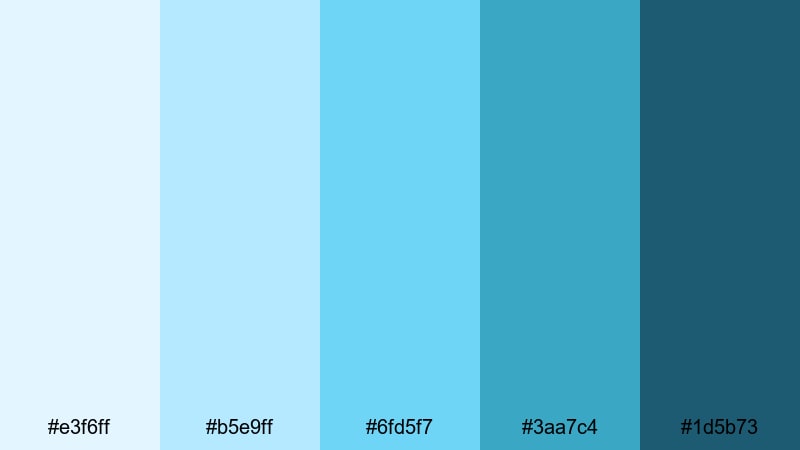
- HEX Codes: #e3f6ff, #b5e9ff, #6fd5f7, #3aa7c4, #1d5b73
- Mood: Calm, airy, and refreshing like a quiet seaside sunrise.
- Use for: Ideal for travel vlogs, relaxing b-roll, and soft animated titles.
Coastal Morning Mist moves from pale sky blue down into a richer blue cyan, like looking out over the ocean just after sunrise. It feels peaceful and clean, but the deeper accent shades stop it from becoming too washed out. This makes it perfect for edits that should feel soothing yet visually clear.
Use the lightest tones for backgrounds in your thumbnails, lower thirds, and end screens, while the medium and deep blues guide attention to titles, buttons, and key objects in frame. In Filmora, this palette works beautifully for soft travel intros, lifestyle b-roll, breathing exercises, or any sequence where you want the viewer to slow down and breathe in that coastal atmosphere.
Pro Tip: Build a Cinematic Blue Cyan Look in Filmora
When you use a soft palette like Coastal Morning Mist, consistency across the whole edit is vital. In Filmora, you can pick one of the medium blues as your main accent color for titles and motion graphics, and then reuse that same HEX code in your overlays, subtitles, and callouts. This keeps your travel vlog, morning routine, and short social cuts feeling like one coherent visual story.
You can also combine these blue cyan tones with gentle vignettes, blur transitions, and slow zooms in Filmora to support the calm, atmospheric mood. By matching your text, icons, and subtle shapes to the palette, you avoid random colors sneaking in and breaking the seaside vibe.
AI Color Palette
If you have a favorite beach photo, mood board, or color card that already uses Coastal Morning Mist tones, you can turn it into a full video grade with Filmora. Filmora's AI Color Palette feature analyzes your reference image and transfers its color style to your entire timeline, from A-roll to drone shots.
This is a fast way to keep your blue cyan look consistent without manually adjusting every clip. Just choose the reference, apply the AI Color Palette, and then fine-tune intensity so your edits stay dreamy without losing detail in highlights or shadows.
 secure download

HSL, Color Wheels & Curves
Once your base look is in place, refine the blue cyan tones using Filmora's HSL, color wheels, and curves. With HSL you can push cyan slightly toward teal for a more cinematic travel feel, or desaturate the darkest blues so they look elegant instead of heavy. Color wheels make it easy to keep shadows cool, midtones neutral, and highlights just a touch warmer for natural skin tones.
If you want a deeper dive, this guide to Filmora color correction techniques can help you understand how curves control contrast and richness. A gentle S-curve will give your Coastal Morning Mist footage extra depth while preserving the soft, coastal character of the palette.
secure download1000+ Video Filters & 3D LUTs
If you want to stylize your blue cyan palette even faster, Filmora's video filters and 3D LUTs make it easy to test different looks. You can start with Coastal Morning Mist as your base, then layer subtle film emulations, glow effects, or cyan-leaning LUTs to see how they change the overall mood.
For example, a light cinematic LUT can add softness and contrast that turns simple coastal footage into a dreamy movie-style opening. Because filters and LUTs are non-destructive, you can quickly toggle them on and off until your thumbnails, intros, and full edits feel perfectly balanced.
secure downloadCotton Cloud Lagoon
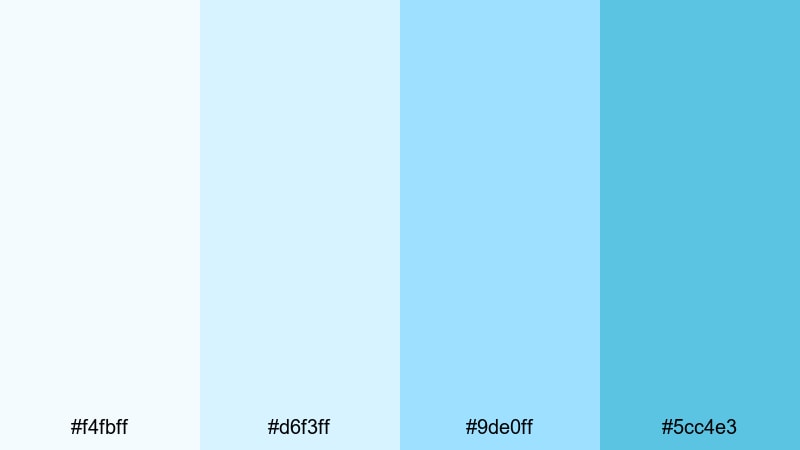
- HEX Codes: #f4fbff, #d6f3ff, #9de0ff, #5cc4e3
- Mood: Light, dreamy, and optimistic with a soft coastal glow.
- Use for: Works well for dreamy vlog openers, wellness content, and inspirational quote cards.
Cotton Cloud Lagoon is all about soft gradients and weightless air. The pastel blues and gentle blue cyan shades feel comforting and uplifting, like sunlight hitting thin clouds over a quiet bay. It is a friendly palette that never competes with faces or text.
Use the lightest colors for full-screen backgrounds in wellness intros, affirmation reels, or motivational quote cards, and let the slightly stronger cyan (#5cc4e3) highlight key phrases, subscribe buttons, or small icons. In thumbnails, this palette gives you a clean, approachable look that still stands out against darker YouTube feeds.
Frosted Glacier Whisper
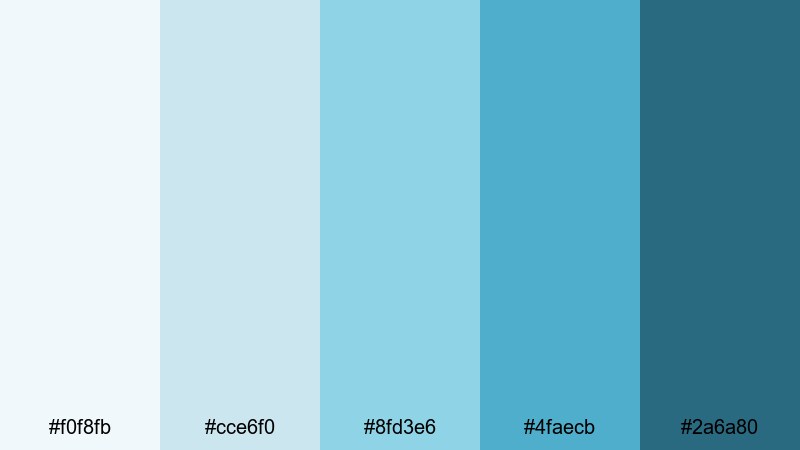
- HEX Codes: #f0f8fb, #cce6f0, #8fd3e6, #4faecb, #2a6a80
- Mood: Cool, tranquil, and slightly mysterious like distant ice fields.
- Use for: Great for nature documentaries, ambient music videos, and cinematic lower thirds.
Frosted Glacier Whisper transitions from frosty whites into deep, icy cyan. It has a clean, almost glass-like quality that works nicely with snowy landscapes, underwater scenes, and minimalist tech visuals. The darker blue cyan accent (#2a6a80) adds a quiet sense of depth and mystery.
In practice, you can use the lighter tones as subtle overlays for aerial shots, time-lapses, or lo-fi study visuals, while reserving the darker colors for sleek lower thirds and titles. For educational or documentary content, this palette helps information feel serious yet calming, ideal for voiceovers and long-form storytelling.
Seasalt Air Serenity
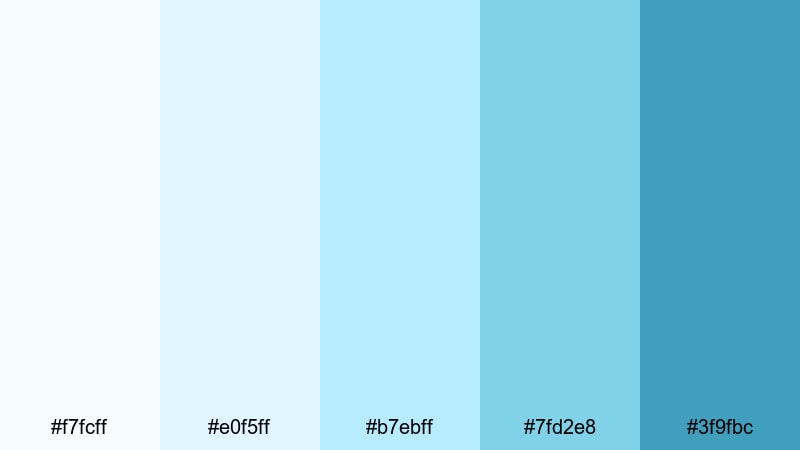
- HEX Codes: #f7fcff, #e0f5ff, #b7ebff, #7fd2e8, #3f9fbc
- Mood: Fresh, uplifting, and breezy with a light coastal charm.
- Use for: Perfect for lifestyle reels, morning routine videos, and clean UI overlays in tutorials.
Seasalt Air Serenity feels like opening a window onto a bright seafront morning. The combination of crisp whites, sky-leaning blues, and medium cyan delivers an airy, positive mood that works especially well for lifestyle and productivity content.
Use the lightest shades as backgrounds behind phone screen recordings or app demos, and lean on the mid blues for clear, legible UI elements, buttons, and highlight boxes. In morning routine or reset day vlogs, these tones keep everything looking clean, healthy, and inviting without overpowering your footage.
Bold & Electric Blue Cyan Color Palettes
Neon Reef Pulse
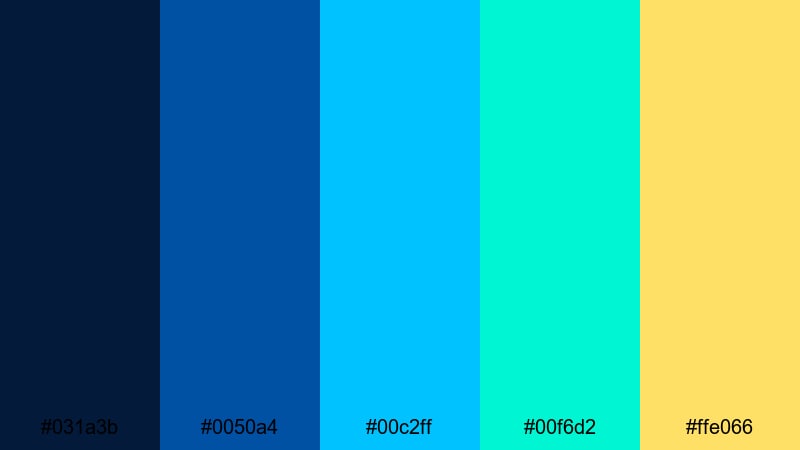
- HEX Codes: #031a3b, #0050a4, #00c2ff, #00f6d2, #ffe066
- Mood: High-energy, futuristic, and punchy like a neon-lit coral reef.
- Use for: Use for gaming intros, tech promos, and energetic channel branding.
Neon Reef Pulse explodes with contrast: deep navy, electric blue cyan, aqua, and a bright neon yellow accent. It feels like a neon sign glowing in the dark, immediately grabbing attention on crowded feeds and small screens.
Use the darkest tone as a solid or gradient backdrop for gaming intros, esports overlays, and cyber-style countdowns. Then let the cyan and yellow accents drive calls to action, notification badges, and animated elements in your Filmora titles. This palette is ideal when you want your branding and thumbnails to feel unmistakably high energy.
Cyber Wave Rush
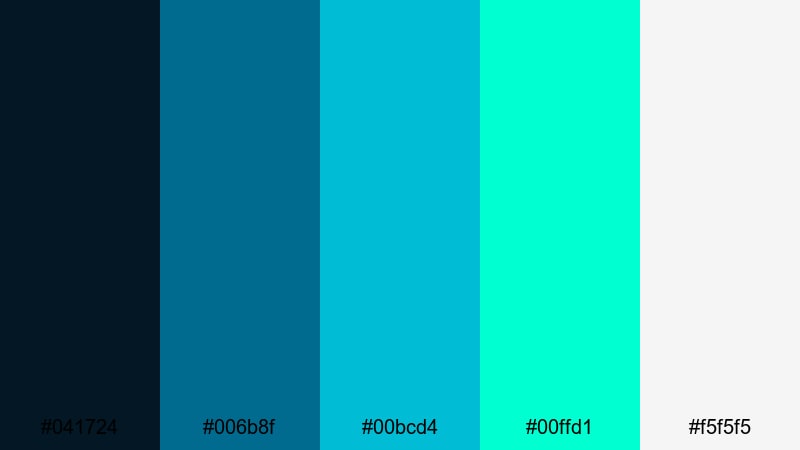
- HEX Codes: #041724, #006b8f, #00bcd4, #00ffd1, #f5f5f5
- Mood: Techy, electric, and fast-paced with a digital edge.
- Use for: Ideal for product launch teasers, motion graphics, and glitch transitions.
Cyber Wave Rush has a strong digital feel, mixing dark blue bases with sharp cyan, aqua, and a clean off-white. It is great for technology-related content, app launches, and motion graphics that should feel modern and fast.
Use the dark tones for full-screen backgrounds with grid patterns or glitch textures, and apply the cyan accents to animated icons, progress bars, and subscribe animations. The off-white helps keep UI overlays readable and gives you a neutral option for text when pure white would be too harsh.
Tropical Surf Pop
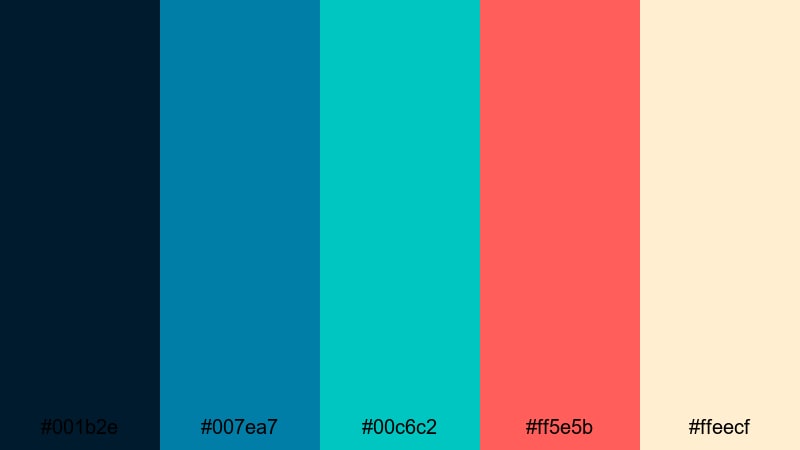
- HEX Codes: #001b2e, #007ea7, #00c6c2, #ff5e5b, #ffeecf
- Mood: Playful, adventurous, and sunlit with beach party energy.
- Use for: Great for travel montages, festival recaps, and bold social ads.
Tropical Surf Pop fuses bold blue cyan with coral red and warm sand, creating a palette that feels like a beach party poster. It is energetic, youthful, and perfect for content that celebrates movement and fun.
Use the cyan tones as your main brand color for titles and overlays, and let the coral serve as a strong secondary accent for likes, comments, and limited-time offers in ads. The warm beige (#ffeecf) makes a soft background for text, ensuring your thumbnails and stories stay bright without losing readability.
Aurora City Lights
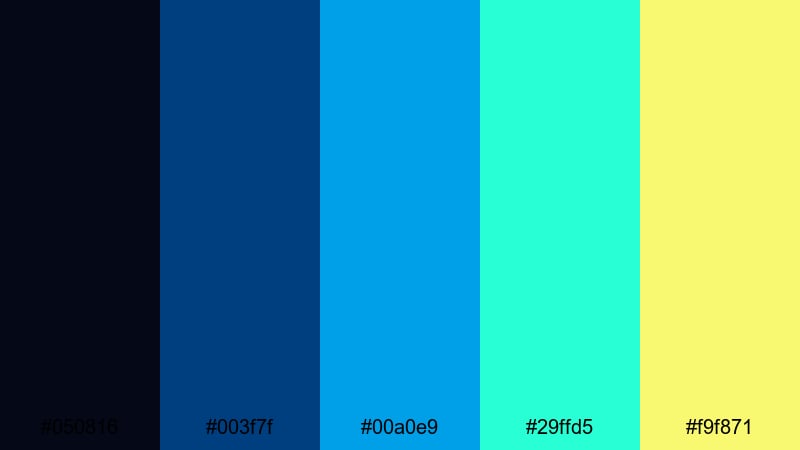
- HEX Codes: #050816, #003f7f, #00a0e9, #29ffd5, #f9f871
- Mood: Vibrant, cinematic, and slightly surreal like an urban aurora.
- Use for: Best for music videos, street-style edits, and dynamic title animations.
Aurora City Lights feels like a glowing skyline at night. Deep midnight blues ground the frame, while vivid blue cyan, aqua, and neon yellow highlights create an almost surreal atmosphere. It is bold without being chaotic.
Use the darker blues for backgrounds and shadowed areas in your grade, and let the cyan tones show up in light streaks, animated outlines, and key title words. A subtle neon yellow accent can highlight important beats in music videos, lyric highlights, or transitions between scenes.
Elegant & Modern Blue Cyan Color Palettes
Glass Harbor Minimal
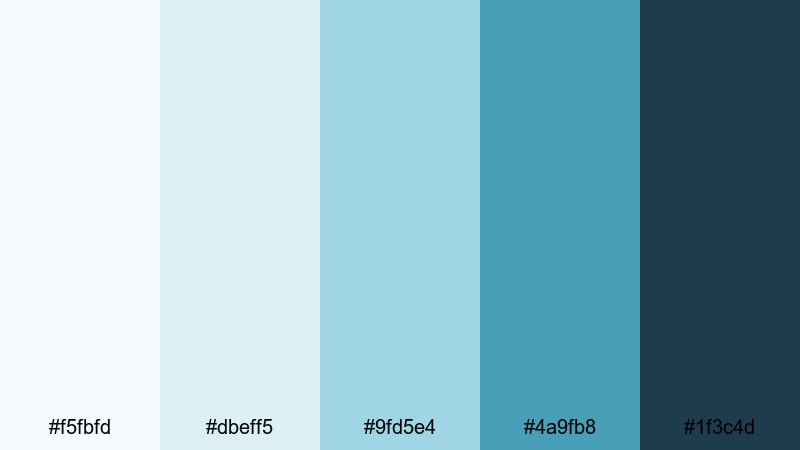
- HEX Codes: #f5fbfd, #dbeff5, #9fd5e4, #4a9fb8, #1f3c4d
- Mood: Clean, polished, and professional with a subtle maritime touch.
- Use for: Perfect for corporate explainers, SaaS demos, and sleek infographic videos.
Glass Harbor Minimal mixes white, soft blue, and refined cyan accents to create a polished, trustworthy atmosphere. It feels corporate but not cold, ideal for tech products, education brands, and modern service businesses.
Use the lighter shades as backgrounds for screen recordings and key points in your explainers, and let the deeper cyan (#4a9fb8) frame charts, key statistics, and logos. In Filmora, this palette helps your lower thirds, infographics, and transitions look clean and on-brand across entire presentation videos.
Nordic Tech Stream
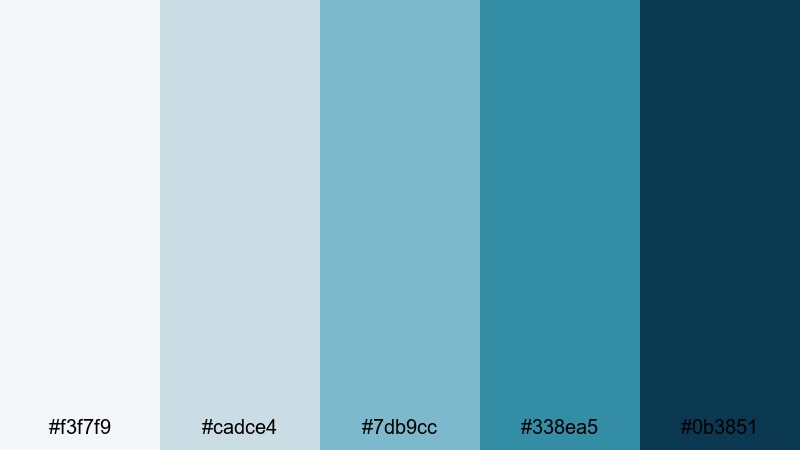
- HEX Codes: #f3f7f9, #cadce4, #7db9cc, #338ea5, #0b3851
- Mood: Sleek, intelligent, and balanced with a Nordic design vibe.
- Use for: Great for app showcases, UI mockups in screen recordings, and portfolio reels.
Nordic Tech Stream brings a cool, balanced aesthetic with gentle gradients of blue cyan and deep, stable blues. It feels thoughtful and precise, echoing Scandinavian design sensibilities.
Use the mid tones to color your device frames, UI highlight boxes, and timeline markers in portfolio reels. The darker blue (#0b3851) works well for headings, navigation bars, and logo lockups, while the palest shades keep your backgrounds fresh and readable during longer demonstrations.
Midnight Cyan Luxe
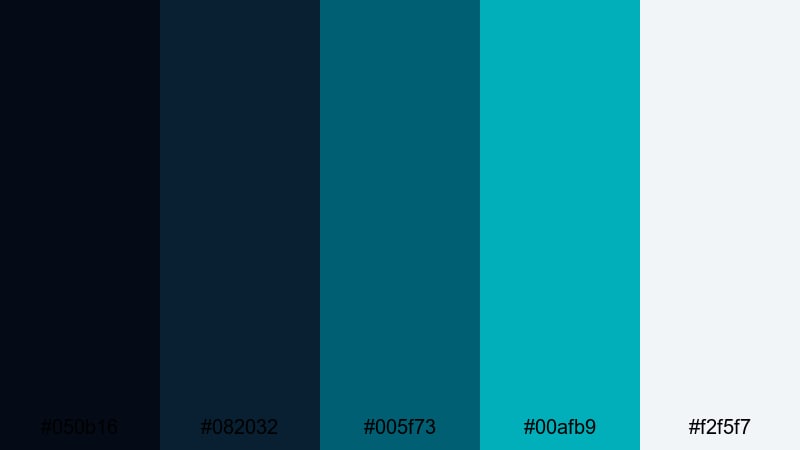
- HEX Codes: #050b16, #082032, #005f73, #00afb9, #f2f5f7
- Mood: Luxurious, moody, and refined with a premium night-time aura.
- Use for: Ideal for fashion promos, luxury product reels, and cinematic titles.
Midnight Cyan Luxe balances very dark blues with rich cyan accents and a soft off-white. It feels upscale and cinematic, like a high-end perfume or watch campaign set at midnight by the water.
Use the deep tones as backgrounds for slow, elegant product shots and title cards, and let the cyan glints highlight edges, reflections, and minimal line art in your graphics. The off-white is great for typography, keeping headlines and taglines crisp against the moody backdrop.
Corporate Skyline Fresh
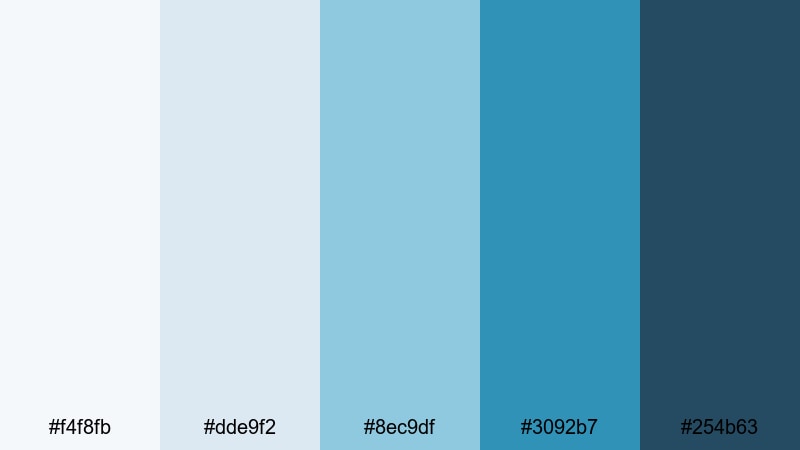
- HEX Codes: #f4f8fb, #dde9f2, #8ec9df, #3092b7, #254b63
- Mood: Trustworthy, optimistic, and contemporary like a bright city skyline.
- Use for: Use for company profiles, LinkedIn content, and clean presentation videos.
Corporate Skyline Fresh feels like a clear, blue morning over a modern city. The mix of light blues and grounded cyan creates a professional yet welcoming identity, ideal for brands that want to signal both reliability and innovation.
Use the medium cyan tones to emphasize key stats, calls to action, and section headers in your deck-style videos. The darker blue (#254b63) anchors your logo, watermark, or closing slate, helping your brand stay recognizable across LinkedIn clips, pitch reels, and website hero videos.
Retro & Cinematic Blue Cyan Color Palettes
VHS Ocean Dream
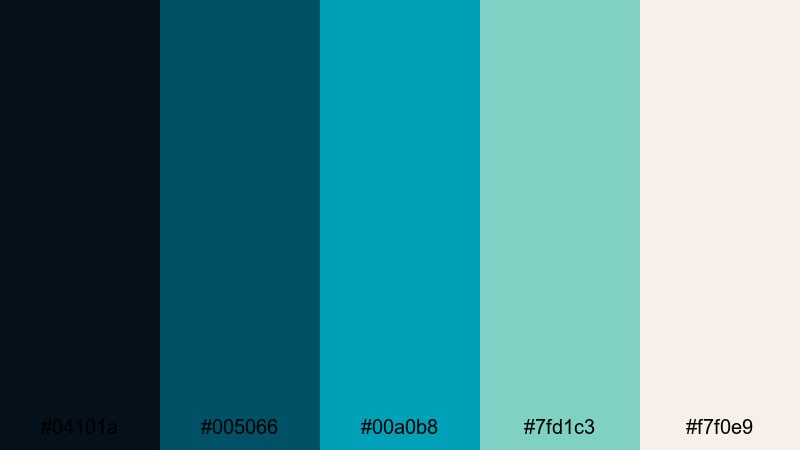
- HEX Codes: #04101a, #005066, #00a0b8, #7fd1c3, #f7f0e9
- Mood: Nostalgic, hazy, and dreamy with lo-fi seaside charm.
- Use for: Perfect for retro edits, analog-style travel diaries, and lo-fi music visuals.
VHS Ocean Dream blends muted blue cyan with warm off-white to mimic the look of aged tape and faded photo prints. It feels nostalgic and slightly hazy, ideal for lo-fi seaside edits and memory-themed content.
Use the darker blues to tint your shadows and vignette edges, while the lighter cyan and off-white support grain overlays, time stamps, and retro-style subtitles. This palette pairs especially well with Filmora effects like VHS glitches, film grain, and soft blur transitions for a complete analog story.
Teal Noir Frame
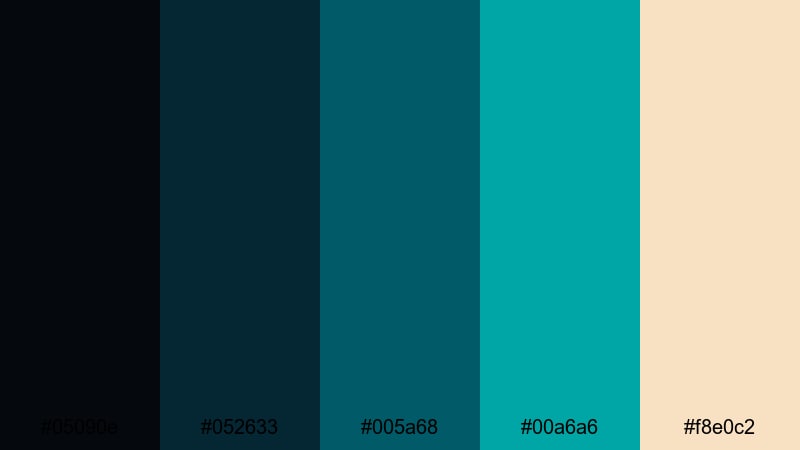
- HEX Codes: #05090e, #052633, #005a68, #00a6a6, #f8e0c2
- Mood: Moody, cinematic, and slightly vintage with teal-and-orange flair.
- Use for: Great for short films, narrative trailers, and dramatic color grades.
Teal Noir Frame gives you a classic teal-and-warm contrast, but with a richer, more noir-style twist. The deep blues and teal cyans sit opposite the warm beige highlight, making skin tones and light sources stand out dramatically.
For short films, trailers, or narrative reels, push your shadows toward the darker blues, keep midtones in teal, and allow faces and lamps to lean into the warm beige range. This palette instantly adds drama and a hint of vintage cinema to your footage, especially when combined with subtle film grain in Filmora.
Vintage Aerial Coast
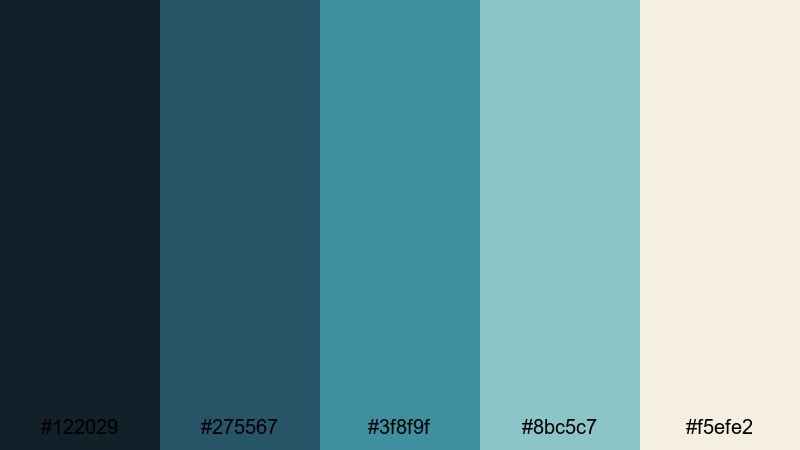
- HEX Codes: #122029, #275567, #3f8f9f, #8bc5c7, #f5efe2
- Mood: Softly nostalgic, airy, and adventurous like old coastal postcards.
- Use for: Ideal for travel story edits, drone footage, and mellow montage sequences.
Vintage Aerial Coast takes weathered blue cyan tones and pairs them with sandy neutrals to create a soft, postcard-like vibe. It feels nostalgic but not overly faded, perfect for storytelling that celebrates place and memory.
Use the mid and light cyans to color your sea and sky, while the warm neutral (#f5efe2) touches titles, borders, and subtle frames around your footage. It works especially well for drone shots, slow-moving montages, and chapter cards in longer travel documentaries edited in Filmora.
Tips for Creating Blue Cyan Color Palettes
Blue cyan is versatile, but it looks best when you balance contrast, warmth, and saturation for your specific platform and footage. Use these tips to build or adapt palettes that fit your video style and brand identity.
- Pair blue cyan with a warm accent (soft peach, warm beige, or gentle coral) to create natural skin contrast and cinematic depth.
- Check text readability by testing thumbnails at very small sizes; if titles disappear, darken the background or use a darker blue outline around text.
- Limit yourself to 2 or 3 main working colors from a palette (background, accent, text) and keep the rest for subtle details and highlights.
- Match your grade to your footage: cooler, desaturated cyans for serious or documentary content; brighter, saturated tones for vlogs, gaming, and music videos.
- Use gradients that move from dark blue to lighter cyan to guide the viewer's eye from corners toward your subject or core message.
- Keep branding consistent by reusing the same HEX codes for logos, lower thirds, and end screens in all your Filmora projects.
- Adjust saturation per platform: slightly stronger blue cyan for social clips that compete in busy feeds, and softer versions for long-form YouTube or course content.
- Test your palette on both light and dark modes if you are showing app or website screens, so your overlays remain visible in every context.
Blue cyan palettes can make your work feel calm, futuristic, luxurious, or nostalgic depending on how you combine them with neutrals and accent colors. The 15 options above give you ready-made schemes for thumbnails, intros, lower thirds, and color grading, so you can focus more on storytelling and less on guesswork.
Try dropping these HEX codes straight into Filmora for titles, shapes, and overlays, then refine the mood with Filmora's color tools, AI features, and LUTs. Once you find a signature blue cyan look that fits your channel or brand, you can reuse it as a visual anchor across every new video.
The more consistently you apply your palette, the faster viewers will recognize your style in their feeds. Experiment, save your favorite combinations as presets in Filmora, and let blue cyan become a memorable part of your creative identity.
secure downloadNext: Fairy Tale Color Palette
