

 100% Security Verified | No Subscription Required | No Malware


 ChatGPT
 Perplexity
 Gemini
 Claude
 Grok
Grok
Blue magenta lives where cool midnight blues meet vivid neon pinks. It feels futuristic yet dreamy, calm yet energetic. In color psychology, these tones can suggest creativity, confidence, mystery, and emotional depth all at once. That is why blue magenta is so popular for YouTube intros, gaming overlays, music videos, stream branding, and modern thumbnails that need to stand out in a crowded feed.
Below you will find ready-made blue magenta color palettes with HEX codes you can copy straight into your video editor or design tools. Each one includes mood notes and use cases tailored to creators and Filmora users, so you can build consistent visuals across intros, B-roll, lower thirds, channel art, and social edits.
In this article
Soft & Dreamy Blue Magenta Palettes
Midnight Aurora Dream
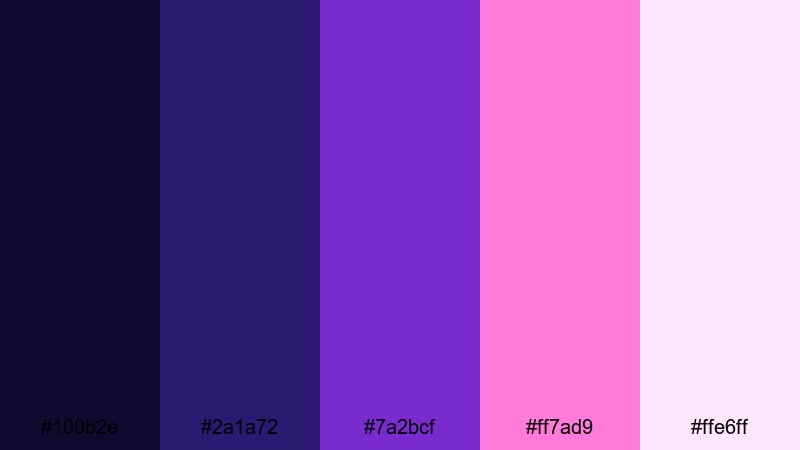
- HEX Codes: #100b2e, #2a1a72, #7a2bcf, #ff7ad9, #ffe6ff
- Mood: Mystical, tranquil, and cinematic with a soft glow.
- Use for: Perfect for slow-travel vlogs, dreamy B-roll sequences, and ethereal title cards.
Midnight Aurora Dream feels like standing under a quiet night sky painted with faint neon lights. Deep blue-violet shadows (#100b2e, #2a1a72) give your footage a cinematic base, while glowing magenta and lilac (#7a2bcf, #ff7ad9, #ffe6ff) add a gentle, magical highlight. It is moody but not heavy, ideal when you want emotion without harsh contrast.
Use this palette for cinematic vlog intros, slow-motion B-roll, and soft lower thirds that float over your shots instead of fighting them. In thumbnails, let the darkest blue be your background, then use the lighter magenta tones for text, borders, and accent icons so your blue magenta theme stays consistent across your whole channel.
Pro Tip: Build a Cinematic Blue Magenta Look in Filmora
To keep a Midnight Aurora Dream vibe across an entire edit, build one custom look in Filmora, then reuse it. Start with your deepest blue as the background or grade base, then add magenta accents in titles, shapes, and overlays. Reuse the same HEX codes for text, frame lines, and callout elements so every intro, B-roll scene, and outro feels like part of one cohesive blue magenta world.
Save your favorite titles, lower thirds, and overlays as custom presets in Filmora. That way, whenever you cut a new vlog or reel, you can drop in your blue magenta graphics instantly and keep your brand identity consistent from YouTube thumbnails to Instagram Reels and Shorts.
AI Color Palette
If you already have a reference image for this palette, such as a night skyline or an aurora photo, you can let Filmora do the heavy lifting. Filmora's AI Color Palette feature analyzes your reference and applies the same blue magenta tones across your entire clip or sequence, so everything feels color-matched in a few clicks.
Import your reference frame, select the clips you want to match, and let the AI balance blues, magentas, and highlights for you. This is especially useful for travel or cinematic vlogs where lighting changes from shot to shot, but you still want one unified blue magenta mood.
 secure download

HSL, Color Wheels & Curves
Once you have a base blue magenta grade, use Filmora's HSL controls to fine-tune individual color ranges. You can deepen blues in the shadows, soften magenta saturation in skin tones, or push lilac highlights slightly toward pink for a more romantic feel. Color wheels let you cool the shadows while keeping midtones warm and flattering on faces.
If you want a more advanced touch, curves controls are perfect for shaping contrast and giving your footage a polished, cinematic profile. You can follow a step-by-step workflow similar to the techniques shown in Filmora's YouTube tutorials on color grading to balance contrast and preserve detail while still leaning into the dreamy blue magenta mood.
secure download1000+ Video Filters & 3D LUTs
If you want blue magenta aesthetics without building a grade from scratch every time, lean on Filmora's built-in looks. Filmora's video filters and 3D LUTs make it easy to push your footage toward neon, pastel, or cinematic blue magenta styles in seconds.
Stack a subtle film LUT with a glow filter, then tint graphics and text with your chosen HEX codes from Midnight Aurora Dream. Save this combination as a custom preset so future projects can instantly match the same dreamy, night-sky atmosphere across intros, transitions, and end screens.
secure downloadSeaside Twilight Haze
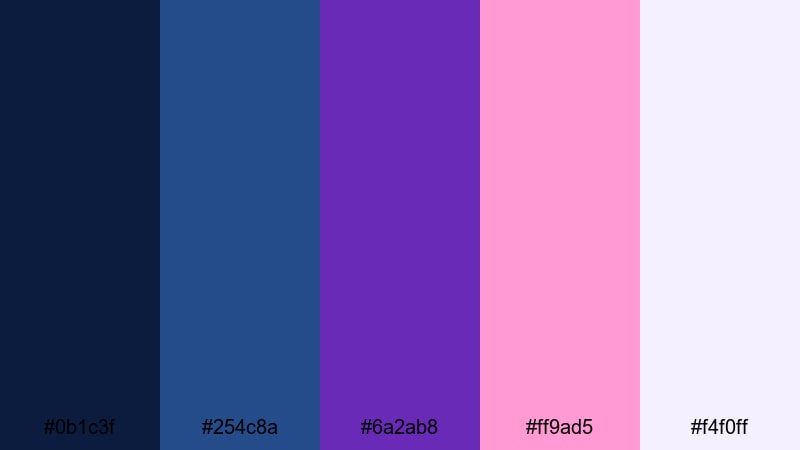
- HEX Codes: #0b1c3f, #254c8a, #6a2ab8, #ff9ad5, #f4f0ff
- Mood: Calm, nostalgic, and slightly romantic.
- Use for: Ideal for travel reels, reflective storytime videos, and mellow gaming overlays.
Seaside Twilight Haze captures the moment just after sunset when the sky still holds traces of blue and soft magenta clouds. The deep navy and ocean blues (#0b1c3f, #254c8a) give your visuals a grounded, peaceful feel, while the magenta and pale lavender (#6a2ab8, #ff9ad5, #f4f0ff) add a gentle romantic glow.
This palette works beautifully for reflective storytelling videos, calm travel reels, or mellow gaming overlays where you want emotion but not aggressive neon. Use the darker hues for backgrounds and UI panels, then let the light magenta tones carry your text, progress bars, and highlight elements in thumbnails and end cards.
Cotton Candy Galaxy
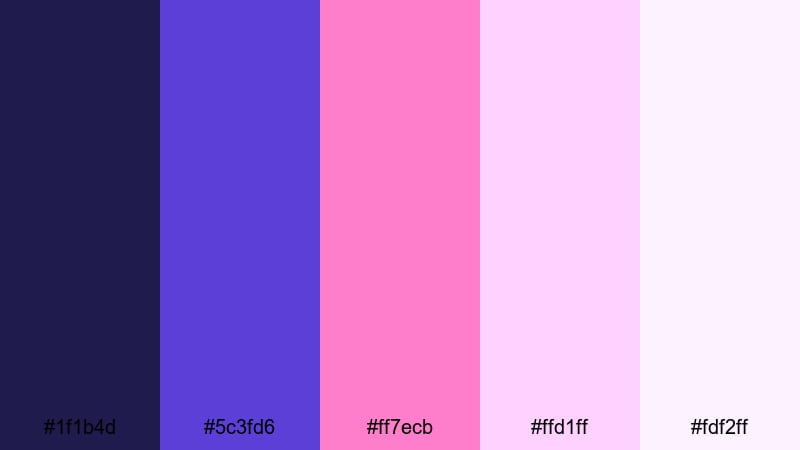
- HEX Codes: #1f1b4d, #5c3fd6, #ff7ecb, #ffd1ff, #fdf2ff
- Mood: Playful, whimsical, and imaginative.
- Use for: Great for lifestyle vlogs, kids content, channel banners, and cute animated stickers.
Cotton Candy Galaxy is all about fun and imagination. Deep space blue (#1f1b4d) and bright cosmic violet (#5c3fd6) set up a galactic base, while soft candy pinks and magentas (#ff7ecb, #ffd1ff, #fdf2ff) feel light, fluffy, and optimistic. The result is a blue magenta palette that looks playful instead of intense.
Use it for lifestyle vlogs, kids content, or any channel that wants a friendly and dreamy look. In Filmora, pair a navy or violet background with rounded shapes, sticker-style graphics, and bold text in the lighter pinks. This palette is also perfect for channel banners, animated title sequences, and story highlight covers that feel on-brand across every platform.
Lilac Rain Reverie
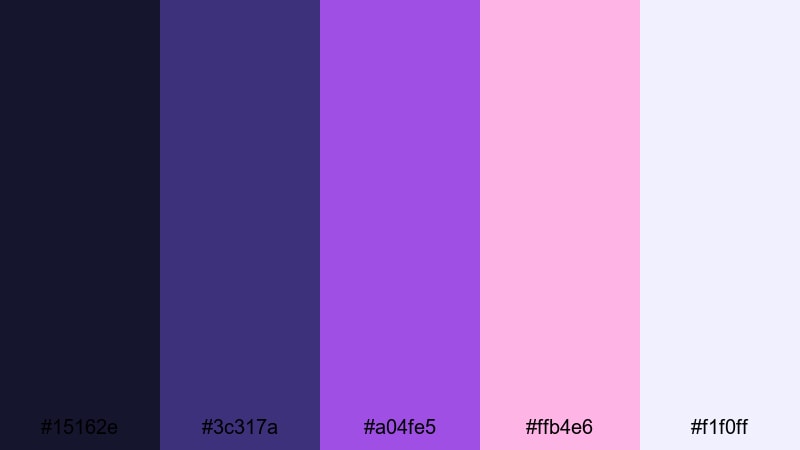
- HEX Codes: #15162e, #3c317a, #a04fe5, #ffb4e6, #f1f0ff
- Mood: Gentle, introspective, and poetic.
- Use for: Use in cinematic essays, poetry visuals, lo-fi music videos, and subtle lower thirds.
Lilac Rain Reverie feels like watching raindrops slide down a window while the city lights blur in the distance. The muted blues and violets (#15162e, #3c317a) create a cozy, introspective base, while lilac and blush magenta (#a04fe5, #ffb4e6, #f1f0ff) bring in a soft emotional glow without overpowering the scene.
This palette is ideal for cinematic essays, lo-fi music videos, and minimalistic title cards where you want mood and subtlety. Use darker hues for background layers, then introduce the lighter tones in small elements like underlines, icons, and delicate subtitles so your blue magenta look supports the story rather than stealing attention.
Bold & Neon Blue Magenta Palettes
Electric Arcade Pulse
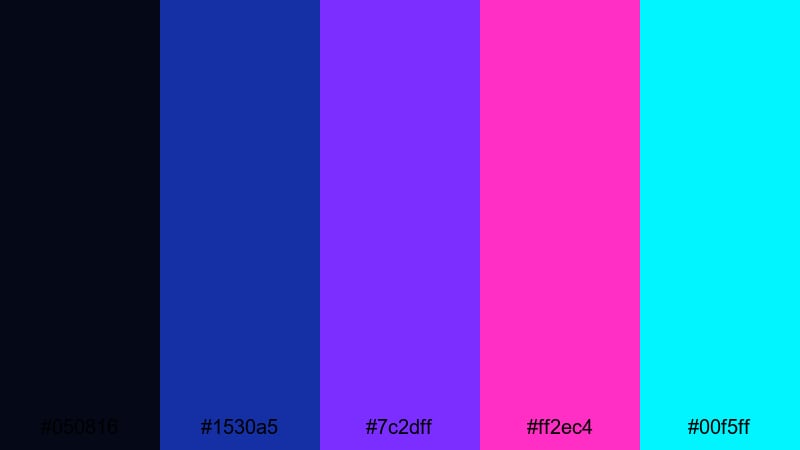
- HEX Codes: #050816, #1530a5, #7c2dff, #ff2ec4, #00f5ff
- Mood: High-energy, futuristic, and intense.
- Use for: Perfect for fast-paced gaming edits, tech promos, and punchy motion graphics.
Electric Arcade Pulse hits like a burst of neon. The nearly black navy (#050816) keeps your frame deep and dramatic, while electric blue, violet, and magenta (#1530a5, #7c2dff, #ff2ec4) explode against it. Cyan accents (#00f5ff) cut through everything for maximum contrast and energy.
This is a go-to palette for gaming videos, esports branding, or tech promos where intensity matters. Use the darkest shade as a backdrop for HUD elements, stats, and lower thirds. Then apply the bright magenta and cyan to strokes, outlines, and animated shapes in Filmora to create glitch transitions, neon titles, and dynamic overlays that instantly feel high-tech.
Cyberpunk Alley Glow
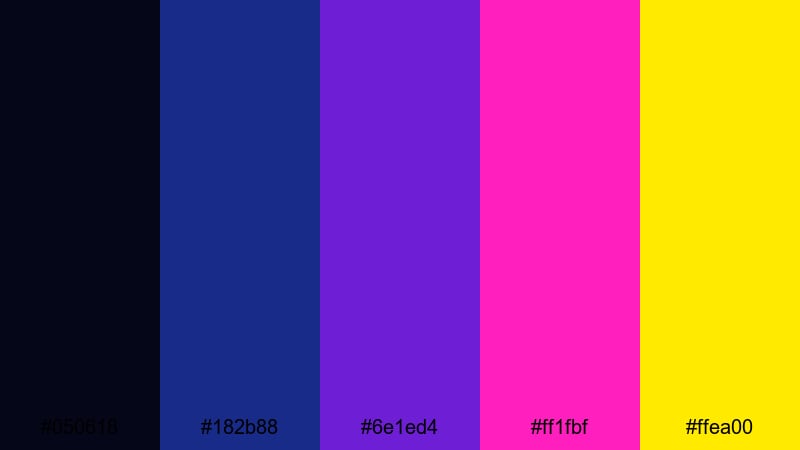
- HEX Codes: #050618, #182b88, #6e1ed4, #ff1fbf, #ffea00
- Mood: Edgy, urban, and cinematic with a sci-fi feel.
- Use for: Ideal for short films, cyberpunk edits, product teasers, and music videos with a futuristic vibe.
Cyberpunk Alley Glow feels like neon signs reflecting on wet pavement. Deep midnight blue (#050618) and urban cobalt (#182b88) set up a gritty base. Hot magenta and violet (#6e1ed4, #ff1fbf) provide that classic cyberpunk energy, while the pop of electric yellow (#ffea00) behaves like a highlight from a street sign or holographic ad.
Use this blue magenta combo for short films, trailers, and music videos that need a sci-fi or futuristic edge. In your edits, keep most of the frame in the darker blues, then reserve magenta and yellow for typography, logo reveals, and accent lighting in thumbnails so your visuals feel dramatic and cinematic even at a glance.
Laser Party Lights
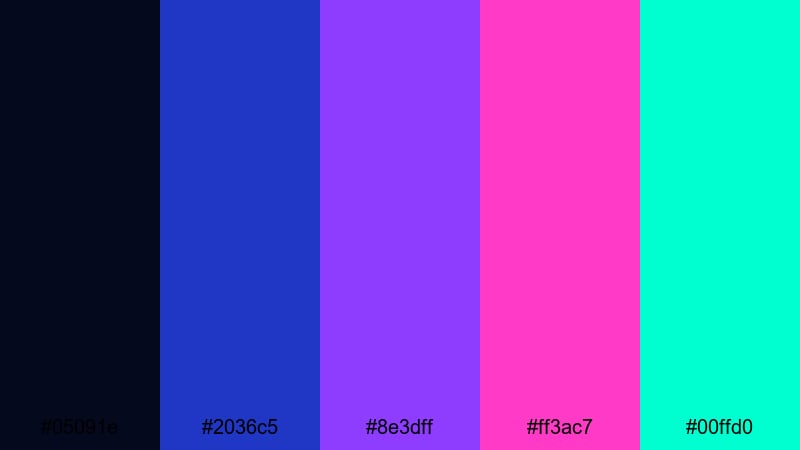
- HEX Codes: #05091e, #2036c5, #8e3dff, #ff3ac7, #00ffd0
- Mood: Festive, electric, and high contrast.
- Use for: Great for party recaps, DJ sets, festival trailers, and energetic intro animations.
Laser Party Lights is like being on a dance floor surrounded by moving beams. The dark navy (#05091e) anchors your frame, while saturated blue, purple, and magenta (#2036c5, #8e3dff, #ff3ac7) cut through like lasers. Aqua (#00ffd0) adds a sharp, modern accent that helps important elements stand out.
This palette is perfect for party highlight reels, DJ set recaps, or festival trailers. In Filmora, use the darker shade for background plates, then animate streaks, transitions, and bold text in the neon tones. For thumbnails, put performers or gear against the darkest blue and frame them with bright magenta and aqua borders to grab attention instantly.
Retro Synthwave Rush
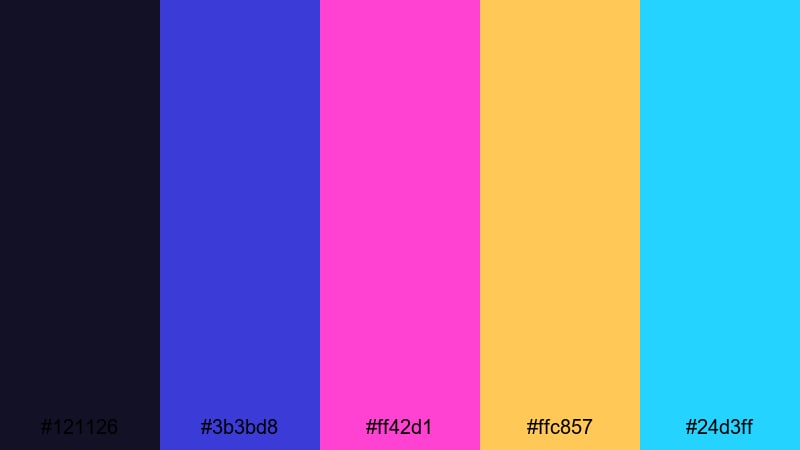
- HEX Codes: #121126, #3b3bd8, #ff42d1, #ffc857, #24d3ff
- Mood: Nostalgic, energetic, and retro-futuristic.
- Use for: Perfect for synthwave edits, 80s style channel branding, and bold thumbnail designs.
Retro Synthwave Rush blends deep night blue (#121126) with saturated blue and magenta (#3b3bd8, #ff42d1), then finishes with sunrise yellow and cyan (#ffc857, #24d3ff). It channels 80s arcade cabinets, VHS covers, and neon sunsets all in one blue magenta scheme.
Use it in synthwave edits, retro gaming content, or channels that lean into nostalgia. Build grid patterns, sun silhouettes, and wireframe shapes in Filmora using the lighter tones, while keeping your background dark and moody. For branding, apply the blue tones to logos and the warm yellow to highlight important text or calls to action in thumbnails and end screens.
Elegant & Cinematic Blue Magenta Palettes
Velvet Premiere Night
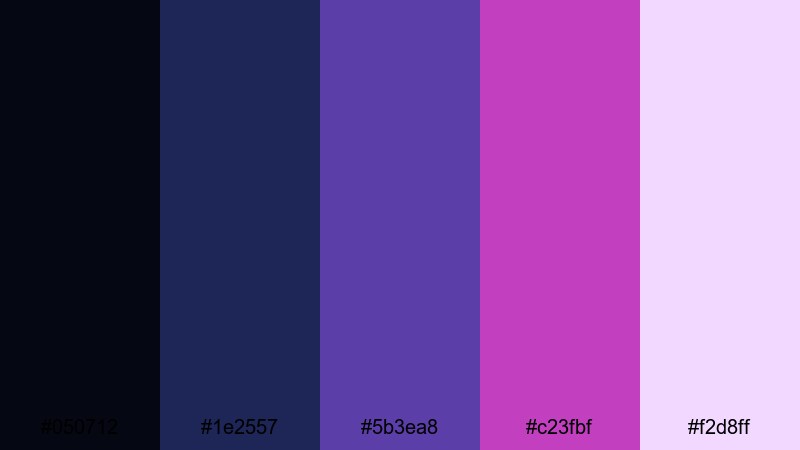
- HEX Codes: #050712, #1e2557, #5b3ea8, #c23fbf, #f2d8ff
- Mood: Luxurious, dramatic, and refined.
- Use for: Great for film-style trailers, portfolio reels, and premium brand storytelling.
Velvet Premiere Night feels like a private screening room. The inky blue-black and deep navy (#050712, #1e2557) give a rich cinematic backdrop, while royal blue and plush magenta (#5b3ea8, #c23fbf) add luxury. The soft highlight tone (#f2d8ff) works perfectly for refined text and subtle glows.
This palette suits filmmakers, designers, and brands that want to look premium and polished. Use the darkest tones as your main grade, then introduce magenta as a signature accent on titles, logo stings, and subtle motion graphics. In thumbnails, combine a dark frame with clean white or pale lavender text for high-end, cinematic impact.
Royal Orchid Cinema
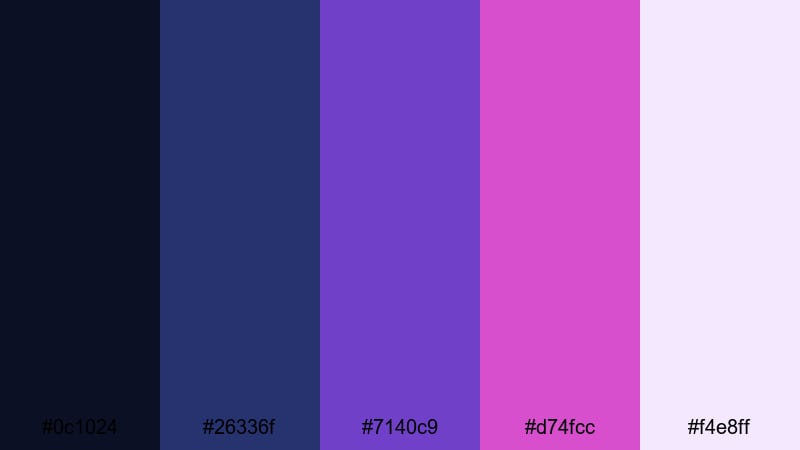
- HEX Codes: #0c1024, #26336f, #7140c9, #d74fcc, #f4e8ff
- Mood: Sophisticated, artistic, and slightly romantic.
- Use for: Ideal for wedding films, fashion lookbooks, and cinematic YouTube intros.
Royal Orchid Cinema pairs regal blues (#0c1024, #26336f) with graceful orchid magenta and violet (#7140c9, #d74fcc). The soft off-white (#f4e8ff) keeps everything airy and sophisticated. This blue magenta palette is romantic without feeling sugary, making it perfect for emotional storytelling.
Use it in wedding films, fashion edits, or creative portfolios where you want elegance and emotion. Apply the deeper blues in your color grade, then bring in orchid tones in overlays, text backplates, and flourishes around names or chapter titles. For thumbnails, keep backgrounds dark and let dresses, flowers, or key objects carry the magenta and lilac accents.
Opera House Luxe
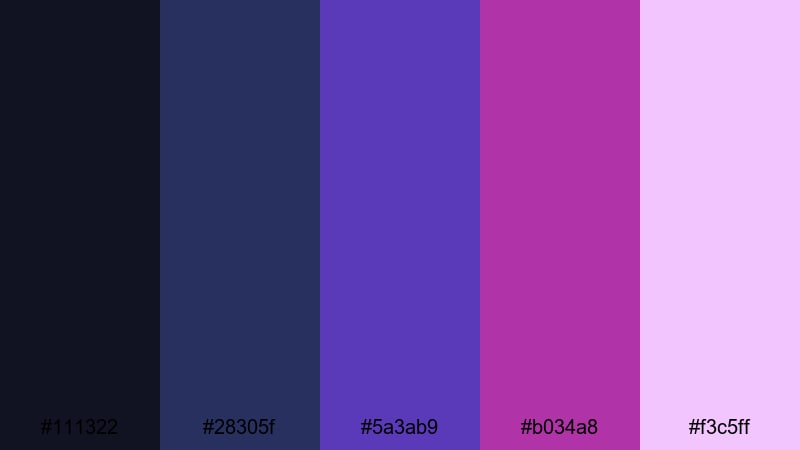
- HEX Codes: #111322, #28305f, #5a3ab9, #b034a8, #f3c5ff
- Mood: Grand, dramatic, and cultured.
- Use for: Perfect for documentary openings, performance highlights, and elegant brand intros.
Opera House Luxe echoes velvet curtains and stage lights. Dark theater blues (#111322, #28305f) keep the frame rich and dramatic, while jewel-toned purple and magenta (#5a3ab9, #b034a8) feel like spotlight accents. The pale magenta highlight (#f3c5ff) gives you a delicate option for titles and overlays.
Use this palette for performance highlights, documentaries, and arts-related channels that want a cultured, refined look. In Filmora, keep your footage grounded in the darker blues, then frame subjects with magenta light leaks, gradient overlays, or thin borders. End screens, lower thirds, and intro titles will feel instantly premium in this blue magenta combination.
Starlit Gala Soiree
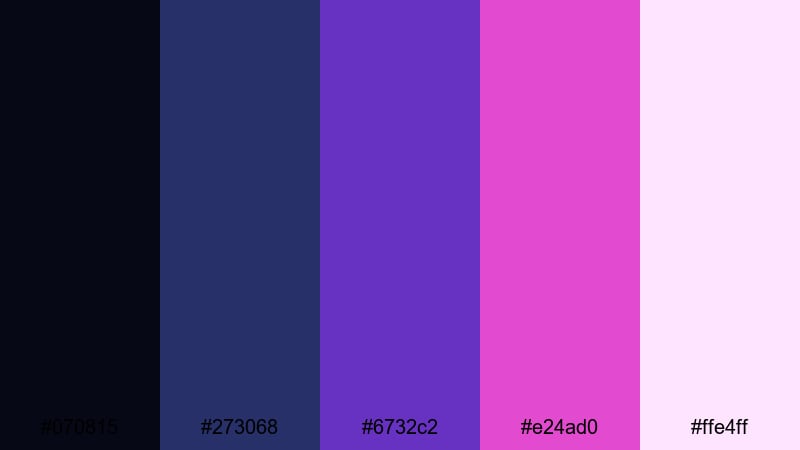
- HEX Codes: #070815, #273068, #6732c2, #e24ad0, #ffe4ff
- Mood: Festive, polished, and glamorous.
- Use for: Great for event recaps, luxury product promos, and cinematic slideshow templates.
Starlit Gala Soiree combines night-sky blues (#070815, #273068) with luminous magenta and pink (#6732c2, #e24ad0, #ffe4ff). It feels like a red-carpet night outdoors, where spotlights and stars share the same frame. The balance of dark and light creates a glamorous, camera-ready aesthetic.
Use this palette for luxury event recaps, brand launches, and slideshow templates. In your edit, let the deep blues dominate the background and shadow areas, then use the bright magentas sparingly on logos, product shots, and call-to-action text. This helps important details pop while keeping the overall tone elegant and cinematic.
Modern Pastel Blue Magenta Palettes
Bubblegum Tech Pop
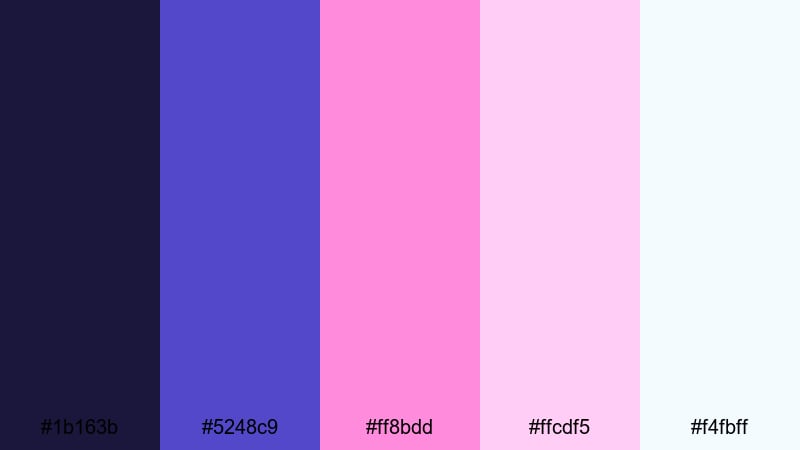
- HEX Codes: #1b163b, #5248c9, #ff8bdd, #ffcdf5, #f4fbff
- Mood: Fun, trendy, and lighthearted with a digital twist.
- Use for: Perfect for creator branding, app-style overlays, and playful tutorial graphics.
Bubblegum Tech Pop mixes digital blue-violets (#1b163b, #5248c9) with sugary pinks (#ff8bdd, #ffcdf5) and a clean nearly white tone (#f4fbff). It feels modern, approachable, and slightly techy, making it ideal for creators who want to look trendy but not too serious.
Use this palette for how-to videos, app reviews, and creator branding. Build app-style panels, buttons, and callouts in Filmora using the lighter pinks, while keeping nav bars or backgrounds in the deeper blue. For thumbnails, combine a clean white or pastel background with a strong blue headline to balance friendliness with clarity.
Iridescent Studio Glow
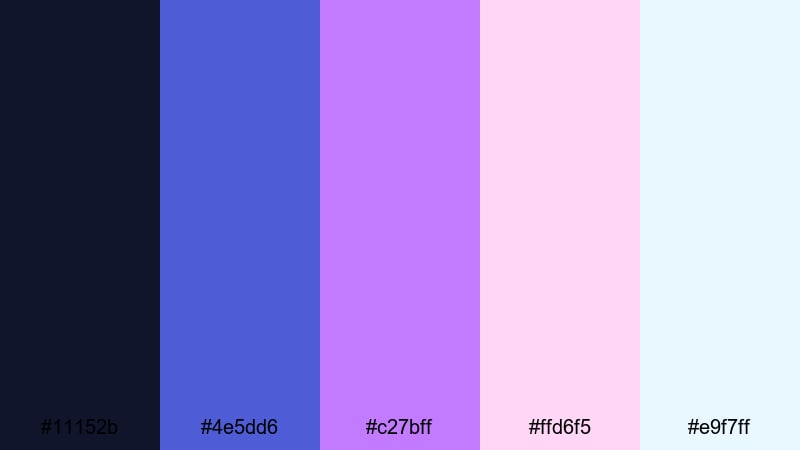
- HEX Codes: #11152b, #4e5dd6, #c27bff, #ffd6f5, #e9f7ff
- Mood: Soft, polished, and modern.
- Use for: Ideal for beauty channels, tech reviews, and minimalist title cards.
Iridescent Studio Glow feels like a well-lit studio with RGB lights set to soft blue magenta. The navy and cool blue (#11152b, #4e5dd6) create a clean, professional base, while pastel magenta and blush tones (#c27bff, #ffd6f5, #e9f7ff) keep everything light and fresh.
This palette is great for beauty, tech, and product-focused content. Use the darker blue for subtle drop shadows or gradient backgrounds, then highlight products and text with the soft magentas. In Filmora, create gentle gradients behind your subject and overlay minimalist titles in the lightest shades for a premium but airy feel.
Soft Neon Interface
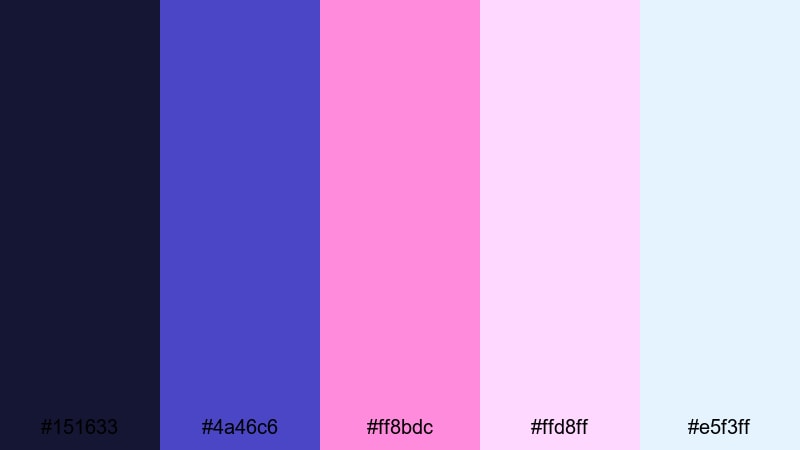
- HEX Codes: #151633, #4a46c6, #ff8bdc, #ffd8ff, #e5f3ff
- Mood: Balanced between calming and energetic, with a UI-inspired feel.
- Use for: Great for overlays, HUD elements, app mockups, and clean motion graphics.
Soft Neon Interface offers a gentle take on neon blue magenta. The base navy and blue-violet (#151633, #4a46c6) feel stable and techy, while the pinks and whites (#ff8bdc, #ffd8ff, #e5f3ff) soften the overall look. It is neon-inspired without being too harsh on the eyes.
Use it for UI overlays, HUD elements in tech videos, or app walkthroughs. Build panels, progress bars, and lower thirds in the pastel tones, and reserve the deeper blue for backgrounds and dividers. This palette keeps your on-screen information readable while still delivering a recognizable blue magenta aesthetic in thumbnails and title screens.
Tips for Creating Blue Magenta Color Palettes
Blue magenta color palettes can range from soft and dreamy to bold and futuristic. A few practical guidelines will help you combine these tones with other colors for clear, consistent video and design work.
- Define your primary mood first. Choose darker blues and muted magentas for cinematic or emotional content, and brighter neons for gaming, tech, or party vibes.
- Control contrast for readability. Use the deepest blues or near-black as backgrounds and the lightest pinks or whites for text so titles and captions stay easy to read on any screen.
- Limit accent colors. In most cases, stick to one or two strong accents (like cyan or yellow) alongside your blue magenta core to avoid a cluttered, noisy look.
- Match your footage lighting. If your raw footage is warm and orange, cool it slightly in Filmora so the blue magenta overlays and graphics feel natural, not disconnected.
- Keep branding consistent. Reuse the same HEX codes in your thumbnails, intros, lower thirds, and end screens so viewers instantly recognize your channel style.
- Use gradients thoughtfully. Blue-to-magenta gradients work best when they run in a clear direction (for example, left to right behind text) rather than randomly across the frame.
- Balance saturation. If your background is very saturated, keep text and UI elements slightly softer to avoid eye strain, especially on mobile screens.
- Test on small screens. Always preview thumbnails and overlays at small sizes to make sure blue magenta contrasts remain visible and important details do not blend together.
Blue magenta color palettes are powerful tools for shaping mood, energy, and brand identity. Whether you lean into soft pastels, neon arcades, or elegant cinematic tones, a consistent palette helps your channel or brand feel intentional instead of random.
Try dropping these HEX codes directly into Filmora and building a few reusable presets for titles, overlays, and color grades. With tools like AI Color Palette, HSL controls, and ready-made LUTs, you can lock in your favorite blue magenta look and apply it across intros, B-roll, Shorts, and social posts in just a few steps.
The more you experiment with these palettes, the faster you will find a signature style that fits your content. Start with one or two that match your niche, customize them in Filmora, and refine them over time as your channel grows.
secure downloadNext: Dark Tan Color Palette
