

 100% Security Verified | No Subscription Required | No Malware


 ChatGPT
 Perplexity
 Gemini
 Claude
 Grok
Grok
Bright Turquoise sits between blue and green, so it naturally feels fresh, clean, and energetic. It suggests tropical water, clear skies, and digital interfaces, which is why it works so well for modern brands and creators. Used thoughtfully, a bright turquoise color palette can make your channel look more youthful, optimistic, and trustworthy all at once.
On video platforms, this shade is perfect for thumbnails, intros, lower-thirds, and overlays that need to stand out without feeling aggressive. Below you will find 15 curated Bright Turquoise color palettes with HEX codes you can plug directly into your graphics, titles, and Filmora projects to keep your vlogs, intros, and branding consistent.
In this article
Soft & Airy Bright Turquoise Color Palettes
Coastal Morning Mist
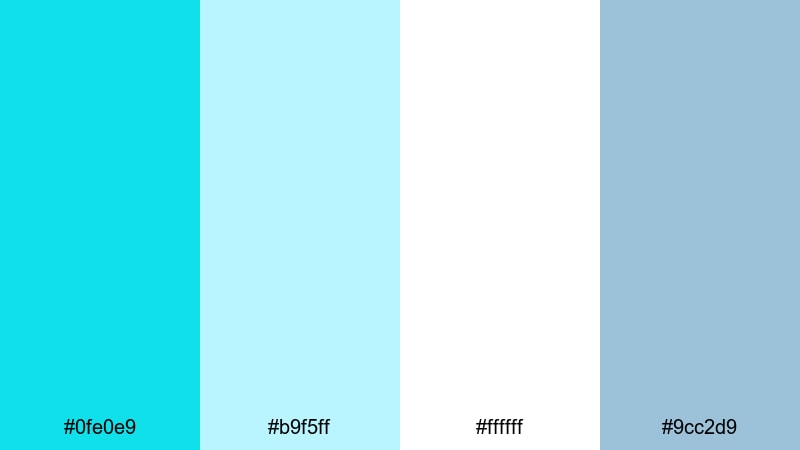
- HEX Codes: #0fe0e9, #b9f5ff, #ffffff, #9cc2d9
- Mood: fresh, calm, and uplifting like a quiet beach sunrise
- Use for: Perfect for vlog intros, wellness channels, and calm travel recaps that need a breezy, relaxed feel.
Coastal Morning Mist mixes clear Bright Turquoise with pale sky blue, white, and a soft dusty blue. The result feels like standing on a balcony above the ocean just after sunrise, when the light is gentle and the air is clean.
Use this palette for minimalist thumbnail designs, wellness or yoga openers, and travel recap titles where you want calm but still eye catching color. In Filmora, it works beautifully for lower-thirds, subscribe buttons, and on-screen captions that stay readable over bright daylight footage.
Pro Tip: Keep Your Coastal Bright Turquoise Look Consistent With Filmora
When you use a soft palette like Coastal Morning Mist, consistency is everything. Pick one turquoise tone for your titles and another for your background accents, then save them as custom colors inside Filmora so your intros, lower-thirds, and end screens all feel like one cohesive brand.
You can also build simple title presets in Filmora using your Bright Turquoise, light blue, and white combination. Reusing these presets across travel vlogs, wellness content, and shorts helps your audience instantly recognize your channel, even when the footage itself changes from city to sea.
AI Color Palette
If you have a reference image of a coastal sunrise, beach cafe, or pastel seascape, you can turn it into a video-wide look. Filmora's AI Color Palette feature lets you sample the colors from one clip or image and apply that same Bright Turquoise mood to the rest of your timeline.
This is ideal when parts of your vlog were shot on different days or cameras. Use AI Color Palette to match them so that your turquoise overlays, skies, and water tones all sit in the same soft, airy range, giving the final edit a polished, intentional feel.
 secure download

HSL, Color Wheels & Curves
To fine tune a Bright Turquoise palette, use Filmora's HSL controls to isolate your cyan and blue ranges. You can make the turquoise slightly greener for a tropical vibe, or soften saturation for a more muted, wellness style look while keeping skin tones natural using the color wheels and curves. A dedicated color correction guide can help you understand how these tools interact.
Curves are perfect for soft palettes like Coastal Morning Mist. Lift the shadows a bit to create a hazy morning atmosphere, then gently increase midtone contrast so your turquoise titles still read clearly against bright backgrounds.
secure download1000+ Video Filters & 3D LUTs
Sometimes the fastest way to lock in a Bright Turquoise aesthetic is by starting from a ready made look. Filmora’s video filters and 3D LUTs make it easy to add soft teal washes, pastel tones, or airy daylight moods that match palettes like Coastal Morning Mist.
Apply a filter to your entire sequence, then adjust opacity so your turquoise overlays, channel logo, and text still stand out. This works especially well for wellness channels and travel diaries where you want the whole video to share the same light, breezy character.
secure downloadPastel Lagoon Breeze
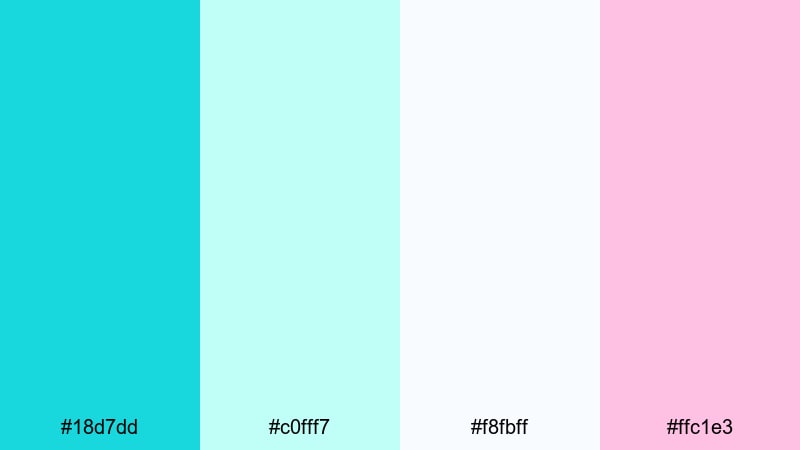
- HEX Codes: #18d7dd, #c0fff7, #f8fbff, #ffc1e3
- Mood: gentle, dreamy, and pastel-sweet
- Use for: Ideal for aesthetic vlogs, beauty tutorials, and channel art that aims for a soft, youthful look.
Pastel Lagoon Breeze softens Bright Turquoise with minty aqua, nearly white blue, and a blush pink accent. It feels dreamy and delicate, like a pastel filter over a lagoon photo or a cotton candy sky at golden hour.
Use this color combination in Filmora for beauty tutorial titles, soft drop shadows behind text, or highlight elements on your channel banner. It is perfect for aesthetic vlogs, stationery hauls, K beauty content, and social media overlays where you want a sweet, approachable style.
Cotton Candy Surf
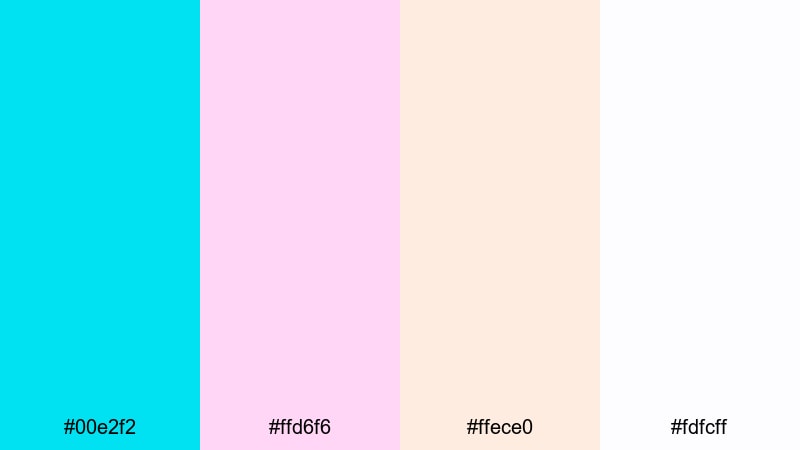
- HEX Codes: #00e2f2, #ffd6f6, #ffece0, #fdfcff
- Mood: playful, nostalgic, and candy-sweet
- Use for: Great for playful channel branding, K-pop edits, and fun unboxing thumbnails that need a sweet pop.
Cotton Candy Surf turns Bright Turquoise into a fun, retro inspired statement with soft pinks and creamy whites. It feels like an arcade by the beach or a pastel theme park, full of light and movement.
Apply this palette to your logo animations, transitions, and sticker style graphics in Filmora. It works especially well for K pop edits, dance covers, and unboxing thumbnails where you want instant joy and nostalgia without losing clarity.
Seaglass Daydream
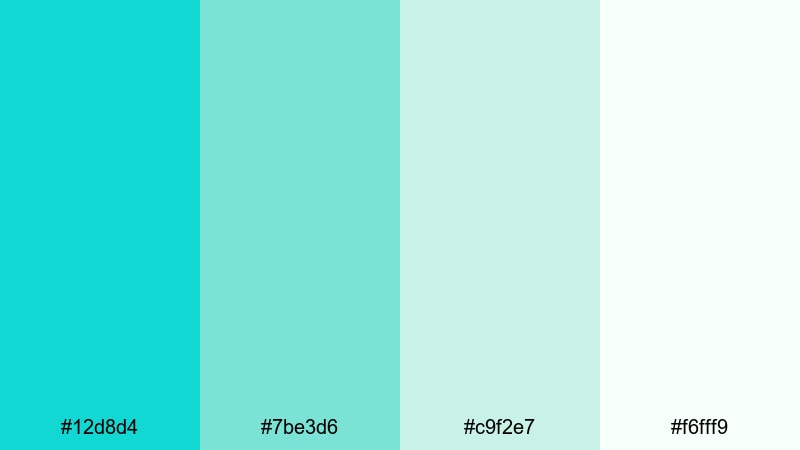
- HEX Codes: #12d8d4, #7be3d6, #c9f2e7, #f6fff9
- Mood: tranquil, refreshing, and organic
- Use for: Use in nature vlogs, slow-life montages, and minimal travel titles where you want a gentle coastal freshness.
Seaglass Daydream stacks Bright Turquoise with seafoam greens and soft off white, echoing the look of polished seaglass on a beach. It feels organic and refreshing, with just enough color to stay interesting while remaining very soft on the eyes.
Use this in nature vlogs, slow living montages, and minimal title cards. In Filmora, combine these tones in simple graphic shapes, timeline markers, and overlays that sit lightly over your footage, supporting the story without overpowering your visuals.
Whispering Tides
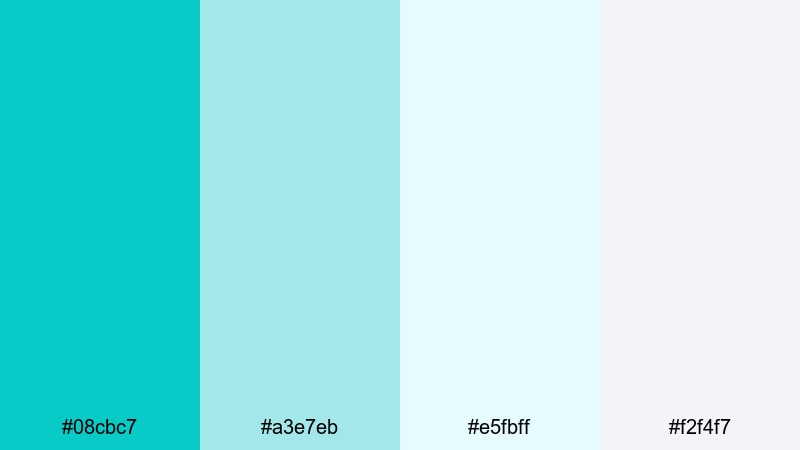
- HEX Codes: #08cbc7, #a3e7eb, #e5fbff, #f2f4f7
- Mood: light, soothing, and quietly inspiring
- Use for: Ideal for intro cards, lower thirds, and end screens on educational or mindful content.
Whispering Tides uses a muted Bright Turquoise, pale aqua, and cool grays to create a soft, slightly professional coastal tone. It feels thoughtful and modern, like an ocean inspired workspace.
This palette is great for educational channels, mindfulness content, or productivity vlogs. Use the turquoise for key accents such as progress bars, callout boxes, or subscribe buttons in Filmora, and rely on the grays and light blues for backgrounds that keep text easy to read.
Bold & Tropical Bright Turquoise Color Palettes
Neon Reef Splash
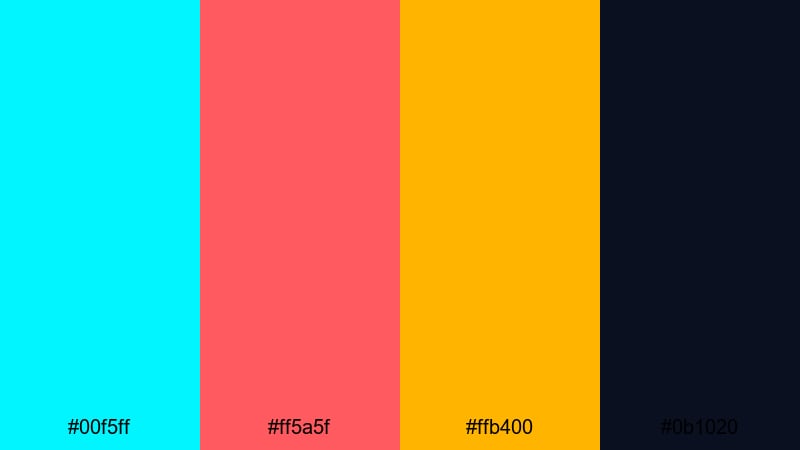
- HEX Codes: #00f5ff, #ff5a5f, #ffb400, #0b1020
- Mood: electric, adventurous, and high-energy
- Use for: Perfect for high-impact intros, gaming highlights, and travel reels that need instant attention.
Neon Reef Splash throws ultra bright turquoise together with hot coral, bold yellow, and deep navy. It feels like a neon sign underwater, energetic and impossible to miss.
Use this palette for punchy thumbnails, glitchy intros, and animated elements in Filmora such as transitions and callouts. It works especially well for gaming highlights, extreme sports edits, and travel reels where you want to grab viewers in the first second.
Electric Island Party
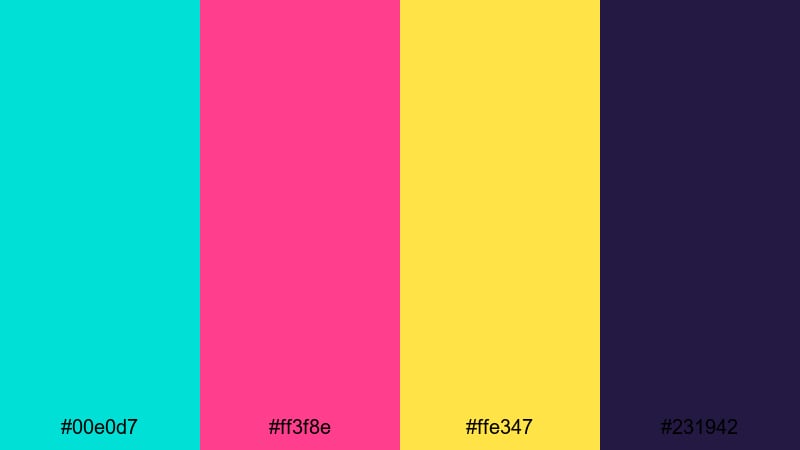
- HEX Codes: #00e0d7, #ff3f8e, #ffe347, #231942
- Mood: festive, tropical, and nightlife-ready
- Use for: Great for festival recaps, party promos, and music videos with tropical or summer themes.
Electric Island Party combines a vibrant Bright Turquoise with neon magenta, sunshine yellow, and deep violet. It feels like a beach party that keeps going into the night, full of rhythm and color.
Use turquoise as your base accent across text, outlines, and overlay shapes in Filmora, then drop magenta or yellow behind key words for contrast. This palette is ideal for festival recaps, summer party promos, and lyric videos that need a lively, tropical club atmosphere.
Surfboard Pop Art
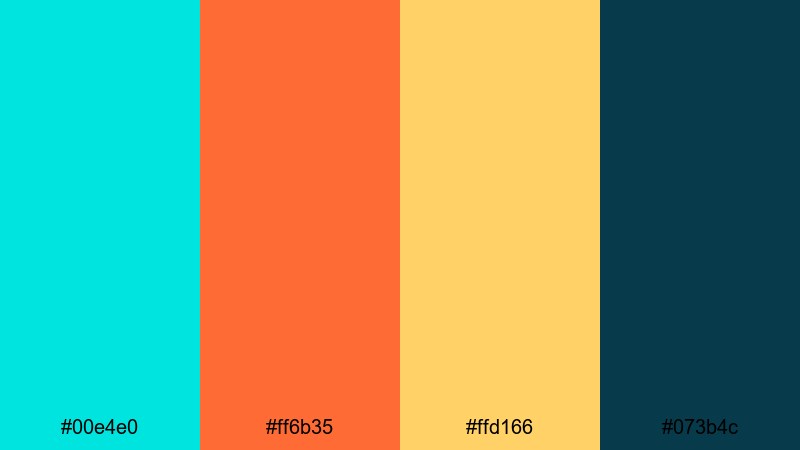
- HEX Codes: #00e4e0, #ff6b35, #ffd166, #073b4c
- Mood: retro, sporty, and energetic
- Use for: Use this for surf edits, action sports reels, and merch-focused brand intros.
Surfboard Pop Art blends turquoise with juicy orange, warm yellow, and deep teal. It feels like vintage surf posters reimagined in a modern way, bold and sporty with plenty of warmth.
Use this palette for action sports montages, skate or surf edits, and merch promos. In Filmora, apply turquoise and teal to solid backgrounds, add orange and yellow for bold text, and use the dark teal as an anchor color for outlines and drop shadows.
Jungle Pool Vibes
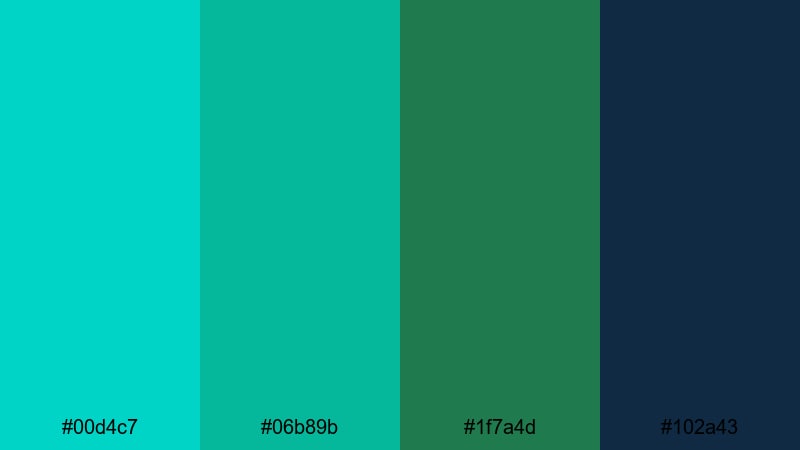
- HEX Codes: #00d4c7, #06b89b, #1f7a4d, #102a43
- Mood: lush, adventurous, and immersive
- Use for: Perfect for jungle travel vlogs, nature adventures, and cinematic titles with a tropical edge.
Jungle Pool Vibes takes Bright Turquoise into deeper, greener territory, adding emerald, jungle green, and an inky blue black. It feels like a hidden pool surrounded by dense foliage, dramatic yet refreshing.
Use this palette for cinematic travel titles, jungle hikes, and waterfall scenes. In Filmora, apply turquoise to animated accents like ripples or light leaks, while using the darker greens and blues for text and frames that keep everything legible over complex landscapes.
Festival Wave Lights
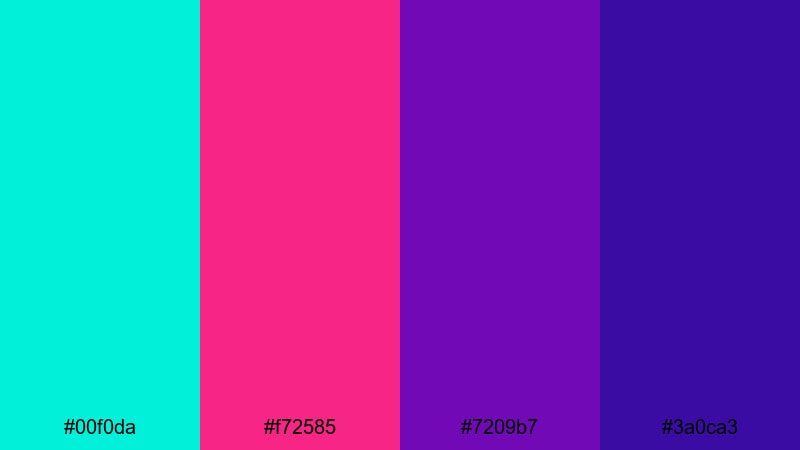
- HEX Codes: #00f0da, #f72585, #7209b7, #3a0ca3
- Mood: neon, euphoric, and music-festival bright
- Use for: Ideal for concert recaps, EDM visuals, and dynamic lyric videos.
Festival Wave Lights pairs hyper bright turquoise with punchy magenta and layered violets, just like stage lights cutting through smoke at a festival. It is intense, colorful, and full of motion.
Use this palette for concert recaps, festival montages, and lyric videos. In Filmora, combine glowing turquoise text with magenta and violet gradients behind it, and animate shapes or waveforms to the beat for a full music festival vibe.
Modern & Minimal Bright Turquoise Color Palettes
Nordic Aqua Accent
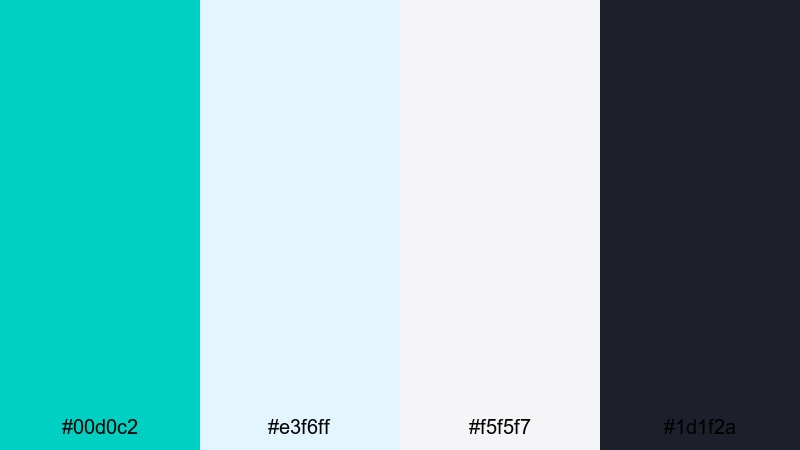
- HEX Codes: #00d0c2, #e3f6ff, #f5f5f7, #1d1f2a
- Mood: clean, thoughtful, and design-forward
- Use for: Perfect for tech explainers, productivity channels, and UI-inspired motion graphics.
Nordic Aqua Accent uses Bright Turquoise sparingly against icy whites, soft gray, and charcoal navy. It feels like a sleek app interface or a Scandinavian office, minimal and premium.
Use turquoise as a highlight for buttons, icons, and timeline markers in Filmora, while keeping backgrounds light and typography dark. This palette is ideal for tech explainers, productivity tips, and startup content that needs a crisp, professional identity.
Tech Startup Splash
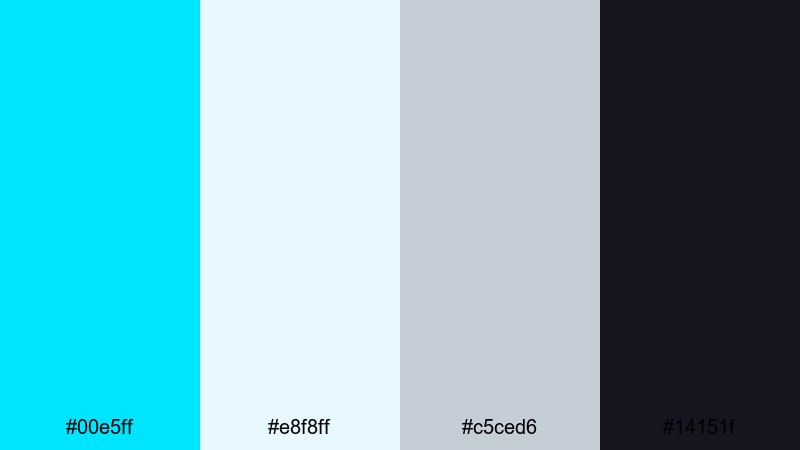
- HEX Codes: #00e5ff, #e8f8ff, #c5ced6, #14151f
- Mood: innovative, crisp, and confident
- Use for: Great for SaaS promos, app walkthroughs, and pitch-deck style video graphics.
Tech Startup Splash takes an electric Bright Turquoise and pairs it with cool whites, steel gray, and dark slate. It feels confident and modern, with just enough energy to suggest innovation.
Use this color scheme for app walkthroughs, SaaS promos, and pitch deck style graphics inside Filmora. Keep most of your frames white or light gray, then let turquoise handle CTAs, progress bars, and logo reveals so viewers know exactly where to look.
Minimalist Beach Loft
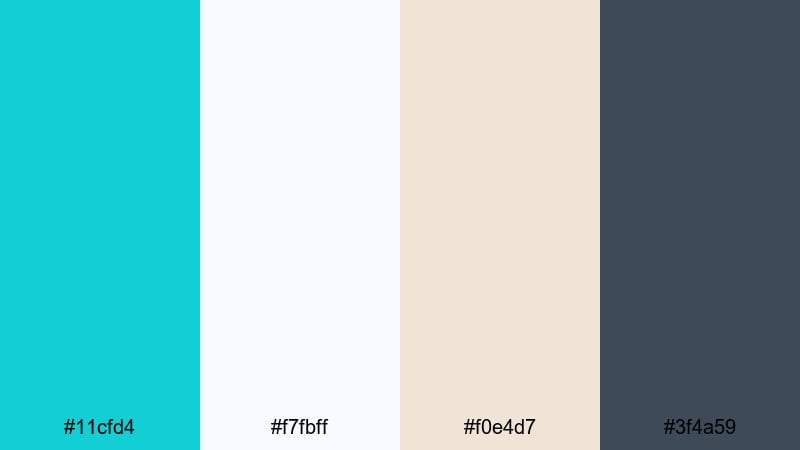
- HEX Codes: #11cfd4, #f7fbff, #f0e4d7, #3f4a59
- Mood: calm, stylish, and coastal-modern
- Use for: Ideal for interior design content, lifestyle branding, and calm product showcases.
Minimalist Beach Loft places a soft Bright Turquoise next to airy white, sandy beige, and a slate accent. It feels like a modern apartment overlooking the coast, relaxed but well designed.
This palette is perfect for interior design videos, lifestyle branding, and product showcases. In Filmora, use turquoise for small accents like dividers, underline animations, or logo highlights, while the beige and white tones sit behind products or room shots to keep everything looking curated and calm.
Futuristic Dashboard Glow
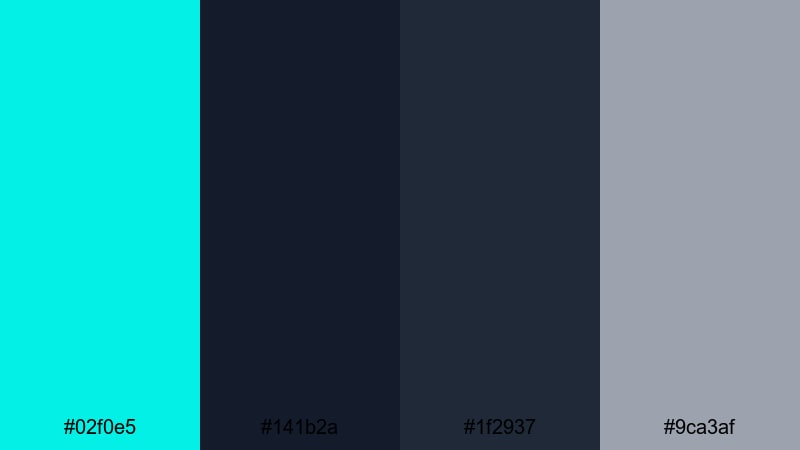
- HEX Codes: #02f0e5, #141b2a, #1f2937, #9ca3af
- Mood: sleek, digital, and sci-fi modern
- Use for: Use for HUD graphics, tech reviews, and motion graphics overlays with a futuristic identity.
Futuristic Dashboard Glow sets a glowing turquoise against deep navy and graphite grays, with a soft neutral gray to balance. It looks like a sci fi control panel, sharp and data driven.
Use this palette for HUD overlays, tech review graphics, or motion graphics where you want a digital interface look. In Filmora, apply turquoise to lines, icons, and data readouts, and let the dark blues handle backgrounds and titles for a strong contrast that still feels high end.
Crystal Studio Branding
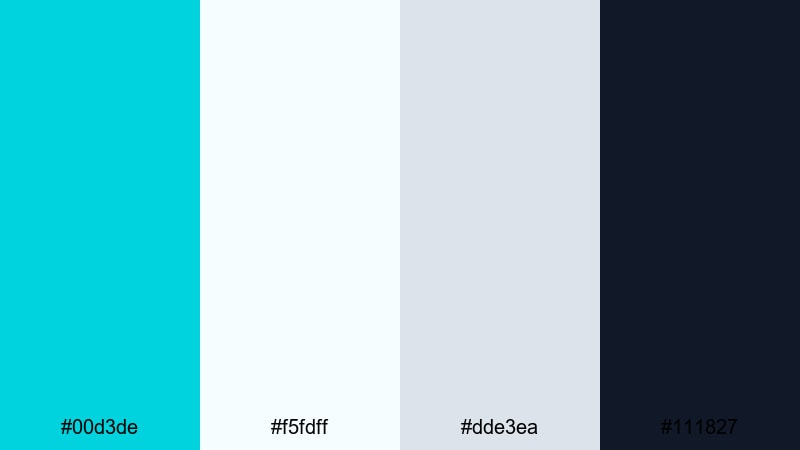
- HEX Codes: #00d3de, #f5fdff, #dde3ea, #111827
- Mood: polished, trustworthy, and studio-professional
- Use for: Great for channel rebrands, logo animations, and lower-thirds on professional content.
Crystal Studio Branding blends refined Bright Turquoise with soft whites, blue grays, and rich charcoal. It feels clean and trustworthy, like a modern production studio identity.
Use this palette when you rebrand your channel or create a full graphics package in Filmora. Build matching intros, lower thirds, subscribe animations, and end screens using turquoise as your hero accent and the gray tones as calm, professional backgrounds.
Tips for Creating Bright Turquoise Color Palettes
Bright Turquoise is versatile, but it works best when you balance its energy with thoughtful neutrals and accent shades. Use these tips to design palettes that look great in thumbnails, intros, and full edits.
- Pair Bright Turquoise with at least one soft neutral (white, light gray, beige) so your titles and icons have breathing room.
- Check text contrast on mobile: test turquoise text on light and dark backgrounds to make sure your thumbnails stay readable at small sizes.
- Limit yourself to 3 or 4 main colors per video graphic (turquoise, one accent, one or two neutrals) to keep branding consistent.
- Match turquoise to your footage temperature: use greener turquoise for tropical clips, and bluer turquoise for cooler, tech focused visuals.
- Use darker versions of turquoise or navy for body text and outlines, reserving the brightest shade for key highlights and CTAs.
- Keep skin tones natural by applying strong turquoise tints to backgrounds and overlays, not directly to midtones in faces.
- Save your preferred turquoise HEX codes inside Filmora as custom colors so every intro, lower third, and end screen uses the exact same tones.
- When in doubt, vary brightness more than hue: a light turquoise plus a dark navy gives you depth without making the palette feel chaotic.
Used well, a bright turquoise color palette can instantly communicate freshness, creativity, and confidence. Whether you lean toward soft seaglass tones or bold festival neons, these combinations help you shape the mood of your videos and build a recognizable visual identity.
Try a few of these palettes in Filmora by applying the HEX codes to your titles, overlays, and graphics, then fine tune them with color tools, filters, and LUTs. Over time, your audience will begin to associate your unique shade of Bright Turquoise with your channel and your style.
Experiment across intros, B roll, and shorts until you find a turquoise aesthetic that fits your niche. Once it feels right, lock it in as part of your brand kit and reuse it consistently so every upload looks like it belongs to the same creator.
secure downloadNext: Tea Party Color Palette
