

 100% Security Verified | No Subscription Required | No Malware


 ChatGPT
 Perplexity
 Gemini
 Claude
 Grok
Grok
Canary Yellow is the color of sunshine, optimism, and instant attention. On screen it reads as energetic and friendly, making it perfect for hooks, titles, and any element that needs to pop in a split second. Because it sits between warm yellow and neon highlighter, it can feel playful, modern, or editorial depending on what you pair it with.
For creators and Filmora users, Canary Yellow is a powerful accent for YouTube thumbnails, channel intros, end screens, and branding overlays. Below are 15 ready-made Canary Yellow color palettes with HEX codes you can drop straight into your thumbnails, lower thirds, transitions, and color grading, whether you edit travel vlogs, tech reviews, or cinematic stories.
In this article
Bright & Playful Canary Yellow Palettes
Sunlit Pop Vlog
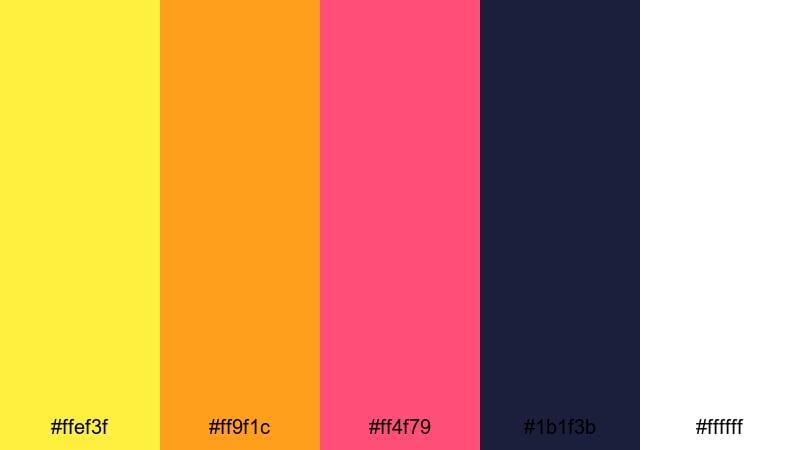
- HEX Codes: #ffef3f, #ff9f1c, #ff4f79, #1b1f3b, #ffffff
- Mood: High-energy, optimistic, and eye-catching.
- Use for: Great for upbeat vlog intros, fun thumbnails, and energetic social media bumpers.
Sunlit Pop Vlog is a punchy mix of Canary Yellow, juicy orange, and bright coral balanced by deep navy and white. It feels like golden-hour sunlight over a bold street poster, made for creators who want instant impact without losing clarity.
Use Canary Yellow (#ffef3f) and white for background blocks or text, then add coral and orange accents to highlight calls to action or subscribe buttons. The navy (#1b1f3b) keeps titles readable on thumbnails, lower thirds, and intro screens while the bright tones sell energy in vlogs, haul videos, and shorts.
Pro Tip: Enhance Your Canary Yellow Visuals With Filmora
To keep this bright Canary Yellow palette consistent across your whole edit, build a simple branding system inside Filmora. Use the same yellow and navy for your title templates, lower thirds, and end screens so every upload feels part of one visual universe.
Save your custom text styles and overlays as presets in Filmora. That way, any new vlog, reaction, or short can reuse the exact same Canary Yellow, coral, and navy combination in just a few clicks, keeping your channel recognizable at a glance.
AI Color Palette
If you have a reference thumbnail or mood board that uses this Sunlit Pop Vlog scheme, you can turn it into a full video look with Filmora. Filmora's AI Color Palette feature analyzes the colors in a reference image and applies that style across selected clips in your timeline.
Import a still frame of your favorite Canary Yellow design, run AI Color Palette on your sequence, and Filmora will harmonize your footage with similar yellows, corals, and navies. This is a fast way to match your A-roll, B-roll, and social cutdowns to one cohesive bright-and-bold brand palette.
 secure download

HSL, Color Wheels & Curves
After matching your palette, use Filmora's HSL sliders and color wheels to fine-tune the Canary Yellow tones. You can nudge yellows slightly toward orange for a warmer, lifestyle feel or toward green for a punchier tech vibe, and then use curves to keep highlights bright without clipping skin tones.
Tools like the color wheels and curves in Filmora give you precise control over shadows, midtones, and highlights so you can keep navies deep, whites clean, and yellows glowing. You can explore these options in more depth using the advanced color correction tools in Filmora to create everything from glossy commercial looks to bold social-first edits.
secure download1000+ Video Filters & 3D LUTs
If you do not want to build a look from scratch, Filmora’s video filters and 3D LUTs make it easy to stylize your Canary Yellow palettes in seconds. Pick a LUT that fits your genre, then tweak saturation and contrast so the yellows stay bright while skin tones remain natural.
You can layer subtle film-style filters to add grain and softness or go for bolder looks that push the Sunlit Pop Vlog palette into a more cinematic or retro direction. Save your favorite combinations as custom presets so your channel maintains a stable Canary Yellow identity over time.
secure downloadTropical Highlight Energy
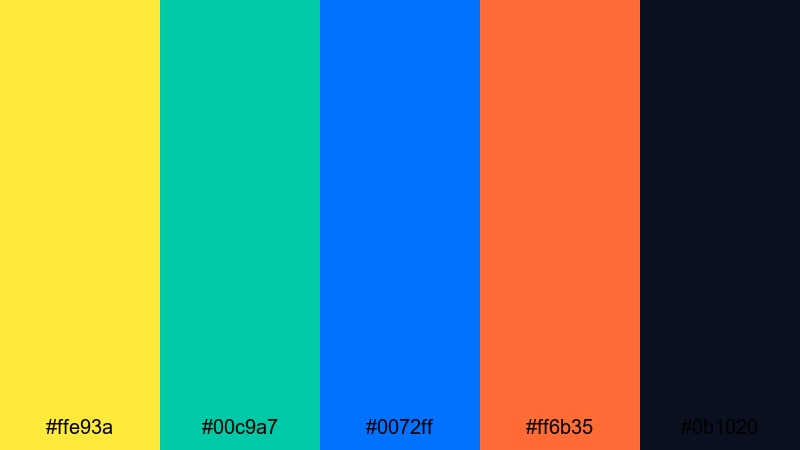
- HEX Codes: #ffe93a, #00c9a7, #0072ff, #ff6b35, #0b1020
- Mood: Tropical, adventurous, and ultra-vibrant.
- Use for: Ideal for travel vlogs, festival recap videos, and dynamic channel trailers.
In Tropical Highlight Energy, Canary Yellow (#ffe93a) meets teal, electric blue, and warm orange for a palette that feels like beach sunsets and neon signs. It is intensely saturated, so every frame looks like a vacation highlight reel.
Use yellow and teal for title blocks and animated shapes, blue for overlays or transitions, and deep navy-black (#0b1020) behind text for legibility. This palette is strong for travel vlogs, festival B-roll, and trailers where you want speed ramps, zooms, and text callouts to feel sun-soaked and adventurous.
Creator Studio Spark
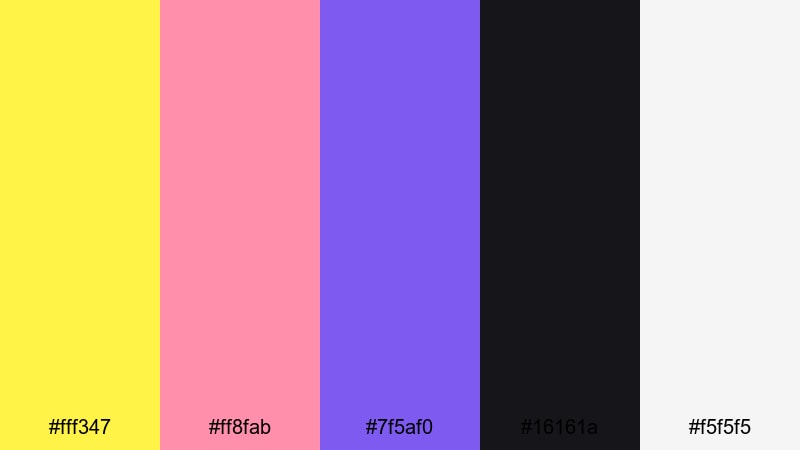
- HEX Codes: #fff347, #ff8fab, #7f5af0, #16161a, #f5f5f5
- Mood: Trendy, creative, and playful with a techy edge.
- Use for: Perfect for creator brands, tutorial series, and motion graphics overlays.
Creator Studio Spark mixes light Canary Yellow with candy pink and violet, grounded by deep charcoal and soft off-white. It feels like a modern creator studio with RGB lights and clean UI-inspired details.
Use yellow and pink to highlight buttons, chapter titles, and subscribe reminders, while violet #7f5af0 can frame tutorial steps or key tips. The dark background keeps overlays readable on screencasts, tool reviews, or productivity tips, making your visuals fun but still polished and professional.
Neon Market Buzz
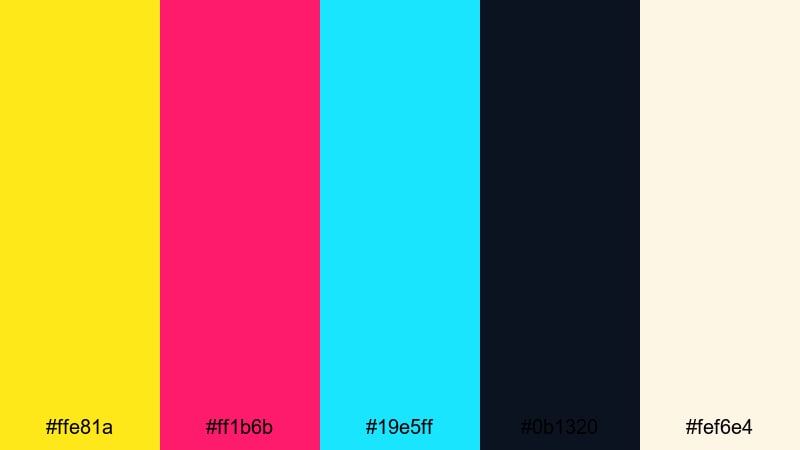
- HEX Codes: #ffe81a, #ff1b6b, #19e5ff, #0b1320, #fef6e4
- Mood: Electric, urban, and fast-paced.
- Use for: Best for night city montages, shopping hauls, and snappy shorts or reels.
Neon Market Buzz pairs neon Canary Yellow with hot pink and cyan for a colorful night-market atmosphere. The deep navy background and soft cream help tame the neons so your footage stays vibrant without becoming unreadable.
Use yellow and cyan for glowing outlines, stroke effects around text, and animated arrows in shorts or Reels. Hot pink works as an accent for discount tags, price overlays, or swipe prompts. This palette is especially strong for city night B-roll, fashion hauls, and energetic transitions.
Soft & Minimal Canary Yellow Palettes
Morning Lemon Zest
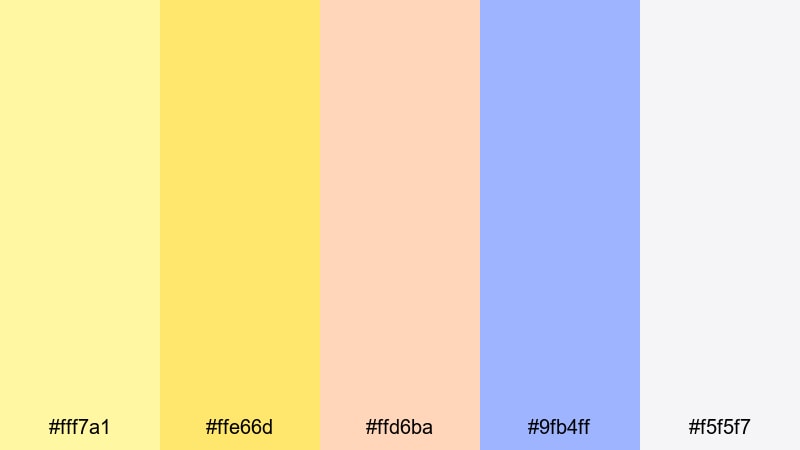
- HEX Codes: #fff7a1, #ffe66d, #ffd6ba, #9fb4ff, #f5f5f7
- Mood: Fresh, light, and gently motivating.
- Use for: Great for lifestyle vlogs, morning routines, and minimal channel branding.
Morning Lemon Zest softens Canary Yellow into pale, buttery tones surrounded by peach and powder blue. It feels like early light streaming through a window, perfect for calm, motivational content.
Use the lighter yellows (#fff7a1, #ffe66d) as background panels behind simple sans-serif text, with peach for small icons or bullet markers. Powder blue and soft gray-white keep your titles and timers readable for routines, wellness vlogs, and minimalist thumbnails that promise a gentle, productive start.
Cloudy Citrus Pastel
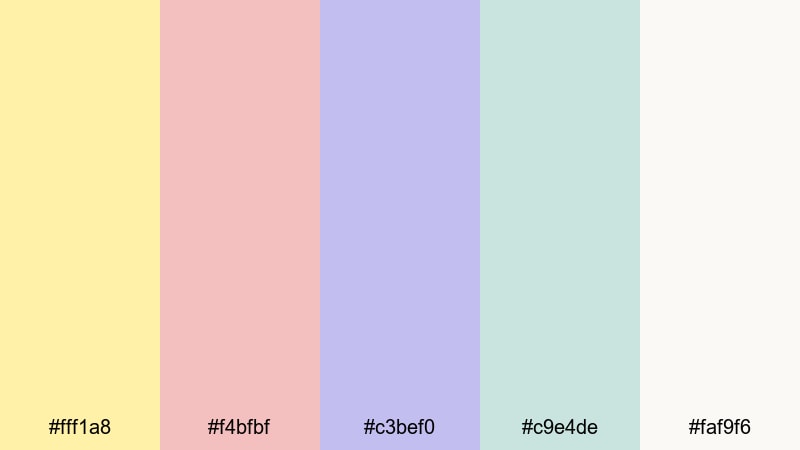
- HEX Codes: #fff1a8, #f4bfbf, #c3bef0, #c9e4de, #faf9f6
- Mood: Dreamy, gentle, and soothing.
- Use for: Perfect for aesthetic B-roll, journaling videos, and soft branding overlays.
Cloudy Citrus Pastel turns Canary Yellow into a dreamy haze, floating beside blush, lilac, and misty teal. The overall impression is soft and cloudy, ideal for slow-motion B-roll and ASMR-style scenes.
Use the pale yellow as a subtle highlight on handwritten-style titles or doodle elements. Blush and lilac are great for lower thirds and date stamps, while misty teal makes calming backgrounds for chapter cards. This palette helps your journaling videos, stationery hauls, and study-with-me edits feel cozy and aesthetic.
Muted Studio Glow
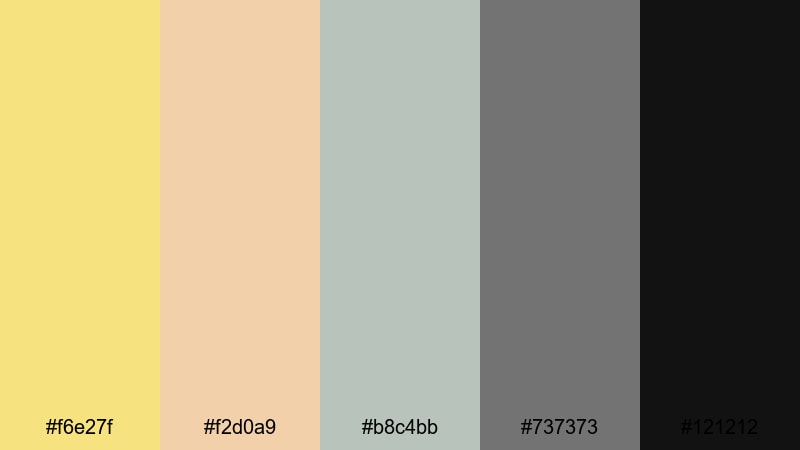
- HEX Codes: #f6e27f, #f2d0a9, #b8c4bb, #737373, #121212
- Mood: Calm, refined, and quietly confident.
- Use for: Ideal for talking-head videos, productivity content, and subtle lower thirds.
Muted Studio Glow offers a desaturated Canary Yellow paired with warm beige and cool neutrals. It feels professional yet inviting, like a well-lit home studio or office corner.
Use the yellow as a discreet accent line under your name in lower thirds or as a highlight for key timestamps on screen. Grays and charcoal support clean typography and graphs in productivity or business content, while beige and sage-gray backgrounds avoid harsh contrast, keeping your visuals easy on the eyes for long-form viewing.
Gentle Honey Story
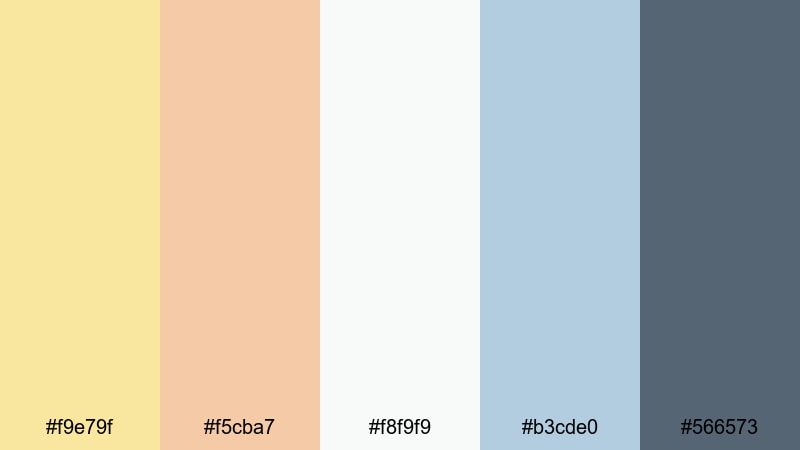
- HEX Codes: #f9e79f, #f5cba7, #f8f9f9, #b3cde0, #566573
- Mood: Warm, storytelling focused, and cinematic-soft.
- Use for: Great for narrative vlogs, family films, and soft brand story edits.
Gentle Honey Story surrounds honeyed Canary Yellow with peach, misty blue, and slate. It instantly gives your edits a warm, nostalgic feeling without going full sepia.
Use honey yellow and peach in opening titles or handwritten captions, then rely on misty blue and slate for subtitles and informational text. This palette is ideal for wedding snippets, family trips, and brand story videos where you want emotional warmth but still need clean design for logos and end cards.
Retro & Cinematic Canary Yellow Palettes
Vintage Poster Sunshine
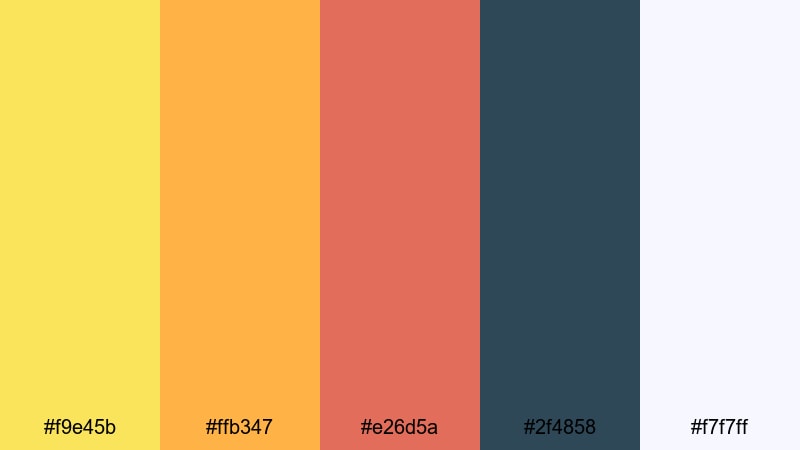
- HEX Codes: #f9e45b, #ffb347, #e26d5a, #2f4858, #f7f7ff
- Mood: Nostalgic, bold, and slightly gritty.
- Use for: Perfect for title cards, retro travel edits, and stylized ad spots.
Vintage Poster Sunshine teams Canary Yellow with burnt orange, muted red, and deep teal for a classic print-era poster vibe. It feels like old travel ads or film festival posters brought to life.
Use yellow and orange in bold blocky titles, paired with retro fonts and subtle grain overlays. Deep teal provides contrast behind logos and pricing tags, while soft off-white keeps everything readable. This palette works well with 4:3 or letterbox crops, film burns, and stop-motion style product shots.
Analog Travel Reel
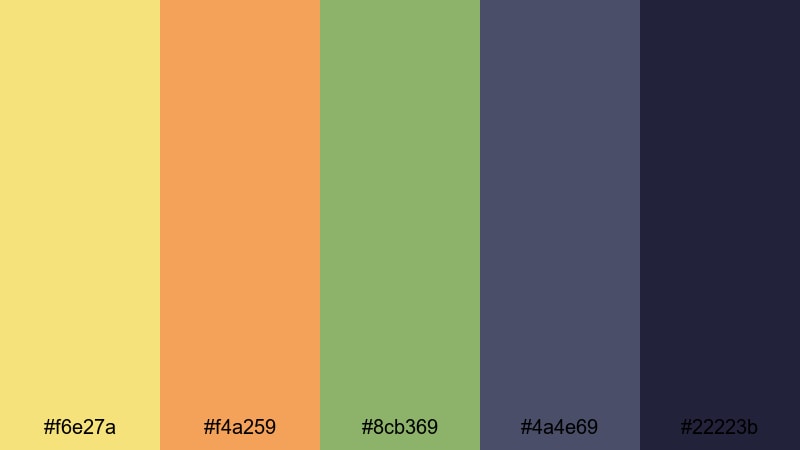
- HEX Codes: #f6e27a, #f4a259, #8cb369, #4a4e69, #22223b
- Mood: Earthy, adventurous, and filmic.
- Use for: Great for travel reels, road trip diaries, and handheld documentary edits.
Analog Travel Reel gives Canary Yellow a dusty, sun-faded look, wrapped in rust, sage, and inky blues. It feels like flipping through an old travel journal, full of postcards and film photos.
Use the muted yellow for timestamps, map graphics, or handwritten captions over landscapes. Rust and sage can color your location labels or route lines, while inky blues (#4a4e69, #22223b) are perfect for credits and intro slates. Add a bit of grain and slight vignette in Filmora to push the analog feeling even further.
Retro Arcade Beam
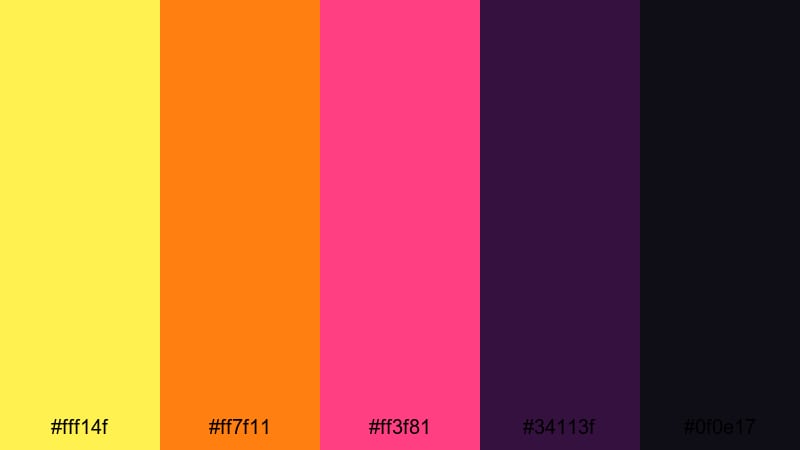
- HEX Codes: #fff14f, #ff7f11, #ff3f81, #34113f, #0f0e17
- Mood: Playful, nostalgic, and neon-charged.
- Use for: Ideal for gaming intros, tech nostalgia edits, and animated titles.
Retro Arcade Beam combines electric Canary Yellow with saturated orange and magenta over deep purples and blacks. It instantly recalls arcade cabinets, synthwave grids, and 80s title sequences.
Use yellow (#fff14f) for main titles and score counters, orange and magenta for glitchy transitions, progress bars, or animated HUDs. The dark purples give you a strong base for overlays in gaming intros, tech reviews, and retro-inspired countdowns.
Grainy Festival Noon
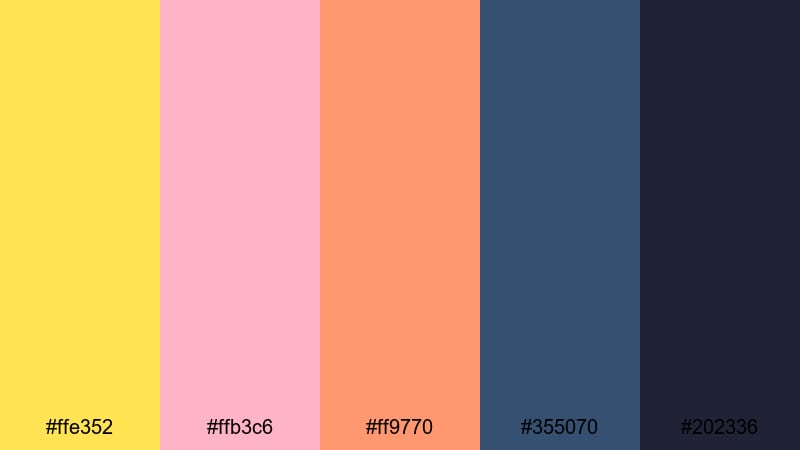
- HEX Codes: #ffe352, #ffb3c6, #ff9770, #355070, #202336
- Mood: Warm, festival-ready, and memory-filled.
- Use for: Perfect for concert recaps, outdoor event promos, and handheld montage edits.
Grainy Festival Noon uses Canary Yellow highlights with soft pink, sunset orange, and moody blues to capture the feel of sun-drenched festival footage. It works especially well with handheld camera moves and crowd shots.
Use yellow and orange to mark song titles, stage names, or event sections, while pink softens banners and captions. The mid and dark blues (#355070, #202336) keep overlays visible over bright skies and crowds. Add film grain and slightly lifted blacks to mimic analog festival photography.
Elegant & Professional Canary Yellow Palettes
Brand Spotlight Accent
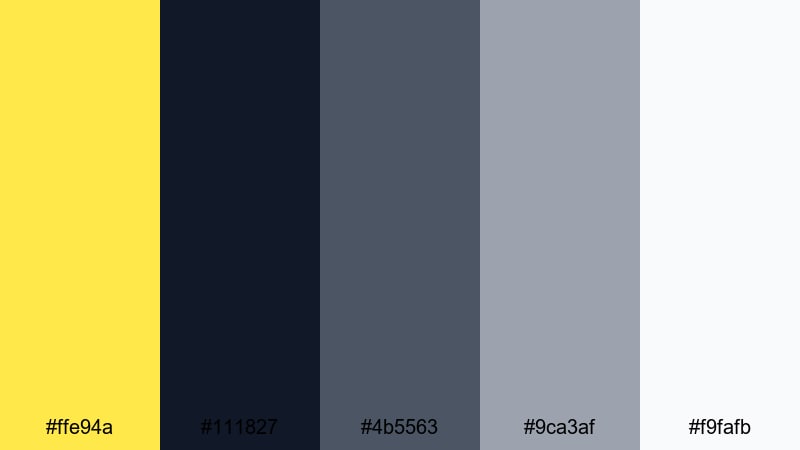
- HEX Codes: #ffe94a, #111827, #4b5563, #9ca3af, #f9fafb
- Mood: Clean, corporate, and confidently bright.
- Use for: Great for logo stings, product explainers, and SaaS promo videos.
Brand Spotlight Accent uses crisp Canary Yellow as a focused highlight against deep navy and cool grays. It feels corporate and modern, like a tech or SaaS brand that wants to stand out without looking playful.
Use yellow as a single strong accent on logos, cursor highlights, progress bars, or CTA buttons. The navy and mid-gray handle body text, diagrams, and UI mockups, while off-white (#f9fafb) keeps slides and backgrounds clean. This palette shines in explainers, onboarding videos, and website hero clips.
Editorial Golden Focus
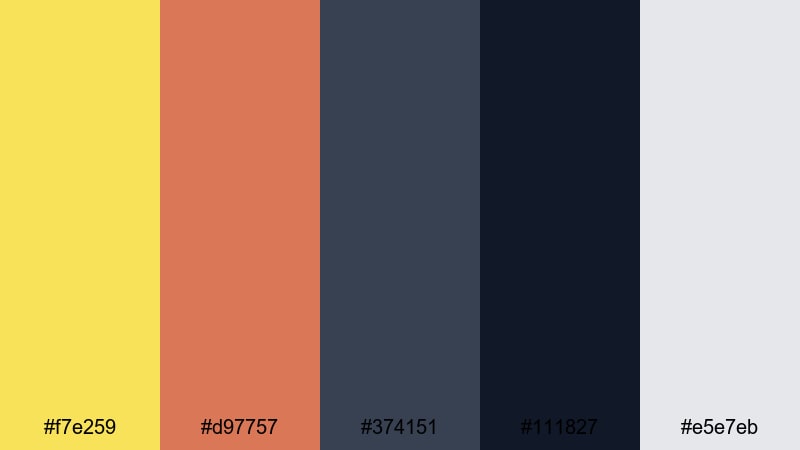
- HEX Codes: #f7e259, #d97757, #374151, #111827, #e5e7eb
- Mood: Polished, editorial, and design-forward.
- Use for: Perfect for lookbooks, brand films, and minimalist title sequences.
Editorial Golden Focus turns Canary Yellow into a rich golden accent, set alongside terracotta and charcoal. It feels like a magazine spread or high-end lookbook, with strong typography and considered negative space.
Use the golden yellow for key words in titles, pull quotes, and section markers. Terracotta adds warmth to backgrounds or frame elements, while deep charcoals provide contrast for product details, credits, or captions. This palette is ideal for fashion lookbooks, design reels, and brand films where style and clarity both matter.
Tech Startup Signal
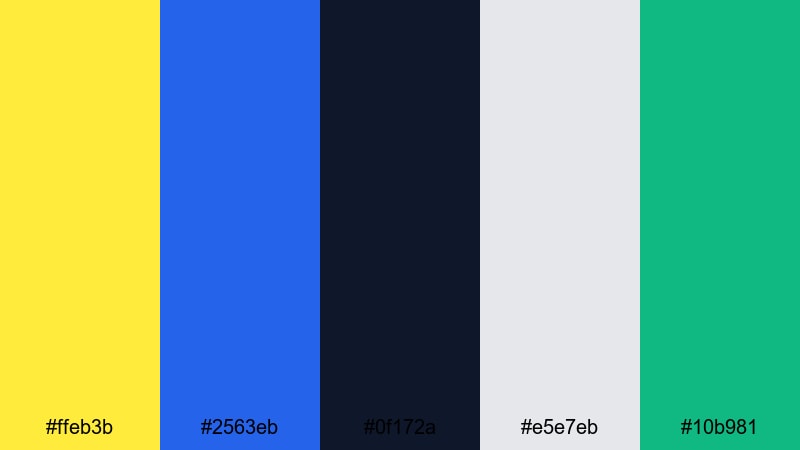
- HEX Codes: #ffeb3b, #2563eb, #0f172a, #e5e7eb, #10b981
- Mood: Innovative, confident, and forward-looking.
- Use for: Ideal for pitch decks, app promos, and motion graphics for tech channels.
Tech Startup Signal pairs bright Canary Yellow with vivid blue, deep navy, fresh green, and light gray. It feels like a modern dashboard UI or startup landing page brought into motion.
Use yellow for attention-grabbing metrics, notifications, or call-to-action buttons in your motion graphics. Blue and navy give structure to app screens, charts, and diagrams, while green (#10b981) highlights success states or growth numbers. This palette works perfectly for pitch videos, product demos, and data-driven YouTube content.
Tips for Creating Canary Yellow Color Palettes
Canary Yellow is powerful, so the colors you pair it with will decide whether your project feels playful, cinematic, or professional. Use these tips to build or adapt palettes that look great in both design and on-camera footage.
- Balance brightness: Use Canary Yellow mostly as an accent and support it with neutrals (navy, charcoal, off-white) so key text and UI elements remain readable.
- Protect skin tones: When grading, avoid pushing the entire image too yellow. Instead, isolate yellows and warm highlights so skin still looks natural while accents stay vibrant.
- Mind background vs. text: Place dark text on yellow backgrounds or yellow text on dark backgrounds, not yellow on white, to keep titles and subtitles clear in thumbnails and intros.
- Use category cues: Pair Canary Yellow with teal and blue for travel or tech, with pastels for wellness and journaling, and with terracotta or rust for cinematic or retro vibes.
- Match brand assets: Pull exact HEX codes from your logo and reuse the same yellow and neutrals across lower thirds, transitions, and end screens to build consistent branding.
- Check mobile contrast: Preview your designs at small sizes to make sure Canary Yellow accents are still visible and not blending into backgrounds on phone screens.
- Limit neon mixes: If your yellow is very bright, keep other colors slightly softer or darker so the frame does not become overwhelming or tiring to watch.
- Build presets in Filmora: Save your favorite color settings, filters, and titles as presets so future videos automatically inherit your chosen Canary Yellow palette.
Canary Yellow can signal fun, clarity, or premium quality depending on how you combine it. The palettes above give you ready-made combinations for vlogs, branding, explainers, and cinematic edits, each with precise HEX codes you can plug into your graphics and overlays.
Try a few different Canary Yellow color palettes inside Filmora, then tweak saturation, contrast, and filters until they match your personality or brand. By keeping your color choices consistent across thumbnails, intros, and B-roll, your audience will recognize your style instantly.
Whether you are building a cozy lifestyle channel, a bold gaming brand, or a clean startup presence, these Canary Yellow combinations are a strong base to design from. Use them as-is or as inspiration to create your own custom looks in Filmora.
secure download