

 100% Security Verified | No Subscription Required | No Malware


 ChatGPT
 Perplexity
 Gemini
 Claude
 Grok
Grok
Cold colors lean into blues, blue-greens, and icy neutrals. They instantly signal calm, distance, clarity, and sometimes a subtle sense of mystery. In video and visual design, a cold palette can make a frame feel cleaner, more modern, or more cinematic, depending on how deep or desaturated the tones are.
For creators, these tones are perfect for cool-looking thumbnails, techy intros, winter vlogs, or polished brand identities that stay away from warm, saturated energy. Below are 15 cold color palettes with ready-to-use HEX codes, tailored for editors, designers, and Filmora users who want consistent cold looks across YouTube videos, shorts, intros, overlays, and more.
In this article
Soft & Minimal Cold Color Palettes
Glacial Dawn Mist

- HEX Codes: #e4f1ff, #c7d7f2, #9db4d3, #6f88a6
- Mood: Calm, airy, and introspective.
- Use for: Use for vlog openings, quiet travel montages, or minimalist channel art where you want a soft, reflective chill.
Glacial Dawn Mist feels like morning light resting on untouched snow. The pale blues and gentle steel tones keep everything soft and breathable, without strong contrast or heavy drama. It is ideal when you want your visuals to whisper rather than shout.
Use this palette for slow-paced vlogs, cinematic b-roll of city streets at sunrise, or minimal YouTube banners and lower thirds. In thumbnails and intro cards, pair the lightest shade as your background with deeper text for a clean, reflective cold look that still feels welcoming.
Pro Tip: Build A Soft Cold Aesthetic In Filmora
When you work with a subtle palette like Glacial Dawn Mist, consistency is everything. In Filmora, you can set one clip as your visual reference, adjust its color to match this palette, and then copy those settings across your entire edit so your intro, talking head shots, and b-roll all share the same calm chill.
Combine these blues with gentle vignettes, slower transitions, and minimalist titles in Filmora to keep your visual language coherent. Saving your color adjustments as custom presets lets you return to this signature cold look for future uploads or social cutdowns.
AI Color Palette
If you have a mood board, screenshot, or color card based on Glacial Dawn Mist, you can turn it into a video-wide style with Filmora's AI Color Palette feature. Import your reference frame, match it to your timeline clips, and let the AI push all your shots toward the same delicate cold blues.
This is especially useful when your footage comes from different cameras or lighting conditions. One pass with AI Color Palette brings your entire vlog, intro sequence, and b-roll onto a unified, frosty color track that feels intentional instead of accidental.
 secure download

HSL, Color Wheels & Curves
To refine cold tones, Filmora's HSL, color wheels, and curves tools give you precise control. You can shift your blues toward a cleaner cyan for a fresher feel, or mute saturation slightly to keep skin tones from looking too icy while the environment stays cool.
Combining these tools with guidance from Filmora's color correction tutorials lets you deepen shadows, lift highlights, and protect midtones so your Glacial Dawn Mist palette stays cinematic. A gentle S-curve can add contrast without breaking the soft, minimal vibe you built.
secure download1000+ Video Filters & 3D LUTs
Once your cold palette is in place, Filmora's video filters and 3D LUTs make it easy to stylize it. You can drop on subtle film looks, cool cinematic LUTs, or gentle glow filters that enhance your icy blues without overwhelming them.
Use filters sparingly for minimalist edits, or stack them with LUTs for more dramatic cold aesthetics, like dreamy travel intros or moody storytime videos. Save your favorite combinations so future projects instantly match your channel's glacial signature style.
secure downloadFrosted Window Light
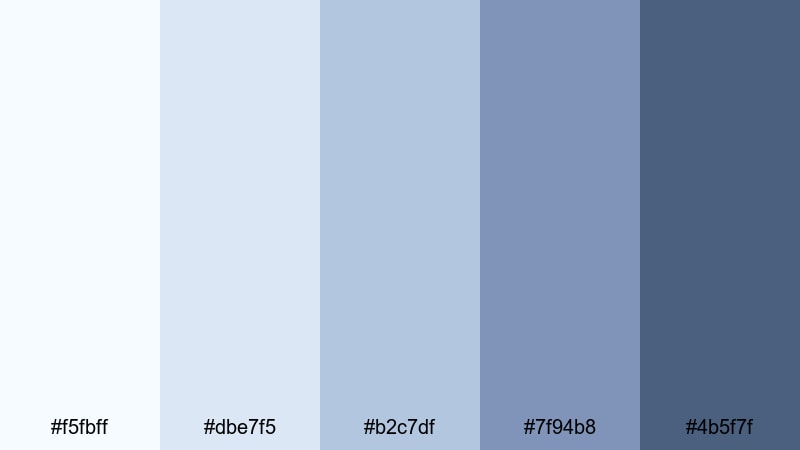
- HEX Codes: #f5fbff, #dbe7f5, #b2c7df, #7f94b8, #4b5f7f
- Mood: Soft, cozy, and slightly nostalgic.
- Use for: Use for lifestyle vlogs, cozy winter routines, or overlays that need a gentle chill without feeling harsh.
Frosted Window Light captures the glow of a pale winter sky seen through glass. The palette blends softly lit whites with muted slate blues, creating a cozy, reflective mood instead of a harsh, icy one.
It works beautifully for lifestyle vlogs, winter morning routines, and thoughtful storytelling. Use the lighter tones in your backgrounds and on-screen graphics, while the darker blues can support text overlays and channel branding that needs to stay readable on YouTube thumbnails and Reels covers.
Arctic Pastel Breeze
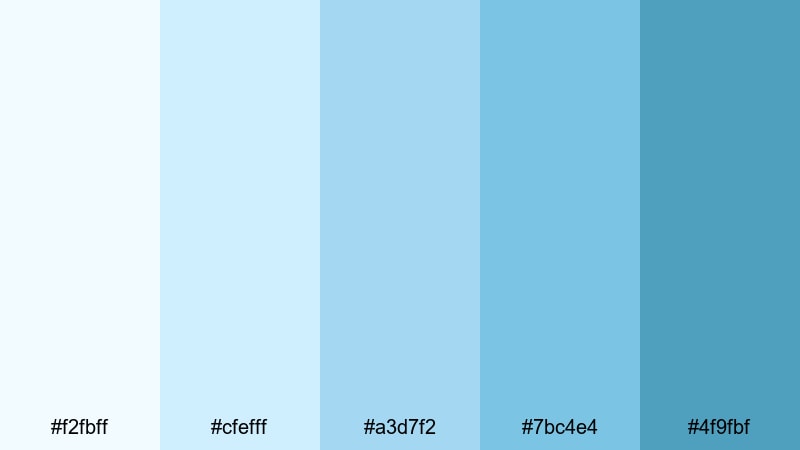
- HEX Codes: #f2fbff, #cfefff, #a3d7f2, #7bc4e4, #4f9fbf
- Mood: Light, fresh, and optimistic.
- Use for: Use for upbeat productivity videos, educational explainers, or channels that want a clean but friendly cold aesthetic.
Arctic Pastel Breeze feels like fresh air through an open window. Its bright, pastel blues and aquas create an optimistic cold tone that is perfect when you want clarity and focus without looking too sterile or clinical.
Use this palette for productivity dashboards, animated infographics, or tech explainers. In Filmora, apply the lighter hues to backdrops and info panels, and lean on the deeper aqua for icons, buttons, and titles in your thumbnails, channel banners, and end screens.
Quiet Winter Studio
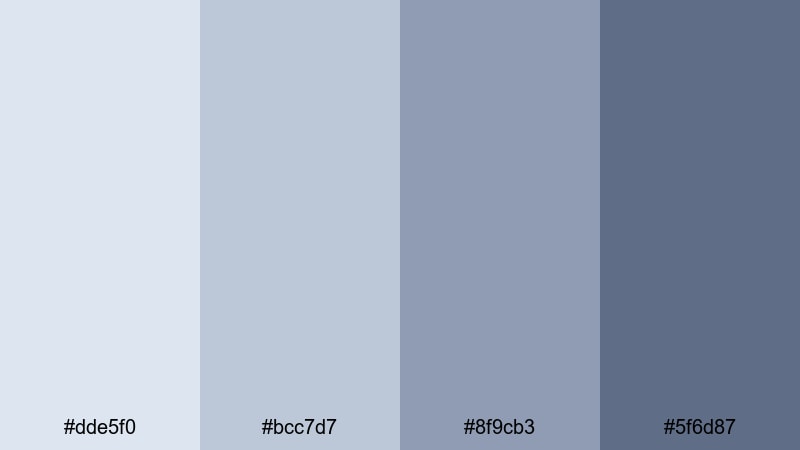
- HEX Codes: #dde5f0, #bcc7d7, #8f9cb3, #5f6d87
- Mood: Thoughtful, muted, and professional.
- Use for: Use for talking-head tutorials, design breakdowns, or workspace tours where you want a cool, distraction-free backdrop.
Quiet Winter Studio is built around soft steel blues and powdery grays. The palette removes visual noise and keeps attention on the subject, which is ideal for educational and tutorial-style content.
Apply these hues to backgrounds, lower thirds, and UI-style overlays in your videos. For branding, this palette can give your channel a modern, agency-like feel that still feels approachable, especially in thumbnails for how-to content or design breakdowns.
Bold & Futuristic Cold Color Palettes
Neon Ice Circuit
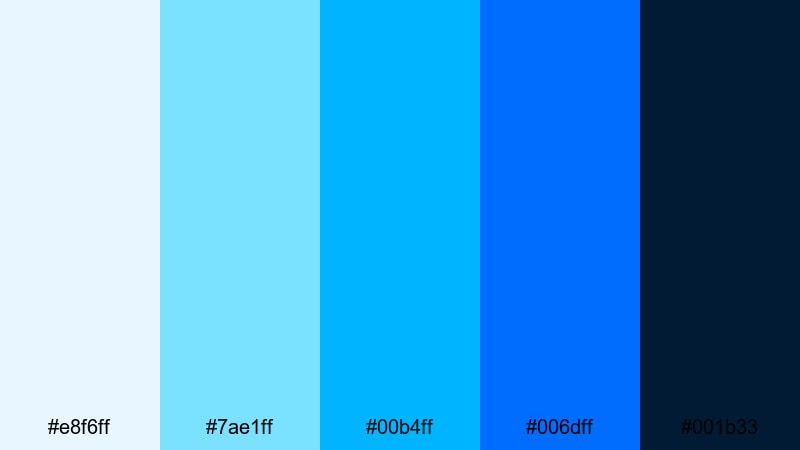
- HEX Codes: #e8f6ff, #7ae1ff, #00b4ff, #006dff, #001b33
- Mood: Energetic, high-tech, and eye-catching.
- Use for: Use for gaming intros, tech reviews, glitch transitions, and thumbnails that need an electric cold glow.
Neon Ice Circuit turns cold blues into a full-on electric statement. Bright cyans and saturated blues sit against a deep navy core, giving you that cyberspace, RGB-lights-on-the-desk vibe.
Use the lighter tones for highlights, HUD-style lines, and animated elements, and reserve the darkest navy as a background for neon text. It is perfect for gaming intros, tech channel branding, cyberpunk countdowns, and short-form clips where you want maximum impact in a split second.
Cyber Glacier Glow
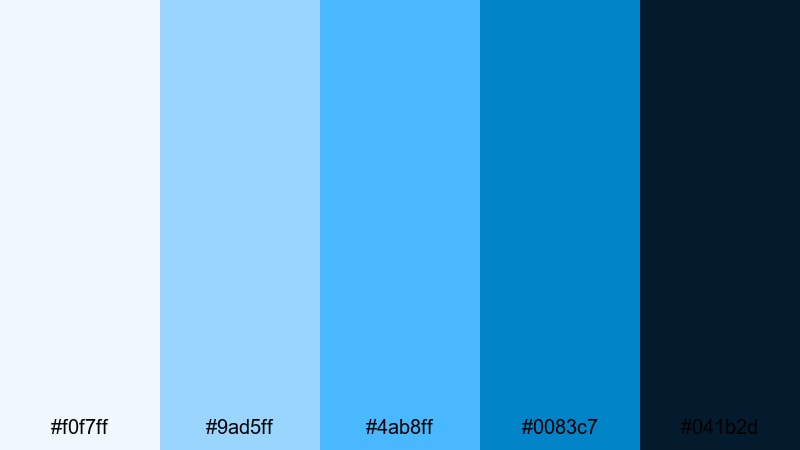
- HEX Codes: #f0f7ff, #9ad5ff, #4ab8ff, #0083c7, #041b2d
- Mood: Sleek, digital, and cinematic.
- Use for: Use for app promos, product teasers, and HUD-style overlays where you want a sharp, polished cold tech vibe.
Cyber Glacier Glow blends arctic freshness with a refined tech edge. The gradient moves from almost-white cysn through sky blues into a deep digital navy, creating a clean but serious atmosphere.
This palette works well for app demos, SaaS promos, software tutorials, and futuristic logo reveals. Color-code on-screen elements in your explainer videos using the brighter blues, then anchor everything with the darkest hue in your backgrounds and outro cards.
Electric Polar Shift
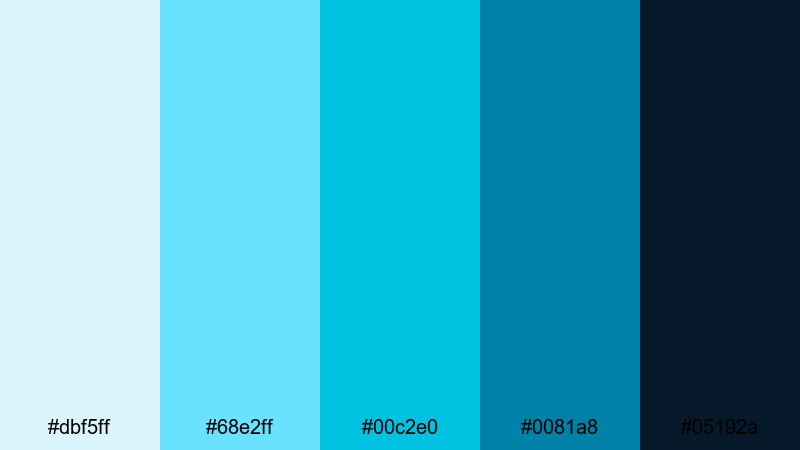
- HEX Codes: #dbf5ff, #68e2ff, #00c2e0, #0081a8, #05192a
- Mood: Intense, modern, and dynamic.
- Use for: Use for sports edits, fast-cut montages, and short-form socials where motion and energy are key.
Electric Polar Shift is all about movement and power. Punchy teals and vivid cyans collide with inky blues, giving fast-paced edits a charged, high-energy coldness that still feels modern and clean.
Use it for sports highlights, workout edits, or dynamic TikTok and Shorts transitions. In titles and overlays, set your text in the brighter aqua against deep navy backgrounds to grab attention while keeping the palette tight and on-brand.
Midnight Hologram Frost
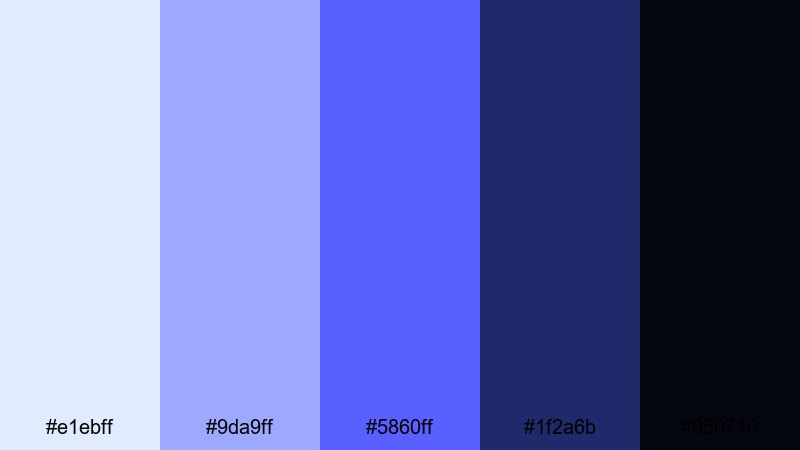
- HEX Codes: #e1ebff, #9da9ff, #5860ff, #1f2a6b, #050710
- Mood: Moody, sci-fi, and immersive.
- Use for: Use for trailer-style edits, music videos, and dark mode overlays that need a holographic cold edge.
Midnight Hologram Frost leans into indigos and holographic violets. The palette transitions from light icy blues to saturated electric violet and finally to almost-black, creating an immersive sci-fi mood.
It is ideal for synthwave music visuals, cinematic trailers, gaming montages, or dark mode UI mockups. Use the bright tones as hologram effects and accent glows, while the darkest colors serve as deep space backdrops for titles, credits, and logo animations.
Nature Inspired Cold Color Palettes
Frozen Lake Shore
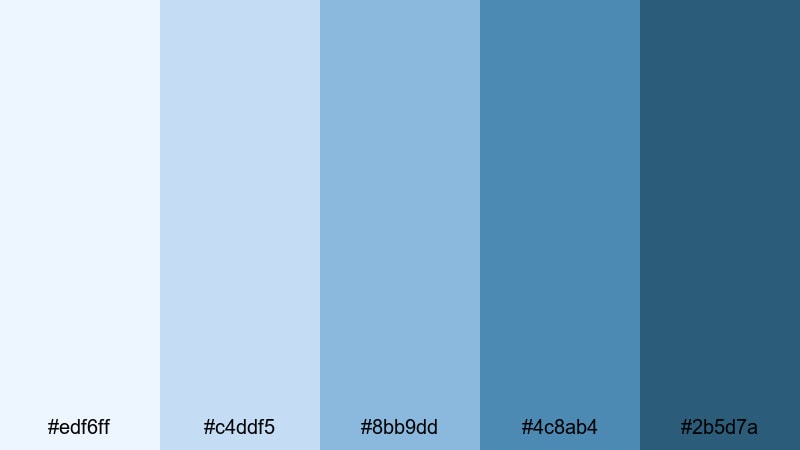
- HEX Codes: #edf6ff, #c4ddf5, #8bb9dd, #4c8ab4, #2b5d7a
- Mood: Peaceful, natural, and refreshing.
- Use for: Use for travel vlogs, nature b-roll, and calm outdoor storytelling with a crisp winter tone.
Frozen Lake Shore mirrors the layered blues you see in a cold lake under a pale sky. From hazy horizon tints to deeper water tones, it offers a natural cold gradient that feels clean and soothing.
Use this palette for winter travel vlogs, landscape overlays, or soft gradients behind your on-screen text. It works especially well when you want to keep the feeling of real daylight, while still pushing the mood toward crisp, refreshing coldness.
Northern Fjord Horizon
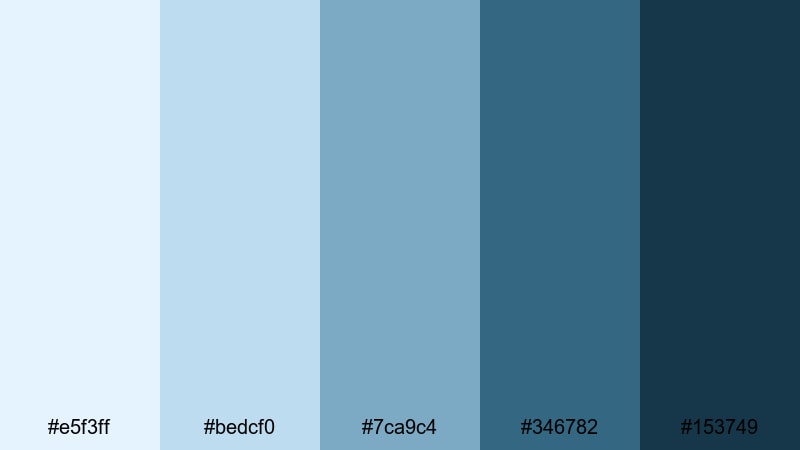
- HEX Codes: #e5f3ff, #bedcf0, #7ca9c4, #346782, #153749
- Mood: Majestic, distant, and tranquil.
- Use for: Use for documentary-style edits, cinematic travel intros, and title cards that need a wild, northern mood.
Northern Fjord Horizon carries the feeling of distant mountains and deep water under a cold sky. The palette moves from soft blues into stormy teal and finally to a dark, moody navy that feels expansive and cinematic.
It suits drone footage, documentary intros, and calm storytelling pieces. In thumbnails and posters, place white or pale text over the darker fjord tones, using the lighter blues for subtle gradients that suggest depth and distance.
Alpine Icefall Sky
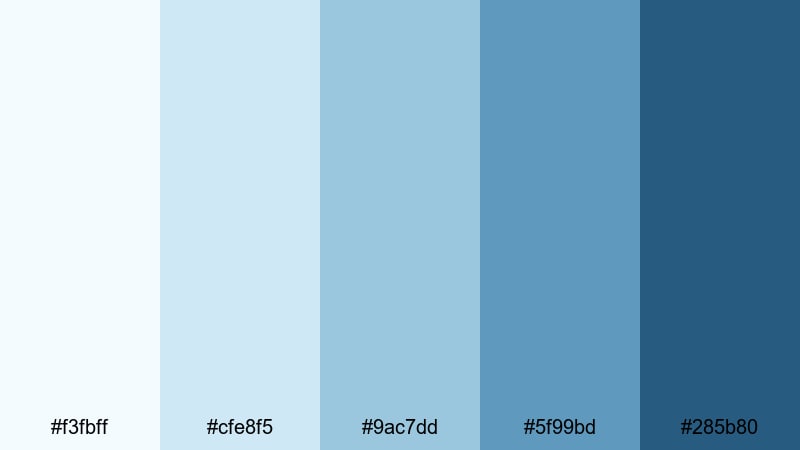
- HEX Codes: #f3fbff, #cfe8f5, #9ac7dd, #5f99bd, #285b80
- Mood: Bright, crisp, and adventurous.
- Use for: Use for ski trips, hiking recaps, and outdoor sports edits that need a clean alpine chill.
Alpine Icefall Sky combines glacial whites with airy sky blues, delivering a bright and adventurous cold mood. It keeps visuals feeling clean and high-altitude, ideal for outdoors and action content shot in snow or open landscapes.
Use the lighter shades for clean backgrounds on title cards or maps, and rely on the deeper blues for text and accent elements. This palette helps you keep snow scenes from looking gray while still preserving that crisp, alpine chill in your edits.
Snowy Pine Overcast
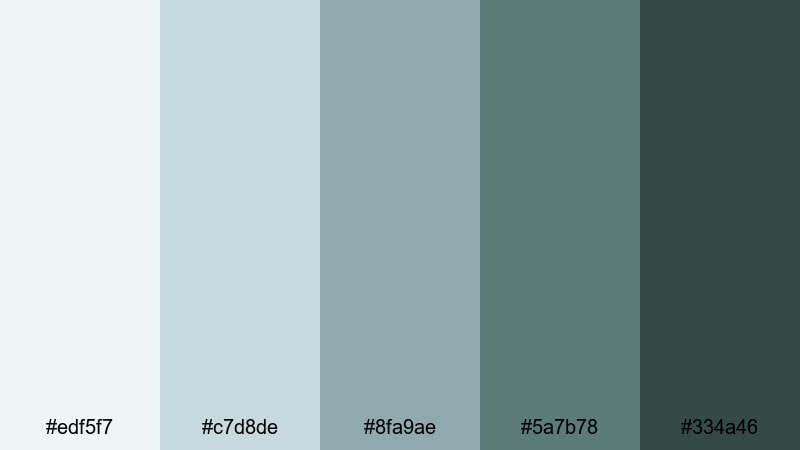
- HEX Codes: #edf5f7, #c7d8de, #8fa9ae, #5a7b78, #334a46
- Mood: Grounded, moody, and organic.
- Use for: Use for moody forest walks, cabin-in-the-woods vlogs, or product shots with a cold, natural edge.
Snowy Pine Overcast merges cool grays with dusty greens and slate blues. It brings the feeling of pine forests under a clouded winter sky, giving your visuals a grounded but distinctly cold atmosphere.
This palette is ideal for nature walks, cabin vlogs, and product shots on wooden or stone textures. Use the darker greens and blues as a base for typography and logos, and keep the pale tones for backgrounds, borders, and subtle overlays in your videos.
Elegant & Cinematic Cold Color Palettes
Steel Blue Auteur
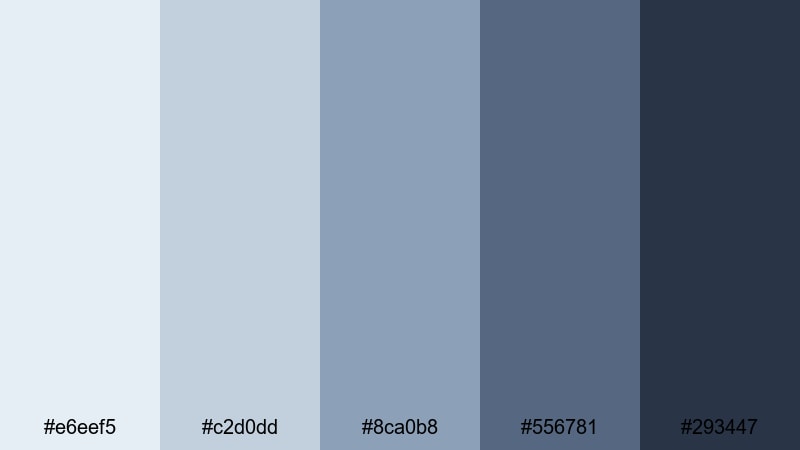
- HEX Codes: #e6eef5, #c2d0dd, #8ca0b8, #556781, #293447
- Mood: Refined, cinematic, and controlled.
- Use for: Use for short films, brand stories, and narrative edits that lean into a polished, cool-toned grade.
Steel Blue Auteur gives you the classic cool cinema look. Soft steel blues lead into charcoal accents, creating a refined palette that feels editorial and intentional, without tipping into neon or overly stylized colors.
Use it as a base for narrative films, brand documentaries, and polished talking head pieces. In Filmora, you can push your grade toward these HEX values, then use the darker tones for title cards, credit screens, and logo animations that match your overall cold grade.
Monochrome Frost Noir
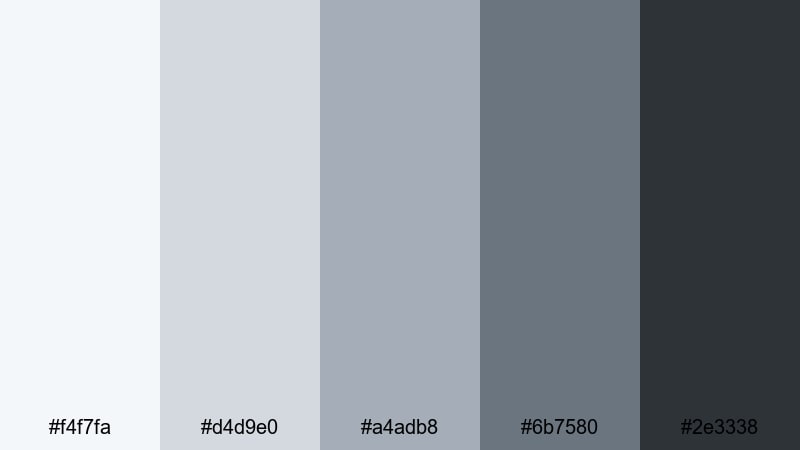
- HEX Codes: #f4f7fa, #d4d9e0, #a4adb8, #6b7580, #2e3338
- Mood: Sophisticated, minimal, and moody.
- Use for: Use for tech brands, luxury product showcases, or B-roll where you want a nearly monochrome cold aesthetic.
Monochrome Frost Noir strips color down to icy grays and frosted graphite. The effect feels sleek and high-end, almost like a cold black-and-white film with just a hint of blue in the shadows.
It is excellent for luxury product shots, tech B-roll, UI close-ups, or minimalist channel branding. In thumbnails and intro titles, contrast light frost backgrounds with deep charcoal text for a modern, premium cold aesthetic.
Crystal Studio Spotlight
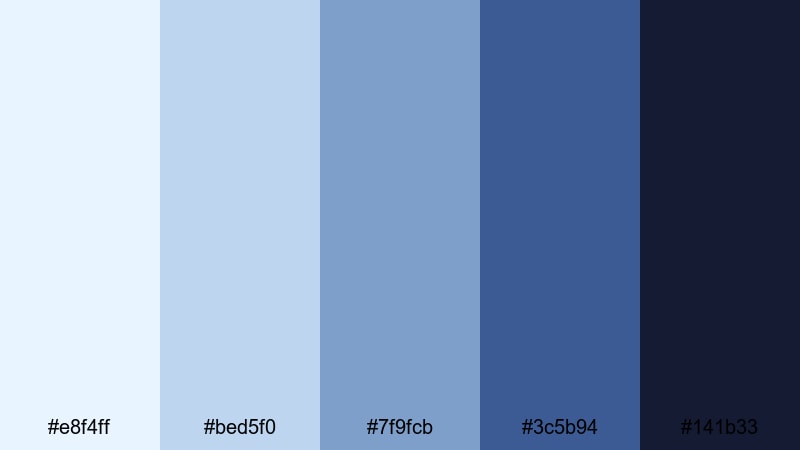
- HEX Codes: #e8f4ff, #bed5f0, #7f9fcb, #3c5b94, #141b33
- Mood: Polished, dramatic, and luminous.
- Use for: Use for studio shoots, interviews, and channel trailers that need a crisp, high-end cold finish.
Crystal Studio Spotlight combines bright crystal highlights with deep navy shadows, echoing controlled studio lighting. It delivers a crisp, professional cold palette that instantly makes footage feel more high-end.
Use the lighter hues for key-lighted areas, titles, and motion graphics, and drop the darkest navy behind logos and call-to-action cards. This palette is perfect for channel trailers, interview setups, and branded content that needs a strong, luminous cold identity.
Tips for Creating Cold Color Palettes
Cold color palettes can range from soft and minimal to bold and futuristic. A few practical guidelines will help you combine blues, teals, and grays in a way that looks intentional and works across video, thumbnails, and branding.
- Start with one dominant cold hue (blue, teal, or slate) and build supporting shades by adjusting lightness and saturation rather than mixing too many different colors.
- Keep text readability in mind: pair very light blues with dark navy or charcoal text, and place bright cyan accents on darker backgrounds.
- Balance cold tones with neutrals like soft gray or off-white to avoid making skin tones look lifeless or overly blue.
- Use one accent color only (for example, a slightly warmer teal or a subtle gold detail) to draw attention to CTAs, subscribe buttons, or key titles.
- Match your color palette to your footage: push shadows into cooler tones while protecting midtones and highlights so faces still look natural.
- Stay consistent across thumbnails, intros, lower thirds, and end screens so viewers immediately recognize your channel's cold aesthetic.
- Create separate variations for light and dark mode designs using the same core hues, adjusting only brightness and contrast.
- Test your palette on different screens and in both small (mobile thumbnail) and large (desktop player) sizes to ensure your cold colors stay clear and legible.
Cold color palettes are powerful tools for shaping mood, storytelling, and brand identity. Whether you prefer soft glacial tones, electric cyber blues, or elegant steel grays, a clear palette helps your videos look cohesive and instantly recognizable.
With Filmora, you can turn these HEX codes into real-world grades, matching your footage, graphics, intros, and social clips to a single cold aesthetic. Experiment with a few of these palettes, save your favorite looks as presets, and keep refining until your channel feels like a polished cold universe of its own.
Once you have a palette that fits, reuse it across future projects so every new upload feels connected to the last. Over time, that consistent cold look becomes part of your visual signature on YouTube, Instagram, and beyond.
secure downloadNext: Teal Gold Color Palette
