

 100% Security Verified | No Subscription Required | No Malware


 ChatGPT
 Perplexity
 Gemini
 Claude
 Grok
Grok
Cream brown sits in a sweet spot between warm beige and grounded chocolate, bringing a sense of comfort, trust, and calm. It feels like coffee foam, soft blankets, and book pages all at once, which is why it works so well for channels that want to feel friendly, intimate, and a little cinematic. In color psychology, these warm neutrals are linked to stability, reliability, and coziness, making them perfect for creators who want viewers to relax and stay awhile.
For video intros, YouTube thumbnails, vlogs, and branding, a cream brown color palette instantly communicates warmth without shouting for attention. It pairs beautifully with natural light footage, lifestyle content, productivity setups, and story driven edits. Below you will find carefully curated cream brown color palettes with ready to use HEX codes so you can apply them consistently across overlays, titles, channel art, and color grading in Filmora.
In this article
Soft & Cozy Cream Brown Color Palettes
Morning Latte Glow
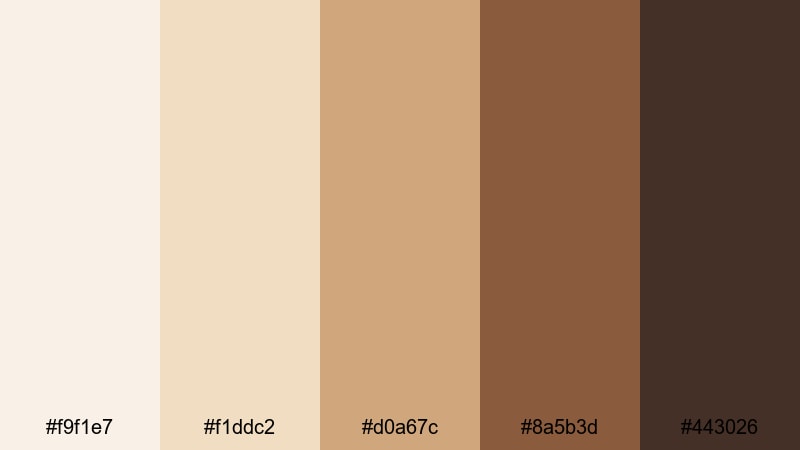
- HEX Codes: #f9f1e7, #f1ddc2, #d0a67c, #8a5b3d, #443026
- Mood: Gentle, uplifting, and warmly caffeinated like a slow morning in soft light.
- Use for: Ideal for vlog intros, lifestyle B-roll, and cozy tutorial backdrops that need a welcoming, homey feel.
Morning Latte Glow layers airy creams with caramel and mocha browns, creating the feeling of sunlight hitting a fresh cup of coffee. It is calm, soft, and reassuring, which makes it excellent for channels that want to feel approachable and real rather than overly polished or loud.
Use the lightest tones for backgrounds, lower thirds, and text panels, while the deeper browns anchor titles, buttons, and thumbnails. This palette works beautifully for morning routines, wellness vlogs, aesthetic reels, and any Filmora project where you want viewers to feel like they are easing into the day with you.
Pro Tip: Build a Soft Cream Brown Aesthetic in Filmora
To keep your cream brown look consistent from intro to end screen, build a simple visual system inside Filmora. Use the lightest cream as your main background for titles and subscribe prompts, then sample the mid browns for text, icons, and shapes. Save these choices as custom presets so every new video instantly matches your Morning Latte Glow branding.
When you mix talking head clips, B-roll, shorts, and social cutdowns, apply the same cream brown accents to frames, borders, and motion graphics. This keeps your channel recognizable at a glance, even when viewers discover your content from search or recommendations.
AI Color Palette
Filmora's AI Color Palette feature lets you grab the mood of Morning Latte Glow from a reference image or graphic and apply it to your entire timeline. Import a frame or color card that uses these HEX codes, then let AI match the warmth and softness across your clips.
This is perfect for unifying mixed footage, like smartphone clips and camera shots, so everything feels like part of the same creamy, coffee toned story. In just a few clicks you get a consistent, professional grade aesthetic without manually tweaking every shot.
 secure download

HSL, Color Wheels & Curves
To fine tune cream brown tones, use Filmora's HSL, color wheels, and curves controls. Slightly boosting the orange and yellow saturation can make skin tones look healthier against creamy backgrounds, while gently lifting the shadows adds that soft, latte like glow. You can follow step by step Filmora color correction tips to keep your grading subtle and cinematic.
Color wheels let you add a warm bias to midtones for cozy interiors or shift highlights toward a soft cream for bright desk shots. With curves, you can create a gentle S curve to deepen the coffee browns without crushing detail, helping your overlays, texts, and B-roll sit together in one polished look.
secure download1000+ Video Filters & 3D LUTs
If you want to move fast, Filmora's video filters and 3D LUTs make it easy to build a creamy, cinematic grade in seconds. Start with a warm, soft contrast LUT, then adjust opacity so your original footage still looks natural but inherits that Morning Latte Glow mood.
From vintage fades to subtle film looks, stack filters to push your browns toward a cozy café feel or a more polished studio style. Save the combination as a custom LUT so every vlog, Reel, or YouTube Short keeps the same cream brown identity without redoing the work.
secure downloadCozy Blanket Afternoon
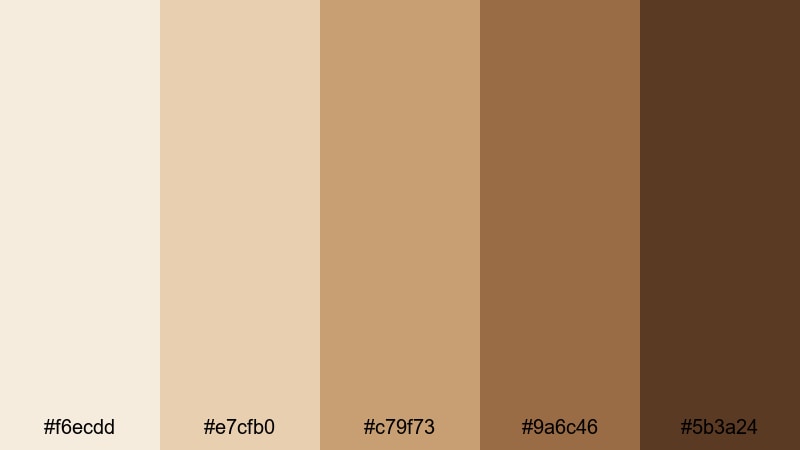
- HEX Codes: #f6ecdd, #e7cfb0, #c79f73, #9a6c46, #5b3a24
- Mood: Snug, relaxed, and slightly nostalgic, like a quiet afternoon wrapped in a blanket.
- Use for: Use for calm talking head videos, reading vlogs, or podcast cover art that should feel intimate and warm.
Cozy Blanket Afternoon leans into warm creams and soft mid browns that feel like late day sun on a couch. The palette has a gentle nostalgia that works well for reflective content, journaling videos, and relaxed Q&A sessions.
Use the lighter tones as a base for screens, overlays, and lower thirds, then bring in the deeper browns for typography and icons so your text remains readable. It is a great match for booktube channels, podcast thumbnails, or long form Filmora edits where you want viewers to stay comfortable and engaged for a while.
Vanilla Biscuit Dream
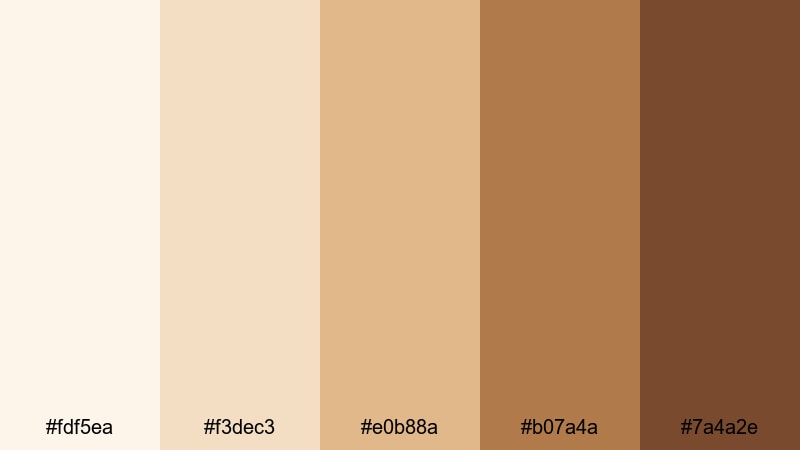
- HEX Codes: #fdf5ea, #f3dec3, #e0b88a, #b07a4a, #7a4a2e
- Mood: Sweet and reassuring, with a dessert like softness that feels friendly and lighthearted.
- Use for: Great for recipe shorts, baking channels, and playful thumbnails that still need a neutral base.
Vanilla Biscuit Dream is a delicious mix of buttery creams and cookie browns. It feels cheerful without being loud, which makes it perfect for lifestyle creators who want a playful but neutral aesthetic.
Apply the pale tones to background cards behind text and use the richer biscuit shades for buttons, badges, and titles on your thumbnails. In Filmora, this palette suits food content, DIY crafts, family vlogs, and any intro sequence where you want an inviting, snack like warmth.
Almond Foam Whisper
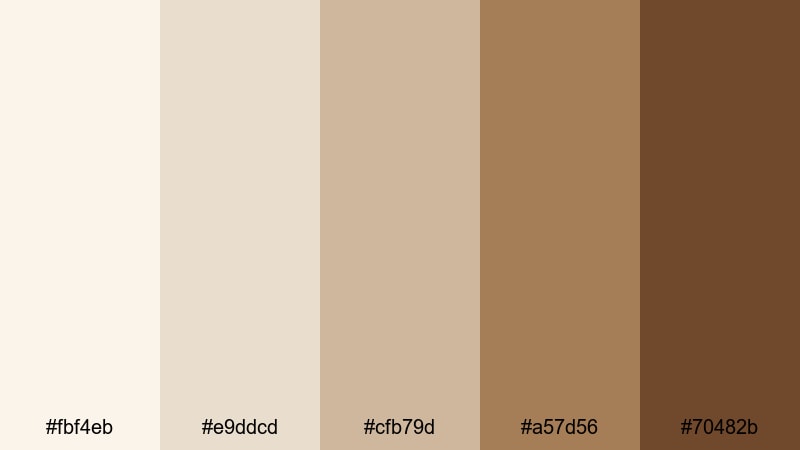
- HEX Codes: #fbf4eb, #e9ddcd, #cfb79d, #a57d56, #70482b
- Mood: Delicate and airy, like almond foam on a warm drink, with subtle depth in the browns.
- Use for: Perfect for beauty tutorials, skincare reels, and title cards where you want softness without losing contrast.
Almond Foam Whisper balances feathery creams with polished almond browns, giving your visuals a high end yet gentle finish. It is especially flattering for skin tones and product shots because it avoids harsh contrast while still keeping enough depth.
Use the two lightest shades as soft backdrops for product labels, step by step overlays, or captions. The mid and dark browns are ideal for logo marks, headings, and call to action buttons in your thumbnails and end screens. In Filmora, combine this palette with slow camera moves and soft focus B-roll for a clean beauty or wellness brand feel.
Candlelit Cocoa Night
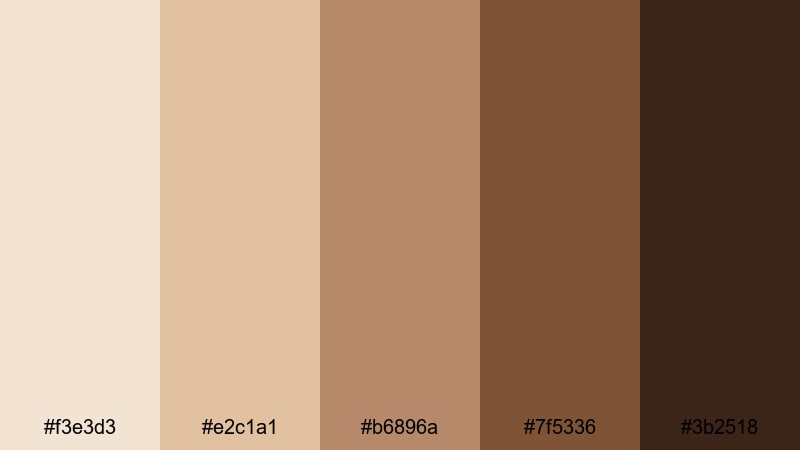
- HEX Codes: #f3e3d3, #e2c1a1, #b6896a, #7f5336, #3b2518
- Mood: Romantic and calm, evoking flickering candlelight and a cup of cocoa at night.
- Use for: Use for night routine vlogs, cinematic b-roll, and intro cards that need intimate low light warmth.
Candlelit Cocoa Night slides from soft cream highlights into deep cocoa shadows, mimicking the gentle contrast of a room lit by candles. It is comforting but slightly moody, ideal for slow evening vlogs, self care nights, or soft storytelling edits.
In your Filmora projects, pair the lighter tones with glowing text or minimal title screens, and use the darkest brown as a grounding color for frames and accent lines. This helps create an intimate visual envelope around your footage, perfect for ASMR, calm commentary, or cinematic B-roll sequences.
Modern & Minimal Cream Brown Color Palettes
Cream Brown Studio Loft
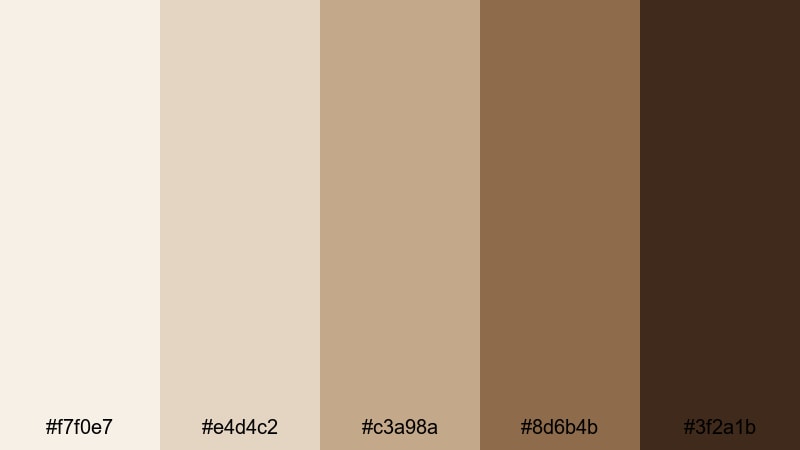
- HEX Codes: #f7f0e7, #e4d4c2, #c3a98a, #8d6b4b, #3f2a1b
- Mood: Urban, airy, and stylish with a balance of light neutrals and grounded browns.
- Use for: Ideal for creator studios, desk setups, and tech reviews that want a neutral but character rich base.
Cream Brown Studio Loft feels like a bright city studio with warm wooden accents and clean walls. The palette is sophisticated yet welcoming, suited to channels that want a professional but not sterile look.
Use the lightest shades as backgrounds for clean title cards, chapter markers, and UI inspired overlays, while the darker browns define logos, borders, and device callouts. It works especially well for tech reviews, workspace tours, and productivity content edited in Filmora with modern motion graphics.
Minimal Sandstone Grid
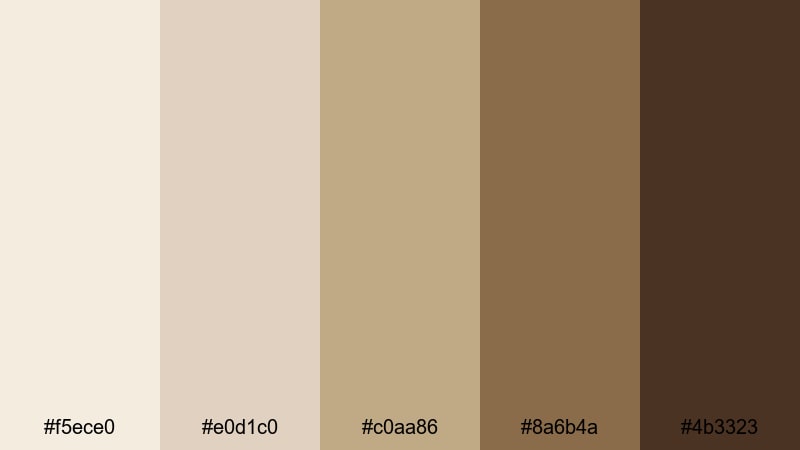
- HEX Codes: #f5ece0, #e0d1c0, #c0aa86, #8a6b4a, #4b3323
- Mood: Clean and ordered with a grounded, architectural warmth.
- Use for: Great for UI overlays, lower thirds, and infographic style frames that need clarity and balance.
Minimal Sandstone Grid is inspired by structured surfaces and subtle stone hues. It is tidy and balanced, ideal for educational channels, how to videos, and business content that needs a calm, neutral base.
Use the cream shades for content blocks and charts, with mid browns for titles and dark browns for axis lines, icons, and buttons. In Filmora, you can combine this palette with simple animations and line graphics to present stats, step lists, or tutorial overlays without distracting from your footage.
Muted Coffee Branding
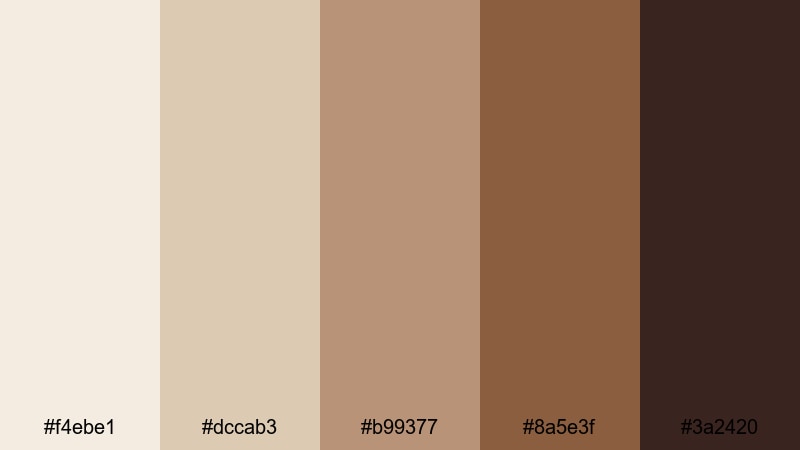
- HEX Codes: #f4ebe1, #dccab3, #b99377, #8a5e3f, #3a2420
- Mood: Refined and professional with the warmth of a specialty coffee shop.
- Use for: Use for channel branding, logo reveals, and sponsor segments that should feel premium yet approachable.
Muted Coffee Branding mixes gentle cream with coffee shop browns, giving your visuals a premium but relaxed personality. It suits creators who want their channel to feel like a curated brand rather than a casual diary.
Use the lighter colors to frame logo animations and sponsor messages, while the darker browns support text, iconography, and call to action panels. In Filmora, this palette can anchor your entire visual identity, from intro stings to end screens, especially for small businesses, cafes, and personal brands.
Gallery Wall Neutrals
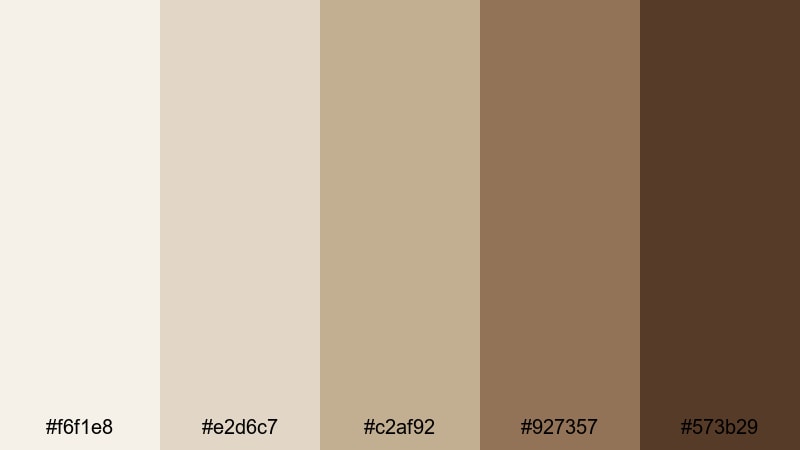
- HEX Codes: #f6f1e8, #e2d6c7, #c2af92, #927357, #573b29
- Mood: Curated and artistic, like a minimalist gallery wall in warm daylight.
- Use for: Perfect for lookbooks, portfolio reels, and aesthetic b-roll showcasing decor or art.
Gallery Wall Neutrals feels like a carefully arranged set of frames on a cream wall. The tones are artistic and slightly elevated, helping your work stand out without competing with it.
Use the lighter creams for negative space and margins, while the richer browns frame shots, separate sections, and highlight key captions or quotes. In Filmora, this palette is ideal for fashion edits, decor reels, photography portfolios, and any montage where the content is the hero and the design is quietly supportive.
Clean Desk Aesthetic
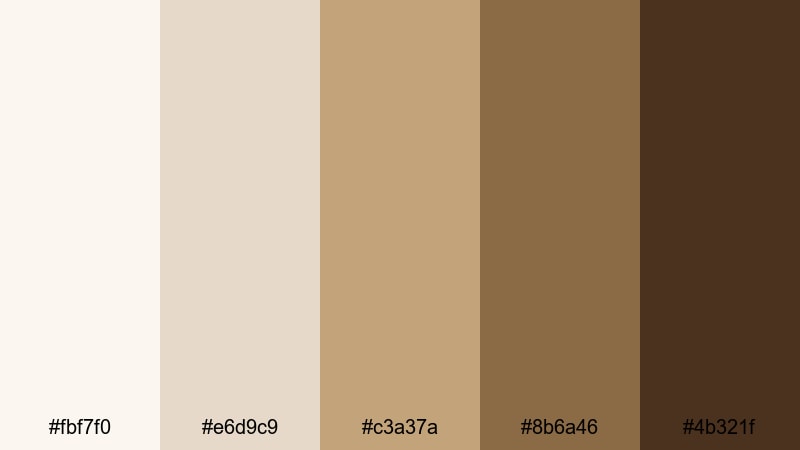
- HEX Codes: #fbf7f0, #e6d9c9, #c3a37a, #8b6a46, #4b321f
- Mood: Productive, calm, and lightly luxurious, like an organized workspace shot from above.
- Use for: Use for productivity vlogs, study with me videos, and thumbnail backgrounds that signal focus and clarity.
Clean Desk Aesthetic combines bright creams with tidy brown accents, echoing an overhead shot of a well organized workspace. It communicates focus, calm, and a touch of luxury, which is great for study, work, or organization content.
Use the lightest shade as a backdrop for time stamps, progress bars, and task lists; reserve the darker browns for headings and CTAs like Subscribe or Download. In Filmora, this palette pairs nicely with time lapse sequences, screen recordings, and schedule overlays for productivity themed channels.
Vintage & Cinematic Cream Brown Color Palettes
Sepia Film Memory
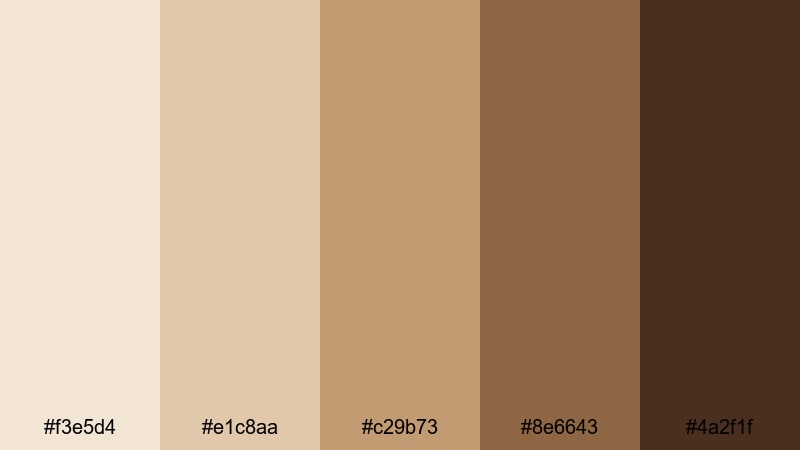
- HEX Codes: #f3e5d4, #e1c8aa, #c29b73, #8e6643, #4a2f1f
- Mood: Nostalgic and cinematic, reminiscent of old sepia toned photographs.
- Use for: Perfect for cinematic vlogs, flashback sequences, and travel diaries with a story driven feel.
Sepia Film Memory recreates the warmth of vintage photos with layered creams and rich browns. It instantly adds a sense of history and emotion to your visuals, making present day footage feel like a treasured memory.
Use the lighter tones in overlays and text frames for chapter titles like Day 1 or Flashback, and rely on the darker browns for type and subtle borders. In Filmora, this palette is a natural partner for slow pans, archival footage, and narrative driven edits where mood matters as much as detail.
Old Book Pages
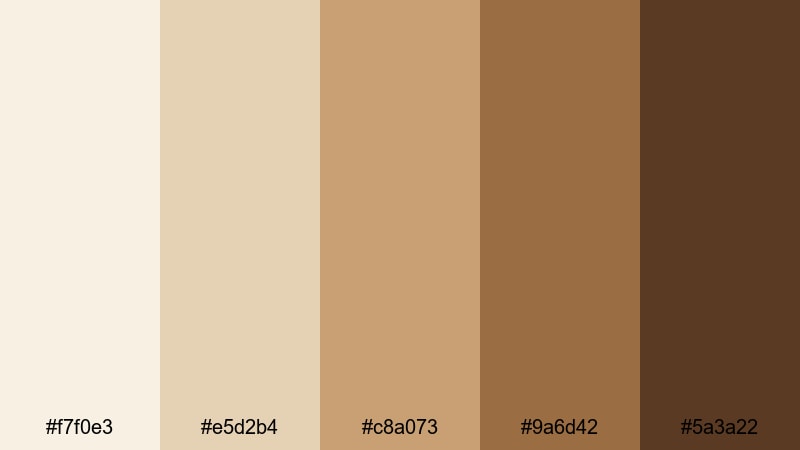
- HEX Codes: #f7f0e3, #e5d2b4, #c8a073, #9a6d42, #5a3a22
- Mood: Bookish, intellectual, and quietly romantic like a stack of old novels.
- Use for: Use for study cinematics, writer vlogs, and educational content that should feel timeless.
Old Book Pages pairs yellowed cream tones with paper and leather browns, echoing the look of aged novels. It feels thoughtful and timeless, ideal for storytelling, academic, or creative writing content.
Use the pale shades behind quotes, key points, or chapter headings, and the darker browns for serif typography that resembles printed text. In Filmora, combine this palette with page turn sound effects, soft fades, and slow zooms for a cozy, library like atmosphere.
Dusty Cafe Corner
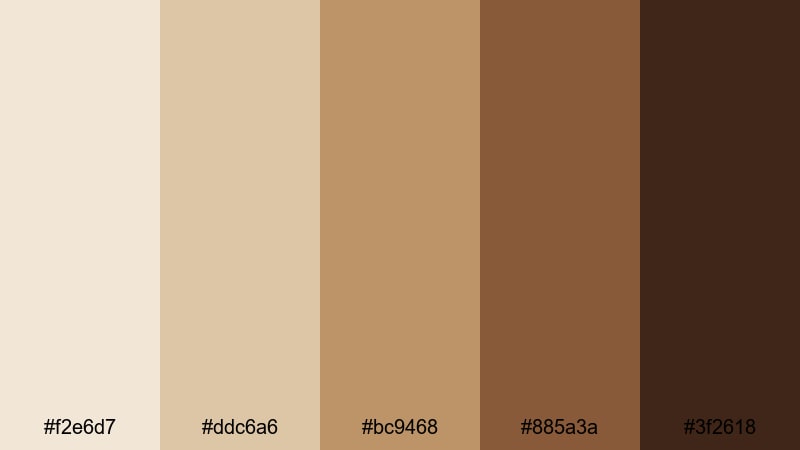
- HEX Codes: #f2e6d7, #ddc6a6, #bc9468, #885a3a, #3f2618
- Mood: Intimate and slightly gritty, like a quiet cafe table near a window.
- Use for: Great for moody vlogs, coffee shop montages, and lo fi music visuals.
Dusty Cafe Corner blends dusty creams with espresso browns, adding a relaxed, worn in feel to your edits. It is perfect for lo fi beats, rainy day vlogs, and coffee shop montages where you want a lived in, cinematic vibe.
Use the lighter hues for title screens and track names, and the darkest brown for subtitles or lyrics, ensuring legibility over textured backgrounds. In Filmora, this palette shines when combined with film grain, slower cuts, and minimal motion graphics to let the mood and music lead.
Desert Caravan Light
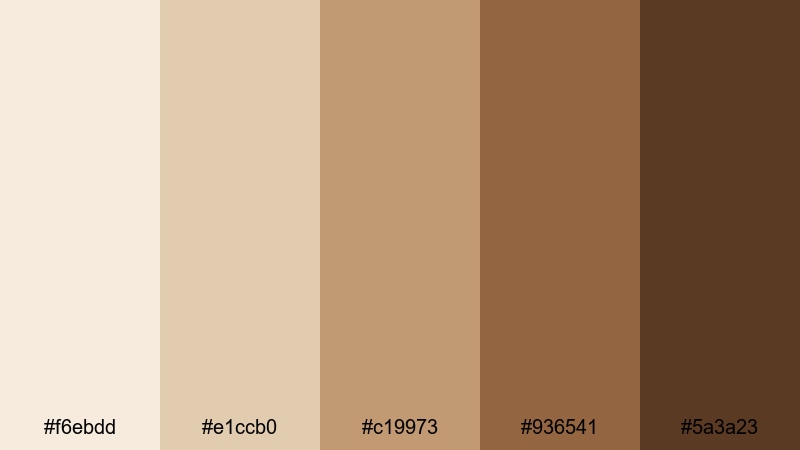
- HEX Codes: #f6ebdd, #e1ccb0, #c19973, #936541, #5a3a23
- Mood: Sun baked and adventurous, with a hint of desert dust and golden hour glow.
- Use for: Use for travel videos, adventure intros, and drone footage that needs warmth without oversaturation.
Desert Caravan Light captures the feel of golden hour across sand and stone. It is warm and adventurous without pushing saturation too far, which keeps your footage looking cinematic instead of overly filtered.
Use the bright creams in title cards and map overlays, and the deeper tawny browns for place names, dates, and route markers. In Filmora, this palette is great for drone shots, road trip diaries, and outdoor B-roll where you want to emphasize warmth and wanderlust.
Vintage Suitcase Tones
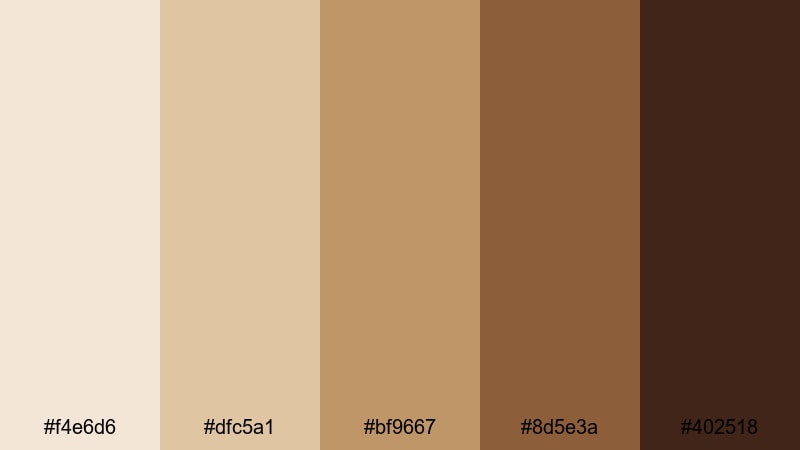
- HEX Codes: #f4e6d6, #dfc5a1, #bf9667, #8d5e3a, #402518
- Mood: Well traveled and storied, like a stack of vintage suitcases in a train station.
- Use for: Ideal for travel diaries, retro style edits, and nostalgic brand storytelling.
Vintage Suitcase Tones combines creamy highlights with worn leather browns, evoking old luggage, train stations, and postcards. It gives your edits a sense of journey and history, even when you are shooting in the present.
Use the pale tones to support titles, stamps, and date markers, while the dark leather browns frame clips or highlight key story beats. In Filmora, pair this palette with film burn overlays, slow dissolves, and map graphics for retro travel intros and nostalgic montage sequences.
Tips for Creating Cream Brown Color Palettes
Cream brown palettes are versatile, but small choices in contrast, saturation, and pairing colors will decide whether your video feels cozy, premium, or muddy. These tips help you combine cream brown shades in a way that supports clear storytelling and strong branding across your Filmora projects.
- Balance light and dark: Always include at least one very light cream and one deep brown so text, icons, and overlays stay readable on both light and dark footage.
- Use mid tones for skin: Keep mid brown and beige shades soft and slightly desaturated so they flatter skin tones in talking head shots and close ups.
- Limit accent colors: Add only one contrast accent (like muted bubble gum pink, soft teal, or sage) so cream brown remains the hero of your palette.
- Test on thumbnails: Export a draft thumbnail from Filmora and check it on mobile; adjust contrast or text color if your titles disappear at small sizes.
- Match footage temperature: Warm up cool camera footage slightly so it blends with cream browns; a small white balance adjustment can unify the look.
- Use one palette per series: Pick a specific cream brown set for a playlist or series so viewers instantly recognize that content in their feed.
- Check accessibility: Ensure body text meets contrast guidelines against your cream backgrounds; if needed, darken your browns or add a subtle shadow.
- Save presets in Filmora: Store your favorite cream brown HEX codes, title styles, and filters as custom presets to keep future edits fast and consistent.
Cream brown color palettes can make your channel feel cozy, cinematic, or premium, depending on how you combine the tones. From soft lifestyle vlogs to structured productivity tutorials and nostalgic travel films, these 15 palettes give you ready made HEX codes to apply directly to overlays, titles, and grading.
Try a few palettes inside Filmora and see which one fits your story and audience best. Once you lock in your signature cream brown aesthetic, keep it consistent across intros, B-roll, shorts, and social clips so your brand feels unified wherever people find you.
With tools like AI Color Palette, HSL controls, and filters, Filmora makes it simple to turn a static set of cream brown HEX codes into a living, moving visual style that viewers will remember.
secure downloadNext: Bubble Gum Color Palette
