

 100% Security Verified | No Subscription Required | No Malware


 ChatGPT
 Perplexity
 Gemini
 Claude
 Grok
Grok
Dark colors are powerful mood setters. Deep charcoals, inky blues, and rich browns instantly feel cinematic, serious, or luxurious, depending on how you mix them. In video, a dark color palette can guide your viewers eyes, make titles feel bold, and give your scenes a stylish low-light atmosphere without losing clarity.
For branding, YouTube thumbnails, intros, and UI-style overlays, the right dark combinations help your channel look consistent and professional. Below you will find 15 ready-made dark color palettes with HEX codes that work beautifully in Filmora for grading your footage, building titles, and designing cohesive assets for your creative projects.
In this article
Moody Cinematic Dark Color Palettes
Midnight Velvet Contrast
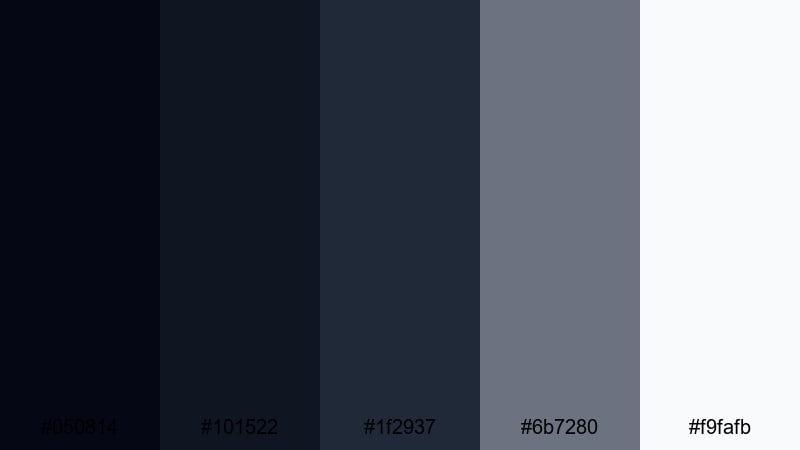
- HEX Codes: #050814, #101522, #1f2937, #6b7280, #f9fafb
- Mood: Dramatic, polished, and quietly intense, like a late-night art-house film.
- Use for: Ideal for cinematic YouTube intros, thriller trailers, and dramatic storytelling thumbnails.
This palette layers almost-black navy with soft gray accents and a clean off-white highlight. It feels like velvet in motion: smooth, controlled, and perfect for building tension without going completely black on screen.
Use the darkest tones (#050814 and #101522) as your background for titles, lower thirds, and outro cards. The mid grays keep UI elements and subtitles readable, while the crisp off-white is ideal for main headlines on thumbnails, logo lockups, and call-to-action text in Filmora titles.
Pro Tip: Build a Cinematic Dark Look in Filmora
To keep this kind of subtle dark contrast consistent, set up a base grade in Filmora that slightly deepens shadows while protecting midtones. Save it as a custom preset and apply it across intros, B-roll, and social cutdowns so your channel always carries the same midnight cinematic atmosphere.
You can also design one master title using these HEX values in Filmora's text and shape controls, then duplicate it across your project. Updating the text while keeping colors locked in gives every video a cohesive dark visual identity.
AI Color Palette
If you have a frame, thumbnail, or mood board that already nails this Midnight Velvet look, you can use Filmora's AI Color Palette feature to match that style to the rest of your edit. The AI reads the color relationships in your reference image and applies a similar palette to other clips.
Import your reference, pick it as the source, then select the target clips in your timeline. AI Color Palette will harmonize shadows, midtones, and highlights so your intro, talking head, and B-roll all share the same moody dark aesthetic without manual tweaking.
 secure download

HSL, Color Wheels & Curves
To refine a dark palette like this, use Filmora's HSL and color wheels to keep blues deep but not muddy. Slightly desaturate the darkest blues, cool your shadows, and warm the midtones just a touch to keep skin tones natural against the moody background. Curves let you pull down shadows for more drama while lifting highlights so text remains readable.
Pair these tools with practical guidance from Filmora's video editing tips so you can balance contrast, richness, and detail in low-light scenes without crushing important parts of the image.
secure download1000+ Video Filters & 3D LUTs
If you want to stylize your dark palettes even faster, lean on Filmora's video filters and 3D LUTs. Choose cinematic, thriller, or night-time LUTs that sit close to your chosen HEX values, then fine-tune intensity so your footage keeps detail in the blacks.
Stack subtle filters for glow, grain, or vignettes to accentuate the midnight vibe without overpowering your original colors. Saving your favorite combination as a preset lets you apply the same sophisticated dark treatment to every new project in seconds.
secure downloadNoir City Streets
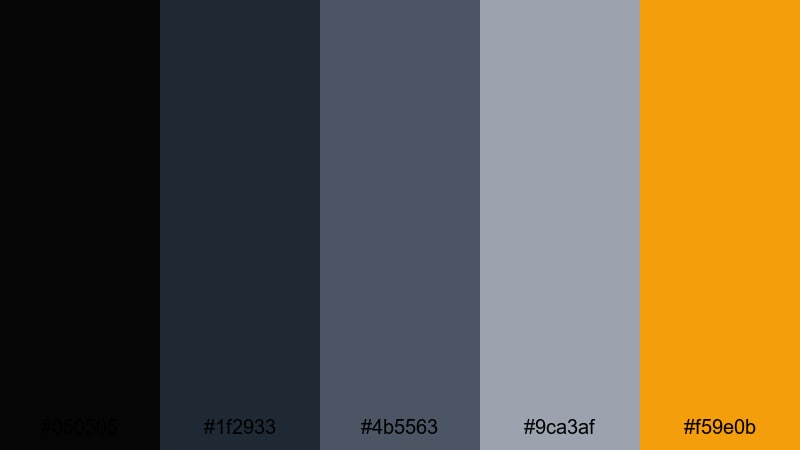
- HEX Codes: #050505, #1f2933, #4b5563, #9ca3af, #f59e0b
- Mood: Urban, gritty, and stylish, with a hint of vintage film noir.
- Use for: Great for crime podcasts, city vlogs, and cinematic B-roll sequences with street lights and rain.
Noir City Streets feels like wet asphalt under neon signs. Sooty blacks and smoky grays dominate, while the amber highlight acts like a streetlamp cutting through the darkness.
Use the warm #f59e0b as a sparing accent for title highlights, notification badges, or progress bars in your UI overlays. The cooler grays are perfect for typography in end screens, podcast cover art, and chapter markers on long-form videos.
Shadowframe Teal
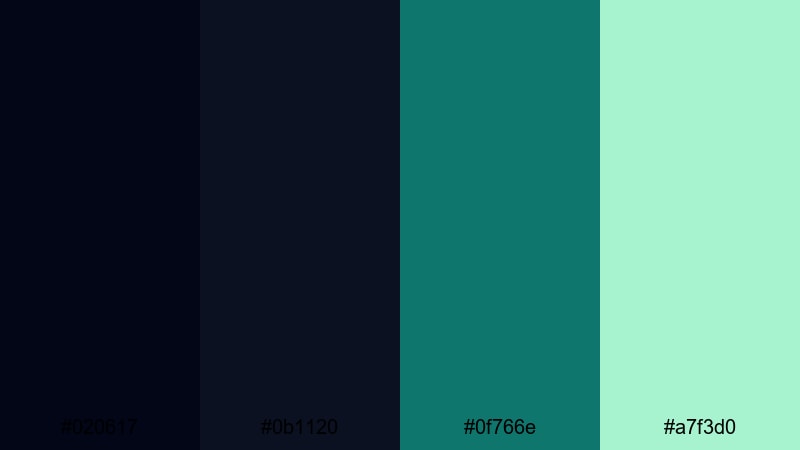
- HEX Codes: #020617, #0b1120, #0f766e, #a7f3d0
- Mood: Cool, tense, and cinematic, with a techy espionage vibe.
- Use for: Perfect for tech explainers, hacker themes, and tense cinematic overlays in short films.
Shadowframe Teal blends dense midnight blues with a sharp teal accent and a pale mint highlight. It feels like the glow of code on a monitor in a dark room, ideal for modern, tech-driven stories.
Use #0f766e for key icons, line graphics, and HUD elements, while #a7f3d0 can handle smaller text callouts and button labels. This palette works well for motion graphics packs in Filmora, especially lower thirds and animated subscribe buttons in tech or cybersecurity content.
Crimson Eclipse Cinema
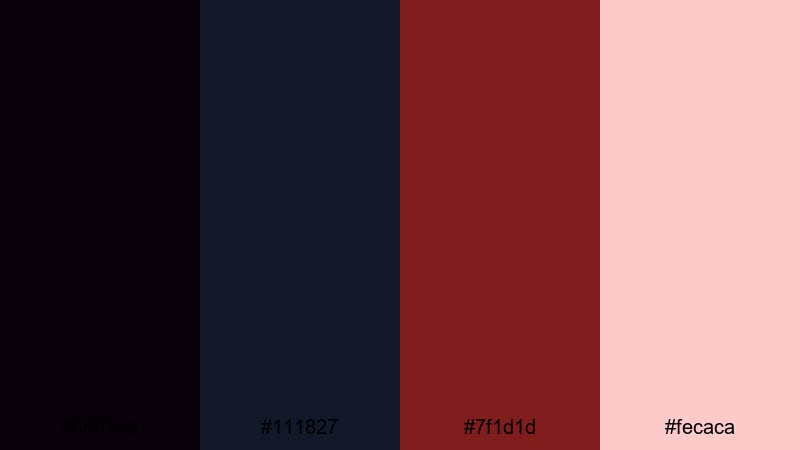
- HEX Codes: #08010a, #111827, #7f1d1d, #fecaca
- Mood: Intense, romantic, and slightly ominous, like a dramatic closing scene.
- Use for: Use for movie review channels, emotional storytime videos, and suspenseful title cards.
Crimson Eclipse Cinema mixes dark navy shadows with a deep wine red and a soft blush highlight. It suggests passion and danger at the same time, perfect for dramatic videos and emotional storytelling.
Let #08010a and #111827 carry backgrounds and overlays, then bring in #7f1d1d for underlines, badges, and key words in titles. The gentle #fecaca keeps text or accent shapes readable while still supporting the romantic, slightly eerie mood.
Elegant Minimal Dark Color Palettes
Charcoal Glass Interface
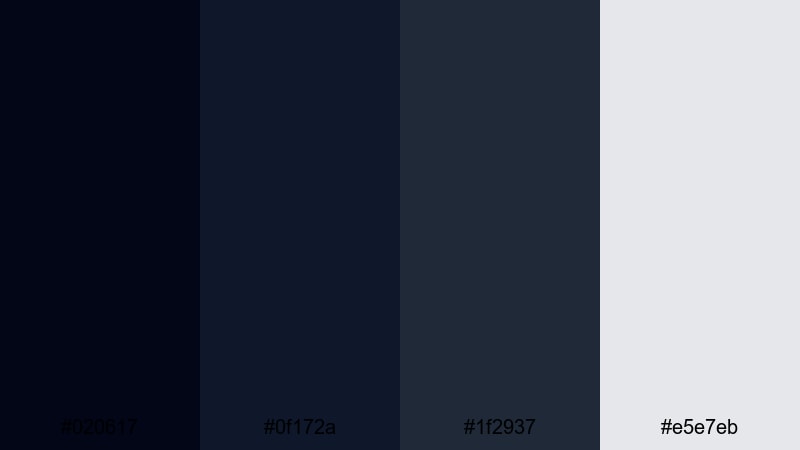
- HEX Codes: #020617, #0f172a, #1f2937, #e5e7eb
- Mood: Sleek, minimal, and professional, like a premium app dashboard.
- Use for: Great for UI mockups, SaaS product demos, and clean lower-thirds in tutorials.
This palette creates a refined, glassy interface look by layering charcoals with a soft light gray accent. It feels modern and unobtrusive, keeping focus on your footage or product rather than flashy design.
Use the darker tones for backgrounds of title bars and interface panels, then reserve #e5e7eb for typography and icons. In Filmora, this palette shines in tutorial overlays, screen-recording frames, and minimal YouTube intros for tech and productivity channels.
Obsidian Gold Premier
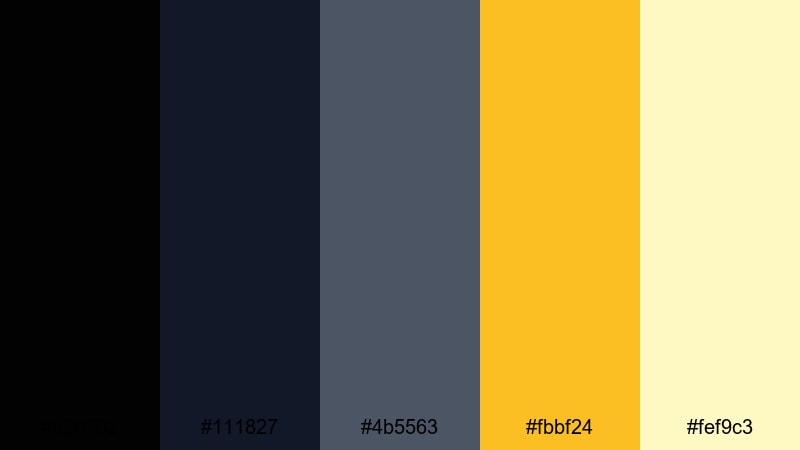
- HEX Codes: #020202, #111827, #4b5563, #fbbf24, #fef9c3
- Mood: Luxurious and confident with a premium cinematic title-sequence feel.
- Use for: Perfect for brand intros, luxury product promos, and award-style video openers.
Obsidian Gold Premier pairs near-black tones with luminous gold accents for a high-end, award-show energy. It feels bold but controlled, like a polished film studio brand.
Use #fbbf24 for key logo strokes, animated lines, and accent shapes, while #fef9c3 can support secondary text or subtle glows. This palette is ideal for reveal animations, high-end product shots, and YouTube channels that want a premium, cinematic presence.
Inkstone Editorial
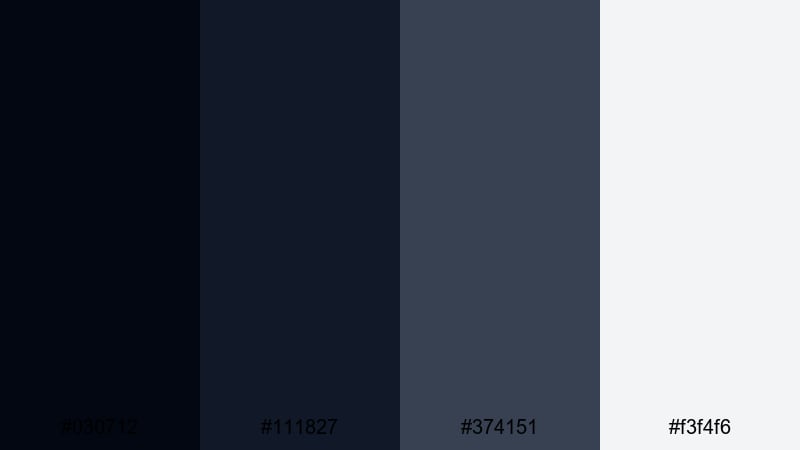
- HEX Codes: #030712, #111827, #374151, #f3f4f6
- Mood: Calm, intelligent, and editorial, suited for thoughtful long-form content.
- Use for: Great for documentaries, talking-head explainers, and minimalist title cards on educational channels.
Inkstone Editorial mirrors the look of a high-end magazine: dark ink-like blues balanced with soft, readable grays. It is calm and trustworthy, ideal for content where clarity and credibility matter more than flash.
Use the lighter #f3f4f6 for body text, chapter titles, and lower thirds, while #374151 underlines or frames important information. This palette is a strong fit for educational thumbnails, documentary opening sequences, and minimalist end screens.
Night Slate Portfolio
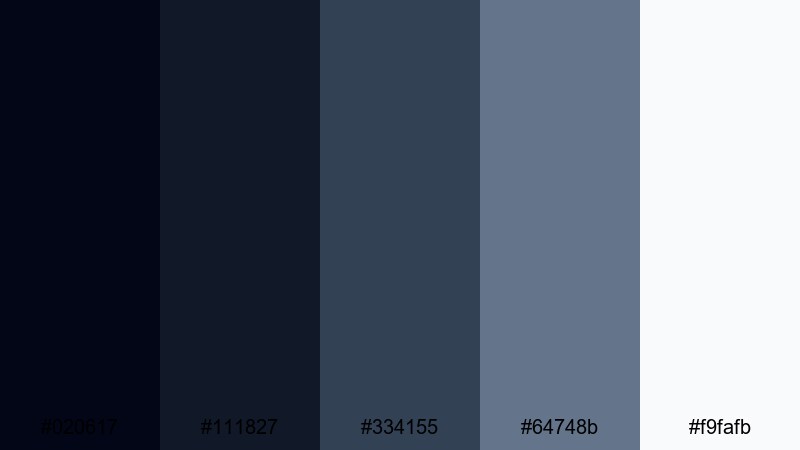
- HEX Codes: #020617, #111827, #334155, #64748b, #f9fafb
- Mood: Refined and restrained, ideal for polished personal branding.
- Use for: Ideal for portfolio reels, freelancer intro videos, and agency showreels.
Night Slate Portfolio softens dark navies with slate and light gray, delivering a timeless, professional feel. It is restrained enough for corporate use but still has character for creative portfolios.
Use #64748b for accent lines, section labels, and social handle tags, while #f9fafb keeps names and key stats crisp. This is a great base for your showreel graphics, website-style lower thirds, and LinkedIn-friendly video banners.
Neon & Cyberpunk Dark Color Palettes
Electric Alley Glow
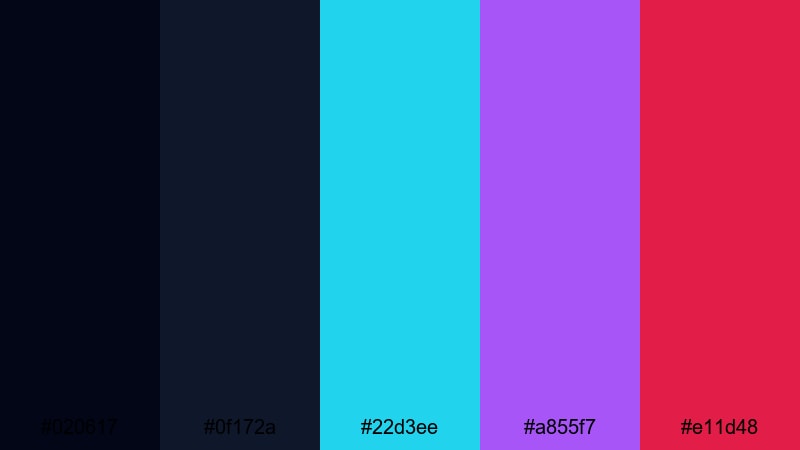
- HEX Codes: #020617, #0f172a, #22d3ee, #a855f7, #e11d48
- Mood: Hyper-energetic and futuristic, like a glowing alley in a sci-fi city.
- Use for: Great for gaming intros, streaming overlays, and glitchy motion graphics.
Electric Alley Glow uses a dark navy base to let cyan, violet, and hot pink neons burst off the screen. It immediately reads as cyberpunk and high energy.
Use the neons for borders, buttons, and animated strokes while keeping text mostly in white or very light tones for legibility. This palette thrives in streaming overlays, gaming highlight edits, and fast-paced title sequences with glitch transitions.
Neon Terminal Grid
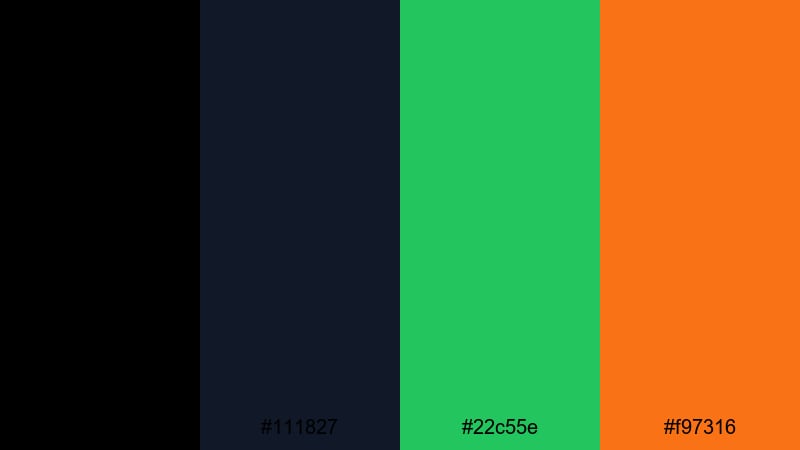
- HEX Codes: #000000, #111827, #22c55e, #f97316
- Mood: Digital, techy, and fast-paced, like a high-speed data stream.
- Use for: Ideal for tech reviews, coding tutorials, and HUD-style motion graphics elements.
Neon Terminal Grid combines pure black and deep navy with terminal green and amber orange. It feels like a retro command line upgraded for a modern motion graphics world.
Let #22c55e emphasize code snippets, data labels, or UI grids, and use #f97316 sparingly to draw attention to CTAs, alerts, or progress markers. It is perfect for intros to tech explainers, coding timelines, and dashboard-style overlays in Filmora.
Hologram Nightwave
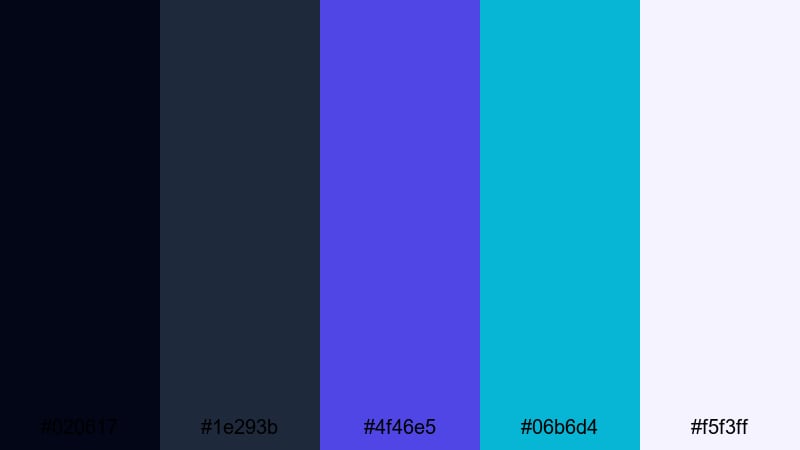
- HEX Codes: #020617, #1e293b, #4f46e5, #06b6d4, #f5f3ff
- Mood: Dreamy, synthetic, and immersive with a synthwave afterglow.
- Use for: Perfect for music visualizers, lo-fi beats channels, and futuristic montage edits.
Hologram Nightwave wraps your visuals in indigo shadows and holographic blues, with a soft white highlight that keeps things legible. The result is dreamy, slightly nostalgic, and ideal for music-driven edits.
Use #4f46e5 and #06b6d4 in gradients, light streaks, and waveform accents, while #f5f3ff handles softer text and icons. This palette works especially well in looped background videos, lyric overlays, and synthwave-style intros.
Warm Cozy Dark Color Palettes
Emberlit Studio Loft
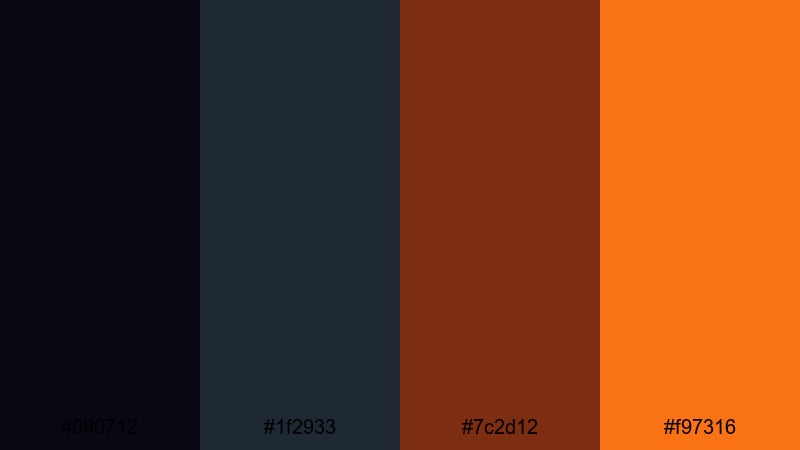
- HEX Codes: #090712, #1f2933, #7c2d12, #f97316
- Mood: Warm, creative, and intimate, like editing late in a brick-walled loft.
- Use for: Great for creator vlogs, studio tours, and behind-the-scenes edits.
Emberlit Studio Loft mixes deep charcoals with ember-like oranges and browns. It feels like tungsten bulbs glowing against dark walls, perfect for cozy, creator-focused content.
Use #7c2d12 as a grounding accent for frames, borders, and logo elements, with #f97316 as a brighter spark in buttons and key text. This palette works well for studio B-roll reels, making-of sequences, and branding for creators who film in warm, low-light environments.
Fireside Coffee Tones
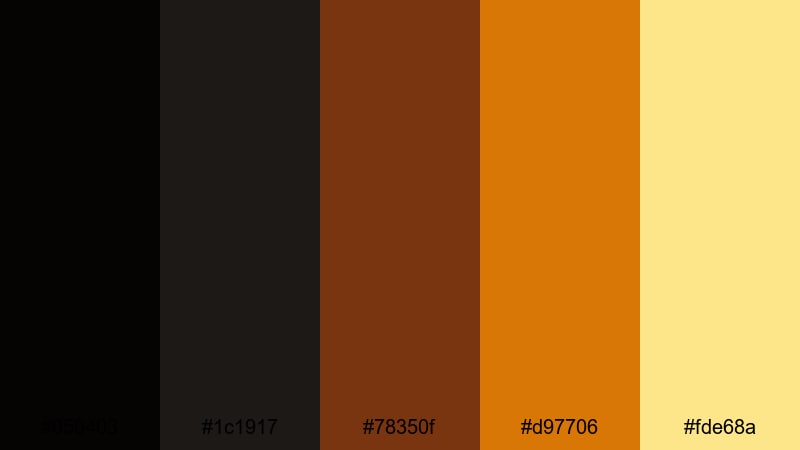
- HEX Codes: #050403, #1c1917, #78350f, #d97706, #fde68a
- Mood: Comforting, earthy, and inviting, like a quiet cafe at night.
- Use for: Ideal for lifestyle vlogs, cozy book content, and slow-living cinematic reels.
Fireside Coffee Tones leans into espresso browns and toasty ambers with a soft cream highlight. It instantly feels like warm light on wood and ceramic mugs.
Use #fde68a for captions and subtitles over darker footage so they remain easy to read but still feel warm. The deeper browns can anchor your branding elements, from channel banners to lower thirds in Filmora, especially for booktube, journaling, and slow living channels.
Autumn Night Market
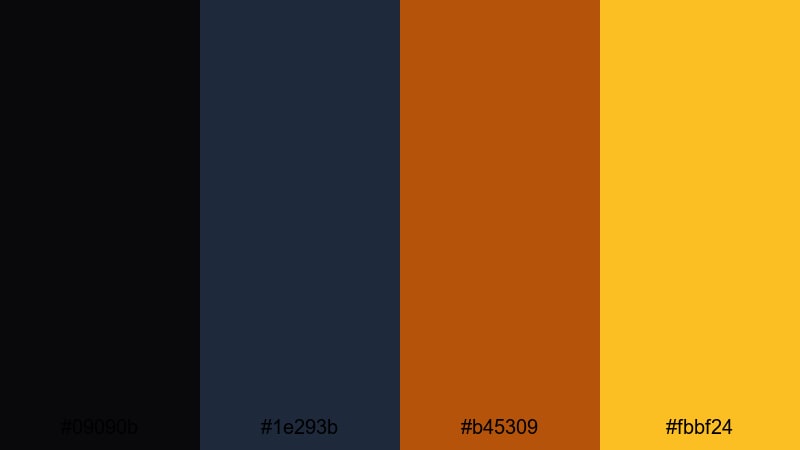
- HEX Codes: #09090b, #1e293b, #b45309, #fbbf24
- Mood: Festive yet grounded, like strolling through food stalls under string lights.
- Use for: Great for travel vlogs, food content, and festival recap videos shot after dark.
Autumn Night Market combines ink-black skies and muted navy with glowing amber and gold. It feels lively without losing the grounded impression of night-time city scenes.
Use #b45309 and #fbbf24 to highlight food shots, signage overlays, and price tags or labels in your video graphics. This palette is perfect for travel vlogs, street food montages, and festival recaps that lean on warm lights against dark backgrounds.
Rustic Cabin Twilight
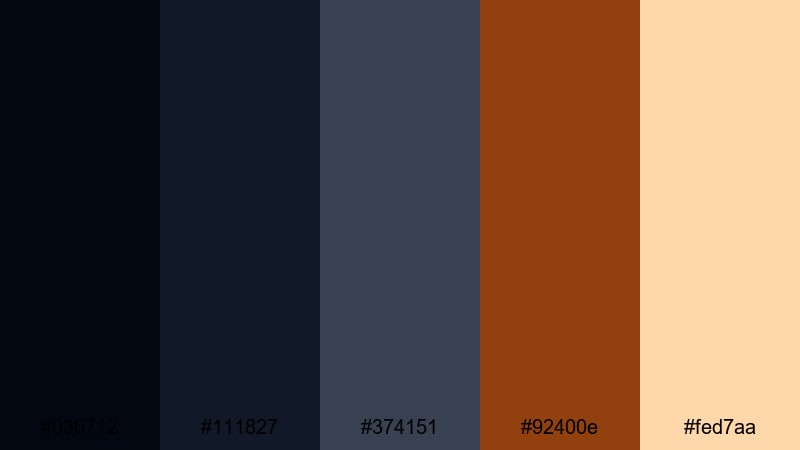
- HEX Codes: #030712, #111827, #374151, #92400e, #fed7aa
- Mood: Relaxed, nostalgic, and homely, like winding down in a mountain cabin.
- Use for: Perfect for camping vlogs, nature diaries, and cinematic B-roll of wood textures and firelight.
Rustic Cabin Twilight balances cool twilight blues with warm wood browns and a soft peach glow. It captures that moment when the sky goes dark but the cabin lamps come on.
Use #92400e in logos, badges, and dividers to echo wood and leather textures, while #fed7aa is great for gentle titles, quotes, and journaling overlays. It pairs naturally with outdoor footage, campfires, and cozy interior B-roll in your Filmora edits.
Tips for Creating Dark Color Palettes
Dark color palettes can look stunning and cinematic, but they require careful balancing so your videos stay readable, on-brand, and viewer-friendly. Keep these practical tips in mind when designing your own dark schemes for Filmora projects.
- Always plan a clear contrast hierarchy: pick one or two light colors for text and UI, and keep everything else darker so information stands out.
- Test readability on mobile by previewing thumbnails and titles at small sizes; if text blends into the background, lighten the text or darken the backdrop.
- Limit bright accent colors to CTAs and key icons so they stay impactful; overusing neons can make the frame feel chaotic.
- Match your palette to your footage: if your shots are warm (tungsten, sunsets), choose warm darks and golds; for cool city nights, stick with blues and teals.
- Use gradients and soft vignettes to transition between very dark and mid-tone areas instead of jumping from pure black to bright color.
- Keep brand consistency by reusing the same HEX codes in your intro, lower thirds, end screen, and social media graphics.
- Protect skin tones when grading dark: lower shadows and increase contrast, but avoid pushing midtones so far that people look lifeless or muddy.
- Create and save presets in Filmora so you can apply the same dark look to future videos without rebuilding your color choices each time.
Dark color palettes are one of the fastest ways to define the mood of your channel or brand. Whether you go for moody cinematic blues, neon cyberpunk accents, or warm coffee-inspired browns, these combinations help your intros, thumbnails, and overlays feel intentional and professional.
Try dropping these HEX codes directly into Filmora for your titles, shapes, and background solids, then grade your footage to match. With AI Color Palette, HSL controls, and filters, you can quickly lock in a cohesive dark aesthetic across every clip in your project.
The more you experiment, the faster you will find a signature dark look that fits your stories. Save your favorite palettes and presets so every new upload feels like part of the same visual universe.
secure download