

 100% Security Verified | No Subscription Required | No Malware


 ChatGPT
 Perplexity
 Gemini
 Claude
 Grok
Grok
Dark Cyan sits between teal and deep blue, mixing the calm of the ocean with the focus and clarity of a cool night sky. It often feels sophisticated and grounded, which is why it works so well for cinematic visuals, tech brands, and minimalist aesthetics. In video, Dark Cyan can suggest trust, depth, and creativity without feeling too cold or aggressive.
For creators, Dark Cyan is a powerful base color for YouTube thumbnails, intros, lower thirds, channel branding, and social clips. Below you will find ready-made Dark Cyan color palettes with HEX codes, tailored for Filmora users and content creators who want consistent, stylish visuals across travel vlogs, cinematic edits, gaming intros, tutorials, and more.
In this article
Calm & Coastal Dark Cyan Color Palettes
Tidepool Serenity
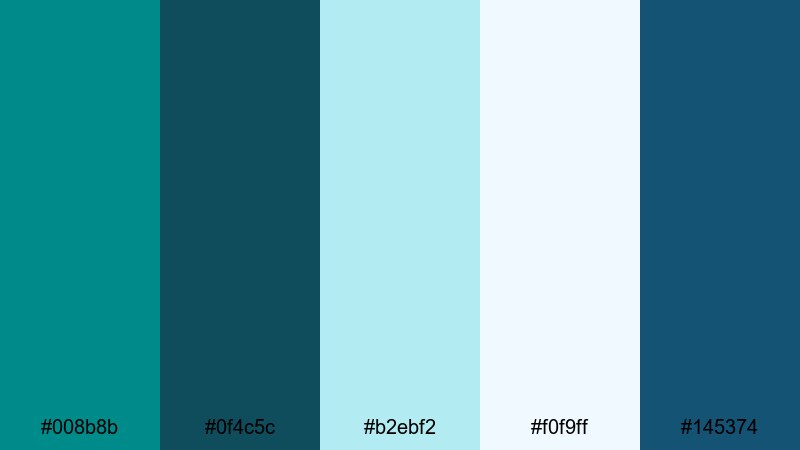
- HEX Codes: #008b8b, #0f4c5c, #b2ebf2, #f0f9ff, #145374
- Mood: Peaceful, refreshing, and quietly confident like a secluded cove at dawn.
- Use for: Use this palette for cinematic travel vlogs, underwater sequences, and calm storytelling intros.
Tidepool Serenity blends Dark Cyan with soft seafoam blues and airy off-whites to create a slow, rolling-tide feeling. It is gentle enough for wellness content, meditation channels, and reflective voiceovers, but still has enough contrast to keep your visuals clear and professional.
Use this palette on YouTube thumbnails with Dark Cyan as the background and pale blues for text strokes or borders. In Filmora, you can echo the colors throughout your intro animation, lower thirds, and end screen cards so your channel feels like one cohesive, calming coastal world.
Pro Tip: Build a Cinematic Dark Cyan Look in Filmora
To keep a Tidepool Serenity look across your edit, pick one dominant Dark Cyan tone for backgrounds or overlays, then repeat it in titles, shapes, and callouts inside Filmora. Accent it with the lighter HEX codes on key text or icons so important information stands out without breaking the calm mood.
For b-roll, try adding a subtle teal-tinted adjustment layer over your clips. Reduce saturation slightly, lift the shadows, and keep highlights soft so underwater shots, beach scenes, and indoor footage all share the same tranquil Dark Cyan character.
AI Color Palette
If you have a reference still or thumbnail designed with this palette, you can use Filmora to spread that exact Dark Cyan mood across an entire video. Filmora's AI Color Palette feature analyzes the colors from the reference image and automatically matches them to other clips in your timeline.
Import your Tidepool Serenity reference, select the target clips, and let AI Color Palette do the heavy lifting. It saves time on manual grading while keeping your vlogs, intros, and social cutdowns visually consistent in just a few clicks.
 secure download

HSL, Color Wheels & Curves
Once your base look is matched, use Filmora's HSL, color wheels, and curves controls to fine-tune Dark Cyan tones. You can push the cyans slightly toward green for a more tropical feel, or toward blue for a deeper, cinematic ocean vibe. Lift shadows a bit to keep the palette soft, and gently roll off highlights so whites stay airy, not harsh.
For a step-by-step walkthrough on balancing shadows, midtones, and highlights, check out Filmora's guide to color correction and grading tools, then recreate the same moves with your own Dark Cyan palettes.
secure download1000+ Video Filters & 3D LUTs
To speed up your workflow, you can combine Dark Cyan palettes with Filmora's ready-made looks. Filmora's video filters and 3D LUTs make it easy to add subtle teal washes, cinematic fades, or soft film grain that complement Tidepool Serenity without overpowering it.
Apply a teal or oceanic LUT to your footage, then adjust intensity so the HEX colors you chose remain accurate. This gives you a polished, cinematic Dark Cyan style that is perfect for channel trailers, relaxing BGM videos, and aesthetic reels.
secure downloadHarbor Mist Mornings
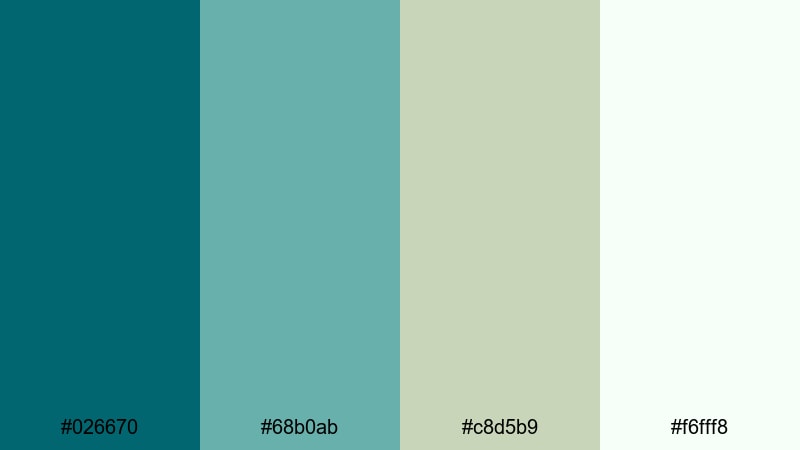
- HEX Codes: #026670, #68b0ab, #c8d5b9, #f6fff8
- Mood: Gentle, optimistic, and slightly nostalgic, like fog lifting over a quiet marina.
- Use for: Great for lifestyle vlogs, morning routines, and gentle product b-roll with a coastal feel.
Harbor Mist Mornings mixes muted Dark Cyan with soft greens and pale neutrals, creating a breezy, grounded look. It feels like early light through a window, perfect for slow-living content, cozy coffee shots, and relaxed talking-head videos.
Use the darker tones for title bars and thumbnail backgrounds, and reserve the off-whites and light sage for text, icons, and UI-style overlays. In Filmora, this palette suits gentle speed ramps, soft transitions, and subtle camera-move graphics that match a calm lifestyle brand.
Sea Glass Drift
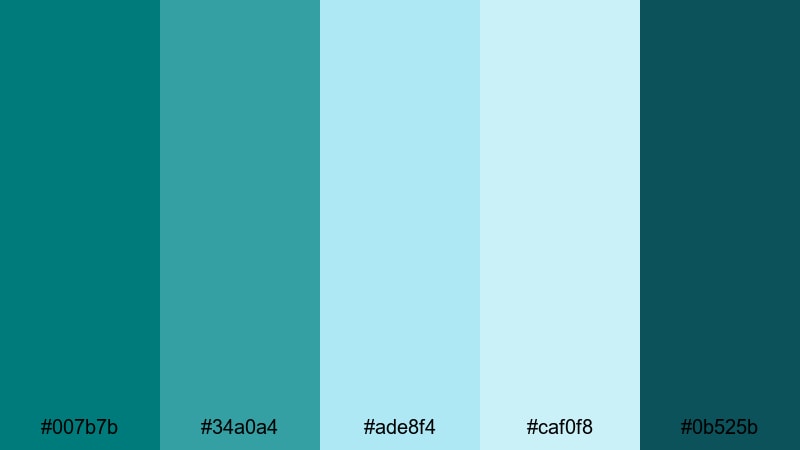
- HEX Codes: #007b7b, #34a0a4, #ade8f4, #caf0f8, #0b525b
- Mood: Airy, clean, and restorative, like collecting sea glass along a bright shoreline.
- Use for: Use for channel branding, clean motion graphics, and titles that need a fresh, ocean-inspired identity.
Sea Glass Drift is all about translucent aqua tones anchored by Dark Cyan and deep teal. The lighter HEX codes give your designs a bright shoreline vibe, while the darker shades add legibility and structure.
Apply this palette to logo animations, lower thirds, and subscribe pop-ups in Filmora. It is great for travel channels, eco brands, and minimal title cards where you want a fresh but not overly saturated look, especially when paired with clean sans-serif fonts.
Lagoon Breeze Glow
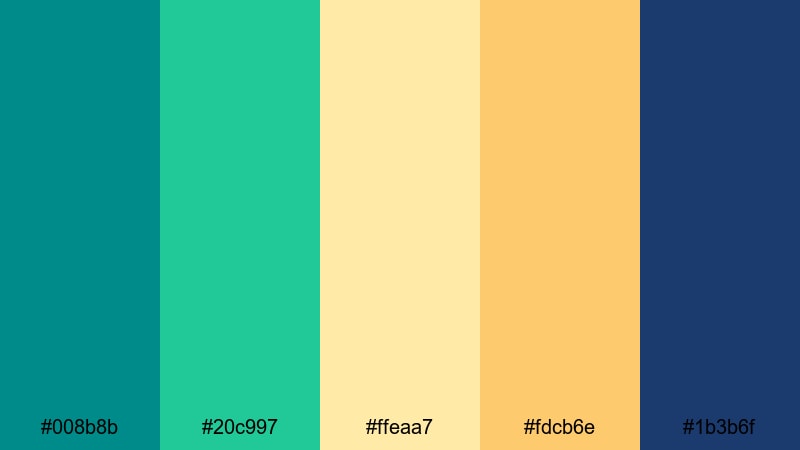
- HEX Codes: #008b8b, #20c997, #ffeaa7, #fdcb6e, #1b3b6f
- Mood: Warm, tropical, and upbeat, with a balance of cool water and golden light.
- Use for: Perfect for vacation vlogs, resort promos, and upbeat montage sequences that mix teal seas with warm sunsets.
Lagoon Breeze Glow combines Dark Cyan and emerald tones with soft golden accents. The result is tropical but still sophisticated, ideal for creators who want sunny, vacation-ready visuals that do not feel cartoonish.
Use Dark Cyan and deep navy for titles and frame elements, and let the warm yellows highlight key text, calls to action, or animated icons. This palette works especially well on travel montage intros, destination highlight reels, and resort or Airbnb promo videos edited in Filmora.
Deep Current Calm
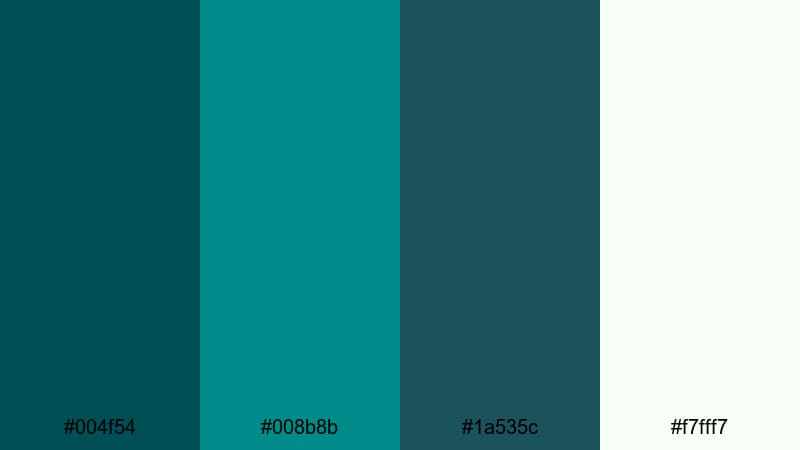
- HEX Codes: #004f54, #008b8b, #1a535c, #f7fff7
- Mood: Centered, introspective, and quietly powerful like deep ocean currents.
- Use for: Use for documentary-style videos, moody timelapses, and thoughtful brand films that need depth without harsh contrast.
Deep Current Calm leans into inky teals and Dark Cyan, softened by a gentle off-white. It feels grounded and serious without going full black-and-white, making it perfect for purposeful storytelling and brands that want to be seen as stable and trustworthy.
Try it on documentary titles, interview lower thirds, and data callouts. In Filmora, you can combine these HEX colors with subtle vignette effects and slow crossfades to build a quiet but powerful narrative flow.
Bold & Cinematic Dark Cyan Color Palettes
Neon Harbor Nights
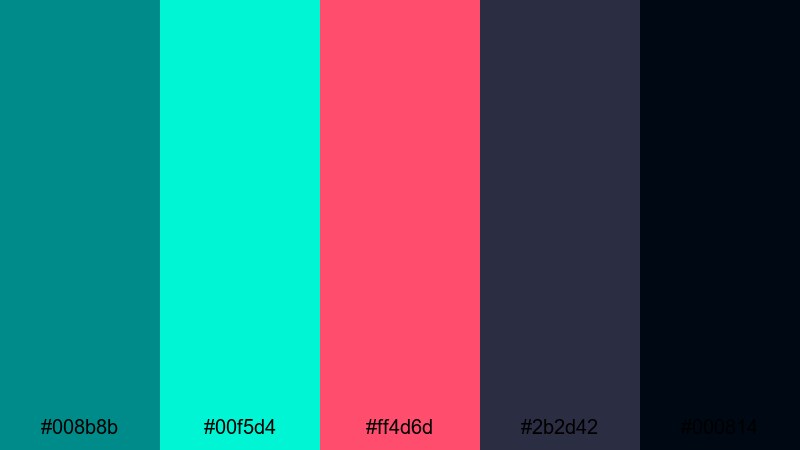
- HEX Codes: #008b8b, #00f5d4, #ff4d6d, #2b2d42, #000814
- Mood: Electric, high-energy, and futuristic, like neon signs reflected on midnight water.
- Use for: Best for gaming intros, tech promos, music videos, and high-impact YouTube thumbnails.
Neon Harbor Nights throws bright aqua and hot pink neon against Dark Cyan, deep navy, and almost-black shadows. It feels cyberpunk and high-tech, perfect when you want your visuals to pop on crowded feeds and recommendation pages.
Use the darker shades as a base for backgrounds and gradient overlays, then let the neon colors highlight your logo, player tags, or call-to-action buttons. In Filmora, combine this palette with glitch effects, light leaks, and fast cuts for gaming intros and music visualizers that grab attention instantly.
Cyberwave Teal Rush
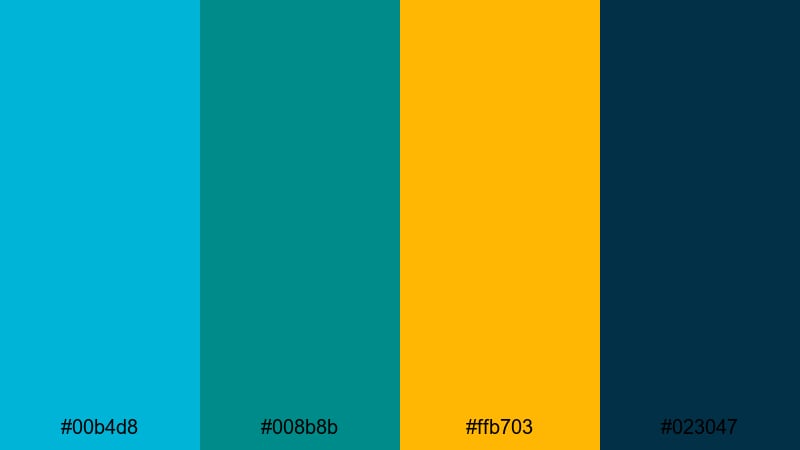
- HEX Codes: #00b4d8, #008b8b, #ffb703, #023047
- Mood: Energetic, digital, and confident, like a fast-paced motion graphic sequence.
- Use for: Use for app promos, UI animations, kinetic typography, and modern explainer videos.
Cyberwave Teal Rush blends bright teal with Dark Cyan, a deep blue, and a sharp amber accent. It feels like a modern dashboard or animated interface, ideal for tech startups, SaaS explainers, and UI walk-through videos.
Let Dark Cyan and navy form your main panels and backgrounds, while the bright teal and amber mark important buttons, stats, or text. In Filmora, use this palette in your title templates, infographic overlays, and animated icons for a clean, future-ready look.
Midnight Cyan Spotlight
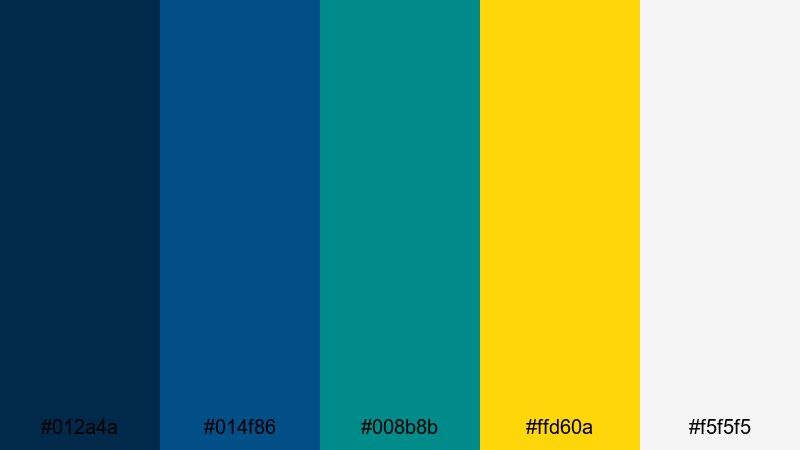
- HEX Codes: #012a4a, #014f86, #008b8b, #ffd60a, #f5f5f5
- Mood: Dramatic, polished, and theatrical, with a spotlight of warm gold on deep cyan blues.
- Use for: Perfect for trailer-style edits, channel intros, and title sequences that need cinematic intensity.
Midnight Cyan Spotlight stacks rich midnight blues with Dark Cyan, then slices through with bright gold and clean off-white. It feels like a cinema marquee or stage spotlight, making it great for trailers, showreels, and dramatic opening titles.
Use the gold sparingly for key words in your titles or logo outlines so they stand out against the cyan and navy. In Filmora, pair this palette with lens flares, slow zooms, and powerful sound design to deliver a premium, blockbuster tone.
Aurora Screen Pulse
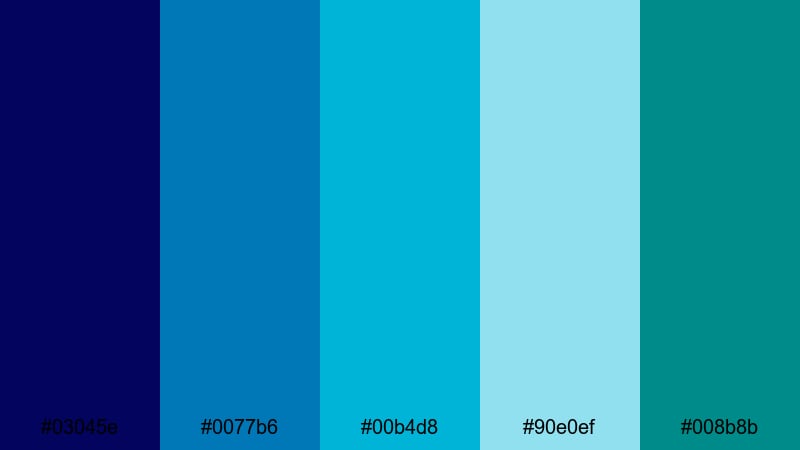
- HEX Codes: #03045e, #0077b6, #00b4d8, #90e0ef, #008b8b
- Mood: Expansive, digital, and luminous, like an aurora stretching across a night screen.
- Use for: Use for sci-fi visuals, data visualizations, and any motion graphics that need a flowing, high-tech gradient feel.
Aurora Screen Pulse creates a smooth spectrum from deep space blue through bright teals into pale highlights, with Dark Cyan sitting at the core. It is perfect for gradient-heavy designs, animated backgrounds, and flowing HUD or data visualizations.
In Filmora, you can use these HEX codes to design gradient title cards, animated bars for charts, or looping background plates behind your main footage. This palette shines in sci-fi edits, tech explainers, and lyric videos where movement and color transitions drive the story.
Electric Ocean Intro
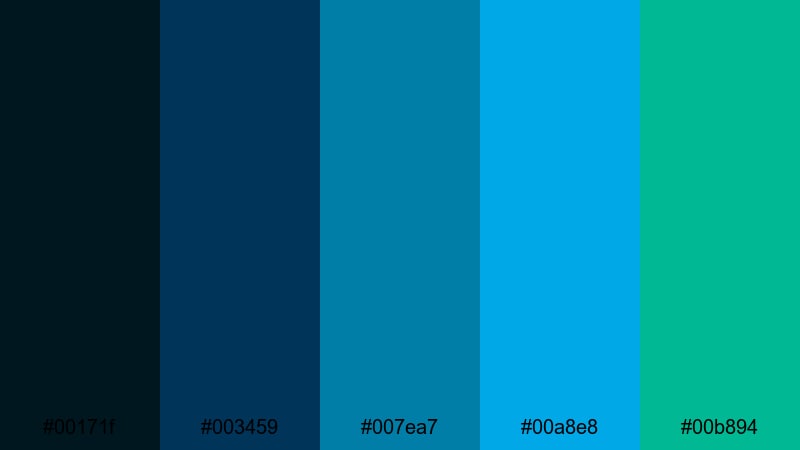
- HEX Codes: #00171f, #003459, #007ea7, #00a8e8, #00b894
- Mood: Adventurous, crisp, and action-ready, like diving into a charged open sea.
- Use for: Great for sports edits, cinematic travel intros, and energetic commercials with strong motion.
Electric Ocean Intro surges from very deep marine blues into bright aqua and teal greens. It feels charged and adventurous, ideal for content that needs to feel fast, bold, and clean at the same time.
Use the darkest shades for backgrounds and shadow overlays, with the brighter teals on strokes, shapes, and energetic motion graphics. In Filmora, this palette pairs well with whip pans, dynamic text animations, and rhythmic cuts in sports or adrenaline-led travel edits.
Modern & Minimal Dark Cyan Color Palettes
Cyan Grid Interface
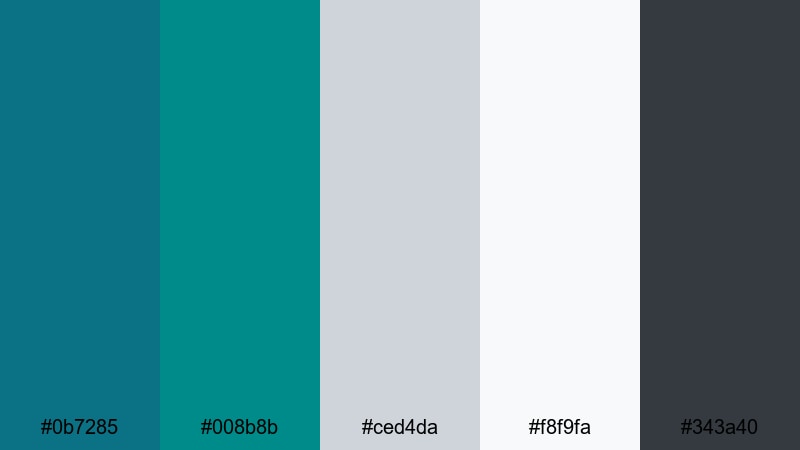
- HEX Codes: #0b7285, #008b8b, #ced4da, #f8f9fa, #343a40
- Mood: Clean, structured, and professional, like a well-organized digital dashboard.
- Use for: Use for UI mockups in videos, software walkthroughs, and minimalist tech branding.
Cyan Grid Interface balances Dark Cyan with cool grays, off-white, and a dark neutral for text. It feels like a polished app interface, making it perfect for tutorials, SaaS demos, and B2B content where clarity matters.
Place Dark Cyan on key sections or highlights and rely on the light grays and white for backgrounds, cards, and panels. In Filmora, this palette works well for screen recordings, caption bars, and simple animated diagrams that match a modern tech brand.
Clean Studio Teal
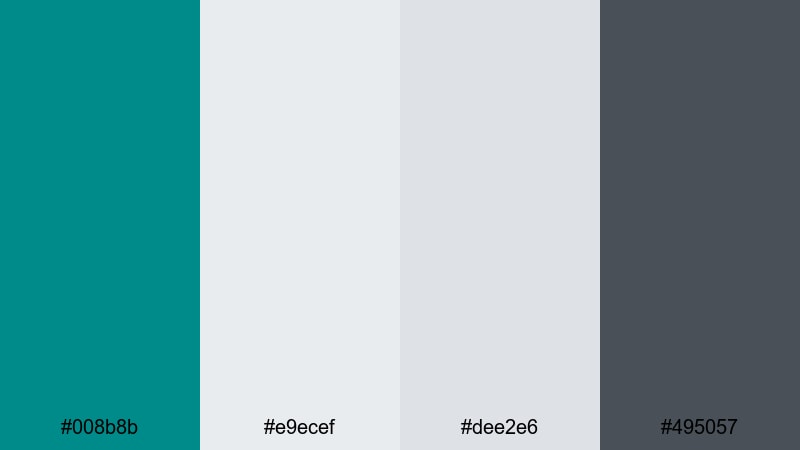
- HEX Codes: #008b8b, #e9ecef, #dee2e6, #495057
- Mood: Calm, intentional, and studio-chic with a focus on clarity and space.
- Use for: Perfect for tutorial videos, talking-head setups, and minimalist product showcases.
Clean Studio Teal uses Dark Cyan as a confident accent against a field of soft neutral grays. It feels editorial and uncluttered, great for creators who want a professional look without heavy graphics.
Use Dark Cyan for key buttons, text highlights, or frame elements around your video, while keeping backgrounds and shapes light and neutral. In Filmora, this palette fits well with simple transitions, clean typography, and product b-roll on white or gray backdrops.
Slate And Cyan Brand
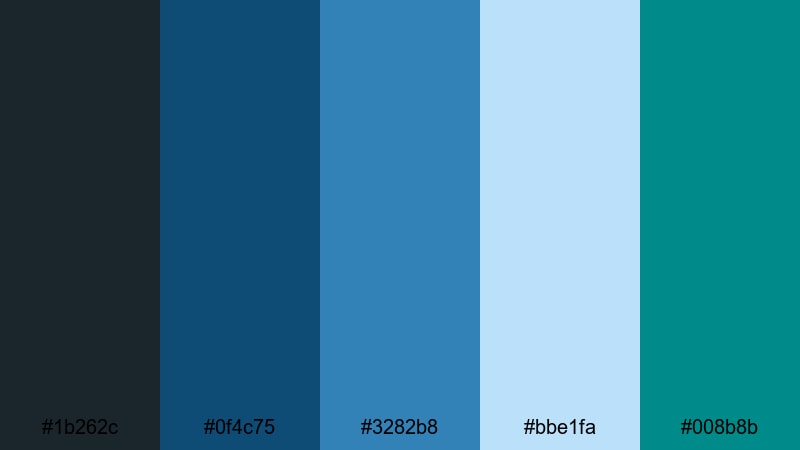
- HEX Codes: #1b262c, #0f4c75, #3282b8, #bbe1fa, #008b8b
- Mood: Trustworthy, modern, and slightly corporate with a creative edge.
- Use for: Use for brand style guides, logo reveals, and B2B explainer content that still feels fresh.
Slate And Cyan Brand layers dark slate and blue tones with brighter cyan and Dark Cyan accents, then softens them with a pale sky blue. It feels like a modern agency or startup brand: serious but still creative.
Use the darkest shade for backgrounds or bars, mid blues for supporting elements, and the lighter sky tone for backgrounds in charts and callouts. In Filmora, this palette works well across logo reveals, slide-based explainers, and portfolio reels to keep your branding consistent.
Soft Monochrome Teal
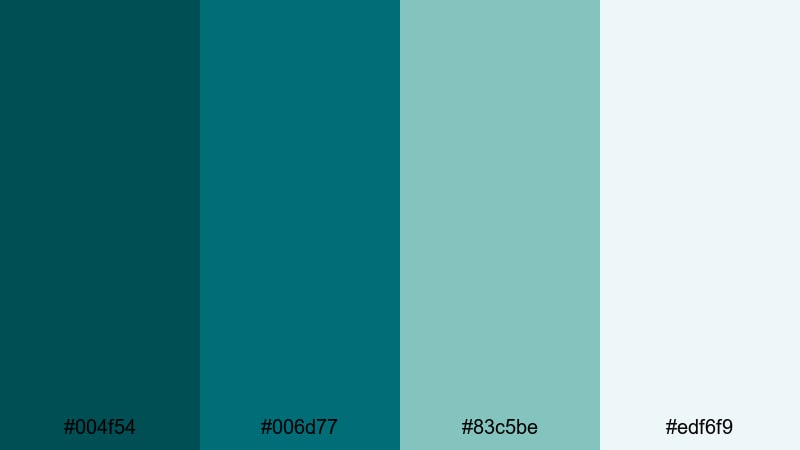
- HEX Codes: #004f54, #006d77, #83c5be, #edf6f9
- Mood: Gentle, refined, and cohesive, with a soothing near-monochrome feel.
- Use for: Great for aesthetic reels, wellness channels, and quiet brand storytelling with a unified look.
Soft Monochrome Teal stays within a family of teal and Dark Cyan tones, moving into soft mint and almost-white. Because everything sits in the same hue range, your visuals feel very consistent and soothing.
Use the darker values for text and outlines, medium teal for shapes and frames, and the pale mint for backgrounds and overlays. In Filmora, this palette is ideal for aesthetic reels, journaling videos, and wellness channels that want a gentle, unified feed.
Architect Cyan Lines
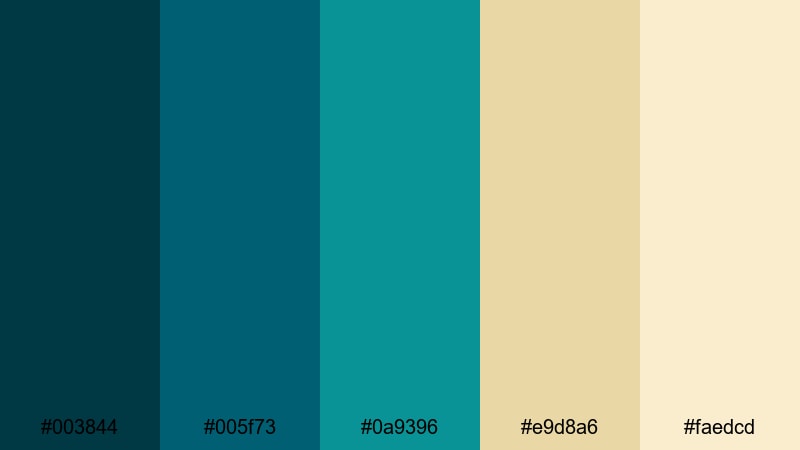
- HEX Codes: #003844, #005f73, #0a9396, #e9d8a6, #faedcd
- Mood: Sophisticated, design-led, and slightly architectural with crisp structural contrasts.
- Use for: Use for design portfolios, architecture walkthroughs, and motion graphics with technical diagrams.
Architect Cyan Lines combines structured Dark Cyan and teal tones with warm sand and cream. The cool-warm balance makes your visuals feel both technical and human, ideal for creative studios, interior design, and architecture content.
Use the cyans and teals as line work, grids, or structural shapes, and counter them with the warm neutrals for backgrounds and text boxes. In Filmora, build motion graphics with clean lines, animated diagrams, and subtle camera moves that match this sophisticated palette.
Tips for Creating Dark Cyan Color Palettes
Dark Cyan is versatile, but it works best when paired thoughtfully with supporting colors. Use these practical tips to design palettes that look great in Filmora and stay readable across thumbnails, intros, and longer videos.
- Balance cool and warm: pair Dark Cyan with soft creams, warm beiges, or muted golds to keep your visuals from feeling too cold or clinical.
- Protect text readability: use light colors behind text and Dark Cyan (or darker neutrals) for the lettering, or invert this with bold white type over deep cyan.
- Limit accent colors: keep 1 or 2 accent hues (like gold or coral) so your Dark Cyan stays the anchor of your brand instead of getting lost.
- Match footage to graphics: lightly grade your footage in Filmora so skin tones are natural but shadows and midtones lean toward your chosen Dark Cyan palette.
- Plan for thumbnails first: choose HEX codes that still read clearly when shrunk to small sizes; check contrast on mobile screens before committing.
- Use gradients sparingly: Dark Cyan to teal or navy gradients look cinematic, but avoid overusing them behind every element to keep the design clean.
- Stay consistent across assets: apply the same HEX codes to intros, lower thirds, end screens, and social clips so audiences instantly recognize your brand.
- Test in both light and dark modes: if your content includes UI or app visuals, make sure your Dark Cyan combinations work on light and dark backgrounds.
Used well, Dark Cyan can define your entire visual identity, from calm coastal travel vlogs to bold, neon gaming intros. Each palette above gives you a ready-made combination of HEX codes you can plug directly into Filmora for backgrounds, titles, overlays, and color grading.
Try a few palettes on your next project: build a thumbnail in Dark Cyan, match your intro and lower thirds, then grade your footage to sit comfortably alongside your graphics. As you experiment in Filmora, you will quickly discover which Dark Cyan combinations best fit your channel, brand, or campaign.
Once you find a favorite palette, save it as a go-to look and reuse it across videos to build a strong, memorable presence that stands out in any feed.
secure downloadNext: Pink Cream Color Palette
