

 100% Security Verified | No Subscription Required | No Malware


 ChatGPT
 Perplexity
 Gemini
 Claude
 Grok
Grok
Dark Sea Green sits between teal and sage on the color wheel, carrying both the calm of the ocean and the freshness of plants. It feels balanced, grounded, and slightly nostalgic, which makes it perfect for storytelling visuals, minimalist brands, and cinematic grading that aims for atmosphere rather than loud saturation.
For video creators and designers, Dark Sea Green works beautifully in YouTube thumbnails, channel intros, lower thirds, and color grading styles for vlogs or cinematic edits. Below you will find ready-to-use Dark Sea Green color palettes with HEX codes tailored for Filmora users and other creators, so you can build consistent titles, overlays, and LUT-style looks across your projects.
In this article
Soft Coastal Dark Sea Green Palettes
Tidal Dusk Serenity
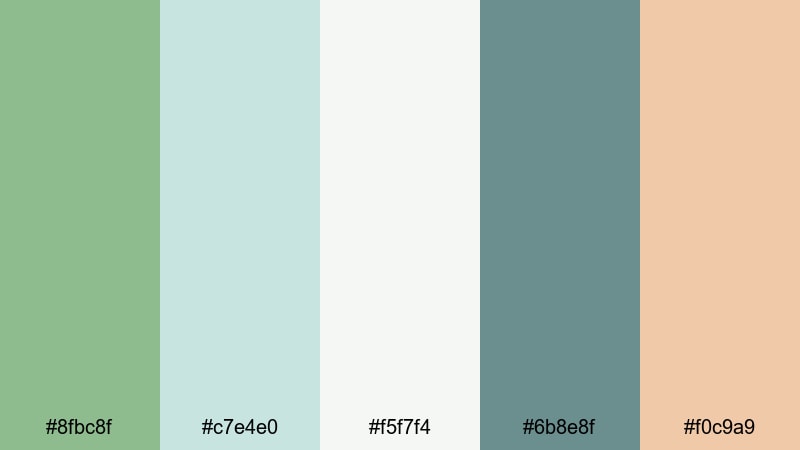
- HEX Codes: #8fbc8f, #c7e4e0, #f5f7f4, #6b8e8f, #f0c9a9
- Mood: calm and reflective with a gentle coastal fade
- Use for: Perfect for travel vlogs and reflective B-roll sequences where you want the visuals to feel soft, airy, and cinematic.
Tidal Dusk Serenity blends Dark Sea Green with misty aqua, pale off-white, muted slate, and a warm sand accent. It feels like standing on a quiet shoreline at golden hour, just as the light starts to fade and the sky softens.
Use this palette for cinematic B-roll, slow travel montages, and intro titles where you want a calm, premium feel. The lighter tones (#c7e4e0 and #f5f7f4) work well for text or lower thirds, while the deeper greens and slate shades sit nicely in backgrounds, gradients, or subtle color grading in Filmora for vlogs, lifestyle edits, and channel branding.
Pro Tip: Build a Cinematic Dark Sea Green Look in Filmora
If you love the soft, coastal mood of Tidal Dusk Serenity, you can turn it into a consistent visual language for your entire channel. In Filmora, start by color-correcting one hero clip or thumbnail background so that your greens, aquas, and warm highlights match the HEX values in this palette as closely as possible.
Once you like the look, save it as a custom preset or export a still frame to reuse as a reference. Apply similar grading to intros, B-roll, and even vertical cuts for Reels or Shorts, so your Dark Sea Green aesthetic feels unified wherever your content appears.
AI Color Palette
You can also build this Dark Sea Green look automatically using Filmora's AI tools. Grab a frame from your favorite shot, or design a simple image using the HEX codes from Tidal Dusk Serenity, then use Filmora's AI Color Palette feature to apply that color mood across multiple clips.
This is especially useful for travel vlogs or series-based content, where lighting and locations change all the time. AI Color Palette helps keep your sea greens, aquas, and warm sand tones consistent from scene to scene with just a few clicks.
 secure download

HSL, Color Wheels & Curves
To refine Dark Sea Green and keep it cinematic, use Filmora's HSL, color wheels, and curves controls. Slightly lowering saturation in the greens while lifting luminance can keep your sea tones soft and airy, while a gentle S-curve adds contrast without crushing the subtle coastal details.
You can push shadows toward teal and highlights toward warm beige to mimic sunset light, or follow guidance from Filmora's color correction tools resources to balance skin tones against Dark Sea Green backgrounds. This keeps people looking natural while your palette stays cohesive.
secure download1000+ Video Filters & 3D LUTs
If you want to get to a stylish Dark Sea Green look faster, Filmora's built-in effects are a huge shortcut. Start with a filter or LUT that leans teal, soft green, or cinematic cool, then tweak intensity until it fits the HEX palette you chose.
Filmora's video filters and 3D LUTs make it easy to build a signature sea-inspired style for your channel, from gentle vlogs to moody coastal edits. Stack filters with subtle curves and vignette to give thumbnails, intros, and B-roll the same Dark Sea Green identity.
secure downloadMist Over Seagrass
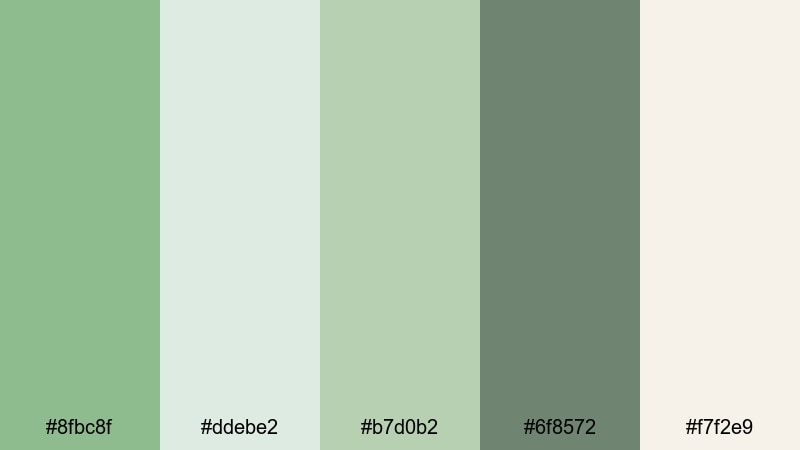
- HEX Codes: #8fbc8f, #ddebe2, #b7d0b2, #6f8572, #f7f2e9
- Mood: peaceful and organic with a natural, airy feel
- Use for: Ideal for wellness channels, yoga intros, and calm product explainers that need a nature-inspired visual identity.
Mist Over Seagrass is soft and botanical, with Dark Sea Green supported by muted leaf tones and creamy off-whites. It feels like early-morning fog hanging over dunes and grasses, quiet and uncluttered.
Use the lighter HEX values (#ddebe2, #f7f2e9) for backgrounds in thumbnails, intro cards, and end screens, and reserve the deeper greens (#8fbc8f, #6f8572) for logos, icons, and accent text. In Filmora, this palette is perfect for wellness intros, minimal product shots, and lower thirds that should feel gentle and eco-friendly.
Harbor Morning Light
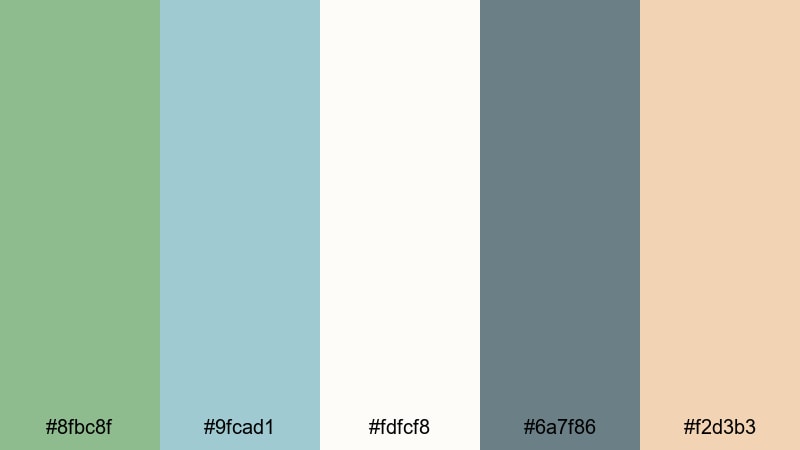
- HEX Codes: #8fbc8f, #9fcad1, #fdfcf8, #6a7f86, #f2d3b3
- Mood: fresh and optimistic with a gentle marina vibe
- Use for: Use for lifestyle vlogs, city-by-the-sea travel edits, and upbeat intro cards that still feel sophisticated.
Harbor Morning Light combines Dark Sea Green with soft sky blue, clean off-white, and warm beige, echoing boats, clouds, and sunlit docks. The palette feels breezy and modern, without losing its relaxed character.
For video, use the pale tones as clean canvases for text and overlays, then introduce Dark Sea Green and slate (#6a7f86) in titles, buttons, and borders. It suits lifestyle vlogs, productivity content with a coastal twist, and YouTube banners where you want optimism and sophistication in the same frame.
Coastal Storybook Pastels
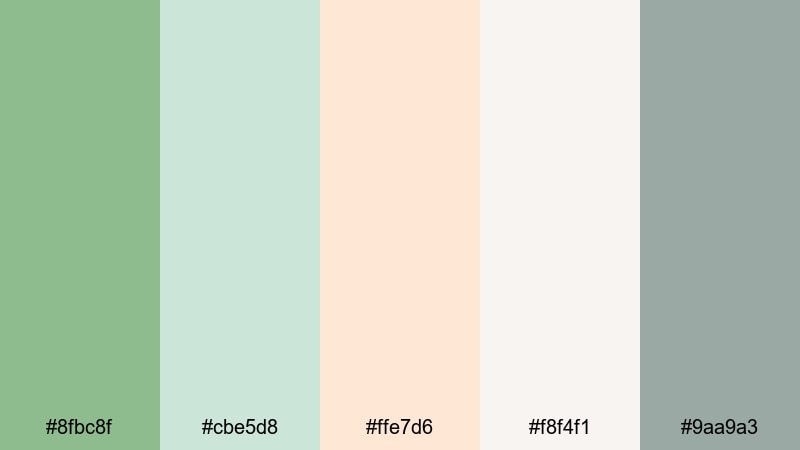
- HEX Codes: #8fbc8f, #cbe5d8, #ffe7d6, #f8f4f1, #9aa9a3
- Mood: whimsical and gentle like an illustrated seaside tale
- Use for: Great for family channels, kids content, and soft-branded intros where you want a friendly yet polished color story.
Coastal Storybook Pastels takes Dark Sea Green into a lighter, more whimsical direction with pastel aqua, peach, and shell white. The overall feeling is kind and approachable, like a softly illustrated picture book set by the sea.
Use it on family vlog thumbnails, kids craft tutorials, or gentle educational content. The pastels are perfect for background shapes, frames, and lower thirds, while Dark Sea Green and #9aa9a3 give you enough contrast for text outlines, icons, and subtle drop shadows in Filmora title templates.
Elegant Modern Dark Sea Green Palettes
Emerald Loft Minimal
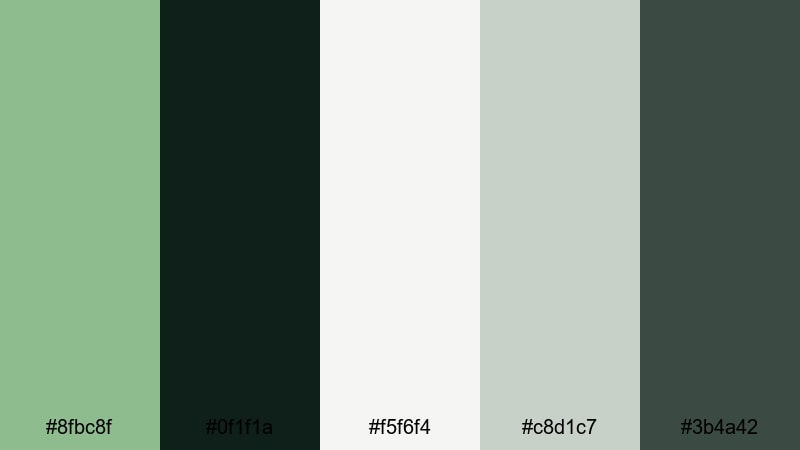
- HEX Codes: #8fbc8f, #0f1f1a, #f5f6f4, #c8d1c7, #3b4a42
- Mood: sleek and minimal with a premium studio feel
- Use for: Perfect for design portfolios, architecture walkthroughs, and minimalist tech content needing a modern, upscale palette.
Emerald Loft Minimal pairs Dark Sea Green with inky charcoal, crisp off-white, and softly muted sage. It feels like a curated gallery space or an architect's studio, calm but clearly high-end.
Use the dark tones (#0f1f1a, #3b4a42) for full-screen backgrounds or cinematic frames, and place bright headings or logos in #f5f6f4. Dark Sea Green then becomes a strong accent in buttons, highlights, and callout shapes on thumbnails and lower thirds for tech, design, or portfolio reels.
Glass Slate Interface

- HEX Codes: #8fbc8f, #e3f0ea, #20252a, #5e7a76, #f9fbfa
- Mood: polished and tech-forward with a soft UI glow
- Use for: Designed for app promos, SaaS explainer videos, and clean lower thirds on tutorials and webinars.
Glass Slate Interface gives Dark Sea Green a modern, UI-inspired twist. Soft glassy greens and light neutrals contrast against deep slate, evoking dashboards, analytic screens, and product landing pages.
Turn this into a strong YouTube brand look for tech explainers, software walkthroughs, and startup promos. Use the near-whites (#e3f0ea, #f9fbfa) for panels and shapes around your screen recordings, then use Dark Sea Green and #5e7a76 for icons, progress bars, and headline text inside Filmora titles and graphics.
Noir Teal Title Card
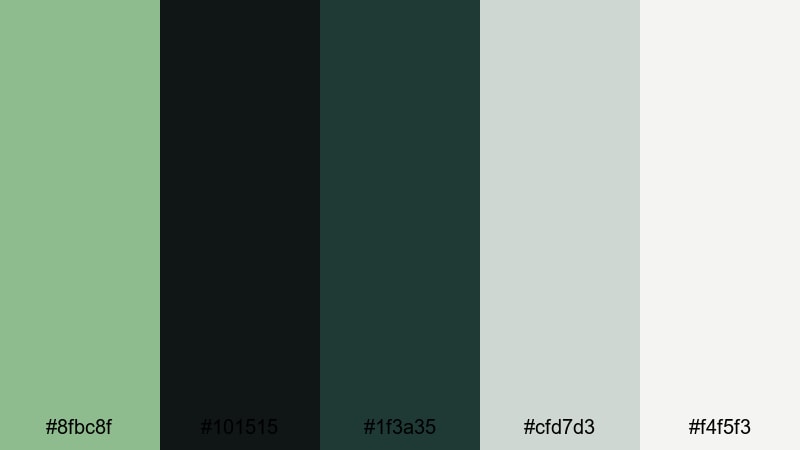
- HEX Codes: #8fbc8f, #101515, #1f3a35, #cfd7d3, #f4f5f3
- Mood: dramatic yet refined with a cinematic noir edge
- Use for: Use for stylish title cards, credits, and cinematic openers where you want a dark backdrop that still feels colorful.
Noir Teal Title Card leans into contrast, combining nearly black shades with deep teal-greens and cool, pale neutrals. It has the drama of a noir film with the sophistication of modern teal branding.
Use the darkest tone (#101515) as a base for title cards, then bring in Dark Sea Green and #1f3a35 for gradient accents or spotlight effects. The light neutrals ensure text and logos stay readable in thumbnails, end screens, and Filmora title animations for films, documentaries, or polished commentary channels.
Marble Atrium Glow
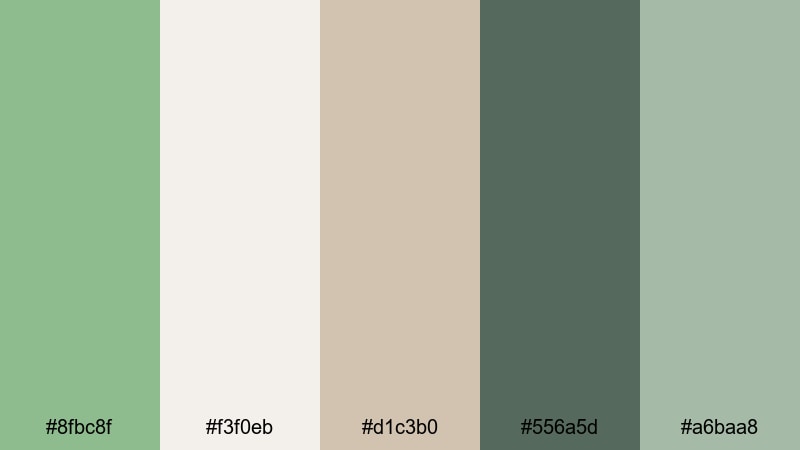
- HEX Codes: #8fbc8f, #f3f0eb, #d1c3b0, #556a5d, #a6baa8
- Mood: luxurious and tranquil like a sunlit gallery
- Use for: Ideal for brand films, product showcases, and interior design reels that need a soft luxury aesthetic.
Marble Atrium Glow mixes Dark Sea Green with marble beiges, creamy whites, and muted mossy greens. The palette feels luxurious yet relaxed, like a quiet atrium filled with natural light and polished stone.
In video, this works beautifully for product hero shots, jewelry or skincare promos, and interior design tours. Use the warmer neutrals for surfaces and backgrounds, then accent with Dark Sea Green and #556a5d in lines, icons, and overlays created within Filmora to hint at sophistication without overwhelming the shot.
Vintage Inspired Dark Sea Green Palettes
Retro Seafoam Motel
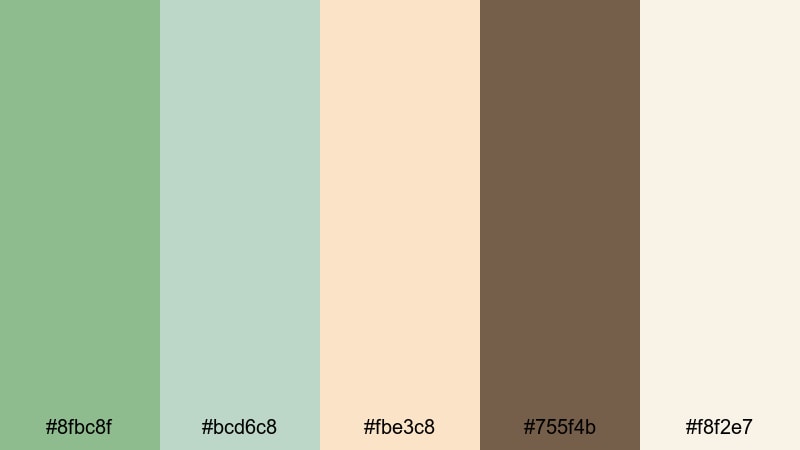
- HEX Codes: #8fbc8f, #bcd6c8, #fbe3c8, #755f4b, #f8f2e7
- Mood: nostalgic and sun-faded with midcentury charm
- Use for: Great for retro travel edits, film-style transitions, and title sequences with a nostalgic road-trip vibe.
Retro Seafoam Motel feels like a faded postcard from a 60s beach escape. Seafoam greens, warm peach, and a rich brown accent combine into a nostalgic, slightly sun-bleached palette.
Use the warmth of #fbe3c8 and #f8f2e7 for backgrounds, with Dark Sea Green and #bcd6c8 accenting titles, badges, and simple shapes in Filmora. Add grain, vignette, and subtle film burn transitions to your travel vlogs or retro story edits to lean fully into that midcentury motel sign aesthetic.
Faded Postcard Cove
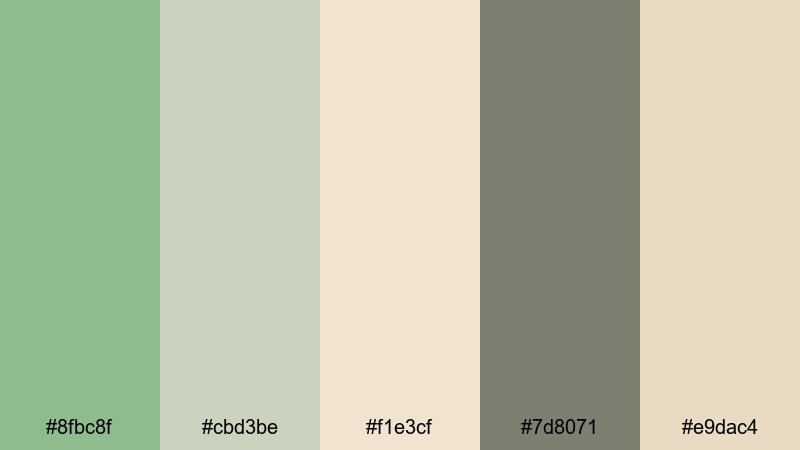
- HEX Codes: #8fbc8f, #cbd3be, #f1e3cf, #7d8071, #e9dac4
- Mood: softly nostalgic like a washed-out coastal print
- Use for: Use for travel montages, memory sequences, and overlay graphics that should feel gently aged and sentimental.
Faded Postcard Cove softens Dark Sea Green with dusty greens and sepia-tinted creams. The palette feels like an old print that has mellowed over time, sentimental without looking too distressed.
For memory sequences or reflective monologues, tint your footage slightly toward these hues in Filmora and layer simple text in the lighter tones. Use Dark Sea Green and #7d8071 sparingly for headings, map-style graphics, or date stamps in your thumbnails to suggest nostalgia at a glance.
Old Film Tidepool
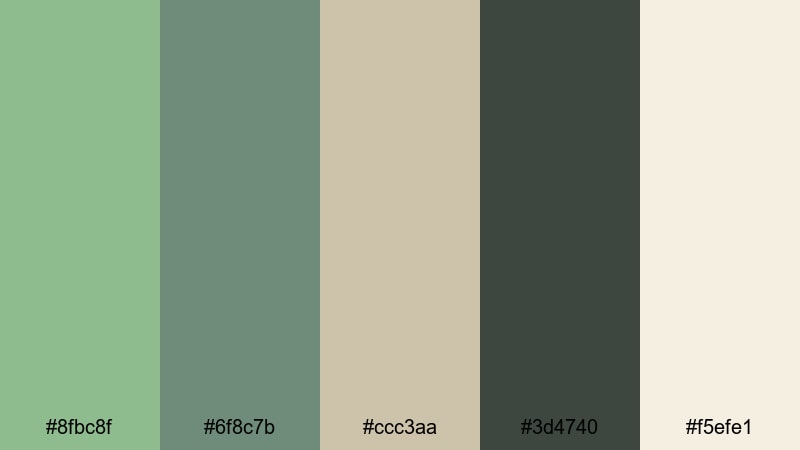
- HEX Codes: #8fbc8f, #6f8c7b, #ccc3aa, #3d4740, #f5efe1
- Mood: moody and analog with quiet coastal depth
- Use for: Ideal for documentary-style edits, narrative shorts, and title cards paired with grain and subtle film damage effects.
Old Film Tidepool brings out a moodier side of Dark Sea Green, supported by olive greens, smoky charcoal, and aged paper neutrals. It feels like archival footage from a coastal town, with depth and quiet drama.
Use #3d4740 and #6f8c7b for background plates and lower thirds, then highlight key words, dates, or chapter titles in Dark Sea Green. Add film grain, a touch of blur on transitions, and subtle dust overlays in Filmora to complete the analog, archival atmosphere in documentaries, essay videos, or narrative shorts.
Bold Cinematic Dark Sea Green Palettes
Neo Ocean Cyberpunk
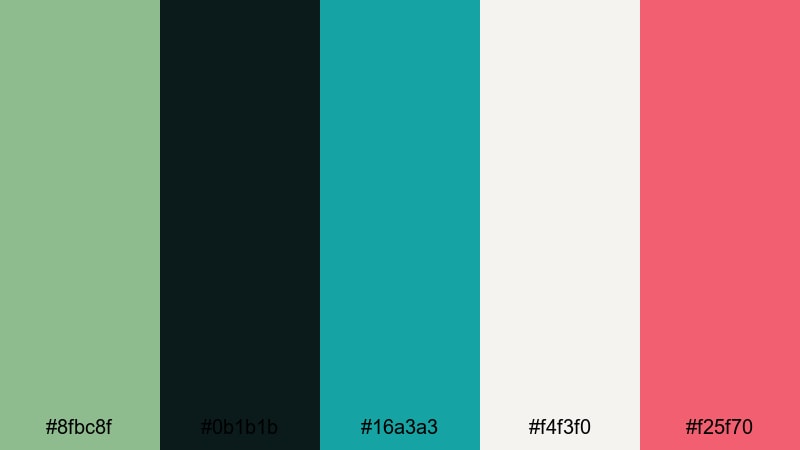
- HEX Codes: #8fbc8f, #0b1b1b, #16a3a3, #f4f3f0, #f25f70
- Mood: energetic and futuristic with aquatic neon accents
- Use for: Perfect for tech intros, gaming highlights, and energetic channel branding that mixes teal vibes with bold contrast.
Neo Ocean Cyberpunk throws Dark Sea Green into a high-energy world of deep blacks, teal neon, and a punchy coral accent. It feels like a futuristic harbor city glowing at night.
Use #0b1b1b as your background for titles and gaming highlight reels, then accent with #16a3a3 and #f25f70 for lines, glows, and animated elements in Filmora. Dark Sea Green anchors the palette so it stays recognizable across thumbnails, stingers, and overlays for tech or gaming channels.
Storm Surge Drama
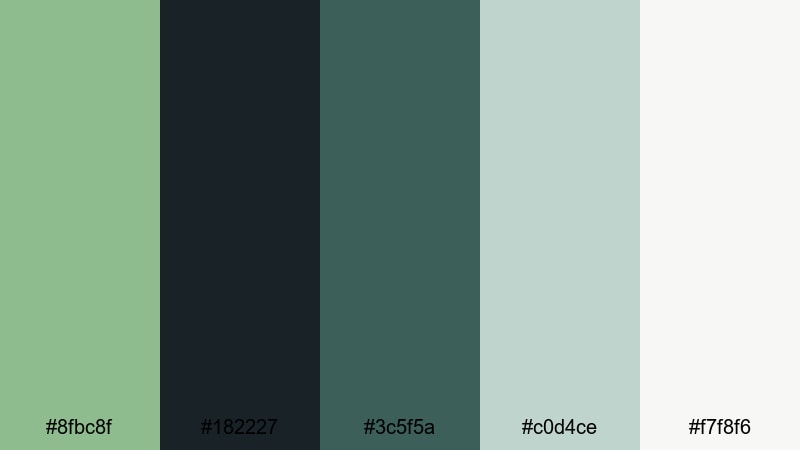
- HEX Codes: #8fbc8f, #182227, #3c5f5a, #c0d4ce, #f7f8f6
- Mood: intense and cinematic like a brewing storm at sea
- Use for: Great for trailers, dramatic story recaps, and cinematic overlays where you want tension without losing color.
Storm Surge Drama places Dark Sea Green among stormy blues, charcoals, and misty highlights. The palette feels powerful and cinematic, like waves stacking up before a storm hits.
Use the dark shades (#182227, #3c5f5a) as the base for trailers, story recap segments, and dramatic cold opens. Let #c0d4ce and #f7f8f6 carry your text and logo elements, with Dark Sea Green tying it all together as an accent in transitions, frames, and Filmora title presets.
Tropical Thriller Teal
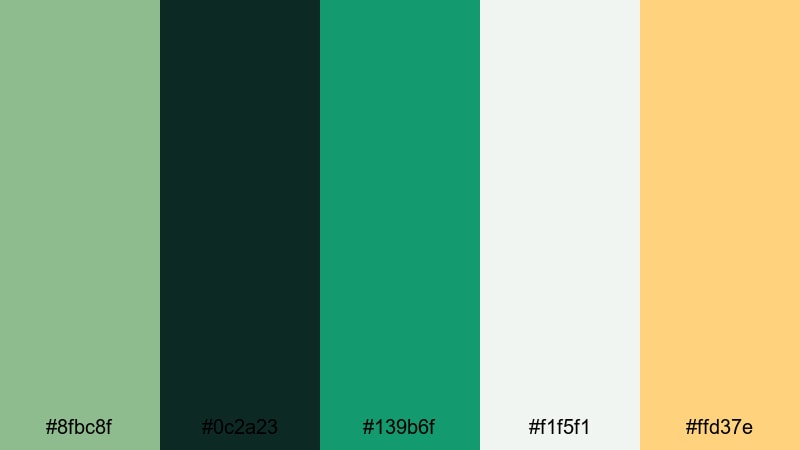
- HEX Codes: #8fbc8f, #0c2a23, #139b6f, #f1f5f1, #ffd37e
- Mood: vivid and suspenseful with a tropical edge
- Use for: Use in adventure vlogs, island mysteries, or high-energy travel edits that need both lush color and suspense.
Tropical Thriller Teal mixes Dark Sea Green with deep jungle greens and a bright yellow-orange highlight. It feels like a lush island setting with a hint of danger or mystery built in.
Use #0c2a23 as a base for intense titles and scene cards, then pop important elements in #ffd37e so they stand out even on small mobile screens. Dark Sea Green and #139b6f work well for map graphics, markers, and lower thirds in Filmora when you want both tropical richness and thriller-style tension.
Aurora Depth Reel
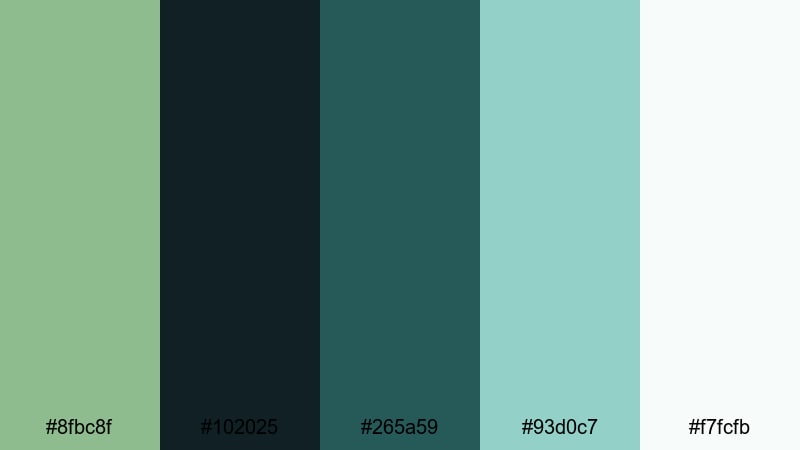
- HEX Codes: #8fbc8f, #102025, #265a59, #93d0c7, #f7fcfb
- Mood: expansive and cinematic like underwater auroras
- Use for: Ideal for showreels, cinematic B-roll compilations, and dramatic logo stings that should feel deep and immersive.
Aurora Depth Reel layers teals and Dark Sea Green against near-black with icy highlights. It feels immersive and cinematic, like underwater light beams or auroras seen from below the surface.
Use gradients from #102025 through #265a59 into #93d0c7 as backgrounds in Filmora to create a sense of depth behind your showreel titles, logo stings, and B-roll compilations. Keep key text in #f7fcfb for maximum clarity, and reserve Dark Sea Green for accent strokes, icons, or motion graphics elements that guide the viewer's eye.
Tips for Creating Dark Sea Green Color Palettes
Dark Sea Green is flexible enough to work in soft pastels, sleek modern schemes, and bold cinematic looks. These tips will help you combine it with other colors for video and design while keeping your visuals consistent and easy to read.
- Pair Dark Sea Green with light neutrals (off-white, light beige) for clean thumbnails and intro screens where text needs to stand out.
- Use deep charcoals or near-black tones behind Dark Sea Green accents when you want a dramatic, cinematic style for trailers or title cards.
- Reserve one or two bright accent colors (such as coral or warm yellow) for calls to action, buttons, or key words so your viewer knows where to look first.
- Check text readability on mobile by testing white or very light text over Dark Sea Green, and adding subtle shadows or outlines in Filmora titles if needed.
- For branding, stick to one main Dark Sea Green shade plus two or three supporting colors from a single palette across your logo, banner, and lower thirds.
- Match your footage to the palette by gently shifting midtones and shadows toward Dark Sea Green or teal, rather than oversaturating all colors.
- Use warmer neutrals with Dark Sea Green for friendly, lifestyle content, and cooler grays or blues for tech, productivity, or futuristic themes.
- Save your favorite Dark Sea Green looks as presets or LUTs in Filmora so you can quickly apply the same mood to new videos and social edits.
Dark Sea Green palettes can completely change how your audience feels about your stories, from calm coastal vlogs to intense cinematic edits. By choosing a palette that fits your concept and sticking to it, your channel or brand starts to feel intentional, recognizable, and visually cohesive.
Experiment with the 15 palettes above in your thumbnails, intros, transitions, and color grading. In Filmora, you can quickly combine Dark Sea Green with filters, LUTs, and custom titles to see which palette best matches your niche, then reuse that look across future videos.
Whether you are aiming for soft coastal pastels, elegant modern branding, vintage nostalgia, or bold cinematic drama, Dark Sea Green is a powerful base color to build around. Test, tweak, and save your favorite combinations so your visual identity grows stronger with every upload.
secure download