

 100% Security Verified | No Subscription Required | No Malware


 ChatGPT
 Perplexity
 Gemini
 Claude
 Grok
Grok
Fantasy colors turn ordinary footage into something that feels magical, cinematic, and larger than life. Think deep indigos, glowing violets, pastel auroras, and molten dragonfire tones. These hues tap into feelings of wonder, nostalgia, and adventure, which is why they work so well for YouTube thumbnails, intros, gaming edits, vlogs, and branding that needs a touch of otherworldly charm.
Below you will find ready to use Fantasy color palettes with HEX codes, created for video editors, designers, and Filmora users. Each palette includes mood notes, practical use cases, and ideas for applying the colors consistently in intros, overlays, titles, thumbnails, and full edits.
In this article
Dreamy Fantasy Color Palettes
Starlit Kingdom Skies
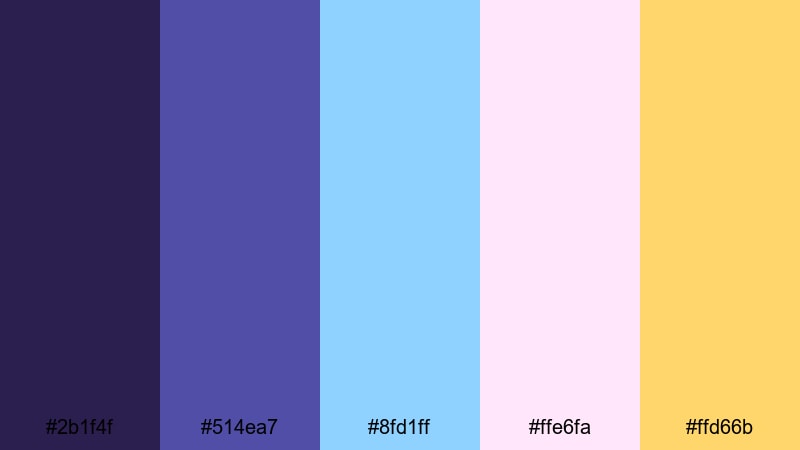
- HEX Codes: #2b1f4f, #514ea7, #8fd1ff, #ffe6fa, #ffd66b
- Mood: Majestic, dreamy, and expansive like a magical sky over a distant realm.
- Use for: Ideal for epic YouTube intros, cinematic title cards, and fantasy travel vlogs where you want a sense of awe and wonder.
This palette starts with a deep indigo base (#2b1f4f) and royal violet (#514ea7), then opens into airy celestial blue (#8fd1ff), pastel pink haze (#ffe6fa), and a final touch of golden starlight (#ffd66b). Together, they feel like standing on a castle balcony under an enchanted sky just before the story begins.
Use the darker tones for backgrounds, letterbox bars, and drop shadows in your titles, while the light blues and pinks highlight characters, objects, or UI elements. The golden accent is perfect for logo reveals, animated crowns, and call to action text in thumbnails. In Filmora, you can match lower thirds, transitions, and overlays to this Fantasy color combination so your whole intro, B roll, and end screen feel like one coherent sky kingdom.
Pro Tip: Enhance Your Fantasy Visuals with Filmora
To keep a Starlit Kingdom look across your whole edit, start by picking one dominant shade, such as the deep indigo, and use it on backgrounds, panels, or frames. Then, bring in the light blues and pinks for text cards, overlays, and motion graphics in Filmora so your fantasy aesthetic feels intentional rather than random.
Save custom color presets for titles, transitions, and elements in Filmora so every new clip in your fantasy themed video automatically follows the same palette. This helps your YouTube intros, shorts, and community posts feel like they all belong to the same magical world.
AI Color Palette
If you have a still frame, concept art, or thumbnail mockup that captures your ideal Starlit Kingdom Skies palette, you can turn it into a look for your entire video. Filmora's AI Color Palette feature analyzes the colors in a reference image or clip and transfers that style to other footage automatically.
Import your favorite fantasy image, apply AI Color Palette to your timeline, and let Filmora harmonize your A roll, B roll, and overlays. It is an easy way to keep skies, character close ups, and text cards in the same dreamy range of indigos, violets, and glows without manual tweaking on every clip.
 secure download

HSL, Color Wheels & Curves
Once your base Fantasy palette is in place, you can refine it with HSL, color wheels, and curves in Filmora. Use HSL to nudge blues toward a more mystical teal or push violets into warmer magenta, then balance skin tones and shadows on the color wheels so characters still look natural inside your magical world. For a deeper walkthrough, you can follow a Filmora color grading tutorial and adapt the steps to your own palette.
Curves are ideal for adding a soft cinematic fade or deep contrast to starry skies. Lift the blacks slightly for a dreamy, hazy look, or add a subtle S curve to make highlights and glows stand out in thumbnails and title cards while keeping text readable.
secure download1000+ Video Filters & 3D LUTs
If you want an instant Fantasy grade, Filmora's video filters and 3D LUTs make it easy to add glow, haze, soft bloom, or stylized contrast without starting from scratch. Combine a cinematic LUT with your Starlit Kingdom palette to quickly get a polished, movie like atmosphere.
You can also stack filters to add light leaks, vignettes, or dream glows that match your indigo and gold accents. Apply them selectively on adjustment layers so your entire edit, from opening logo to end screen, keeps the same magical vibe.
secure downloadEnchanted Library Glow
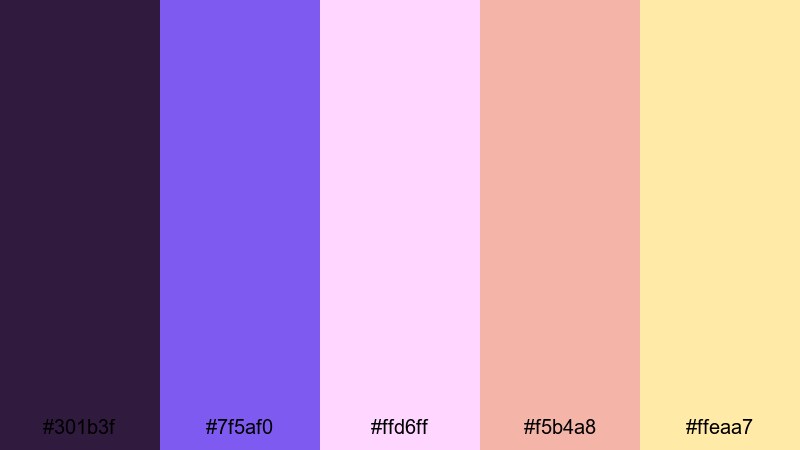
- HEX Codes: #301b3f, #7f5af0, #ffd6ff, #f5b4a8, #ffeaa7
- Mood: Cozy, curious, and softly magical like a candlelit archive of forgotten spells.
- Use for: Perfect for educational fantasy explainers, bookish vlogs, and motion graphics with scrolls, runes, and lore-heavy visuals.
Enchanted Library Glow combines velvety plum shadows with a bright violet accent, then softens everything with blush, peach, and parchment gold. It feels like turning pages in a secret grimoire while colored light spills through stained glass.
Use the darker tones for backgrounds on talking head segments, deck overlays, or lore sections. Pastel pink and peach are great for chapter titles, social lower thirds, and thumbnail text boxes. The warm gold works well for icons like quills, candles, and bookmarks in your branding package.
Celestial Dream Voyage
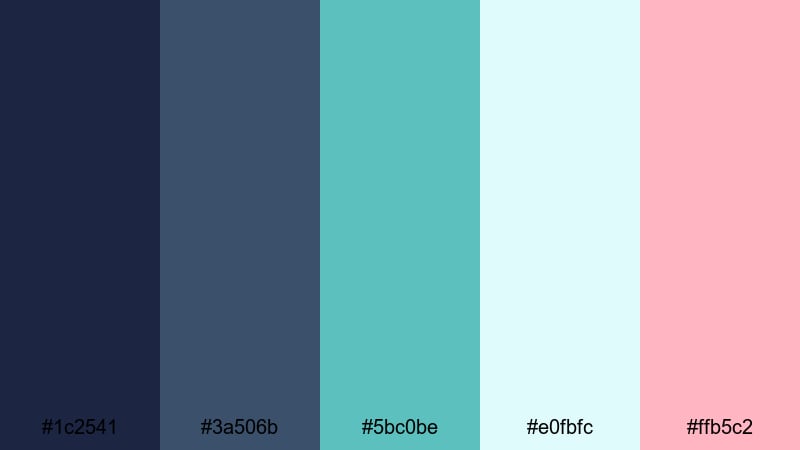
- HEX Codes: #1c2541, #3a506b, #5bc0be, #e0fbfc, #ffb5c2
- Mood: Hopeful, adventurous, and airy, like drifting through clouds toward a new world.
- Use for: Great for channel brand packages, travel edits, and inspirational montages that blend sci fi and fantasy aesthetics.
Dark navy and charcoal blue create a stable base, while teal, ice blue, and soft candy pink bring a dreamy, futuristic glow. The palette feels like a voyage across galaxies where fantasy and sci fi meet.
Use the deep blues for full screen backgrounds and frame borders, then highlight maps, animated lines, and titles with teal and ice blue. The soft pink is ideal for accents in subscribe buttons, icons, and logo marks on your channel art and end cards.
Aurora Kingdom Bloom
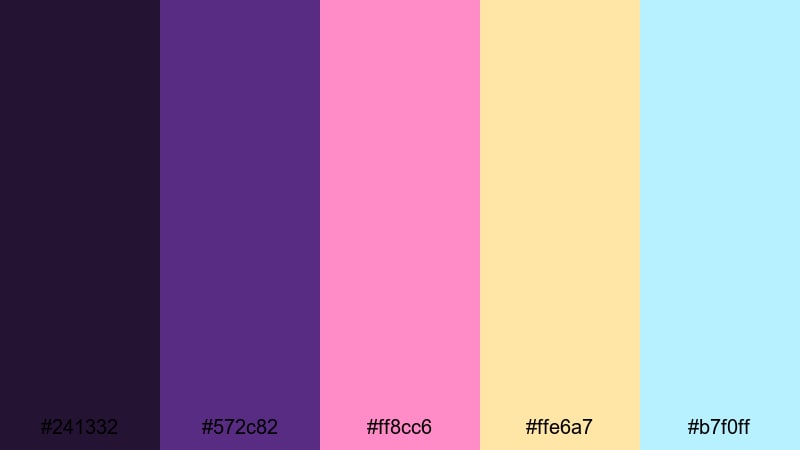
- HEX Codes: #241332, #572c82, #ff8cc6, #ffe6a7, #b7f0ff
- Mood: Romantic, optimistic, and luminous like a royal garden lit by auroras.
- Use for: Use for wedding highlight videos, romantic story edits, and dreamy product promos that need a soft fairytale glow.
This palette mixes regal violets with candy pink, buttercream gold, and icy sky blue. It feels elegant yet playful, like a royal ball held under soft aurora lights.
Use the violets in backgrounds, text shadows, and frames around your footage. Pink and gold work well for titles, callouts, and animated flourishes in wedding or engagement highlights. The pale blue can add a gentle sparkle to lens flares, light leaks, and floating particles in intros.
Epic Adventure Fantasy Color Palettes
Dragonfire Citadel
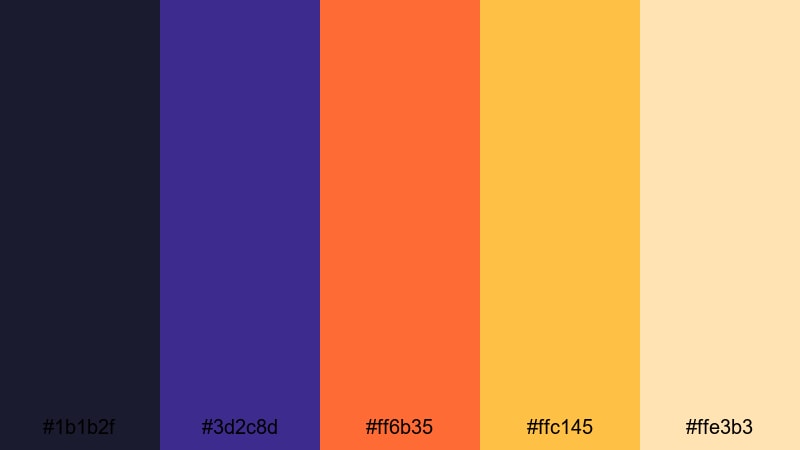
- HEX Codes: #1b1b2f, #3d2c8d, #ff6b35, #ffc145, #ffe3b3
- Mood: Intense, fiery, and heroic, echoing battlefields, citadels, and dragon lairs.
- Use for: Best for gaming montages, battle cinematics, trailer-style intros, and bold typography overlays.
Dragonfire Citadel grounds your scene with midnight blue and royal violet, then explodes with searing orange and molten gold. The warm neutrals keep everything readable, like light bouncing off stone walls in a fortress.
Use the dark tones for UI panels, kill counters, or health bar backplates, and let the orange and gold drive attention to score numbers, combo text, or boss names. This palette is strong for esports thumbnails, chapter cards, and hype reels where you want instant impact.
Skyship Odyssey Trail
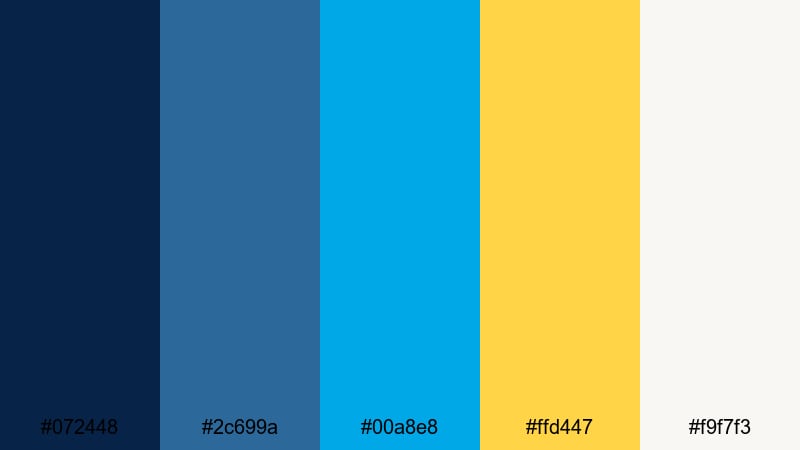
- HEX Codes: #072448, #2c699a, #00a8e8, #ffd447, #f9f7f3
- Mood: Brisk, daring, and adventurous like piloting an airship through bright skies.
- Use for: Ideal for travel vlogs, steampunk fantasy intros, and energetic channel trailers with sweeping camera moves.
Deep navy and steel blue form the hull of your visual story, while electric cyan and brass gold suggest speed, tech, and adventure. The off white adds breathable space for text and UI.
Use the bright cyan for motion paths, animated arrows, and progress trackers in travel vlogs. Gold is great for compass icons, badges, and CTA buttons in thumbnails and overlays. The light background tone keeps captions and maps easy to read even on mobile.
Crystal Forest Quest
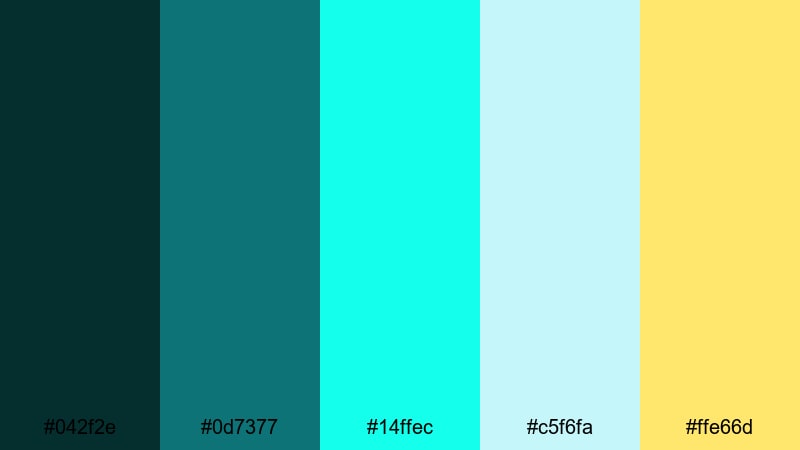
- HEX Codes: #042f2e, #0d7377, #14ffec, #c5f6fa, #ffe66d
- Mood: Mysterious yet invigorating, like venturing into a glowing crystal forest.
- Use for: Great for RPG gameplay edits, fantasy map motion graphics, and cinematic quest recaps.
This palette starts with dark teal undergrowth and climbs into neon aqua, icy crystal highlights, and enchanted gold. It feels like discovering bioluminescent plants in a quiet, dangerous grove.
Use the deep teals as overlays on night scenes or dungeons, then bring in the neon aqua for spell effects, health potions, and path highlights on your maps. The gold accent is perfect for treasure markers, quest titles, and key items in thumbnails or HUD designs.
Phoenix Arena Rush
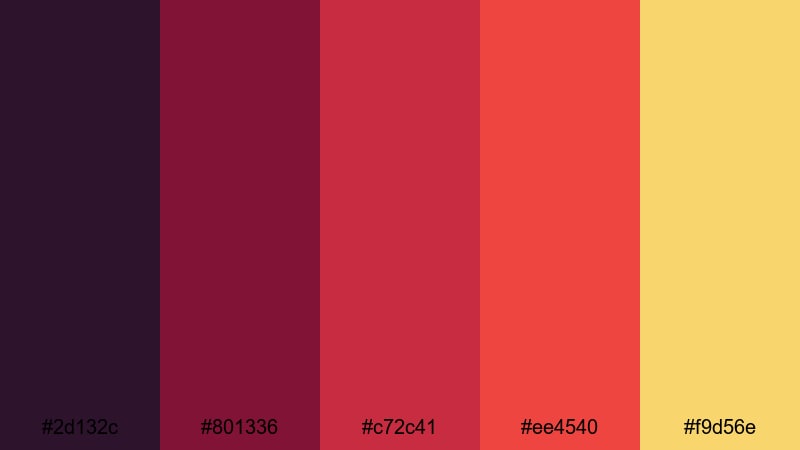
- HEX Codes: #2d132c, #801336, #c72c41, #ee4540, #f9d56e
- Mood: Explosive, competitive, and blazing with energy like a phoenix rising in a coliseum.
- Use for: Designed for esports intros, boss fight edits, hype reels, and bold thumbnail frames.
Wine toned shadows roll into crimson and scarlet, ending in radiant gold that feels like hot sparks and braziers. This is a high drama Fantasy color scheme that screams intensity and competition.
Use the darker reds as backgrounds for kill feeds, glitch text, or countdown timers, then punch key text and icons with bright scarlet and gold. It is strong for channel branding if you want viewers to associate your content with heat, power, and arena battles.
Mystical Pastel Fantasy Color Palettes
Sugar Sprite Meadow
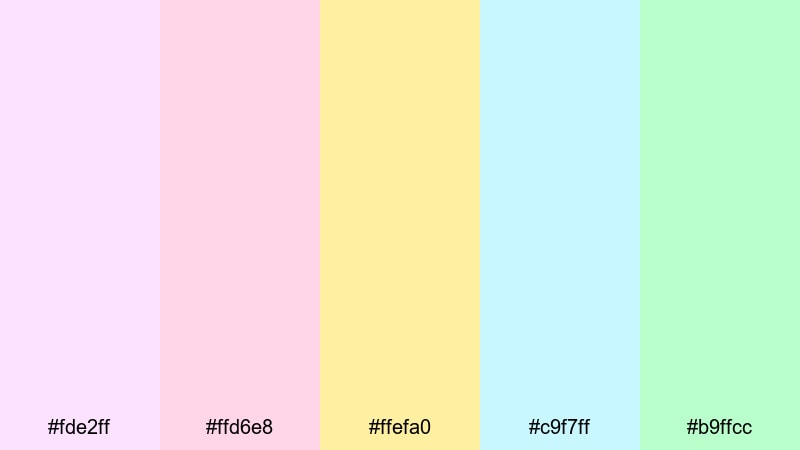
- HEX Codes: #fde2ff, #ffd6e8, #ffefa0, #c9f7ff, #b9ffcc
- Mood: Sweet, playful, and innocent like a meadow full of tiny sugar sprites.
- Use for: Perfect for kawaii vlogs, cozy lifestyle content, kids content branding, and soft animated stickers or emojis.
Sugar Sprite Meadow is all about delicate cotton candy pinks, lemon cream yellow, sky sherbet blue, and mint candy green. The whole palette feels light, friendly, and safe.
Use these pastels for channel avatars, sticker packs, and lower thirds with rounded shapes. They work especially well on kids content thumbnails, journaling vlogs, or unboxing videos where you want a soft, pastel fantasy vibe without any darkness.
Moon Blossom Reverie
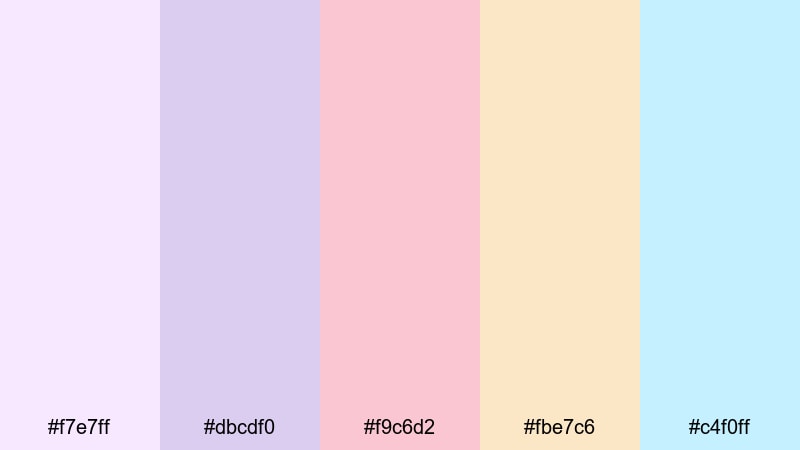
- HEX Codes: #f7e7ff, #dbcdf0, #f9c6d2, #fbe7c6, #c4f0ff
- Mood: Serene, romantic, and slightly nostalgic like a moonlit garden in full bloom.
- Use for: Use for aesthetic study vlogs, slow cinematic edits, lyric videos, and dreamy channel art.
Lavender, rose petal blush, and honey cream blend with pale sky blue to create a quiet, emotional atmosphere. It feels like walking through a garden at night lit only by moonlight and paper lanterns.
Deploy this palette for slower edits: study vlogs, piano covers, poetry readings, or lyric videos. Use lavender and blush on titles and lyric captions, with the pale blue keeping backgrounds clean and readable on phones.
Mermaid Lullaby Cove
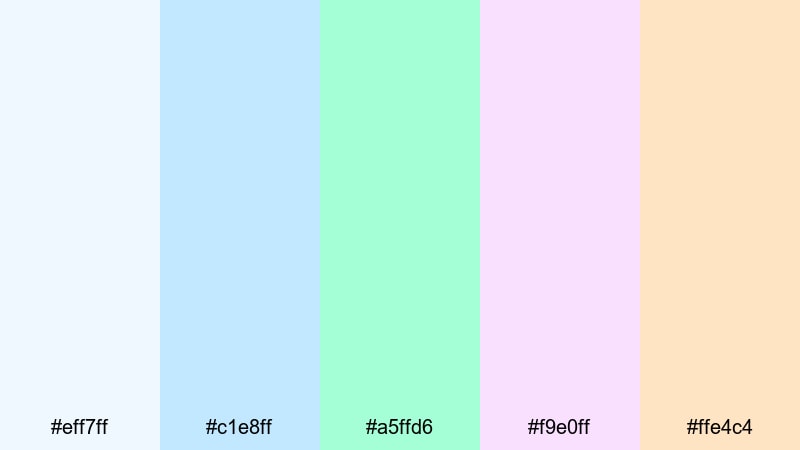
- HEX Codes: #eff7ff, #c1e8ff, #a5ffd6, #f9e0ff, #ffe4c4
- Mood: Calm, soothing, and aquatic like waves whispering over seashells.
- Use for: Great for ASMR channels, relaxation loops, calming app promos, and gentle motion graphics backgrounds.
Soft ocean blues, mint seafoam, lavender foam, and sandy peach create a tranquil underwater Fantasy aesthetic. The palette feels clean and breathable, perfect for content meant to relax viewers.
Use the blue and mint for main backgrounds in ASMR or sleep videos, adding slow, looping animations or waves. Lavender and peach can highlight titles, timestamps, or small icons without breaking the calm mood.
Cloudborne Castle Mist
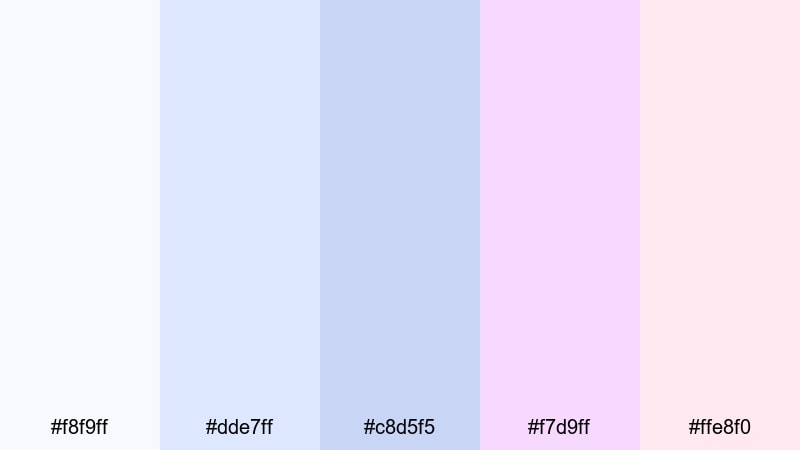
- HEX Codes: #f8f9ff, #dde7ff, #c8d5f5, #f7d9ff, #ffe8f0
- Mood: Light, airy, and ethereal like a castle hidden inside drifting clouds.
- Use for: Ideal for title cards, end screens, or UI overlays where text must stay legible but still feel magical and soft.
Misty whites and baby blues blend with lilac and blush fog, creating a floating, weightless feeling. It is a great pastel Fantasy color palette when you want magic without clutter.
Use this palette on websites, overlays, and end screens where there is a lot of text or buttons. The soft blues and whites keep everything readable, while the lilac and blush add just enough fantasy flavor for intros, progress bars, or notification badges.
Dark Enchanted Fantasy Color Palettes
Shadowfall Moon Ritual
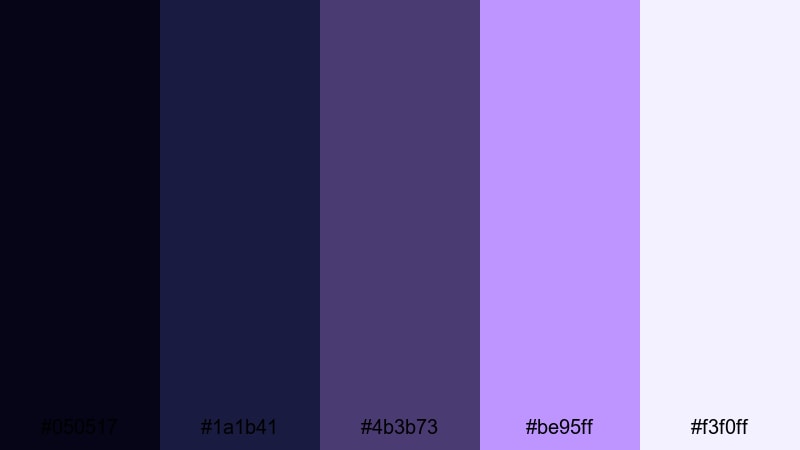
- HEX Codes: #050517, #1a1b41, #4b3b73, #be95ff, #f3f0ff
- Mood: Arcane, moody, and dramatic like a midnight ritual under a full moon.
- Use for: Best for dark fantasy edits, horror tinged openings, and motion posters for narrative projects or roleplay campaigns.
Near black, ink navy, and mulberry purple set a cryptic stage, while pale lavender and off white add a soft magical glow. It feels occult, but with enough light to show runes, props, and character details.
Use the dark colors in backgrounds and vignettes, then let the lavender and white guide the eye to titles, symbols, or character names. This palette is excellent for tabletop RPG recaps, horror fantasy short films, and mystery game trailers.
Thornbound Velvet Court
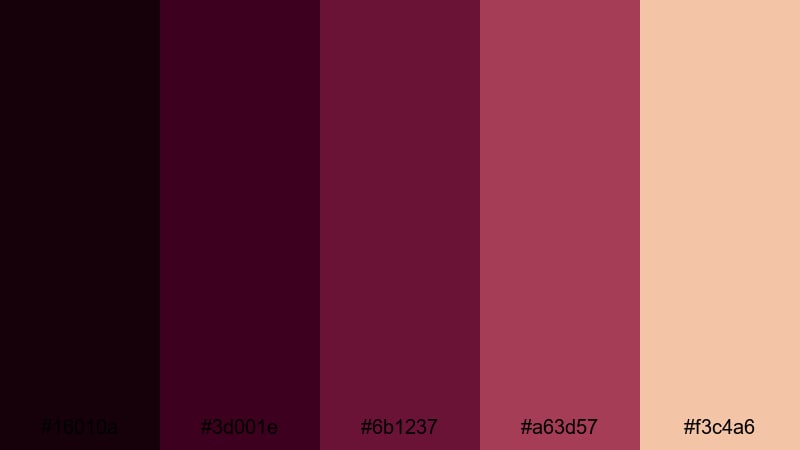
- HEX Codes: #16010a, #3d001e, #6b1237, #a63d57, #f3c4a6
- Mood: Regal, dangerous, and seductive like a cursed royal court.
- Use for: Great for character driven trailers, villain highlight edits, and luxury product videos with a dark fantasy twist.
Black cherry, wine, and deep crimson dominate this palette, softened by antique rose gold. It evokes velvet curtains, poisoned roses, and jeweled crowns.
Use the darkest shades for rich backdrops and letterbox bars, then bring in the rose gold for jewelry close ups, logo marks, or monograms. It is strong for villain arcs, gothic fashion lookbooks, or perfume ads with a dark fantasy edge.
Obsidian Forest Whisper
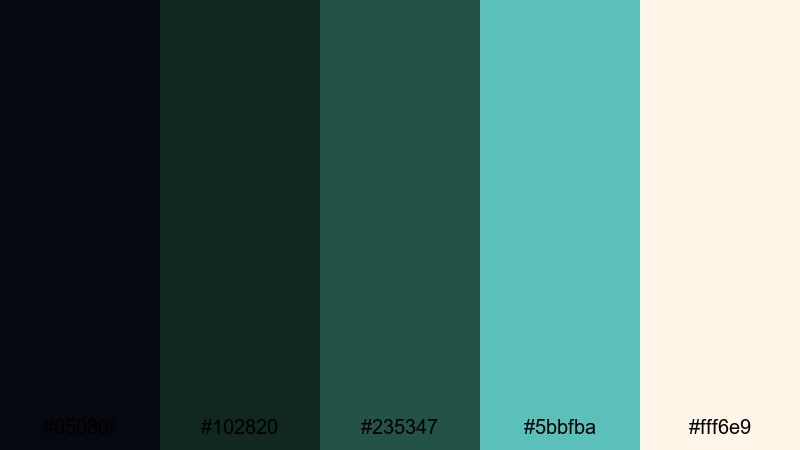
- HEX Codes: #05080f, #102820, #235347, #5bbfba, #fff6e9
- Mood: Quiet, eerie, and slightly hopeful like a whisper of light inside a haunted forest.
- Use for: Ideal for moody travel films, fantasy survival edits, and cinematic B roll with heavy shadows and subtle magic.
Obsidian black and deep forest green create a hushed, eerie environment, while teal glimmers and lantern cream suggest safety ahead. It feels like walking through danger with just enough light to keep going.
Use the dark tones in night scenes, forest footage, urban exploration videos, or survival edits. Add teal and cream in light streaks, fireflies, UI markers, and subtitles so viewers always know where to look, even in heavy shadows.
Tips for Creating Fantasy Color Palettes
When you build your own Fantasy color palettes for video or design, focus on mood first, then choose colors that support your story while staying readable on all screens.
- Decide on a core emotion (wonder, danger, romance, nostalgia) and pick one or two dominant colors that express it, like deep violet for mystery or bright cyan for adventure.
- Balance dark and light tones so you have clear options for backgrounds and text; light text on dark Fantasy colors often works best for thumbnails and end screens.
- Use accent colors sparingly for CTAs and key icons; a single gold or neon highlight will stand out more than five competing accents.
- Check readability by previewing your titles and captions on a small phone screen; increase contrast or adjust saturation if text is hard to read.
- Keep branding consistent by reusing the same HEX codes across intros, lower thirds, overlays, and channel art instead of guessing similar shades each time.
- Match your grade to your palette: cool Fantasy schemes pair well with teal shadows and soft blue highlights, while fiery palettes like Dragonfire Citadel benefit from warm midtones and rich contrast.
- Use adjustment layers or presets in Filmora so one color correction or LUT affects entire sequences, keeping your Fantasy look uniform across different cameras and locations.
- Experiment with opacity and blend modes on solid color layers to tint footage gently rather than overpowering it, especially when working with pastel Fantasy palettes.
Fantasy color palettes are powerful tools for shaping mood, guiding attention, and building a recognizable visual identity for your channel or brand. From dreamy pastels to dark enchanted schemes, the right combination can make even simple footage feel cinematic and magical.
Try these 15 palettes as starting points, then customize them in Filmora to match your own worlds, characters, and stories. Once you lock in a look you love, you can save it as a template and reuse it in intros, shorts, thumbnails, and full length videos.
With AI assisted tools, precise color controls, and a huge library of filters and LUTs, Filmora makes it easy to bring your Fantasy aesthetic to life and keep it consistent across every platform.
secure downloadNext: Red Rust Color Palette
