

 100% Security Verified | No Subscription Required | No Malware


 ChatGPT
 Perplexity
 Gemini
 Claude
 Grok
Grok
Gold and dark green together create a powerful visual language. Gold suggests luxury, celebration, and success, while dark green feels grounded, stable, and cinematic. When you combine them, you get a palette that looks premium but still natural, perfect for storytelling that feels both aspirational and trustworthy.
For video creators and brands, a Gold Dark Green color scheme works brilliantly in YouTube thumbnails, opening titles, logo animations, lower thirds, and social posts. Below you will find 15 ready-made Gold Dark Green color palettes with HEX codes that you can plug directly into your branding, thumbnails, and Filmora projects to keep your visuals consistent from intro to end screen.
In this article
Elegant Gold Dark Green Color Palettes
Emerald Gala Glow
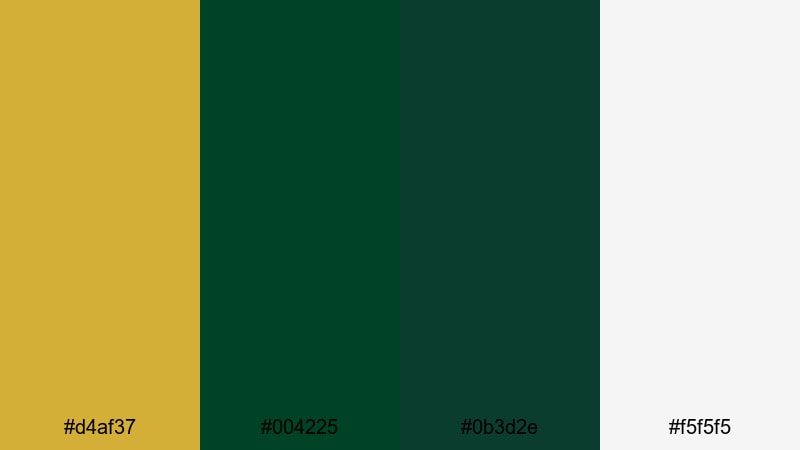
- HEX Codes: #d4af37, #004225, #0b3d2e, #f5f5f5
- Mood: Opulent and composed, with a refined red-carpet feel.
- Use for: Use for cinematic opening titles, luxury brand logos, and award-style lower thirds in video edits.
This palette balances true gold (#d4af37) with a rich emerald base (#004225) and deeper teal shadow (#0b3d2e), lifted by a clean soft white (#f5f5f5). It feels like a spotlight on velvet drapes: luxurious, composed, and instantly cinematic.
Use Emerald Gala Glow for YouTube intros, channel banners, and logo stings where you want to signal prestige without looking overly flashy. Gold is perfect for main titles and call-to-action buttons, while the emerald and teal handle backgrounds, frames, or overlay bars. The light neutral keeps text and icons readable on thumbnails, end screens, and social cutdowns.
Pro Tip: Build a Cinematic Gold Dark Green Look in Filmora
Once you pick Emerald Gala Glow as your hero palette, keep it consistent across your edit in Filmora. Use the gold tone for your main title and key lower thirds, then repeat the two dark greens in transitions, shapes, and background plates. This repetition trains your audience to recognize your brand at a glance.
You can save time by setting custom colors in Filmora for text, shapes, and borders, then reusing those swatches in intros, B-roll captions, and end cards. That way your whole project feels curated, like a single red-carpet event, instead of a mix of random colors.
AI Color Palette
If you have a reference still or thumbnail mockup using Emerald Gala Glow, you can turn it into a full video look in a few clicks. Filmora's AI Color Palette feature analyzes the colors in your reference and transfers that mood to other clips on your timeline.
Import one hero shot graded with this Gold Dark Green palette, run AI Color Palette on the rest of your footage, and Filmora will align tones so your A-roll, B-roll, and overlays all feel part of the same luxurious world. It is ideal for keeping a branded look across trailers, ads, and social edits.
 secure download

HSL, Color Wheels & Curves
To refine your Gold Dark Green aesthetic, use Filmora's HSL, color wheels, and curves controls. Gently push the yellow-greens towards a deeper emerald, tame over-saturated foliage, and add a subtle S-curve to make the gold highlights glow while keeping shadows rich and clean.
If you want more control, follow Filmora's guide to color wheels and curves to separate skin tones from your greens and golds. This helps you keep faces natural while your brand colors stay stylized and cinematic in the background.
secure download1000+ Video Filters & 3D LUTs
Once your base Gold Dark Green palette is in place, you can push the style further in Filmora using creative filters and LUTs. Warm film-style LUTs can make the gold feel vintage, while teal-and-orange or moody nightlife filters can make the greens look more modern and dramatic.
Filmora's video filters and 3D LUTs make it easy to test different cinematic looks on top of Emerald Gala Glow without manually grading every clip. Apply them to adjustment layers, then dial back opacity until they complement your brand colors instead of overpowering them.
secure downloadCathedral Aisle Elegance
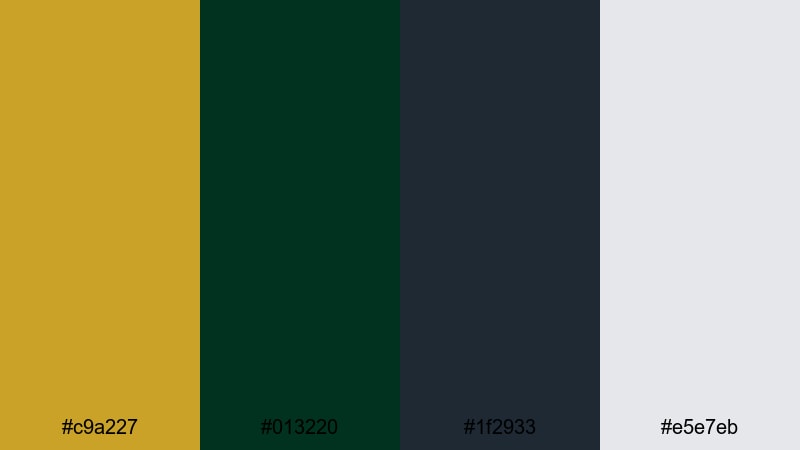
- HEX Codes: #c9a227, #013220, #1f2933, #e5e7eb
- Mood: Majestic, solemn, and timeless.
- Use for: Perfect for wedding films, documentary titles, and elegant slideshow transitions.
Cathedral Aisle Elegance pairs antique gold (#c9a227) with a chapel-deep green (#013220), grounded by charcoal (#1f2933) and soft stone gray (#e5e7eb). It recalls stained glass light on stone columns, giving your visuals a formal, almost ceremonial weight.
Use the gold for names, dates, and key titles in wedding highlight films or historic documentaries. The dark green and charcoal make excellent backgrounds for text-only slides or chapter cards, while the pale gray keeps captions and credits readable on social reels, reels covers, and YouTube thumbnails.
Velvet Ribbon Soiree
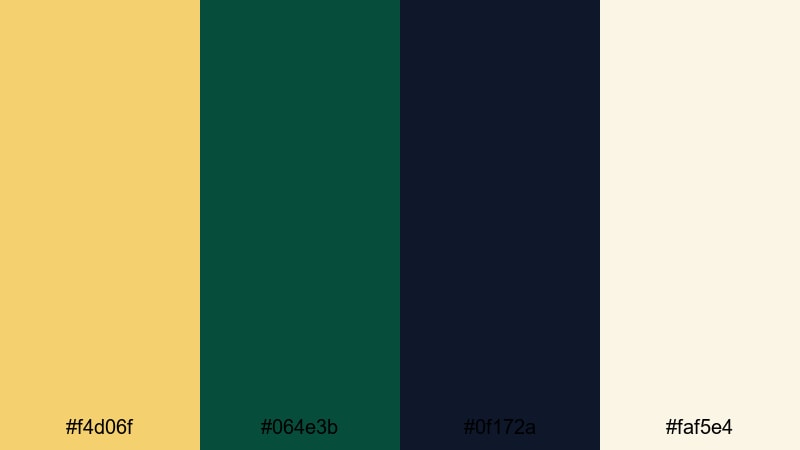
- HEX Codes: #f4d06f, #064e3b, #0f172a, #faf5e4
- Mood: Softly glamorous with an intimate evening vibe.
- Use for: Use in lifestyle vlogs, fashion lookbooks, and cozy dinner-party reels.
Buttery gold (#f4d06f) and plush dark green (#064e3b) sit over an inky navy (#0f172a) and a warm ivory (#faf5e4). Together they feel like candlelight on velvet, perfect for content that is luxurious but still personal and relaxed.
Try this palette on lifestyle thumbnails, fashion lookbook titles, and short-form content that captures dinners, date nights, or studio sessions. Use the dark navy as a backdrop for text overlays, the ivory for body text or subtitles, and reserve the gold for key words and icons you want viewers to notice instantly.
Heritage Crest Classic
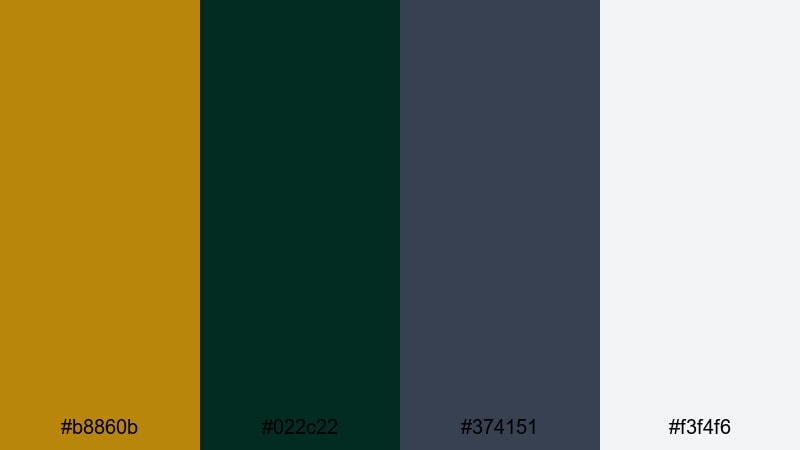
- HEX Codes: #b8860b, #022c22, #374151, #f3f4f6
- Mood: Traditional, trustworthy, and refined.
- Use for: Great for educational channels, brand story videos, and institutional promos.
This palette feels like a classic school crest: muted brass gold (#b8860b), heritage dark green (#022c22), slate gray (#374151), and a light neutral (#f3f4f6). It signals reliability and tradition, which is ideal for serious or educational content that still needs visual polish.
Use Heritage Crest Classic for course thumbnails, academy-style YouTube channels, nonprofit stories, or institutional reels. The slate gray and neutral tones work well for charts, infographics, and UI overlays, while the gold and green highlight logos, badges, and on-screen prompts like Subscribe or Download.
Luxury Gold Dark Green Color Palettes
Gilded Forest Opulence
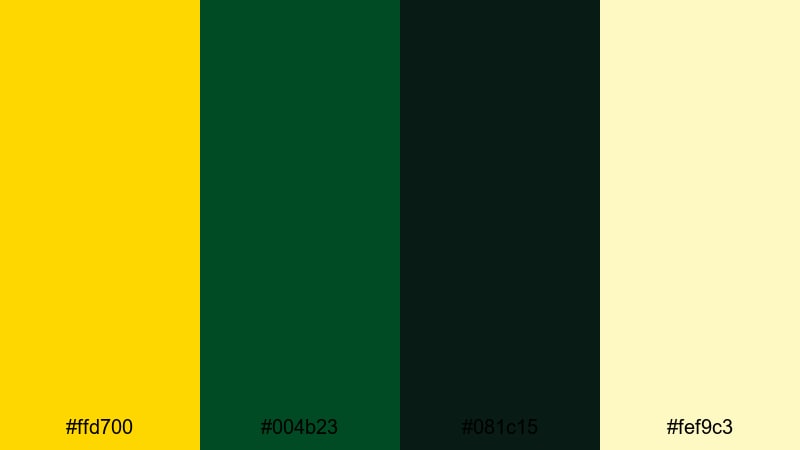
- HEX Codes: #ffd700, #004b23, #081c15, #fef9c3
- Mood: Dramatic and lavish with strong contrast.
- Use for: Use for product reveals, luxury unboxings, and high-end promo teasers.
Gilded Forest Opulence leans into a vivid, pure gold (#ffd700) set against dark forest greens (#004b23 and #081c15), softened with a champagne highlight (#fef9c3). It is bold, high-contrast, and designed to scream luxury even on a small mobile screen.
Use the bright gold for logos, product names, and animated reveal titles, especially in unboxing videos or premium brand promos. The deep greens make atmospheric backgrounds for product close-ups, while the champagne tone works well for clean hero text, pricing overlays, or subtle accent borders on thumbnails.
Royal Banquet Table
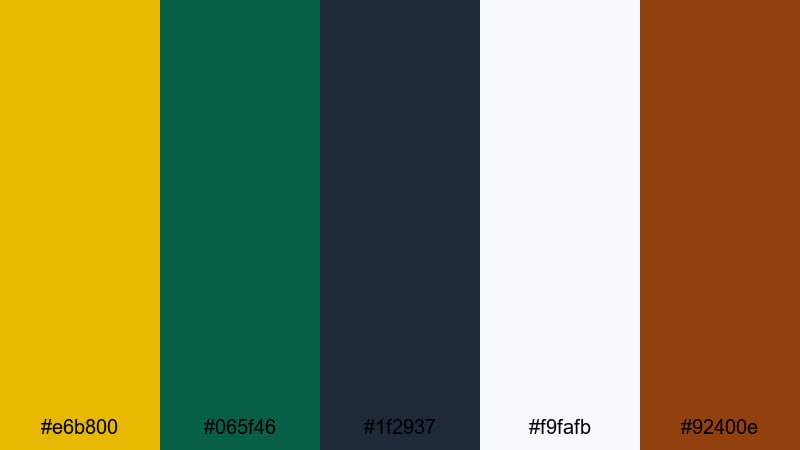
- HEX Codes: #e6b800, #065f46, #1f2937, #f9fafb, #92400e
- Mood: Feast-like warmth with a regal undertone.
- Use for: Perfect for food videos, festive event recaps, and hospitality branding.
Royal Banquet Table mixes honeyed gold (#e6b800) with rich dark green (#065f46), anchored by deep gray (#1f2937), bright ivory (#f9fafb), and a pinch of copper brown (#92400e). It feels like a long table dressed for a celebration, full of food, candles, and polished cutlery.
This is a strong palette for recipe videos, restaurant promos, holiday campaigns, and hotel or catering reels. Use gold and copper for menu headings, dish names, and chapter titles. The green and charcoal tones create appetizing backgrounds, while ivory keeps overlay text clear on close-up food shots and Instagram Reels covers.
Midnight Manor Luxe
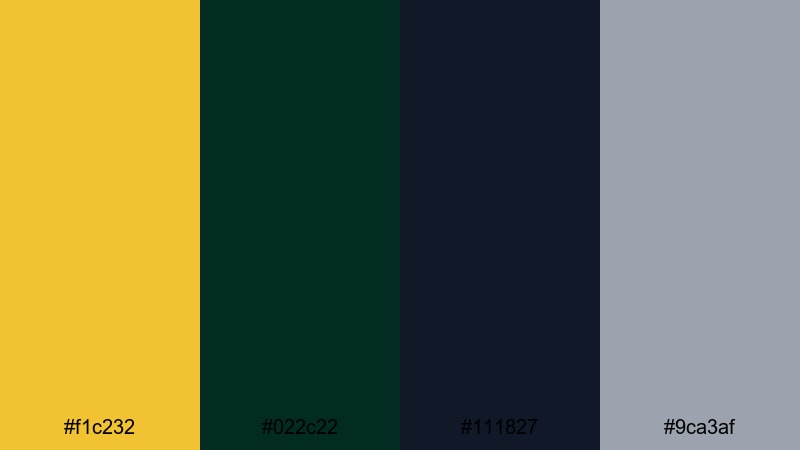
- HEX Codes: #f1c232, #022c22, #111827, #9ca3af
- Mood: Mysterious, exclusive, and cinematic.
- Use for: Use in luxury real estate tours, nighttime city b-roll, and moody brand trailers.
Midnight Manor Luxe places a soft metallic gold (#f1c232) over velvet green (#022c22) and a near-black blue (#111827), with a cool silver gray (#9ca3af) to balance things out. It feels private and exclusive, like stepping into a members-only lounge at night.
Use this palette for high-end real estate videos, jewelry and watch promos, or cinematic trailers. The near-black blue is perfect for dark title cards and credits, the gold for glowing text or logo locks, and the gray for subtle lines, icons, and secondary text in UI-style overlays and lower thirds.
Opera Balcony Lights
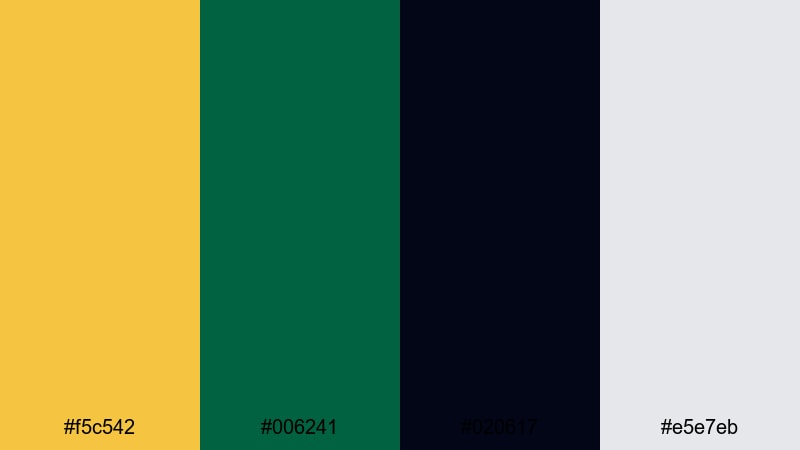
- HEX Codes: #f5c542, #006241, #020617, #e5e7eb
- Mood: Theatrical and glowing with subtle sophistication.
- Use for: Great for performance promos, trailer cards, and logo stingers.
Opera Balcony Lights uses a stage-light gold (#f5c542) and refined green (#006241) against a nearly black base (#020617) with pale gray (#e5e7eb). The contrast mimics spotlights cutting through darkness, ideal for dramatic, performance-driven content.
Use the darkest shade as a background for bold title cards and social teasers, with gold for main text and green as accents or lines. The gray supports subtitles, credits, and descriptive copy on thumbnails and shorts, keeping everything legible while the gold dark green core remains strong and theatrical.
Earthy Gold Dark Green Color Palettes
Mossy Gold Overlook
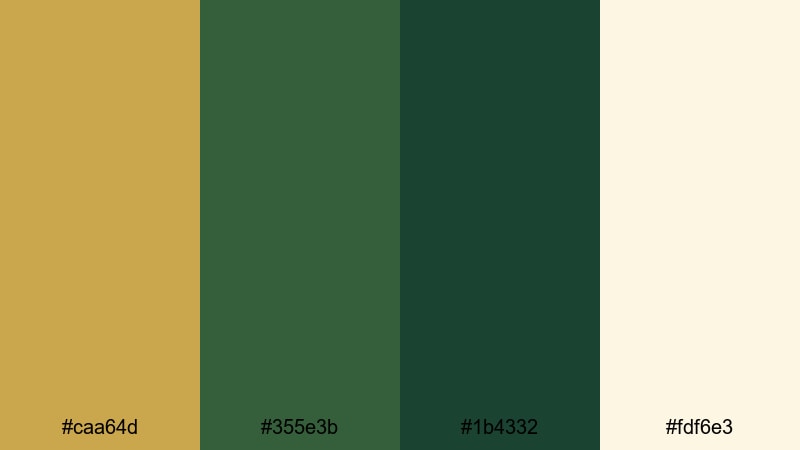
- HEX Codes: #caa64d, #355e3b, #1b4332, #fdf6e3
- Mood: Grounded, organic, and calm.
- Use for: Use for nature travel vlogs, hiking recaps, and eco brand intros.
Mossy Gold Overlook combines sunlit hillside gold (#caa64d) with mossy greens (#355e3b and #1b4332) and a parchment-like highlight (#fdf6e3). It is earthy and gentle, great for visuals that celebrate landscapes, wellness, and slow travel.
Use the greens for backgrounds, lower third bars, and map graphics, while the gold highlights key locations, headings, or stats. The parchment tone works beautifully for title cards, channel banners, and blog-style YouTube thumbnails where you want an organic, documentary feel without looking dull.
Harvest Pine Retreat
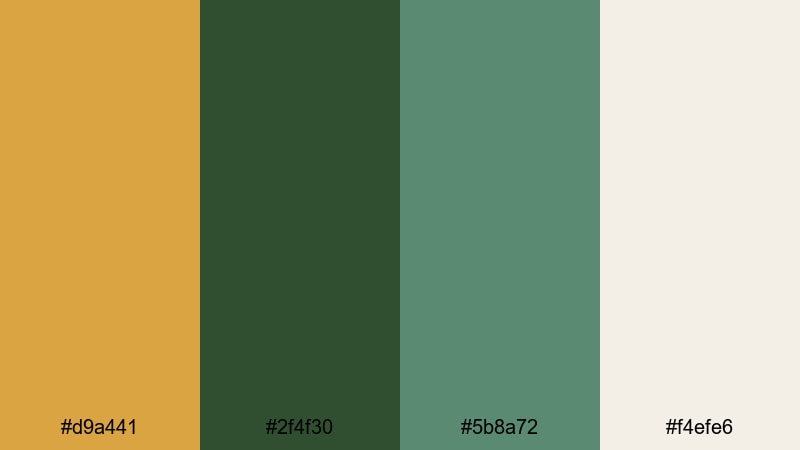
- HEX Codes: #d9a441, #2f4f30, #5b8a72, #f4efe6
- Mood: Cozy, rustic, and welcoming.
- Use for: Great for cabin tours, seasonal recipes, and slow-living lifestyle edits.
Harvest Pine Retreat pairs harvest grain gold (#d9a441) with pine green (#2f4f30), gentle sage (#5b8a72), and a soft cream base (#f4efe6). It feels like warm wood interiors, knitted blankets, and hot drinks by the window.
Use this palette for autumn vlogs, cabin getaways, homestead content, and slow-living reels. The cream background makes text easy to read, the sage green supports subtle UI elements like chapter markers, and the gold draws attention to titles, timestamps, and calls to action in your thumbnails and end screens.
Cedar Grove Medley
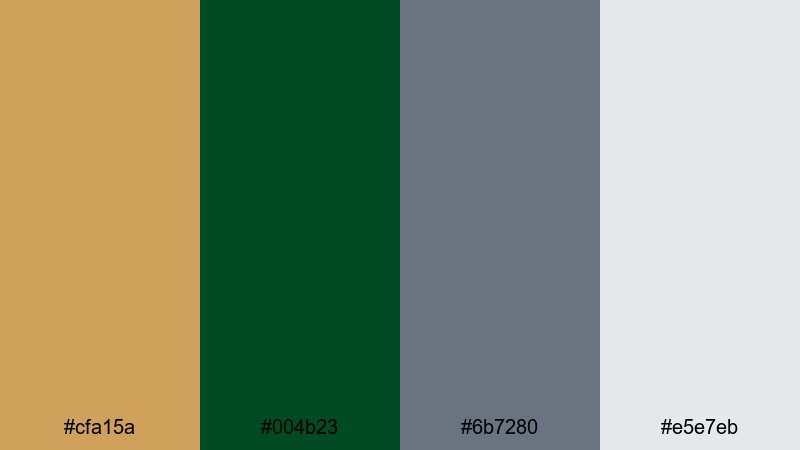
- HEX Codes: #cfa15a, #004b23, #6b7280, #e5e7eb
- Mood: Natural yet polished, with a documentary feel.
- Use for: Use in environmental films, brand impact stories, and grounded educational content.
Cedar Grove Medley mixes soft cedar gold (#cfa15a) and deep grove green (#004b23) with cool stone grays (#6b7280 and #e5e7eb). It feels like nature viewed through a professional lens, balancing warmth and seriousness.
This palette is ideal for environmental storytelling, sustainability reports, and brand impact videos. Use green and gray for infographics, timelines, and stat cards, then use gold to highlight key numbers, quotes, and calls to action. It also works well for PowerPoint-style layouts brought into Filmora as overlays or animated slides.
Olive Orchard Dusk
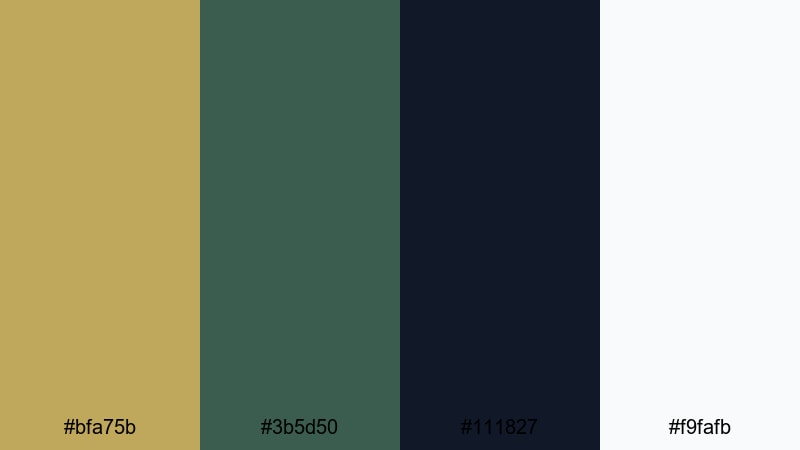
- HEX Codes: #bfa75b, #3b5d50, #111827, #f9fafb
- Mood: Quiet, cinematic, and slightly nostalgic.
- Use for: Perfect for travel diaries, indie films, and reflective voiceover pieces.
Olive Orchard Dusk pairs olive-toned gold (#bfa75b) with dusky green (#3b5d50), set against deep navy-black (#111827) and crisp white (#f9fafb). It suggests late-evening light in a Mediterranean landscape, calm but still visually rich.
Use the deep navy-black for cinematic letterbox bars, opening slates, and end cards. The olive gold is great for understated titles and on-screen location tags, while white keeps subtitles and captions readable on both desktop and mobile. It is an excellent choice for indie-style edits and reflective travel stories.
Modern Gold Dark Green Color Palettes
Minimal Crest Branding
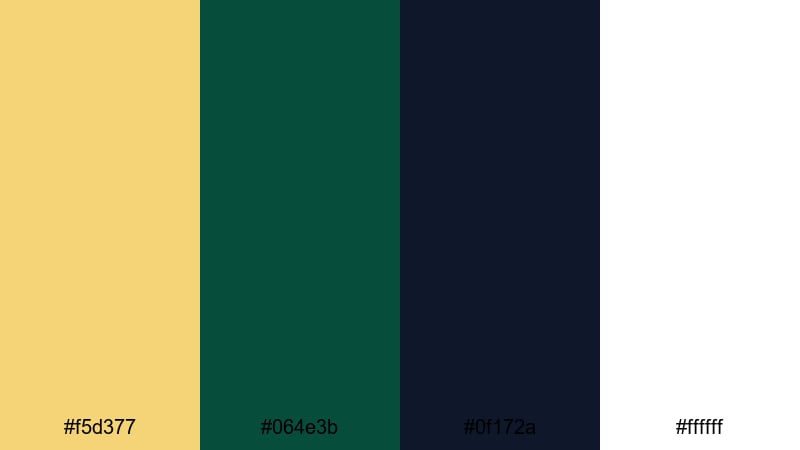
- HEX Codes: #f5d377, #064e3b, #0f172a, #ffffff
- Mood: Clean, bold, and contemporary.
- Use for: Use for modern logo animations, channel branding, and UI overlays in tutorials.
Minimal Crest Branding offers a streamlined mix of soft gold (#f5d377), punchy dark green (#064e3b), deep navy (#0f172a), and pure white (#ffffff). It feels current and digital-friendly while still carrying that premium Gold Dark Green identity.
Use white and navy as primary backgrounds for clean tutorial screens, app walk-throughs, and explainer videos. The gold and green are ideal for brand marks, subscribe buttons, progress bars, and animated elements in your YouTube intro or lower thirds, keeping everything simple but unmistakably on brand.
Neon Studio Contrast
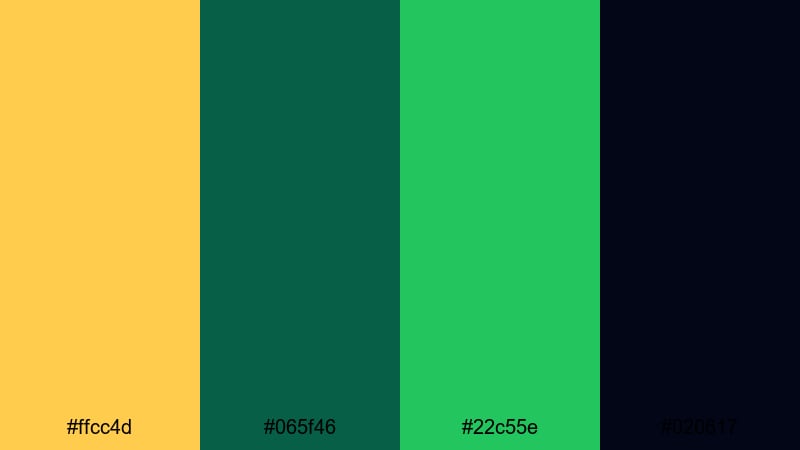
- HEX Codes: #ffcc4d, #065f46, #22c55e, #020617
- Mood: Energetic and trendy with a nightlife twist.
- Use for: Perfect for music videos, gaming intros, and dynamic social edits.
Neon Studio Contrast takes electric gold (#ffcc4d), bold dark green (#065f46), and vivid neon green (#22c55e) over a near-black base (#020617). It is loud, modern, and built to catch attention in crowded feeds.
Use the near-black as a base for bold kinetic titles and animated transitions. Let the neon green and gold highlight score counters, usernames, or key hooks in your thumbnails, especially for gaming, music, and nightlife content. This palette works especially well with glow effects, animated strokes, and motion graphics in Filmora.
Digital Luxe Interface
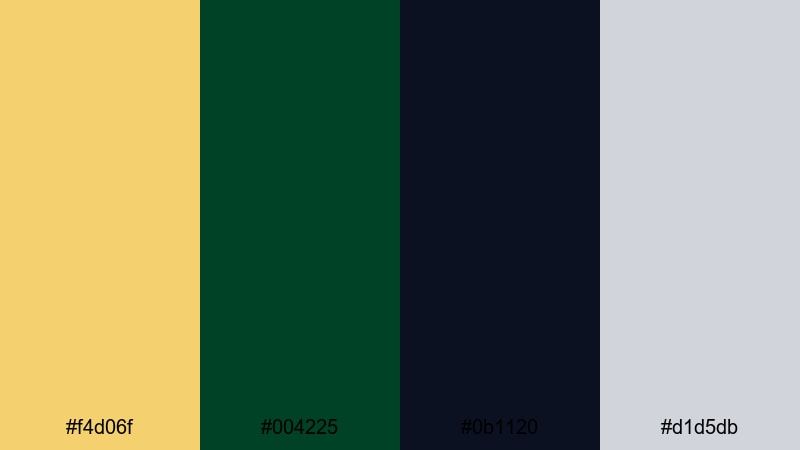
- HEX Codes: #f4d06f, #004225, #0b1120, #d1d5db
- Mood: Sleek, tech-forward, and premium.
- Use for: Use for app promos, fintech explainers, and motion graphics dashboards.
Digital Luxe Interface blends refined gold (#f4d06f) with pure dark green (#004225), deep digital navy (#0b1120), and a soft gray (#d1d5db). It feels like a luxury fintech dashboard or a premium SaaS UI, perfect for technology and business creators.
Use navy and gray for chart backgrounds, panels, and callout boxes in your screen-record tutorials and explainer videos. Apply gold to highlight key metrics, milestones, and CTAs, while the dark green anchors your logo, buttons, and navigation elements in intros, outros, and channel banners.
Tips for Creating Gold Dark Green Color Palettes
Gold Dark Green palettes can swing from earthy to ultra-luxury, depending on how you balance tones, contrast, and neutrals. Use these tips to adapt the palettes above or build your own for video and design.
- Decide your story first. Choose bolder, brighter golds and saturated greens for high-energy promos; go muted and olive-toned for calm, documentary-style edits.
- Use dark green as your main background. It is easier on the eyes than pure black and makes gold text and icons pop in thumbnails and title cards.
- Add at least one light neutral. Colors like ivory, cream, or light gray keep subtitles, captions, and UI labels readable on any device.
- Limit your hero colors. Pick one gold and one main green for titles and buttons, and keep other shades as subtle support so your brand look stays consistent.
- Check contrast on mobile. Zoom out on your thumbnails to be sure gold text on green still reads clearly; if not, add a dark stroke or semi-transparent overlay behind the text.
- Match footage with grading. Use Filmora's color tools to nudge your greens towards your chosen HEX values and warm up highlights so they echo your gold tones.
- Stay consistent across platforms. Reuse the same HEX codes for your channel art, lower thirds, website, and social posts so viewers instantly recognize your Gold Dark Green theme.
- Use animation sparingly. Simple moves like gentle fades, slides, or line reveals let your color palette shine without overwhelming viewers.
Conclusion
Gold and dark green together create a rich visual identity that can feel luxurious, grounded, modern, or nostalgic, depending on the shades you choose. With clear HEX codes and defined roles for each color, you can design thumbnails, titles, and overlays that look cohesive across every video and platform.
Try a few of these 15 Gold Dark Green color palettes inside Filmora, then refine them with AI Color Palette, HSL controls, and filters to match your footage and style. Once you lock in a palette that fits your brand, reusing it in every intro, lower third, and end screen will make your channel or campaign instantly recognizable.
Whether you are building a cinematic vlog, a luxury product launch, or a calm eco-documentary, a well-chosen Gold Dark Green scheme can turn simple edits into polished, memorable visuals.
secure download