

 100% Security Verified | No Subscription Required | No Malware


 ChatGPT
 Perplexity
 Gemini
 Claude
 Grok
Grok
Gold and silver instantly signal luxury, ceremony, and success. Gold brings warmth, prestige, and celebration, while silver feels sleek, modern, and high-tech. Together, these metallic tones can make a thumbnail look premium, turn a simple title card into an award-night moment, or give your branding a polished, aspirational edge.
Below are 15 Gold Silver color palettes with HEX codes that you can copy directly into your thumbnails, titles, overlays, and brand kits. Each palette is tailored for creators and Filmora users who want cohesive metallic looks for wedding videos, tech reviews, cinematic trailers, and more.
In this article
Elegant Gold Silver Color Palettes
Gilded Ballroom Shine
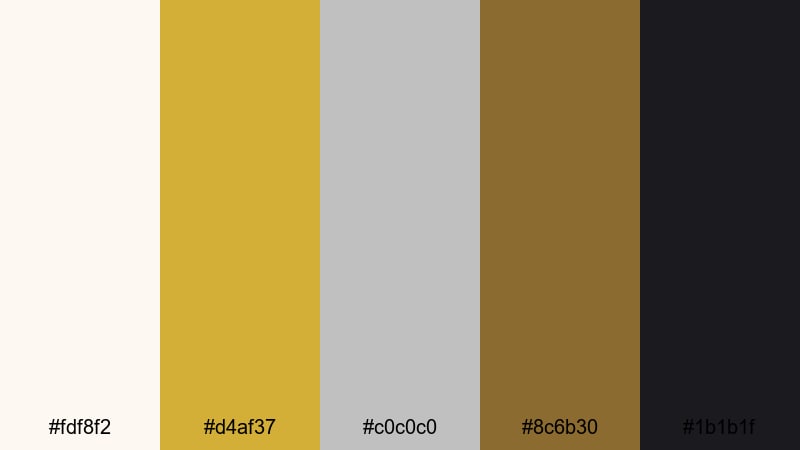
- HEX Codes: #fdf8f2, #d4af37, #c0c0c0, #8c6b30, #1b1b1f
- Mood: regal, celebratory, timeless
- Use for: Ideal for luxury wedding films, ballroom event recaps, and sophisticated brand intro animations.
Gilded Ballroom Shine pairs creamy off-white with classic gold and cool silver, then grounds everything with deep brown and near-black. It feels like chandeliers, polished floors, and a string quartet playing in the background. The gold pops as a hero accent while silver and dark tones keep the look balanced and cinematic.
Use this palette for wedding titles, luxury brand logos, and event highlight reels where you want pure elegance. In thumbnails, make your text gold on the dark background color, then add silver outlines or icons. In Filmora, you can bring this palette into lower-thirds, intro animations, and end cards so the whole project feels like one polished, high-end story.
Pro Tip: Build A Cinematic Gold Silver Look In Filmora
To keep this ballroom-inspired palette consistent, start by setting your main interface swatches in Filmora to match the HEX codes above. Use the lightest tone (#fdf8f2) for backgrounds or frames, the darkest tone (#1b1b1f) for text shadows, and gold (#d4af37) as your accent for key titles and call-to-action buttons.
Apply the same Gold Silver pairing across your intro, b-roll captions, and social cutdowns. For example, a luxury wedding film can use gold lower-thirds on silver-tinted footage, with subtle gold highlight overlays on transitions. This makes the entire edit feel cohesive and expensive without overwhelming your viewer.
AI Color Palette
If you already have a reference image, like a ballroom photo or a gold-and-silver invitation, you can turn it into a look for your whole video. Filmora's AI Color Palette feature lets you sample that reference and automatically match the color style to other clips in your timeline.
Import your reference frame, apply AI Color Palette to a target clip, and let Filmora push your highlights toward warm gold while keeping the midtones and shadows cool and elegant. It is an easy way to transfer that luxury Gold Silver feel to interviews, b-roll, and thumbnails so everything matches the same premium aesthetic.
 secure download

HSL, Color Wheels & Curves
After matching colors, fine-tune your Gold Silver look with HSL, color wheels, and curves in Filmora. Slightly push yellows and oranges toward a richer gold, and cool your blues for a more refined silver. Balance the shadows on the color wheels so blacks stay neutral and do not pick up unwanted color casts.
Use the curves panel to gently lift highlights for a soft glow on jewelry, dresses, or decor while keeping midtones natural for skin tones. This is a powerful way to turn a normal event into a cinematic moment without heavy grading. You can follow along with Filmora's YouTube tutorials inside the same interface while you adjust your grade.
secure download1000+ Video Filters & 3D LUTs
To speed up your workflow, start with Filmora's video filters and 3D LUTs to get close to your desired Gold Silver mood, then tweak from there. Warm cinematic LUTs can enhance your golds, while clean studio filters push silvers toward a sleek, modern feel.
Once you find a combination you love, save it as a custom preset and reuse it across wedding highlights, luxury brand promos, and social teasers. This way, every new project can keep the same Gold Silver signature look in just a few clicks.
secure downloadChampagne Foil Elegance
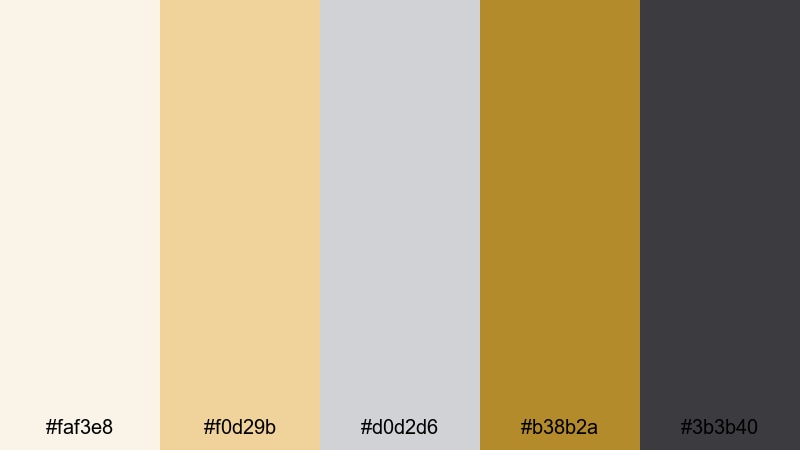
- HEX Codes: #faf3e8, #f0d29b, #d0d2d6, #b38b2a, #3b3b40
- Mood: soft, celebratory, premium
- Use for: Perfect for engagement trailers, champagne toasts, and product promos for jewelry or beauty brands.
Champagne Foil Elegance uses creamy neutrals and soft champagne gold against cool silver for a refined, airy sparkle. The deep charcoal adds enough contrast so your text and icons always feel crisp, not washed out.
Use this palette when you want romance without going too yellow or too pink. It is ideal for engagement announcement thumbnails, minimalist logo stings, and beauty product close-ups. In Filmora, apply the pale neutral as your background, then layer gold title text and silver lines or icons for a subtle, premium look.
Cathedral Columns
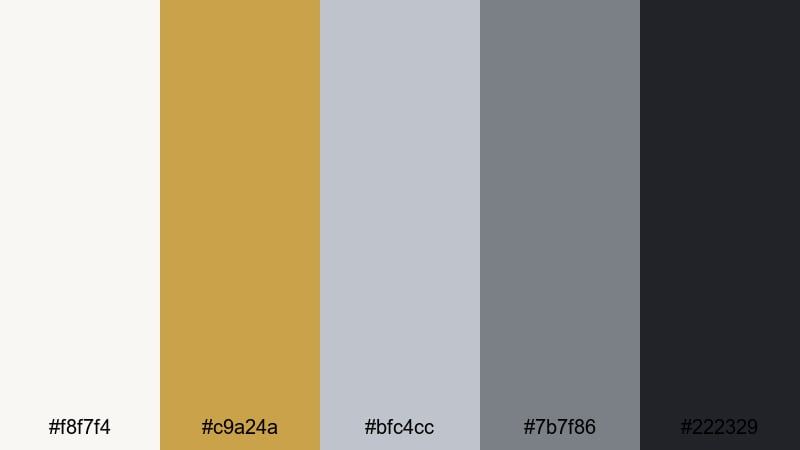
- HEX Codes: #f8f7f4, #c9a24a, #bfc4cc, #7b7f86, #222329
- Mood: historic, grand, cinematic
- Use for: Use in travel vlogs, historical documentaries, or luxury architecture reels that need a stately metallic feel.
Cathedral Columns mixes stone-like greys with an aged gold accent, echoing old architecture and ornate details. The palette feels grounded and historic, but the metallic hints keep it from looking flat or dusty.
Use it for travel vlogs inside cathedrals, museum tours, and architectural b-roll. The light neutral works as a gentle background for lower-thirds, while the dark grey and black give you strong contrast for titles. Add gold to accent key words or icon outlines on your thumbnails so your content stands out in a subtle, cultured way.
Midnight Gala Metals
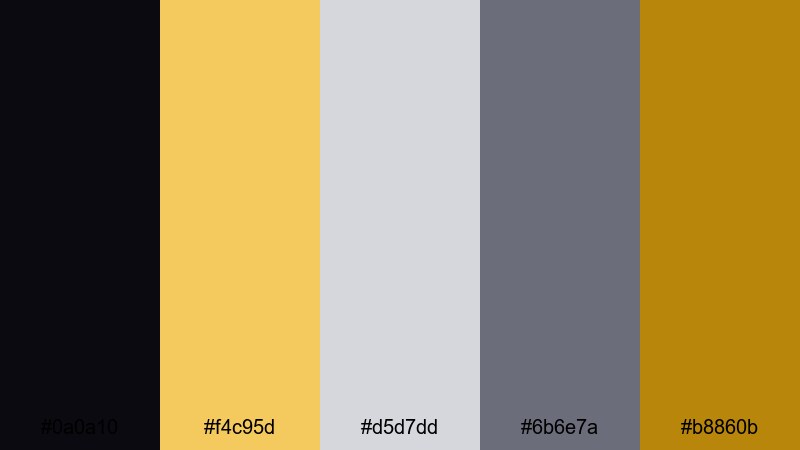
- HEX Codes: #0a0a10, #f4c95d, #d5d7dd, #6b6e7a, #b8860b
- Mood: dramatic, glamorous, mysterious
- Use for: Best for red-carpet intros, fashion lookbooks, and night-time city event promos.
Midnight Gala Metals contrasts an inky midnight base with luminous gold and soft silver. The effect feels like spotlights hitting metallic fabrics on a dark stage, which is perfect for anything glamorous or nightlife-related.
Use the darkest shade as a full-screen background for titles and credits, with gold used for headline text and silver for supporting text. In thumbnails, combine dark backgrounds with golden outlines around your subject and silver accent shapes for a red-carpet, award-show vibe that instantly attracts clicks.
Modern Luxe Gold Silver Color Palettes
Neon Alloy Pop
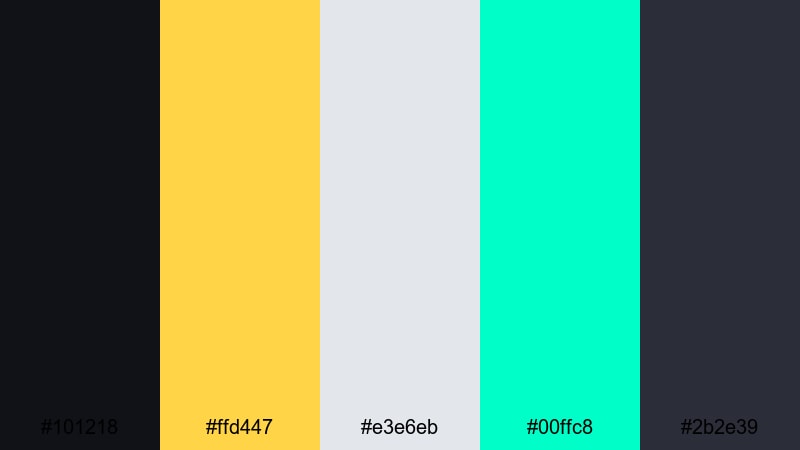
- HEX Codes: #101218, #ffd447, #e3e6eb, #00ffc8, #2b2e39
- Mood: energetic, futuristic, bold
- Use for: Great for YouTube tech reviews, gaming intros, and dynamic social ads that need high-impact contrast.
Neon Alloy Pop combines deep, techy blues with bright gold and neon aqua, anchored by soft silver. It feels like a cyberpunk city where glowing signs bounce off brushed metal surfaces.
Use this palette for kinetic typography, glitch transitions, and energetic overlays in your tech or gaming content. Gold and aqua are your attention-grabbing colors for subscribe buttons and key stats, while silver and dark blue handle backgrounds and UI frames. This keeps your visuals intense but still readable on small screens.
Urban Skyline Gleam
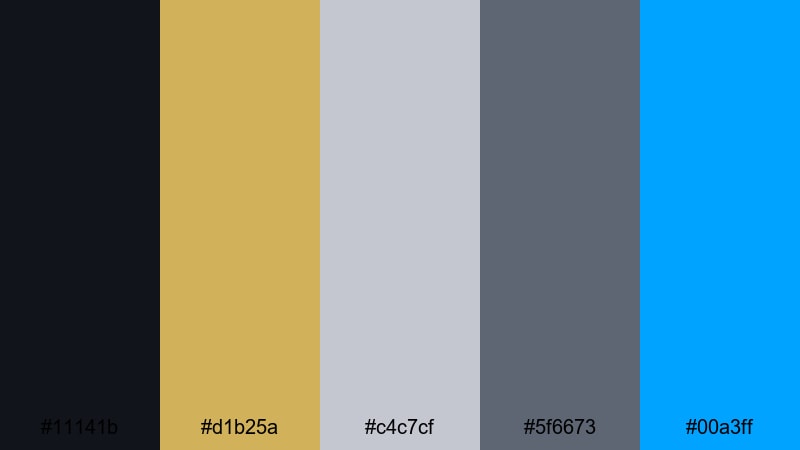
- HEX Codes: #11141b, #d1b25a, #c4c7cf, #5f6673, #00a3ff
- Mood: urban, sleek, aspirational
- Use for: Perfect for corporate reels, startup pitches, and skyline drone footage with a modern metallic twist.
Urban Skyline Gleam mirrors the look of glass towers at sunset, with muted gold reflections and cool steel greys. The bright blue accent suggests clear sky and digital dashboards, making this palette great for professional but modern visuals.
Apply this palette to pitch decks, explainer video titles, and corporate YouTube banners. Dark navy makes for powerful backgrounds, gold highlights your key numbers, and silver handles chart labels or icons. The electric blue accent is perfect for buttons, callouts, and animated UI elements.
Tech Investor Pitch
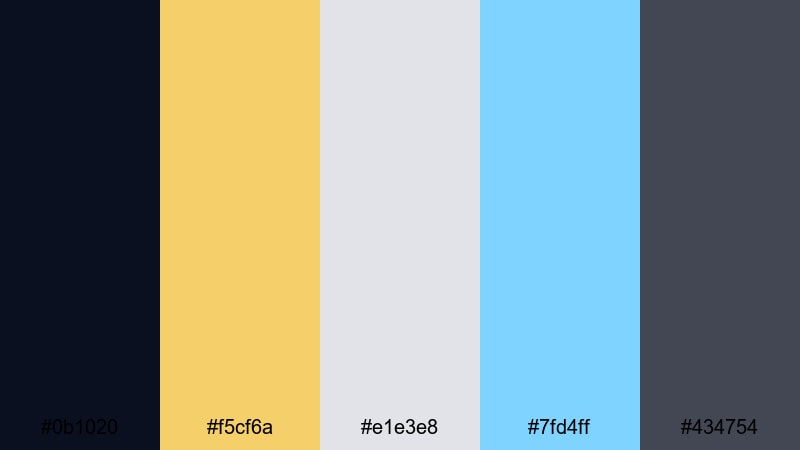
- HEX Codes: #0b1020, #f5cf6a, #e1e3e8, #7fd4ff, #434754
- Mood: confident, innovative, polished
- Use for: Designed for pitch decks, explainer videos, and fintech intros where trust and innovation must stand out.
Tech Investor Pitch combines a dark blue base with confident, understated gold and crisp silver. The soft sky blue accent adds a sense of clarity and trust, ideal for fintech apps, dashboards, and data storytelling.
Use the dark tone as your primary background for titles and charts, then highlight key metrics and keywords in gold. Silver should carry the bulk of your text to keep things readable. The light blue accent is great for progress bars, graphs, and call-to-action buttons in both thumbnails and video overlays.
Futurist Rings
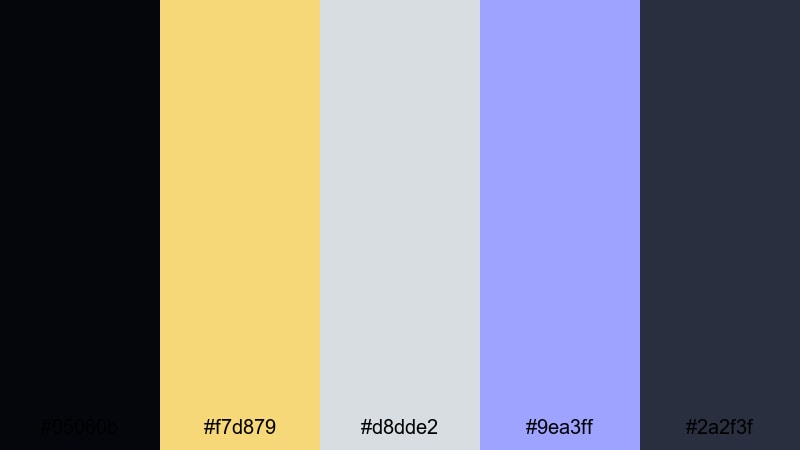
- HEX Codes: #05060b, #f7d879, #d8dde2, #9ea3ff, #2a2f3f
- Mood: sci-fi, sleek, visionary
- Use for: Ideal for logo stings, motion graphics, and sci-fi themed edits with metallic UI elements.
Futurist Rings pairs deep space-like blacks with glowing gold and cool silver-lilac tones. The periwinkle highlight gives it a holographic, UI-inspired vibe, perfect for sci-fi interfaces and tech intros.
Build animated HUDs, logo reveals, or futuristic transitions with this palette. Use the black and dark blue-grey for backgrounds, gold for circular accents or rings, and silver-lilac for panels and text. The blue-violet hue is your accent for glows, flares, and tracking lines around on-screen elements.
Soft Minimal Gold Silver Color Palettes
Foggy Morning Metal
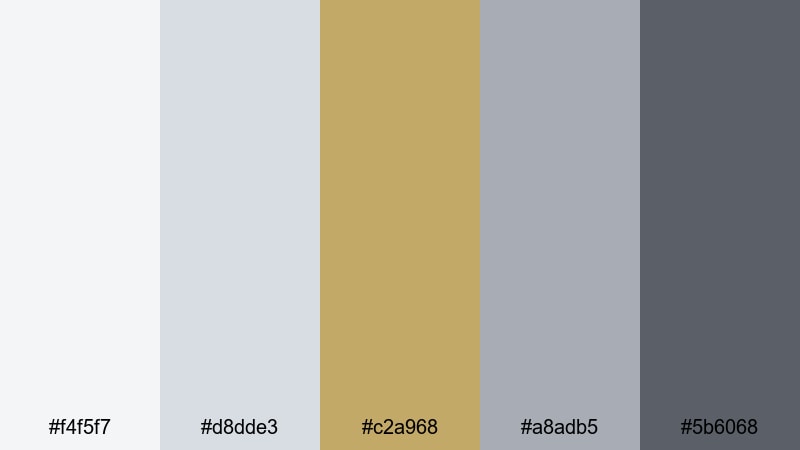
- HEX Codes: #f4f5f7, #d8dde3, #c2a968, #a8adb5, #5b6068
- Mood: calm, understated, refined
- Use for: Use for minimalist vlogs, productivity videos, and subtle lower-third graphics.
Foggy Morning Metal brings together misty greys with a subdued brushed gold. The result is calm and refined, like a quiet city morning with soft light catching on metal railings.
Use this palette when you want a minimalist channel aesthetic that still feels special. Pale grey and light silver tones make great backgrounds for productivity overlays or study timers, while the muted gold is perfect for small icons, progress markers, and simple logo locks.
Featherlight Foil
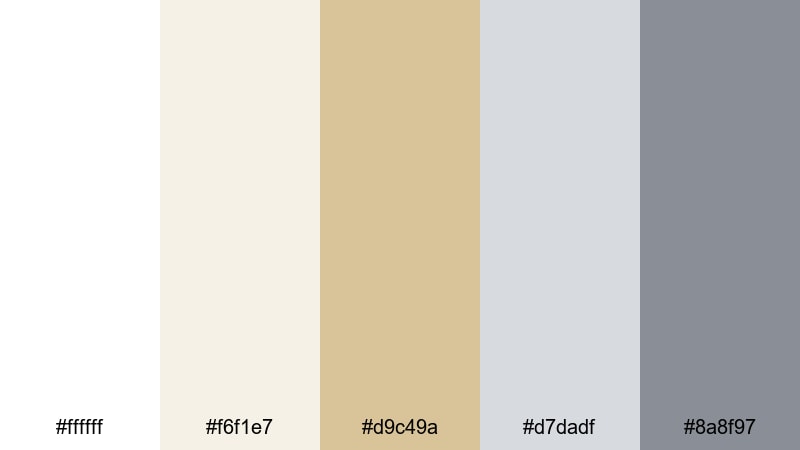
- HEX Codes: #ffffff, #f6f1e7, #d9c49a, #d7dadf, #8a8f97
- Mood: airy, delicate, optimistic
- Use for: Perfect for lifestyle channels, aesthetic study vlogs, and product flatlays needing a light metallic hint.
Featherlight Foil stays mostly in whites and soft neutrals, with a hint of pale gold and gentle silver. It feels clean and optimistic, great for creators who want lots of negative space without losing visual interest.
Use this palette in lifestyle thumbnails, aesthetic study setups, or skincare product shots. White and off-white form open, breathable backgrounds, while pale gold can highlight your logo or key words. Soft silver can be used for secondary text, dividers, or thin frames around photos and b-roll.
Muted Trophy Shelf
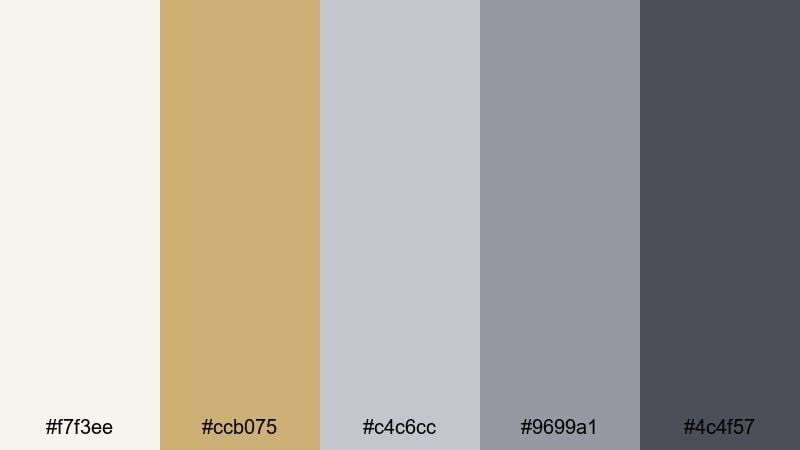
- HEX Codes: #f7f3ee, #ccb075, #c4c6cc, #9699a1, #4c4f57
- Mood: nostalgic, cozy, collected
- Use for: Great for creator portfolios, studio tours, and behind-the-scenes edits with a warm, collected vibe.
Muted Trophy Shelf blends soft neutrals with dusty gold and subtle silvers, like a shelf of well-loved awards under soft light. It feels cozy, personal, and slightly nostalgic, not flashy.
Use it for behind-the-scenes videos, channel updates, and portfolio reels. Let the light neutral be your canvas for text and imagery, while muted gold marks achievements such as subscriber milestones or project titles. Silver-grey is great for captions, timestamps, and subtle interface elements that do not steal attention.
Dramatic Gold Silver Color Palettes
Thunderstorm Gilding
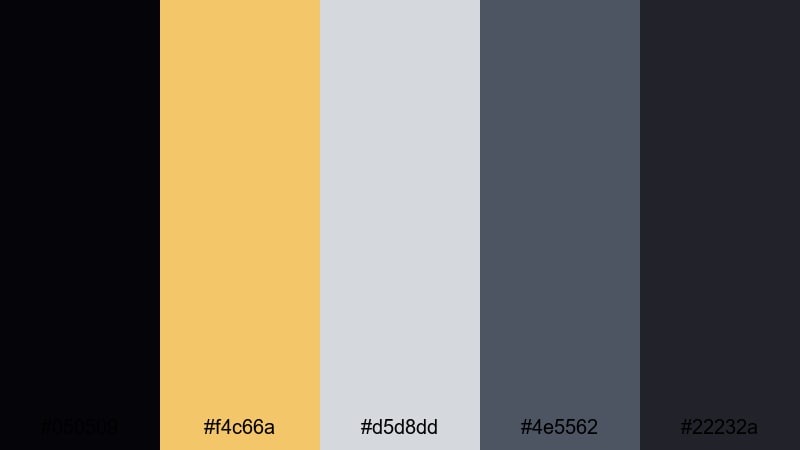
- HEX Codes: #050509, #f4c66a, #d5d8dd, #4e5562, #22232a
- Mood: intense, moody, powerful
- Use for: Best for trailers, cinematic b-roll, and dramatic storytelling edits that need striking contrast.
Thunderstorm Gilding sets bright, streaky gold and cool silver against stormy charcoal tones. It feels like lightning striking through heavy clouds, instantly adding drama to any frame.
Use this palette for trailers, intense storytelling videos, or music promos. Deep greys and blacks give you strong foundations for bold gold titles, while silver is perfect for subtitles and interface-style overlays. In thumbnails, combine dark backgrounds with gold main text and a small silver tagline for a powerful yet controlled look.
Spotlight Award Night
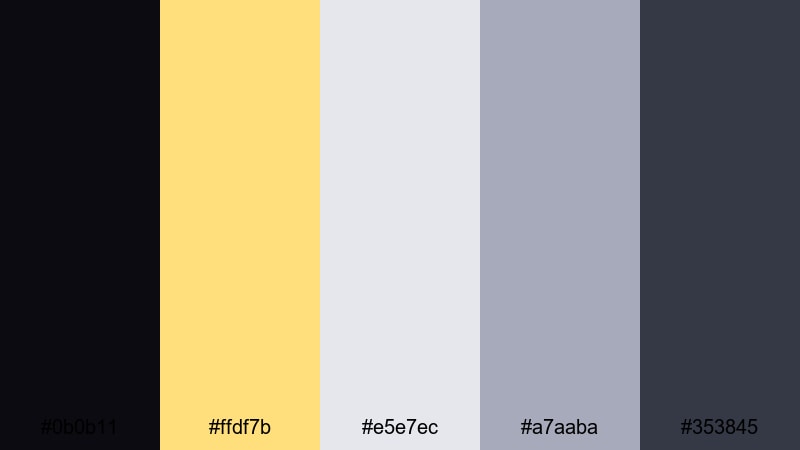
- HEX Codes: #0b0b11, #ffdf7b, #e5e7ec, #a7aaba, #353845
- Mood: celebratory, high-energy, glamorous
- Use for: Perfect for award-style intros, subscriber milestone videos, and ceremony highlight reels.
Spotlight Award Night captures the feeling of a big ceremony: bright spotlight gold, clean silver, and a deep stage-like backdrop. It is designed for moments of recognition and celebration.
Use the almost-black as your main background, with large bold gold text for names, awards, or milestones. Silver works well for category labels, dates, and subtle borders. This palette is especially effective in countdown animations, subscriber celebration videos, and spotlight-style intros for guest speakers or collaborators.
Opulent Noir Alloy
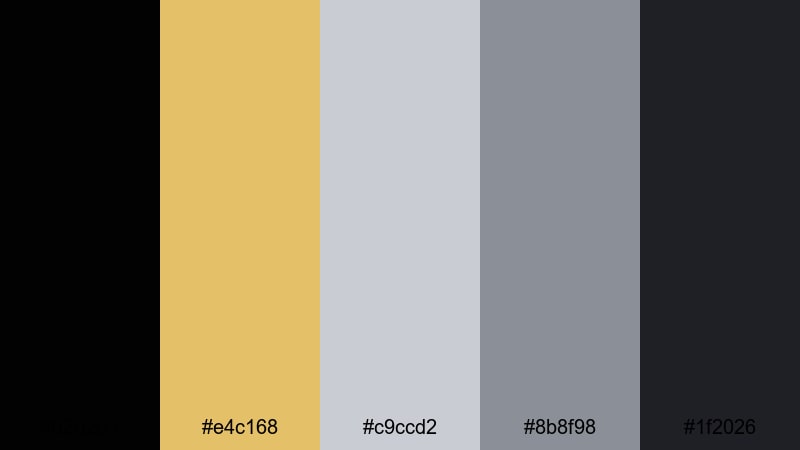
- HEX Codes: #020203, #e4c168, #c9ccd2, #8b8f98, #1f2026
- Mood: luxurious, mysterious, cinematic
- Use for: Great for luxury brand promos, perfume ads, and dramatic cinematic openers.
Opulent Noir Alloy layers velvety blacks with rich gold and cool silver, creating a noir-inspired metallic look. It is luxurious and mysterious, ideal for slow-motion glamour and high-end branding.
Use this palette for perfume ads, fashion campaigns, or luxury product showcases. Place products on the darkest backgrounds, then highlight edges and typography in gold. Silver and mid-greys can handle supporting information, captions, and subtle lower-thirds that never compete with your hero visuals.
Cinematic Halo Flare
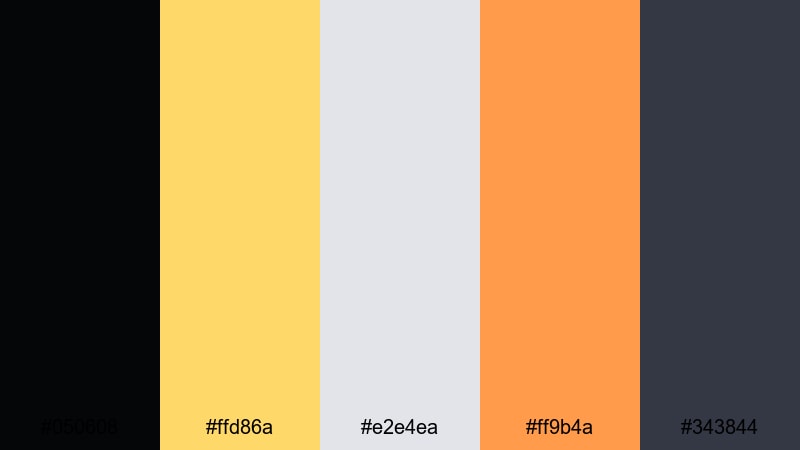
- HEX Codes: #050608, #ffd86a, #e2e4ea, #ff9b4a, #343844
- Mood: warm, radiant, emotional
- Use for: Ideal for documentary cold opens, emotional story beats, and lens flare transitions in narrative edits.
Cinematic Halo Flare blends a glowing gold core with soft silver highlights and a warm accent orange, all set against deep, cinematic shadows. It feels like lens flares catching dust in the air during an emotional moment.
Use this palette to underline key emotional beats in documentaries, short films, or travel stories. The dark tones anchor your frame, while gold and orange add the feeling of sunlight or stage lights. Silver is ideal for titles and subtitles that need to float gently over the scene without stealing focus.
Tips for Creating Gold Silver Color Palettes
Gold and silver can easily feel either luxurious or loud, depending on how you combine them. These tips will help you create balanced Gold Silver color palettes that work across video, thumbnails, and branding in Filmora or any design tool.
- Limit your metallics: Treat gold and silver as accent colors, and pair them with 2 to 3 neutral tones (black, white, greys, or soft beige) so your designs stay readable.
- Plan contrast early: For thumbnails and lower-thirds, test gold and silver text on your chosen background colors at small sizes to ensure legibility on mobile screens.
- Assign roles: Decide which color is for headlines (often gold), which is for body text (usually silver or neutral), and which is for backgrounds, and keep those roles consistent.
- Match your footage: If your clip already has warm lighting, lean into gold and neutralize silver slightly; for cooler, techy footage, keep silver crisp and tone down the gold saturation.
- Stay on-brand: Once you select HEX codes, reuse them for logo locks, titles, and overlay graphics in all your videos so viewers recognize your channel instantly.
- Use gradients sparingly: A subtle gold-to-silver gradient on buttons or borders can look premium, but avoid overusing it so your design does not feel dated or busy.
- Test in dark and light modes: Preview your palette on both light and dark backgrounds, especially if your audience watches at night, and adjust brightness and contrast as needed.
- Save presets in Filmora: When you find a Gold Silver look you like, save color presets, text styles, and template overlays so you can apply them instantly to new projects.
Gold Silver color palettes are a powerful way to frame your content as premium, cinematic, or futuristic. Whether you are sharing a wedding film, a startup pitch, or a dramatic short, the right mix of gold, silver, and supporting tones can define your brand and set the emotional tone in seconds.
Use the HEX codes above as a starting point for your thumbnails, intros, and overlays, then refine your look with Filmora's grading tools, AI Color Palette, and filters. With a few saved presets, you can keep your Gold Silver style consistent across entire series, playlists, and platforms.
Open Filmora, drop in one of these palettes, and start experimenting with titles, lower-thirds, and transitions. You will quickly find a signature metallic look that makes your videos stand out in any feed.
secure download