

 100% Security Verified | No Subscription Required | No Malware


 ChatGPT
 Perplexity
 Gemini
 Claude
 Grok
Grok
Graffiti color palettes are built on impact. Vivid neons, deep blacks, and high-contrast combos instantly signal rebellion, energy, and street culture. In thumbnails, intro screens, and overlays, these colors feel fast and fearless, like fresh paint on concrete. A strong graffiti palette can make any video look more urban, expressive, and memorable at a glance.
This guide collects 15 graffiti color palettes with ready-to-use HEX codes, tailored for creators and Filmora users. Use them to design bold YouTube thumbnails, edgy channel branding, kinetic intros, and social edits that stay consistent from frame to frame.
In this article
Bold Street Graffiti Color Palettes
Subway Wall Burst
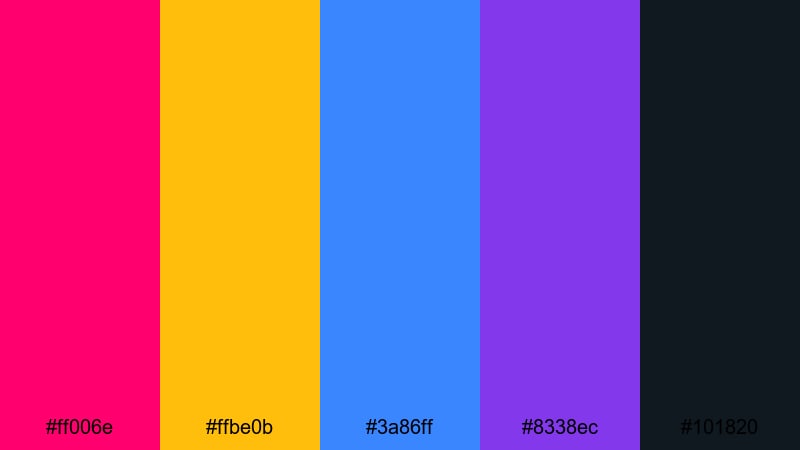
- HEX Codes: #ff006e, #ffbe0b, #3a86ff, #8338ec, #101820
- Mood: Explosive, rebellious, and full of motion like fresh tags on a subway wall.
- Use for: Great for high-energy intros, skate videos, and punchy text overlays on city footage.
This palette slams neon magenta, blazing yellow, and electric blue against a deep graphite black. It feels like movement and noise, perfect for clips that never sit still. The violet adds a slick, almost futuristic accent that keeps the set from feeling flat or childish.
Use Subway Wall Burst for YouTube thumbnails that must punch through crowded feeds, bold title cards in skate or parkour edits, or aggressive channel branding with big, chunky lettering. In Filmora, you can sample these HEX codes for text, elements, and overlays so your intro, transitions, and end screens all share the same street-smart attitude.
Pro Tip: Build a Cinematic Graffiti Look in Filmora
Once you choose a graffiti palette like Subway Wall Burst, keep it consistent from the first frame to the last. In Filmora, set your title colors, lower-third bars, and shapes to the same HEX values, then reuse those presets across your timeline. The hot pink, yellow, and blue can be your hero tones for titles and callouts, while the dark #101820 becomes your default background or outline color.
To push the cinematic street feel, pair these colors with handheld B-roll, fast cuts, and subtle camera shake effects. Use the magenta and blue for light leaks or gradients over city footage, so your graffiti color scheme is baked into both the graphics and the live-action shots.
AI Color Palette
If you already sketched a tag or saved a graffiti photo with colors you love, Filmora can automatically copy that look to your whole video. Import your reference image, then use Filmora's AI Color Palette feature to match tones across your clips, from A-roll to B-roll.
This makes it easy to lock in the same neon magenta, bright yellow, and urban blacks from Subway Wall Burst without manually tweaking every shot. Your intro, mid-roll graphics, and outro will all share the same graffiti vibe with just a few clicks.
 secure download

HSL, Color Wheels & Curves
To fine-tune graffiti tones, Filmora's HSL controls, color wheels, and curves give you tight control over each hue. You can push the magentas toward a cooler cyberpunk feel, deepen the blues for a night-time look, or slightly desaturate the yellow to keep it from overpowering faces on screen. Guides on creative video color correction can help you balance strong graffiti colors with natural skin tones.
Use curves to add contrast in the shadows, so black backgrounds and outlines stay rich, while color wheels let you tint highlights and midtones toward your chosen graffiti palette. This is perfect when your raw footage was shot in mixed lighting but you still want a unified, street-art-inspired grade.
secure download1000+ Video Filters & 3D LUTs
Once your graffiti colors are set, you can push them even further with Filmora's filter and LUT library. Vintage filters, cinematic LUTs, and glitchy overlays can all interact with the hot pinks, blues, and blacks in your palette to create a unique street-art look in seconds.
Filmora's video filters and 3D LUTs make it easy to try out different graffiti moods: high-contrast comic-book vibes, washed-out grunge, or neon-soaked cyberpunk. Apply them to entire sequences so your colors and mood feel locked in from intro to outro.
secure downloadAlleyway Tag Energy
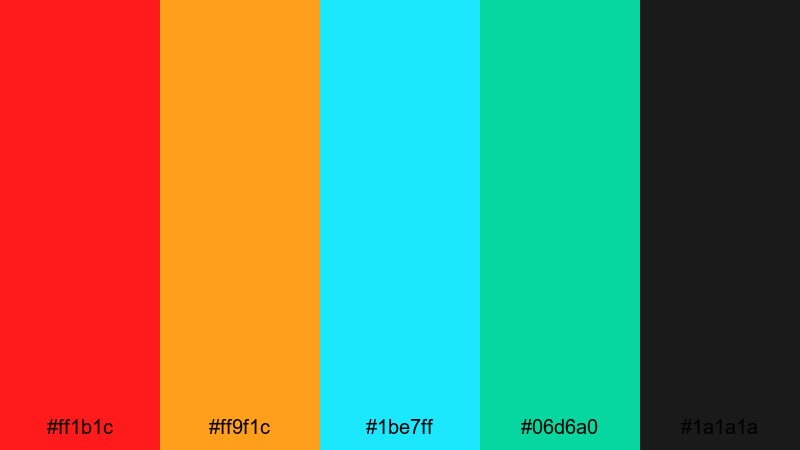
- HEX Codes: #ff1b1c, #ff9f1c, #1be7ff, #06d6a0, #1a1a1a
- Mood: Raw, charged, and spontaneous like a hidden alley covered in tags.
- Use for: Perfect for vlog openers, transition slides, and energetic lower-thirds in urban content.
Alleyway Tag Energy throws fiery red and orange against icy cyan and mint, all anchored by asphalt black. It feels chaotic and impulsive, like paint thrown up fast before anyone spots you. The clash of warm and cool tones keeps the eye moving across the frame.
Use this palette for whip-pan transitions in travel vlogs, gritty behind-the-scenes shorts, or edgy talking-head setups with graffiti-style titles. The red and orange work well for subscribe buttons, while the cyan and mint can highlight timestamps, chapter labels, or on-screen comments without losing that street edge.
Concrete Jungle Shout
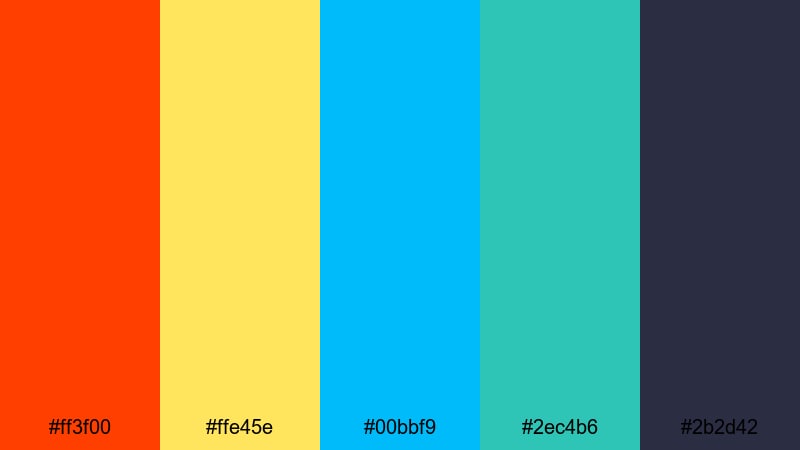
- HEX Codes: #ff3f00, #ffe45e, #00bbf9, #2ec4b6, #2b2d42
- Mood: Confident and confrontational, like a giant throw-up on a busy overpass.
- Use for: Use for bold typography, chapter cards, and social promo graphics that must be seen on small screens.
Concrete Jungle Shout combines searing orange and sunny yellow with punchy cyan and teal, grounded by a deep slate backdrop. It feels loud but controlled, like a carefully planned piece that still hits you in the face when you drive past.
On YouTube and TikTok, this palette is ideal for big, readable titles over fast footage. Use the dark slate for backgrounds, the yellow and orange for main text, and the cyan or teal for outlines and drop shadows. Your chapter cards, end screens, and Reels covers will stay legible even on tiny mobile screens.
Spraycan Sunset Rush
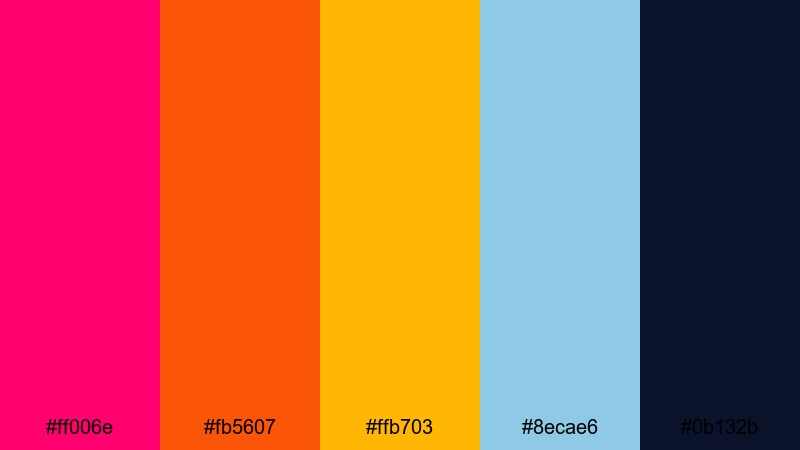
- HEX Codes: #ff006e, #fb5607, #ffb703, #8ecae6, #0b132b
- Mood: Hot, dramatic, and fast like chasing the last light across rooftop murals.
- Use for: Ideal for travel vlogs, dance edits, and cinematic B-roll sequences with sky shots.
Spraycan Sunset Rush blends vibrant pink and orange into a glowing golden yellow, balanced by cool sky blue and deep navy. It feels like golden hour over a city skyline, with warm light spilling across cold steel and glass.
Use these tones for gradient backgrounds in your intro, layering warm colors near the subject and cool blues at the edges. This works beautifully for drone shots, rooftop dance edits, or time-lapse graffiti pieces. In branding, the navy (#0b132b) makes clean headers and footers, while the pink and orange deliver eye-catching buttons and icons.
Neon Night Graffiti Color Palettes
Midnight Rooftop Neon
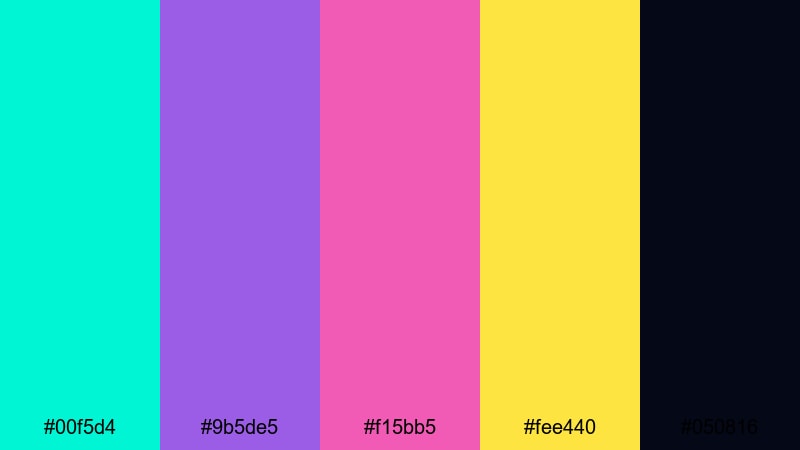
- HEX Codes: #00f5d4, #9b5de5, #f15bb5, #fee440, #050816
- Mood: Glowing and electric, capturing rooftop paint sessions under city lights.
- Use for: Great for night-time scenes, cyberpunk edits, and glowing outline effects around subjects.
Midnight Rooftop Neon throws hyper-bright aqua, violet, and pink against an acid yellow and near-black background. It feels like city lights reflecting off wet tar, with neon tubes buzzing just out of frame.
Use this palette for cyberpunk intros, neon-outline portraits, and night-time B-roll with glowing graphic accents. In titles and overlays, the dark #050816 keeps text crisp, while the aqua and pink can be used for strokes, glows, and animated shapes that pulse with the music.
Electric Alley Glare
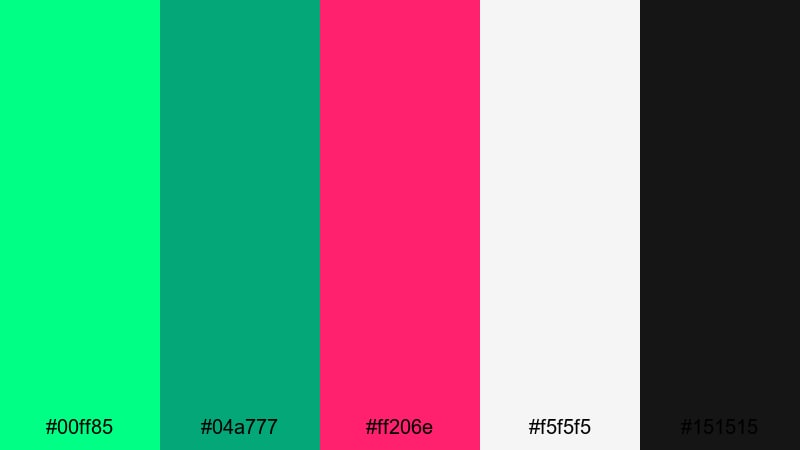
- HEX Codes: #00ff85, #04a777, #ff206e, #f5f5f5, #151515
- Mood: Tense and vivid like wet pavement flashing with neon signs.
- Use for: Use in lyric videos, kinetic typography, and highlight reels that need a glowing street vibe.
Electric Alley Glare pairs radioactive green and hot pink with clean white and deep charcoal. The result is sharp and high-contrast, like headlights catching wet concrete in a backstreet.
This palette is a natural fit for kinetic typography in music or lyric videos. Use the black and white for base text, then flash the neon green and pink on key words or beats. In Reels and Shorts, this combo makes bold captions and callouts that stand out over dark club or street footage.
Cyber Rail Glow
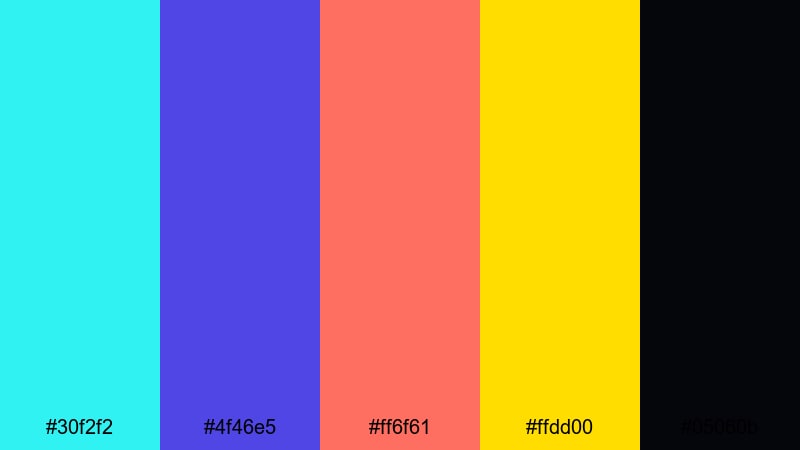
- HEX Codes: #30f2f2, #4f46e5, #ff6f61, #ffdd00, #05060b
- Mood: Futuristic and edgy, like a graffiti-covered train rushing through a neon tunnel.
- Use for: Perfect for gaming intros, tech reviews, and motion graphics overlays on dark UIs.
Cyber Rail Glow balances cool cyan and deep indigo with warm coral and sharp yellow on an inky black base. It feels like a mash-up of subway grime and futuristic UI design.
Use this palette for HUD-style overlays in gaming videos, tech-review lower-thirds, and animated interface elements in your intros. The darker background color keeps everything legible, while the coral and yellow are great accent tones for subscribe buttons, badges, and status indicators.
Strobe Tunnel Fade
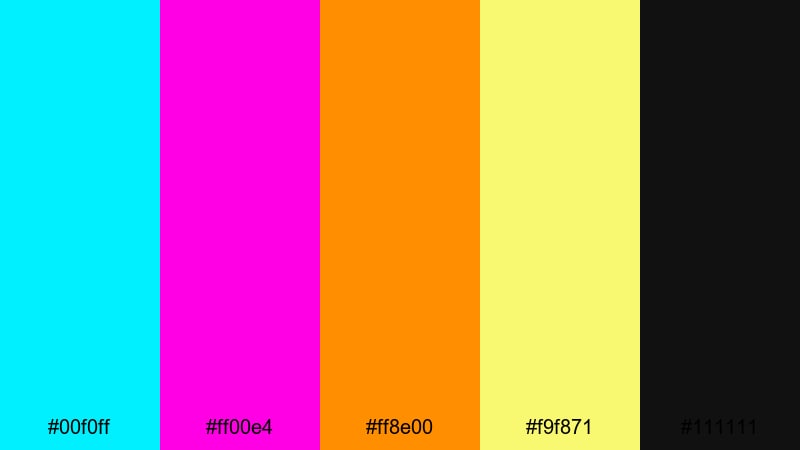
- HEX Codes: #00f0ff, #ff00e4, #ff8e00, #f9f871, #111111
- Mood: Hypnotic and high-impact, like a tunnel lit by strobe lights and tags.
- Use for: Ideal for music videos, EDM visuals, and loopable background animations.
Strobe Tunnel Fade fires intense cyan and magenta alongside hot orange and pale neon yellow, all set on rich black. It feels fast and hypnotic, like lights flickering past at high speed.
Use it to design loopable animated backgrounds behind lyrics or performance shots, beat-synced typography, and glitch transitions. The cyan and magenta make perfect glow effects, while the yellow and orange can highlight key beats, DJ names, or event dates in promo visuals.
Retro Pop Graffiti Color Palettes
Old School Block Letters
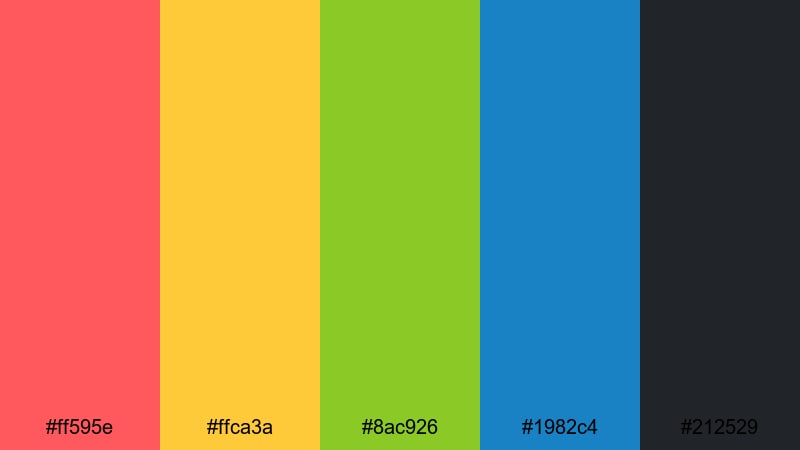
- HEX Codes: #ff595e, #ffca3a, #8ac926, #1982c4, #212529
- Mood: Playful and nostalgic, echoing 90s block-letter throw-ups and stickers.
- Use for: Great for retro vlog branding, channel banners, and playful thumbnail text.
Old School Block Letters mixes punchy red, yellow, lime, and blue over a muted charcoal base. It has a comic-book, Saturday-morning-TV feel that still reads very street thanks to the dark outline tone.
Use the blackish #212529 as your outline and shadow color for bubble or block fonts, while the bright tones fill in the letters. This palette works well on channel banners, playful tutorial thumbnails, and lighthearted vlog intros that want a retro graffiti twist without feeling too heavy.
Boombox Corner Vibes
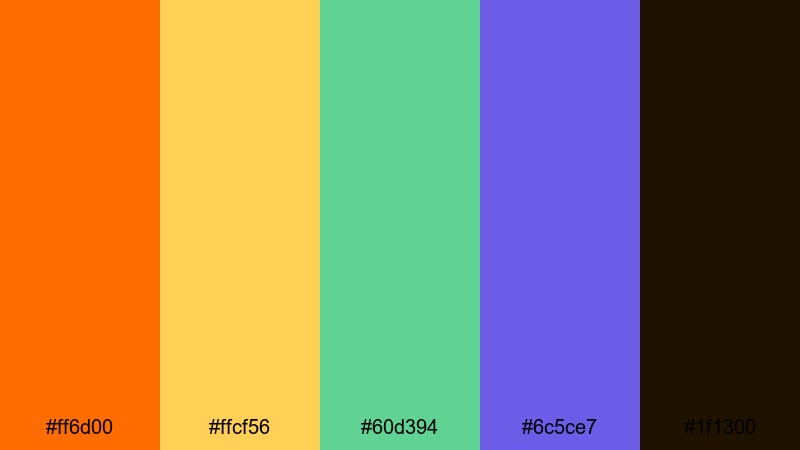
- HEX Codes: #ff6d00, #ffcf56, #60d394, #6c5ce7, #1f1300
- Mood: Groovy and upbeat, like breakdancing with a boombox on the sidewalk.
- Use for: Use for dance edits, street fashion lookbooks, and channel intros with throwback flair.
Boombox Corner Vibes brings warm tangerine and gold together with soft mint and violet on a deep brown-black base. It feels like old-school hip-hop flyers and cassette covers, with just enough neon twist.
Apply this palette to animated stickers, stamp overlays, and transitions in dance or fashion content. The dark #1f1300 grounds text and borders, while the orange and yellow make eye-catching headlines. Mint and violet can highlight beats, outfit labels, or dance move callouts without stealing focus.
Arcade Sticker Mash
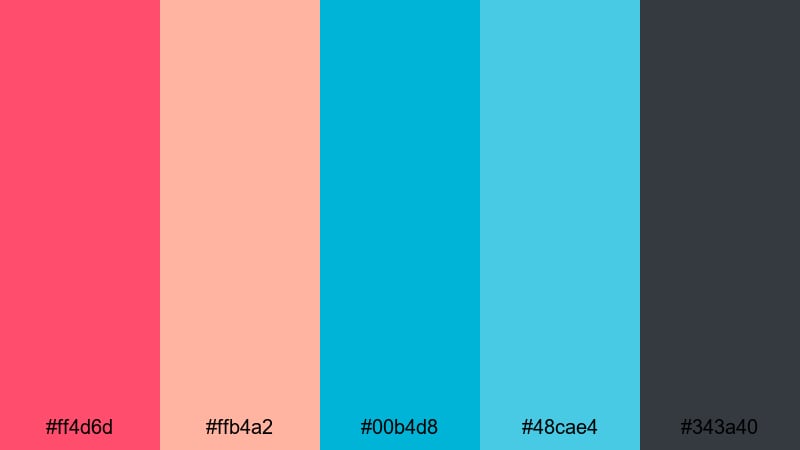
- HEX Codes: #ff4d6d, #ffb4a2, #00b4d8, #48cae4, #343a40
- Mood: Fun and chaotic, like a wall layered with retro stickers and arcade flyers.
- Use for: Perfect for gaming channels, reaction videos, and collage-style transitions.
Arcade Sticker Mash mixes candy pinks with bright aqua tones and smoky gray. It feels playful, layered, and slightly nostalgic, like an arcade cabinet plastered with stickers over the years.
Use this palette for sticker-style subscribe badges, pop-up reaction emojis, and frame borders in gaming or reaction content. The darker gray holds text nicely, while the pink and aqua colors can mark timestamps, kills, wins, or key punchlines in your edit.
Bubble Tag Candy
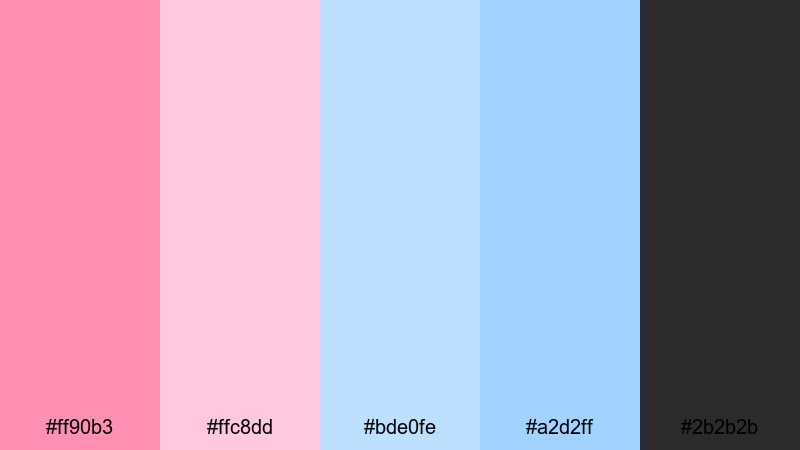
- HEX Codes: #ff90b3, #ffc8dd, #bde0fe, #a2d2ff, #2b2b2b
- Mood: Soft but bold, like pastel bubble letters outlined in fresh black paint.
- Use for: Great for creator logos, lifestyle vlogs, and playful end-screen layouts.
Bubble Tag Candy floats sugary pinks and baby blues over a deep charcoal tone. It feels friendly and approachable, combining street aesthetics with a softer, pastel twist.
Use the dark #2b2b2b for clean outlines and frames, then fill logos, icons, and lower-third bars with the pastel tones. This palette is perfect for lifestyle and daily-vlog branding where you want graffiti influence without looking aggressive, especially in profile pictures, channel headers, and end screens.
Dark Gritty Graffiti Color Palettes
Underpass Smoke Script
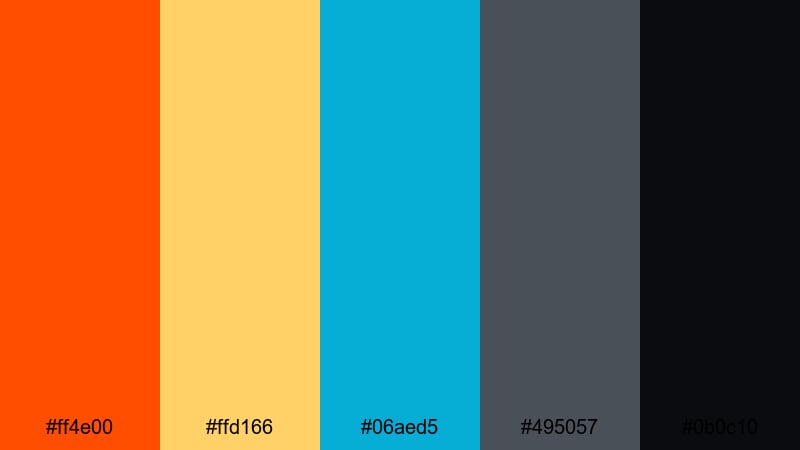
- HEX Codes: #ff4e00, #ffd166, #06aed5, #495057, #0b0c10
- Mood: Moody and intense, like hazy paint under a dim underpass.
- Use for: Use for moody B-roll, cinematic title sequences, and documentary-style edits.
Underpass Smoke Script pairs burnt orange and muted yellow with cool cyan, supported by smoky grays and near-black shadows. It feels cinematic, like sodium-vapor streetlights cutting through haze and concrete dust.
Use this palette for storytelling intros, voiceover-backed B-roll, and documentary segments. Let the darkest tones handle backgrounds and letterboxing, while the orange and yellow underline key text or map graphics. Cyan works as a subtle accent for data callouts or timestamps without breaking the gritty atmosphere.
Rusted Freight Story
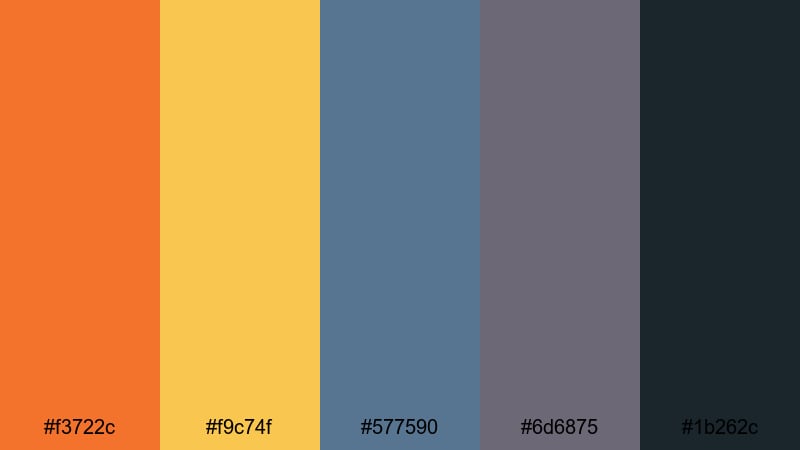
- HEX Codes: #f3722c, #f9c74f, #577590, #6d6875, #1b262c
- Mood: Weathered and cinematic, evoking train yards and long-forgotten pieces.
- Use for: Perfect for travel montages, documentary titles, and slow, story-driven edits.
Rusted Freight Story layers rusty oranges and golden yellow over dusty blues and deep steel tones. It feels aged and textured, like freight cars that have been sitting in a rail yard for years, covered in faded pieces.
In video, use this palette to give your visuals a story-heavy patina. The dark blue and steel colors make strong lower-thirds and frame lines, while the rusty orange and yellow highlight titles, location labels, and important names. It works especially well for slow travel montages, urban exploration, and reflective voiceover sequences.
Rain Slicked Brick
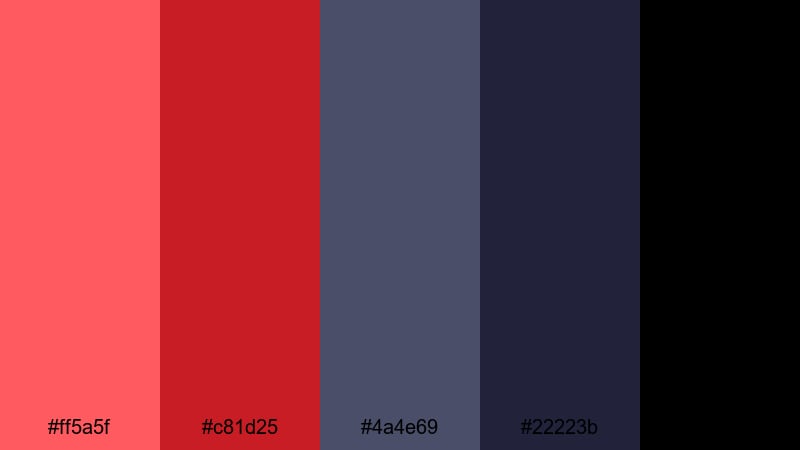
- HEX Codes: #ff5a5f, #c81d25, #4a4e69, #22223b, #000000
- Mood: Dramatic and heavy, like wet brick walls shining under street lamps.
- Use for: Great for thriller intros, dramatic voiceover backdrops, and intense story recaps.
Rain Slicked Brick combines deep reds and burgundy with inky blues and pure black. It feels dense, dramatic, and serious, like a crime-story opening sequence set in narrow backstreets after rain.
Use this palette for dark, suspenseful content, from true-crime recaps to intense narrative shorts. Black and navy can fill your backgrounds and letterbox bars, while the reds draw attention to titles, warnings, plot points, or key objects highlighted in motion graphics. This combination is also strong for logo stings and show opens where you want maximum contrast and tension.
Tips for Creating Graffiti Color Palettes
When building your own graffiti color palette for video or design, focus on impact, contrast, and consistency across everything from thumbnails to end screens.
- Start with one dominant graffiti color (neon pink, electric blue, or toxic green) and build the rest of the palette around it with 2 to 3 supporting accents plus a dark outline shade.
- Always test readability: place white and black text over your background colors to see which combinations stay legible on phones and small thumbnails.
- Balance brights with neutrals. Pair intense graffiti tones with deep blacks, charcoals, or muted grays so the eye has a place to rest.
- Match your palette to your footage. If you shoot mostly at night, lean into neon and dark combos; for daytime city shots, use warmer oranges and yellows with cool blues.
- Keep branding consistent. Reuse the same 3 to 5 HEX codes for your logo, intros, lower-thirds, and end screens so viewers instantly recognize your channel.
- Use accent colors strategically. Reserve the most eye-catching hue for CTAs like Subscribe, Watch Next, or key timestamps and stats.
- Experiment with gradients. Graffiti-inspired gradients from warm to cool (for example orange to cyan) can make great backgrounds for titles and overlays.
- Save presets in Filmora. Once you dial in color settings and title styles, save them so every new video starts with your graffiti look already in place.
Graffiti color palettes can completely shift the mood of your videos, from playful retro throwbacks to gritty night-time stories. With the right mix of neon pops, dark outlines, and balanced neutrals, your thumbnails, intros, and overlays will feel like part of the same bold visual language.
Use these 15 palettes as starting points, then tweak them in Filmora until they match your footage and personality. Lock in your favorite HEX codes, build a few title and lower-third presets, and your channel will keep the same striking graffiti style across every upload.
The more you experiment, the faster you will find a signature graffiti look that fits your niche, whether you are filming skate edits, city vlogs, music videos, or story-driven documentaries.
secure downloadNext: Neon Color Palette
