

 100% Security Verified | No Subscription Required | No Malware


 ChatGPT
 Perplexity
 Gemini
 Claude
 Grok
Grok
Green Yellow sits between citrusy yellow and fresh spring green, so it instantly reads as energetic, youthful, and alive. In color psychology it is linked to growth, optimism, and creativity, which makes it perfect for content that should feel uplifting and modern. Used well, Green Yellow can make your scenes feel fresher, your products healthier, and your brand more approachable.
On screen, this shade works brilliantly for YouTube thumbnails, lower thirds, titles, and overlays because it grabs attention without feeling harsh like pure neon. Paired with the right supporting colors, Green Yellow can power upbeat vlog intros, wellness branding, gaming highlights, or cinematic travel edits. Below you will find ready made Green Yellow color palettes with HEX codes designed for creators and Filmora users who want cohesive, professional color in every video.
In this article
Fresh And Natural Green Yellow Color Palettes
Spring Citrus Glow
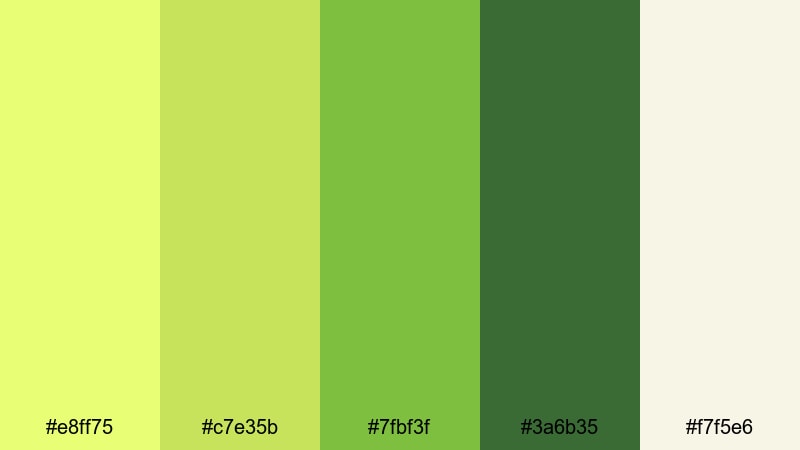
- HEX Codes: #e8ff75, #c7e35b, #7fbf3f, #3a6b35, #f7f5e6
- Mood: Bright, optimistic, and full of early spring energy.
- Use for: Perfect for upbeat vlog intros, travel reels, and lifestyle thumbnails that need a crisp, energizing vibe.
Spring Citrus Glow mixes juicy Green Yellow highlights with fresh medium greens and a soft off white base. It feels like the first warm day of the year, when everything looks sharper and more alive. The darker green adds just enough depth so your frames still feel grounded and cinematic, not overly neon.
Use the lightest tones for clean title backgrounds, call to action buttons, or YouTube thumbnail borders, while the mid greens are great for icons, lower thirds, and subtle overlays on b roll. The off white shade keeps text readable against more intense Green Yellow, so your intros, channel banners, and story covers stay bright but easy on the eyes.
Pro Tip: Enhance Your Green Yellow Spring Visuals With Filmora
When you build a look around Spring Citrus Glow, consistency is everything. In Filmora you can set your Green Yellow accent (#e8ff75 or #c7e35b) as a brand color for titles, shapes, and subtitles so every intro, chapter card, and end screen feels like part of one polished package.
Create a reusable preset for your text styles and overlays using these HEX codes, then apply it across vlogs, Reels, and Shorts. That way your audience instantly recognizes your channel from the same fresh Green Yellow glow, even when your footage comes from different cameras or locations.
AI Color Palette
If you already have a frame, thumbnail mockup, or moodboard that nails this spring look, you can let Filmora do the heavy lifting. Filmora's AI Color Palette feature analyzes a reference image and transfers its Green Yellow balance, contrast, and mood to the rest of your clips.
Drop in your best shot that shows the palette clearly, then use AI Color Palette to match all other scenes. Your A roll, b roll, and cutaways will share the same citrusy highlights and soft greens, so the video feels cohesive from first frame to last.
 secure download

HSL, Color Wheels & Curves
To fine tune Green Yellow so it looks flattering on skin and scenery, use Filmora's HSL, color wheels, and curves controls. Slightly desaturate yellows while boosting greens to keep foliage vivid without making faces look too warm, then use curves to add gentle contrast in midtones for a more cinematic, filmic vibe.
You can follow along with Filmora's own color grading tutorial on YouTube, then adapt the steps to your Spring Citrus Glow HEX codes. Once you like the balance, save the grade as a preset and reapply it across your whole series.
secure download1000+ Video Filters & 3D LUTs
If you want to stylize Spring Citrus Glow even faster, Filmora's built in effects can push the palette toward vloggy, cinematic, or retro looks in a single click. Filmora’s video filters and 3D LUTs make it easy to experiment with subtle film grain, vintage fades, or bold contrast while still preserving your chosen Green Yellow accents.
Apply a LUT or filter to your base grade, then gently dial back the intensity until your Green Yellow feels vibrant but not overpowering. Because you can stack effects and save custom presets, you can build a signature spring look that you reuse across entire playlists and campaigns.
secure downloadForest Canopy Light

- HEX Codes: #f2ff9c, #cde96a, #7baa45, #47613b, #23312b
- Mood: Grounded, adventurous, and quietly confident.
- Use for: Ideal for outdoor vlogs, hiking documentaries, and nature b roll overlays that need an organic yet modern touch.
Forest Canopy Light combines soft Green Yellow highlights with rich forest greens that echo shade under tall trees. The deeper tones (#47613b and #23312b) give your frames a grounded, cinematic base so the lighter yellows feel like real daylight slipping through leaves.
Use the brightest shade for map graphics, distance counters, or subtle path outlines on drone footage, then lean on the darker colors for text, logo marks, or panel backgrounds in your travel vlogs. This palette works especially well in Filmora when you add a light vignette and slow camera moves for an immersive outdoor story.
Lime Orchard Breeze
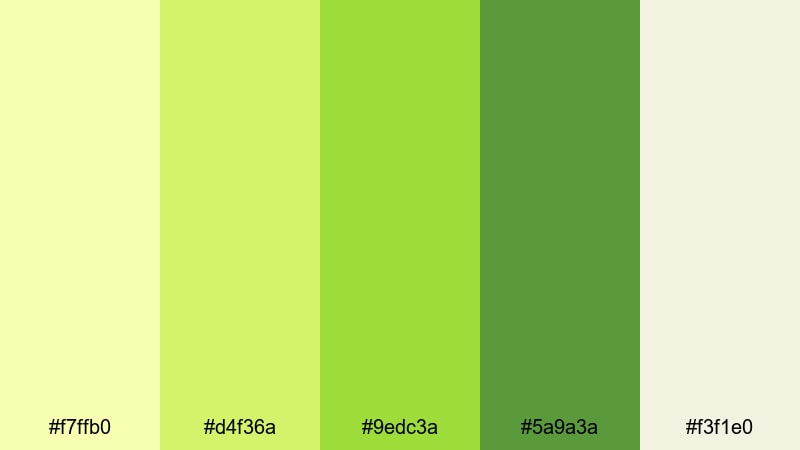
- HEX Codes: #f7ffb0, #d4f36a, #9edc3a, #5a9a3a, #f3f1e0
- Mood: Refreshing, juicy, and lighthearted.
- Use for: Great for recipe videos, smoothie ads, and wellness content that needs a clean, flavorful pop.
Lime Orchard Breeze is all about juicy freshness. The bright Green Yellow tones feel like sliced limes and fresh herbs, while the deeper green and pale neutral keep the overall look clean and modern. It suggests flavor, health, and movement without feeling overly commercial.
Apply the mid greens to ingredient labels, chapter titles, and animated arrows, then reserve the pale background (#f3f1e0) for clean layouts in your how to shots. For food videos made in Filmora, you can keyframe simple motion on colored blocks that slide in with your recipe steps, using this palette to keep everything visually consistent.
Meadow Picnic Day
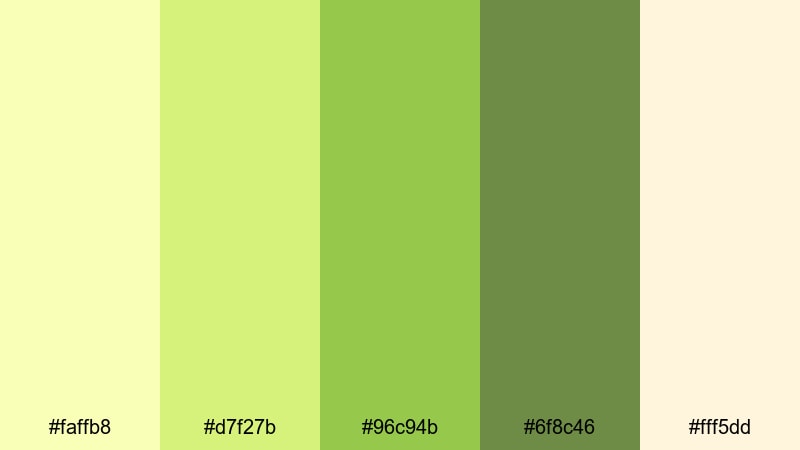
- HEX Codes: #faffb8, #d7f27b, #96c94b, #6f8c46, #fff5dd
- Mood: Warm, friendly, and nostalgic like a sunny afternoon.
- Use for: Use for family vlogs, picnic themed shorts, and lighthearted social edits that need a cozy outdoorsy look.
Meadow Picnic Day softens Green Yellow into a cozy, nostalgic scheme. The warm cream (#fff5dd) and muted greens feel like late afternoon sunlight on grass and blankets, giving your edits a relaxed, everyday charm.
Use the lighter yellows for date stamps, handwritten style captions, or sticker overlays that mark special moments in family vlogs. The mid and dark greens support title cards and outro slates, where you want warmth and clarity without rough contrast.
Herbal Tonic Clean
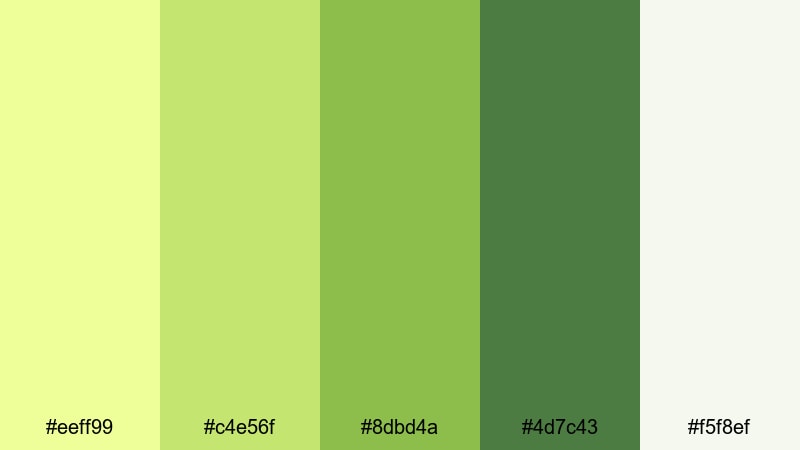
- HEX Codes: #eeff99, #c4e56f, #8dbd4a, #4d7c43, #f5f8ef
- Mood: Pure, rejuvenating, and slightly spa like.
- Use for: Perfect for skincare promos, wellness explainers, and clean brand intros with a botanical twist.
Herbal Tonic Clean frames Green Yellow as something pure and botanical. The range of plant like greens and the gentle white base suggest spa interiors, natural ingredients, and minimalist packaging, making it ideal for skincare and wellness creators.
Use the paler tones for clean backgrounds behind product shots, and the medium greens for icons, step numbers, and infographic elements in your explainers. In Filmora, combining this palette with soft blur transitions and subtle bloom effects will reinforce that clean, rejuvenating atmosphere.
Bold And Energetic Green Yellow Color Palettes
Neon Sports Energy
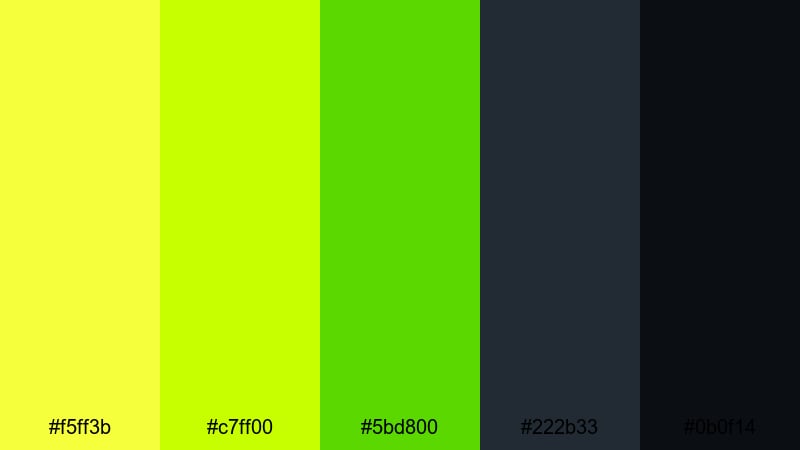
- HEX Codes: #f5ff3b, #c7ff00, #5bd800, #222b33, #0b0f14
- Mood: High impact, sporty, and intensely energetic.
- Use for: Great for fitness channels, gaming highlights, and fast paced promos that need instant attention.
Neon Sports Energy pushes Green Yellow into full on performance mode. The glowing neon tones explode against deep charcoal and near black, giving you extreme contrast that cuts through busy feeds and dark footage.
Use the brightest shades as outlines on text, glitchy transitions, or HUD style graphics in workout edits and gaming montages. The dark tones work as safe backgrounds for stats, timers, and subtitles, keeping everything readable while still feeling intense and modern.
Tropical Pop Splash
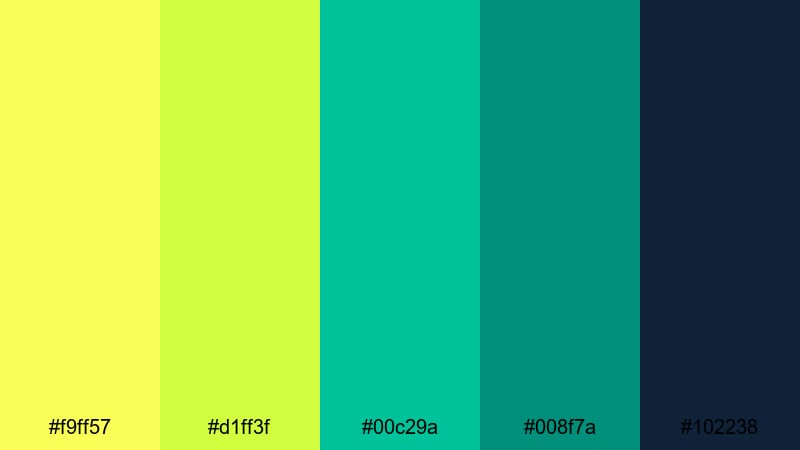
- HEX Codes: #f9ff57, #d1ff3f, #00c29a, #008f7a, #102238
- Mood: Playful, exotic, and summer party ready.
- Use for: Ideal for travel vlogs, festival recaps, and product launches that lean into bold tropical vibes.
Tropical Pop Splash pairs punchy Green Yellow with aqua and teal, sitting on top of a deep navy that feels like a warm night at the beach. The combination is bold but not chaotic, perfect for content that is fun, colorful, and a bit exotic.
Use the Green Yellow tones for main titles or animated shapes that frame your subject, while cyan and teal carry accent bars, borders, and callouts. In Filmora, this palette thrives with quick cuts, light leaks, and speed ramps for festival recaps or travel highlight reels.
Urban Signal Lights
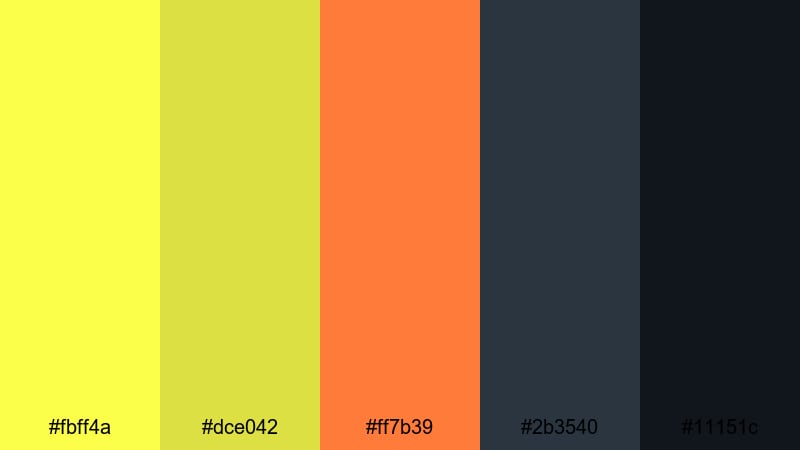
- HEX Codes: #fbff4a, #dce042, #ff7b39, #2b3540, #11151c
- Mood: Edgy, urban, and attention grabbing.
- Use for: Use for street style content, tech reviews, and dynamic lower thirds that must stand out on dark footage.
Urban Signal Lights blends sharp Green Yellow and traffic orange with inky blues, echoing city lights, signals, and billboards at night. It has a streetwise, energetic feel that works well for tech, sneakers, street fashion, and nightlife edits.
Let Green Yellow handle icons, notification badges, and key words in your titles, while orange accents special offers or timestamps. The dark blues are ideal backgrounds for lower thirds and pop up panels in Filmora, helping this palette stay legible even over busy city footage.
Arcade Pixel Punch
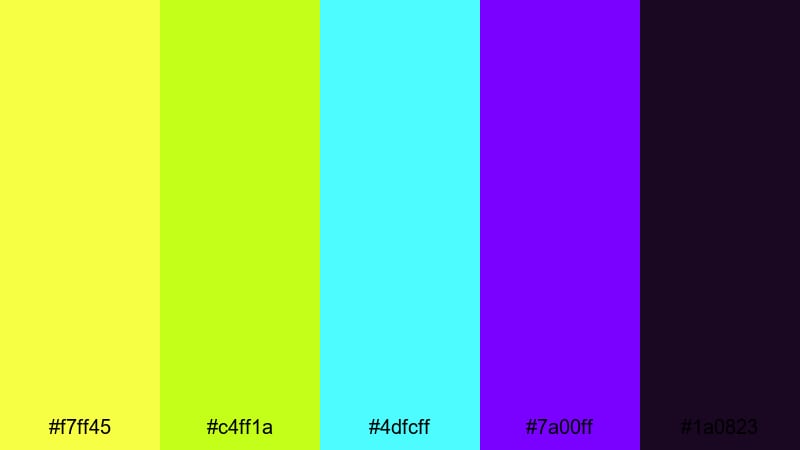
- HEX Codes: #f7ff45, #c4ff1a, #4dfcff, #7a00ff, #1a0823
- Mood: Retro futuristic, playful, and hyper saturated.
- Use for: Perfect for gaming intros, motion titles, and glitch transitions that reference classic arcade aesthetics.
Arcade Pixel Punch fires vivid Green Yellow together with neon cyan and purple over a nearly black base. It feels like an 80s arcade updated for streaming overlays, making it a strong choice for gaming, tech, and motion graphic heavy content.
Use Green Yellow as the hero color for score counters, subscribe prompts, and animated borders around webcam frames. Cyan and violet can drive glitch effects, streaks, and pixel transitions in Filmora, giving you a retro yet polished gaming identity.
Festival Glow Sticks
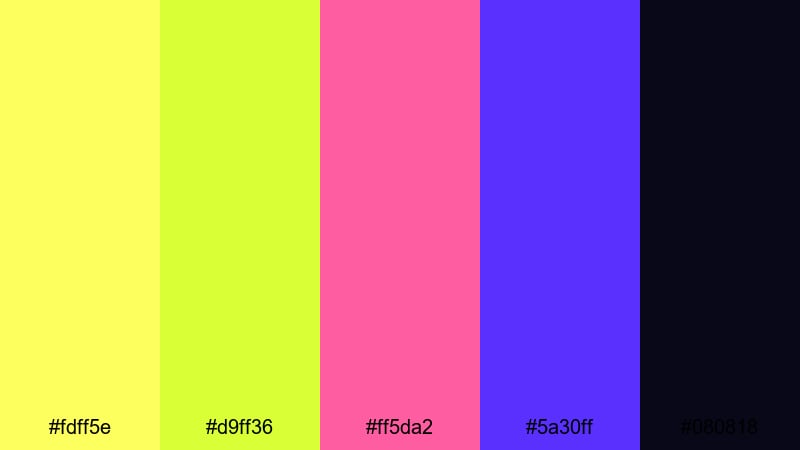
- HEX Codes: #fdff5e, #d9ff36, #ff5da2, #5a30ff, #080818
- Mood: Celebratory, youthful, and neon charged.
- Use for: Great for music festival edits, dance shorts, and creator branding that feels like late night fun.
Festival Glow Sticks pairs glow stick Green Yellow with hot pink and electric violet on deep black. It screams party, making it ideal for DJ sets, dance challenges, and anything that should feel like 2 a.m. energy.
Use Green Yellow to trace outlines around dancers or subject silhouettes, while pink and purple animate equalizer bars or lyric overlays. In Filmora, combining this palette with light flicker and strobe style transitions will help your music content feel like a real live event.
Soft Pastel Green Yellow Color Palettes
Pastel Lemon Mist
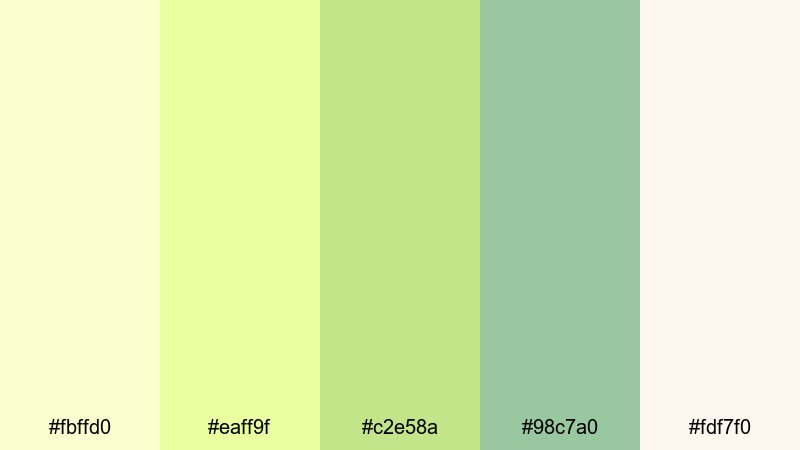
- HEX Codes: #fbffd0, #eaff9f, #c2e58a, #98c7a0, #fdf7f0
- Mood: Gentle, airy, and comforting.
- Use for: Perfect for calm study vlogs, journaling visuals, and soft spoken tutorials that need a relaxed background aesthetic.
Pastel Lemon Mist turns Green Yellow into a whisper soft haze. The muted greens and creamy whites feel airy and calm, ideal for content that should reduce stress rather than spike adrenaline.
Use the lighter tones as background washes behind simple type, and keep motion slow and minimal in Filmora. This palette is great for study timers, chapter cards, and intro screens for lo fi playlists or gentle tutorials.
Morning Matcha Foam
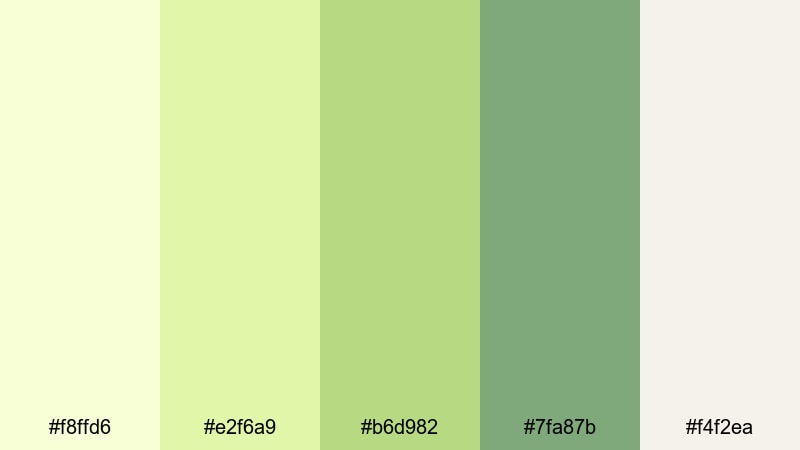
- HEX Codes: #f8ffd6, #e2f6a9, #b6d982, #7fa87b, #f4f2ea
- Mood: Cozy, mindful, and slightly luxurious.
- Use for: Great for cafe b roll, productivity vlogs, and brand stories around slow living and rituals.
Morning Matcha Foam blends creamy Green Yellow with soft matcha greens and warm neutrals. It feels like a quiet morning in a cafe, which fits productivity vlogs, morning routines, and lifestyle content focused on rituals.
Use the pale tones for lower thirds that introduce segments like Morning Routine or Deep Work Session, while the deeper greens can frame product shots or desk setups. In Filmora, pair this palette with slow zooms, soft focus b roll, and low contrast grades to maintain that cozy, mindful impression.
Sunlit Chalk Garden
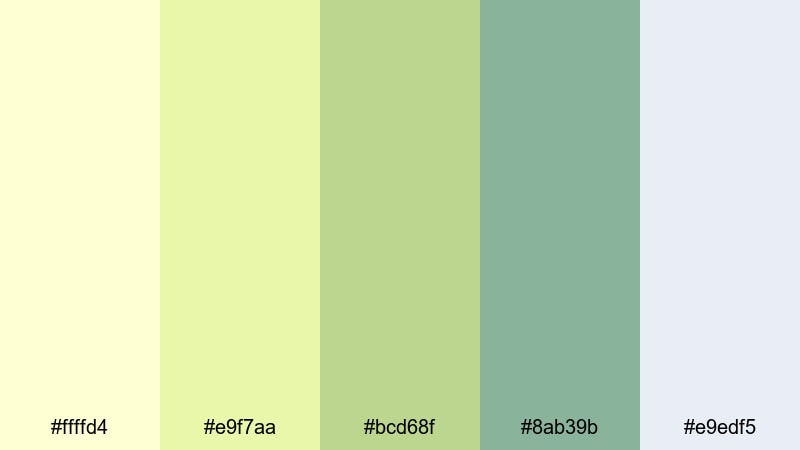
- HEX Codes: #ffffd4, #e9f7aa, #bcd68f, #8ab39b, #e9edf5
- Mood: Playful, childlike, and softly artistic.
- Use for: Ideal for educational content, classroom intros, and kid friendly channels needing a gentle yet colorful scheme.
Sunlit Chalk Garden feels like doodles on a sunny sidewalk. Chalky Green Yellow and dusty greens sit beside a pale blue gray, giving you a pastel set that feels friendly and a little hand drawn.
Use Green Yellow for headings and topic labels, and support them with chalk like illustrations rendered in the greens and blue gray. In Filmora you can animate simple line drawings and hand written fonts over this palette to make classroom intros and kid friendly videos feel approachable and fun.
Mint Sorbet Dreams
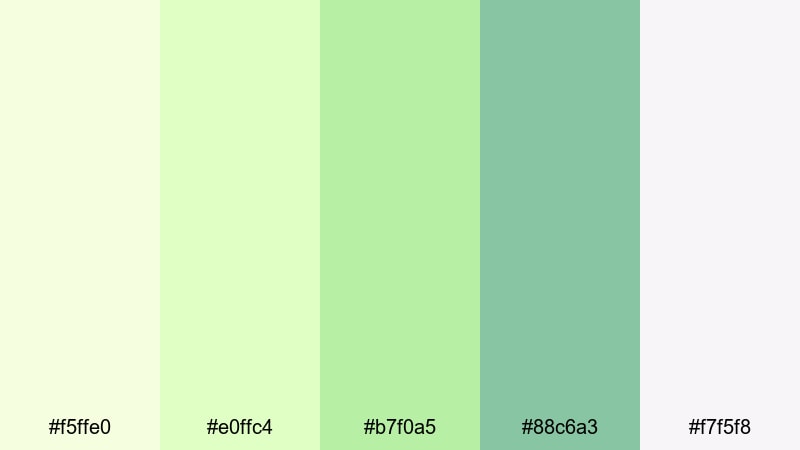
- HEX Codes: #f5ffe0, #e0ffc4, #b7f0a5, #88c6a3, #f7f5f8
- Mood: Sweet, dreamy, and subtly nostalgic.
- Use for: Use in beauty edits, app promos, and minimal social templates where you want color without harsh contrast.
Mint Sorbet Dreams melts Green Yellow into mint and soft white, creating a dessert like pastel that feels dreamy yet modern. It is colorful enough to stand out but gentle enough for minimal, design forward layouts.
Use the mid mints for interface mockups, UI callouts, and feature highlights in app or SaaS promos, and keep the lightest tones as background panels. In Filmora, this palette pairs well with clean motion graphics, smooth slide transitions, and thin line icons.
Cloudy Citrus Haze
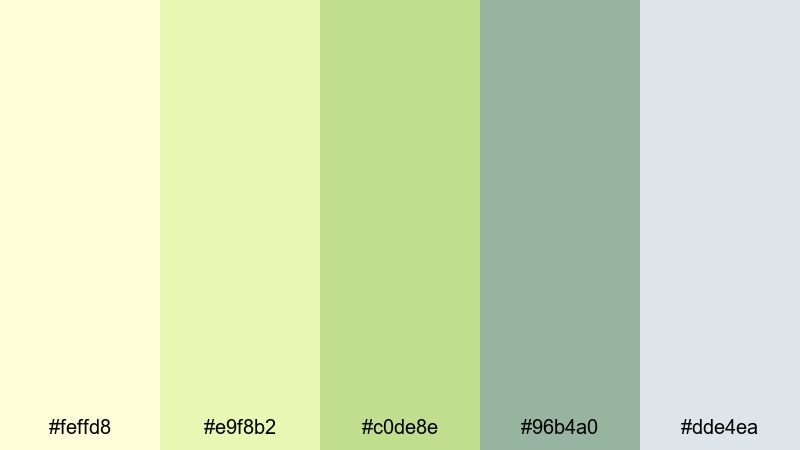
- HEX Codes: #feffd8, #e9f8b2, #c0de8e, #96b4a0, #dde4ea
- Mood: Softly cinematic, reflective, and calm.
- Use for: Perfect for slow travel films, aesthetic montages, and lo fi edits that need a muted yet uplifting tone.
Cloudy Citrus Haze takes Green Yellow and mutes it into something dreamy and cinematic. The grayish greens and misty blues soften the brightness, so your frames feel reflective and slightly nostalgic instead of bold.
Use the lighter tones in sky gradients, title cards, and overlay shapes, while the muted greens and blues grade your footage into a cohesive film like wash. In Filmora this palette shines when combined with slow motion, cross dissolves, and gentle film grain for aesthetic montages and slow travel diaries.
Tips for Creating Green Yellow Color Palettes
To get the most out of Green Yellow in your videos and designs, balance its brightness with smart supporting colors, readable text, and consistent grading across all your content.
- Use neutral backgrounds (soft white, cream, or dark charcoal) so Green Yellow accents stand out without overwhelming the frame.
- Check text contrast carefully: pair Green Yellow with very dark text (#11151c style) or put dark type on a pale Green Yellow block for maximum readability.
- Limit yourself to one main Green Yellow shade plus 2 to 3 supporting colors to avoid a cluttered, unprofessional look.
- Match your palette to your footage: if your video has lots of greenery, choose slightly muted Green Yellow tones so overlays feel natural, not artificial.
- Use bolder Green Yellow for thumbnails, buttons, and CTAs, and softer variations for in video lower thirds and subtitles.
- Keep branding consistent by reusing the same HEX codes in your logo, intro, channel banner, and end screen templates.
- Test on different screens and in both light and dark mode UIs to confirm that your Green Yellow hues still look clean and legible.
- In Filmora, save your favorite color settings and styles as presets so every new project starts with your signature Green Yellow palette.
Green Yellow is one of the most versatile accent families you can use: it can feel fresh and natural, bold and sporty, or soft and nostalgic depending on how you combine it. With these 15 curated palettes and HEX codes, you can quickly shape the mood of your channel and build a recognizable visual identity across intros, overlays, and thumbnails.
Whether you are editing fast paced gaming highlights or calm morning routines, try dropping a few of these palettes into Filmora and building templates around them. Once your Green Yellow look is locked in, you will spend less time guessing colors and more time telling better stories.
Open a new project in Filmora, set your preferred palette as your base, and experiment with AI Color Palette, grading tools, and filters until your videos look exactly how they feel in your head.
secure download