

 100% Security Verified | No Subscription Required | No Malware


 ChatGPT
 Perplexity
 Gemini
 Claude
 Grok
Grok
Green Yellow Red is one of the boldest color stories you can use on screen. Green signals go, growth, and success; yellow reads as energy, warning, or optimism; red shouts urgency, passion, and alert. Put together, a Green Yellow Red color palette instantly feels like traffic lights, notifications, game wins, and big decisions, which is why it works so well for thumbnails, calls-to-action, and fast-paced edits.
For video creators, brands, and editors working in Filmora, Green Yellow Red color combinations are perfect for YouTube thumbnails, intro titles, lower thirds, and even full color grading looks. Below you will find 15 ready-made Green Yellow Red color palettes with HEX codes you can copy directly into your design tools or Filmora workflows to keep your vlogs, intros, reels, and presentations visually consistent.
In this article
Bold & Energetic Green Yellow Red Palettes
Traffic Light Punch
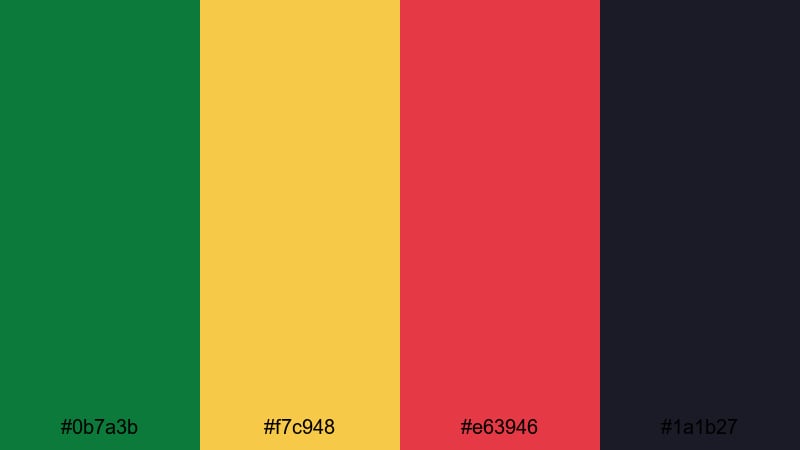
- HEX Codes: #0b7a3b, #f7c948, #e63946, #1a1b27
- Mood: High-energy, urgent, and focused on instant attention.
- Use for: Use for bold YouTube thumbnails, countdown screens, and alert graphics where you need viewers to stop scrolling and click.
Traffic Light Punch is a classic Green Yellow Red color palette sharpened with deep navy. The confident green (#0b7a3b), urgent yellow (#f7c948), and stop-sign red (#e63946) feel like modern traffic lights floating above a night city backdrop (#1a1b27). It screams decision time and pulls the eye toward anything important on the screen.
Use this palette for bold thumbnails, warning overlays, countdown timers, subscribe buttons, and short-form hooks where you want quick reactions. In Filmora you can apply these HEX codes to text, shapes, and mask layers so your calls-to-action, progress bars, and animated stickers all share the same Green Yellow Red identity across an entire video or channel.
Pro Tip: Build a Cinematic Green Yellow Red Look in Filmora
When you base a whole edit on Traffic Light Punch, think beyond text and buttons. In Filmora you can tint light leaks, lower thirds, and background solids with this Green Yellow Red color palette so your intro, B-roll, and end screen all feel like one cinematic system of signals. Keep green for positive actions, yellow for warnings, and red for the final push to subscribe or buy.
Try setting your timeline background graphics in the navy tone, then layering animated shapes or frames in green, yellow, and red. This makes your footage pop while still keeping a strong, branded traffic-light theme that fits gaming channels, tech reviews, and alert-style content.
AI Color Palette
If you already mocked up a thumbnail or mood board using this Green Yellow Red combination, you can turn that single image into a full video look. Filmora's AI Color Palette feature lets you sample the colors from a reference frame and apply the same palette across another clip or an entire project.
Simply load your reference still that uses Traffic Light Punch, choose it as the source, and let AI match the tones to your other scenes. This keeps your greens, yellows, and reds consistent from intro to outro, even if the original footage was shot under different lighting.
 secure download

HSL, Color Wheels & Curves
Even inside a strong Green Yellow Red color scheme, you may want the tones to feel more cinematic or less neon. With Filmora's HSL and color wheels, you can push the greens toward teal for a cooler tech vibe, soften the yellows in the midtones, or deepen the reds in the shadows so they feel rich instead of oversaturated. A gentle S-curve in the RGB curves panel adds contrast while keeping your key colors controlled.
If you want a deeper walkthrough, check Filmora's color correction tools guide and follow along while you tweak highlights, midtones, and shadows. Use the wheels to keep skin tones natural while your overlays and text stay locked to your chosen Green Yellow Red HEX codes.
secure download1000+ Video Filters & 3D LUTs
Once your Green Yellow Red color palette is locked, Filmora's filters and LUTs can push the style further. You can choose high-contrast looks for gaming, faded film LUTs for vlogs, or clean corporate filters for dashboards while still keeping your key greens, yellows, and reds recognizable. Filmora's video filters and 3D LUTs make it easy to experiment without rebuilding your palette from scratch.
Apply a LUT to your footage, then fine-tune your text and graphics using the original HEX codes from Traffic Light Punch. This keeps your branding consistent across thumbnails, intros, and end screens, while your footage gets a polished, professional finish in just a few clicks.
secure downloadCarnival Street Lights
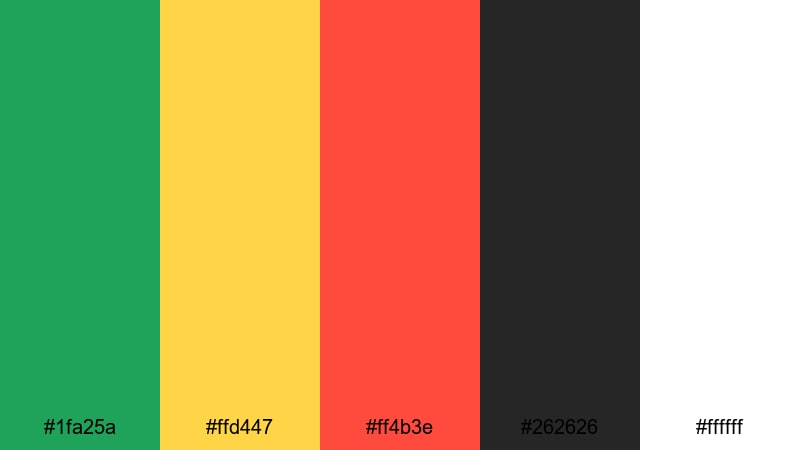
- HEX Codes: #1fa25a, #ffd447, #ff4b3e, #262626, #ffffff
- Mood: Festive, playful, and full of nightlife energy.
- Use for: Perfect for festival vlogs, party promos, and event highlight reels that need vibrant, street-style color.
Carnival Street Lights splashes bright green (#1fa25a), party yellow (#ffd447), and neon red (#ff4b3e) over deep black asphalt (#262626) and crisp white (#ffffff). It feels like street fairs, pop-up food trucks, and night markets shot under bold signage and string lights.
This Green Yellow Red color combination works brilliantly for festival vlogs, club nights, event recaps, and energetic social promos. Use black and white as your text and background base in Filmora, then add animated shapes or title highlights in the three accent colors to capture that loud, city-night vibe in thumbnails, intros, and TikTok hooks.
Gaming Victory Rush
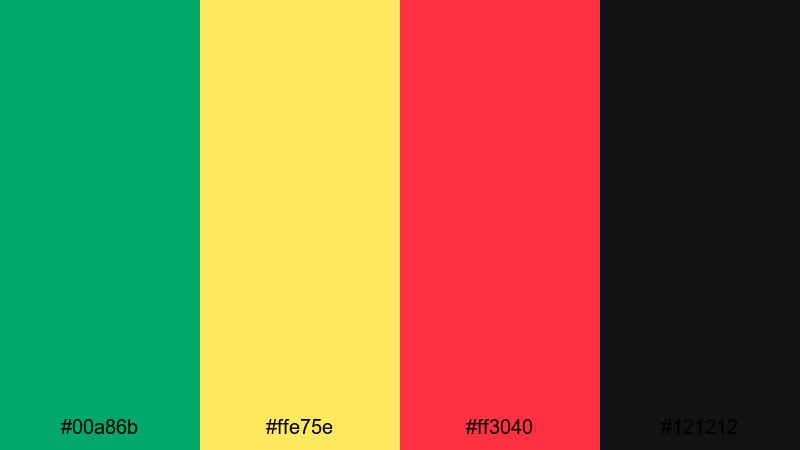
- HEX Codes: #00a86b, #ffe75e, #ff3040, #121212
- Mood: Competitive, intense, and adrenaline-fueled.
- Use for: Great for esports intros, streaming overlays, and highlight montages where you want a powerful, competitive look.
Gaming Victory Rush pairs electric green (#00a86b), bright HUD yellow (#ffe75e), and hot red (#ff3040) on a deep charcoal background (#121212). It feels like on-screen game UI elements and victory flashes, perfect for clutch plays and win screens.
Apply this palette to your streaming overlays, kill counts, progress bars, subscribe panels, and match-result animations. In Filmora, use charcoal as your full-screen background, then animate bold streaks and glitch titles in green and red with yellow as your highlight or score color to reinforce the sense of competition.
Festival Confetti Burst
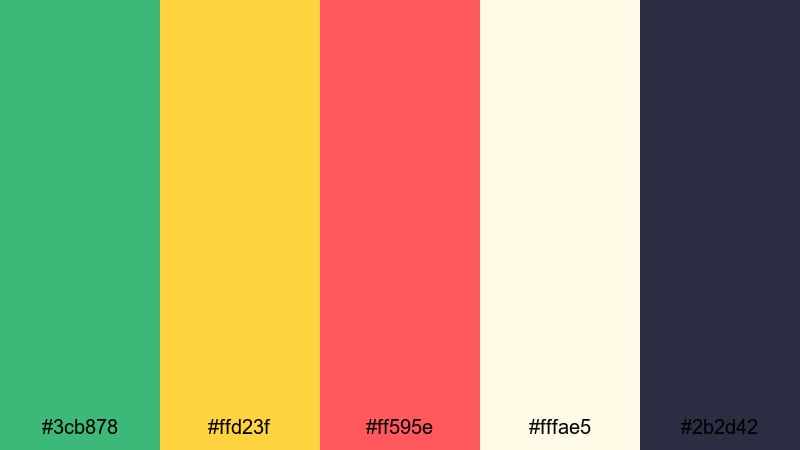
- HEX Codes: #3cb878, #ffd23f, #ff595e, #fffae5, #2b2d42
- Mood: Joyful, celebratory, and full of movement.
- Use for: Use for music festival recaps, dance content, and dynamic social ads packed with motion and color.
Festival Confetti Burst mixes vibrant green (#3cb878), sunny yellow (#ffd23f), and confetti red (#ff595e) with soft cream (#fffae5) and deep indigo-gray (#2b2d42). The light background keeps everything bright, while the dark accent color adds just enough depth for titles and outlines.
This aesthetic Green Yellow Red palette suits music festival edits, dance reels, behind-the-scenes content, and upbeat product teasers. In Filmora, set cream as the base layer for title cards and add bouncing shapes or mask transitions in the three bright colors. Use the dark indigo for readable text and drop shadows so the overall look feels joyful but still clear on mobile screens.
Neon Flag Hype
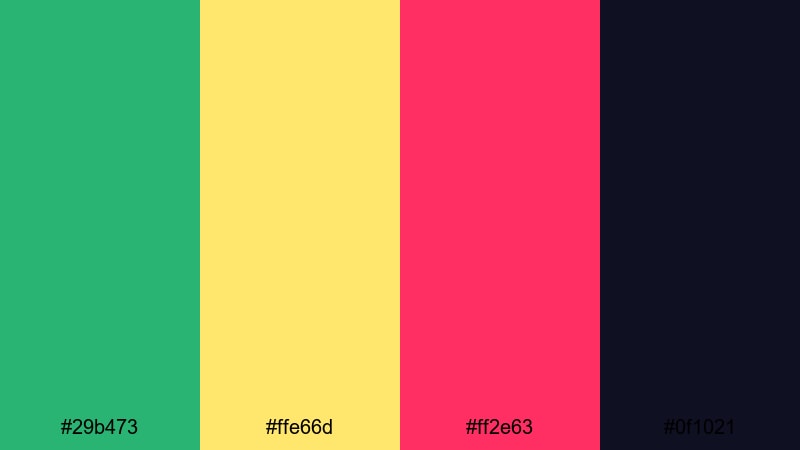
- HEX Codes: #29b473, #ffe66d, #ff2e63, #0f1021
- Mood: Modern, rebellious, and ultra-vivid.
- Use for: Best for hype reels, sports edits, and creator brands that lean into bold neon-style visuals.
Neon Flag Hype brings punchy green (#29b473), glowing yellow (#ffe66d), and hot pink-red (#ff2e63) together on a near-black violet base (#0f1021). The contrast is extreme, which makes it a strong choice for scroll-stopping thumbnails and logo stings.
Try using the dark base as your full-screen canvas and painting streaks, frames, and type outlines in the three neon tones. This works well for sports hype reels, creator brand intros, or any Green Yellow Red themed video that wants a rebellious, edgy twist. Filmora's glow effects and blend modes can help turn these colors into neon-style text and light trails.
Soft Cinematic Green Yellow Red Palettes
Sunlit Orchard Tale
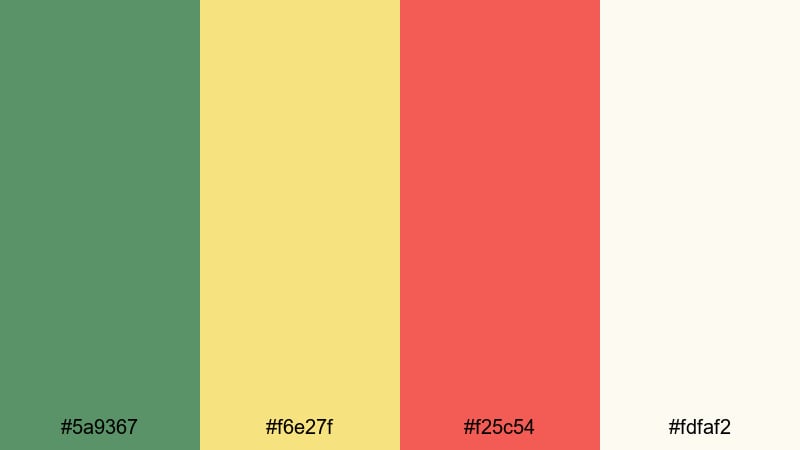
- HEX Codes: #5a9367, #f6e27f, #f25c54, #fdfaf2
- Mood: Warm, nostalgic, and gently uplifting.
- Use for: Ideal for lifestyle vlogs, family stories, and soft cinematic b-roll with a warm, natural tone.
Sunlit Orchard Tale softens the Green Yellow Red triad into muted green (#5a9367), buttery yellow (#f6e27f), and a gentle red accent (#f25c54) on creamy white (#fdfaf2). It feels like a lazy afternoon in an orchard, where every shot is lit by warm sun rather than harsh spotlights.
Use this palette for lifestyle vlogs, family clips, cozy routines, and nature B-roll. In Filmora you can apply these HEX codes to overlays, titles, and subtle gradient maps to give your footage a warm, storybook feeling without losing natural skin tones.
Golden Hour Hills
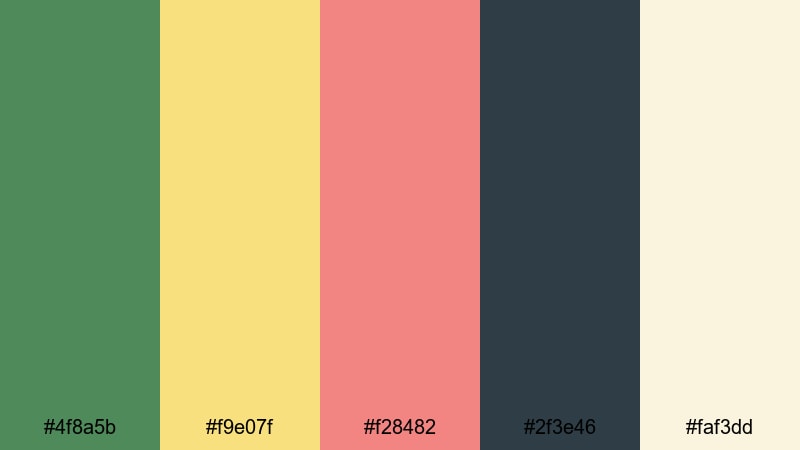
- HEX Codes: #4f8a5b, #f9e07f, #f28482, #2f3e46, #faf3dd
- Mood: Romantic, cinematic, and softly dramatic.
- Use for: Great for travel films, drone shots, and cinematic title cards that mimic golden hour color grading.
Golden Hour Hills combines earthy green (#4f8a5b) and muted gold (#f9e07f) with a mellow red (#f28482), deep teal shadows (#2f3e46), and a light cream base (#faf3dd). It mirrors the way hills and skies look just before sunset, with gentle contrast and a cinematic glow.
This Green Yellow Red palette is ideal for travel cinematics, drone footage, hiking vlogs, and romantic story pieces. In Filmora, use teal for shadow tints, gold in highlights, and the red as a subtle text or icon accent on your opening and closing cards.
Vintage Travel Reel
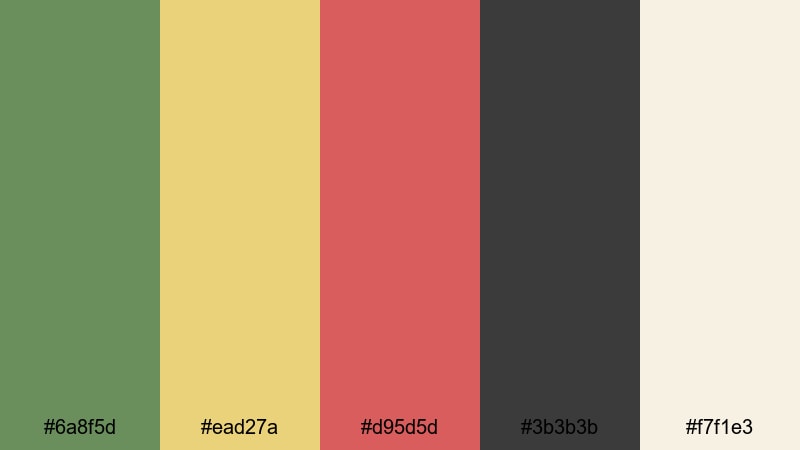
- HEX Codes: #6a8f5d, #ead27a, #d95d5d, #3b3b3b, #f7f1e3
- Mood: Nostalgic, worldly, and slightly faded like old film.
- Use for: Use for retro-style travel diaries, analog-inspired edits, and slideshow sequences with old-photo vibes.
Vintage Travel Reel leans into dusty green (#6a8f5d), muted yellow (#ead27a), and brick red (#d95d5d), framed by charcoal (#3b3b3b) and warm cream (#f7f1e3). It captures the feeling of faded postcards and film strips from long-ago trips.
Use this color combo for retro travel diaries, slideshow edits, or any YouTube series that leans into analog nostalgia. Inside Filmora, combine this palette with grain overlays, film-burn transitions, and subtle vignette effects to sell the old-film atmosphere while keeping titles, maps, and captions clearly legible.
Cozy Market Stroll
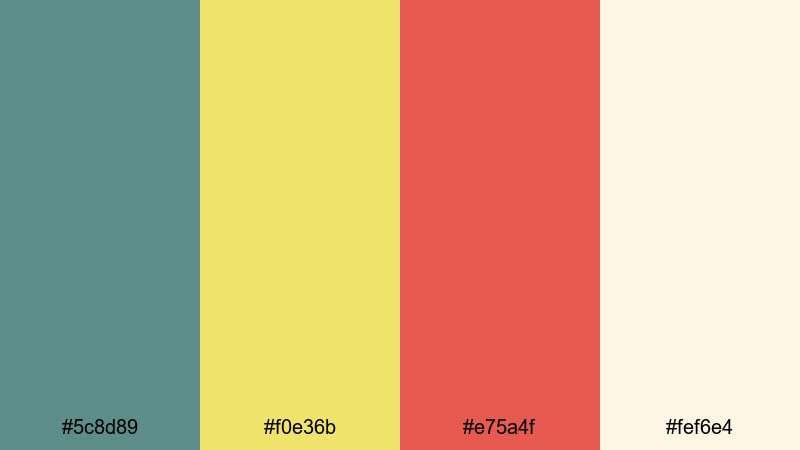
- HEX Codes: #5c8d89, #f0e36b, #e75a4f, #fef6e4
- Mood: Comforting, human, and lightly bustling.
- Use for: Perfect for street food videos, city walk vlogs, and narrative shorts that feel warm and approachable.
Cozy Market Stroll balances soft teal-green (#5c8d89) and honey yellow (#f0e36b) with a friendly red accent (#e75a4f) over a creamy background (#fef6e4). The tones are warm but not loud, like handmade goods and slow weekend walks through local markets.
This palette is a strong choice for street food content, city-walk vlogs, and mini documentaries about people and places. In Filmora, let cream and teal carry the backgrounds and UI elements, with yellow and red used sparingly on titles, price tags, and location labels to guide viewers without overwhelming the frame.
Autumn Picnic Frame
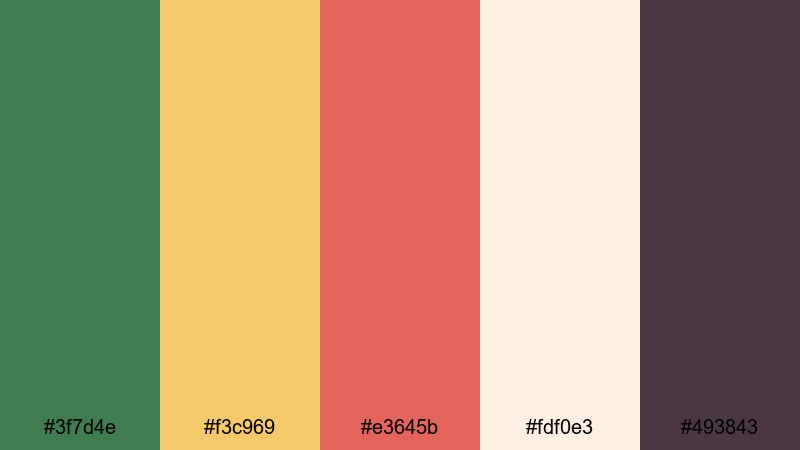
- HEX Codes: #3f7d4e, #f3c969, #e3645b, #fdf0e3, #493843
- Mood: Earthy, relaxed, and softly nostalgic.
- Use for: Great for seasonal reels, cozy b-roll, and storytelling content set in parks, woods, or backyards.
Autumn Picnic Frame uses deep green (#3f7d4e), golden yellow (#f3c969), and warm red (#e3645b) alongside cream (#fdf0e3) and a plum-brown shadow color (#493843). It instantly says fall: blankets on grass, leaves underfoot, and warm drinks.
Use it for seasonal reels, fall lookbooks, back-to-school content, or any cozy storytelling piece. In Filmora, build simple frames or Polaroid-style overlays in cream, then add accent strokes and text in the green, yellow, and red tones to echo the colors in your footage.
Modern Minimal Green Yellow Red Palettes
Clean Signal Blocks
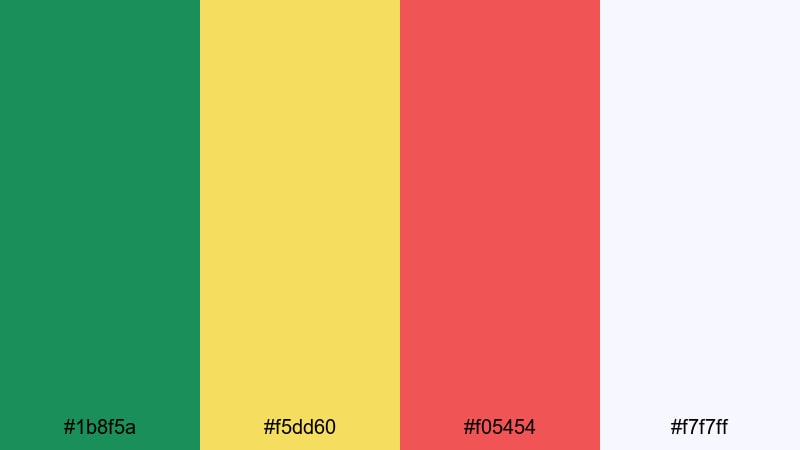
- HEX Codes: #1b8f5a, #f5dd60, #f05454, #f7f7ff
- Mood: Crisp, modern, and clearly legible.
- Use for: Ideal for explainer videos, UI mockups, charts, and motion infographics that must stay readable on mobile.
Clean Signal Blocks keeps things minimal with flat green (#1b8f5a), sunny yellow (#f5dd60), and coral red (#f05454) on a cool off-white background (#f7f7ff). It feels like clean app UI or dashboard tiles where every color has a clear function.
This Green Yellow Red palette is great for explainers, tutorials, SaaS demos, and infographic-style videos. In Filmora, assign green to success states, yellow to neutral info, and red to warnings or errors, then keep backgrounds light so text and numbers remain easy to read on small screens.
Urban Metro Lines
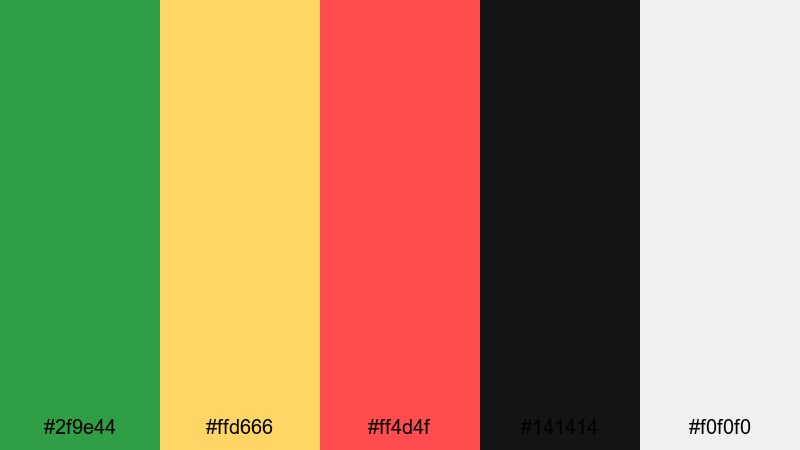
- HEX Codes: #2f9e44, #ffd666, #ff4d4f, #141414, #f0f0f0
- Mood: Structured, urban, and highly directional.
- Use for: Use for map-style graphics, timetable layouts, and minimalist title screens with a transit or city theme.
Urban Metro Lines channels subway design with line-green (#2f9e44), signal yellow (#ffd666), and line-red (#ff4d4f) drawn over strong black (#141414) and soft gray (#f0f0f0). It naturally suggests routes, paths, and direction.
Use this for travel guides, transit-inspired graphics, productivity videos, or any project that needs a structured, urban feel. In Filmora, you can animate thin colored lines and dots to mimic metro maps, using black and gray as your panels and text backgrounds.
Dashboard Alert System
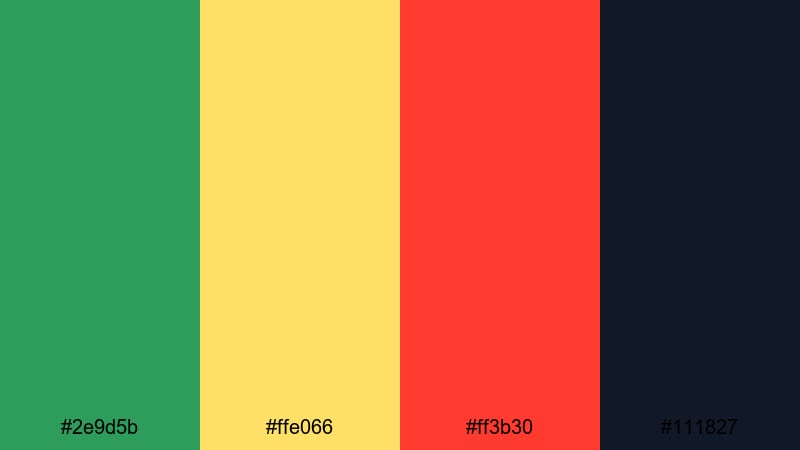
- HEX Codes: #2e9d5b, #ffe066, #ff3b30, #111827
- Mood: Focused, technical, and alert-driven.
- Use for: Great for analytics dashboards, product demos, and motion graphics where you highlight status, warnings, or progress.
Dashboard Alert System is built around professional green (#2e9d5b), status yellow (#ffe066), and bold alert red (#ff3b30) against deep slate (#111827). It looks like a modern analytics dashboard or monitoring interface where color communicates status at a glance.
This is ideal for KPI explainers, product demos, or tech presentations. In Filmora, design panels and lower thirds in slate, then use green, yellow, and red icons or percentage bars to illustrate performance, issues, and alerts inside your video frame.
Startup KPI Highlight
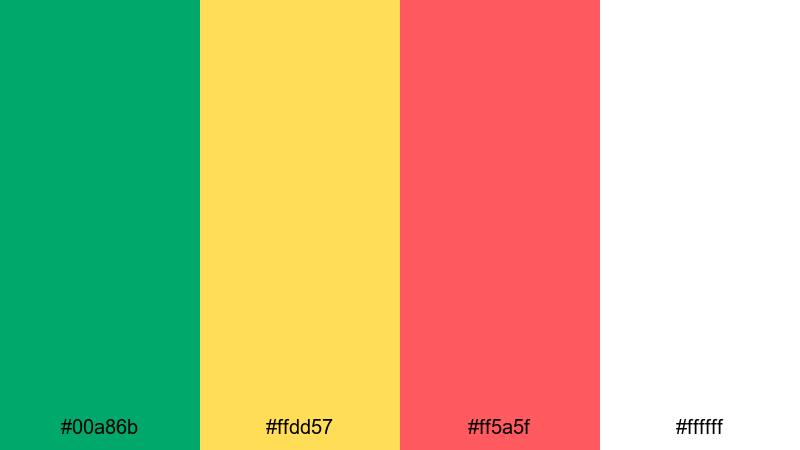
- HEX Codes: #00a86b, #ffdd57, #ff5a5f, #ffffff
- Mood: Optimistic, fresh, and presentation-ready.
- Use for: Perfect for pitch decks, product launch videos, and SaaS explainer graphics that need a clean but energetic look.
Startup KPI Highlight combines bright startup green (#00a86b), soft yet sunny yellow (#ffdd57), and friendly red (#ff5a5f) on pure white (#ffffff). The look is clean, optimistic, and perfectly suited to modern pitch decks and website-style videos.
Use this palette for investor pitches, launch teasers, SaaS explainers, and product walkthroughs. In Filmora, keep your backgrounds white or near-white, then color your charts, icons, and number callouts with this Green Yellow Red palette so viewers instantly understand positive vs warning metrics.
Minimal Stop Go Frames
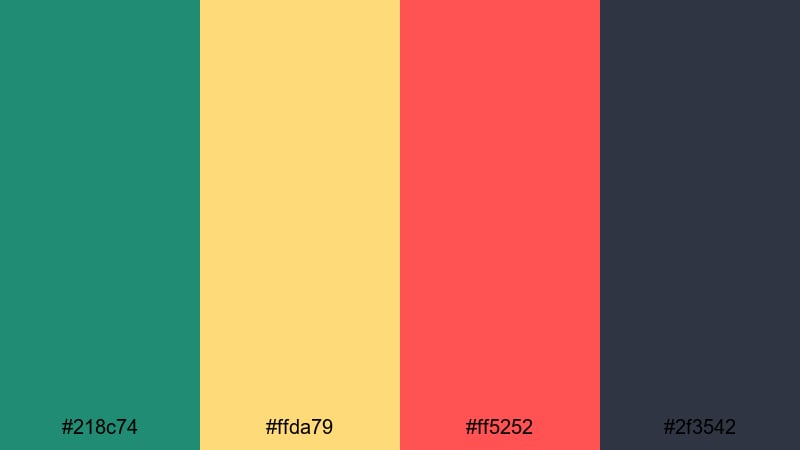
- HEX Codes: #218c74, #ffda79, #ff5252, #2f3542
- Mood: Decisive, graphic, and neatly structured.
- Use for: Use for lower thirds, call-to-action frames, and simple transitions where you want clear visual signals.
Minimal Stop Go Frames refines cool green (#218c74), soft yellow (#ffda79), and bold red (#ff5252) with a grounded slate gray (#2f3542). It keeps the stop, wait, go logic of traffic lights but in a more mature, design-forward style.
Use this palette for lower thirds, minimal transitions, chapter cards, and end-screen CTAs. In Filmora, build simple rectangular frames or split-screen layouts in slate gray, then accent them with green, yellow, and red blocks for quick visual signals that fit tutorials, list videos, and clean brand content.
Tips for Creating Green Yellow Red Color Palettes
Green Yellow Red color palettes are powerful because they carry strong, universal meanings. To use them effectively in video, design, and branding, you need to balance impact, readability, and emotional tone across your whole project.
- Assign roles to each color: use green for positive actions or success, yellow for neutral info or caution, and red for alerts, urgency, or key CTAs.
- Control contrast for readability: pair bright Green Yellow Red accents with dark or very light neutrals so titles and icons stay legible on phones.
- Adjust saturation to match genre: keep colors bold for gaming and hype edits, and slightly desaturate them for cinematic vlogs or travel films.
- Stay consistent across assets: use the same HEX codes in thumbnails, intros, lower thirds, and end screens so your channel or brand feels cohesive.
- Use neutrals to avoid overload: combine Green Yellow Red with white, cream, gray, or navy so the palette feels intentional rather than chaotic.
- Match colors to footage: if your clips are already warm, lean into softer yellows and reds; if they are cool-toned, push greens and deeper shadows.
- Test on multiple devices: preview your designs in Filmora and on your phone to make sure text, charts, and buttons are still easy to read.
- Animate meaningfully: in motion graphics, introduce colors in order (green, yellow, red) to represent flows, levels, or decisions instead of using them randomly.
Used well, a Green Yellow Red color palette can define your channel style, signal meaning in a split second, and give your edits a recognizable brand identity. From traffic-light inspired alerts to soft cinematic sunsets, these 15 palette ideas give you HEX-perfect starting points for almost any project.
Drop these HEX codes into Filmora to style your titles, shapes, and overlays, then refine the tones with color tools, filters, and LUTs. With a clear palette and a consistent workflow, your thumbnails, intros, B-roll, and end screens will all look like they belong to the same polished visual universe.
Experiment with a few different Green Yellow Red color combinations on your next project, save your favorites as presets in Filmora, and build a color language your audience recognizes every time your video appears in their feed.
secure download