

 100% Security Verified | No Subscription Required | No Malware


 ChatGPT
 Perplexity
 Gemini
 Claude
 Grok
Grok
Mahogany is a rich, dark red-brown that instantly suggests warmth, depth, and story. In color psychology, it sits between earthy brown and passionate red, which is why it often feels both grounded and dramatic at the same time. In video and design, Mahogany can make a frame feel cinematic, intimate, or luxurious, depending on how you combine it with highlights, neutrals, and accent colors.
If you create YouTube thumbnails, vlogs, intros, or branding assets in Filmora, a well-planned Mahogany color palette can hold your visuals together from first frame to end screen. Below you will find 15 Mahogany color palettes with HEX codes, crafted for creators and Filmora users who want consistent, polished color across thumbnails, lower thirds, titles, and b-roll.
In this article
Warm & Cinematic Mahogany Color Palettes
Golden Hour Mahogany Glow
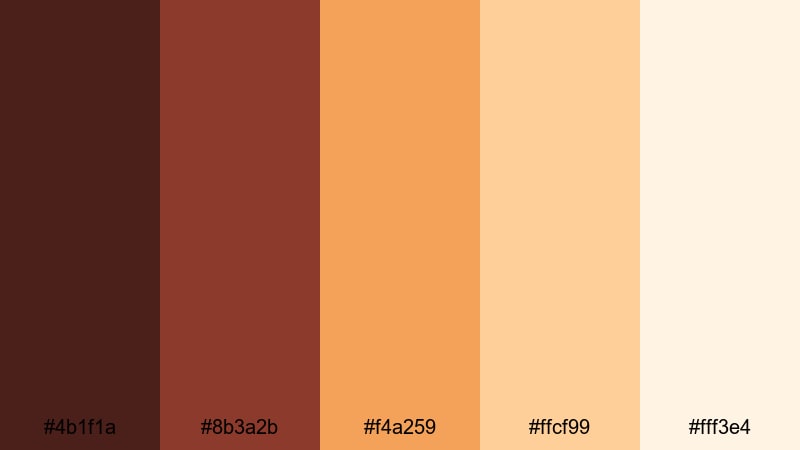
- HEX Codes: #4b1f1a, #8b3a2b, #f4a259, #ffcf99, #fff3e4
- Mood: warm, cinematic, nostalgic
- Use for: Perfect for cinematic vlog intros, travel films, and storytelling thumbnails that need a glowing, late-afternoon warmth.
Golden Hour Mahogany Glow feels like sunlight slipping through curtains onto an old wooden floor. Deep Mahogany (#4b1f1a, #8b3a2b) gives your footage a grounded, filmic base, while the golden and peach highlights (#f4a259, #ffcf99, #fff3e4) mimic the soft haze of sunset. Together, they create a nostalgic atmosphere that works beautifully for romantic vlogs, travel diaries, and dreamy B-roll sequences.
Use this palette for storytelling thumbnails with Mahogany titles over warm gradients, or build matching lower thirds and intro cards so your whole channel feels like it was shot during golden hour. The brighter tones help faces and key objects stand out, while the darker Mahogany shades are ideal for backgrounds, borders, and overlays that frame your subject.
Pro Tip: Build a Cinematic Mahogany Glow in Filmora
To keep this golden Mahogany mood consistent across your edit in Filmora, start by picking one or two key HEX colors from the palette for your titles and shapes, then save them as custom colors. Use the deepest Mahogany shade for text or frame lines, and the peach-beige tones for backgrounds, drop shadows, and highlight boxes.
When you cut between A-roll, B-roll, and social edits, reuse the same colors in your titles, callouts, and animated elements. This gives even quick vlogs the look of a carefully graded film, and your viewers will instantly recognize your Mahogany glow style from thumbnails alone.
AI Color Palette
If you have a reference still or mood board that already uses this Mahogany golden hour look, you can let Filmora match it automatically. Filmora's AI Color Palette feature analyzes the colors in a reference image or clip, then transfers that palette to other shots in your timeline.
Import one warm, perfectly lit clip, apply AI Color Palette, and then match the rest of your footage to it. This helps you keep the same Mahogany base and soft golden highlights across your vlog intro, main story, b-roll cutaways, and even Shorts or Reels exports, without manually tweaking every clip.
 secure download

HSL, Color Wheels & Curves
For finer control over Mahogany tones, use Filmora's HSL, color wheels, and curves. You can gently push reds and oranges toward a softer, golden hue while darkening the shadows to keep that rich Mahogany contrast. This is perfect when your footage was shot at different times of day but you want a unified sunset-style grade.
In HSL, lower saturation in harsh reds and lift warmth in yellows so skin tones stay natural against deeper Mahogany backgrounds. Then, with curves and color wheels, add a hint of warmth to midtones while keeping highlights clean and not too orange. Filmora's color correction tools make it easy to create a cinematic Mahogany look that still feels true to your original footage.
secure download1000+ Video Filters & 3D LUTs
To speed up your Mahogany grading workflow, start with Filmora's built-in filters and LUTs, then tweak. Many cinematic and warm film LUTs already emphasize deep browns and soft highlights, which gives you a quick Mahogany base before you dial in details.
Filmora's video filters and 3D LUTs make it easy to test different variations: more vintage, more modern, or more saturated. Apply a LUT to your entire project, then adjust opacity and combine it with subtle HSL changes until your Mahogany color palette feels cohesive across intros, talking-head shots, b-roll, and end screens.
secure downloadVintage Theater Seats
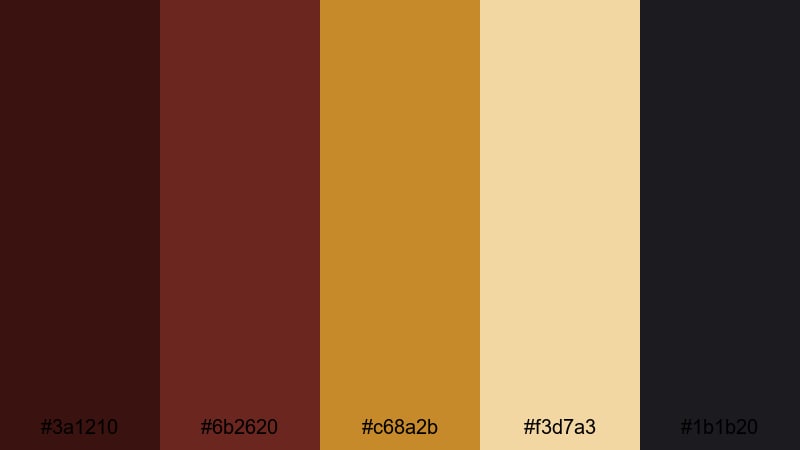
- HEX Codes: #3a1210, #6b2620, #c68a2b, #f3d7a3, #1b1b20
- Mood: retro, dramatic, cozy
- Use for: Ideal for documentary titles, film review channels, and retro cinema countdowns with a moody, theatrical feel.
Vintage Theater Seats captures the feeling of worn velvet chairs, brass railings, and dim projector light. The deep Mahogany reds (#3a1210, #6b2620) create a plush, theater-like base, while muted gold (#c68a2b) and cream (#f3d7a3) bring in that classic cinema glow. The near-black blue-gray (#1b1b20) is perfect for shadows and backgrounds that make text pop.
Use this palette for film review thumbnails, countdown animations, and opening credits that should feel like the lights are dimming before a screening. Apply the darker Mahogany to frames and bars, then let the gold and cream shades highlight rating badges, channel logos, and title text for a cozy but dramatic presentation.
Emberlit Storyteller
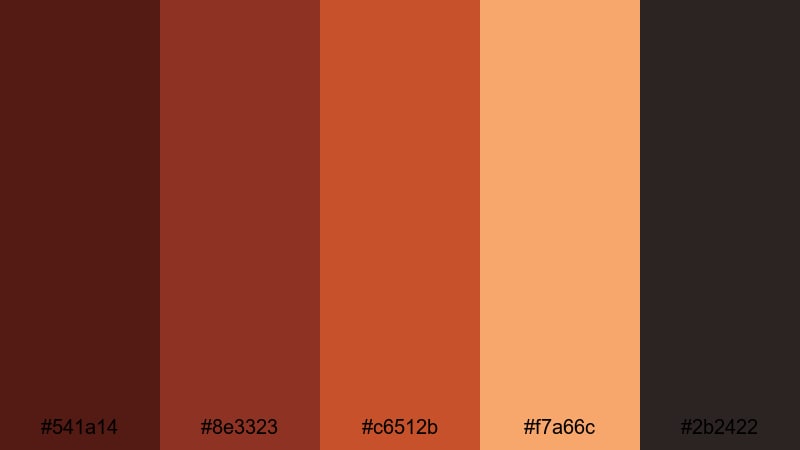
- HEX Codes: #541a14, #8e3323, #c6512b, #f7a66c, #2b2422
- Mood: fiery, passionate, narrative-driven
- Use for: Use for narrative-driven edits, lyric videos, and intense gaming highlights that need fiery accents without losing depth.
Emberlit Storyteller feels like a glowing campfire against the night. Dark Mahogany and brick tones (#541a14, #8e3323) build a solid, story-first foundation, while ember oranges (#c6512b, #f7a66c) add motion and excitement. The smoky dark neutral (#2b2422) works well for overlays, letterboxing, and subtle gradients.
In your edits, use the warmer oranges to trace key beats in a lyric video, highlight combos in gaming montages, or emphasize beats in a cinematic trailer. Meanwhile, the deeper Mahogany and smoke tones are ideal for background panels, lower-thirds bases, and animated overlays that keep attention on your story.
Mahogany Sunset Frames
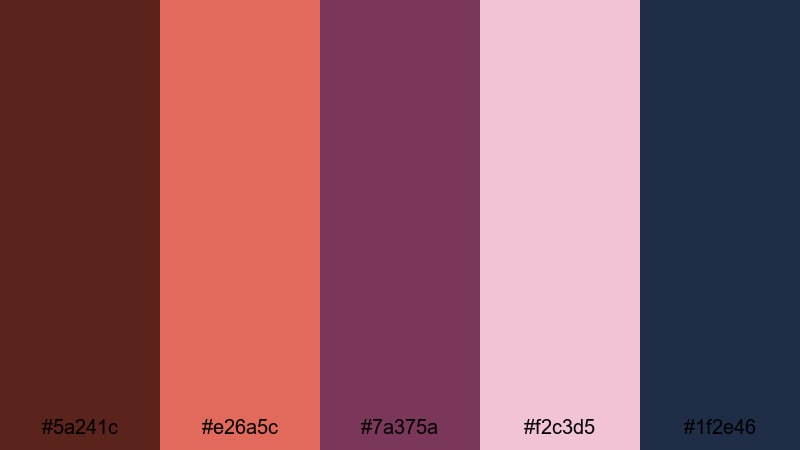
- HEX Codes: #5a241c, #e26a5c, #7a375a, #f2c3d5, #1f2e46
- Mood: romantic, cinematic, slightly dreamy
- Use for: Great for wedding highlight reels, engagement announcements, and aesthetic Reels or Shorts with soft transitions.
Mahogany Sunset Frames blends Mahogany shadows (#5a241c) with coral and mauve sunset tones (#e26a5c, #7a375a), then balances them with a soft blush highlight (#f2c3d5) and a deep dusk blue (#1f2e46). The result is a palette that feels dreamy and cinematic, like the last light on a wedding day.
Use the deeper Mahogany and blue shades for frames, borders, or gradient overlays, then place text and key visuals on top of the coral and blush. This palette is especially effective for romantic thumbnails, wedding highlight intros, and Instagram Reels covers where you want soft, emotional visuals without losing clarity.
Elegant & Luxury Mahogany Color Palettes
Mahogany Champagne Soiree
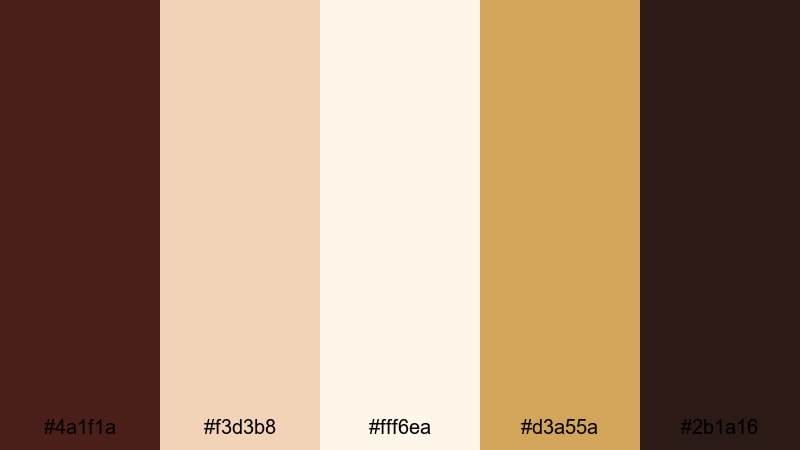
- HEX Codes: #4a1f1a, #f3d3b8, #fff6ea, #d3a55a, #2b1a16
- Mood: luxurious, polished, celebratory
- Use for: Perfect for luxury brand promos, wedding invitations in motion, and high-end product reels.
Mahogany Champagne Soiree mixes rich Mahogany (#4a1f1a, #2b1a16) with bubbly champagne and ivory tones (#f3d3b8, #fff6ea), highlighted by a brushed gold accent (#d3a55a). It feels premium and celebratory, like a private event or a sparkling launch party.
Use Mahogany as the main background or accent color in logo animations, and let the champagne and ivory tones carry text and product shots. Gold is perfect for thin outlines, icons, and animated confetti or sparkles, giving your intros, invitations, and promo videos a sophisticated, high-end finish.
Velvet Mahogany Luxe
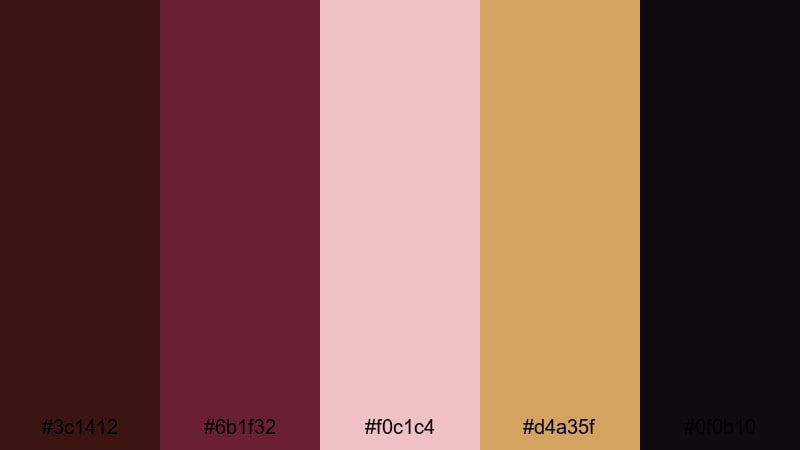
- HEX Codes: #3c1412, #6b1f32, #f0c1c4, #d4a35f, #0f0b10
- Mood: opulent, intimate, sophisticated
- Use for: Use for fashion lookbooks, perfume ads, and moody channel branding where you want a velvet-like richness.
Velvet Mahogany Luxe leans into deep wine and Mahogany tones (#3c1412, #6b1f32) contrasted with soft blush (#f0c1c4), antique gold (#d4a35f), and near-black shadows (#0f0b10). The palette feels tactile and plush, as if your visuals are wrapped in velvet.
For fashion or beauty content, use the darkest shades as a background for product close-ups, then highlight details with blush and gold to create a luxury editorial vibe. In thumbnails and banners, this palette makes logo marks, serif titles, and minimal layouts look refined and intimate at the same time.
Rose Gold Mahogany Marble
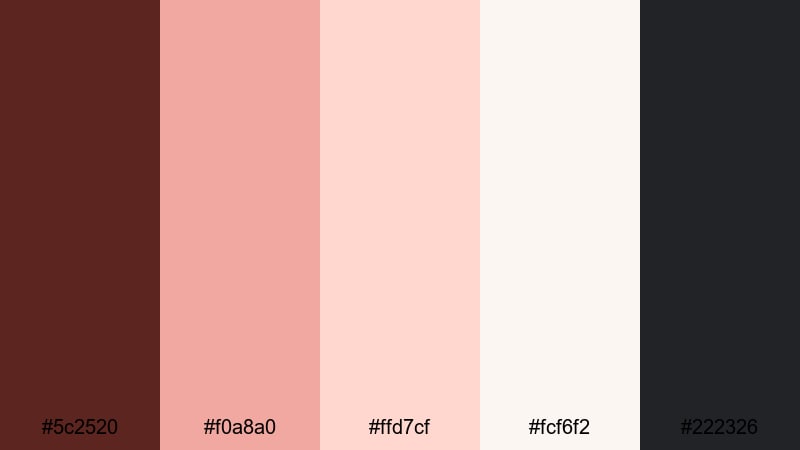
- HEX Codes: #5c2520, #f0a8a0, #ffd7cf, #fcf6f2, #222326
- Mood: chic, feminine, editorial
- Use for: Great for beauty channels, lifestyle branding, and product flat-lays with overlay text or motion graphics.
Rose Gold Mahogany Marble softens Mahogany (#5c2520) with rose gold and pale blush tones (#f0a8a0, #ffd7cf), layered over a marble white base (#fcf6f2) and anchored by a deep graphite accent (#222326). It feels fresh, feminine, and modern, ideal for clean editorial layouts.
Use marble white as your primary background in intros and outros, bring in Mahogany for headers or borders, and use rose gold accents for buttons, badges, or social handles. This palette translates beautifully to YouTube banners, beauty product reels, and packaging-style mockups where you want a cohesive, on-trend aesthetic.
Gilded Mahogany Title Card
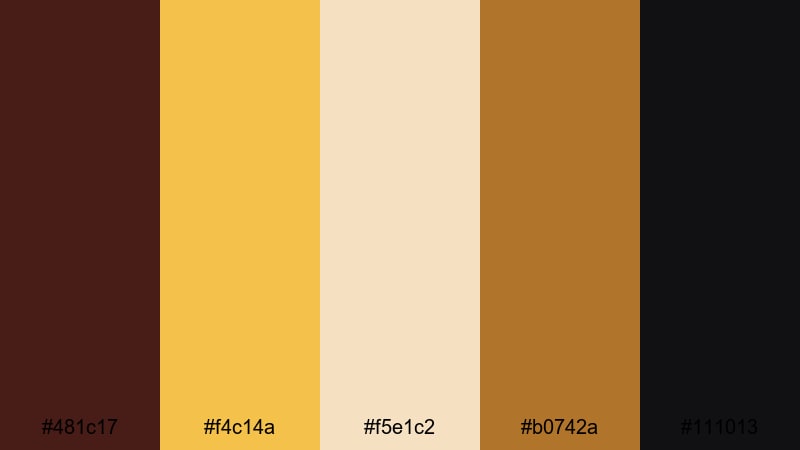
- HEX Codes: #481c17, #f4c14a, #f5e1c2, #b0742a, #111013
- Mood: regal, bold, attention-grabbing
- Use for: Designed for bold title cards, logo reveals, and cinematic openers that need strong contrast and luxury vibes.
Gilded Mahogany Title Card pairs a strong Mahogany base (#481c17) with bright golds (#f4c14a, #b0742a), a soft beige highlight (#f5e1c2), and a deep near-black (#111013). The contrast is high and immediately eye-catching, perfect for frames that must grab attention in seconds.
Use the darkest tone as a full-bleed background and overlay your logo or main title in gold, with beige used for secondary text. This palette is perfect for cinematic openers, channel rebrands, and chapter cards where you want a regal, high-impact Mahogany look that still reads clearly on mobile screens.
Earthy & Rustic Mahogany Color Palettes
Forest Cabin Mahogany
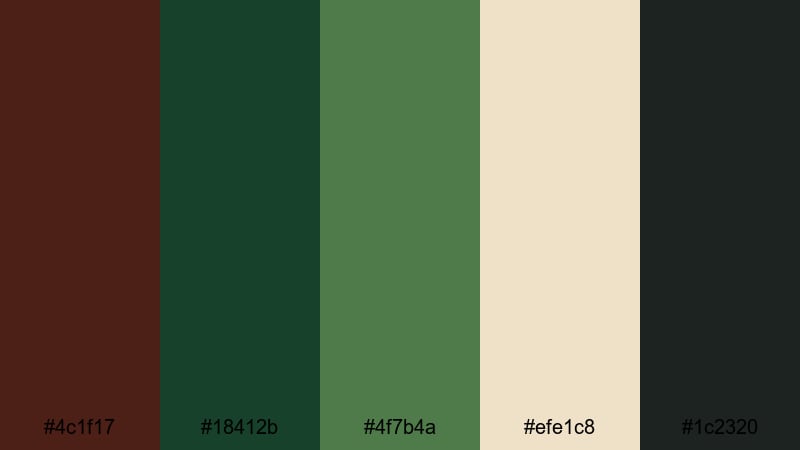
- HEX Codes: #4c1f17, #18412b, #4f7b4a, #efe1c8, #1c2320
- Mood: grounded, tranquil, outdoorsy
- Use for: Ideal for nature vlogs, camping videos, and eco-brand explainers that lean into organic, earthy tones.
Forest Cabin Mahogany feels like a weekend retreat in the woods. The Mahogany wood tone (#4c1f17) and deep greens (#18412b, #4f7b4a) create a calm, organic base, with parchment highlights (#efe1c8) and charcoal shadows (#1c2320) adding depth and readability.
Use the greens for backgrounds and accent panels in nature vlogs, then bring in Mahogany for text, icons, or wooden UI elements in overlays. The parchment color works well for subtitles, tip boxes, or chapter markers, making your eco content feel warm, rustic, and easy to read.
Rustic Coffee Mahogany
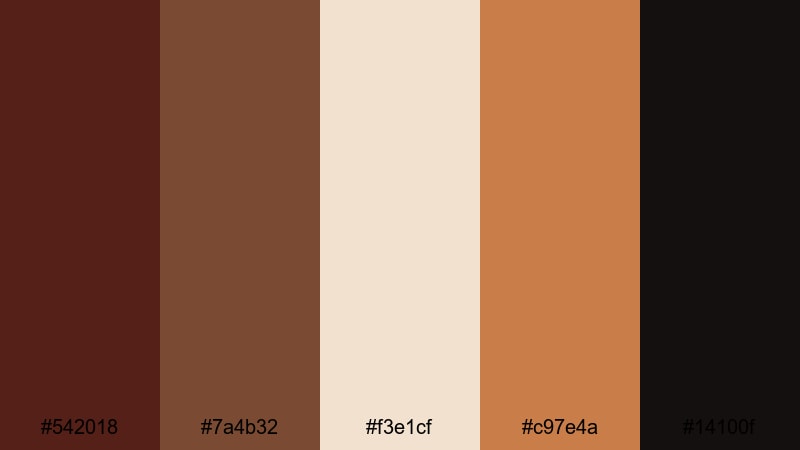
- HEX Codes: #542018, #7a4b32, #f3e1cf, #c97e4a, #14100f
- Mood: cozy, inviting, artisanal
- Use for: Use for coffee shop b-roll, small business brand stories, and behind-the-scenes reels with a handcrafted feel.
Rustic Coffee Mahogany is built from espresso and latte tones. Deep Mahogany-brown (#542018) and roasted coffee (#7a4b32) pair with creamy beige (#f3e1cf) and clay accents (#c97e4a), grounded by a nearly black brown (#14100f). It instantly suggests warmth, craft, and slow living.
Use the lighter cream as a background for menu-style overlays, price tags, or callouts, and keep the darkest shades for text and frame lines. This palette is ideal for cafe b-roll, artisan brand stories, and Instagram or TikTok edits that show hands, textures, and warm interiors.
Autumn Leaves Mahogany Trail
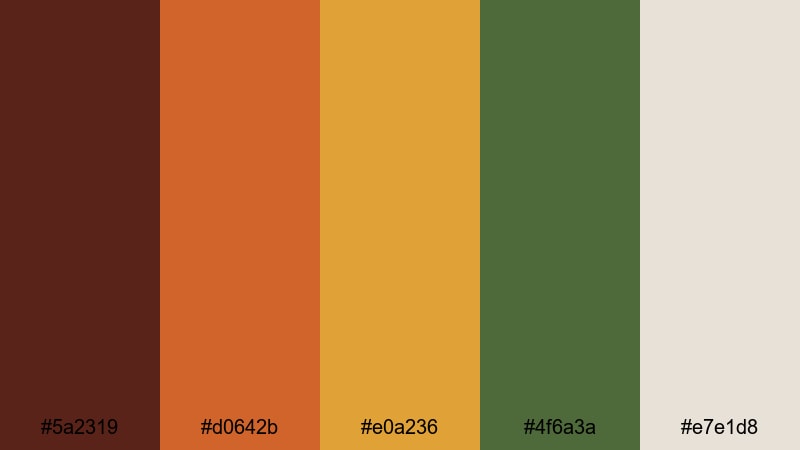
- HEX Codes: #5a2319, #d0642b, #e0a236, #4f6a3a, #e7e1d8
- Mood: seasonal, nostalgic, warm
- Use for: Perfect for fall travel vlogs, seasonal promotions, and cozy vlogmas-style intros.
Autumn Leaves Mahogany Trail captures the colors of a fall hike: tree trunks and Mahogany bark (#5a2319), burnt orange leaves (#d0642b), mustard yellows (#e0a236), mossy greens (#4f6a3a), and a soft foggy neutral (#e7e1d8). It feels warm and nostalgic without going too dark.
Use this palette for seasonal channel art, fall-themed playlists, and vlogmas intros. Let the soft neutral carry body text and background panels, while the oranges and yellows highlight key dates, sale badges, or episode numbers. Mahogany and green keep everything grounded and legible.
Terracotta Mahogany Courtyard
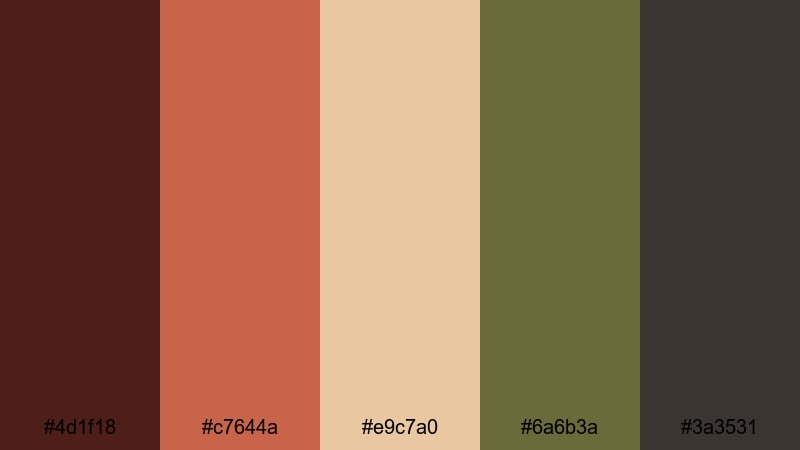
- HEX Codes: #4d1f18, #c7644a, #e9c7a0, #6a6b3a, #3a3531
- Mood: sun-baked, artisanal, rustic
- Use for: Great for travel diaries, architectural b-roll, and handmade product showcases with a Mediterranean or boho twist.
Terracotta Mahogany Courtyard combines sun-baked Mahogany (#4d1f18) and terracotta (#c7644a) with sandy neutrals (#e9c7a0), muted olive (#6a6b3a), and deep stone shadows (#3a3531). It feels like walking through a warm courtyard with pottery, plants, and textured walls.
Use terracotta and sand for backgrounds and card layouts, then accent key details and typography with Mahogany and dark stone for contrast. This palette suits travel title cards, boho product lookbooks, and rustic typography overlays, especially when paired with slow pans, architecture shots, and macro textures.
Modern Minimal Mahogany Color Palettes
Soft Mahogany Neutrals
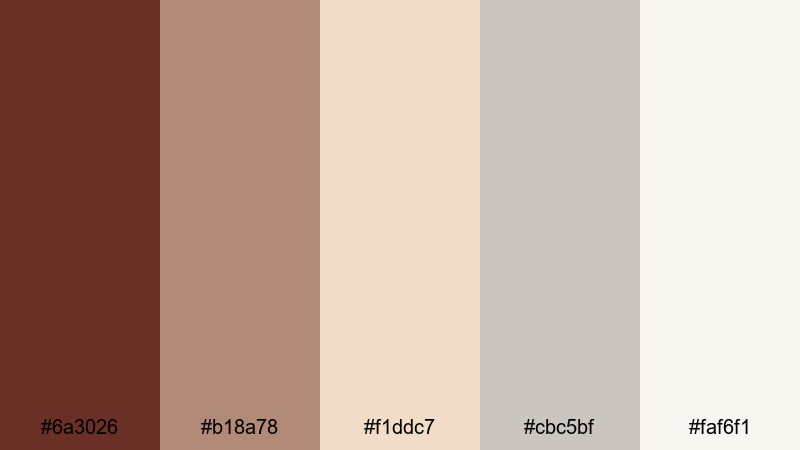
- HEX Codes: #6a3026, #b18a78, #f1ddc7, #cbc5bf, #faf6f1
- Mood: calm, minimal, approachable
- Use for: Use for minimalist channel branding, lifestyle vlogs, and clean lower thirds that still feel warm and human.
Soft Mahogany Neutrals uses a muted Mahogany accent (#6a3026) surrounded by warm taupes and beiges (#b18a78, #f1ddc7) and gentle grays (#cbc5bf, #faf6f1). It is minimal and clean but not cold, making it ideal for channels that want a soft, lifestyle-friendly aesthetic.
Use the lightest tones for backgrounds and panels, and reserve Mahogany for logos, buttons, and key callouts. This palette works well in tutorials, productivity content, and lifestyle vlogs where you want a warm but uncluttered interface for titles, timers, and chapter markers.
Mahogany On Slate
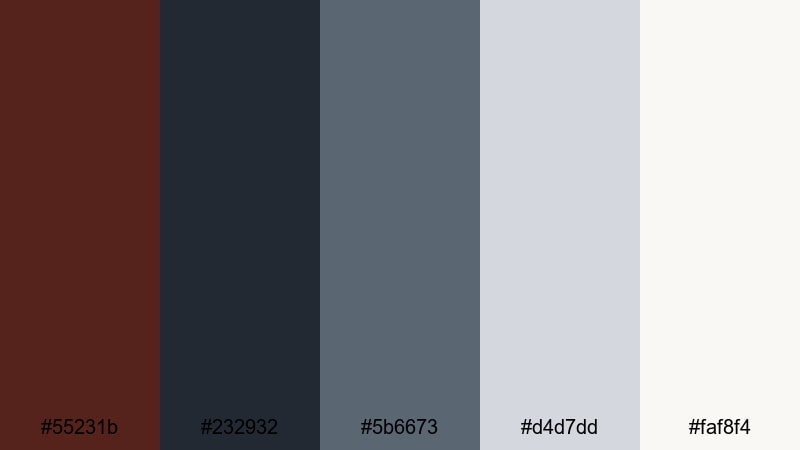
- HEX Codes: #55231b, #232932, #5b6673, #d4d7dd, #faf8f4
- Mood: sleek, modern, professional
- Use for: Ideal for tech reviews, productivity channels, and UI mockups where you want a serious look with a warm accent.
Mahogany On Slate creates a professional base with cool slate blues and grays (#232932, #5b6673, #d4d7dd, #faf8f4), then adds Mahogany (#55231b) as a warm focal accent. The mix feels modern and balanced, perfect for serious content that still wants a touch of personality.
Use slate tones as card backgrounds and interface-style elements, then apply Mahogany to accent buttons, progress bars, or key numbers in your overlays. This palette works especially well for tech reviews, app breakdowns, and productivity explainers where you want clarity and contrast on both light and dark modes.
Clean Mahogany Interface
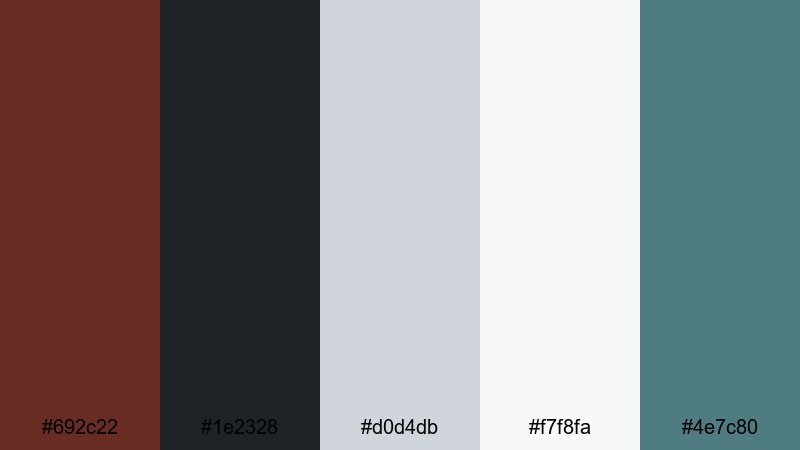
- HEX Codes: #692c22, #1e2328, #d0d4db, #f7f8fa, #4e7c80
- Mood: crisp, digital, balanced
- Use for: Great for app promos, dashboards, tutorial overlays, and modern lower thirds with a warm yet tech-friendly edge.
Clean Mahogany Interface pairs a strong Mahogany accent (#692c22) with charcoal (#1e2328), airy grays (#d0d4db, #f7f8fa), and a muted teal (#4e7c80). It feels digital and crisp but not sterile, making it perfect for on-screen UI elements and data-driven content.
Use the light grays for panels, charts, and step-by-step overlays, then apply Mahogany to highlight active states, important stats, or CTA buttons. The muted teal is a great secondary accent for icons and supporting labels, giving your tutorials, app promos, and dashboard demos a clear, polished Mahogany-driven identity.
Tips for Creating Mahogany Color Palettes
Mahogany works best when you balance its depth with lighter highlights, neutrals, and at least one contrasting accent. Whether you are designing thumbnails, titles, or full motion graphics in Filmora, use these tips to build strong Mahogany color combinations.
- Pair Mahogany with light neutrals (ivory, sand, soft gray) to keep text and UI elements readable, especially on mobile thumbnails.
- Add a metallic accent like gold or rose gold when you want luxury vibes, and use it sparingly for outlines, icons, or logo details.
- Use greens or cool blues as contrasting accents for earthy or modern looks; they keep Mahogany from feeling too heavy in outdoor or tech content.
- Test your palette on both dark and light backgrounds in Filmora to ensure subtitles, lower thirds, and logos stay clear against real footage.
- Stay consistent: choose one Mahogany shade as your primary brand color and reuse its HEX code across titles, frames, and overlays.
- For cinematic grading, let Mahogany sit mainly in shadows and midtones, and keep highlights slightly warmer but not fully orange.
- Check accessibility by zooming out on your timeline or thumbnails; if key text disappears, lighten the background or brighten your Mahogany accent.
- Save your favorite Mahogany palettes as presets or custom colors in Filmora so you can apply the same look faster in future projects.
Mahogany color palettes can make your videos feel cinematic, cozy, or luxurious with just a few carefully chosen shades. From warm golden-hour stories to sleek modern interfaces, the right Mahogany combination shapes your channel identity and helps viewers recognize your brand at a glance.
Use these 15 palettes as starting points, then refine them inside Filmora with AI Color Palette, HSL, and filters until they match your footage and style. Once your Mahogany look is locked in, apply it across intros, thumbnails, lower thirds, and end cards so every upload feels part of the same visual world.
Open Filmora, drop in your footage, and start experimenting with Mahogany-based colors on your next edit. With a few saved HEX codes and a consistent palette, your projects will look more professional and cohesive in no time.
secure downloadNext: White Sand Color Palette
