

 100% Security Verified | No Subscription Required | No Malware


 ChatGPT
 Perplexity
 Gemini
 Claude
 Grok
Grok
Midnight Green is a deep, blue-leaning green that feels calm, confident, and cinematic all at once. It suggests depth, reliability, and quiet luxury, which makes it perfect for content that should feel premium without looking overly flashy. In color psychology, these dark teal tones are often linked with stability, intelligence, and nature, while still feeling modern enough for tech and design projects.
For creators, Midnight Green works beautifully in YouTube thumbnails, intros and outros, overlays, lower thirds, and channel branding. Paired with warm accent colors like amber, coral, or gold, it can turn a simple vlog or product demo into something that feels like a carefully graded film. Below you will find 15 curated Midnight Green color palettes with HEX codes, ready to use in Filmora or any design tool for cinematic videos, cohesive thumbnails, and standout branding.
In this article
Cinematic Midnight Green Color Palettes
Urban Harbor Dusk
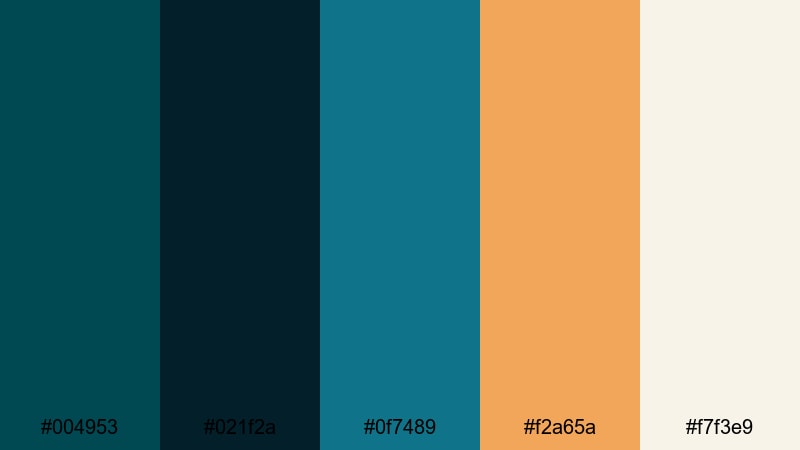
- HEX Codes: #004953, #021f2a, #0f7489, #f2a65a, #f7f3e9
- Mood: Moody, cinematic, and slightly industrial, like a harbor at blue hour.
- Use for: Use for cinematic vlog titles, cityscape b-roll sequences, and dramatic YouTube thumbnails.
Urban Harbor Dusk mixes deep Midnight Green with near-black navy, a cool teal highlight, and warm amber against a soft cream background. It feels like looking over a port city just after sunset, when neon signs and warm window lights reflect on dark water. The contrast between the dark base tones and the glowing accent colors instantly creates a cinematic, moody atmosphere.
This palette works especially well for urban storytelling: night city vlogs, travel reels in modern districts, or any video where you want your titles and overlays to feel like frames from a movie. Use the darkest shades for backgrounds, Midnight Green for key elements, and the amber or cream for titles, call-to-action buttons, and highlight text in your thumbnails and lower thirds.
Pro Tip: Build a Cinematic Midnight Green Look in Filmora
To keep your Urban Harbor Dusk palette consistent, build a simple style system inside Filmora. Use a Midnight Green solid color or gradient as the base for your title cards and subscribe end screens, then reuse the same HEX values for text, shapes, and overlays throughout the entire video. This way, your intro, b-roll, and outro all feel like part of the same cinematic world.
You can also layer subtle vignettes and blur transitions over darker green-blue tones to push the harbor-at-dusk feeling. Combine bold Midnight Green text with a soft cream background for high readability, and reserve the amber accent only for the most important words, like episode titles, timestamps, or promo codes.
AI Color Palette
If you have a frame from your favorite city-night movie or a photo of an actual harbor at dusk, you can turn it into a reference for your entire edit. Filmora's AI Color Palette feature lets you sample colors from that image and apply the same mood across multiple clips.
Import your reference shot and your raw footage into Filmora, then use AI Color Palette to match your clips to the Midnight Green and amber tones you love. This is an easy way to carry the Urban Harbor Dusk feel from your opening wide shots, through close-up b-roll, all the way to vertical social cutdowns without manually grading every piece.
 secure download

HSL, Color Wheels & Curves
Once your overall tones are in place, fine-tune the Midnight Green look using HSL, color wheels, and curves inside Filmora. You can nudge the greens slightly toward teal for a cooler, techy city-night feeling, or shift them toward a more forest-like green for a grounded, documentary style. Bringing down the luminance of blues and cyans in HSL can also deepen skies and shadows without crushing skin tones.
Use the color wheels to tint shadows toward deep green-blue while keeping midtones neutral, then add a gentle S-curve to increase contrast. This keeps detail in your highlights (like city lights and reflections) while letting your darker areas stay rich and cinematic. Small adjustments in these tools will help your Midnight Green palette feel intentional instead of accidental.
secure download1000+ Video Filters & 3D LUTs
If you want to speed up your styling, Filmora's video filters and 3D LUTs make it easy to build on top of your Midnight Green palette. You can start with a cinematic or teal-and-orange LUT, then adjust the greens and cyans to match your Urban Harbor Dusk HEX codes.
Stack subtle filters for grain, glow, or light leaks to make your Midnight Green scenes feel like they were shot on a cinema camera. Once you find a combination you like, save it as a custom preset so your future thumbnails, trailers, and shorts keep the same rich, urban look with just a couple of clicks.
secure downloadNoir Neon Alley
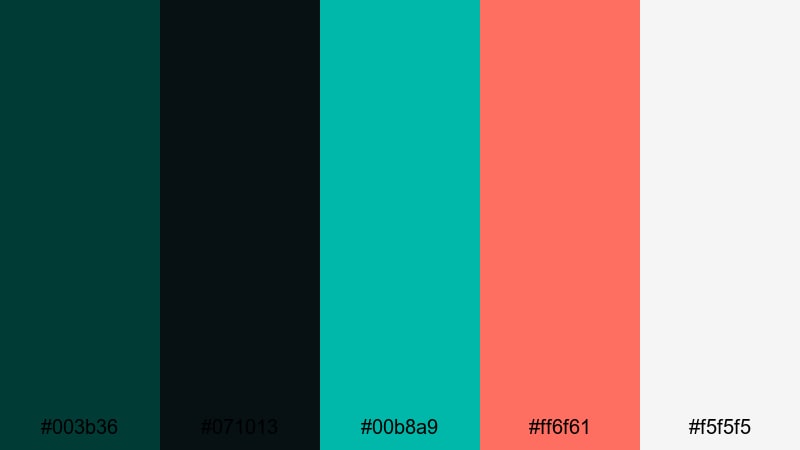
- HEX Codes: #003b36, #071013, #00b8a9, #ff6f61, #f5f5f5
- Mood: Dark and edgy with high-contrast neon sparks.
- Use for: Use for tech reviews, cyberpunk intros, gaming highlights, and energetic stream overlays.
Noir Neon Alley pairs inky Midnight Green and near-black charcoal with sharp neon teal and electric coral, grounded by clean white. The dark base feels like a wet street at night, while the bright accents mimic neon signs cutting through the shadows.
Use the darkest shades for backgrounds and frames in your gaming highlights or tech reviews, then drop your titles, buttons, and icons in neon teal or coral so they pop on small screens. This palette is especially strong in YouTube thumbnails, stream overlays, and animated lower thirds where you want a cyberpunk, high-energy feeling without losing readability.
Deep Ocean Title Card
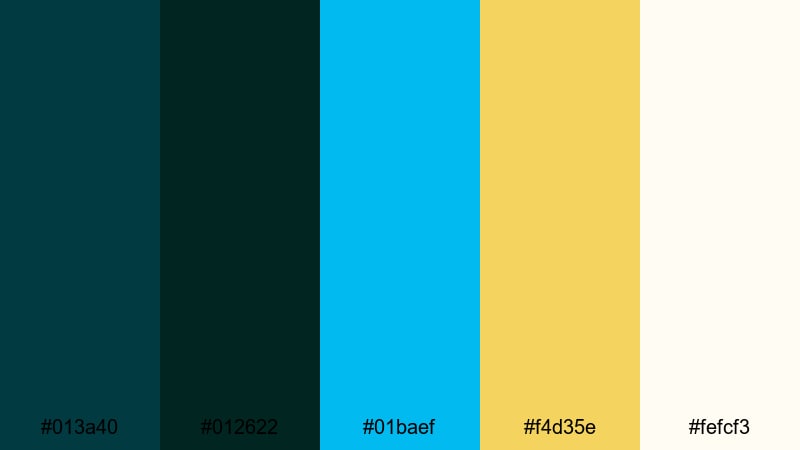
- HEX Codes: #013a40, #012622, #01baef, #f4d35e, #fefcf3
- Mood: Immersive, adventurous, and slightly mysterious, like a deep sea expedition.
- Use for: Use for travel vlogs, underwater footage, documentary title cards, and cinematic lower-thirds.
Deep Ocean Title Card layers two dark teal-greens with bright aqua, soft gold, and a warm off-white. It feels immersive and adventurous, as if your viewer is diving into deep water lit by scattered rays of light.
In Filmora, use the darkest shades for full-screen title backgrounds, then bring in aqua and gold for typography, icons, and line accents. This palette is ideal for travel vlogs with ocean footage, scuba or snorkeling content, and cinematic openers where you want your title graphics to echo the colors of the sea.
Midnight Tech Thriller
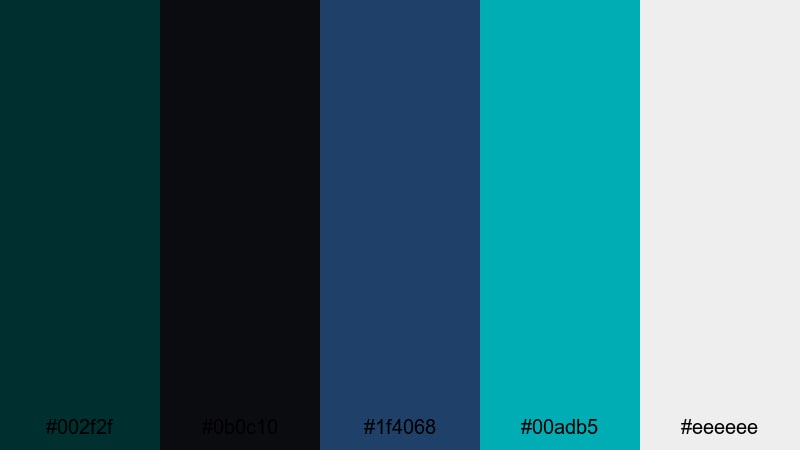
- HEX Codes: #002f2f, #0b0c10, #1f4068, #00adb5, #eeeeee
- Mood: Tense, futuristic, and high-tech with a sleek edge.
- Use for: Use for sci-fi shorts, tech explainers, app launch trailers, and glitchy intro animations.
Midnight Tech Thriller blends a deep Midnight Green with nearly black shadow tones, cool blue, vivid cyan, and a clean light gray. The combination feels like a digital control room or a hacker thriller, sleek and slightly tense.
Use the dark hues for backgrounds and frames, then apply cyan and blue to motion graphics, HUD-style overlays, and animated typography. The light gray is perfect for body text in explainer videos and app demos, keeping everything readable while the Midnight Green tones set a cinematic, high-tech mood.
Minimal And Modern Midnight Green Palettes
Clean Interface Current
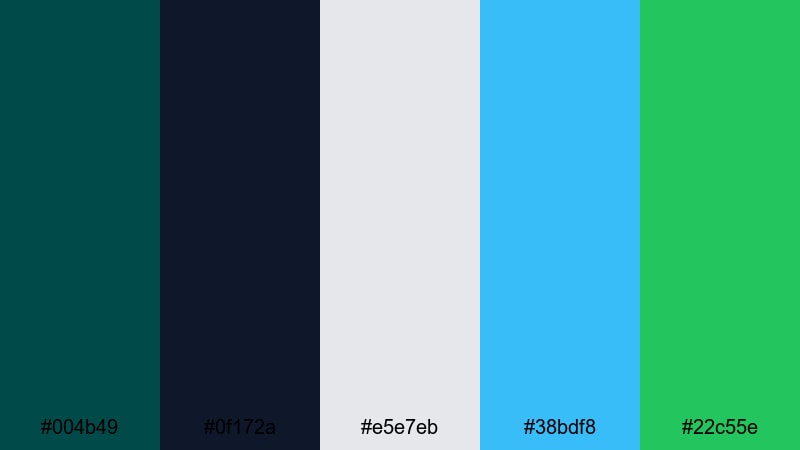
- HEX Codes: #004b49, #0f172a, #e5e7eb, #38bdf8, #22c55e
- Mood: Clean, focused, and efficient with a fresh tech startup feel.
- Use for: Use for app UI mockups, software demos, dashboard explainers, and minimalist channel branding.
Clean Interface Current pairs a solid Midnight Green with deep navy, soft gray, and crisp cyan and green accents. It feels like a modern SaaS dashboard or a clean product homepage translated into a video palette.
For UI-focused videos, screen recordings, or tutorial content, use the neutrals for backgrounds and panels, then use cyan and bright green to highlight key stats, buttons, and callouts. This palette keeps your interface clean and professional while still giving your thumbnails and intro cards a clear, brandable look built around Midnight Green.
Gridline Studio Brand
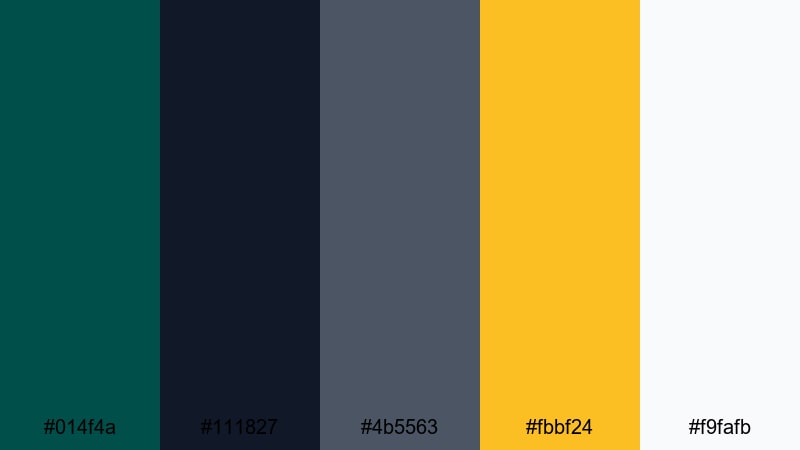
- HEX Codes: #014f4a, #111827, #4b5563, #fbbf24, #f9fafb
- Mood: Professional, grounded, and creative with a subtle studio warmth.
- Use for: Use for brand style guides, logo animations, motion graphics templates, and portfolio reels.
Gridline Studio Brand combines a grounded Midnight Green with charcoal and medium gray, lifted by a confident golden accent and clean white. It feels like a creative agency identity system: serious enough for clients, but still visually engaging.
Use Midnight Green and charcoal as key brand colors in your logo stings, intro animations, and lower-third bars. The gold accent is ideal for rating stars, key stats, or headlines in thumbnails and case-study videos. White keeps the whole system feeling clean, ensuring your text and icons remain legible on any device.
Scandinavian Loft Edit
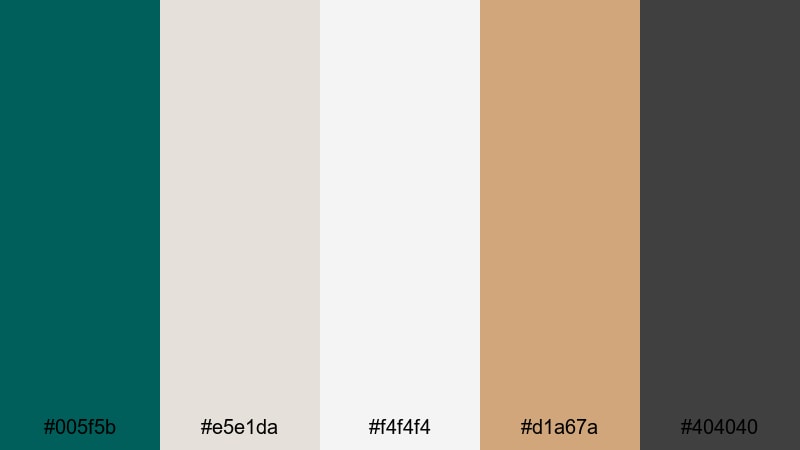
- HEX Codes: #005f5b, #e5e1da, #f4f4f4, #d1a67a, #404040
- Mood: Calm, airy, and design-forward with a cozy minimalism.
- Use for: Use for home decor videos, lifestyle vlogs, slow living edits, and product showcases.
Scandinavian Loft Edit balances a rich Midnight Green with warm neutrals, soft off-whites, and a muted tan accent. It feels like a minimalist apartment bathed in soft daylight, calm but visually curated.
For lifestyle content, unboxings, or interior tours, use the light neutrals for background cards and text panels, while Midnight Green appears in titles, logo marks, and subtle frames. The tan accent works well for price tags, product labels, and chapter markers, giving your videos a gentle, cozy sophistication without overwhelming your footage.
Balanced Monoline Logo
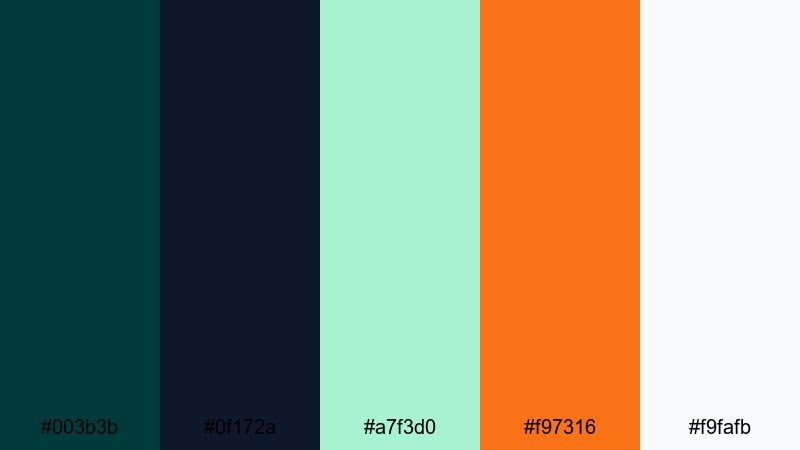
- HEX Codes: #003b3b, #0f172a, #a7f3d0, #f97316, #f9fafb
- Mood: Sharp, modern, and brand-ready with a friendly twist.
- Use for: Use for logo reveals, channel intro stings, minimalist icon sets, and lower-third graphics.
Balanced Monoline Logo uses deep Midnight Green and navy as a solid base, then adds soft mint and a vibrant orange accent on top of a light background. It feels contemporary and brand-ready, especially for clean line logos and iconography.
Use Midnight Green as the main color of your logo and title bars, mint for subtle highlights or background shapes, and orange for key actions like subscribe buttons or on-screen CTAs. This palette is strong for channels that want to look modern and friendly simultaneously, from design studios to educational creators.
Nature Inspired Midnight Green Palettes
Rainforest Canopy Calm
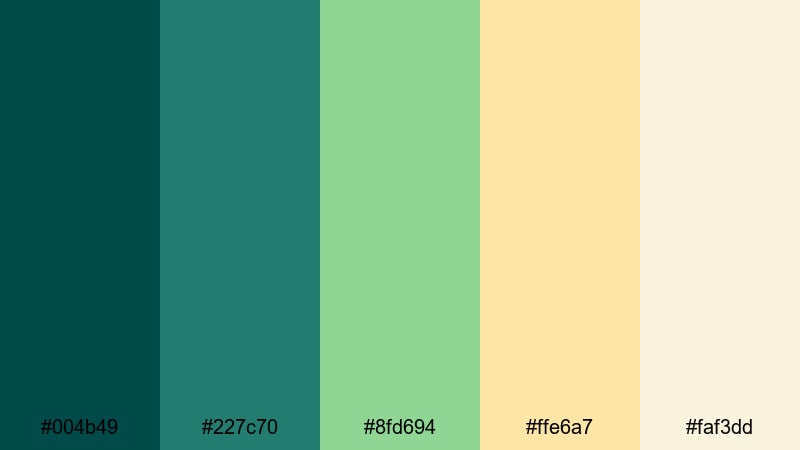
- HEX Codes: #004b49, #227c70, #8fd694, #ffe6a7, #faf3dd
- Mood: Lush, soothing, and organic like filtered light through dense leaves.
- Use for: Use for nature documentaries, eco-brand stories, wellness channels, and yoga or meditation content.
Rainforest Canopy Calm gradients from deep Midnight Green to softer leaf greens, supported by warm sand and creamy highlights. It feels like standing under dense foliage, where light filters gently through the leaves.
Use the darker greens for overlays, frames, and shapes, then bring in the lighter greens and creams for titles, quotes, and chapter markers. This palette is perfect for eco-friendly brands, wellness or yoga content, and any video where you want a natural, calming aesthetic built around rich green tones.
Mountain Lake Reflection
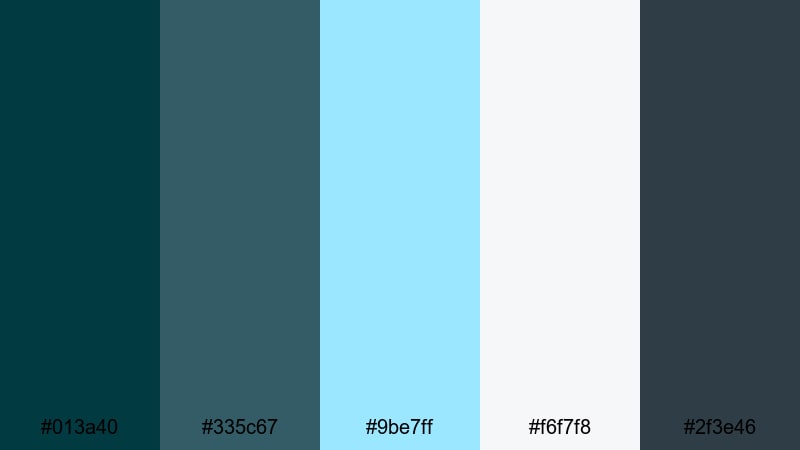
- HEX Codes: #013a40, #335c67, #9be7ff, #f6f7f8, #2f3e46
- Mood: Crisp, reflective, and adventurous like a high-altitude lake at dawn.
- Use for: Use for travel montages, hiking vlogs, drone footage, and outdoor gear promos.
Mountain Lake Reflection mixes cool Midnight Green and slate blues with pale sky tones and soft misty grays. It feels crisp and fresh, like chilly air around a mountain lake just after sunrise.
For drone footage, hiking vlogs, or outdoor gear reviews, you can frame your titles and lower thirds in the darker shades while using the light blues and grays as backgrounds. This palette keeps your visuals airy and adventurous, and it makes landscape thumbnails feel cohesive and premium.
Stormy Pine Coast
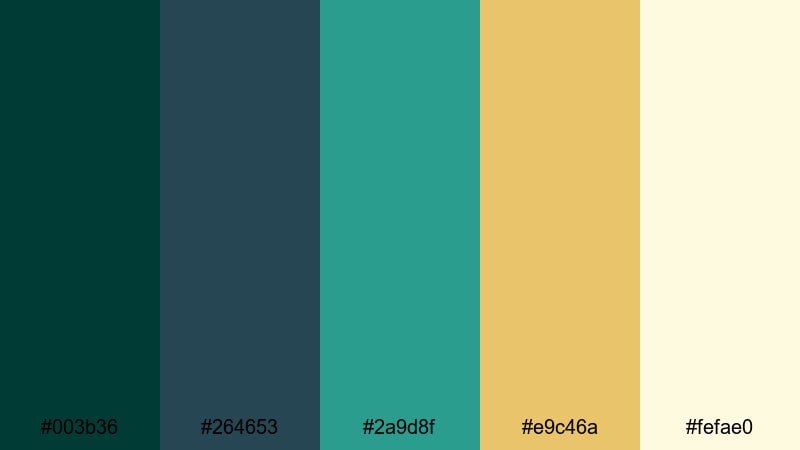
- HEX Codes: #003b36, #264653, #2a9d8f, #e9c46a, #fefae0
- Mood: Dramatic, elemental, and windswept with a hint of warmth.
- Use for: Use for moody seaside vlogs, surf or sailing edits, and atmospheric B-roll sequences.
Stormy Pine Coast combines brooding Midnight Green and stormy blue-greens with sunlit gold and sandy off-white. It feels like a windy shoreline under heavy clouds, with brief flashes of warm light.
In seaside vlogs, surf edits, or sailing content, use the darker tones for text bars and frames that echo the sea and pine forests. The gold accent can highlight titles, important stats (like wave height or route distance), or key thumbnail text so it stands out against dark water and skies.
Desert Oasis Nightfall
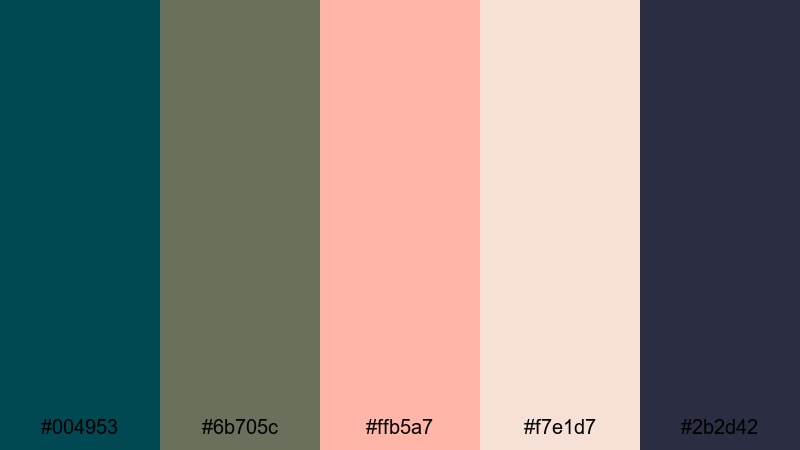
- HEX Codes: #004953, #6b705c, #ffb5a7, #f7e1d7, #2b2d42
- Mood: Warm, dreamy, and twilight-soft with an unexpected desert coolness.
- Use for: Use for travel diaries, destination promos, fashion lookbooks, and dreamy B-roll edits.
Desert Oasis Nightfall anchors Midnight Green with muted olive tones, then offsets them with soft blush and sand, plus a deep night-sky navy. It feels like a quiet oasis at dusk, warm but with cooling shadows settling in.
This palette is great for romantic travel videos, slow fashion lookbooks, and dreamy B-roll sequences. Use blush and sand for background fields and large shapes, while Midnight Green and navy handle text, borders, and logo marks. The contrast between soft warm tones and dark green-blue makes titles stand out without feeling harsh.
Vintage And Retro Midnight Green Palettes
Art Deco Speakeasy
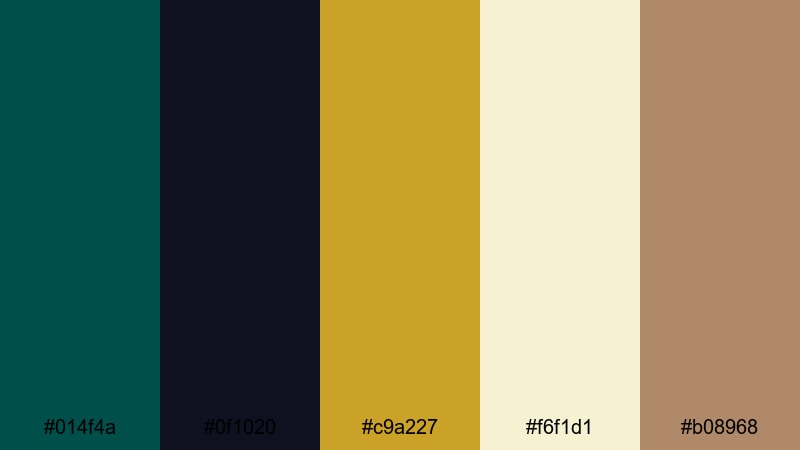
- HEX Codes: #014f4a, #0f1020, #c9a227, #f6f1d1, #b08968
- Mood: Luxurious, nostalgic, and dramatic with a jazz-age flair.
- Use for: Use for vintage title cards, cocktail or bar promos, narrative shorts, and glamorous intro sequences.
Art Deco Speakeasy combines elegant Midnight Green, inky navy, antique gold, cream, and a muted brown. It instantly evokes jazz-age interiors, vintage posters, and classic cinema title cards.
Use the dark tones as backgrounds for retro-style typography, with gold and cream for text and decorative lines. This palette works beautifully for cocktail promos, narrative shorts, or any intro where you want to channel a vintage, luxurious mood while keeping Midnight Green as a signature color.
Retro Arcade Signal
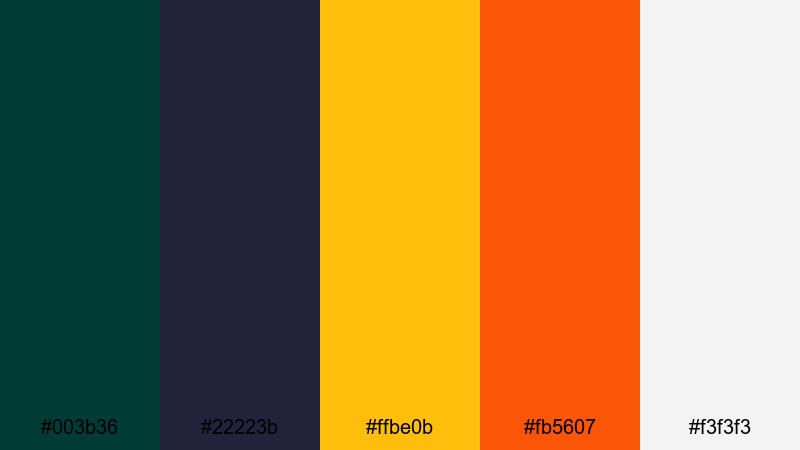
- HEX Codes: #003b36, #22223b, #ffbe0b, #fb5607, #f3f3f3
- Mood: Playful, bold, and high-energy with an 80s arcade vibe.
- Use for: Use for gaming channels, retro countdowns, motion graphics packs, and energetic bumpers.
Retro Arcade Signal uses dark Midnight Green and deep indigo as a base, then layers in punchy yellow and orange with a clean off-white. It feels like old-school arcade screens and neon signs snapped into modern HD.
For gaming channels, retro countdowns, or motion graphic packs, use the dark hues for the background grid and frames, and let yellow and orange carry score numbers, call-to-actions, and thumbnail text. Midnight Green keeps the look slightly more mature and cinematic than pure neon, giving your branding a unique twist.
Classic Travel Poster
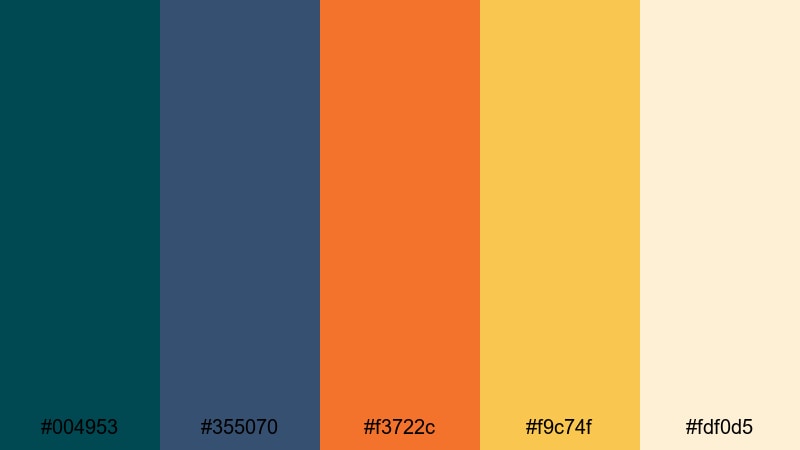
- HEX Codes: #004953, #355070, #f3722c, #f9c74f, #fdf0d5
- Mood: Sunny, nostalgic, and adventurous like mid-century travel prints.
- Use for: Use for travel intros, itinerary reels, vacation recaps, and upbeat storytelling thumbnails.
Classic Travel Poster frames Midnight Green and vintage navy with warm orange, sunny yellow, and a creamy paper tone. It recalls mid-century travel advertising, where bold shapes and simple colors sold the idea of adventure.
Use Midnight Green and navy for title bars, frames, and map outlines, while orange and yellow highlight destinations, dates, and main titles. The cream shade works as a background for text blocks or itinerary cards in your video. This palette instantly gives travel thumbnails and intros a nostalgic, poster-like charm.
Tips for Creating Midnight Green Color Palettes
When you build your own Midnight Green color palette for video or design, you want a balance between mood, readability, and brand consistency. Here are some practical tips to keep your visuals strong on any screen.
- Pair Midnight Green with one warm accent (like amber, coral, or gold) and one light neutral to keep the palette focused and easy to manage.
- Check text contrast by testing white, cream, or light gray over Midnight Green backgrounds; thumbnails and lower thirds should stay clear on mobile screens.
- Use darker Midnight Green shades for backgrounds and overlays, and reserve brighter tones for important text, buttons, and icons.
- Keep brand consistency by reusing the same HEX codes across intros, end screens, watermarks, and channel art so your audience recognizes your style instantly.
- Match your palette to your footage: cooler, bluer Midnight Greens suit tech and night city content, while warmer, greener tones fit nature, lifestyle, and wellness videos.
- Limit yourself to 4–5 core colors in each project to avoid a messy look; you can add subtle variations through Filmora's HSL and curves instead of new colors.
- Test your palettes in both dark and light UI elements, especially if you create overlays or subtitles that sit on top of busy video backgrounds.
- Save successful color combinations as presets or project templates in Filmora so you can quickly apply the same Midnight Green look to future videos.
Midnight Green is a powerful base color for creators who want their content to feel cinematic, trustworthy, and distinctive. Whether you are building moody city vlogs, clean tech explainers, or nature-inspired reels, the right palette can shape the entire mood of your video and strengthen your brand identity.
Try dropping these ready-made palettes into Filmora as you design titles, lower thirds, and overlays, then refine the tones with AI Color Palette, HSL, and LUTs until they match your footage. Over time, your viewers will start to associate these deep teal-greens with your channel and your storytelling style.
Open a new project, pick one of the palettes above that fits your next video concept, and start experimenting. With a few careful color choices and Filmora's grading tools, your Midnight Green themed videos can look polished and cinematic, even if you are editing on a laptop at home.
secure downloadNext: Lust Color Palette
