

 100% Security Verified | No Subscription Required | No Malware


 ChatGPT
 Perplexity
 Gemini
 Claude
 Grok
Grok
Mint green sits between green and cyan, mixing the calm of nature with a clean, modern freshness. It feels cool, breathable, and uplifting, which is why you see it in wellness branding, productivity setups, and minimal UI designs. On screen, mint green can reduce visual noise, guide the eye, and make your content feel more spacious and organized.
For video creators and Filmora users, the right mint green color palette can define your thumbnail style, intro sequences, overlays, and overall brand identity. Below are 15 carefully curated mint green color palettes with HEX codes, ready to drop into your thumbnails, titles, lower thirds, and LUT-style looks.
In this article
Soft & Airy Mint Green Color Palettes
These soft mint green palettes are light, breathable, and calming. They work especially well for productivity, journaling, wellness, and any video style where you want clarity without harsh contrast.
Morning Dew Workspace
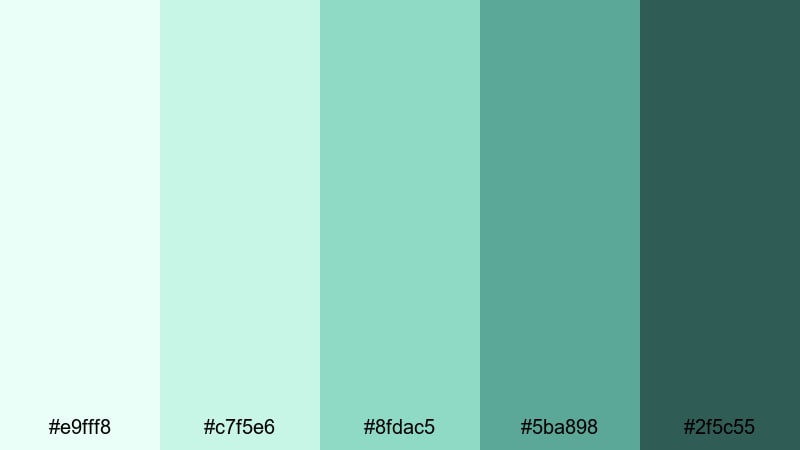
- HEX Codes: #e9fff8, #c7f5e6, #8fdac5, #5ba898, #2f5c55
- Mood: calm, focused, and refreshing
- Use for: Ideal for productivity vlogs, clean workspace tours, and minimalist tutorial thumbnails.
Morning Dew Workspace pairs very light mints with deeper, grounded greens, like a quiet desk by the window just after sunrise. The soft highlights keep your frame airy and uncluttered, while the darker teal and green provide enough contrast for readable text, icons, or UI-style elements.
This palette is perfect when you want your thumbnails, lower thirds, or channel banner to look focused but gentle. Use the lighter tones as backgrounds for your titles in Filmora, then bring in the deeper shades for buttons, progress bars, checklists, and subtle drop shadows in intros and outros.
Pro Tip: Enhance Your Mint Green Visuals With Filmora
To keep a palette like Morning Dew Workspace consistent across an entire edit, create a simple visual system inside Filmora. Use the lightest mint as your main background color for title cards, then assign the mid-mint for accent shapes and the deepest green for text or icons. Save these combinations as custom presets so your thumbnails, intros, and end screens always feel connected.
When you reuse this palette in b-roll overlays, motion graphics, and social cutdowns, your brand instantly feels more intentional. Even simple edits like study-with-me timelapses or screen recordings will look more polished when all on-screen graphics share the same mint green DNA.
AI Color Palette
If you already have a still image or graphic that nails your ideal mint green mood, you can use Filmora to spread that look across a full project. Filmora's AI Color Palette feature lets you sample the colors from a reference frame and automatically apply that palette to other clips in your timeline.
Import a frame from your favorite mint themed thumbnail or color card, select it as the reference, and let AI Color Palette harmonize the tones of your A-roll, b-roll, and overlays. It is a fast way to turn a single mint green concept into a cohesive visual language for an entire series or playlist.
 secure download

HSL, Color Wheels & Curves
Once your mint palette is roughly in place, use Filmora's HSL controls, color wheels, and curves to fine-tune the mood. Slightly desaturate the greens for a more minimal, premium look, or push the hue closer to cyan if you want a techy, digital workspace feel. Adjust the midtones and shadows on the color wheels so skin tones stay natural while the mint accents stay crisp.
With curves, you can lift the shadows to keep your mint greens soft and airy, or deepen the contrast for thumbnails that stand out on YouTube and TikTok. A gentle S-curve will make whites cleaner and mints brighter without crushing detail in your b-roll and overlay graphics.
secure download1000+ Video Filters & 3D LUTs
To quickly stylize your mint green palettes, combine them with Filmora's built-in looks. Filmora's video filters and 3D LUTs make it easy to add film grain, subtle vignettes, or cinematic tones without rebuilding your grade from scratch.
Pick a gentle pastel or cinematic LUT, then tweak the strength so your mint greens stay on-brand but gain extra depth. This is especially useful when you want one mint palette to feel slightly different across series - softer for study vlogs, more dramatic for trailers - while still staying recognizable.
secure downloadSerene Studio Glow
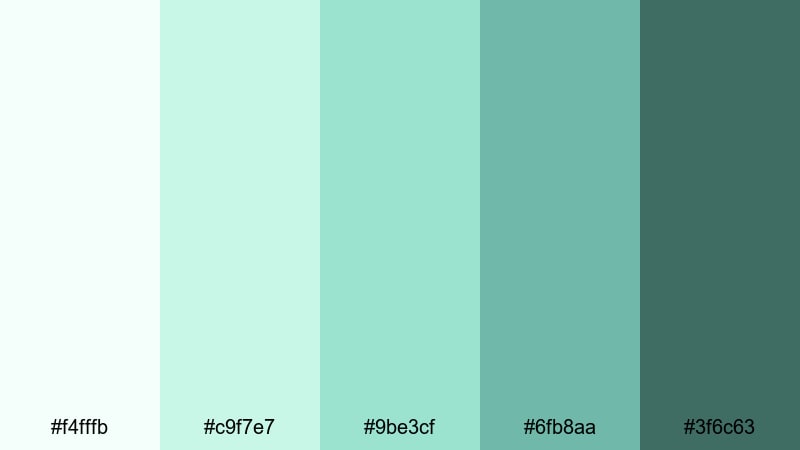
- HEX Codes: #f4fffb, #c9f7e7, #9be3cf, #6fb8aa, #3f6c63
- Mood: soothing, balanced, and quietly optimistic
- Use for: Perfect for talking-head videos, wellness intros, and soft cinematic titles.
Serene Studio Glow is built around soft whites and mid-tone mints, creating a calm, trustworthy atmosphere. The darker teal accent grounds your frame so your subject stands out, while the pale shades keep everything feeling light and open.
Use the lightest tones for your background graphics and full-screen titles, then bring in the deeper mint and teal for name tags, chapter markers, and call-to-action banners. It is ideal for wellness content, self-improvement thumbnails, or any channel that wants a soft but professional mint green aesthetic.
Whispering Foam Shores
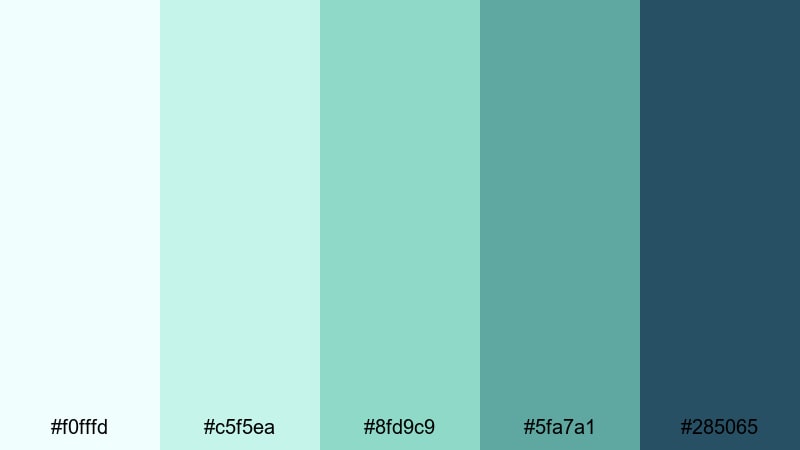
- HEX Codes: #f0fffd, #c5f5ea, #8fd9c9, #5fa7a1, #285065
- Mood: coastal, relaxed, and introspective
- Use for: Great for travel vlogs, beach b-roll sequences, and reflective voiceover visuals.
Whispering Foam Shores combines seafoam mints with muted teals and a deep ocean blue. It feels like a quiet morning at the seaside, perfect for dreamy edits, slow pans, and reflective storytelling.
In Filmora, use the lighter seafoam colors for overlay shapes, borders, or subtle gradient backgrounds behind text. Reserve the deep blue for title text, timeline markers, and logo lockups on your travel intros or recap thumbnails. This palette makes even simple travel b-roll feel more cohesive and cinematic.
Cotton Cloud Journals
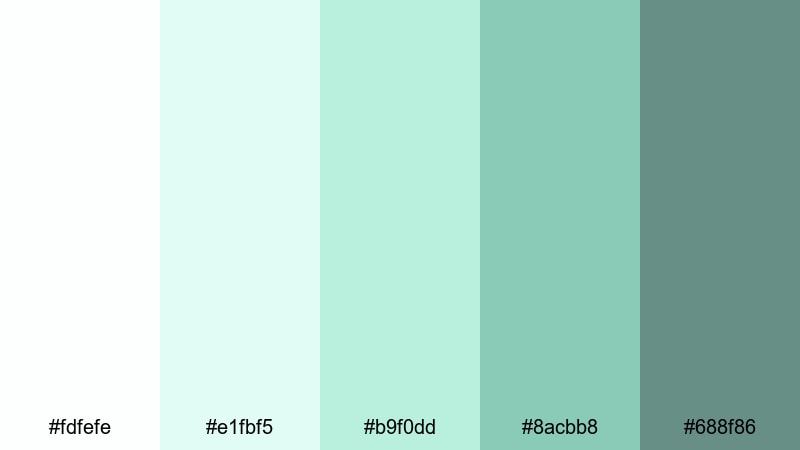
- HEX Codes: #fdfefe, #e1fbf5, #b9f0dd, #8acbb8, #688f86
- Mood: light, cozy, and reflective
- Use for: Use in journaling videos, aesthetic study reels, and soft overlay graphics.
Cotton Cloud Journals is all about airy whites and soft mints with a cozy, handwritten vibe. The palette feels like notebook pages, pastel sticky notes, and gentle morning light.
It works beautifully for journaling content, digital planning tutorials, and aesthetic reels. Use the almost-white tone as a base for your title cards, then layer in mint blocks for to-do lists, date stamps, and doodle-style graphics. In thumbnails, combine the mid mints with a subtle paper texture to suggest a personal, reflective space.
Modern & Minimal Mint Green Color Palettes
These mint green palettes lean into clean lines, UI design, and urban aesthetics. They are ideal for tech explainers, productivity dashboards, app promos, and minimalist editing styles.
Glass Panel Interface
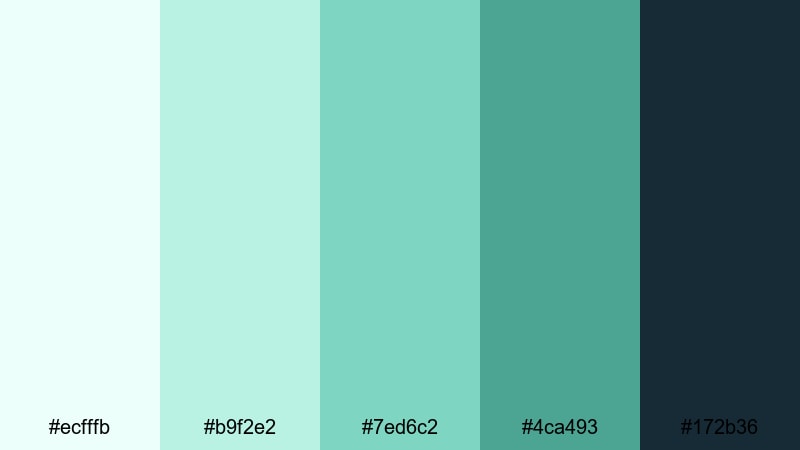
- HEX Codes: #ecfffb, #b9f2e2, #7ed6c2, #4ca493, #172b36
- Mood: sleek, techy, and confident
- Use for: Perfect for UI-style motion graphics, app promos, and channel branding packages.
Glass Panel Interface mixes crystal-clear mints with a deep slate tone, mimicking translucent glass panels in modern apps. The bright mints feel clean and futuristic, while the dark navy-slate provides sharp contrast for icons and typography.
Use this palette when designing lower thirds that resemble software tooltips, or when building dashboard-style explainers inside Filmora. The light mints make great gradient backgrounds for screen mockups, and the darkest shade is perfect for bold, legible text on thumbnails and end cards.
Urban Loft Mint
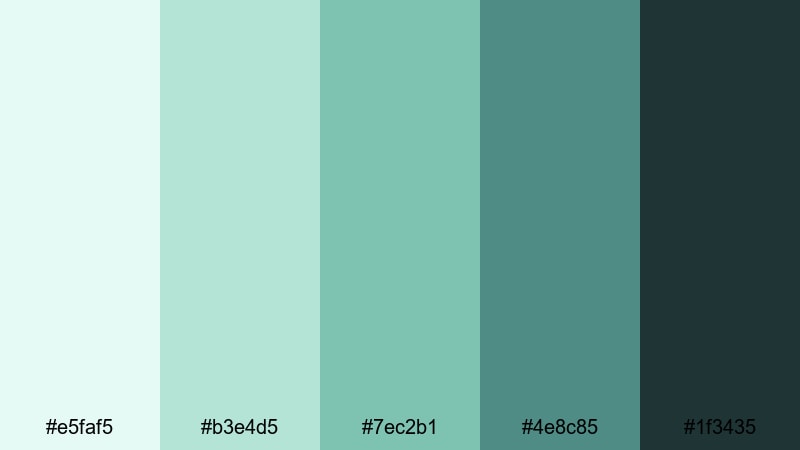
- HEX Codes: #e5faf5, #b3e4d5, #7ec2b1, #4e8c85, #1f3435
- Mood: modern, grounded, and understated
- Use for: Use this palette in branding intros, minimalist title cards, and lifestyle edits shot in city apartments or studios.
Urban Loft Mint blends soft mint accents with moody, urban greens and charcoals. It feels like a designer loft - stylish, minimal, and quietly premium - making it ideal for lifestyle and creative business channels.
Let the lighter mints highlight key text, progress bars, and chapter markers, while the deeper greens and charcoals frame your video as backgrounds or side panels. This combination looks especially strong in thumbnail layouts that feature a subject cutout against a dark mint or charcoal block.
Nordic Screen Clean
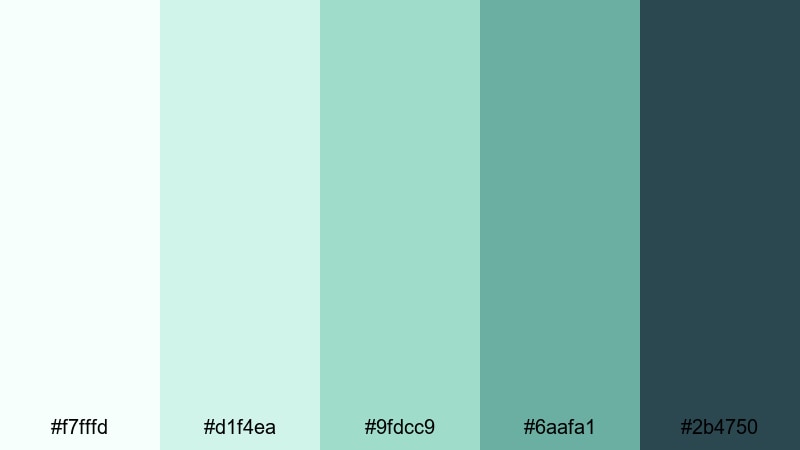
- HEX Codes: #f7fffd, #d1f4ea, #9fdcc9, #6aafa1, #2b4750
- Mood: fresh, minimal, and trustworthy
- Use for: Ideal for software tutorials, productivity dashboards, and clean on-screen graphics.
Nordic Screen Clean uses Scandi-inspired mints with cool dark accents for a crisp, organized look. It immediately makes any frame feel decluttered and professional, which is ideal for tutorials and walkthroughs.
Use the lightest shades as full-screen backgrounds for step-by-step guides, then bring in the mid mints for highlighted UI elements or zoomed-in callouts. The deepest blue-green is perfect for navigation bars, buttons, and logo stamps in both your video overlays and channel branding.
Structural Light Lines
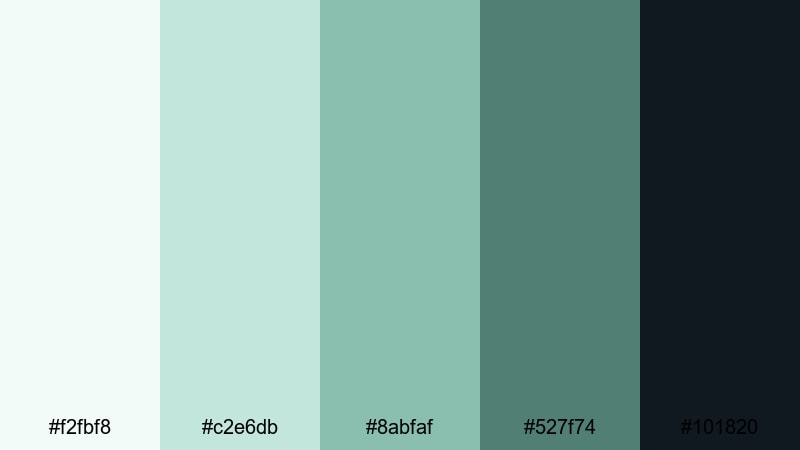
- HEX Codes: #f2fbf8, #c2e6db, #8abfaf, #527f74, #101820
- Mood: architectural, modern, and slightly dramatic
- Use for: Great for motion graphics, lower thirds, and title sequences in design or architecture content.
Structural Light Lines balances muted mints with deep charcoal, giving your visuals a sharp, architectural personality. The palette feels like light cutting across steel and glass, making it ideal for design, architecture, or industrial storytelling.
Use mint lines and shapes as animated elements that guide the eye toward your subject or text in Filmora. The darkest charcoal provides excellent contrast for title text and logo reveals, while the mid-tone mints can outline frames or grids in your motion graphics packages.
Playful & Pastel Mint Green Color Palettes
These mint green palettes mix in pinks, purples, and warm pastels for a cute, bubbly vibe. They are perfect for lifestyle, stationery, kawaii, and gaming content that leans soft and friendly.
Pastel Boba Dreams
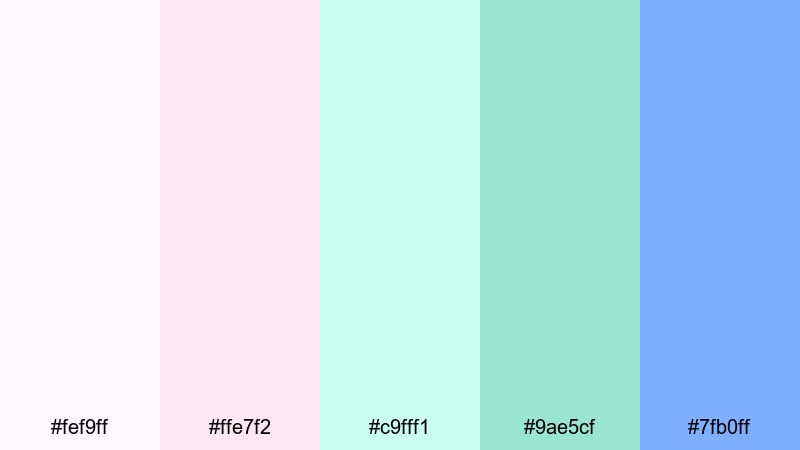
- HEX Codes: #fef9ff, #ffe7f2, #c9fff1, #9ae5cf, #7fb0ff
- Mood: cute, bubbly, and upbeat
- Use for: Perfect for lifestyle vlogs, hauls, kawaii edits, and playful YouTube shorts thumbnails.
Pastel Boba Dreams feels like a boba cafe in color form - sweet, dreamy, and full of soft light. The mint tones sit alongside lilac and sky blue, giving your frames a candy-colored but still balanced look.
In Filmora, use the softest pinks and mints as backgrounds for stickers, emojis, and doodle-style titles. The brighter blue and mid mint are great for bold text, animated arrows, and thumbnail outlines that catch attention without feeling harsh.
Candy Edit Overlays
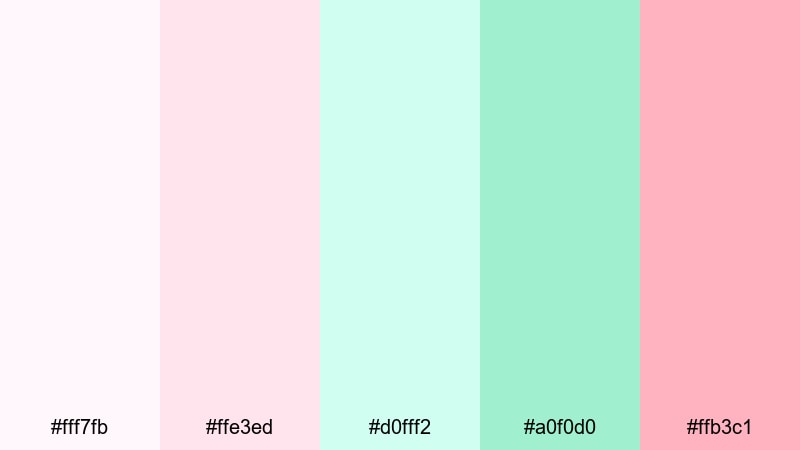
- HEX Codes: #fff7fb, #ffe3ed, #d0fff2, #a0f0d0, #ffb3c1
- Mood: fun, sugary, and energetic
- Use for: Use in reaction videos, pop-style intros, and animated sticker packs for shorts and reels.
Candy Edit Overlays pairs sugary pinks with cool mints for a high-energy, pop-art feel. The palette is ideal when you want your edits to look clickable and fun, especially on vertical platforms.
Use the pinks for speech bubbles, comment highlights, and reaction badges, while the mints frame your subject or emphasize key words. In thumbnails, alternate mint and pink blocks behind cutouts of your face for bold contrast that still feels soft and approachable.
Soft Gamer Stream
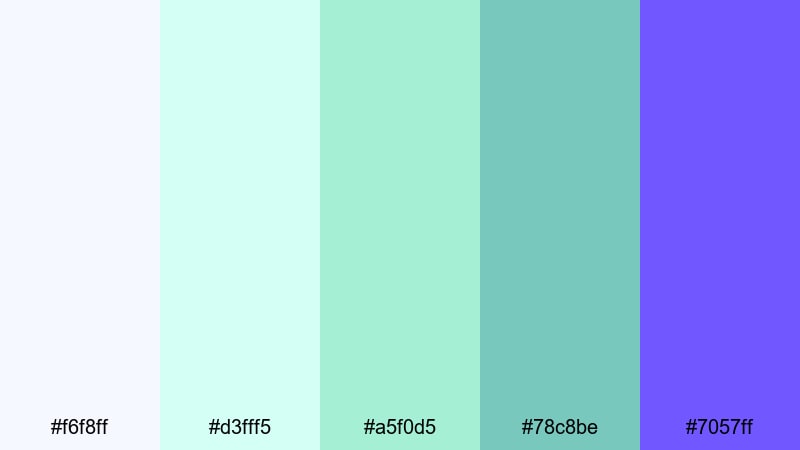
- HEX Codes: #f6f8ff, #d3fff5, #a5f0d5, #78c8be, #7057ff
- Mood: cozy, playful, and slightly futuristic
- Use for: Great for gaming overlays, stream screens, and channel avatars with a soft aesthetic.
Soft Gamer Stream blends cool mints with soft purples for a friendly, cozy gamer aesthetic. It tones down the harsh neon look you often see in gaming, replacing it with gentle glows and pastel HUD elements.
Use the pale blue and mint for panels, chat boxes, and face-cam frames. The deeper purple is perfect for logo accents, offline screens, and stream titles. When you repurpose your streams as edited highlights in Filmora, keep this palette on your overlays and title cards for a consistent, soft gamer brand.
Kawaii Desk Setup
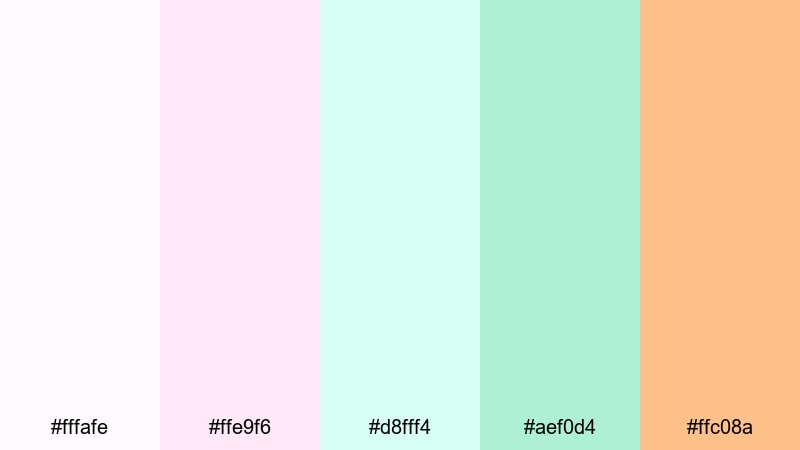
- HEX Codes: #fffafe, #ffe9f6, #d8fff4, #aef0d4, #ffc08a
- Mood: adorable, creative, and warm
- Use for: Ideal for study-with-me edits, stationery hauls, and cozy desk b-roll sequences.
Kawaii Desk Setup combines blush pinks, creamy peach, and gentle mints for the ultimate cute workspace vibe. It looks like pastel organizers, soft lighting, and sticker-covered notebooks.
Use the light pink and mint as alternating background colors for captions or timestamps in your study videos. The warm peach adds a pop for subscribe buttons, calls to action, or highlight circles in your thumbnails. This palette helps your desk b-roll and overhead shots feel curated and cozy.
Bold & Cinematic Mint Green Color Palettes
These mint green palettes are more intense and dramatic, pairing bright mints with deep shadows and strong accent colors. They are great for intros, trailers, music videos, and high-energy edits.
Neon Arcade Mint
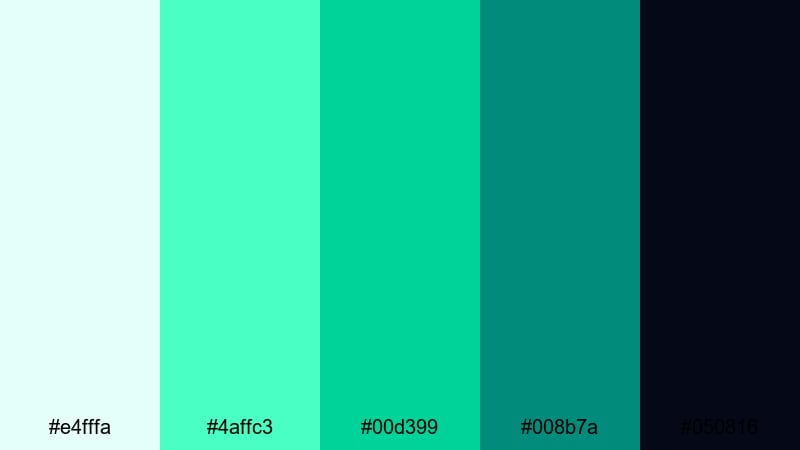
- HEX Codes: #e4fffa, #4affc3, #00d399, #008b7a, #050816
- Mood: neon, high-energy, and futuristic
- Use for: Use for tech intros, cyberpunk edits, and bold title cards that need to pop in dark scenes.
Neon Arcade Mint mixes electric mints with deep, almost-black shadows for a glowing arcade feel. Against dark footage, the bright mint tones look like LED lights, glitch overlays, or holographic UI elements.
Use the darkest shade as your base background in Filmora, then layer glowing mint text, borders, and HUD graphics on top. This palette is ideal for energetic title cards, glitch transitions, and tech-inspired channel intros where you want strong contrast and a futuristic vibe.
Tropical Intro Burst
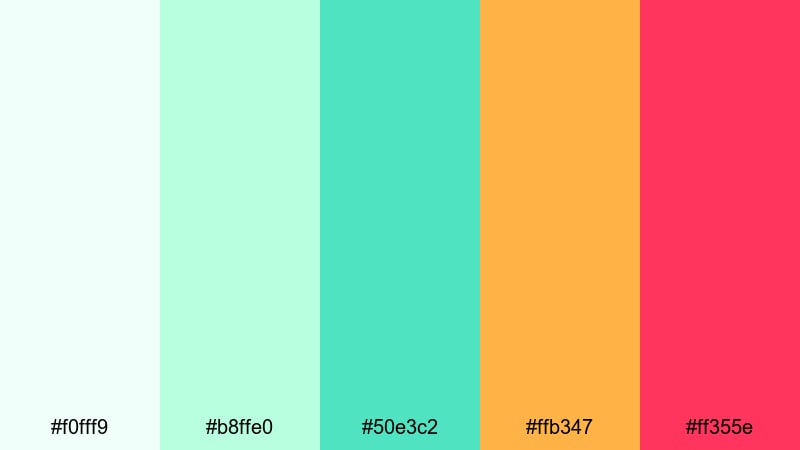
- HEX Codes: #f0fff9, #b8ffe0, #50e3c2, #ffb347, #ff355e
- Mood: vibrant, sunny, and adventurous
- Use for: Perfect for travel intros, summer lookbooks, and fast-cut lifestyle montages.
Tropical Intro Burst pairs punchy mints with coral and mango orange for full vacation energy. It is bright, warm, and eye-catching, great for content that screams summer, travel, and fun.
Use the mint and teal tones as your base overlays or gradients, then drop in the warm yellow and pink-red accents for bursts, underline swipes, or animated shapes. This combination works extremely well on thumbnails where you want your subject framed by bold, colorful blocks that pop in the feed.
Night Drive Teal Mint
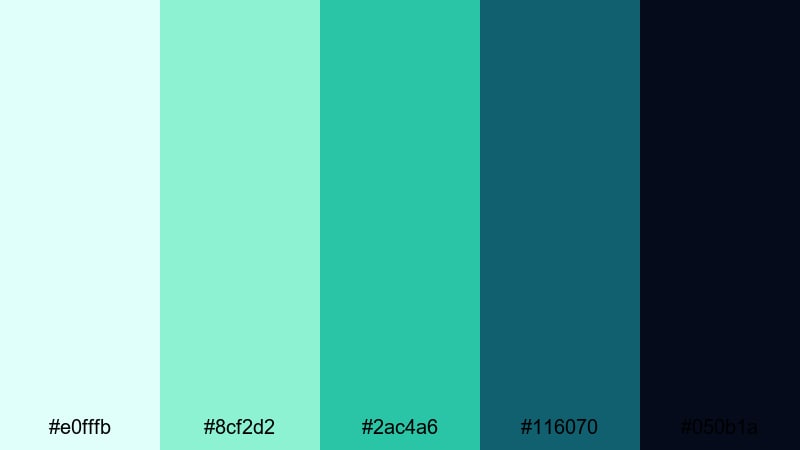
- HEX Codes: #e0fffb, #8cf2d2, #2ac4a6, #116070, #050b1a
- Mood: moody, cinematic, and cool-toned
- Use for: Great for cinematic b-roll, music videos, and dramatic channel trailers.
Night Drive Teal Mint uses luminous mints and deep teal-blues to suggest headlights cutting through a night city. It is cool, stylish, and cinematic, especially when combined with slow motion or smooth camera moves.
Use the very dark blue as a background for credits, title cards, or lyric overlays in Filmora, then accent with mint text, light streaks, and geometric shapes. This palette helps ordinary nighttime footage feel more intentional, especially when you keep your text and overlays firmly inside the mint and teal range.
Tips for Creating Mint Green Color Palettes
Mint green is versatile, but it needs the right companions to stay readable, expressive, and on-brand. Use these tips when building or customizing your own mint green palettes for video and design.
- Pair mint green with a grounding dark color (charcoal, navy, deep teal) so text and UI elements stay legible on screens and thumbnails.
- Keep at least one very light shade in your palette for clean backgrounds, overlays behind text, and breathable negative space.
- Decide on a mood first - soft, minimal, playful, or cinematic - then adjust saturation and contrast in Filmora to match that feeling.
- Test your palette on small thumbnail mockups to make sure faces, titles, and logos stay readable even at tiny sizes.
- Use consistent HEX codes or saved presets across intros, lower thirds, and end screens so your channel looks unified.
- Balance warm and cool accents: pair mint with peach or coral for friendly lifestyle content, or with blues and purples for tech and gaming.
- Match your color grade to your graphics by gently pushing greens and cyans in your footage toward your chosen mint tone.
- Create a simple hierarchy: one main mint brand color, one accent mint, one neutral light, and one or two darks for contrast.
Mint green palettes can completely reshape how your videos feel - from calm and focused, to cute and bubbly, to bold and cinematic. With the right HEX codes and combinations, you can build a clear visual identity that viewers recognize instantly in their feed.
Try dropping a few of these palettes into Filmora as title backgrounds, overlay shapes, and color grades. Once you find a mint green look that fits your channel, save it as a repeatable style for future intros, thumbnails, and templates.
The more consistently you use your mint green palette, the more your videos and social posts will feel like part of one strong, memorable brand.
secure download