

 100% Security Verified | No Subscription Required | No Malware


 ChatGPT
 Perplexity
 Gemini
 Claude
 Grok
Grok
Modern color palettes are all about clean contrast, smart neutrals, and carefully chosen accents that feel current instead of trendy-for-a-week. In video and design, these colors signal clarity, intention, and a streamlined aesthetic, whether you are building a tech brand, a lifestyle channel, or a cinematic vlog intro. The right modern combination can make your thumbnails stand out, your UI overlays feel premium, and your logo look like it belongs in 2025, not 2010.
Below you will find curated modern color palettes with HEX codes, tailored for creators, designers, and Filmora users. Each one is ready to plug into thumbnails, intros, lower thirds, channel branding, and overlays, so you can keep your whole edit visually consistent from the first frame to the final end screen.
In this article
Sleek And Minimal Modern Color Palettes
Concrete Loft Neutrals
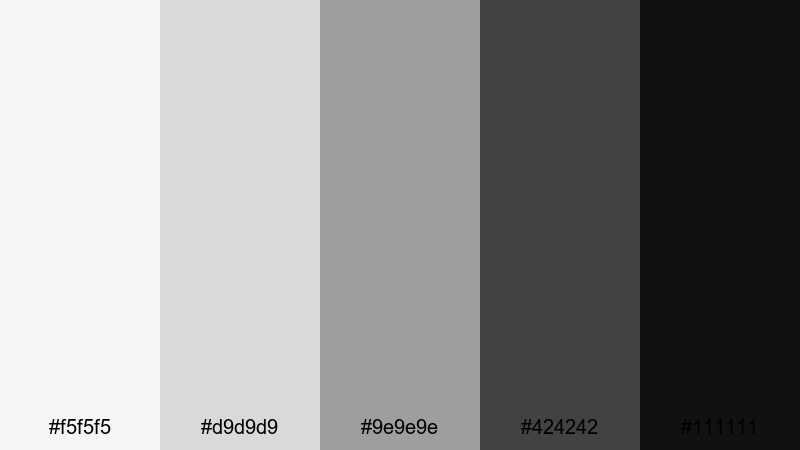
- HEX Codes: #f5f5f5, #d9d9d9, #9e9e9e, #424242, #111111
- Mood: Calm, structured, and understated with an urban edge.
- Use for: Perfect for minimalist video intros, tech explainers, and clean brand UIs.
This palette feels like polished concrete, frosted glass, and soft daylight in a high-end city loft. The light grays (#f5f5f5, #d9d9d9) keep everything bright and minimal, while the deeper charcoals (#424242, #111111) add weight and sophistication for text, icons, and logo marks.
Use Concrete Loft Neutrals when you want your content, product, or story to be the true focus. It is ideal for YouTube tech reviews, SaaS landing page animations, and minimalist titles or lower thirds in Filmora. Pair the lightest shades for backgrounds and use the darkest tones for crisp text on thumbnails, UI overlays, and end cards.
Pro Tip: Build A Cinematic Modern Look In Filmora
With a neutral palette like Concrete Loft Neutrals, consistency is everything. In Filmora, you can design one clean title style or lower third using these grays and then save it as a preset. Reusing that preset across your intro, b-roll labels, and social cutdowns keeps your entire project looking like one unified modern brand.
Try adding subtle motion, like slow fades or slide-ins, instead of heavy transitions. Combined with these muted tones, it creates a premium, cinematic feel that matches modern tech brands and minimalist creators.
AI Color Palette
If you have a reference image, UI mockup, or brand style guide that uses this modern neutral scheme, you can let Filmora do the heavy lifting. Filmora's AI Color Palette feature can analyze your reference and apply a matching look across your entire timeline.
Import your reference frame, match its tones to your clips, and your A-roll, b-roll, and overlays will share the same modern gray balance. It is a fast way to turn mixed camera footage into a cohesive, design-driven edit.
 secure download

HSL, Color Wheels & Curves
Even within a neutral modern palette, small tweaks make a big difference. Use Filmora's HSL, color wheels, and curves to decide whether your grays lean slightly cooler (more blue) for a techy feel, or slightly warmer (more red) for a lifestyle vibe. Tools shown in Filmora's color grading tutorial in Filmora help you fine-tune shadows, midtones, and highlights until everything feels balanced.
Lift the shadows a bit to avoid harsh contrast on talking-head videos, or deepen them for moody product shots. Gentle S-curves on the luminance curve can add cinematic punch without breaking your modern minimalist look.
secure download1000+ Video Filters & 3D LUTs
Once your neutral base is set, you can quickly test different modern moods using Filmora's built-in filters and LUTs. Filmora's video filters and 3D LUTs make it easy to try subtle film looks, cool tech grades, or soft lifestyle tones while still respecting your original palette.
Apply a LUT to one clip, then use it as a reference for the rest of the timeline. It is a fast way to see how your Concrete Loft Neutrals look as a cool sci-fi explainer, a glossy product demo, or a warm minimal vlog, without manually grading every shot from scratch.
secure downloadGlass UI Glow
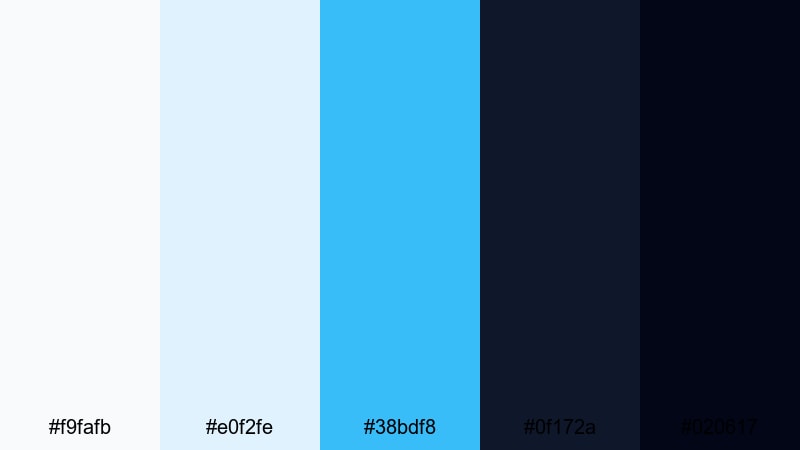
- HEX Codes: #f9fafb, #e0f2fe, #38bdf8, #0f172a, #020617
- Mood: Fresh, airy, and high-tech with a subtle glow.
- Use for: Ideal for app promos, SaaS product walk-throughs, and futuristic overlays.
Glass UI Glow mixes soft whites and ice blues with deep navy and near-black for that glassmorphism feel you see in modern interfaces. The lighter tones suggest translucency and light, while the darker tones give depth and contrast for text, buttons, and UI frames.
Use this palette when you want your video to look like an interactive product demo or a dashboard come to life. It works beautifully for UI mockups in Filmora, animated app showcases, and futuristic title cards that hover over your footage.
Soft Tech Grayscale
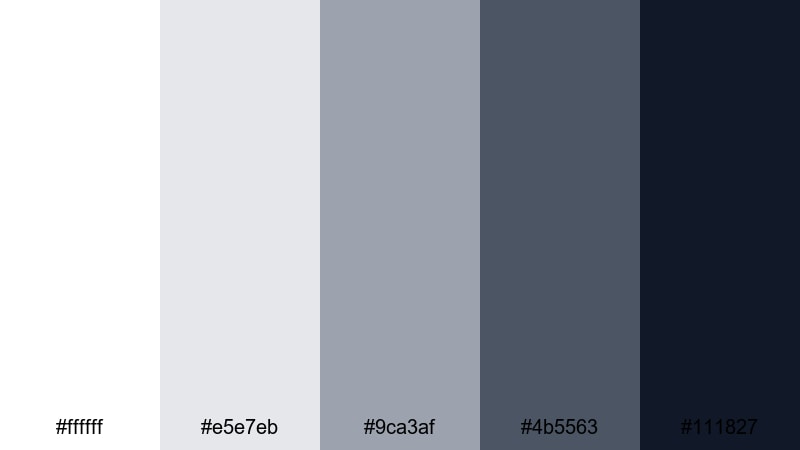
- HEX Codes: #ffffff, #e5e7eb, #9ca3af, #4b5563, #111827
- Mood: Professional, balanced, and quietly confident.
- Use for: Great for corporate videos, typography-driven intros, and UI mockups.
Soft Tech Grayscale is a smooth gradient from pure white through soft grays down to inky navy-black. It feels neutral and timeless, making it an ideal base when your brand colors are already strong, or when you want the footage itself to supply the color.
Use the mid-tone grays for background panels and captions, while the darkest shade (#111827) carries headlines and logos in thumbnails and intro cards. This palette keeps corporate explainers, pitch decks, and tutorial videos sharp without ever feeling loud.
Warm Minimal Workspace
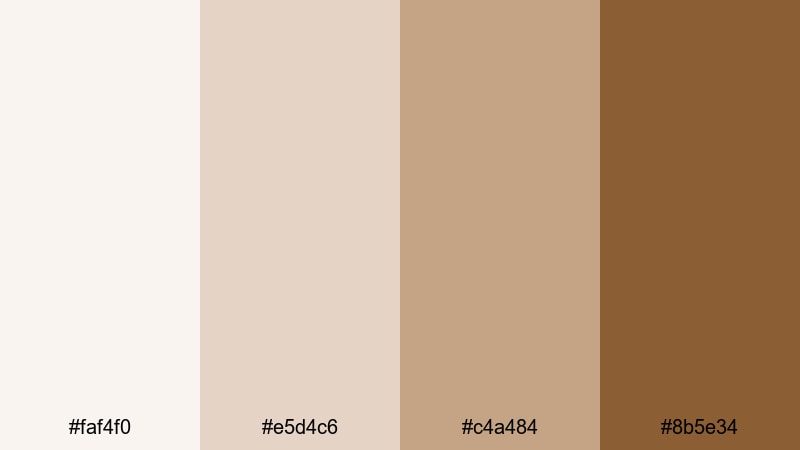
- HEX Codes: #faf4f0, #e5d4c6, #c4a484, #8b5e34
- Mood: Inviting, focused, and creatively warm.
- Use for: Use for productivity vlogs, desk setups, and aesthetic study or work content.
Warm Minimal Workspace swaps cold grays for creamy whites and soft browns, like a styled desk by a sunny window. The lighter tones keep things bright, while the deeper caramels and browns add structure for titles, icons, and frames.
Use this palette for cozy yet modern study-with-me edits, workspace tours, and productivity channels. In Filmora, apply the lighter colors to background shapes and the richer browns to text to keep your visuals readable while maintaining that warm aesthetic.
Bold And Vibrant Modern Color Palettes
Neon Grid Pulse
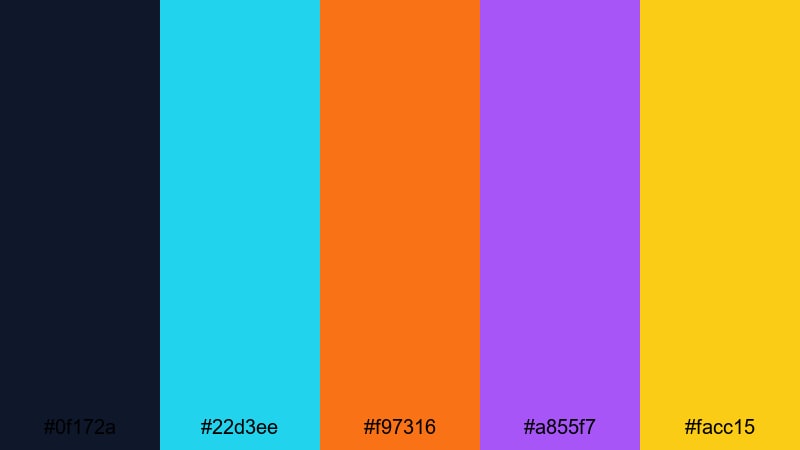
- HEX Codes: #0f172a, #22d3ee, #f97316, #a855f7, #facc15
- Mood: High-energy, electric, and playful.
- Use for: Perfect for gaming intros, hype reels, and fast-paced promo edits.
Neon Grid Pulse drops bright cyan, orange, violet, and yellow onto a dark navy base for a digital, arcade-like glow. The deep background (#0f172a) makes every neon accent feel like it is lighting up the screen.
Use this palette for esports highlights, energetic channel intros, or fast-moving social promos. In Filmora, create neon outlines, glitch text, and animated shapes in these bright hues so they pop hard against your darker footage or gradient backdrops.
Electric Coral Pop
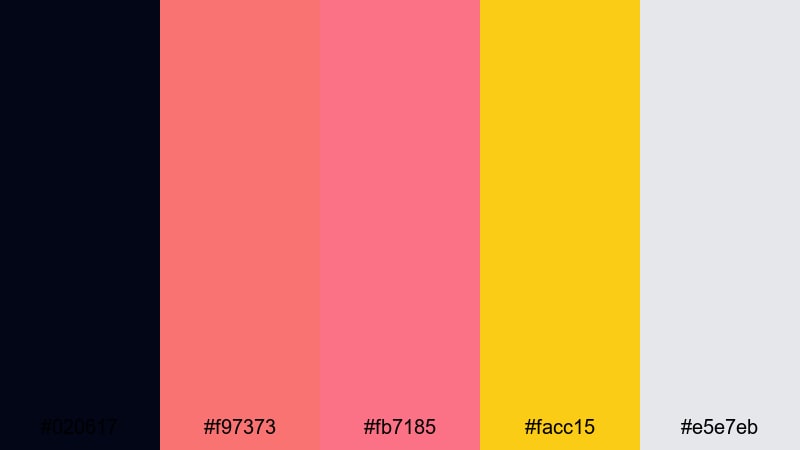
- HEX Codes: #020617, #f97373, #fb7185, #facc15, #e5e7eb
- Mood: Energetic, trendy, and social-first.
- Use for: Great for YouTube thumbnails, shorts, product drops, and social ads.
Electric Coral Pop uses deep navy as a stage for vivid coral pinks and a punchy yellow highlight. The soft gray (#e5e7eb) gives you a neutral tone to break up the intensity where needed.
It is tailored for social feeds: use the corals for big titles, sale tags, or subscribe callouts, and reserve yellow for key buttons or arrows. Thumbnails, Reels covers, and ad frames built in this palette tend to stand out instantly against cluttered feeds.
Cyan Magenta Hype
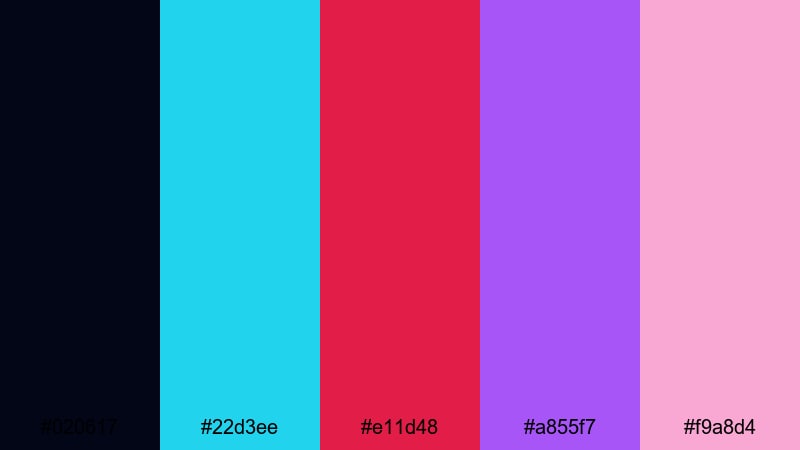
- HEX Codes: #020617, #22d3ee, #e11d48, #a855f7, #f9a8d4
- Mood: Edgy, digital, and nightlife inspired.
- Use for: Ideal for music videos, event promos, and techy title sequences.
Cyan Magenta Hype is all about contrast and glow: sharp cyan meets deep magenta and purple, softened by a pastel pink highlight. Over the dark background, these colors feel like nightclub LEDs or a futuristic UI.
Use it to brand DJ mixes, festival teasers, or cyber-style tech promos. In Filmora, animate text and shapes in cyan and magenta while using the pastel pink for secondary labels or subtle gradients in your lower thirds.
Streaming Sunset Spectrum
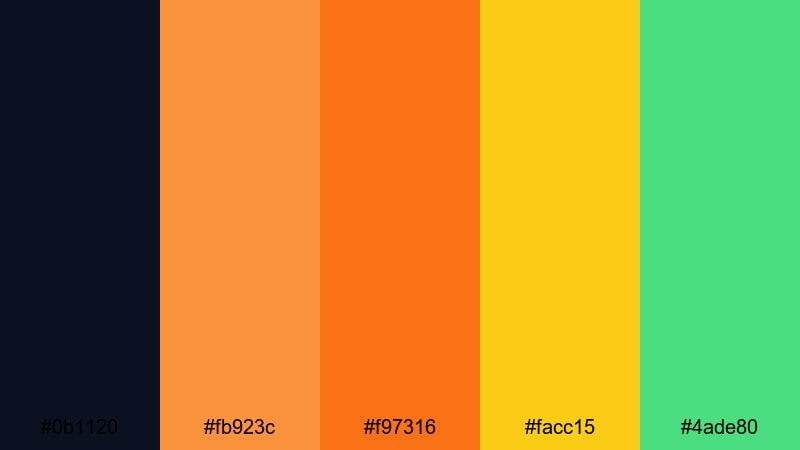
- HEX Codes: #0b1120, #fb923c, #f97316, #facc15, #4ade80
- Mood: Optimistic, bold, and cinematic.
- Use for: Use for creator channel branding, intros, and streaming overlays.
Streaming Sunset Spectrum mixes rich oranges and yellow with a touch of fresh green, all anchored by a deep navy night sky. It feels like a neon sunset over a city skyline, ideal for channels that want high energy with a cinematic edge.
Use the oranges for main titles, the yellow for highlights and badges, and the green as a surprising accent in progress bars or notification alerts. On stream overlays and intro animations, this palette makes your brand feel vivid and memorable.
Soft And Neutral Modern Color Palettes
Muted Sandstone Studio
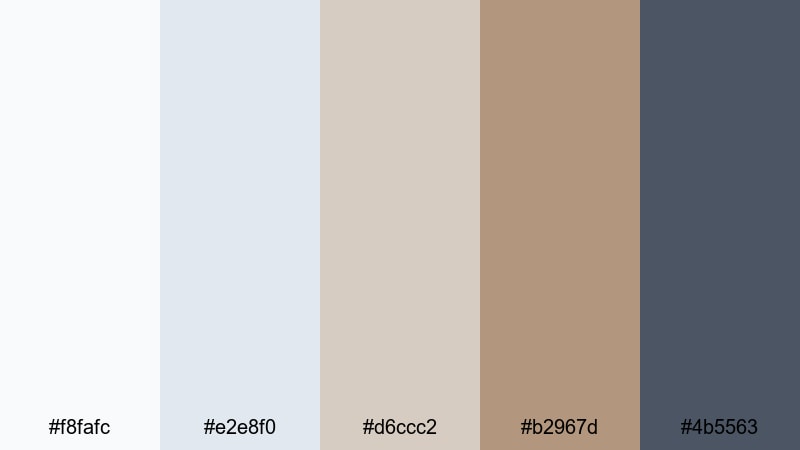
- HEX Codes: #f8fafc, #e2e8f0, #d6ccc2, #b2967d, #4b5563
- Mood: Grounded, soft, and editorial.
- Use for: Perfect for talking head videos, podcasts, and thoughtful brand storytelling.
Muted Sandstone Studio combines cool, airy grays with warm sandstone browns, echoing a modern editorial magazine spread. It feels calm and polished, with enough contrast to keep your graphics readable and professional.
Use the lighter grays as backgrounds behind your host, and bring in the warm browns for titles, pull quotes, and logo frames. This palette is ideal for educational content, interviews, and storytelling videos where you want a refined but approachable aesthetic.
Greige Apartment Light
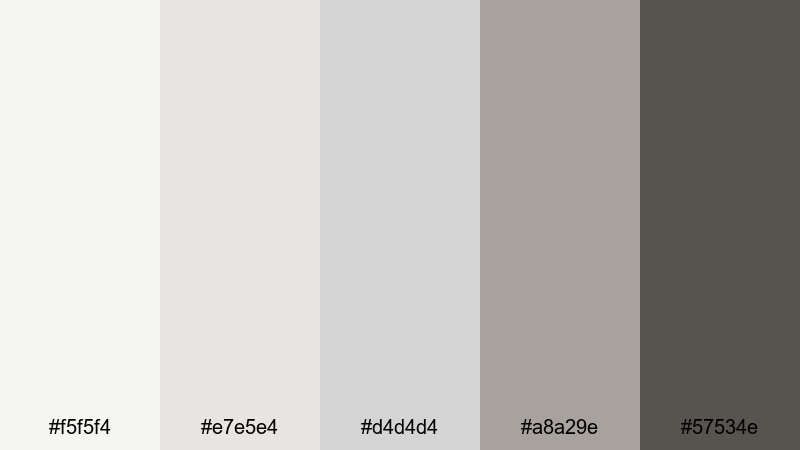
- HEX Codes: #f5f5f4, #e7e5e4, #d4d4d4, #a8a29e, #57534e
- Mood: Clean, chic, and lifestyle ready.
- Use for: Great for home tours, makeover videos, and interior design content.
Greige Apartment Light is built from soft beige-gray hues that mimic diffused daylight bouncing off neutral walls. It is understated, chic, and very Instagram-friendly, perfect for lifestyle and interior-focused creators.
Use the palest tones as a base for room labels, before-and-after frames, and price tags. The deeper greige and charcoal shades are ideal for headings, call-to-action text, and logo placement on thumbnails and intro screens.
Blush Concrete Calm
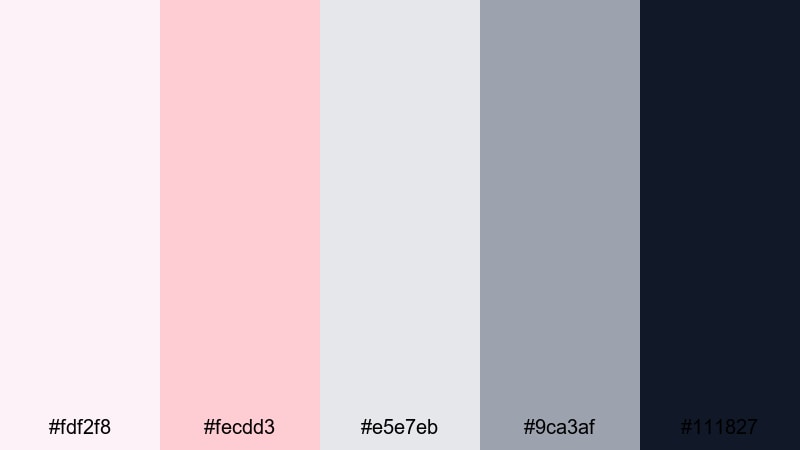
- HEX Codes: #fdf2f8, #fecdd3, #e5e7eb, #9ca3af, #111827
- Mood: Soft, stylish, and subtly romantic.
- Use for: Use for beauty vlogs, wellness content, and personal brand intros.
Blush Concrete Calm pairs gentle pinks with cool grays and a deep inky accent. The result is feminine without being overly sweet, making it great for modern beauty, wellness, and personal development brands.
Apply the blush tones to backgrounds and highlight shapes, while leaning on the grays and #111827 for clean, high-contrast text. In Filmora, this palette works beautifully for soft gradient overlays, elegant title cards, and lower thirds that feel both stylish and trustworthy.
Olive Urban Escape
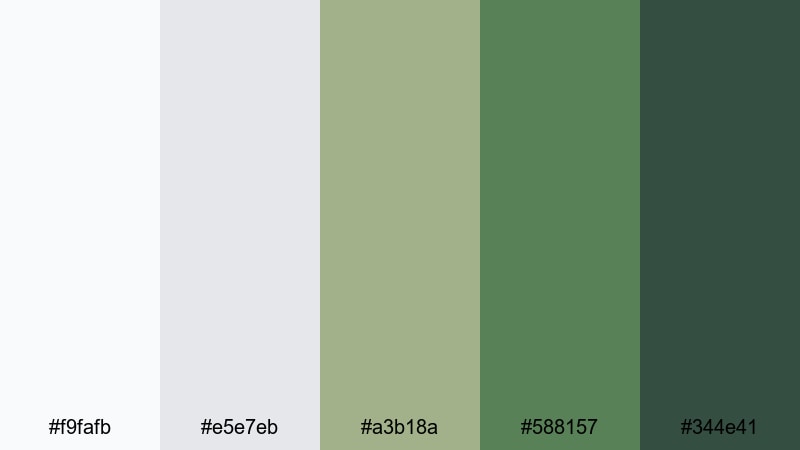
- HEX Codes: #f9fafb, #e5e7eb, #a3b18a, #588157, #344e41
- Mood: Natural, composed, and quietly modern.
- Use for: Ideal for travel vlogs, slow living edits, and eco-focused brands.
Olive Urban Escape blends soft grays with layered olive greens, like greenery growing through concrete. It feels grounded and calm, yet still distinctly modern, making it perfect for brands that sit between city life and nature.
Use the greens for accent shapes, location tags, or iconography that hint at sustainability and calm, while the grays keep your layouts clean. This palette shines on travel vlogs, eco-product explainers, and slow living montages where you want a relaxed but still design-forward look.
Dark And Futuristic Modern Color Palettes
Midnight Dashboard Chrome
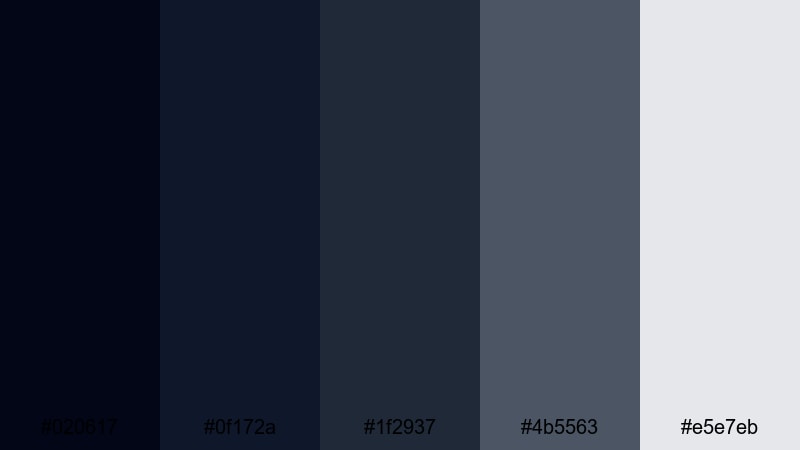
- HEX Codes: #020617, #0f172a, #1f2937, #4b5563, #e5e7eb
- Mood: Serious, data-driven, and ultra-modern.
- Use for: Perfect for analytics dashboards, fintech promos, and UI-heavy explainers.
Midnight Dashboard Chrome stacks multiple shades of dark blue and gray with a crisp light accent. It feels like a live analytics panel glowing in a dim control room, designed for content that needs to communicate complexity and precision.
Use the light gray (#e5e7eb) for key metrics, labels, and numbers, while the darker tones form layered panels and card shapes. In Filmora, this palette is excellent for infographics, kinetic typography, and data callouts in fintech or SaaS videos.
Cyberpunk Alley Lights

- HEX Codes: #020617, #312e81, #22d3ee, #f97316, #facc15
- Mood: Moody, neon-lit, and cinematic.
- Use for: Great for trailers, gaming highlights, and sci-fi edits.
Cyberpunk Alley Lights combines deep indigo and near-black shadows with neon cyan, orange, and yellow accents. It replicates the look of glowing signage in a rainy futuristic street, perfect for edits that lean into sci-fi or dystopian vibes.
Use the neon tones for title glows, edge lights on shapes, and HUD-style elements. This palette works especially well with lens flares, light leaks, and anamorphic streaks in Filmora to sell that cinematic, neon-soaked world.
Holographic Noir
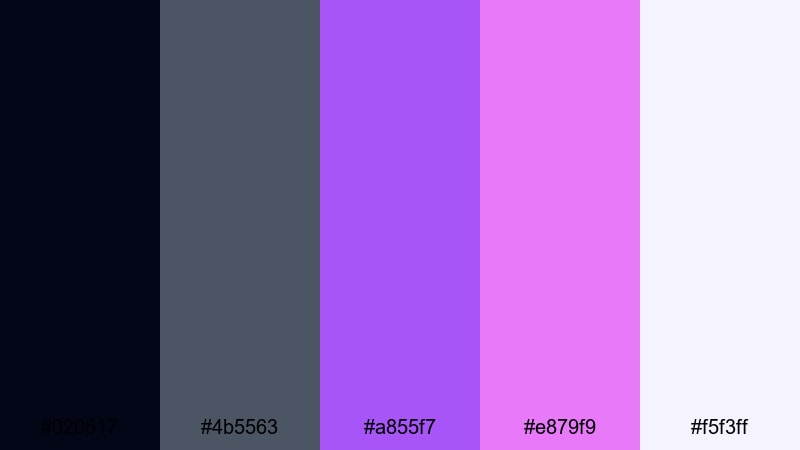
- HEX Codes: #020617, #4b5563, #a855f7, #e879f9, #f5f3ff
- Mood: Mysterious, glossy, and premium.
- Use for: Use for luxury tech promos, fashion lookbooks, and stylized title sequences.
Holographic Noir marries charcoal and steel tones with luminous purples and soft lavender-white. It feels sleek and high-end, like a futuristic fashion ad or luxury tech launch.
Use the darker shades for backgrounds and frames, then let the purples and pale highlight carry your logo reveals, title animations, and accent lines. In Filmora, add subtle glow and blur effects to the purple elements to enhance the holographic illusion without sacrificing readability.
Tips for Creating Modern Color Palettes
Modern color palettes work best when they balance clarity, contrast, and personality. Use the ideas below to adapt these schemes or build your own for video and design in Filmora.
- Pick a clear base: choose one or two main neutrals (light or dark) that will handle most backgrounds and keep your footage readable.
- Limit accent colors: 1–3 accent hues are usually enough for buttons, titles, and highlights without overwhelming viewers.
- Check text contrast: always test white and dark text over your primary background colors to ensure subtitles and titles are easy to read on mobile.
- Match your footage: sample colors from your key shots or B-roll so overlays, titles, and graphics feel naturally integrated into the scene.
- Stay consistent across platforms: use the same HEX codes for thumbnails, channel banners, lower thirds, and social posts to strengthen brand recognition.
- Use dark modes intentionally: pair deep backgrounds with saturated accents for tech, gaming, and cinematic content; keep typography bold and simple.
- Balance warm and cool tones: mix one temperature with the other to control mood, for example cool neutrals plus warm accents for friendly yet modern branding.
- Test variations in Filmora: duplicate your sequence and try different color filters or LUTs on top of the same palette to find the best modern mood for your story.
Modern color palettes can completely change how your brand and content feel, from ultra-minimal and calm to neon-charged and futuristic. By choosing a clear set of HEX codes and using them consistently, your intros, thumbnails, overlays, and end screens all start to tell the same visual story.
Filmora makes it easier to apply these palettes across every part of your edit, whether you are color matching clips, grading footage with HSL and curves, or dropping in filters and LUTs that enhance your chosen scheme. Try a few of the palettes above, adjust them to fit your footage, and save your favorite looks as reusable presets.
The more you experiment, the faster you will find a modern visual identity that feels like you and instantly signals your niche to viewers.
secure download