

 100% Security Verified | No Subscription Required | No Malware


 ChatGPT
 Perplexity
 Gemini
 Claude
 Grok
Grok
Moonlight colors sit between deep navy night and soft early dawn. They feel calm, cinematic, and a little mysterious, which is why you see them everywhere in intros, title cards, and thumbnails for vlogs, travel films, and tech channels. Cool moonlight blues and silvery grays can make your footage look more polished while keeping the focus on the story.
This guide gives you 15 Moonlight color palettes with ready-to-use HEX codes, curated for creators and Filmora users. You can apply these Moonlight color combinations to video backgrounds, YouTube thumbnails, lower thirds, logo reveals, and full cinematic grades, then tweak them easily inside Filmora.
In this article
Soft & Dreamy Moonlight Color Palettes
Whispering Harbor Moon
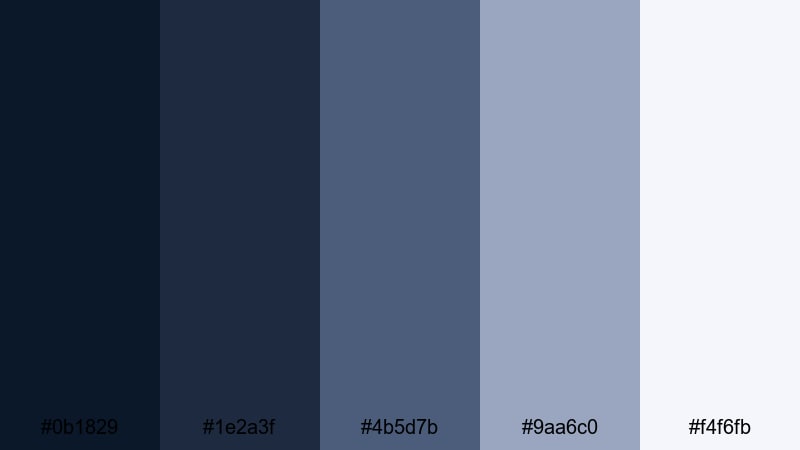
- HEX Codes: #0b1829, #1e2a3f, #4b5d7b, #9aa6c0, #f4f6fb
- Mood: Calm, reflective, and quietly cinematic, like a still harbor at night.
- Use for: Use for cinematic travel vlogs, reflective voiceover sequences, and moody title cards.
Whispering Harbor Moon flows from inky navy into soft steel blue and pale mist. It feels like a quiet dock at midnight where the water barely moves and lights shimmer in the distance. The darkest tones (#0b1829 and #1e2a3f) give you rich, moody backgrounds, while #9aa6c0 and #f4f6fb add gentle highlights that keep everything readable.
In video, this palette is ideal for story-driven edits, introspective monologues, and cinematic travel sequences. Use the deep blues for full-screen title cards, end screens, and lower thirds, then pick the lightest shade for text, icons, and simple graphic shapes. In Filmora, you can turn this palette into a subtle brand identity across thumbnails, channel art, and vertical clips by reusing the same navy base and misty white accent.
Pro Tip: Build A Cinematic Moonlight Look In Filmora
To keep a soft moonlight mood across an entire project, start by setting your background and title elements to the darkest tones in the Whispering Harbor Moon palette. Then, in Filmora, use consistent text colors like #f4f6fb for headlines and #9aa6c0 for subtitles so every frame feels like it belongs to the same quiet, coastal night.
When you edit B-roll, intros, and social cutdowns in Filmora, add gentle vignettes and slightly cool your white balance so skin tones stay natural but the shadows lean into those deep harbor blues. This way, even footage shot on different days still looks like part of one cohesive Moonlight story.
AI Color Palette
Filmora's AI Color Palette feature lets you take the Whispering Harbor Moon tones from a single reference shot or color card and apply them to your whole edit. Drop a still of your ideal harbor-night frame on the timeline, then use AI Color Palette to match other clips to that same navy-and-mist mood.
This is perfect when you are mixing phone footage, camera clips, and stock shots. Instead of grading everything by hand, Filmora analyzes the reference colors and pushes all your scenes toward the same Moonlight look for thumbnails, talking-head segments, and B-roll overlays.
 secure download

HSL, Color Wheels & Curves
Once you have a base Moonlight grade, you can fine-tune it in Filmora using HSL, color wheels, and curves. Slightly desaturate blues in the shadows and lift the midtones so faces stay clear while the environment holds that deep harbor feel. Use the color wheels to cool shadows toward #0b1829 and push highlights closer to #f4f6fb for gentle contrast.
If you want to refine this look further, explore Filmora's color grading and correction tools to adjust individual color ranges, then use curves to add a soft S-curve that makes your Moonlight scenes more cinematic without crushing detail.
secure download1000+ Video Filters & 3D LUTs
If you want to stylize your Moonlight palette even faster, Filmora's video filters and 3D LUTs make it easy to test different cinematic looks. Try cool-toned LUTs to deepen the harbor blues or soft matte filters to give your Moonlight scenes a dreamy, filmic texture.
You can also save your own custom look as a preset, then apply it to every clip, intro, and short-form edit. This keeps your Moonlight blue aesthetic consistent across YouTube thumbnails, Reels, TikToks, and long-form projects with just a few clicks.
secure downloadMist Over The Rooftops
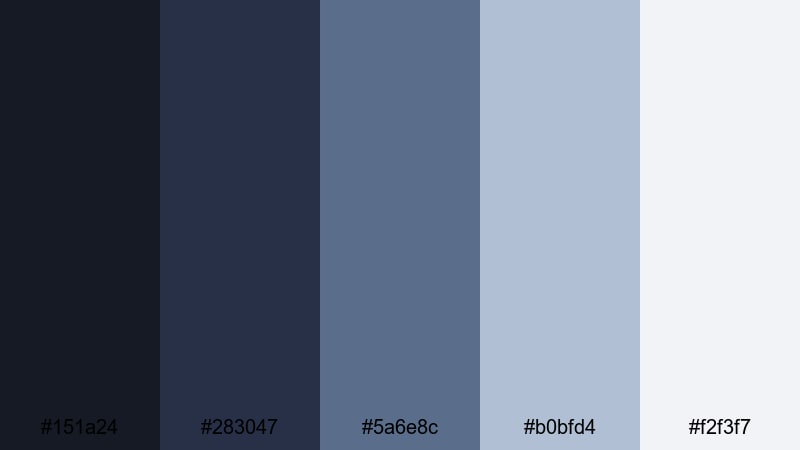
- HEX Codes: #151a24, #283047, #5a6e8c, #b0bfd4, #f2f3f7
- Mood: Hazy, nostalgic, and slightly melancholic, like a quiet city after rain.
- Use for: Great for urban vlogs, slow B-roll sequences, and minimalist YouTube channel art.
Mist Over The Rooftops mixes cool charcoal and powdery blues with a soft, misty white. It captures that moment after rain when the city is quiet, reflective, and full of little light reflections on wet streets. The dark tones give you a strong base for backgrounds and frames, while #b0bfd4 and #f2f3f7 keep things light enough for text.
Use this palette for urban night vlogs, cinematic B-roll of buildings, or minimal channel banners. In thumbnails, combine a deep rooftop blue with a bright, clean title in #f2f3f7 to make your text stand out without losing the soft, moody atmosphere.
Quiet Lakeside Glow
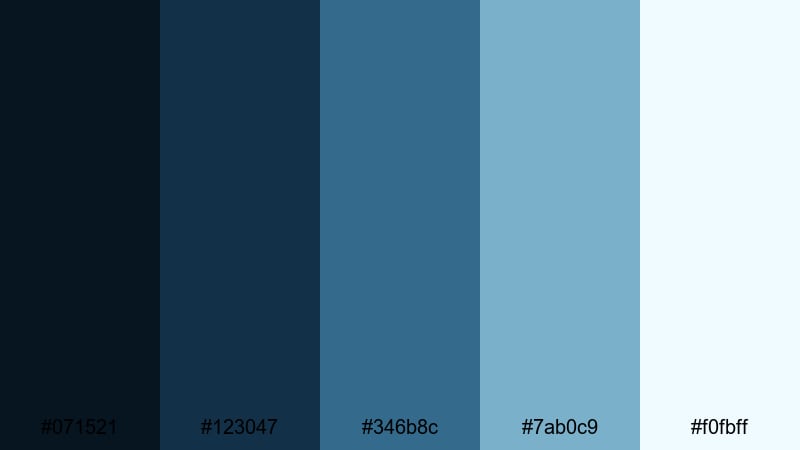
- HEX Codes: #071521, #123047, #346b8c, #7ab0c9, #f0fbff
- Mood: Serene, hopeful, and spacious, with a calm waterside feel.
- Use for: Use in nature vlogs, mindfulness content, and calm channel intros or outros.
Quiet Lakeside Glow moves from deep teal-blues to airy aqua and almost-white. It feels peaceful and spacious, like standing by a still lake under a pale Moonlight sky. The mid-tones (#346b8c and #7ab0c9) are perfect for soft gradients behind titles, while #f0fbff works well for clean, easy-to-read text.
This palette suits nature vlogs, meditation videos, and any content focused on relaxation. In Filmora, try using the darker shades as full-screen color mattes behind motivational quotes, and fade into lighter aquas for intros, outros, or lower thirds that give each scene more breathing room.
Velvet Twilight Haze
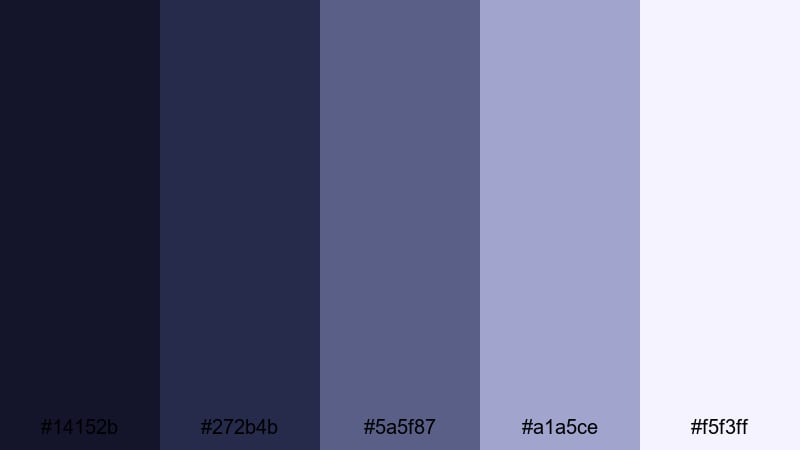
- HEX Codes: #14152b, #272b4b, #5a5f87, #a1a5ce, #f5f3ff
- Mood: Softly romantic and introspective, like velvet shadows and distant stars.
- Use for: Ideal for lyric videos, storytelling reels, and cinematic title sequences.
Velvet Twilight Haze blends indigo shadows with lavender-gray highlights for a velvety twilight feel. The deeper tones make your frames feel rich and plush, while #a1a5ce and #f5f3ff add a soft, dreamy glow that flatters skin tones and delicate overlays.
Use this palette for lyric videos, emotional storytelling, and slow, cinematic reels. In your thumbnails and title cards, set the background to deep indigo and add text or simple line art in the pale lavender white to get that romantic Moonlight aesthetic without sacrificing readability.
Cinematic Night Sky Moonlight Color Palettes
Neon Alley Midnight
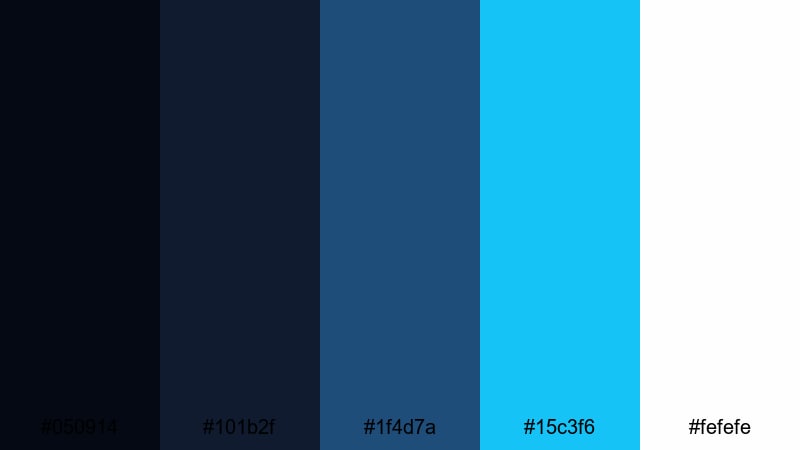
- HEX Codes: #050914, #101b2f, #1f4d7a, #15c3f6, #fefefe
- Mood: Edgy, electric, and urban, with a punch of neon against deep night.
- Use for: Perfect for tech content, gaming intros, cyberpunk edits, and bold thumbnails.
Neon Alley Midnight sets inky night blues against a sharp cyan neon accent. The combination feels energetic and futuristic, like standing in a glowing backstreet covered in signs and reflections. Dark tones form a strong backdrop for overlays, while #15c3f6 cuts through as a powerful accent for buttons, icons, and callouts.
Use this palette for gaming intros, tech explainers, and cyberpunk-inspired transitions. In Filmora, animate glowing outlines or text using the bright cyan and keep your main frames grounded in #050914 or #101b2f so your titles and neon streaks really pop in thumbnails and end screens.
Lunar Noir Frames
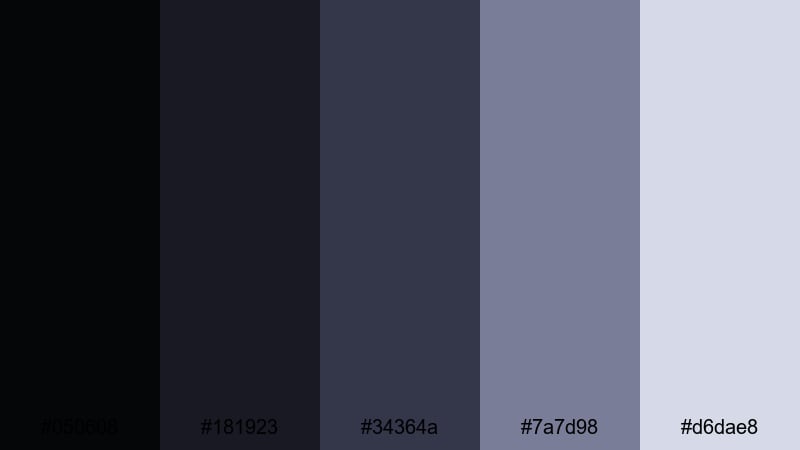
- HEX Codes: #050608, #181923, #34364a, #7a7d98, #d6dae8
- Mood: Moody, cinematic, and polished, with a classic film-noir twist.
- Use for: Use for short films, dramatic trailers, true crime recaps, and stylish title cards.
Lunar Noir Frames leans into charcoal blacks and muted indigos with silvery highlights. It gives your video a classic noir atmosphere, perfect for dramatic storytelling and serious, documentary-style content. The subtle steel tones keep it modern while still feeling timeless.
Use the darkest shades for letterbox bars, frames, and background plates, then reserve #d6dae8 for text, logo marks, and key on-screen graphics. It works especially well in Filmora when you want to give true crime recaps or mini-docs a clean but cinematic Moonlight treatment.
Starliner Cityscape
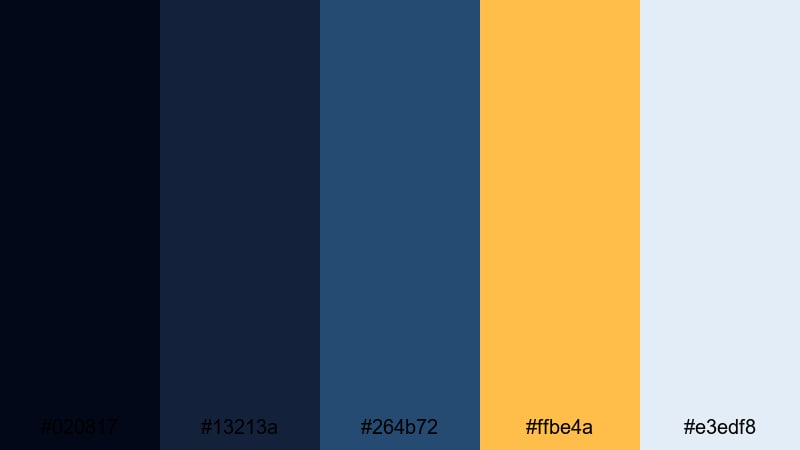
- HEX Codes: #020817, #13213a, #264b72, #ffbe4a, #e3edf8
- Mood: Cinematic and adventurous, mixing cool night air with warm city lights.
- Use for: Great for travel montages, skyline B-roll, and energetic city vlog openers.
Starliner Cityscape contrasts cool Moonlight blues with a golden accent that feels like glowing streetlights or windows. The navy and mid-blues create depth and calm, while #ffbe4a adds a burst of energy whenever you need attention on titles, arrows, or call-to-action buttons.
This palette is perfect for skyline B-roll, city travel vlogs, and urban lifestyle edits. In thumbnails, pair a dark blue sky with warm golden typography or icons. Inside Filmora, you can use the cool tones for your overall grade and apply the golden accent to animated lower thirds or subscribe buttons so they stand out against the night backdrop.
Deep Ocean Eclipse
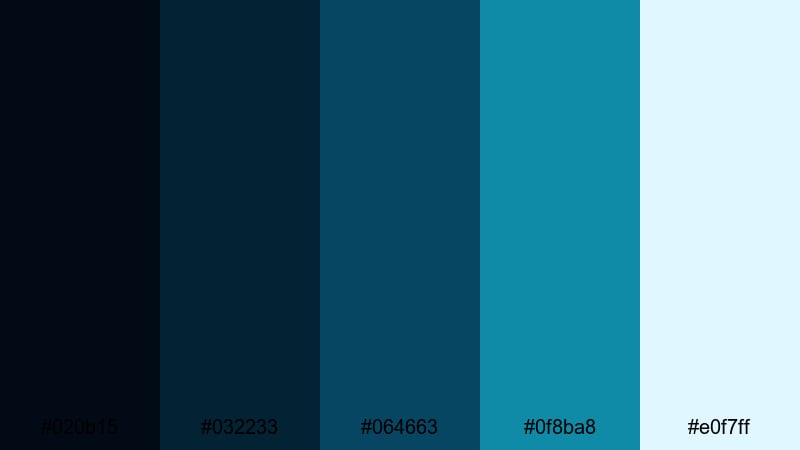
- HEX Codes: #020b15, #032233, #064663, #0f8ba8, #e0f7ff
- Mood: Intense and immersive, like staring into a deep, moonlit sea.
- Use for: Use for underwater footage, tech explainers, and sleek cinematic transitions.
Deep Ocean Eclipse layers dark navy, teal, and aqua to create an intense, immersive Moonlight sea. The deep shades make your frames feel mysterious and high-end, while #0f8ba8 and #e0f7ff bring clarity and detail to key elements in the frame.
Use this palette for underwater clips, sci-fi openers, or sleek tech explainers. In Filmora, you can build smooth gradients using these tones for transitions and HUD elements, then keep text mostly in the lightest aqua or white to stay sharp against the dark ocean backdrop.
Minimal & Modern Moonlight Color Palettes
Mono Moon Studio
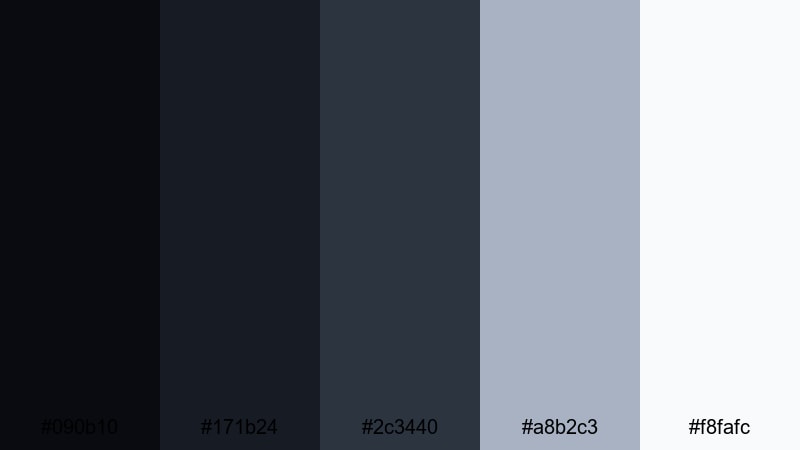
- HEX Codes: #090b10, #171b24, #2c3440, #a8b2c3, #f8fafc
- Mood: Clean, minimal, and professional with a cool studio vibe.
- Use for: Perfect for tutorials, product demos, channel branding, and UI-inspired motion graphics.
Mono Moon Studio keeps things minimal with graphite, slate, and soft silver-blues. It feels like a modern studio set or a clean app interface, making it ideal for professional and tech-focused channels. The darker tones build a neutral base, while #a8b2c3 and #f8fafc keep key information clear and crisp.
Use this palette for tutorial layouts, split-screen demos, and channel branding where you want the content to shine more than the colors. In Filmora, set your background mattes to the deeper shades and reserve the lightest tones for text, icons, and UI-style overlays around your footage.
Frosted Window Light
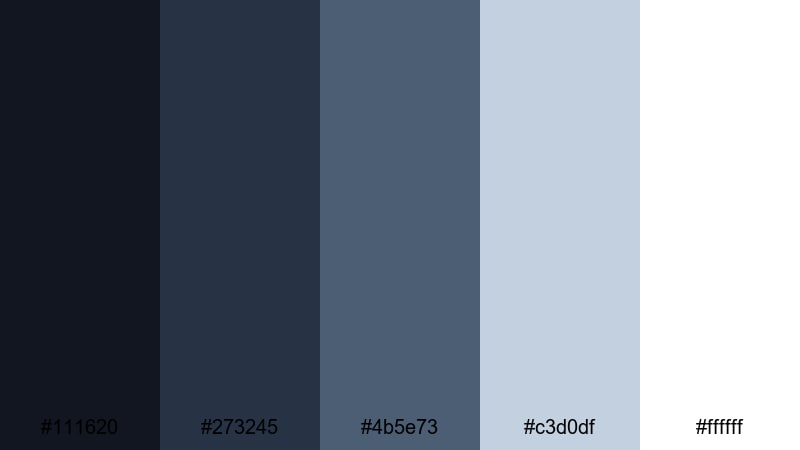
- HEX Codes: #111620, #273245, #4b5e73, #c3d0df, #ffffff
- Mood: Bright but cool, like pale morning light through frosted glass.
- Use for: Use for clean lifestyle channels, productivity videos, and minimalist thumbnail designs.
Frosted Window Light mixes cool navy and slate with frosted blues and pure white. It feels fresh and organized, like a tidy workspace lit by early daylight. The mid-blues add subtle structure, while #ffffff and #c3d0df keep everything airy and easy on the eyes.
This palette works well for productivity tips, lifestyle vlogs, and minimal design content. In thumbnails, use a navy corner block with white text and a light blue background to separate your subject from your title. Inside Filmora, you can design clean title cards and chapter screens that match a crisp, modern Moonlight brand.
Slate Skyline Minimal
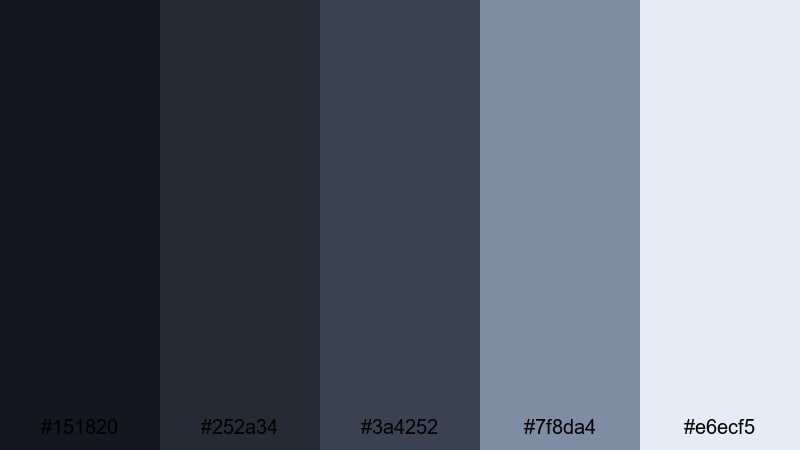
- HEX Codes: #151820, #252a34, #3a4252, #7f8da4, #e6ecf5
- Mood: Balanced, modern, and quietly sophisticated.
- Use for: Great for business explainers, portfolio reels, and clean motion graphics packages.
Slate Skyline Minimal uses layered slate tones and soft steel highlights to create a polished, understated look. It feels like a night skyline seen through office windows, professional but not cold. The mid-range grays are ideal for backgrounds, while #e6ecf5 keeps text and icons clear.
Use this palette for client-facing videos, pitch decks converted into motion graphics, and portfolio reels. In Filmora, you can build simple shapes and lower thirds using the dark slates, then keep your logo and key numbers in the lightest shade so they stand out against the Moonlight base.
Steel And Starlight
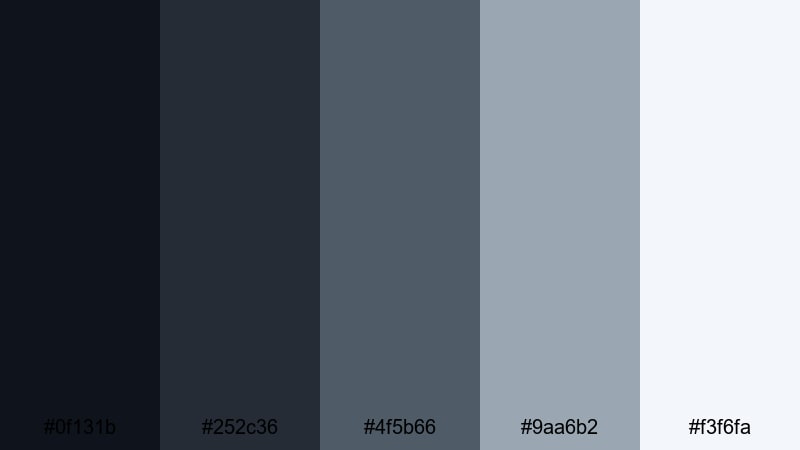
- HEX Codes: #0f131b, #252c36, #4f5b66, #9aa6b2, #f3f6fa
- Mood: Cool, focused, and futuristic with a hint of softness.
- Use for: Ideal for tech reviews, app previews, and sleek title or lower third designs.
Steel And Starlight echoes brushed metal under a clear night sky. The darker grays and blues feel sleek and focused, while #9aa6b2 and #f3f6fa soften the look just enough to keep it welcoming. It is a great fit for tech reviews, software demos, and UI-heavy motion graphics.
Use the darker tones for card backgrounds and panel elements, then highlight important icons, stats, or CTAs with the lightest shades. In Filmora, this palette works well with subtle glow or blur effects, turning your overlays into a futuristic Moonlight interface.
Romantic Pastel Moonlight Color Palettes
Moonlit Garden Party
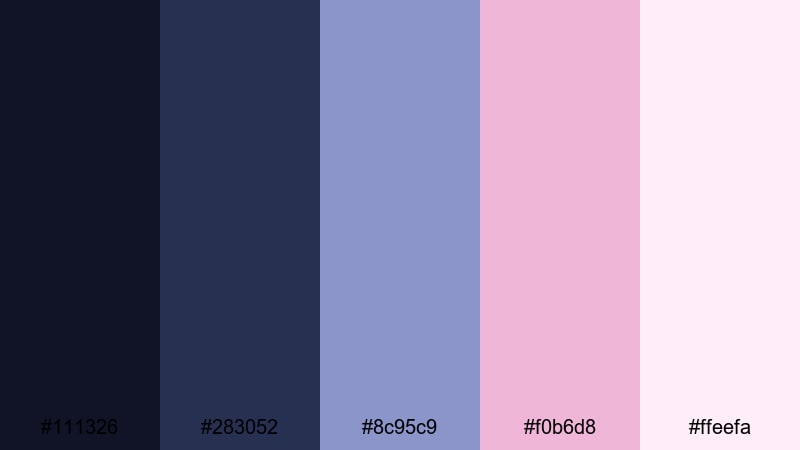
- HEX Codes: #111326, #283052, #8c95c9, #f0b6d8, #ffeefa
- Mood: Playful, romantic, and slightly whimsical, like a backyard party under string lights.
- Use for: Perfect for wedding reels, celebration vlogs, and dreamy event highlight videos.
Moonlit Garden Party grounds pastel lilac and rose tones in inky navy. It feels like a magical backyard gathering under Moonlight and fairy lights, with soft colors that still have enough contrast to work on screen. The deeper blues support your footage, while #f0b6d8 and #ffeefa bring in playful, romantic accents.
Use this palette for weddings, birthday montages, and event highlight reels. In Filmora, let footage and navy backgrounds carry the scene, then add text, frames, or doodle-style graphics in the pastel lilac and rose to give every thumbnail and title card a charming night-garden vibe.
Powder Blue Reverie
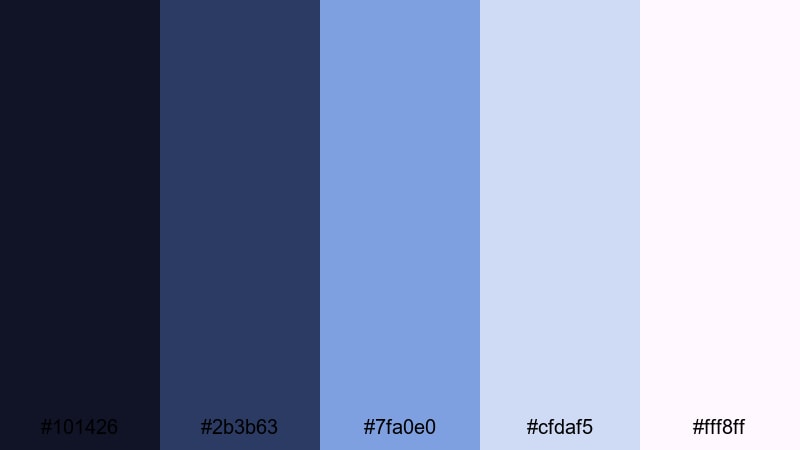
- HEX Codes: #101426, #2b3b63, #7fa0e0, #cfdaf5, #fff8ff
- Mood: Soft, nostalgic, and airy, like a late-night daydream.
- Use for: Use for cozy vlogs, bedtime stories, aesthetic shorts, and gentle intro animations.
Powder Blue Reverie takes deep blue shadows and lets them melt into powder sky blue and soft lavender white. The result is a delicate, nostalgic palette that feels like drifting off to sleep while watching the night sky. The lighter tones keep your compositions airy and comforting.
This palette is ideal for cozy room tours, bedtime stories, aesthetic shorts, and chill playlists. Use the darker blues for top or bottom bars and borders, then fill your titles and icons with the lighter pastel tones. In Filmora, pair this palette with slow zooms and gentle fades to maintain that dreamy Moonlight flow.
Soft Lantern Serenade
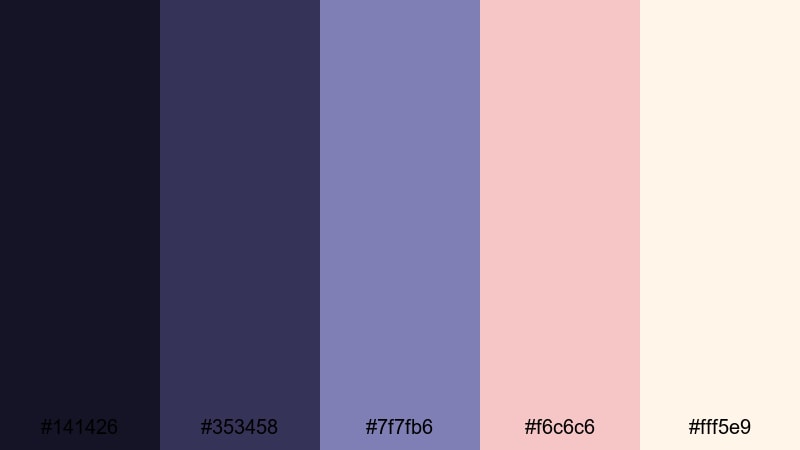
- HEX Codes: #141426, #353458, #7f7fb6, #f6c6c6, #fff5e9
- Mood: Warm, intimate, and musical, like paper lanterns and quiet songs at night.
- Use for: Great for love stories, slow dance moments, lifestyle montages, and channel trailers with a gentle vibe.
Soft Lantern Serenade pairs midnight indigo with lilac, blush, and candlelight cream. It feels like soft music and warm lanterns glowing in a Moonlight courtyard. The blues keep the scene anchored at night, while the warm pastels add emotion and intimacy.
Use this palette for romantic edits, lifestyle montages, and heartfelt channel trailers. In Filmora, use the indigo shades in your background shapes and overlays, then highlight important words, dates, or names in the blush and cream tones so the message feels warm and unforgettable.
Tips for Creating Moonlight Color Palettes
Moonlight color palettes work best when you balance deep, cool tones with lighter highlights and one or two accent colors. Here are some practical tips to help you combine Moonlight shades for video, design, and branding in Filmora.
- Always pair dark Moonlight blues with a very light shade (near white or pale mist) for titles and captions so text stays readable on all screens.
- Choose one accent color per project (gold, pastel pink, or neon cyan) and use it only for CTAs, key words, or important icons to keep your visuals clean.
- Match your Moonlight palette to your footage by slightly adjusting white balance and tint in Filmora, pushing shadows cool while keeping skin tones natural.
- Use gradients that blend two or three colors from the same palette for thumbnails and title cards; avoid mixing random blues from outside the palette.
- Keep brand consistency by reusing the same HEX codes in your logo reveals, lower thirds, YouTube thumbnails, and end screens.
- Test your palette in both dark mode and light mode layouts; Moonlight colors can look very different against pure black vs soft gray backgrounds.
- When designing for mobile, increase contrast slightly so small text and icons remain visible in bright environments.
- Save your Moonlight looks as Filmora presets or project templates so you can apply the same aesthetic quickly to new vlogs and social edits.
Moonlight color palettes can completely change the mood of your content, from calm and reflective to bold and futuristic. By choosing the right combination of deep blues, soft highlights, and carefully placed accents, you shape how viewers experience your stories and how they remember your brand.
Whether you prefer soft, dreamy tones or neon night-city vibes, these 15 Moonlight palettes give you a starting point for thumbnails, intros, overlays, and full cinematic grades. Try them in Filmora, then refine with AI Color Palette, HSL controls, and filters until the look feels exactly right for your channel.
Experiment with a few different Moonlight combinations across your next series of uploads, and keep the palette consistent so your content feels instantly recognizable, just like a signature night-time style.
secure downloadNext: Bohemian Color Palette
