

 100% Security Verified | No Subscription Required | No Malware


 ChatGPT
 Perplexity
 Gemini
 Claude
 Grok
Grok
Nautical colors instantly call to mind deep oceans, clean sails, and bright harbor lights. Rich navies and marine blues feel steady and trustworthy, while whites, golds, and signal reds add clarity and energy. In video and branding, this mix of calm and contrast is perfect for channels that want to feel adventurous yet reliable, from sailing vlogs and travel edits to tech explainers with a maritime twist.
Below are 15 ready-made Nautical color palettes with HEX codes you can plug straight into thumbnails, intros, overlays, and brand kits. Whether you edit in Filmora or design social graphics elsewhere, these combinations make it easy to keep your visuals consistent across YouTube thumbnails, channel banners, shorts, and long-form videos.
In this article
Classic Nautical Color Palettes
Harbor Twilight Blues
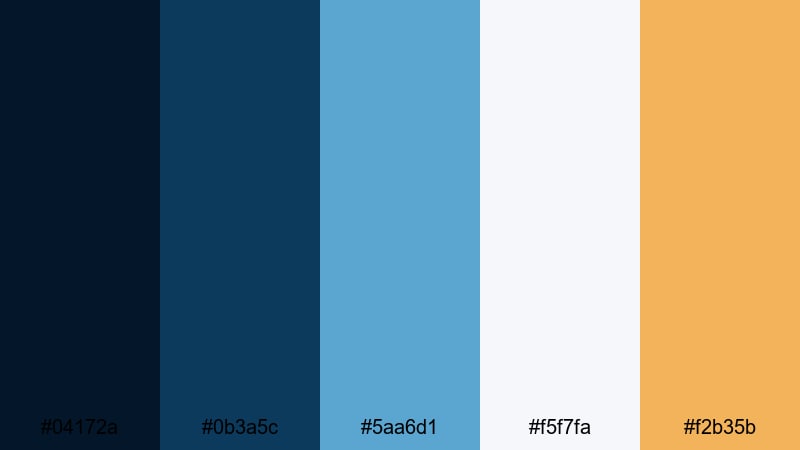
- HEX Codes: #04172a, #0b3a5c, #5aa6d1, #f5f7fa, #f2b35b
- Mood: Calm, cinematic, and quietly confident, like a harbor at dusk.
- Use for: Ideal for cinematic vlog intros, sailing travel videos, and moody channel branding.
Harbor Twilight Blues layers deep navy (#04172a) and twilight blue (#0b3a5c) with a softer sky tone (#5aa6d1). Light harbor mist (#f5f7fa) and a warm amber accent (#f2b35b) keep the palette from feeling too heavy, adding just enough glow to mimic sunset reflections on water.
Use the darker blues for backgrounds, titles, and overlays, then pick the amber for subtle details like subscribe buttons, icons, or lower-third highlights. This palette works especially well in cinematic vlogs, travel sequences, and storytelling intros where you want viewers to feel immersed in a calm, nautical evening without losing readability in thumbnails and text.
Pro Tip: Build a Cinematic Nautical Look in Filmora
In Filmora, you can turn Harbor Twilight Blues into a signature look by using the deep navy as your background for titles, end screens, and lower thirds. Then, add #5aa6d1 and #f2b35b to shapes, icons, and motion graphics to guide the eye toward key calls to action like Subscribe or Watch Next.
Save color presets for text, overlays, and elements inside Filmora so every vlog intro, B-roll montage, and social cut shares the same twilight harbor mood. This makes your channel feel consistent whether viewers watch on mobile, tablet, or TV.
AI Color Palette
If you have a reference image of a harbor at dusk or a custom color card with these HEX values, you can use Filmora's AI Color Palette feature to spread that look across your entire video. The AI analyzes the colors in your reference and matches your clips, so sky, water, and shadows all share the same Nautical tone.
Import your clips, choose a graded shot or still image with Harbor Twilight Blues as the source, and apply the AI palette to your timeline. This is perfect when you want all your A-roll, B-roll, and cutaway shots to carry the same cinematic dusk atmosphere without manually grading each one.
 secure download

HSL, Color Wheels & Curves
Once your base colors are in place, fine-tune your Nautical mood using Filmora's color correction tools in Filmora. Use HSL sliders to deepen blues without over-saturating faces, push yellows toward a softer amber for a warm harbor glow, and desaturate any unwanted greens in the shadows.
With color wheels and curves, you can cool down shadows toward #04172a, keep midtones close to #5aa6d1, and lift highlights slightly toward #f5f7fa for clean whites in sails and text. A gentle S-curve adds contrast and makes the palette feel more cinematic while still staying true to the twilight harbor vibe.
secure download1000+ Video Filters & 3D LUTs
To stylize Harbor Twilight Blues even faster, combine it with Filmora's video filters and 3D LUTs. Choose cinematic LUTs that boost contrast in blues, or apply vintage filters that soften the whites for a nostalgic travel vibe.
Layer a subtle vignette and a cool-toned filter over your footage to pull attention to the center of the frame while keeping the Nautical blues rich and immersive. This approach gives every shot a cohesive, harbor-at-dusk atmosphere with just a few clicks.
secure downloadSailor Stripe Tradition
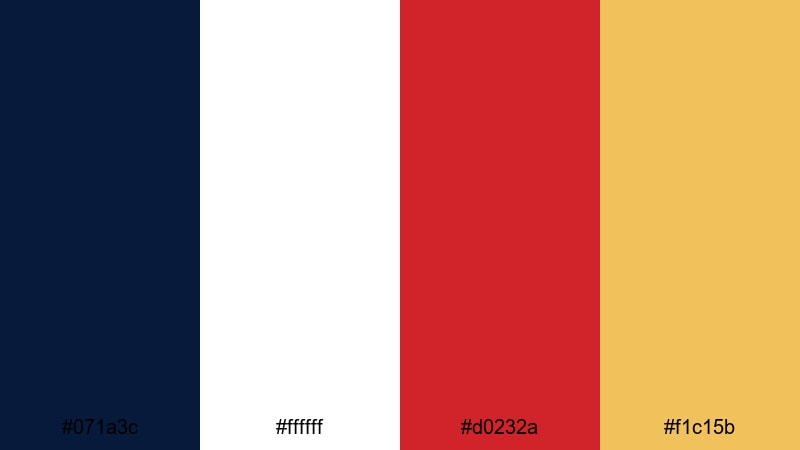
- HEX Codes: #071a3c, #ffffff, #d0232a, #f1c15b
- Mood: Bold, timeless, and energetic with a classic maritime spirit.
- Use for: Perfect for channel logos, intro animations, and lower thirds on adventure or travel content.
Sailor Stripe Tradition takes crisp navy (#071a3c), bright white (#ffffff), signal red (#d0232a), and brass gold (#f1c15b) to recreate the feel of classic sailor uniforms and ship flags. The contrast between dark blue and white makes text and icons extremely legible.
Use navy and white as the foundation for titles, frames, and lower thirds, then drop in red and gold as accent colors for subscribe buttons, badges, and logo marks. This palette is excellent for YouTube banners and thumbnails where you want instant maritime recognition and high click-through due to strong contrast.
Anchor And Ivory Mist
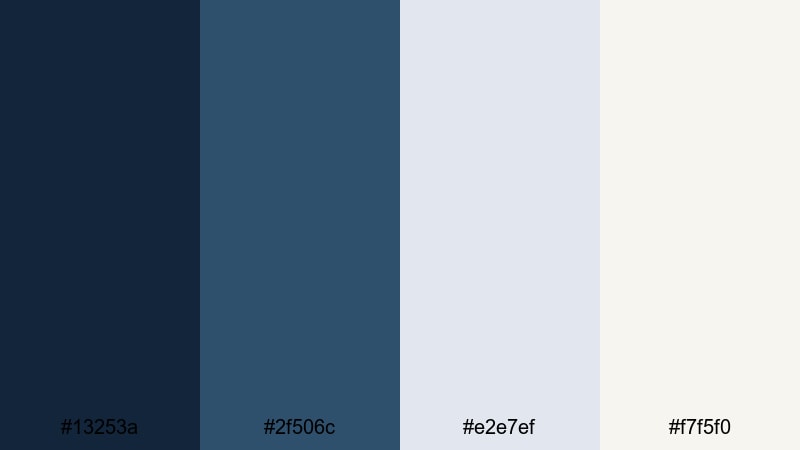
- HEX Codes: #13253a, #2f506c, #e2e7ef, #f7f5f0
- Mood: Rooted, refined, and quietly luxurious.
- Use for: Great for professional channel branding, title cards, and minimalist product explainers.
Anchor And Ivory Mist balances inky navy (#13253a) and steel blue (#2f506c) with soft ivory (#f7f5f0) and pale mist (#e2e7ef). It keeps the Nautical theme but replaces bright primary accents with subtle neutrals for a more premium feel.
Use the darker blues in backgrounds, navigation bars, and overlay shapes, while the ivory tones handle text, diagrams, and product callouts. This palette fits perfectly with SaaS demos, gear reviews, or minimalist travel guides that want a hint of marine inspiration without bold, flashy colors.
Signal Flag Brights
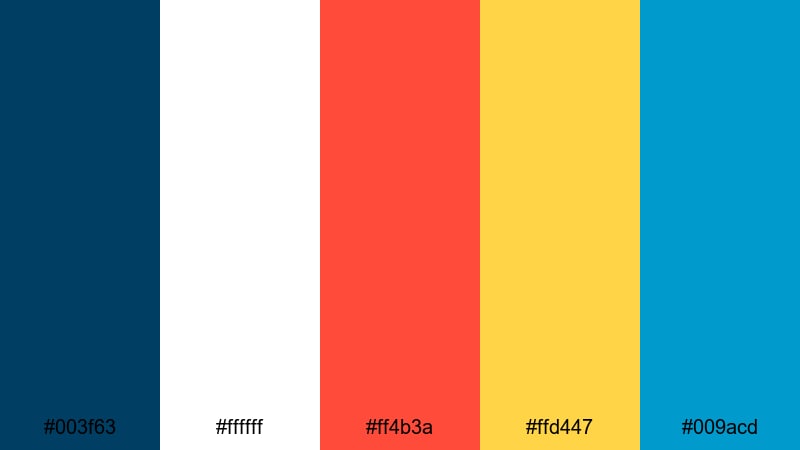
- HEX Codes: #003f63, #ffffff, #ff4b3a, #ffd447, #009acd
- Mood: Energetic, playful, and attention grabbing like ship signal flags.
- Use for: Use in YouTube thumbnails, title screens, and motion graphics where high contrast is essential.
Signal Flag Brights uses marine blue (#003f63) and white as a clean base, then adds bold red (#ff4b3a), buoy yellow (#ffd447), and cyan (#009acd). Together, they mimic the punchy look of signal flags strung across a ship.
Use this palette whenever you need strong thumbnail stopping power. Place text on the blue or white, and use red and yellow bars or shapes behind key phrases like New Episode or Live. The cyan accent is great for progress bars, animated arrows, or callout highlights in tutorials and travel recaps.
Soft Coastal Nautical Color Palettes
Morning Tide Pastels
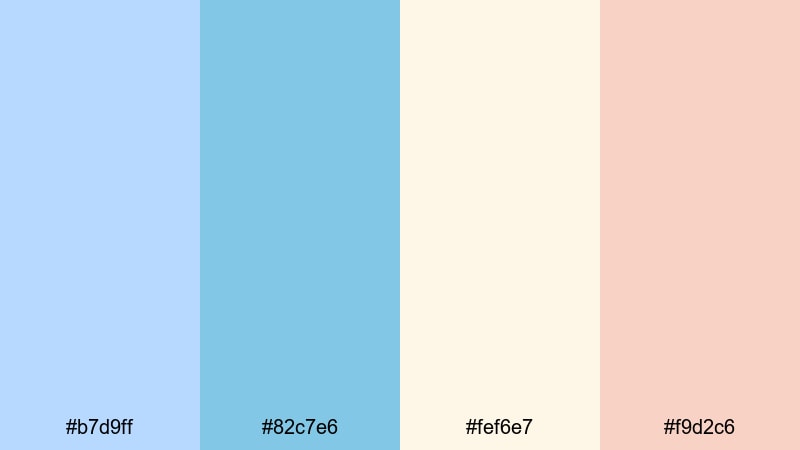
- HEX Codes: #b7d9ff, #82c7e6, #fef6e7, #f9d2c6
- Mood: Gentle, optimistic, and breezy like a calm morning by the sea.
- Use for: Perfect for lifestyle vlogs, morning routines, and soft cinematic b-roll sequences.
Morning Tide Pastels softens the Nautical theme with pale sky blue (#b7d9ff), gentle seafoam (#82c7e6), creamy sand (#fef6e7), and blush foam tones (#f9d2c6). The low contrast feels airy and relaxed, ideal for calming content.
Use this palette for morning routine videos, slow coastal B-roll, or wellness content. Keep backgrounds in the light sand or sky tones, and use the deeper pastel blue for text or simple line icons. It translates nicely into Instagram Reels and YouTube Shorts where a soft, optimistic look encourages viewers to keep watching.
Sea Glass Whisper
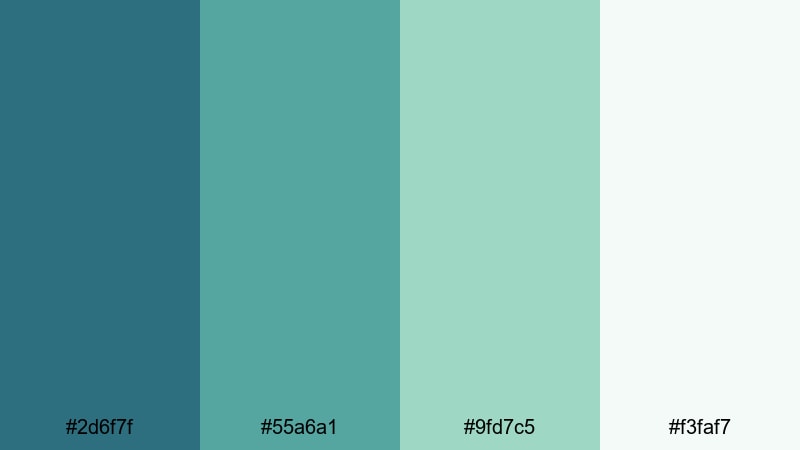
- HEX Codes: #2d6f7f, #55a6a1, #9fd7c5, #f3faf7
- Mood: Serene, refreshing, and airy with a handcrafted feel.
- Use for: Great for travel montages, calming BGM videos, and brand openers for wellness or eco channels.
Sea Glass Whisper layers muted teal (#2d6f7f) and aqua-green (#55a6a1) with soft sea-glass highlights (#9fd7c5) and nearly white foam (#f3faf7). It feels like hand-polished glass washed ashore, calm and slightly rustic.
Use the darker teal for headings and logo marks, while the paler tones fill backgrounds and overlay shapes. In Filmora, this palette works beautifully for text animations over drone shots, minimal intro screens for eco-friendly brands, or ambient BGM videos where the color palette should soothe rather than shout.
Overcast Marina Calm
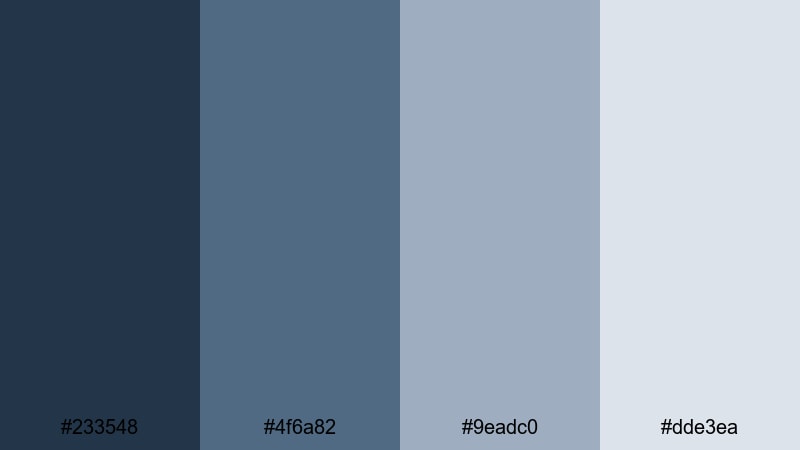
- HEX Codes: #233548, #4f6a82, #9eadc0, #dde3ea
- Mood: Moody yet calm, like a cloudy day over quiet docks.
- Use for: Ideal for travel documentaries, reflective storytelling, and cinematic grading presets.
Overcast Marina Calm leans into slate navy (#233548), cool steel blue (#4f6a82), and soft grays (#9eadc0, #dde3ea). It feels introspective and documentary-like, perfect for stories that mix travel with reflection.
Use the darker shades as background for subtitles, chapter cards, and end screens, while the lighter grays support overlays, charts, or map graphics. Apply this palette when you want your footage to feel cinematic and thoughtful rather than bright and sunny.
Driftwood Shoreline
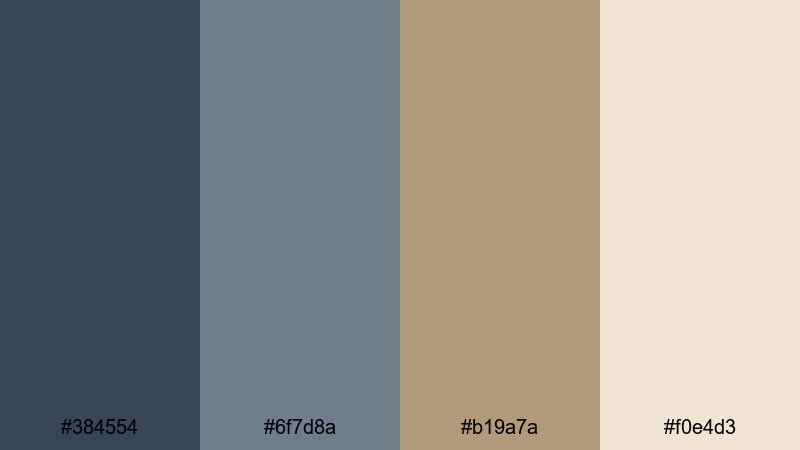
- HEX Codes: #384554, #6f7d8a, #b19a7a, #f0e4d3
- Mood: Earthy, grounded, and nostalgic with a weathered charm.
- Use for: Use for beach vlogs, slow-living content, and title cards on nature documentaries.
Driftwood Shoreline pairs weathered blue-grays (#384554, #6f7d8a) with warm driftwood brown (#b19a7a) and soft sand (#f0e4d3). It blends marine and earthy tones to capture the feeling of worn boards and sun-faded piers.
Use the blue-grays for overlays and typography, and bring in the warm brown for accents like dividers, icons, and callout boxes. This palette suits slow-living vlogs, coastal walks, and nature documentaries where you want a natural, organic Nautical vibe rather than crisp, polished navy and white.
Bold Maritime Nautical Color Palettes
Regatta Race Energy
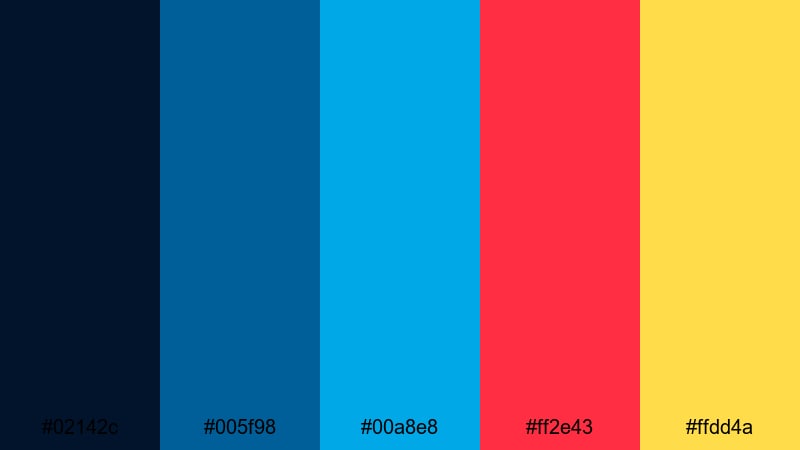
- HEX Codes: #02142c, #005f98, #00a8e8, #ff2e43, #ffdd4a
- Mood: Fast, competitive, and high energy like a regatta at full speed.
- Use for: Great for sports intros, action montages, and bold creator branding.
Regatta Race Energy anchors your visuals in deep navy (#02142c) and vivid aqua (#00a8e8), then slams in race red (#ff2e43) and buoy yellow (#ffdd4a) for maximum impact. This palette feels fast, loud, and competitive.
Use the darkest blue as the base for titles and backgrounds, the bright blue for accent lines and borders, and reserve red and yellow for key elements like CTA buttons, timers, score boxes, or event titles. This palette is ideal for sports edits, challenge videos, or any content that needs to feel energetic and urgent.
Deep Ocean Storm
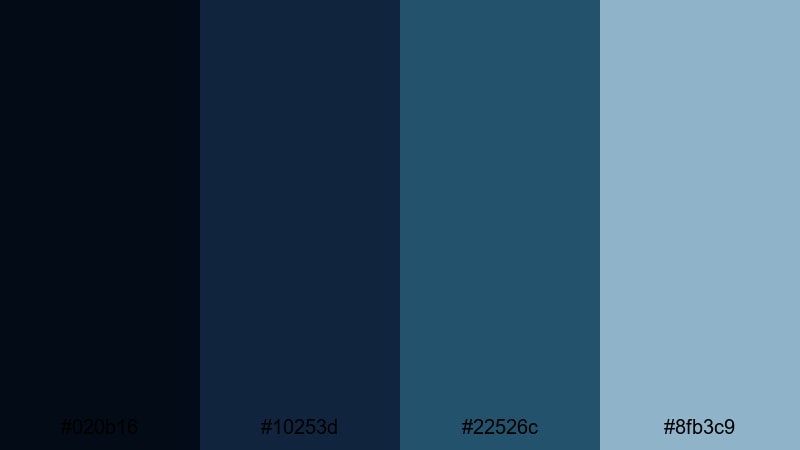
- HEX Codes: #020b16, #10253d, #22526c, #8fb3c9
- Mood: Dramatic, intense, and cinematic like a brewing storm offshore.
- Use for: Perfect for trailers, dramatic story arcs, and color grading moody seascapes.
Deep Ocean Storm moves from nearly black navy (#020b16) through midnight blue (#10253d) to stormy teal (#22526c) and pale storm blue (#8fb3c9). It is built for drama, shadow, and tension.
Use this palette when you need your footage to feel serious and atmospheric. Place titles on the mid-blue tones for legibility, keep backgrounds and letterboxing in the deepest navy, and use the pale blue to highlight important text or graphics. It works especially well for trailers, mystery stories, and stormy seascape B-roll.
Lighthouse Beacon Glow
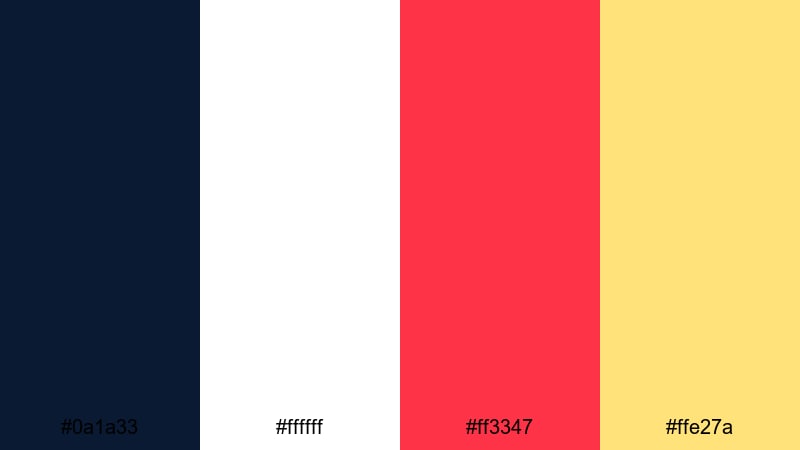
- HEX Codes: #0a1a33, #ffffff, #ff3347, #ffe27a
- Mood: Hopeful, bold, and guiding with a cinematic focal point.
- Use for: Ideal for call-to-action frames, subscribe end cards, and highlight overlays on key scenes.
Lighthouse Beacon Glow sets dark ocean blue (#0a1a33) against clean white (#ffffff), high-impact red (#ff3347), and warm beacon light (#ffe27a). The contrast naturally pulls the eye to the brightest areas, just like a lighthouse cutting through night.
Use the deep blue around the edges of your frame, place text in white, and apply red or golden accents to buttons, arrows, and subscribe prompts. This palette is particularly effective in end cards, chapter breaks, and key storytelling moments where you want viewers to look exactly where you point.
Tropical Marina Pop
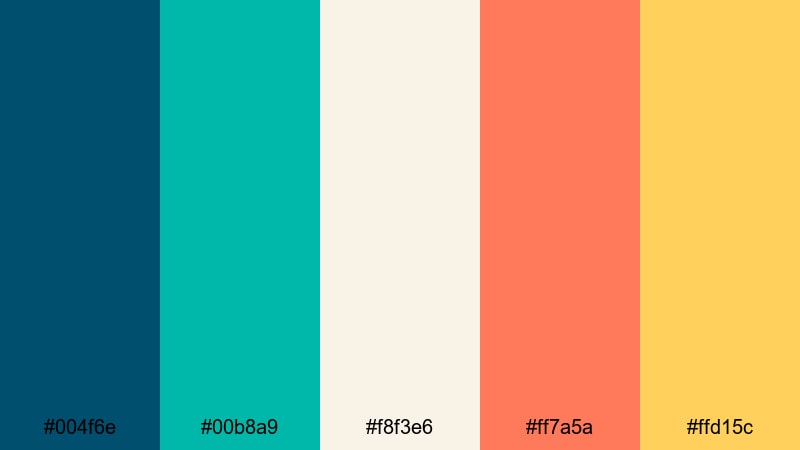
- HEX Codes: #004f6e, #00b8a9, #f8f3e6, #ff7a5a, #ffd15c
- Mood: Vibrant, sunny, and adventurous with a tropical harbor vibe.
- Use for: Great for travel vlogs, snorkeling footage, and upbeat channel trailers.
Tropical Marina Pop mixes strong teal (#004f6e), bright marina blue-green (#00b8a9), warm coral (#ff7a5a), sunny yellow (#ffd15c), and soft sand (#f8f3e6). It feels like a buzzing tropical harbor full of boats, markets, and sunlight.
Use the teal for backgrounds and outline strokes, the sand tone for text blocks, and the coral and yellow as dynamic accents on transitions, emojis, and animated stickers. This palette fits beach adventures, snorkeling clips, and vacation montages where color should feel fun and social-ready.
Modern Nautical Branding Palettes
Minimal Navy Interface
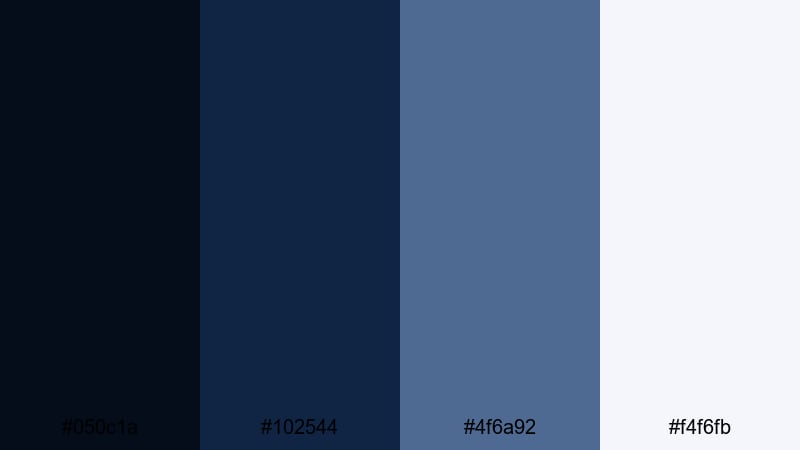
- HEX Codes: #050c1a, #102544, #4f6a92, #f4f6fb
- Mood: Clean, professional, and tech friendly with a subtle maritime edge.
- Use for: Ideal for channel UI elements, overlays, lower thirds, and app-style motion graphics.
Minimal Navy Interface uses inky navy (#050c1a), structured blue-gray (#102544, #4f6a92), and a soft off-white (#f4f6fb). It keeps your visuals modern and techy while still echoing deep-sea Nautical tones.
Use the darkest shade for backgrounds and full-screen overlays, the mid-blues for buttons and interface-like elements, and the off-white for text and icons. This palette is perfect if you want your channel to feel like a polished app or software brand while still tying into ocean or sailing themes.
Teal Channel Clean
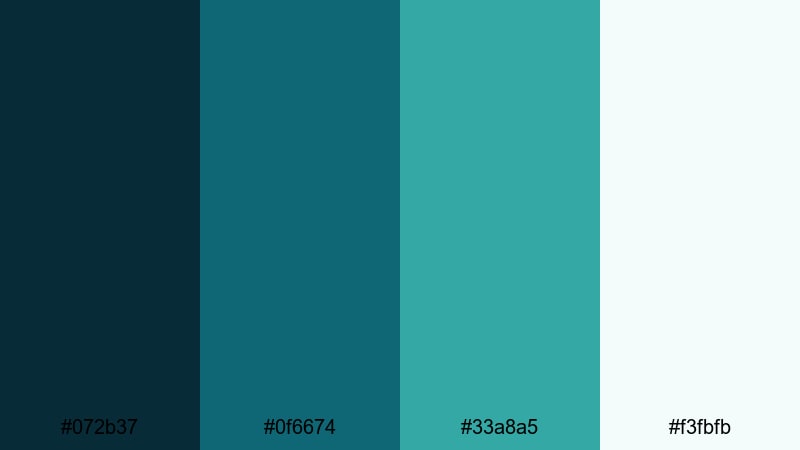
- HEX Codes: #072b37, #0f6674, #33a8a5, #f3fbfb
- Mood: Fresh, digital, and trustworthy with a hint of ocean tech.
- Use for: Perfect for tutorial channels, tech explainers, and clean social media graphics.
Teal Channel Clean combines deep blue-green (#072b37) and balanced teal (#0f6674) with bright accent teal (#33a8a5) and foam white (#f3fbfb). It feels like a blend of ocean water and modern UI design, clean and trustworthy.
Use the darker tones for backgrounds and content blocks, then highlight buttons, progress bars, and icons with the lighter teal. This palette is a strong fit for how-to channels, tech explainers, and productivity content where you want a modern design language but still reference ocean-inspired colors.
Submerged Gradient Depth
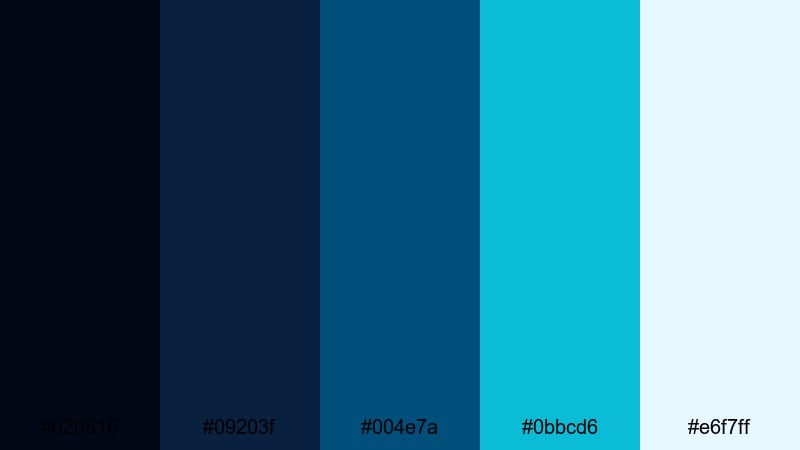
- HEX Codes: #020816, #09203f, #004e7a, #0bbcd6, #e6f7ff
- Mood: Immersive, futuristic, and atmospheric like a dive into deep water.
- Use for: Great for animated intros, kinetic typography, and gradient overlays in cinematic edits.
Submerged Gradient Depth runs from near-black abyssal blue (#020816) through mid-depth blues (#09203f, #004e7a) into bright cyan (#0bbcd6) and pale surface light (#e6f7ff). It is designed for smooth gradients that feel like moving from deep water toward sunlight.
Use this palette to build gradient backgrounds behind titles, kinetic typography, or end cards. In Filmora, you can create vertical or radial gradients that shift from dark to bright, then add animated text on top. It works especially well for techy channel intros, sci-fi storytelling, or any content that wants an immersive underwater atmosphere.
Tips for Creating Nautical Color Palettes
Nautical palettes work best when you balance deep, steady blues with clear highlights and carefully chosen accents. Use the ideas below to mix and match these HEX codes with your own footage, branding, and thumbnail designs.
- Start with one anchor blue: Pick a main navy or teal for backgrounds and UI elements so your channel feels consistent across intros, outros, and overlays.
- Use high-contrast pairs for text: Combine dark navy with white or very pale sand so titles, captions, and subtitles remain readable on mobile screens.
- Add just one or two accents: Choose a single signal color, like red, amber, or coral, for CTAs and highlights instead of using many bright accents at once.
- Match palette to footage mood: Softer pastels fit calm morning vlogs, while bold primary Nautical tones suit action edits, regattas, and challenge videos.
- Check thumbnail legibility: Zoom out on your design to see if text still pops at small sizes; adjust brightness or saturation if the blues feel too dark.
- Stay consistent across platforms: Reuse the same HEX codes in your YouTube banner, watermark, social posts, and Filmora titles to build a recognizable brand.
- Use gradients for depth: Blend two or three Nautical blues to create subtle gradients behind text, then add a soft vignette to keep focus on the center.
- Test on light and dark mode: If you share screenshots or UI-style graphics, make sure your Nautical palette looks clean against both light and dark backgrounds.
Nautical color palettes are powerful tools for shaping mood, storytelling, and brand identity. Deep blues can make your channel feel confident and cinematic, while bright accents act like lighthouses guiding viewers to the most important parts of your frame.
Try these 15 palettes as ready-made starting points for your thumbnails, intros, subtitles, and overlays. Then, refine them inside Filmora using AI Color Palette, HSL, color wheels, curves, filters, and LUTs to match the exact look of your footage.
With a consistent Nautical palette applied across your entire edit, your videos will feel more professional, memorable, and on-brand, whether you are posting long-form travel documentaries or quick coastal Reels.
secure downloadNext: Apricot Color Palette
