

 100% Security Verified | No Subscription Required | No Malware


 ChatGPT
 Perplexity
 Gemini
 Claude
 Grok
Grok
Olive green blends the calm of green with earthy brown undertones, so it feels grounded, mature, and quietly confident. It is often linked with nature, balance, and resilience, which makes it a powerful choice for creators who want their visuals to feel organic, cinematic, or subtly luxurious instead of neon or flashy.
In video content, branding systems, thumbnails, and intros, olive green works as a flexible base color that pairs beautifully with creams, golds, charcoals, and soft blues. Below are 15 olive green color palettes with ready-to-use HEX codes, designed for thumbnails, titles, overlays, and color grading. They are especially handy for Filmora users who want consistent, on-brand visuals across full edits, shorts, and social posts.
In this article
Earthy & Natural Olive Green Color Palettes
Forest Canopy Stories
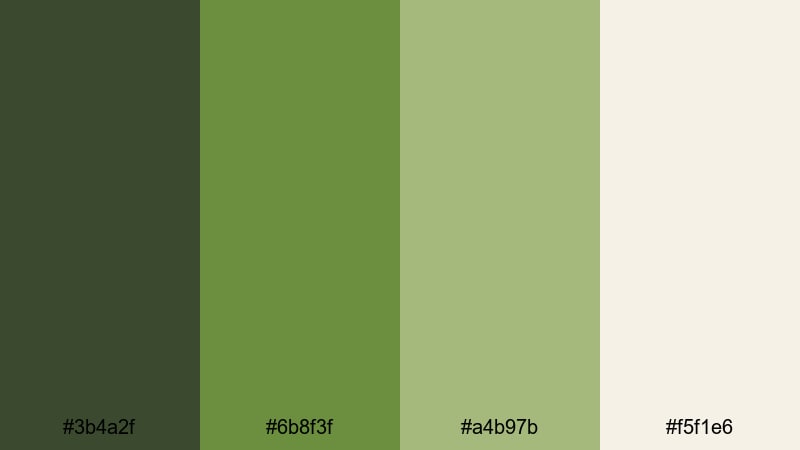
- HEX Codes: #3b4a2f, #6b8f3f, #a4b97b, #f5f1e6
- Mood: grounded, organic, and adventurous
- Use for: Perfect for travel vlogs, hiking montages, and nature documentary titles that need an authentic outdoor feel.
Forest Canopy Stories is a rich, woodland-inspired palette built around deep forest olive, fresh foliage green, and soft, sunlit neutrals. It instantly evokes early morning hikes, the smell of pine, and the quiet of shaded trails. The lighter beige tone keeps the palette from feeling too heavy, giving you a clean canvas for text and UI elements.
Use the darkest olive for title bars, logo marks, and lower thirds, then let the mid greens carry buttons, icons, and section dividers in your thumbnails or end screens. The pale neutral works beautifully as a background for video intros, quote cards, or chapter markers. In Filmora, this palette is ideal for outdoor B-roll sequences, camping stories, or eco-conscious brand intros where you want nature to feel authentic, not oversaturated.
Pro Tip: Build a Cinematic Olive Green Look in Filmora
To keep this forest-inspired palette consistent across a full edit, start by setting your key UI colors in Filmora: use the deepest olive for text boxes and title bars, the mid olive for call-to-action buttons, and the light neutral as your main background. Save these as presets so your intros, B-roll captions, and end screens all share the same grounded olive green look.
When color grading, nudge your footage toward the palette instead of forcing it. Slightly deepen greens in forests, warm up highlights to match the beige tone, and keep shadows close to that dark olive so every shot feels like it belongs to the same cinematic world.
AI Color Palette
You can turn this exact combination of olives and neutrals into a full video look with Filmora's AI tools. Export or screenshot the palette as an image, then use Filmora's AI Color Palette feature to analyze its tones and spread them across your entire timeline.
The AI will match your footage to the mood of Forest Canopy Stories, pushing greens, highlights, and shadows toward the chosen swatches. This is perfect when you want your thumbnails, intro, main video, and outro to share the same earthy olive green atmosphere without manually tweaking every clip.
 secure download

HSL, Color Wheels & Curves
Once you have a base match, refine your olive tones using Filmora's HSL, color wheels, and curves. In HSL, gently shift greens toward a slightly warmer, more muted hue and drop saturation a bit to avoid neon foliage. Use the color wheels to cool your shadows and warm your midtones so your footage mimics the deep forest greens and soft sunlight from the palette.
If you want a more cinematic look, add a subtle S-curve in the curves panel to deepen contrast while keeping highlights close to the light beige tone. A guide like Filmora's color correction tools overview can help you fine-tune shadows, mids, and highlights so your olive greens stay rich without crushing detail.
secure download1000+ Video Filters & 3D LUTs
If you do not want to grade everything from scratch, Filmora's built-in looks can push your footage closer to this forest palette in a few clicks. Soften colors with a matte or vintage filter, or try a nature or cinematic LUT that deepens greens and warms sunlight while keeping skin tones natural.
Filmora's video filters and 3D LUTs make it easy to test different olive green interpretations: from moody, low-contrast storytelling to brighter, travel-vlog-ready greens. Once you find a look that fits Forest Canopy Stories, save it and reuse it across your channel for instant visual consistency.
secure downloadHerbal Market Morning
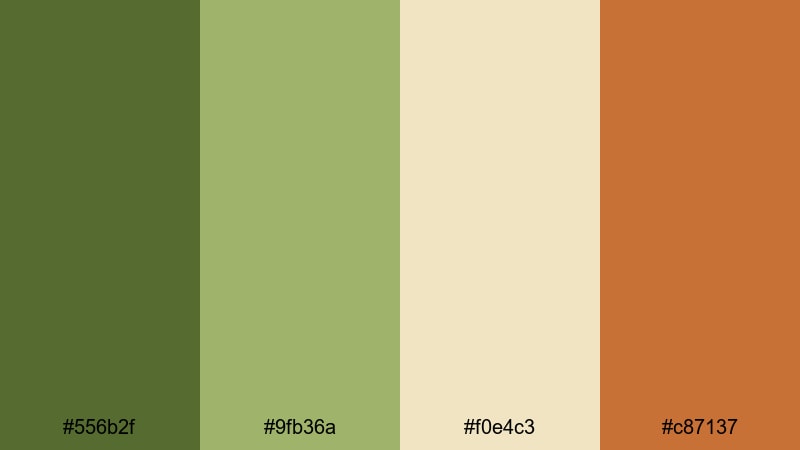
- HEX Codes: #556b2f, #9fb36a, #f0e4c3, #c87137
- Mood: fresh, rustic, and welcoming
- Use for: Ideal for food channels, farmers market reels, and lifestyle thumbnails that highlight organic ingredients.
Herbal Market Morning layers warm olive greens with creamy beige and a terracotta accent, capturing the feeling of wooden crates, herbs, and fresh bread at sunrise. The palette feels cozy and handmade, which instantly supports stories about farm-to-table recipes, slow living, and sustainable lifestyles.
Use the darker olive for titles or logo marks, pair the lighter greens with food close-ups, and let the cream tone sit behind text for easy readability. The terracotta accent is perfect for subscribe buttons, price tags, or important callouts in your thumbnails. In Filmora, this palette works well for recipe cards, ingredient lists, and lower thirds in cooking videos or market tours.
Mossy Trail Journey
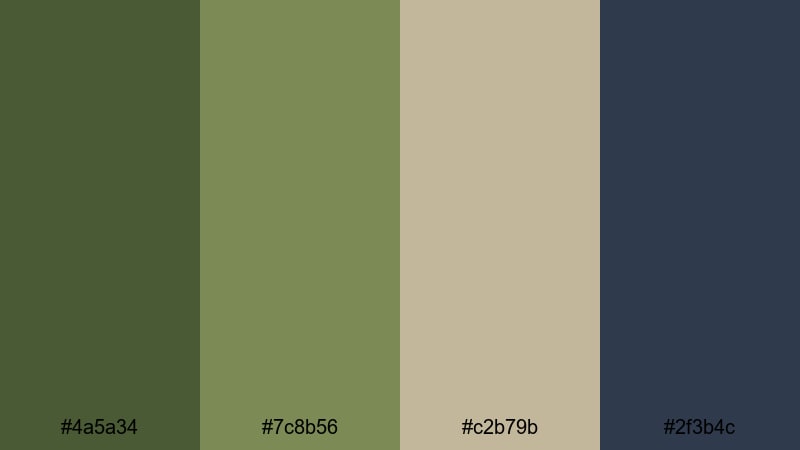
- HEX Codes: #4a5a34, #7c8b56, #c2b79b, #2f3b4c
- Mood: quiet, introspective, and cinematic
- Use for: Great for travel diaries, hiking recaps, and cinematic B-roll sequences that transition from forest to city.
Mossy Trail Journey mixes muted olives with stone beige and a slate blue-gray, creating a palette that feels like a peaceful walk that ends in a misty cityscape. It is less saturated and more contemplative than many green palettes, which helps give your edits a documentary-style mood.
Use the softer olives for background blocks, location labels, or chapter cards in your travel series. The stone beige is ideal for subtitles and info text, while the deep blue-gray gives you a strong, cinematic option for lower thirds and end screens. This palette is perfect in Filmora when you want to link nature B-roll and urban shots under one cohesive, introspective color story.
Tuscan Grove Fields
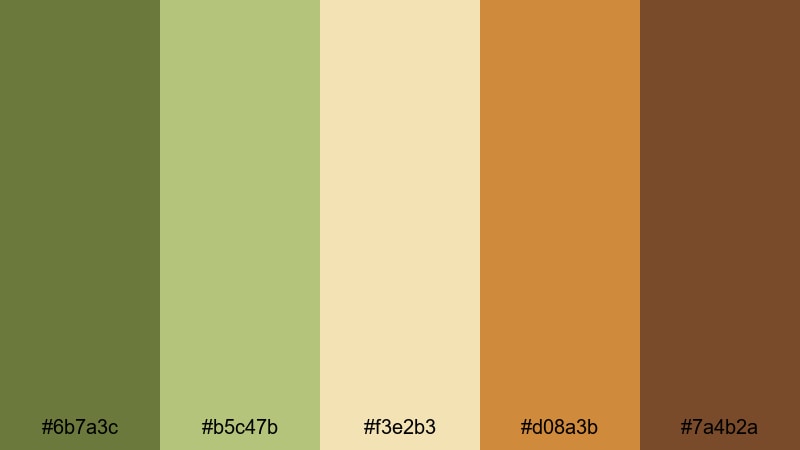
- HEX Codes: #6b7a3c, #b5c47b, #f3e2b3, #d08a3b, #7a4b2a
- Mood: sunlit, rustic, and nostalgic
- Use for: Perfect for travel guides, wine and food features, and destination wedding highlight films with a warm countryside vibe.
Tuscan Grove Fields captures sun-washed hillsides with golden olives, wheat cream, and terracotta browns. It feels nostalgic and romantic, like a late-afternoon walk through vineyards or olive groves. The range of warm tones makes it particularly flattering for skin tones and sunset footage.
Use the lighter olives and cream as backgrounds for location titles, itinerary slides, or menu-style graphics. The deeper browns and terracotta shades are great accents for borders, frames, and elegant monograms in wedding highlight edits. In Filmora, this palette suits slow, cinematic transitions, soft film grain, and subtle vignettes that reinforce a warm countryside story.
Elegant & Modern Olive Green Color Palettes
Olive Loft Minimal
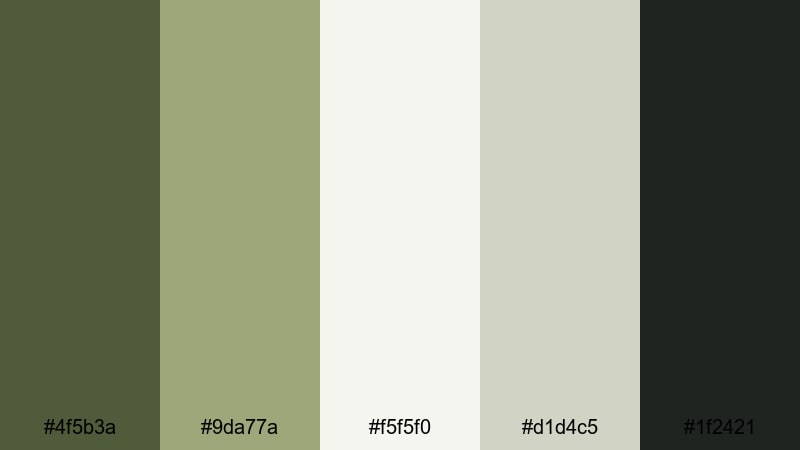
- HEX Codes: #4f5b3a, #9da77a, #f5f5f0, #d1d4c5, #1f2421
- Mood: clean, stylish, and understated
- Use for: Best for tech reviews, productivity channels, and minimalist brand intros that need a sophisticated yet approachable look.
Olive Loft Minimal combines muted olive accents with off-white, soft gray, and inky charcoal to create a polished studio aesthetic. It feels modern and precise but still warm enough to stay friendly and relatable, making it ideal for channels that want to look professional without feeling cold.
Use the pale neutrals as your default background for thumbnails and title cards, then add thin olive lines, icons, or buttons to guide the viewer's eye. The charcoal shade provides strong contrast for headlines and important text. Within Filmora, this palette works well for clean UI overlays, timers, progress bars, and lower thirds in productivity, tech, or design-focused videos.
Luxe Sage Reception
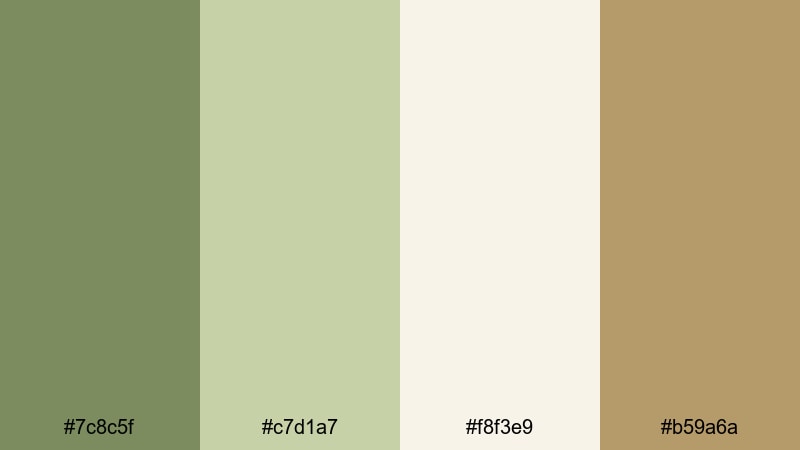
- HEX Codes: #7c8c5f, #c7d1a7, #f8f3e9, #b59a6a
- Mood: refined, airy, and romantic
- Use for: Ideal for wedding films, event highlight reels, and elegant brand promos that call for a soft luxury aesthetic.
Luxe Sage Reception mixes gentle sage olives with creamy ivory and champagne gold. The palette feels light, airy, and luxurious, echoing floral arrangements, linen tablecloths, and candlelit receptions. It gives your visuals a high-end feel without relying on heavy black and gold combinations.
Use the lightest ivory as your base for save-the-date cards, name titles, or quote overlays, then add sage olive frames and thin gold lines for emphasis. In Filmora, this combination is perfect for wedding monograms, animated title sequences, and soft fade transitions that match the romantic atmosphere of your footage.
Urban Olive Accent
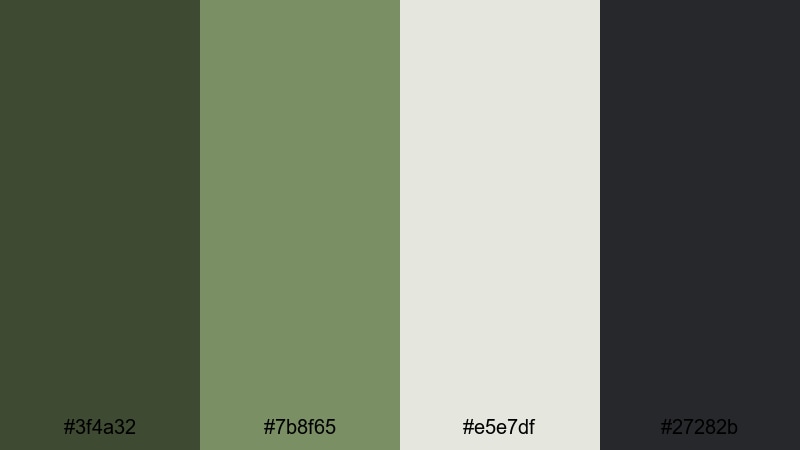
- HEX Codes: #3f4a32, #7b8f65, #e5e7df, #27282b
- Mood: sleek, urban, and confident
- Use for: Great for fashion lookbooks, city lifestyle vlogs, and channel branding with a modern metropolitan edge.
Urban Olive Accent balances deep concrete olive with soft sage and clean grays. It feels like polished concrete, streetwear, and rooftop views, giving your channel an upscale city personality. The palette is minimal but not boring, thanks to the warm, living touch of olive green.
Use the lighter gray as your thumbnail base, overlaying big bold text in charcoal and accent strokes in olive. Within Filmora, apply the darker tones to split screens, sidebars, and frame lines while leaving plenty of negative space. This works especially well in fashion hauls, city tours, and urban lifestyle edits where you want the subject and clothes to stay in focus.
Gilded Olive Soiree
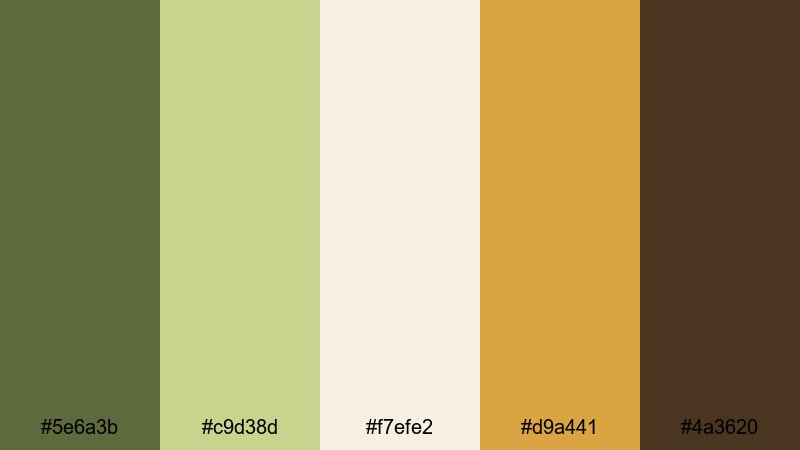
- HEX Codes: #5e6a3b, #c9d38d, #f7efe2, #d9a441, #4a3620
- Mood: glamorous, warm, and celebratory
- Use for: Perfect for product launches, event promos, and luxury brand teasers that need subtle opulence.
Gilded Olive Soiree combines rich olive with pale gold, ivory, and deep brown, suggesting candlelit tables, champagne, and soft-focus event lighting. It gives a sense of understated luxury that suits premium product reveals and upscale event coverage.
Use ivory and pale gold for your main backgrounds, then introduce olive and dark brown in borders, lower thirds, and logo stingers. In Filmora, animated lines, sparkles, or light leaks tinted to these hues can elevate intros and outros for brand teasers, high-end services, or gala recap videos.
Moody & Cinematic Olive Green Color Palettes
Noir Olive Frame
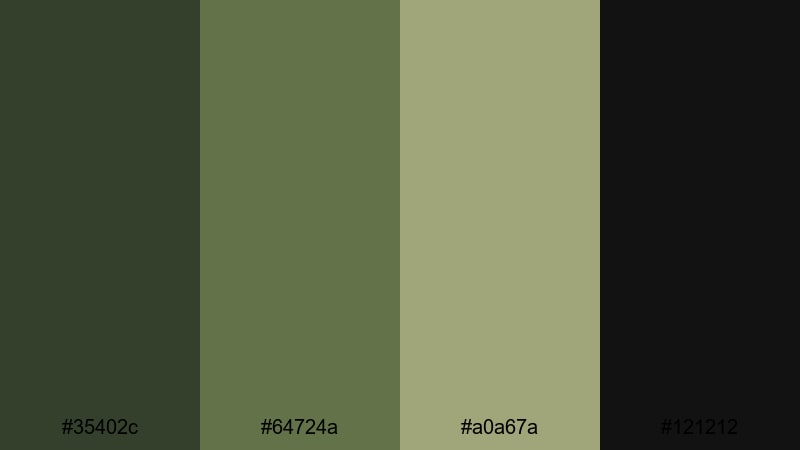
- HEX Codes: #35402c, #64724a, #a0a67a, #121212
- Mood: mysterious, cinematic, and tense
- Use for: Designed for trailers, short films, and thriller-inspired edits that rely on dramatic contrast and subtle color grading.
Noir Olive Frame pairs dark olive shadows with muted midtones and deep black, giving a film-noir feeling with a modern twist. It feels tense and atmospheric, ideal for story-driven content, trailers, and mystery-focused edits.
Use the near-black shade for full-screen title cards and credit rolls, then let the olives appear in HUD graphics, glitch overlays, or frame borders. In Filmora, this palette shines when you lower saturation, boost contrast slightly, and let olive be the only strong color accent in an otherwise monochrome scene.
Vintage Army Reel
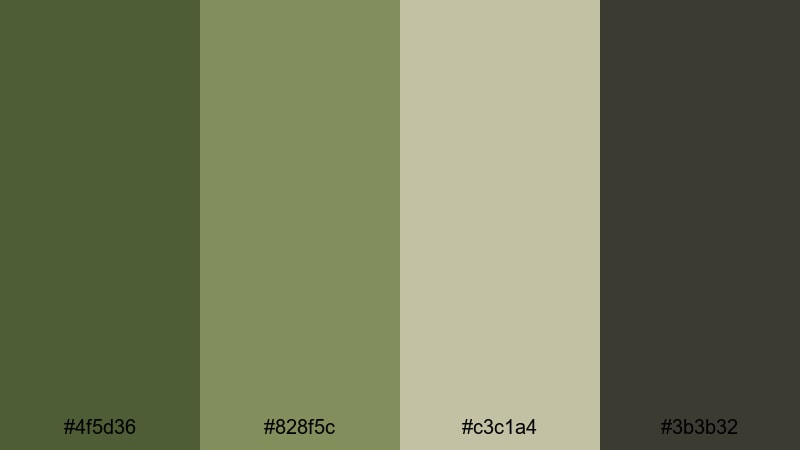
- HEX Codes: #4f5d36, #828f5c, #c3c1a4, #3b3b32
- Mood: gritty, nostalgic, and rugged
- Use for: Ideal for historical montages, vintage travel content, and gear reviews with a military or retro theme.
Vintage Army Reel leans into weathered olive tones, khaki neutrals, and soft grays, echoing archival footage and worn film stock. The palette feels rugged and nostalgic, great for old-photo aesthetics, war history content, or retro travel edits.
Use the khaki and gray for textured backgrounds that look like aged paper, then layer bold titles in the darker olive. Inside Filmora, add subtle grain, vignettes, and light flicker while keeping your color corrections close to these muted olives for an authentic tape or film-reel atmosphere.
Rainy Alley Olive

- HEX Codes: #3c4b34, #6e7f5a, #a9b39d, #2a333d
- Mood: cool, reflective, and atmospheric
- Use for: Great for night city vlogs, lo-fi music videos, and rainy day storytelling edits.
Rainy Alley Olive blends cool olives with misty greens and blue charcoal, creating a palette that feels like wet streets and distant neon. It is moody but not too dark, making it ideal for introspective vlogs, lo-fi beats, and night-time B-roll.
Use the lighter gray-greens for text or lyric overlays and keep the deep blue charcoal for bars and frames. In Filmora, this palette pairs well with slow zooms, soft blur transitions, and raindrop or bokeh overlays that match the cool olive and charcoal tones.
Spy Thriller Olive
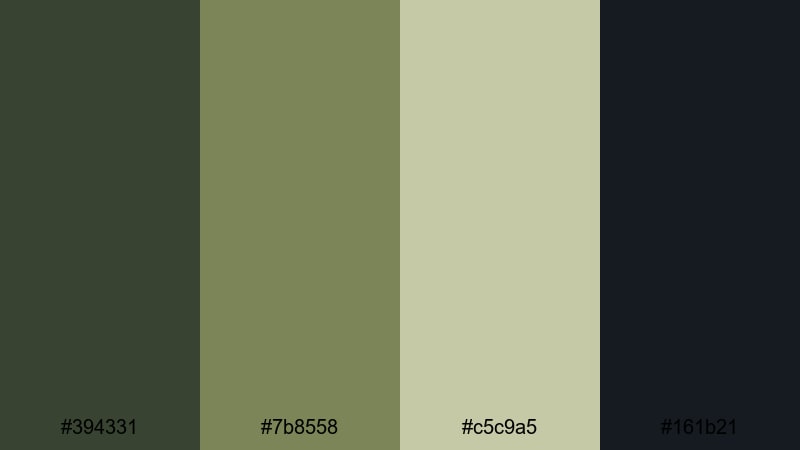
- HEX Codes: #394331, #7b8558, #c5c9a5, #161b21
- Mood: tense, secretive, and high-contrast
- Use for: Perfect for espionage-style edits, gaming montages, and story-driven shorts that need suspenseful visuals.
Spy Thriller Olive combines shadowy greens with pale highlights and a deep blue-black, evoking surveillance monitors, night missions, and hacker UIs. The contrast between bright highlights and dark shadows helps build instant tension.
Use the lightest neutral for data readouts, subtitles, and HUD-style text while keeping backgrounds in deep olive and near-black. In Filmora, pair this palette with glitch transitions, digital noise, and fast cuts to sell the espionage or gaming narrative.
Soft & Minimal Olive Green Color Palettes
Dusty Olive Pastels
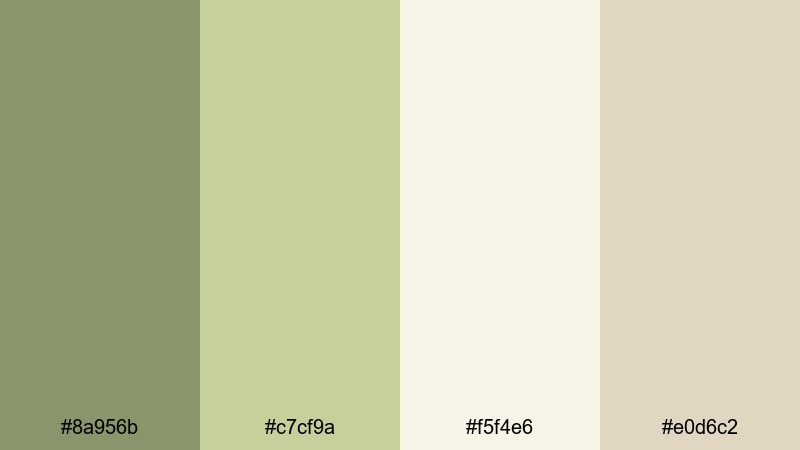
- HEX Codes: #8a956b, #c7cf9a, #f5f4e6, #e0d6c2
- Mood: gentle, cozy, and approachable
- Use for: Ideal for lifestyle vlogs, home decor content, and educational videos that benefit from a calm, friendly look.
Dusty Olive Pastels softens olive into velvety, low-contrast greens paired with warm neutrals. It feels cozy and lived-in, like linen cushions, houseplants, and natural light. This palette works especially well when you want viewers to relax and focus on your voice or message.
Use the palest shade as a background for tutorial slides, step-by-step graphics, or chapter markers. Add the mid olive as gentle highlights for bullets, icons, and subtle borders. In Filmora, this palette keeps educational content, home tours, and sit-down vlogs visually pleasant without overwhelming the frame.
Calm Studio Olive
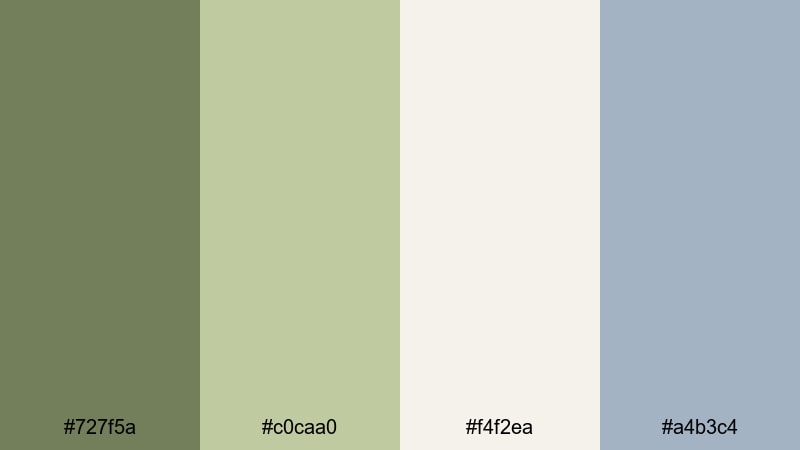
- HEX Codes: #727f5a, #c0caa0, #f4f2ea, #a4b3c4
- Mood: focused, airy, and balanced
- Use for: Best for productivity videos, tutorials, and workspace tours that need soothing but modern visuals.
Calm Studio Olive combines balanced olives with airy off-white and a soft blue-gray accent. The result is a modern, daylight studio feel that supports productivity and focus. It gives your content a clean but still human aesthetic.
Use the light neutral as your base color for backgrounds and info cards, while olive highlights tabs, progress bars, or key steps in a tutorial. The blue-gray works well for secondary text or UI elements. In Filmora, this palette is perfect for screen recordings, keyboard cams, and workspace B-roll where you want the focus on clarity and organization.
Muted Olive Workspace
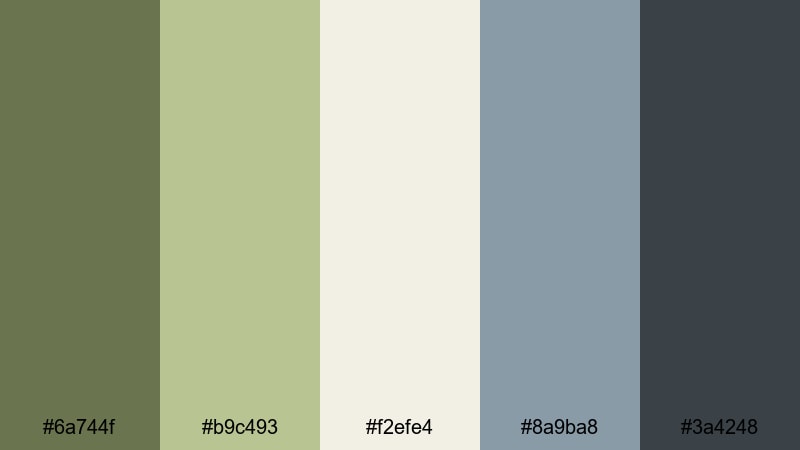
- HEX Codes: #6a744f, #b9c493, #f2efe4, #8a9ba8, #3a4248
- Mood: productive, modern, and understated
- Use for: Great for desk setups, coding streams, and branding for creators who prefer neutral, non-distracting tones.
Muted Olive Workspace balances soft olive with warm ivory and cool slate accents. It feels quiet, efficient, and slightly techy, making it ideal for desk setup videos, coding streams, and channels that focus on deep work and study.
Use ivory and the light olive for primary backgrounds, then rely on the cool blue-grays for menus, timestamps, and code or UI highlights. In Filmora, this palette keeps overlays and on-screen notes subtle so viewers stay focused on your screen or workflow instead of bright colors.
Tips for Creating Olive Green Color Palettes
Olive green is flexible but can shift from natural to muddy or neon if it is not balanced well. These tips will help you build or adapt olive green color palettes that look polished in video, thumbnails, and branding.
- Pair olive green with light neutrals (ivory, beige, soft gray) to keep overlays and text areas clean and readable.
- Use contrast intentionally: dark olive plus off-white gives strong readability for titles, while mid olive plus cream works better for subtle captions.
- Add a warm accent like terracotta, gold, or warm brown when you want rustic or luxurious vibes; add cool charcoal or blue-gray for urban or moody looks.
- Limit bright accent hues to one or two per palette so olive remains the main character and your thumbnails stay cohesive.
- Check legibility at small sizes: zoom out on your thumbnail to be sure text over olive backgrounds still stands out clearly.
- Match color grading to your graphics: if your overlays use muted olives, reduce saturation in your footage greens so the scene and graphics feel connected.
- Build a mini brand system: choose which olive is for backgrounds, which is for buttons, and which is for text, then repeat the pattern across all videos.
- Test palettes in both light and dark modes by trying light backgrounds with dark olive text and the inverse; keep the version that feels clearer for your niche.
Olive green can completely reshape how your channel feels, whether you lean into earthy storytelling, sleek city visuals, or soft minimalism. With the right supporting neutrals and accents, it becomes a powerful base color for thumbnails, intros, overlays, and full color grades.
Use these 15 palettes as ready-made starting points in Filmora: drop the HEX codes into your titles and shapes, guide your color correction toward similar tones, then reuse your favorite combinations as brand presets. Over time, viewers will start to recognize your olive green look before they even see your channel name.
Experiment with Filmora's AI Color Palette, HSL tools, and LUTs until you find the olive green aesthetic that fits your story, then apply it across your long-form videos, shorts, and social edits for a consistent, professional identity.
secure download