

 100% Security Verified | No Subscription Required | No Malware


 ChatGPT
 Perplexity
 Gemini
 Claude
 Grok
Grok
Orange Cream sits in that sweet spot between calm neutrals and energetic oranges. It feels warm, creamy, and a little nostalgic, like late-afternoon light or a melted creamsicle. Psychologically, these hues tend to feel friendly, safe, and comforting, which makes them perfect for content where you want viewers to relax, trust you, and stay a little longer.
For video creators and designers, Orange Cream works beautifully in YouTube thumbnails, intro titles, overlays, lower thirds, and full branding systems. Below you will find ready-to-use Orange Cream color palettes with HEX codes, tailored for Filmora users and other creators who want cohesive thumbnails, vlogs, reels, and cinematic edits without guessing color combinations.
In this article
Soft & Cozy Orange Cream Color Palettes
Morning Latte Glow
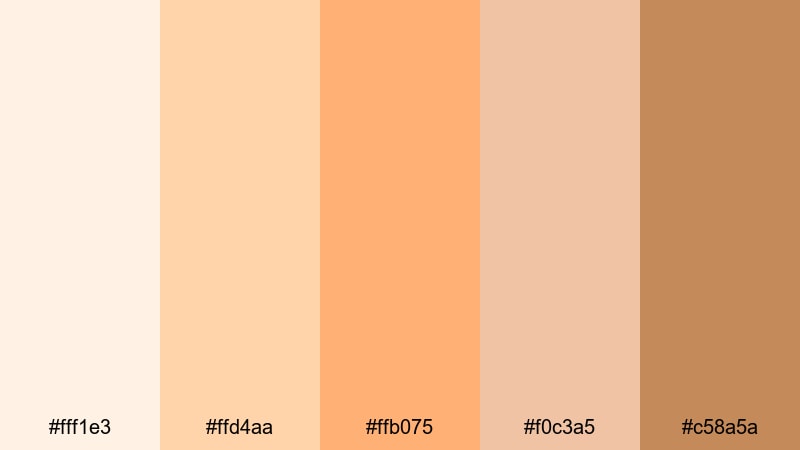
- HEX Codes: #fff1e3, #ffd4aa, #ffb075, #f0c3a5, #c58a5a
- Mood: warm, gentle, and inviting
- Use for: Ideal for cozy vlog intros, morning routines, and storytelling thumbnails that need a soft, welcoming glow.
Morning Latte Glow feels like sunlight on foam in a fresh cup of coffee. The light creams and gentle oranges wrap your visuals in warmth, while the latte browns give enough depth so text overlays still read clearly. It is a natural fit for creators who want their channel to feel like a comforting daily ritual instead of a loud broadcast.
Try this palette for morning routines, journaling vlogs, slow-living content, and personal storytelling thumbnails. Use the lightest tones for backgrounds and borders, the mid oranges for buttons or callouts, and the deeper latte shade for headlines and icons. In Filmora, you can echo these colors in your titles, lower thirds, and backgrounds so your whole video experience feels like one soft Orange Cream story.
Pro Tip: Keep Your Orange Cream Aesthetic Consistent In Filmora
When you find a palette like Morning Latte Glow that really matches your vibe, save it as your visual signature. In Filmora, you can set your title presets, background solids, and shape elements to use the same HEX codes across your entire project. That way your intro, b-roll captions, and end screen all feel like they belong to the same warm, latte-colored world.
Create one short style guide for yourself: which Orange Cream shade is for headlines, which is for backgrounds, and which is for accents. Reuse those choices in every edit. Filmora makes this easy because you can duplicate title templates and simply swap the text while keeping your carefully tuned Orange Cream look locked in.
AI Color Palette
If you have a screenshot or still frame that perfectly captures your Orange Cream mood, you can use Filmora's AI Color Palette feature to spread that look across your entire video. Just grade one reference clip with your preferred creamy oranges and latte browns, then let Filmora analyze and apply the same color style to other shots.
This is especially helpful for lifestyle vlogs shot over several days with shifting lighting. AI Color Palette helps you keep skin tones, walls, and warm highlights consistent so your whole video feels like it was captured during one soft, glowing morning.
 secure download

HSL, Color Wheels & Curves
Even within one Orange Cream palette, different cameras and lighting can shift colors slightly. Use Filmora's HSL controls to fine-tune orange and yellow ranges so they match your chosen HEX codes more closely. Then use color wheels and curves to warm up highlights, gently lift shadows, or add a subtle matte finish for a cinematic, latte-like softness. For more ideas on grading, explore Filmora's color correction and grading tips and adapt them to your Orange Cream style.
A small S-curve in the RGB curves panel, combined with a warm push in the midtone color wheel, can turn a flat shot into something that feels like it belongs in your carefully built palette. Keep checking your scopes and reference stills so your oranges and creams never drift into harsh reds or washed-out yellows.
secure download1000+ Video Filters & 3D LUTs
Once your Orange Cream colors are in place, Filmora's video filters and 3D LUTs make it easy to test different moods without rebuilding your entire grade. You can add a subtle filmic LUT to give Morning Latte Glow a more cinematic, grainy feel, or use soft-focus and glow filters to make your creams and highlights even more dreamy.
Apply filters on adjustment layers above your clips so you can switch looks quickly while keeping your Orange Cream base intact. This workflow helps you build distinct styles for morning vlogs, study-with-me videos, or slow weekends, all while staying inside the same cozy color universe.
secure downloadSunlit Bedroom Softness
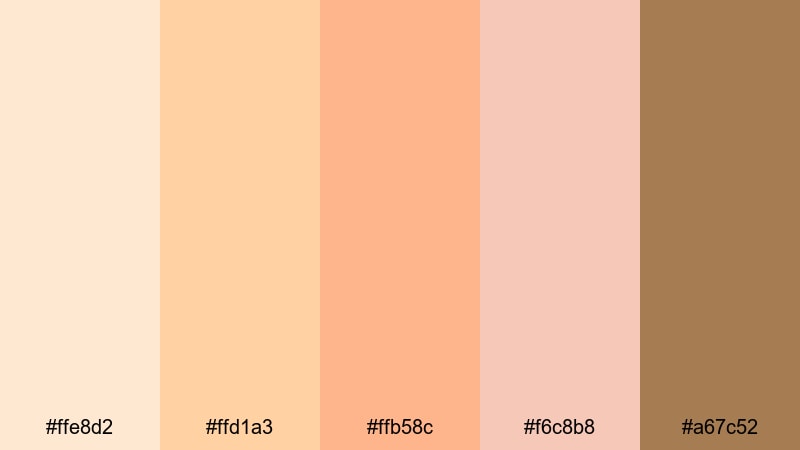
- HEX Codes: #ffe8d2, #ffd1a3, #ffb58c, #f6c8b8, #a67c52
- Mood: calm, intimate, and homely
- Use for: Use in day-in-the-life vlogs, home decor reels, or product close-ups that highlight calm, cozy spaces.
Sunlit Bedroom Softness captures that quiet moment when afternoon light washes over a tidy room. Muted Orange Cream tones blend with soft browns so your footage feels gentle and intimate instead of overly bright. The palette supports calm breathing-room compositions, making it ideal for aesthetic room tours, slow cleaning content, or soft-spoken voiceovers.
Use the light creams as background cards for text, the mid oranges for icons and buttons, and the deeper brown for logo marks or important titles. In Filmora, this palette works beautifully for minimalist lower thirds that float over your footage without stealing attention from your subject.
Peach Cloud Afternoon
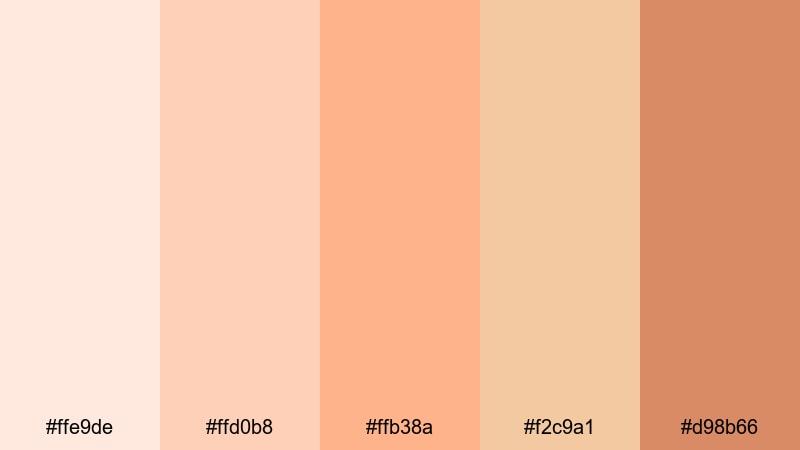
- HEX Codes: #ffe9de, #ffd0b8, #ffb38a, #f2c9a1, #d98b66
- Mood: dreamy, nostalgic, and tender
- Use for: Great for nostalgic montages, travel diaries, or family moments where you want a soft, dreamy tone.
Peach Cloud Afternoon mixes peachy creams with muted caramel to create a hazy, memory-like glow. It feels like watching an old home video that has been tastefully updated for modern screens. The warm Peach Cloud tones flatter skin and landscapes, giving your footage a gentle, sentimental tint.
Try this palette for travel diary montages, childhood throwback edits, engagement videos, or family highlight reels. Use the softer creams for overlay panels and transitions, while the deeper peach and caramel shades can frame your main title cards or call-to-action screens without feeling too intense.
Cozy Blanket Storytime
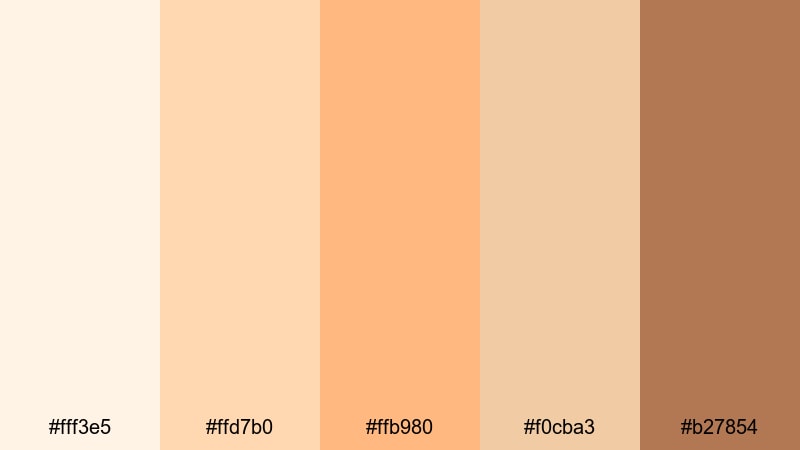
- HEX Codes: #fff3e5, #ffd7b0, #ffb980, #f0cba3, #b27854
- Mood: snug, friendly, and reassuring
- Use for: Perfect for educational content, kids stories, or sit-down chats where you want viewers to feel safe and relaxed.
Cozy Blanket Storytime wraps your visuals in soft creams and honeyed oranges, echoing the feeling of blankets, tea, and gentle narration. It naturally supports formats where trust and calm are important, such as advice videos, parenting content, or bedtime story animations.
Use the brighter oranges for playful icons or chapter labels, and rely on the cream tones for subtitles and captions so everything stays easy to read. In Filmora, you can build a simple title template with these Orange Cream colors and reuse it for every episode of your series to create a familiar, reassuring experience for your audience.
Modern Minimal Orange Cream Color Palettes
Creamsicle Interface
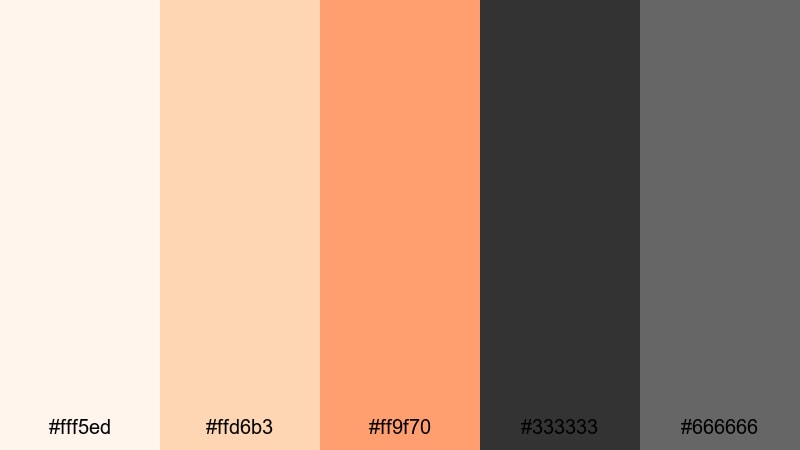
- HEX Codes: #fff5ed, #ffd6b3, #ff9f70, #333333, #666666
- Mood: clean, modern, and approachable
- Use for: Use in app-style overlays, UI-inspired titles, or tech explainers that still feel warm and human.
Creamsicle Interface balances bright creams and a bold Orange Cream accent with solid charcoal neutrals. The result is a UI-ready palette that feels fresh and modern, but not cold or clinical. It is perfect for product demos, tech explainers, SaaS promos, or case study videos aimed at a wide audience.
Use the charcoal grays for text and icons, the mid Orange Cream for buttons or key highlights, and the light creams as clean backgrounds. In Filmora, you can design simple app-style frames for screen recordings, then reuse them as presets to keep all of your tech content on-brand and easy to follow.
Urban Loft Ember
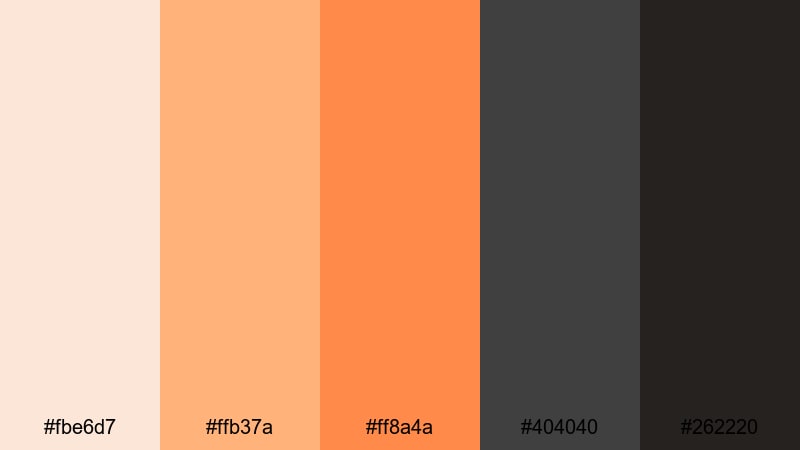
- HEX Codes: #fbe6d7, #ffb37a, #ff8a4a, #404040, #262220
- Mood: sophisticated, urban, and warm
- Use for: Great for cinematic B2B explainers, creative agency reels, or portfolio showcases with a refined edge.
Urban Loft Ember mixes glowing ember oranges with smoky charcoals, evoking brick walls, studio lights, and modern loft spaces. It keeps the friendliness of Orange Cream but pairs it with darker tones that feel professional and city-ready.
Use this palette for creative agency intros, portfolio reels, or higher-end brand explainers. In Filmora, the lighter creams can carry your secondary text, while the deeper grays form subtle overlays behind key messages. The ember orange is your primary accent for logo reveals, progress bars, and motion graphics details.
Minimal Brand Sunrise
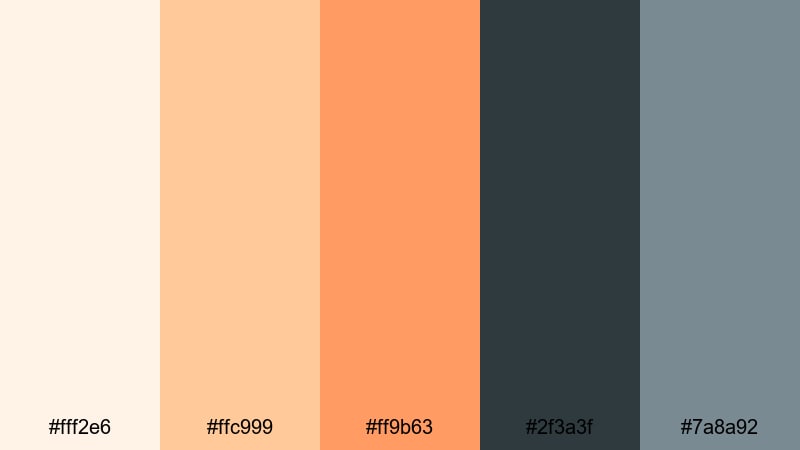
- HEX Codes: #fff2e6, #ffc999, #ff9b63, #2f3a3f, #7a8a92
- Mood: optimistic, polished, and brand-ready
- Use for: Ideal for logo stings, brand intros, and channel headers that want a sunrise-inspired yet minimal feel.
Minimal Brand Sunrise feels like an early Orange Cream sunrise over cool city steel. Soft creams and oranges set an optimistic tone, while blue-grays keep everything grounded and sophisticated. It is a strong choice for creators shaping a new brand identity or refreshing an existing one.
Use the cool dark tones for text, outlines, and borders; reserve the warm Orange Cream shades for backgrounds and graphic flourishes. With Filmora, you can build a simple logo animation that always uses this palette, then drop it at the start of every upload to solidify your channel look.
Soft Gradient UI Glow
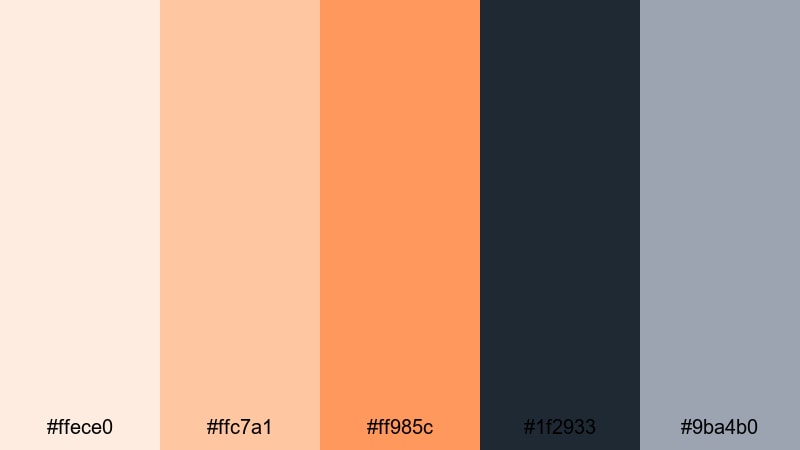
- HEX Codes: #ffece0, #ffc7a1, #ff985c, #1f2933, #9ba4b0
- Mood: sleek, digital, and warm-tech
- Use for: Use for gradient backgrounds, lower thirds, and UI frames in tutorial or review videos.
Soft Gradient UI Glow is built for modern, gradient-heavy designs. The Orange Cream tones step smoothly from light to bold, while deep slate and soft blue-gray add contrast and an understated tech feel. It works especially well behind floating app windows or device mockups.
In Filmora, you can create gradient backgrounds by blending the lighter and darker Orange Cream shades with overlay effects. Use the dark slate for text, and the blue-gray for subtle dividers or line icons. This palette keeps your tutorials looking like a polished SaaS landing page while still feeling human and warm.
Playful Retro Orange Cream Color Palettes
Vintage Soda Stand
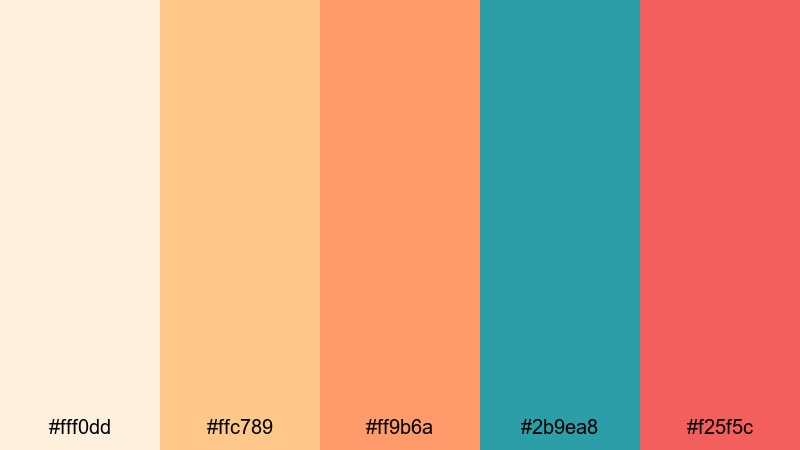
- HEX Codes: #fff0dd, #ffc789, #ff9b6a, #2b9ea8, #f25f5c
- Mood: playful, nostalgic, and fizzy
- Use for: Great for retro title cards, fun product promos, or playful vlog segments and shorts.
Vintage Soda Stand splashes creamy oranges with teal and poppy red to create a 60s soda shop aesthetic. It is energetic without feeling neon, and nostalgic without looking dated. The Orange Cream base keeps everything soft, while the teal and red accents give thumbnails and titles instant pop.
Use this palette for playful intros, product unboxings, and high-energy vlog segments. In Filmora, let the teal and red handle call-to-action text or buttons, and keep the creams and oranges as backgrounds or framing shapes for your footage.
Arcade Peach Pop
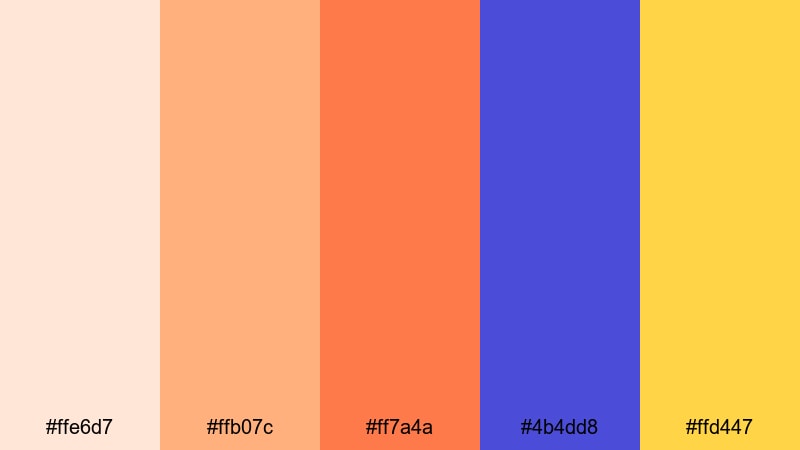
- HEX Codes: #ffe6d7, #ffb07c, #ff7a4a, #4b4dd8, #ffd447
- Mood: energetic, bold, and fun
- Use for: Perfect for gaming intros, challenge videos, and upbeat edits that need punchy color.
Arcade Peach Pop combines punchy Orange Cream hues with electric blue and lemon yellow for a high-score arcade vibe. It is designed to grab attention in crowded feeds, especially when used in bold typography and animated shapes.
Use the bright blue and yellow as accent strokes around your titles or characters, and rely on the Orange Cream trio for background gradients and solid fills. In Filmora, this palette works well with glitch effects, bold transitions, and kinetic text animations for gaming, challenge videos, and dynamic short-form content.
Summer Skates Diner
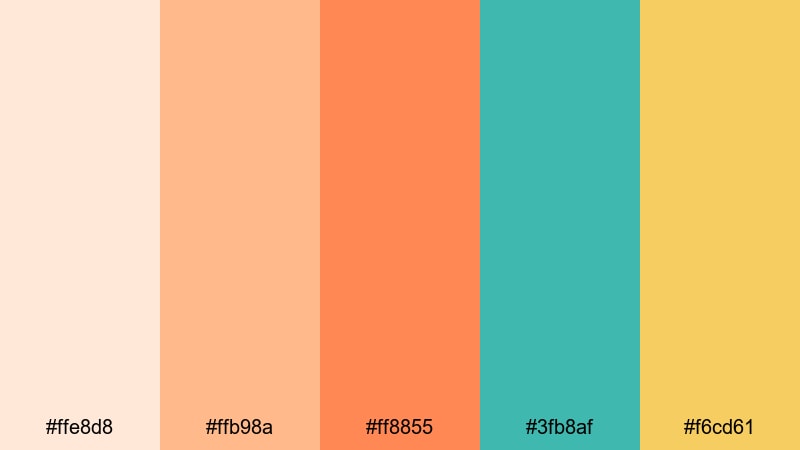
- HEX Codes: #ffe8d8, #ffb98a, #ff8855, #3fb8af, #f6cd61
- Mood: youthful, sunny, and carefree
- Use for: Use for summer vlogs, travel montages, or fashion lookbooks with a playful, retro twist.
Summer Skates Diner feels like roller skates, jukeboxes, and golden fries by the boardwalk. Sunny Orange Cream shades meet mint teal and soft yellow for a palette that radiates youth and carefree energy.
Apply the creams and oranges to sunlit backgrounds, and sprinkle teal and yellow into details like borders, dividers, or subtitle highlights. In Filmora, this set is perfect for playful travel titles, outfit labels in lookbooks, and animated stickers that match your retro-summer aesthetic.
Elegant Cinematic Orange Cream Color Palettes
Golden Hour Screen
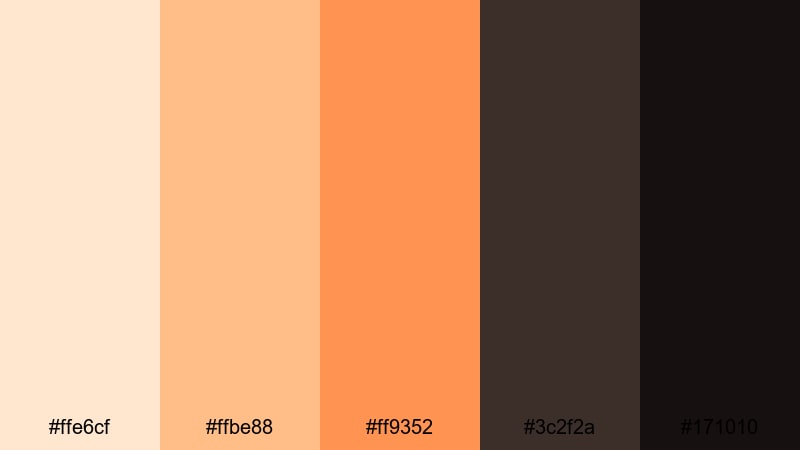
- HEX Codes: #ffe6cf, #ffbe88, #ff9352, #3c2f2a, #171010
- Mood: cinematic, dramatic, and warm
- Use for: Ideal for cinematic intros, trailers, or title cards that imitate golden hour lighting.
Golden Hour Screen combines rich golden oranges with deep, almost noir-like shadows. It mimics the contrast of sunlight cutting through windows just before sunset, making your visuals feel immediately cinematic.
Use the lighter oranges for flares, text glows, and subtle gradients, and let the deep browns and near-black tones frame your main titles. In Filmora, pair this palette with slow push-ins, lens flare overlays, and soft film grain for narrative shorts and emotional trailers.
Candlelit Documentary
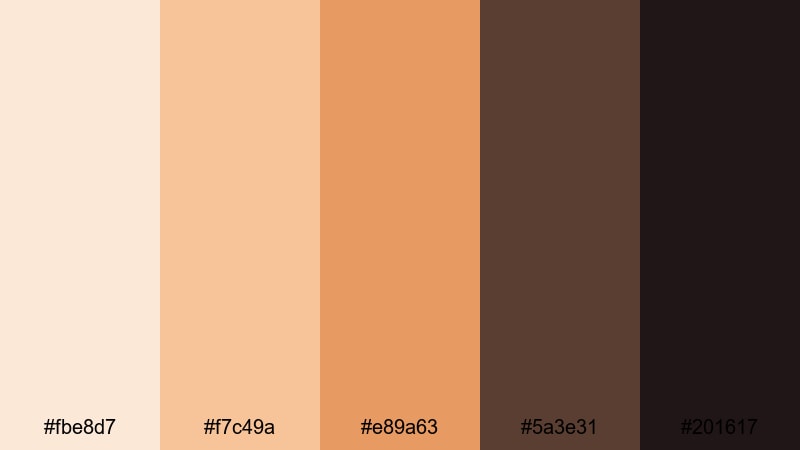
- HEX Codes: #fbe8d7, #f7c49a, #e89a63, #5a3e31, #201617
- Mood: intimate, thoughtful, and refined
- Use for: Use in interviews, documentary segments, or behind-the-scenes content to create a warm yet serious tone.
Candlelit Documentary layers soft candle-like creams and rich ambers over dark, grounded browns. The palette keeps things warm and inviting, but with a serious edge suited to interviews and reflective stories.
Use the lighter tones for lower thirds and name cards so they gently stand out against darker footage, and reserve the deep browns for background panels and title slates. In Filmora, this palette works well with subtle vignette and fade transitions to keep the focus on your subjects and their stories.
Terracotta Studio Title
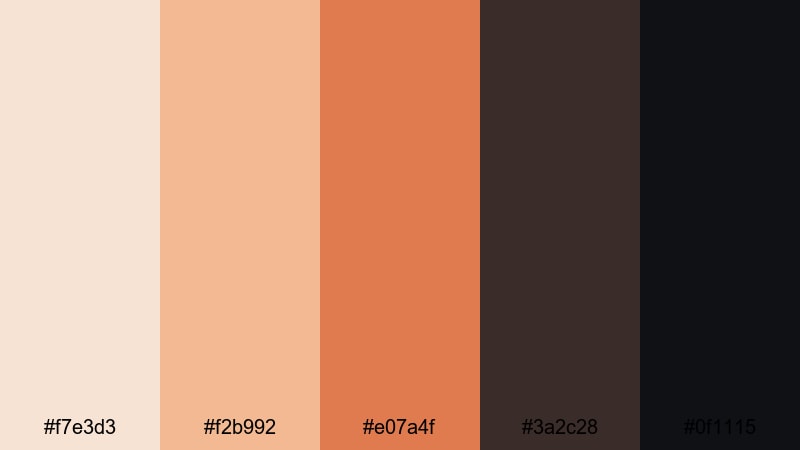
- HEX Codes: #f7e3d3, #f2b992, #e07a4f, #3a2c28, #0f1115
- Mood: artistic, stylish, and moody
- Use for: Great for studio logo reveals, fine art channels, or cinematic typography overlays.
Terracotta Studio Title brings together terracotta oranges, creamy highlights, and near-black shadows for a gallery-like atmosphere. It feels modern and artistic, making it a strong choice for design, photography, and filmmaking channels.
Use the terracotta tones to spotlight your logo, name, or key tagline. The darker shades can create letterbox bars or bold title cards that feel like movie posters. In Filmora, this palette pairs beautifully with subtle camera-move effects and minimalist typography for polished openers.
Desert Film Premiere
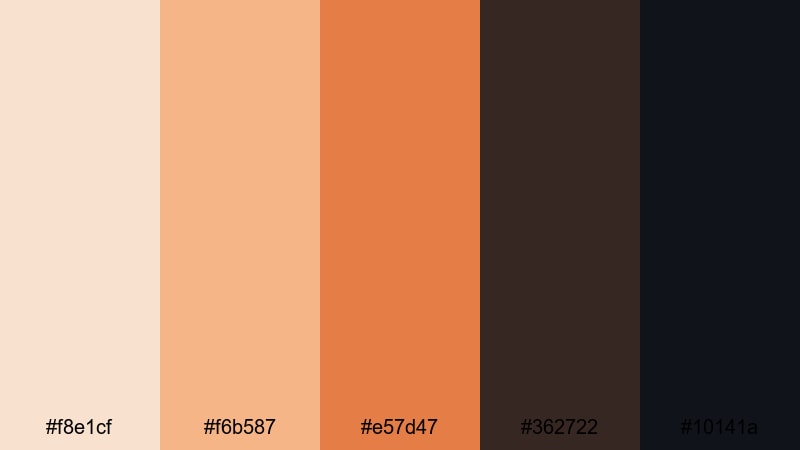
- HEX Codes: #f8e1cf, #f6b587, #e57d47, #362722, #10141a
- Mood: epic, sun-baked, and dramatic
- Use for: Use for travel films, adventure trailers, or title sequences set in warm, arid locations.
Desert Film Premiere is inspired by sun-baked landscapes and long shadows. Creamy sands, warm Orange Cream midtones, and deep inky shadows combine to create a bold, cinematic mood that works beautifully for travel and adventure content.
Use the lighter hues for sky and sand overlays, while the darker tones frame your titles and credits. In Filmora, you can strengthen this look with subtle film grain, dust overlays, and slow widescreen transitions to make your Orange Cream desert scenes feel like a movie premiere.
Tips for Creating Orange Cream Color Palettes
When building your own Orange Cream color combinations for video and design, a bit of structure helps you stay on-brand and keep everything readable on any screen.
- Pick a base Orange Cream tone and limit yourself to 4–6 supporting colors so your thumbnails, intros, and overlays stay consistent.
- Always pair soft creams with at least one darker neutral (charcoal, deep brown, or navy) to keep text and icons readable.
- Use the most saturated Orange Cream shade as an accent for buttons, highlights, and calls to action, not for large text blocks.
- Test your palette on both light and dark footage in Filmora to make sure lower thirds and title cards stand out in different scenes.
- Balance warmth with one cool color (teal, blue-gray, or slate) if you want a more modern, tech-friendly Orange Cream aesthetic.
- Save color presets and title templates in Filmora so your channel maintains the same Orange Cream look across multiple videos and series.
- Check mobile readability by previewing your designs at small sizes; simplify gradients and increase contrast if elements feel muddy.
- Use adjustment layers in Filmora to apply subtle warm tints and vignettes so your raw footage blends more smoothly with your Orange Cream graphics.
Orange Cream color palettes can turn ordinary footage into a warm, recognizable visual language. Whether you lean toward soft and cozy, modern minimal, playful retro, or elegant cinematic, the right Orange Cream combinations help viewers instantly read your mood and remember your brand.
Experiment with these 15 palettes in Filmora by building title presets, lower thirds, and color grading looks that match your favorite set of HEX codes. Over time, your audience will start to associate this Orange Cream aesthetic with your channel, your stories, and your personality.
Use Filmora's creative tools, from AI Color Palette to filters and LUTs, to refine and reuse your Orange Cream style across intros, vlogs, shorts, and full-length videos. With a consistent palette and a few smart presets, your content can look polished and intentional without adding hours to your edit.
secure downloadNext: Coffee Color Palette
