

 100% Security Verified | No Subscription Required | No Malware


 ChatGPT
 Perplexity
 Gemini
 Claude
 Grok
Grok
Orange yellow sits right between warmth and light, combining the joy of sunny yellow with the energy of vivid orange. Psychologically, it feels optimistic, friendly, and welcoming, which is why brands use it to signal positivity, creativity, and confidence. In video, this hue can instantly make scenes feel warmer, more inviting, and more human, especially in lifestyle, travel, and creator-focused content.
For editors, YouTubers, and designers, a well-chosen orange yellow color palette can unify thumbnails, intros, overlays, and logos into one cohesive visual identity. Below you will find curated orange yellow color palettes with ready-to-use HEX codes, so you can drop them straight into your designs or color grading. Every palette is tailored for creative projects and easy to apply in Filmora.
In this article
Warm & Cozy Orange Yellow Color Palettes
Golden Citrus Glow
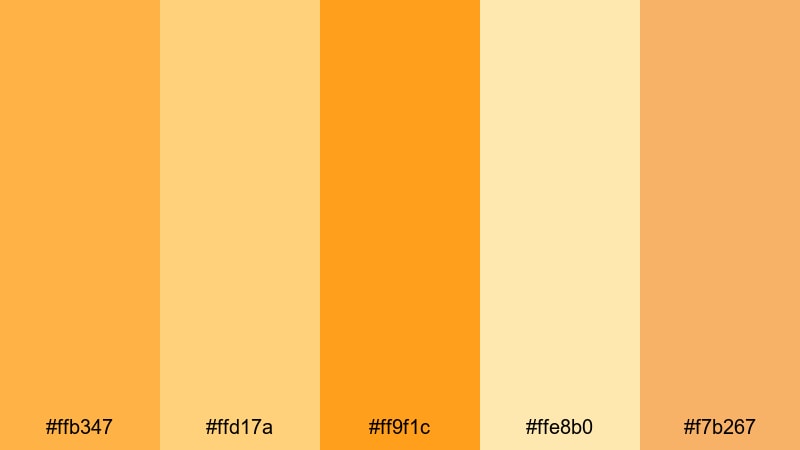
- HEX Codes: #ffb347, #ffd17a, #ff9f1c, #ffe8b0, #f7b267
- Mood: Sunny, optimistic, and gently radiant like a late-afternoon sunbeam.
- Use for: Perfect for bright, inviting YouTube intros, lifestyle thumbnails, and upbeat product promos.
Golden Citrus Glow mixes juicy oranges with soft buttery yellows for a look that is instantly welcoming. It feels like golden hour light on skin and objects, which is perfect for creators who want their brand to feel friendly, open, and full of energy without being too intense.
Use this palette as the backbone of your channel identity: headline text in the deeper oranges, backgrounds and shapes in the lighter yellows, and accent buttons or subscribe prompts in the punchiest citrus tone. It works beautifully for lifestyle vlogs, productivity intros, and any thumbnail where you want the subject to pop against a warm, optimistic backdrop.
Pro Tip: Enhance Your Orange Yellow Visuals With Filmora
To keep your Golden Citrus Glow tones consistent across an entire edit, build a simple color system inside Filmora. Use one orange for text and callouts, one lighter yellow for backgrounds and lower thirds, and one mid-tone for transitions or shapes. Save these colors in the Filmora palette so every intro, b-roll overlay, and end screen uses the same warm orange yellow identity.
When you add stock footage, screen recordings, or phone clips, adjust their color slightly so the highlights lean toward your chosen yellow and the mid-tones pick up a hint of orange. This way, even mixed footage starts to feel like one cohesive, branded world.
AI Color Palette
If you have a reference image that perfectly captures this orange yellow mood, you can use Filmora's AI tools to spread that look across all your clips. Filmora's AI Color Palette feature lets you pick a frame with your ideal warm tones, then apply its palette to the rest of your timeline with just a few clicks.
This is especially powerful for thumbnails and intros: match your talking-head shots, b-roll, and text overlays to the same Golden Citrus Glow so every frame looks intentional and on-brand.
 secure download

HSL, Color Wheels & Curves
To fine-tune this palette in Filmora, use HSL to selectively adjust orange and yellow channels without breaking other colors. Slightly lower saturation in the brightest yellows to avoid harsh clipping on skin and white objects, then use the color wheels to warm up mid-tones while keeping shadows more neutral for a modern, cinematic feel.
You can also add a gentle S-curve in the Curves panel to deepen contrast, making your orange yellow highlights feel richer and more cinematic. For a deeper walkthrough of creative color control, explore Filmora's advanced color correction tools to see how HSL and curves work together with your palette.
secure download1000+ Video Filters & 3D LUTs
Once your base colors are set, you can quickly stylize them using Filmora's built-in looks. Filmora's video filters and 3D LUTs make it easy to turn a simple orange yellow scheme into a dreamy pastel vibe, a gritty city grade, or a bold commercial look without manual tweaking every time.
Apply a warm LUT, then slightly dial back intensity so your Golden Citrus Glow remains the hero. Save your favorite combination as a preset so future videos, shorts, and reels stay visually consistent with your signature orange yellow style.
secure downloadHoneycomb Mornings
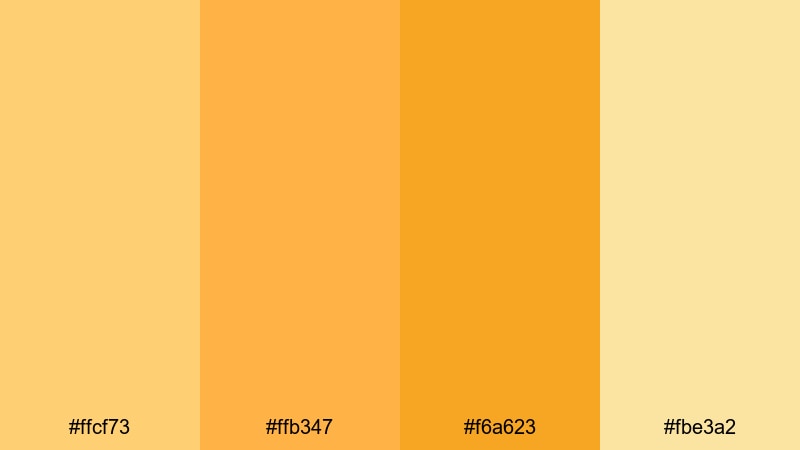
- HEX Codes: #ffcf73, #ffb347, #f6a623, #fbe3a2
- Mood: Comforting, homely, and softly energizing like honey on toast at sunrise.
- Use for: Great for cozy vlog aesthetics, bakery logos, and warm tutorial backgrounds.
Honeycomb Mornings blends honey golds with mellow oranges for a slow, sunlit feeling. It evokes breakfast tables, warm kitchens, and relaxed weekends, which makes it perfect for cozy vlogs, home decor videos, and intimate storytelling.
Try using the deeper honey shades for titles and icons, while the paler yellow acts as your main background in thumbnails and lower thirds. In Filmora, you can build simple shape overlays in these tones to frame your subject or highlight recipes, step-by-step tutorials, or product details without distracting from the footage.
Amber Fireplace Story
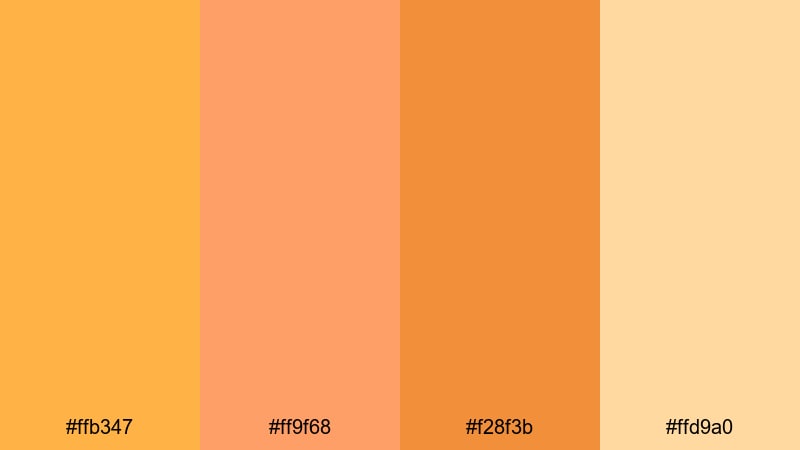
- HEX Codes: #ffb347, #ff9f68, #f28f3b, #ffd9a0
- Mood: Nostalgic, storytelling, with a glow like firelight on a quiet night.
- Use for: Use for cinematic vlogs, storytime frames, and warm lower thirds or subtitles.
Amber Fireplace Story leans into richer ambers and softened yellows, mimicking the flicker of firelight in a dim room. It feels intimate and emotional, ideal for storytime videos, sit-down chats, and reflective vlogs.
Use the deeper oranges behind your captions or subtitles and the gentler yellows as subtle gradients behind your subject. In thumbnails, pair a darkened background image with a warm amber title band so viewers immediately feel that your content is calm, personal, and worth listening to.
Harvest Bakery Light
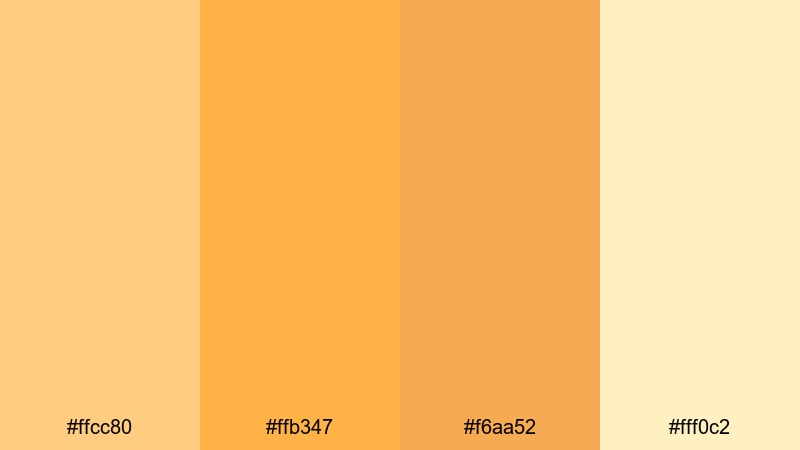
- HEX Codes: #ffcc80, #ffb347, #f6aa52, #fff0c2
- Mood: Wholesome and rustic, like a sunlit kitchen filled with fresh bread.
- Use for: Ideal for recipe videos, craft channels, and rustic logo animations.
Harvest Bakery Light combines creamy beige tones with glowing orange yellow accents for a rustic, handmade feel. It instantly suggests baked goods, crafts, and farmhouse-style visuals, making it a strong palette for food and DIY creators.
Use the lightest cream as your base canvas, then layer in richer orange accents for call-to-action buttons, recipe steps, or timestamps. In Filmora, you can apply these colors to title templates and animated graphics so your whole channel feels like a warm, artisanal brand.
Bold & Energetic Orange Yellow Color Palettes
Neon Tangerine Punch
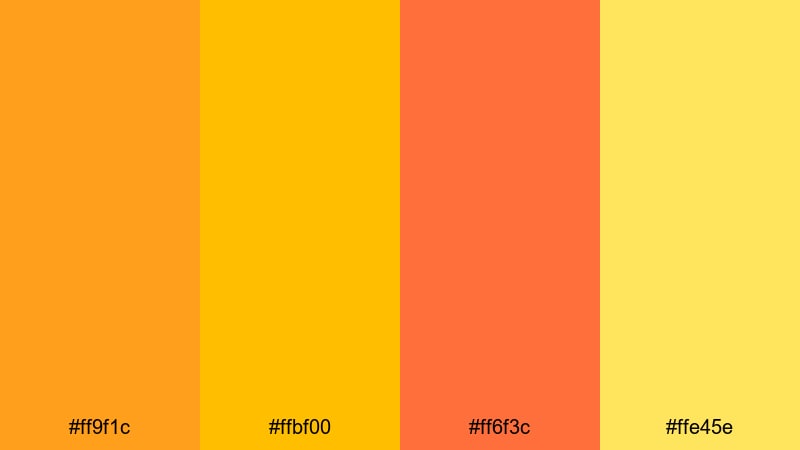
- HEX Codes: #ff9f1c, #ffbf00, #ff6f3c, #ffe45e
- Mood: High-energy, playful, and electric, like a neon sign at night.
- Use for: Perfect for high-impact thumbnails, gaming channels, and kinetic title cards.
Neon Tangerine Punch is loud, bright, and impossible to ignore. The blend of citrus yellows and glowing oranges feels like an electric sign in a dark room, ideal when you need thumbnails and titles that immediately catch the eye in crowded feeds.
Use the strongest orange for bold typography and the intense yellow as a halo or stroke around text. In Filmora, combine this palette with glitch or motion graphics transitions to build kinetic intros for gaming, reaction videos, and high-energy edits.
Festival Marigold Burst
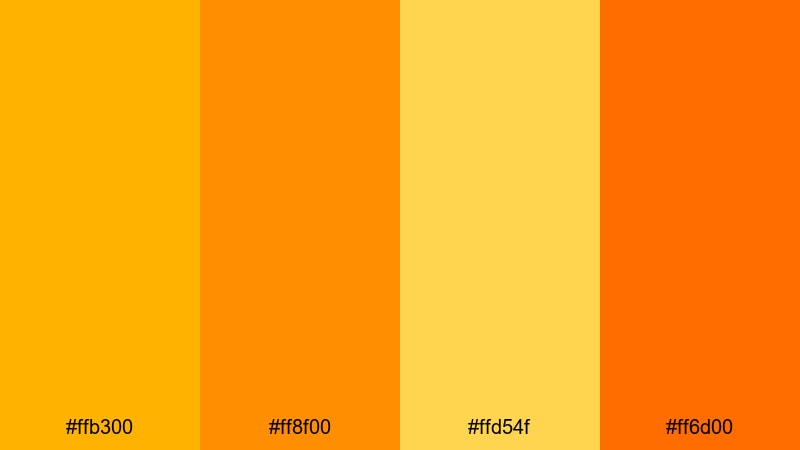
- HEX Codes: #ffb300, #ff8f00, #ffd54f, #ff6d00
- Mood: Celebratory, loud, and festival-ready like fireworks over a crowd.
- Use for: Use for event promos, music videos, and announcement overlays that need to pop.
Festival Marigold Burst takes its cue from marigold garlands and stage lights. The palette is saturated and celebratory, perfect for music channels, event highlight reels, and hype trailers.
Apply the darker marigold tones behind white or black text for strong contrast, then use the brightest yellow as accents on subscribe buttons, tags, or countdown timers. This palette works especially well with beat-synced titles and animated shapes in Filmora.
Sunrise Workout Hype
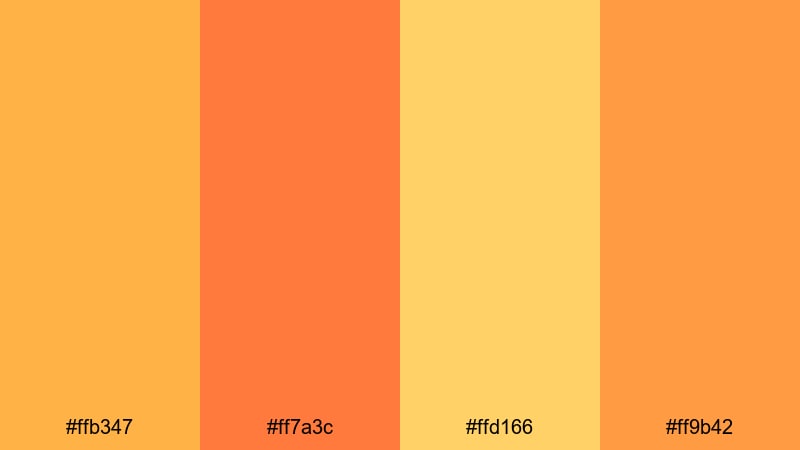
- HEX Codes: #ffb347, #ff7a3c, #ffd166, #ff9b42
- Mood: Motivational and energetic, like a sunrise run with music blasting.
- Use for: Ideal for fitness intros, challenge thumbnails, and energetic transition slides.
Sunrise Workout Hype feels like the sky warming up as you start a morning run. It is energetic but not overly aggressive, which suits fitness, wellness, and challenge-based content that should inspire action while staying friendly.
Use the deeper oranges for bold headers like Day 1, Challenge, or Workout, and keep the softer yellows in backgrounds and progress bars. In Filmora, mix this palette with speed ramping and upbeat music to create motivating sequences and countdown animations.
Tropical Skate Park
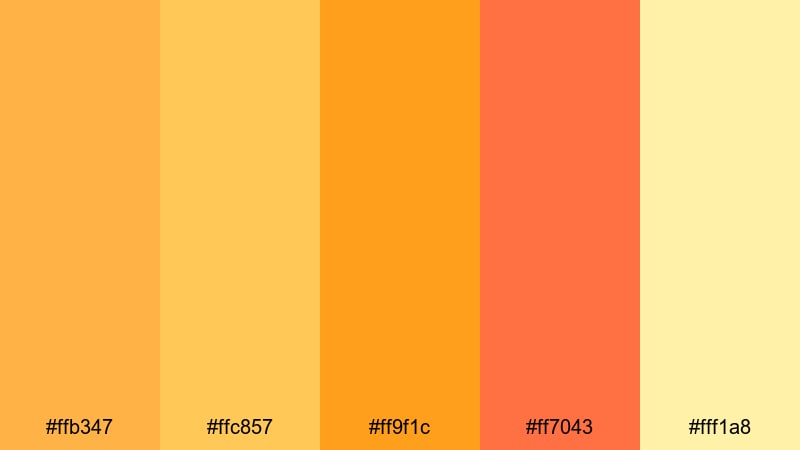
- HEX Codes: #ffb347, #ffc857, #ff9f1c, #ff7043, #fff1a8
- Mood: Urban, playful, and sun-drenched with a hint of rebellious fun.
- Use for: Great for streetwear brands, skate edits, and playful channel branding.
Tropical Skate Park mixes hot pavement oranges with soft tropical yellows for an edgy but approachable aesthetic. It feels like a sunny day at a city skate spot, blending urban grit with vacation warmth.
Use the softer yellow as your canvas and layer bolder oranges into graffiti-style titles, stickers, or badges in your edits. This palette suits skate videos, streetwear lookbooks, and youth-focused channels that want color without losing attitude.
Soft & Pastel Orange Yellow Color Palettes
Buttercream Daydream
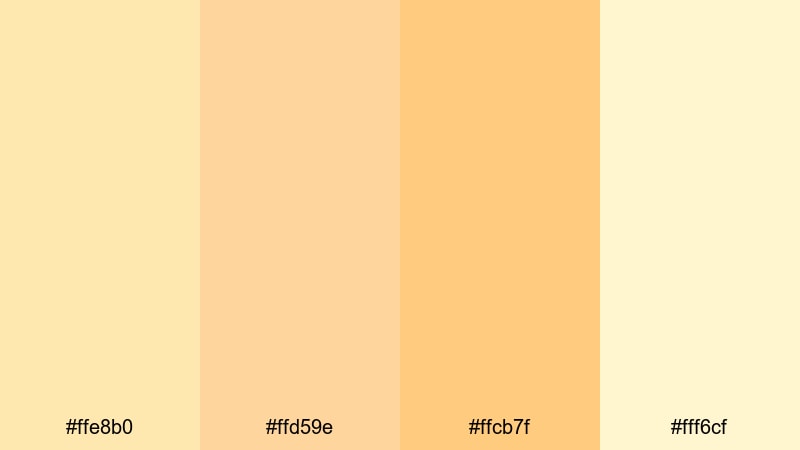
- HEX Codes: #ffe8b0, #ffd59e, #ffcb7f, #fff6cf
- Mood: Gentle, dreamy, and comforting like whipped buttercream and clouds.
- Use for: Perfect for aesthetic vlogs, planner content, and soft brand intros.
Buttercream Daydream is all about soft, creamy tones that flatter skin and keep visuals airy. The low-contrast pastel mix works well for aesthetic vlogs, journaling channels, and any content where you want viewers to feel calm and cozy.
Use the lightest shades for backgrounds and blocks of negative space, then introduce the slightly deeper orange pastel for delicate text and icons. This palette shines in clean thumbnails with simple compositions and gentle, minimal lower thirds.
Peachy Lemon Sorbet
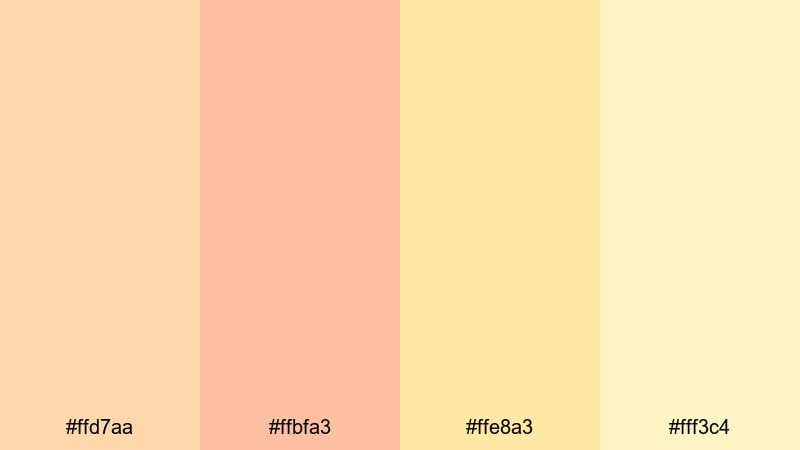
- HEX Codes: #ffd7aa, #ffbfa3, #ffe8a3, #fff3c4
- Mood: Sweet, lighthearted, and refreshing like summer sorbet on a warm day.
- Use for: Use for beauty content, dessert reels, and soft product flat-lays.
Peachy Lemon Sorbet feels sweet and refreshing, with peach oranges blending into pale lemon. It is ideal for beauty creators, dessert-focused reels, and product shots that need a soft, inviting frame rather than a harsh studio look.
Use the peach tones for product labels, swatches, and text, while the pale yellow becomes your background gradient. In thumbnails, try framing your subject with rounded shapes in these hues to get that polished yet playful aesthetic feel.
Gentle Daisy Breeze
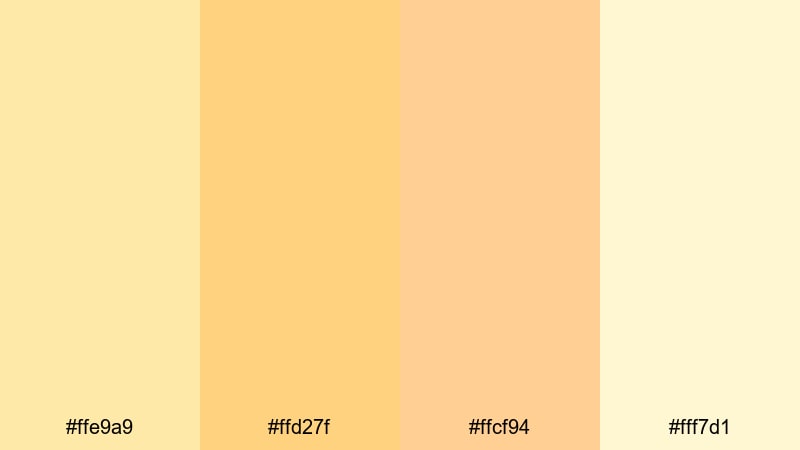
- HEX Codes: #ffe9a9, #ffd27f, #ffcf94, #fff7d1
- Mood: Light, innocent, and breezy like wildflowers in soft sunlight.
- Use for: Great for kids content, mindful journaling channels, and calm brand systems.
Gentle Daisy Breeze combines daisy yellows with tender orange tints for a softly glowing look. It suggests innocence and lightness, which pairs beautifully with kids content, affirmation videos, and mindful journaling channels.
Use the medium yellows for icons and section headers and keep the palest tones as large, breathable backgrounds. This will give your layouts clarity and softness, keeping viewers focused on your message while still feeling uplifted.
Cinematic & Vintage Orange Yellow Color Palettes
Retro Super 8 Afternoon
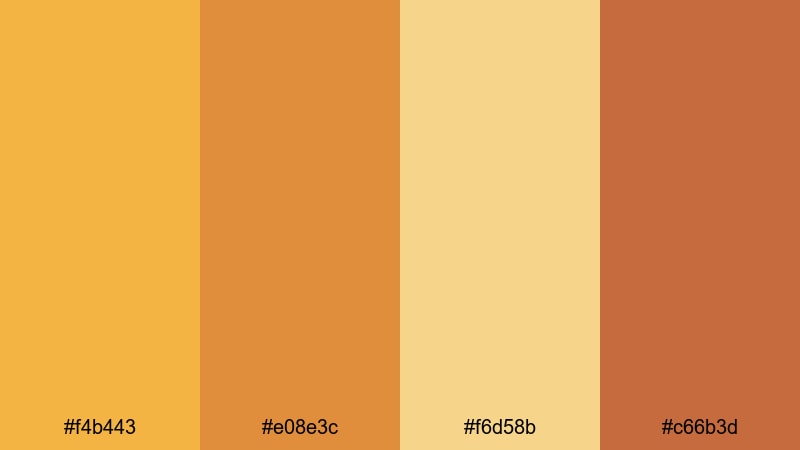
- HEX Codes: #f4b443, #e08e3c, #f6d58b, #c66b3d
- Mood: Grainy, nostalgic, and slightly faded like an old Super 8 reel.
- Use for: Ideal for film-style color grading, retro title cards, and memory montages.
Retro Super 8 Afternoon uses muted oranges and warm browns to mimic the look of old home movies. It instantly adds nostalgia and storytelling depth, making it perfect for travel diaries, family recaps, and video essays.
Use the darker browns as subtle borders or letterbox bars and the softer oranges in your titles and transitions. With some grain or texture added in Filmora, this palette can make modern footage feel like it was shot on vintage film stock.
Dusty Mustard Streetlight
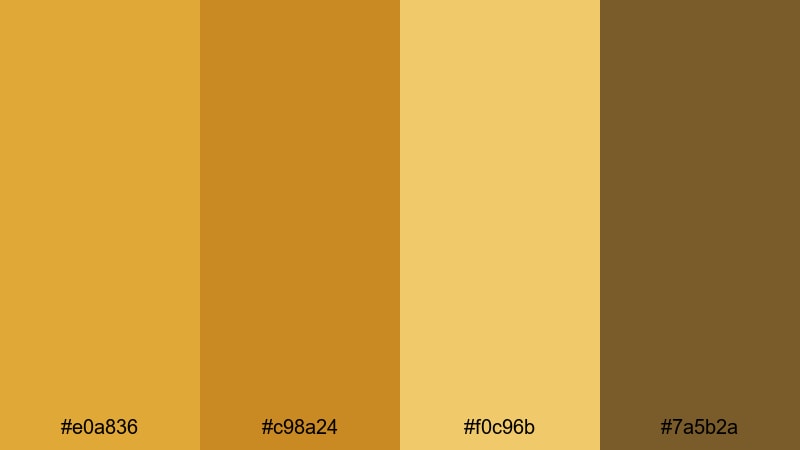
- HEX Codes: #e0a836, #c98a24, #f0c96b, #7a5b2a
- Mood: Moody and urban, like sodium streetlights on weathered walls.
- Use for: Use for gritty city montages, travel films, and moody brand teasers.
Dusty Mustard Streetlight captures the glow of old street lamps hitting textured walls. It is warm, but with a gritty, urban edge that suits city montages, skate films, and indie travel videos shot at dusk or night.
Lean on the deeper mustard and brown for overlays, frames, and logo marks, while the lighter yellow acts as a subtle highlight on text or icons. Combine this palette with slow motion and ambient music in Filmora for atmospheric, cinematic sequences.
Autumn Ticket Stub
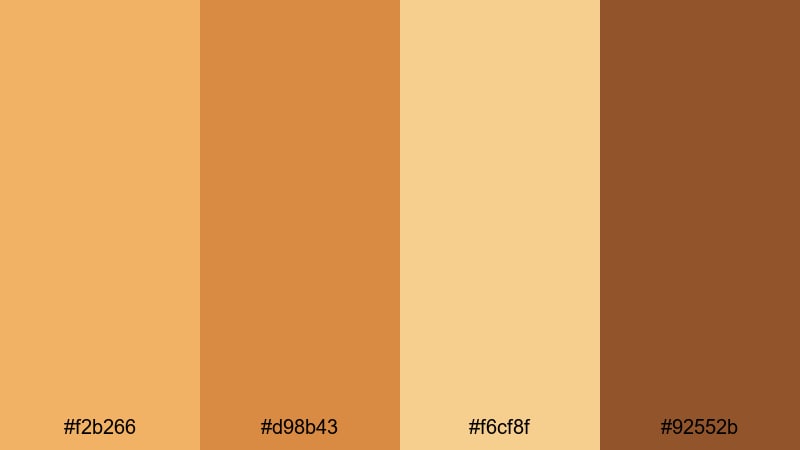
- HEX Codes: #f2b266, #d98b43, #f6cf8f, #92552b
- Mood: Nostalgic and analog, like old cinema tickets and fall evenings.
- Use for: Great for movie review channels, podcast covers, and nostalgic intro animations.
Autumn Ticket Stub blends warm oranges with paper-like yellows and browns, evoking vintage cinema tickets and fall light. It works wonderfully for film review channels, commentary videos, and podcast artwork that needs a timeless, analog vibe.
Use the darker tones for badges, frames, and logos while keeping the lighter shades for textured backgrounds behind your host or title. In thumbnails, pairing this palette with a grain overlay or subtle paper texture instantly sells the retro concept.
Faded Polaroid Sun
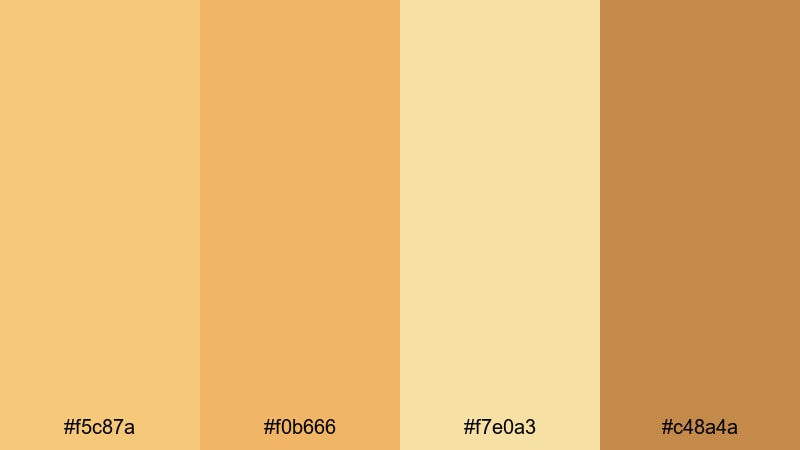
- HEX Codes: #f5c87a, #f0b666, #f7e0a3, #c48a4a
- Mood: Soft, washed-out, and sentimental like a sun-faded Polaroid photo.
- Use for: Perfect for travel diaries, memory recaps, and gentle cinematic b-roll.
Faded Polaroid Sun leans into washed-out yellows and gentle browns that look like a photo left in the sun. It gives your footage a sentimental, timeworn quality, well suited to emotional b-roll, retrospective edits, and chapter-based storytelling.
Use the lighter shades on overlays, date stamps, and chapter titles, while the deeper brown adds contrast to key text or logos. Paired with slow pans and soft transitions in Filmora, this palette can turn everyday clips into dreamy, memory-like sequences.
Tips for Creating Orange Yellow Color Palettes
Orange yellow is powerful, but it works best when you balance warmth, contrast, and readability. Here are practical tips to build palettes that look great in both video and static design.
- Pair orange yellow with a strong neutral such as dark charcoal, deep brown, or off-white to keep thumbnails and titles readable.
- Limit yourself to 2–3 main orange yellow tones per project and use the rest as subtle accents, so your visuals feel intentional, not chaotic.
- Check contrast on small screens by zooming out or previewing on your phone; adjust brightness or saturation if text blends into the background.
- For branding, assign roles: one color for titles, one for backgrounds, one for buttons or highlights, and use them consistently across videos.
- Match your footage to your palette by slightly warming highlights and mid-tones, while keeping skin tones natural in Filmora's color tools.
- Use softer, pastel orange yellows for calm, aesthetic content and stronger, saturated versions for hype edits, announcements, and gaming.
- When adding accent colors (like teal, navy, or soft pink), keep them limited so orange yellow remains the hero of the scheme.
- Create a custom preset or LUT inside Filmora once you find a look you love, and reuse it across series, playlists, or seasonal content.
Orange yellow color palettes can shift the entire emotional tone of your work, from cozy and handmade to bold, festival-bright, or beautifully nostalgic. With the right HEX codes and a clear role for each shade, your intros, thumbnails, overlays, and logos start to feel like one strong brand instead of separate pieces.
Try these 15 palettes inside Filmora, experiment with AI Color Palette, HSL, and LUTs, and save your favorite setups as presets. Over time, viewers will instantly recognize your warm orange yellow signature the moment your videos appear in their feed.
Whether you edit vlogs, tutorials, podcasts, or cinematic travel films, these warm tones can help your visuals stand out while still feeling approachable and human. Start with one palette that matches your story, then refine it in Filmora until it feels uniquely yours.
secure downloadNext: Aesthetic Color Palette
