

 100% Security Verified | No Subscription Required | No Malware


 ChatGPT
 Perplexity
 Gemini
 Claude
 Grok
Grok
Oxford Blue is a deep, confident navy that feels serious without being dull. It is strongly linked with tradition, intelligence, and trust, which is why so many universities, financial brands, and heritage companies use this color. On screen, Oxford Blue adds instant depth to titles, lower thirds, and backgrounds, giving your video a polished, cinematic base that makes other colors pop.
For creators and Filmora users, Oxford Blue is perfect for channel branding, YouTube thumbnails, intro animations, and even subtle color grading. Below you will find 15 Oxford Blue color palettes with ready HEX codes, so you can quickly build cohesive looks for vlogs, trailers, business videos, and social content.
In this article
Classic & Timeless Oxford Blue Palettes
Midnight Harbor Contrast
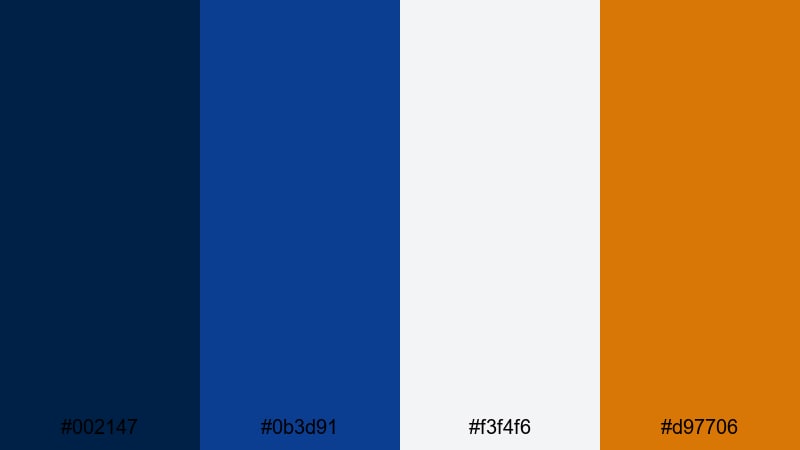
- HEX Codes: #002147, #0b3d91, #f3f4f6, #d97706
- Mood: Crisp, nautical, and confident with a heritage feel.
- Use for: Ideal for channel branding, travel vlog intros, and professional lower thirds that need a strong maritime vibe.
Midnight Harbor Contrast combines deep Oxford Blue (#002147) and rich navy (#0b3d91) with clean off white (#f3f4f6) and a bold amber accent (#d97706). The result is a classic navy and gold pairing that instantly feels premium and trustworthy, like a yacht club crest or an old university badge.
Use the dark blues for backgrounds, banner bars, and end screens, while the white keeps your text crisp and legible. The golden accent is perfect for subscribe buttons, logo highlights, and key callouts on thumbnails. In Filmora, this palette works beautifully for polished intro templates, lower thirds on travel or business content, and any branding kit where you want a sharp, professional look that still has character.
Pro Tip: Build a Cinematic Oxford Blue Look in Filmora
To keep an Oxford Blue palette like Midnight Harbor Contrast consistent across a full edit, set up a simple visual system in Filmora. Use #002147 as your main background color for titles, overlays, and solid color layers, and reserve #d97706 for accents like animated lines, icons, or call to action text. This keeps every scene visually tied together, whether it is B roll of a harbor, talking head shots, or motion graphics.
You can also save your titles and lower thirds as custom presets in Filmora. Once you create one lower third using the Oxford Blue base and gold highlight, reuse it across your whole channel so your vlogs, reels, and shorts all feel like part of the same brand.
AI Color Palette
If you already have a logo, website, or thumbnail using this Oxford Blue palette, you can turn that into a look for your entire video. Filmora's AI Color Palette feature lets you pick a reference frame or image, then automatically match its tones across other clips.
Drop a still frame with your preferred Oxford Blue and gold combo onto the timeline, capture it as the reference, and apply the AI Color Palette to your footage. The blues, whites, and warm accents will be harmonized across your edit, so your intros, A roll, and B roll all share the same polished maritime feel.
 secure download

HSL, Color Wheels & Curves
Once your base Oxford Blue look is matched, use Filmora's color tools to refine it. With HSL controls, you can nudge blues slightly toward teal for a fresher harbor feel, or deepen them for a more dramatic night port. Color wheels help you warm up midtones for skin while keeping shadows solid navy, and curves give you precise control over contrast to keep dark blues rich without crushing detail.
For more structured guidance, you can follow Filmora's video color correction tips and then apply those ideas to your Oxford Blue footage, balancing highlights and shadows so titles stay readable and the scene still feels cinematic.
secure download1000+ Video Filters & 3D LUTs
To speed up your workflow, you can combine Oxford Blue palettes with ready made looks. Filmora's video filters and 3D LUTs make it easy to push your navy tones toward vintage, glossy commercial, or modern cinematic styles in a single click.
Choose a clean LUT for business content that keeps whites bright and blues neutral, or a cinematic filter that deepens shadows for dramatic harbor sunsets. Then fine tune opacity so your original Oxford Blue brand colors still feel authentic while gaining a more stylized finish.
secure downloadScholarly Crest Neutrals
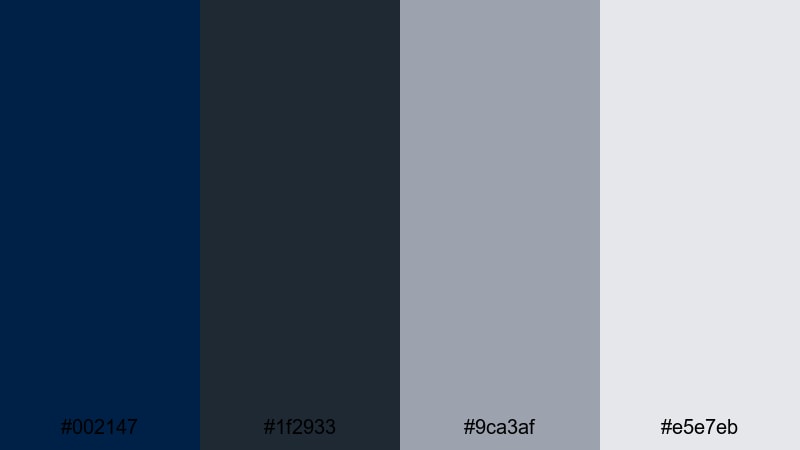
- HEX Codes: #002147, #1f2933, #9ca3af, #e5e7eb
- Mood: Intellectual, steady, and understated.
- Use for: Works well for educational channels, documentary titles, and slide-style explainer videos that need clarity and trust.
Scholarly Crest Neutrals keeps things cool and composed with a foundation of Oxford Blue, charcoal gray (#1f2933), and two gentle neutrals (#9ca3af and #e5e7eb). It feels like a digital upgrade of classic university stationery, making your visuals feel informed and reliable without shouting for attention.
Use Oxford Blue for headers, title bars, or a subtle border around your frame, while the lighter grays carry body text, diagrams, and captions. This palette is ideal for Filmora projects such as talking head explainers, screen recordings, or minimalist documentary titles where legibility and authority matter more than loud color.
Navy Suit Copper
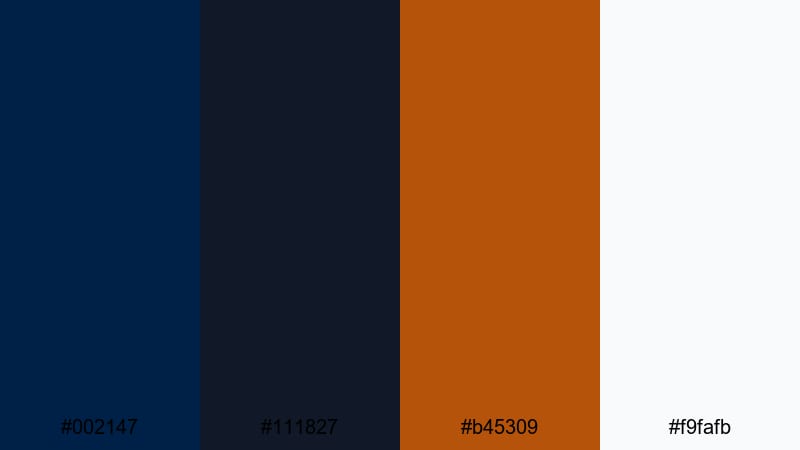
- HEX Codes: #002147, #111827, #b45309, #f9fafb
- Mood: Luxurious, sharp, and executive.
- Use for: Great for business intros, portfolio reels, and product promos that need a premium corporate edge.
Navy Suit Copper pairs deep, almost black navy (#111827) and Oxford Blue with a refined copper accent (#b45309) and bright white (#f9fafb). The contrast echoes a tailored suit with a metallic watch, giving your designs a high end corporate polish.
In thumbnails or hero titles, use the dark blues as a smooth gradient background, then add copper lines, icons, or button outlines to signal key actions. This palette works especially well in Filmora for product demos, LinkedIn style video resumes, and portfolio reels, where a clean navy base and strategic copper highlights quickly suggest value and professionalism.
Cathedral Stone Blues
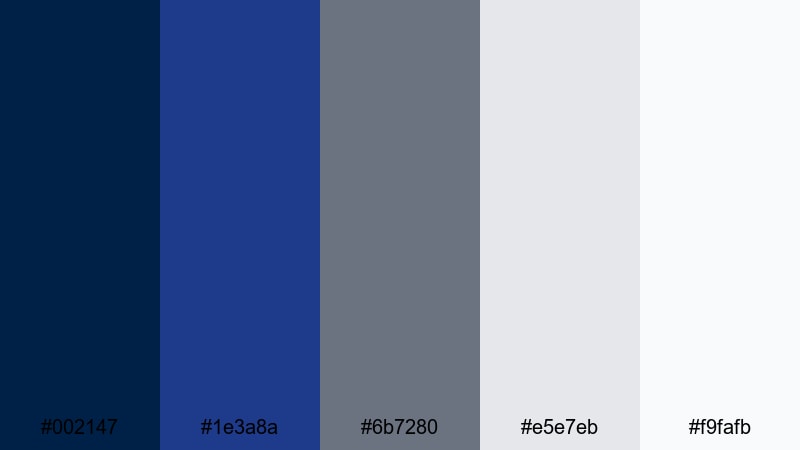
- HEX Codes: #002147, #1e3a8a, #6b7280, #e5e7eb, #f9fafb
- Mood: Calm, architectural, and dignified.
- Use for: Perfect for real estate tours, architecture showcases, and cinematic title cards with a grounded tone.
Cathedral Stone Blues blends Oxford Blue with a brighter royal navy (#1e3a8a) and three stone inspired grays. The mix feels like carved stone and stained glass, giving your visuals a sense of structure and permanence.
Use the mid gray (#6b7280) for section labels and captions, reserve the blues for title bars and transitions, and keep #f9fafb for backgrounds that need to stay clean. In Filmora, this palette suits real estate walkthrough titles, cityscape montages, and architecture case studies where you want calm, orderly frames that still feel cinematic.
Moody & Cinematic Oxford Blue Palettes
Stormfront Cinema Grade
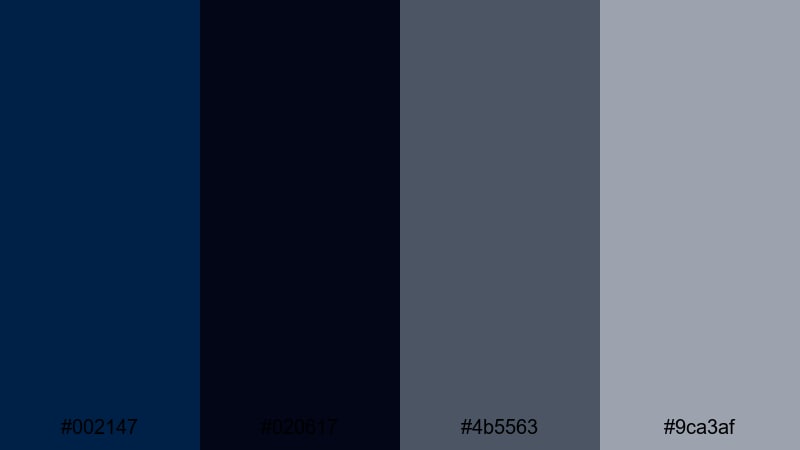
- HEX Codes: #002147, #020617, #4b5563, #9ca3af
- Mood: Brooding, cinematic, and intense.
- Use for: Use for trailers, short films, and narrative vlogs where you want a dramatic, high-contrast atmosphere.
Stormfront Cinema Grade stacks Oxford Blue with almost black navy (#020617) and cool steel grays. It mimics the look of stormy skies and deep shadows, perfect for adding weight and suspense to your storytelling.
Apply the darkest tone for letterboxed bars or full screen title cards, then mix in Oxford Blue for shapes, frames, and subtle overlay tints. The lighter grays keep text readable while matching the moody vibe. In Filmora, this palette is ideal for thriller intros, emotional travel diaries, or cinematic B roll sequences where atmosphere matters.
Noir Alley Lights
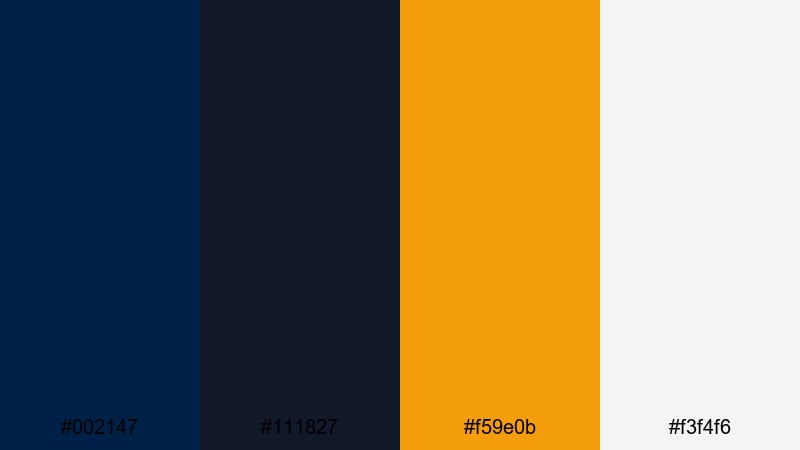
- HEX Codes: #002147, #111827, #f59e0b, #f3f4f6
- Mood: Urban, noir, and suspenseful with a warm glimmer.
- Use for: Great for street photography edits, crime podcast visuals, and title cards that need a hint of danger.
Noir Alley Lights contrasts heavy Oxford Blue and charcoal black with a punchy amber highlight (#f59e0b) and light gray text support. It feels like a streetlight glowing in a dark alley, adding intrigue to your visuals.
Use the orange as a minimal accent for keywords, waveform highlights, or progress bars, while the dark blues build a gritty backdrop. In Filmora, this palette works well for true crime intros, urban vlog sequences, and podcast cover animations where you want just enough warmth to catch the eye without losing the noir tone.
Deep Ocean Thriller
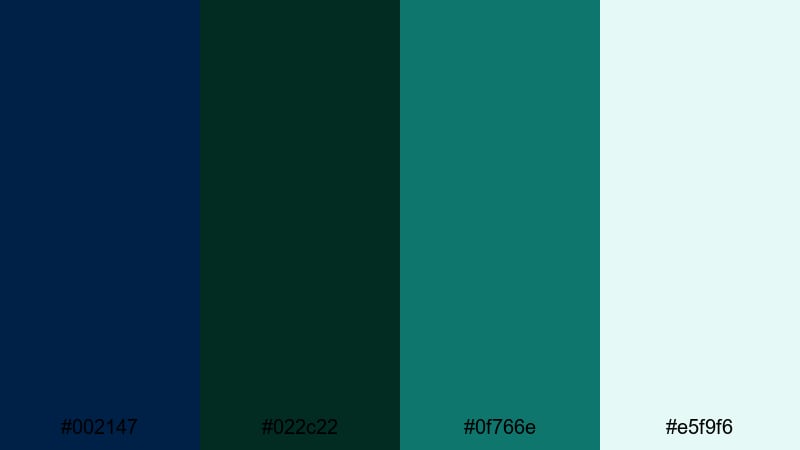
- HEX Codes: #002147, #022c22, #0f766e, #e5f9f6
- Mood: Mysterious, aquatic, and slightly tense.
- Use for: Ideal for underwater sequences, tech mysteries, and intros that blend nature with sci fi energy.
Deep Ocean Thriller merges Oxford Blue with deep emerald (#022c22) and teal (#0f766e), then softens everything with a pale aqua white (#e5f9f6). It feels like a submerged world lit by faint, eerie light.
Use the darker tones for gradients behind titles or glitch graphics, and let the light aqua carry text or interface elements. This palette suits Filmora projects like underwater montages, tech mystery openers, or cyber documentary segments where you want a subtle sci fi edge without neon overload.
Midnight Neon Title
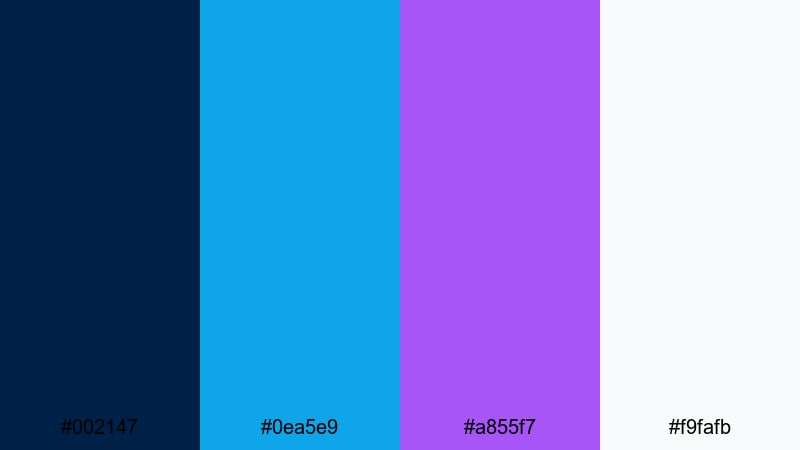
- HEX Codes: #002147, #0ea5e9, #a855f7, #f9fafb
- Mood: Electric, futuristic, and bold.
- Use for: Perfect for gaming intros, cyberpunk edits, and animated lower thirds that need neon energy.
Midnight Neon Title sets Oxford Blue as a night sky for vivid cyan (#0ea5e9) and violet (#a855f7) neon strokes. Crisp white text floats on top, giving your titles strong contrast and a modern sci fi style.
In Filmora, use a solid Oxford Blue or gradient background, then animate glowing outlines or streaks in cyan and violet around your logo or text. This palette is great for gaming channels, tech reviews, and promo teasers that need attention grabbing motion graphics while still feeling cohesive.
Bright & Modern Oxford Blue Palettes
Tech Startup Horizon
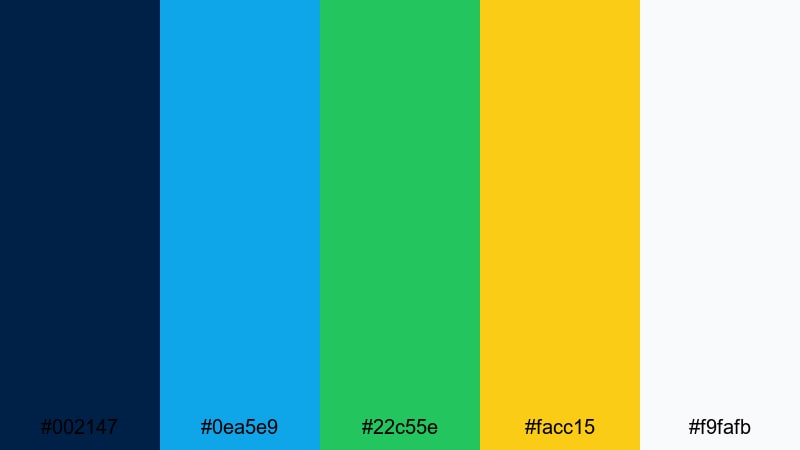
- HEX Codes: #002147, #0ea5e9, #22c55e, #facc15, #f9fafb
- Mood: Optimistic, agile, and innovative.
- Use for: Use for SaaS promos, app demo videos, and pitch decks where you want a forward looking tech feel.
Tech Startup Horizon anchors vivid teal blue and green (#0ea5e9, #22c55e) plus a bright yellow accent (#facc15) on a strong Oxford Blue base. White keeps the layout clean, creating a techy, product focused atmosphere.
Use Oxford Blue for sidebars, navbar style titles, or footer graphics, and keep the brighter colors for data highlights, feature icons, or on screen buttons. In Filmora, this palette shines in animated explainer videos, UI mockup demos, and startup pitch intros where clarity and energy are equally important.
Digital Dashboard Clean
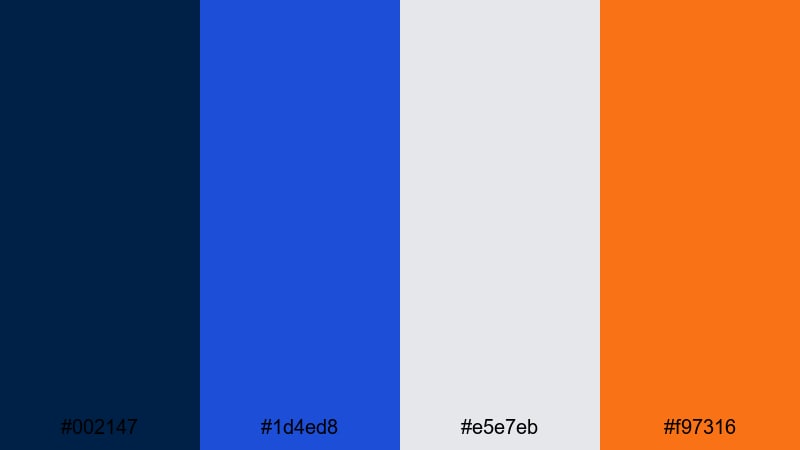
- HEX Codes: #002147, #1d4ed8, #e5e7eb, #f97316
- Mood: Efficient, sharp, and data driven.
- Use for: Great for analytics explainers, tutorial overlays, and infographic animations that must stay readable.
Digital Dashboard Clean matches Oxford Blue with a clear primary blue (#1d4ed8), mild gray, and a striking orange accent (#f97316). It feels like a modern SaaS interface or analytics dashboard, designed for quick scanning.
In your Filmora projects, use the blues and gray for charts, grids, or lower thirds, then reserve the orange for key figures, conversion rates, or important UI actions. This keeps your overlays easy to understand even on small mobile screens while still looking sharp and branded.
Marina Sunrise Pop
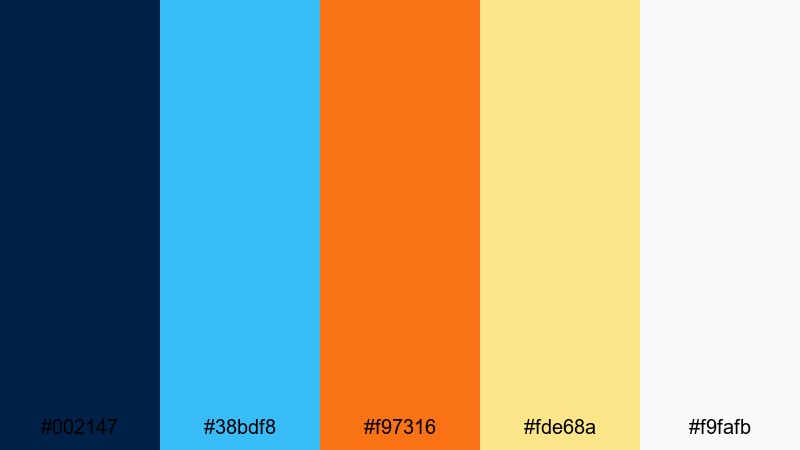
- HEX Codes: #002147, #38bdf8, #f97316, #fde68a, #f9fafb
- Mood: Fresh, coastal, and upbeat.
- Use for: Perfect for travel vlogs, lifestyle channels, and event highlight reels with a sunny, energetic tone.
Marina Sunrise Pop balances Oxford Blue with bright sky blue (#38bdf8), a vivid sunrise orange (#f97316), and a soft pastel yellow (#fde68a). It captures the feel of early morning at a seaside marina, full of light and movement.
Use Oxford Blue for your logo mark or title frame, then let the lighter hues fill background shapes, transitions, and iconography. In Filmora, this palette is ideal for upbeat travel intros, festival highlight reels, and lifestyle B roll where you want coastal freshness without losing structure.
Sport Highlight Energy
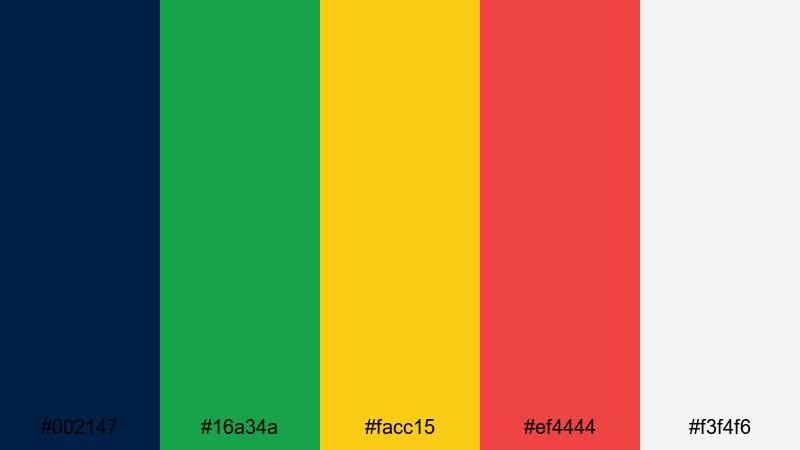
- HEX Codes: #002147, #16a34a, #facc15, #ef4444, #f3f4f6
- Mood: Competitive, high impact, and dynamic.
- Use for: Use for sports edits, workout shorts, and hype reels that rely on fast cuts and bold overlays.
Sport Highlight Energy uses Oxford Blue as a steady base for vivid green (#16a34a), bright yellow (#facc15), and a strong red (#ef4444). A light gray background keeps things neutral behind fast motion.
Use colored blocks or strokes in green and yellow to track scores or stats, and red to emphasize key moments like goals or personal records. In Filmora, combine this palette with quick cuts, speed ramps, and bold kinetic typography to create hype reels, gym promos, and sports highlight packages that feel intense but still readable.
Soft & Minimal Oxford Blue Palettes
Quiet Study Nook
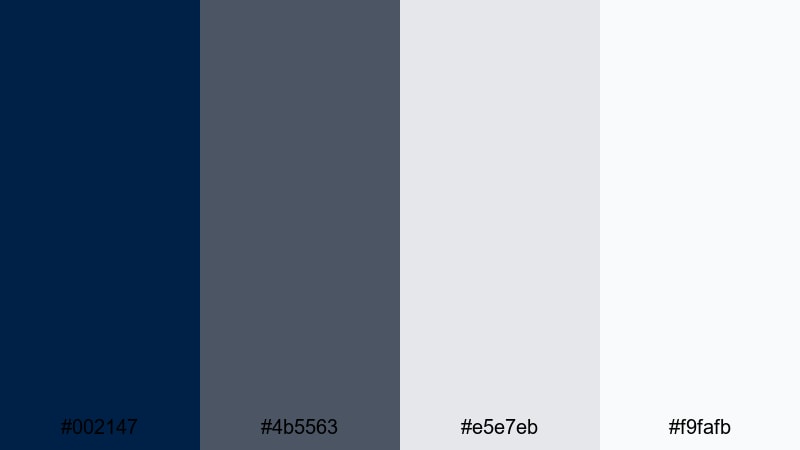
- HEX Codes: #002147, #4b5563, #e5e7eb, #f9fafb
- Mood: Calm, focused, and minimal.
- Use for: Great for productivity vlogs, study with me videos, and simple title cards that should not distract.
Quiet Study Nook softens Oxford Blue with gentle slate gray (#4b5563) and two light neutrals. It feels like a tidy desk by a window, perfect for content that should encourage focus and calm.
Use Oxford Blue sparingly for titles and key buttons, while letting neutrals dominate backgrounds and lower thirds. In Filmora, this palette works beautifully for study with me sessions, productivity tips, and minimal aesthetic vlogs where you want a clean layout that supports the content instead of competing with it.
Seaside Mist Pastels
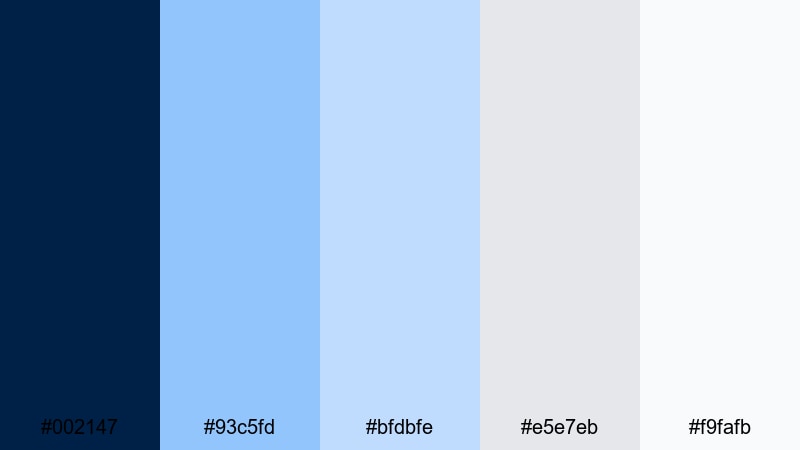
- HEX Codes: #002147, #93c5fd, #bfdbfe, #e5e7eb, #f9fafb
- Mood: Airy, relaxed, and friendly.
- Use for: Ideal for wellness content, calm travel edits, and brand kits that want a soft coastal identity.
Seaside Mist Pastels surrounds Oxford Blue with soft sky tones (#93c5fd, #bfdbfe) and gentle grays, creating a light, breezy look. It suggests a calm beach morning with hazy light and soft waves.
Use the pastel blues for background blocks, gradient overlays, or soft shapes behind text, while Oxford Blue grounds your logo and key headings. This palette is a natural fit in Filmora for yoga flows, morning routine vlogs, spa promos, and chilled travel edits where the goal is to lower stress and invite viewers in.
Calm Interface Shell
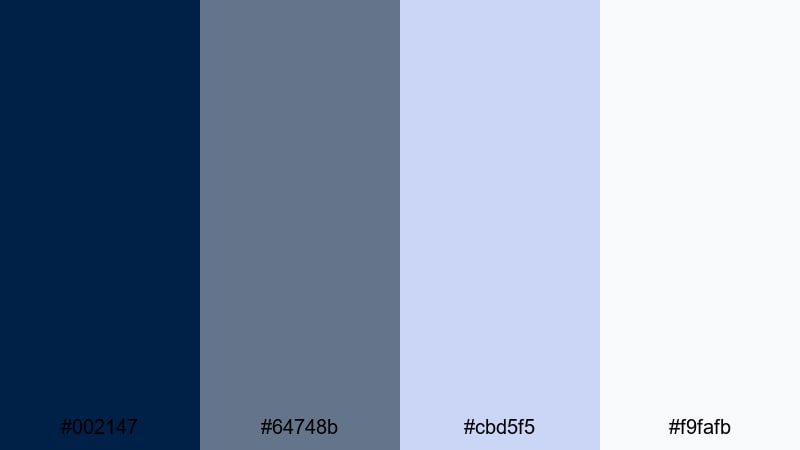
- HEX Codes: #002147, #64748b, #cbd5f5, #f9fafb
- Mood: Orderly, serene, and UI focused.
- Use for: Perfect for app walkthroughs, software tutorials, and dashboard style overlays with lots of text.
Calm Interface Shell combines Oxford Blue with muted slate (#64748b) and pale blue surfaces (#cbd5f5). It looks like a clean software interface designed for long sessions of focused work.
Use the lightest blue for panels and boxes, slate for labels and icons, and Oxford Blue for primary actions or section headers. In Filmora, this palette keeps app tutorials, course content, and screen recordings clear and approachable, especially when you need to display a lot of on screen information without visual noise.
Tips for Creating Oxford Blue Color Palettes
Oxford Blue is versatile enough to feel corporate, cinematic, or soft depending on the colors you pair it with. These tips will help you build palettes that look great on video, thumbnails, and branding made in Filmora.
- Use Oxford Blue as your anchor color for backgrounds, borders, or title bars, then limit yourself to 2 or 3 supporting colors to keep the palette focused.
- Check contrast by placing white or light gray text over Oxford Blue and testing on both desktop and phone screens to ensure readability.
- Add one warm accent (orange, copper, or gold) when you need attention on CTAs, subscribe buttons, or important numbers; keep it sparing so it stays special.
- For cinematic looks, combine Oxford Blue with darker navies and cool grays, then use Filmora's curves to deepen shadows while protecting midtones.
- For modern, techy branding, pair Oxford Blue with clean cyan, teal, or lime, and use flat shapes or simple gradients instead of heavy textures.
- Match your footage to your graphics by applying gentle color grading so shadows lean slightly toward Oxford Blue, tying the whole frame together.
- Save your favorite combinations as custom title and lower third presets in Filmora so every new video automatically follows the same color system.
- When designing thumbnails, keep Oxford Blue as the dominant background and use a high contrast accent on just one or two key words to make them stand out in small sizes.
Oxford Blue palettes can completely shift how your content feels, from serious and academic to moody and cinematic or bright and modern. By pairing this rich navy with the right neutrals, pastels, or accents, you can build a clear visual identity that viewers recognize across your channel and social platforms.
All 15 palettes above include ready HEX codes, so you can quickly recreate them in Filmora for titles, overlays, and color grading. Test a few combinations on your next intro, thumbnail set, or B roll sequence, and refine until the mood matches your story and brand.
Once you have a palette you love, keep it consistent across your edits in Filmora and watch how much more professional and memorable your videos become.
secure download