

 100% Security Verified | No Subscription Required | No Malware


 ChatGPT
 Perplexity
 Gemini
 Claude
 Grok
Grok
Pale Blue sits between sky and ice on the color wheel, which is why it instantly feels calm, clean, and open. It suggests trust, clarity, and quiet confidence, making it perfect for creators who want their videos to feel soothing rather than shouty. From soft productivity vlogs to aesthetic tutorials and wellness content, a Pale Blue color palette can set a relaxing tone while still looking modern and professional.
For video branding, YouTube thumbnails, intros, and lower thirds, consistent Pale Blue color combinations help your channel look polished across every upload. Below you will find 15 ready-to-use Pale Blue color palettes with HEX codes, plus tips on how to apply them in Filmora so your b-roll, overlays, and social edits all share the same calm, cohesive vibe.
In this article
Soft And Airy Pale Blue Color Palettes
Morning Frost Glow
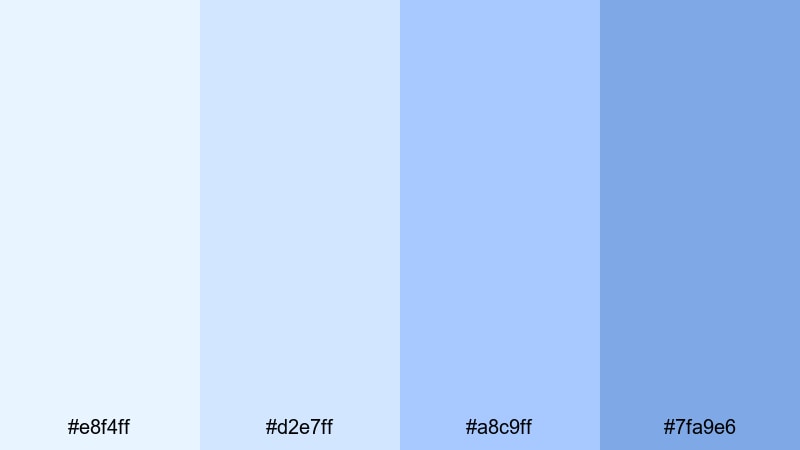
- HEX Codes: #e8f4ff, #d2e7ff, #a8c9ff, #7fa9e6
- Mood: Calm and uplifting, like a crisp winter sunrise through frosted windows.
- Use for: Great for vlog openings, productivity montages, and clean lifestyle channel branding.
This bright, frosted Pale Blue palette feels light and optimistic, with soft gradients that never strain the eyes. The subtle steps from icy white-blue to a gentle medium blue give you just enough contrast for titles, captions, and overlays without breaking the calm mood.
Use Morning Frost Glow for clean YouTube intros, soft productivity b-roll, and thumbnails where you want to highlight white text or darker icons. In Filmora, you can apply these HEX codes to title cards, motion graphics, and lower thirds so your studying, wellness, or daily routine videos share the same peaceful identity across your channel.
Pro Tip: Enhance Your Pale Blue Visuals With Filmora
To keep this frosted Pale Blue look consistent, build a simple style system inside Filmora. Save one shade for backgrounds, one for title text, and another for accent shapes or icons. Then reuse those presets across your intro, talking-head sections, and end screen so every part of the video feels like it belongs to the same calm, icy morning.
You can also pair Morning Frost Glow with soft transitions, low-contrast overlays, and gentle blur effects in Filmora to avoid harsh cuts. This works especially well for aesthetic study vlogs, gentle routines, and channels that lean into minimal, breathable visuals.
AI Color Palette
If you have a reference image using Morning Frost Glow, Filmora makes it easy to spread that same Pale Blue look across your whole edit. Filmora's AI Color Palette feature can read the colors from a still frame, thumbnail, or mood board and automatically match the rest of your clips to it.
Import your chosen Pale Blue reference, select a clip with the look you love, and then apply AI Color Palette to other shots in the timeline. This helps keep your b-roll, close-ups, and overlays aligned, even if they were filmed in different lighting or on different days.
 secure download

HSL, Color Wheels & Curves
Even within a single Pale Blue palette, small adjustments to hue, saturation, and luminance can dramatically change the mood. In Filmora, use the HSL controls to gently desaturate sky tones for a more minimal aesthetic, or deepen the blues in the midtones with Color Wheels to make your footage feel slightly richer and more cinematic.
If your highlights look too cold or washed out, use Curves to subtly lift the shadows while keeping whites clean, or warm up the overall image while still preserving the Pale Blue accents. For more ideas, study how creators grade cool-toned footage using advanced color correction in Filmora and apply similar steps to your own clips.
secure download1000+ Video Filters & 3D LUTs
Once your Pale Blue base look is dialed in, Filmora can push it further with ready-made filters and LUTs. Filmora's video filters and 3D LUTs make it easy to add gentle matte contrast, cool film looks, or pastel-inspired styles that fit Morning Frost Glow without heavy manual tweaking.
Try stacking a soft cinematic LUT with a light blur or glow filter on titles and intro sequences. This keeps your frosted Pale Blue palette intact while adding depth and a more professional, editorial feel that works beautifully for branding, reels, and channel trailers.
secure downloadCloud Drift Daydream
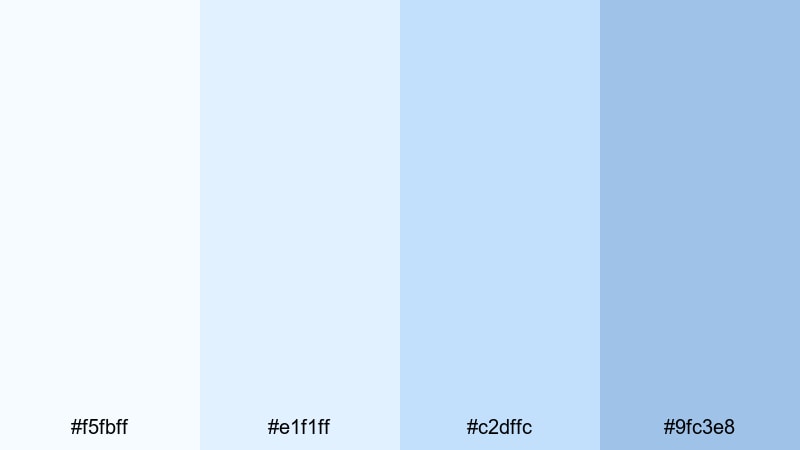
- HEX Codes: #f5fbff, #e1f1ff, #c2dffc, #9fc3e8
- Mood: Dreamy and weightless, evoking slow-floating clouds and quiet weekends.
- Use for: Perfect for soft focus b-roll, aesthetic reels, and gentle text overlays for tutorials.
Cloud Drift Daydream layers very light, cloudlike blues that feel weightless and relaxed. The palette is ideal when you want your thumbnails, text boxes, or end screens to look dreamy but not overly sweet or childish.
Use the palest tones for background panels and the slightly deeper shades for text, icons, or simple line illustrations. In Filmora, this palette works beautifully with soft blur transitions, slow zooms, and low-saturation b-roll for journaling videos, slow-living content, or ASMR-style intros.
Porcelain Sky Whisper
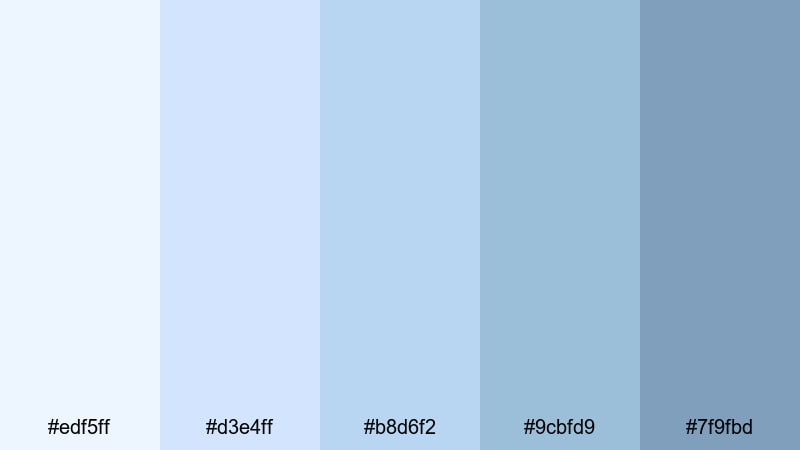
- HEX Codes: #edf5ff, #d3e4ff, #b8d6f2, #9cbfd9, #7f9fbd
- Mood: Delicate and refined, like painted porcelain under a pale sky.
- Use for: Ideal for cinematic titles, elegant lower thirds, and soft transitions in storytelling videos.
Porcelain Sky Whisper shifts gradually from almost-white blues down to medium, porcelain-like tones. This gives you gentle contrast that still feels cohesive, making it easy to design minimalist title cards that look refined and expensive.
Use lighter HEX codes for backgrounds and reserve the deeper blue-gray for key text or delicate borders around your thumbnails. In Filmora, this palette suits storytime videos, personal documentaries, and brand videos where you want Pale Blue to suggest elegance rather than playfulness.
Featherlight Breeze
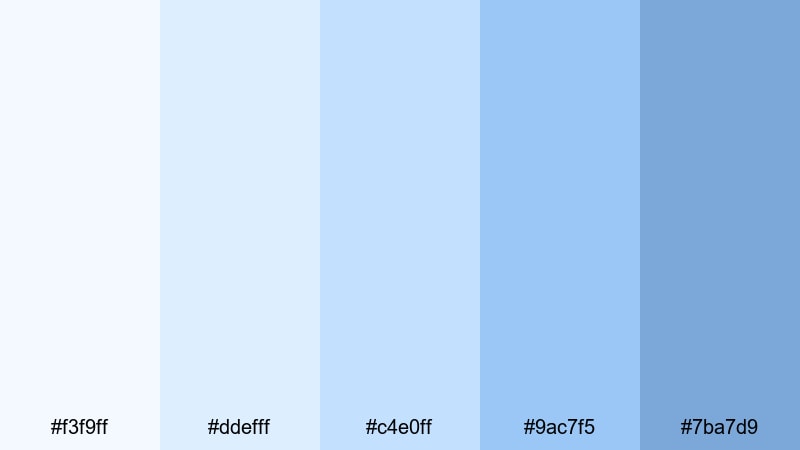
- HEX Codes: #f3f9ff, #ddefff, #c4e0ff, #9ac7f5, #7ba7d9
- Mood: Fresh and breezy, like curtains moving in a soft spring wind.
- Use for: Use for intro cards, subtitles, and calm reaction videos where you want a light, inviting backdrop.
Featherlight Breeze is open and airy, with a touch more brightness than the other soft palettes. The step from the palest blue into more saturated mid-tones helps subtitles, timestamps, and call-to-action buttons stand out without looking aggressive.
Apply the lighter shades behind your facecam or product shots, and use the richer blues for accent shapes in your overlays. In Filmora, this combo works especially well for family-friendly content, school-related vlogs, and supportive reaction videos that should feel friendly and safe.
Modern And Minimal Pale Blue Color Palettes
Nordic Screen Clean
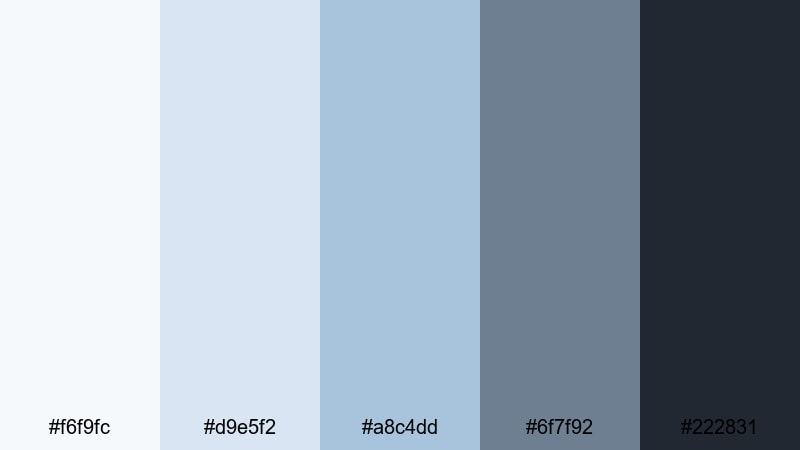
- HEX Codes: #f6f9fc, #d9e5f2, #a8c4dd, #6f7f92, #222831
- Mood: Minimal, techy, and quietly confident with a cool Scandinavian feel.
- Use for: Perfect for SaaS promos, app walkthroughs, and tech channel branding in Filmora.
Nordic Screen Clean pairs soft Pale Blues with cool grays and deep charcoal, giving you a minimal, UI-inspired look. The contrast between the light background tones and the nearly-black anchor shade is ideal for screens, dashboards, and overlays that must stay readable on any device.
Use the palest blues for clean interface backgrounds, mid blues for charts or progress bars, and the charcoal for text, icons, and logo marks. In Filmora, this palette makes app demos, tech reviews, and startup explainers feel streamlined and professional without losing the calming influence of Pale Blue.
Glass UI Chill
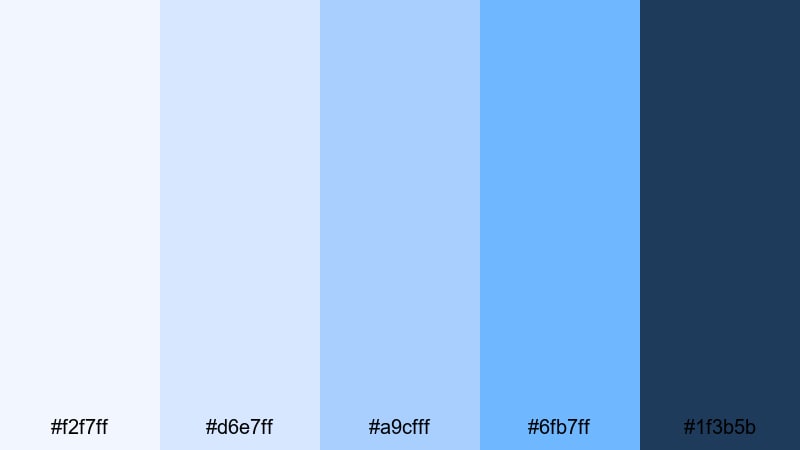
- HEX Codes: #f2f7ff, #d6e7ff, #a9cfff, #6fb7ff, #1f3b5b
- Mood: Cool and futuristic, like frosted glass panels in a sleek interface.
- Use for: Great for motion graphics overlays, animated buttons, and stylish product explainers.
Glass UI Chill delivers that on-trend glassmorphism feeling with icy Pale Blues and a deeper, inky accent. It works perfectly for semi-transparent panels, floating buttons, and modern call-to-action bars in your videos.
In Filmora, add blur and opacity effects to panels filled with the lighter HEX codes, then outline them using the darkest blue for sleek separation. This palette is ideal for product-focused thumbnails, social media ad creatives, and channel branding that hints at tech and innovation without turning neon.
Tech Blueprint Haze
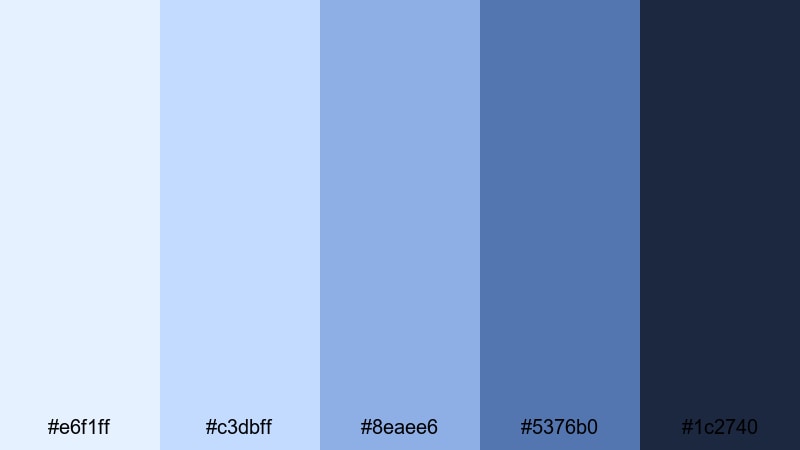
- HEX Codes: #e6f1ff, #c3dbff, #8eaee6, #5376b0, #1c2740
- Mood: Focused and intelligent, inspired by blueprints and deep night coding sessions.
- Use for: Use for coding tutorials, startup pitch videos, and data visualizations that need clarity.
Tech Blueprint Haze transitions from soft, hazy Pale Blue into solid blueprint navy, giving your layouts a structured, intelligent feel. It is excellent for diagrams, UI callouts, and animated infographics where you want strong hierarchy and clarity.
Use the mid and dark tones for graph lines, grids, and headings, and reserve the lightest shades for backgrounds and subtle highlights in charts. In Filmora, this palette helps your data overlays and screencast annotations feel precise while still being easy on the eyes during long tutorials.
Minimal Studio Air
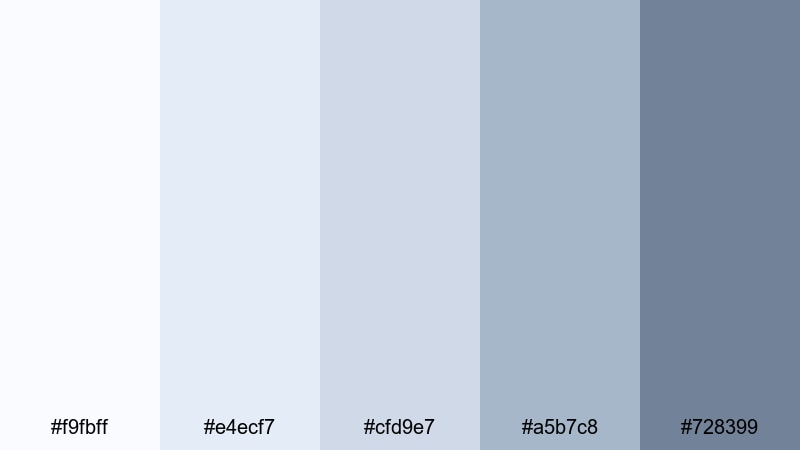
- HEX Codes: #f9fbff, #e4ecf7, #cfd9e7, #a5b7c8, #728399
- Mood: Understated and polished, like a carefully lit design studio.
- Use for: Perfect for portfolio reels, brand case studies, and subtle lower thirds in interviews.
Minimal Studio Air mixes Pale Blue with sophisticated grays for an editorial, studio-like atmosphere. Nothing is too saturated or loud, so your footage and subjects remain the main focus while your graphics quietly support the story.
Use this palette in Filmora for case study videos, designer portfolios, and client testimonials. Apply lighter tones to background plates behind text and darker tones to minimalist lower thirds and section headers for a consistent, magazine-style identity.
Coastal And Nature Pale Blue Color Palettes
Seashell Tide Calm
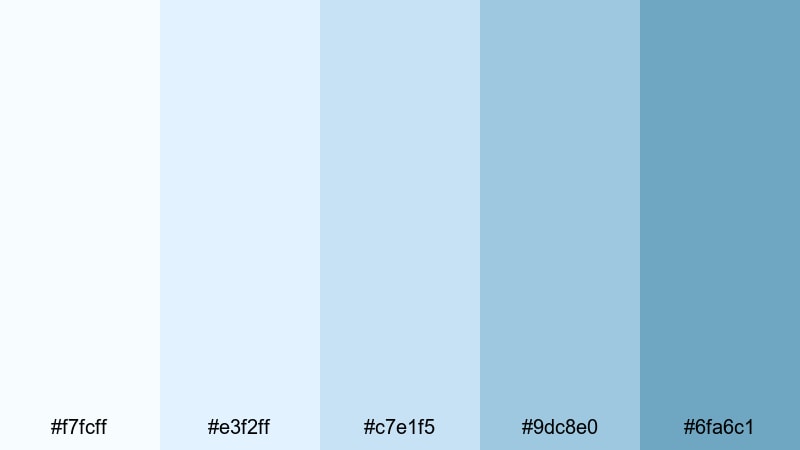
- HEX Codes: #f7fcff, #e3f2ff, #c7e1f5, #9dc8e0, #6fa6c1
- Mood: Relaxed and coastal, echoing shallow waves and soft shells on wet sand.
- Use for: Great for travel vlogs, beach montages, and dreamy holiday highlight reels.
Seashell Tide Calm captures the feeling of a pale, sunny shoreline using soft seafoam blues and gentle coastal tones. It is light enough to keep your travel footage bright, yet colorful enough to give your edits a clear seaside character.
Use the lightest colors for full-screen title cards and the deeper sea blues for location tags, map graphics, and lower thirds. In Filmora, combine this palette with slow-motion beach clips, lens flares, and gentle fades to build relaxing travel vlogs and holiday recap videos.
Harbor Mist Morning
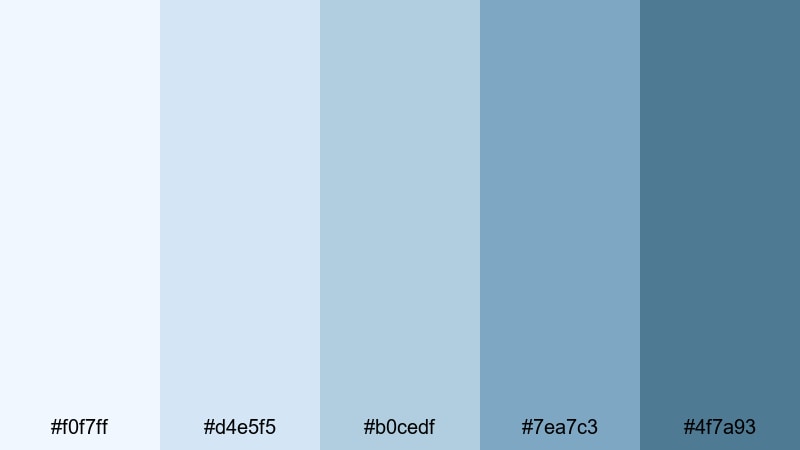
- HEX Codes: #f0f7ff, #d4e5f5, #b0cedf, #7ea7c3, #4f7a93
- Mood: Quiet and reflective, like a foggy harbor just before sunrise.
- Use for: Ideal for cinematic b-roll, reflective voiceovers, and city-by-the-sea travel edits.
Harbor Mist Morning leans into muted Pale Blues and teal-grays that feel foggy and introspective. It is perfect for more narrative travel videos where you talk about memories, change, or personal reflections rather than just showing sunny postcard shots.
Use the mid and deeper tones for title text, quote overlays, and chapter markers, while lighter shades can tint your backgrounds or subtle gradient vignettes in Filmora. This palette works well with slow panning shots of docks, boats, and coastal streets in low light.
Glacier Lake Stillness
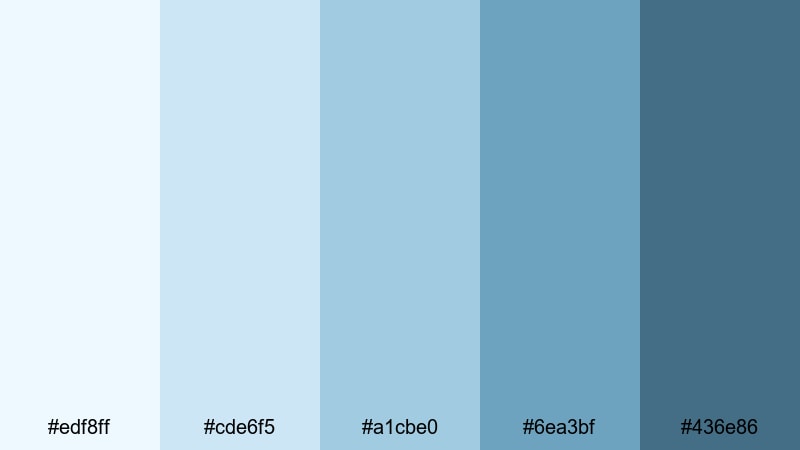
- HEX Codes: #edf8ff, #cde6f5, #a1cbe0, #6ea3bf, #436e86
- Mood: Cool, pure, and tranquil with a sense of deep water stillness.
- Use for: Use in nature documentaries, hiking vlogs, and ambient lo-fi mixes with scenic visuals.
Glacier Lake Stillness balances icy Pale Blues with deeper, lake-inspired tones to create a fresh, outdoorsy feeling. It keeps landscapes crisp and clean, but the darker blues add depth that works nicely in cinematic scenes.
In Filmora, color your titles, map pins, and chapter markers with the darker HEX codes while using the lighter ones for lower thirds and timer overlays on time-lapse scenes. This palette is especially good for long-form hiking vlogs, camping montages, or ambient nature loops.
Coastal Cottage Air
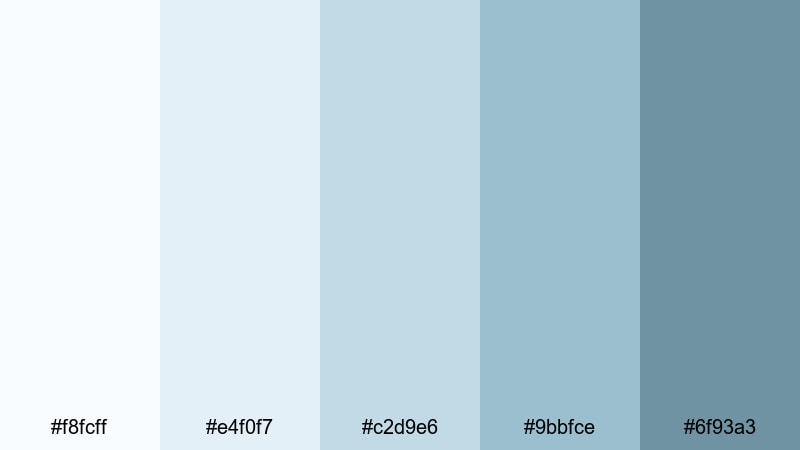
- HEX Codes: #f8fcff, #e4f0f7, #c2d9e6, #9bbfce, #6f93a3
- Mood: Cozy yet fresh, like open windows in a cottage facing the sea.
- Use for: Perfect for home makeover videos, DIY tutorials, and lifestyle vlogs with a soft coastal vibe.
Coastal Cottage Air mixes Pale Blues with muted sea greens and soft grays, creating a cozy yet breezy mood. It is ideal for interiors, DIY projects, and lifestyle content where you want a lived-in, approachable look rather than a pure travel aesthetic.
Use lighter tones for room makeover before-and-after titles and keep the deeper blues for callout boxes, measurements, or step numbers in your DIY tutorials. In Filmora, combine this palette with gentle camera movements and warm natural audio to build a calm, homey atmosphere around your brand.
Cinematic And Moody Pale Blue Color Palettes
Neon Twilight Fade
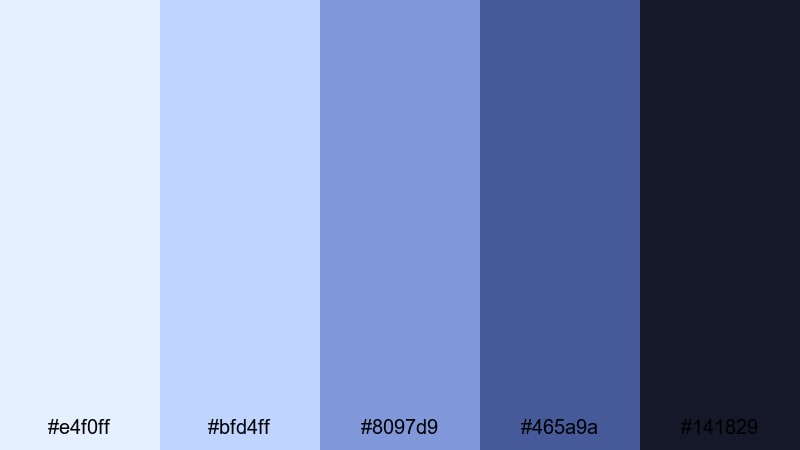
- HEX Codes: #e4f0ff, #bfd4ff, #8097d9, #465a9a, #141829
- Mood: Moody and cinematic, with a hint of neon glow after sunset.
- Use for: Great for urban vlogs, music videos, and night-time B-roll with glitch or light streak effects.
Neon Twilight Fade starts with gentle twilight Pale Blues and drops into rich indigos and deep navy. The palette captures that moment when city lights start to glow but the sky still holds a cool, soft color.
Use brighter tones for subtle highlights, glows, and text outlines, while the darkest shade can anchor your backgrounds and letterbox bars in Filmora. This combination works well for city-at-night vlogs, lo-fi edits, and music videos using light leaks or glitch transitions.
Midnight Screen Hush
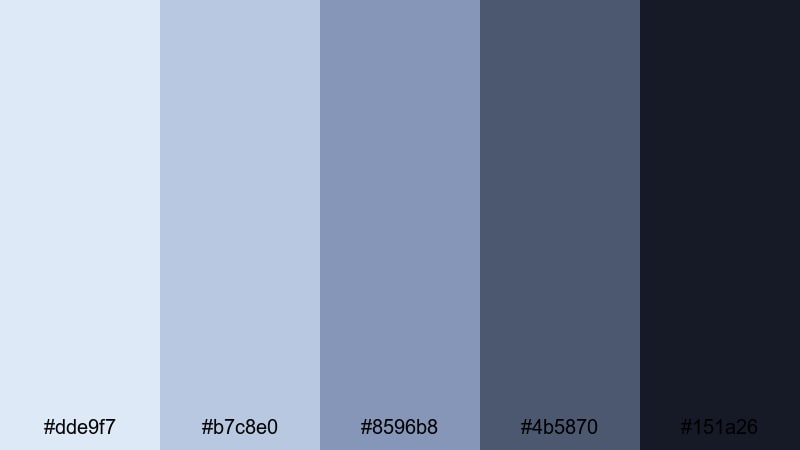
- HEX Codes: #dde9f7, #b7c8e0, #8596b8, #4b5870, #151a26
- Mood: Softly dark and introspective, like watching a screen in a quiet room at midnight.
- Use for: Ideal for commentary videos, film essays, and tech reviews that lean into a darker aesthetic.
Midnight Screen Hush blends muted Pale Blues with smoky slates and inky near-black. It provides a dark, cinematic base that still feels gentle on the eyes for longer commentary or review videos.
In Filmora, use the darkest shade for your main backgrounds and frame bars, and place your text or UI widgets in the mid-tone blues for strong readability. Add a soft vignette and subtle noise or grain over your footage to create a focused, late-night viewing experience.
Rainy City Vlog
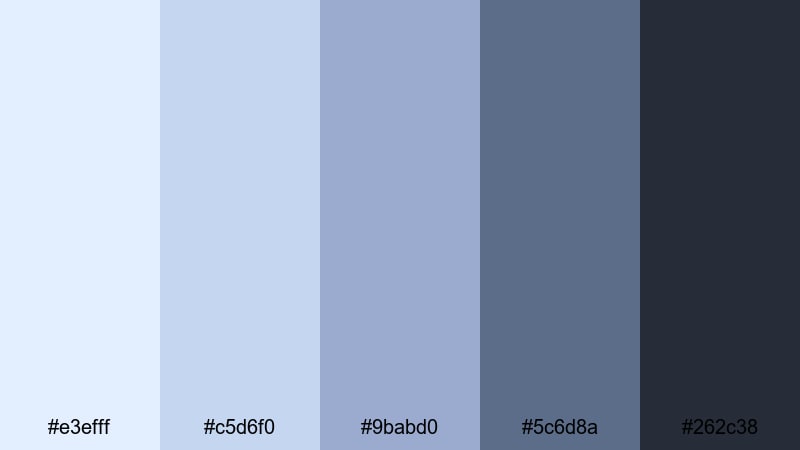
- HEX Codes: #e3efff, #c5d6f0, #9babd0, #5c6d8a, #262c38
- Mood: Nostalgic and cinematic, like walking through a city in soft rain.
- Use for: Perfect for travel diaries, moody street photography reels, and storytelling vlogs.
Rainy City Vlog uses drizzly Pale Blues mixed with muted purplish slates and deep asphalt tones. It instantly gives everyday city footage a more emotional, film-like atmosphere, especially when combined with raindrops, reflections, or bokeh lights.
Use the lighter blues for titles and timestamps, and rely on the deeper tones for frames, lower thirds, and simple graphic shapes. In Filmora, pair this palette with slow dissolves, soft focus effects, and gentle music beds to craft nostalgic storytelling edits.
Tips for Creating Pale Blue Color Palettes
Pale Blue is versatile, but it works best when you balance softness with contrast and match it to the mood of your footage. Use these tips to build or tweak your own Pale Blue color combinations for video and design.
- Pair Pale Blue with a darker anchor color (navy, charcoal, or deep teal) so text and UI elements stay readable on thumbnails, intros, and lower thirds.
- Limit yourself to 3–5 active colors per project: one background Pale Blue, one accent blue, one neutral gray or white, and one dark for typography.
- Check your palette in both light and dark layouts. In Filmora, preview titles over bright footage and over darker b-roll to ensure contrast is strong enough.
- Use saturation carefully. Slightly desaturated Pale Blues feel modern and minimal; more saturated tones feel playful and are better for lifestyle or family content.
- Match your grade to your palette. If your overlays are cool Pale Blue, avoid pushing your footage too warm in color correction, or your graphics will feel disconnected.
- Keep branding consistent by reusing the same HEX codes across YouTube thumbnails, channel banners, lower thirds, and end screens.
- Test accessibility by viewing your designs in grayscale or at reduced brightness to make sure important text and buttons remain visible.
- Create variations of the same palette for different segments: slightly brighter Pale Blues for intros and slightly deeper ones for cinematic sections or outros.
Pale Blue color palettes can make your channel feel calm, trustworthy, and visually unified, whether you create study vlogs, coastal travel diaries, or moody city stories. By choosing the right combination of soft blues, deeper anchors, and subtle neutrals, you can shape the emotional tone of every frame.
Use these 15 HEX-based palettes as a starting point, then adjust them inside Filmora to match your footage, lighting, and style. Apply them to your titles, overlays, and transitions, and keep reusing the same core colors so viewers instantly recognize your brand across thumbnails, shorts, and full-length videos.
With Filmora's editing tools, AI-powered color features, and built-in effects, it is easy to turn a simple Pale Blue idea into a polished, consistent visual identity that feels both soothing and professional.
secure downloadNext: Elegant Color Palette
