

 100% Security Verified | No Subscription Required | No Malware


 ChatGPT
 Perplexity
 Gemini
 Claude
 Grok
Grok
Pine Green sits between deep forest and classic emerald, carrying a sense of calm strength, nature, and quiet confidence. It is a favorite in branding and video because it feels trustworthy and grounded without being boring, and it works beautifully with neutrals, wood tones, and soft pastels. Used well, Pine Green can make your thumbnails look cinematic, your intros feel polished, and your overall channel identity more consistent and memorable.
Below you will find curated Pine Green color palettes with ready-to-use HEX codes, tailored for creators and Filmora users. Whether you are designing a pine green themed video thumbnail, building a cohesive branding palette, or color grading cinematic footage, these combinations will help you move from random guesses to intentional design choices.
In this article
Natural Pine Green Color Palettes
Forest Cabin Retreat
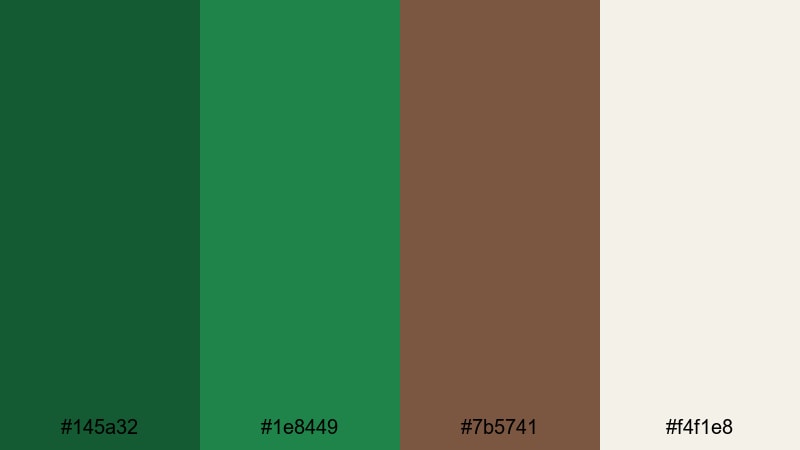
- HEX Codes: #145a32, #1e8449, #7b5741, #f4f1e8
- Mood: calm, grounded, and rustic
- Use for: Great for outdoor vlog intros, nature b-roll title cards, and eco-friendly brand openers.
Forest Cabin Retreat feels like stepping into a quiet woodland hideaway. Deep Pine Green (#145a32, #1e8449) sets a strong, natural base, while the wood brown (#7b5741) and soft cream (#f4f1e8) add warmth and comfort. Together, they create a palette that feels earthy, authentic, and timeless.
Use this palette for outdoor vlog branding, sustainable lifestyle channels, hiking or cabin travel content, and thumbnails that need to look grounded without feeling dull. The dark greens work well for backgrounds and overlays, the brown for accents or typography, and the cream for readable text in titles, lower thirds, and end screens.
Pro Tip: Build A Cozy Pine Green Look In Filmora
To keep a cabin-style Pine Green look consistent across your edit in Filmora, start by choosing one clip or thumbnail design as your reference. Use Pine Green for your titles, frame elements, and transitions, then repeat the wood and cream tones in your lower thirds and subscribe buttons. This repetition makes your channel instantly recognizable, even when the subject of each video changes.
In Filmora, you can save custom color presets for titles, shapes, and overlays. Once you dial in your favorite Pine Green and cream combination, apply it to intro animations, b-roll frames, and outro cards so every piece of content feels like it belongs to the same cozy, forest-inspired brand.
AI Color Palette
If you have a still image of a cabin, forest path, or mood board that captures your ideal Pine Green aesthetic, Filmora's AI Color Palette feature can automatically transfer that look to the rest of your footage. Simply select the reference frame, choose the target clips, and let Filmora match the overall color balance, contrast, and tones.
This is especially helpful when your outdoor shots were filmed in different lighting conditions. AI Color Palette can pull the rich greens and warm neutrals from one perfect shot and spread that style across your entire vlog, intro sequence, or social cutdowns so everything feels cohesive.
 secure download

HSL, Color Wheels & Curves
To perfect your Pine Green tones, use Filmora's HSL, color wheels, and curves controls. In HSL, you can gently shift the green hue toward a deeper forest tone and reduce saturation in the shadows to avoid neon-looking foliage. With the color wheels, you can warm up the midtones for cozy cabin interiors while keeping highlights soft and creamy.
Curves are ideal for adding a subtle filmic contrast to your Pine Green palette. Raise the shadows slightly to keep details in dark greens, then add a gentle S-curve for cinematic depth. If you want a deeper dive, explore the color correction tools in Filmora to balance greens, skin tones, and warm wood hues in the same frame.
secure download1000+ Video Filters & 3D LUTs
If you want to speed up your grading workflow, Filmora's video filters and 3D LUTs make it easy to create different moods from the same Pine Green base. You can start with Forest Cabin Retreat, then apply cinematic LUTs for moody storytelling or warm filters for cozy lifestyle vlogs.
Stack subtle filters over your footage to gently shift blues, browns, and greens into a consistent aesthetic. Once you find a combination that matches your channel style, save it as a preset so future videos, shorts, and thumbnails instantly match your signature Pine Green cabin look.
secure downloadMountain Trail Sunrise
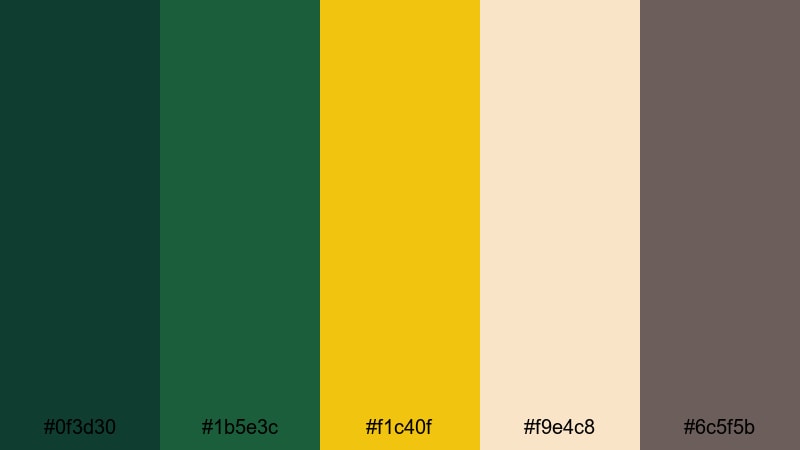
- HEX Codes: #0f3d30, #1b5e3c, #f1c40f, #f9e4c8, #6c5f5b
- Mood: adventurous, fresh, and optimistic
- Use for: Perfect for hiking documentaries, travel vlogs, and energetic outdoor montage sequences.
Mountain Trail Sunrise combines deep Pine Green (#0f3d30, #1b5e3c) with sunrise gold (#f1c40f), soft beige (#f9e4c8), and a muted taupe-gray (#6c5f5b). The result is a palette that feels like crisp morning air on a mountain trail, hopeful and full of motion.
Use the golden tone for highlight text, motion graphics, or animated map paths in your travel vlogs, while the greens anchor backgrounds and overlays. The lighter neutrals help keep your titles and captions readable on YouTube thumbnails, Reels covers, and intro screens.
Evergreen Lake Mist
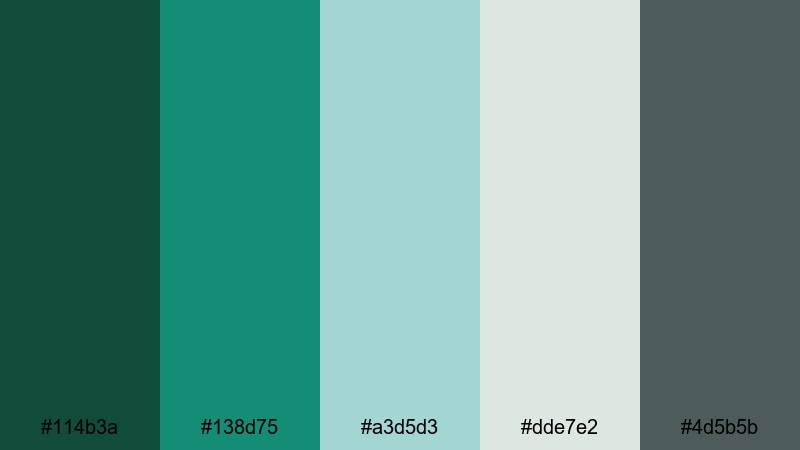
- HEX Codes: #114b3a, #138d75, #a3d5d3, #dde7e2, #4d5b5b
- Mood: serene, refreshing, and airy
- Use for: Works well for meditative nature reels, calming BGM videos, and wellness channel branding.
Evergreen Lake Mist blends cool Pine Green (#114b3a) and teal (#138d75) with misty aqua and soft grays (#a3d5d3, #dde7e2, #4d5b5b). It feels like a quiet lake at dawn, with low fog drifting across the water and only the sound of gentle waves.
This is a great choice for wellness channels, ambient study music videos, or ASMR content. Use the darker greens for subtle frames and overlays, and lean on the pale aqua and gray tones when designing clean, minimal thumbnails, meditation app mockups, and end cards with simple typography.
Cedar Grove Market
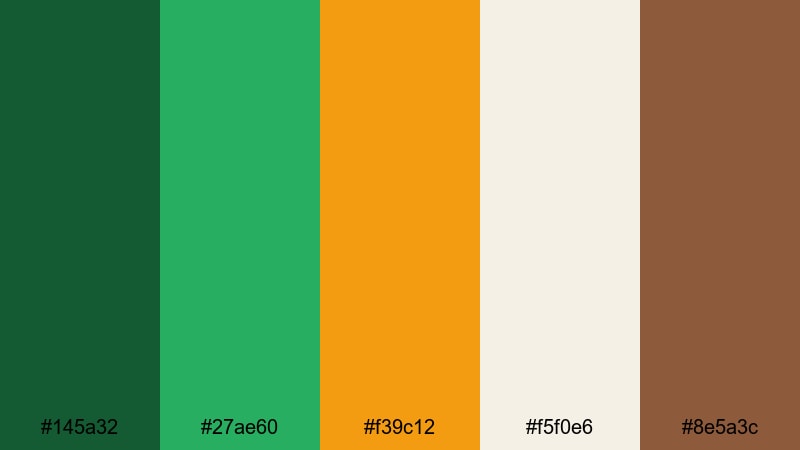
- HEX Codes: #145a32, #27ae60, #f39c12, #f5f0e6, #8e5a3c
- Mood: organic, lively, and wholesome
- Use for: Ideal for farmers market promos, food vlogs, and sustainability-focused product videos.
Cedar Grove Market is a fresh, organic palette that pairs deep Pine Green (#145a32) with a brighter leaf green (#27ae60), sunny amber (#f39c12), creamy white (#f5f0e6), and a natural brown (#8e5a3c). It captures the energy of a farmer's market overflowing with vegetables, bread, and handmade goods.
Use the saturated greens and amber accents to make food thumbnails pop, especially in top-down cooking shots or farmers market b-roll. The cream tone helps keep text and icons readable, while the brown can be used for rustic logo elements, product labels, or lower third backgrounds in eco-focused brand videos.
Modern Pine Green Color Palettes
Urban Pine Minimalist
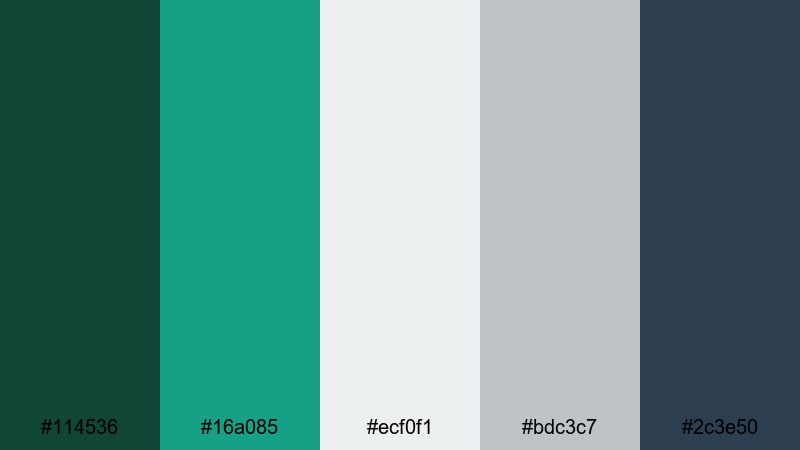
- HEX Codes: #114536, #16a085, #ecf0f1, #bdc3c7, #2c3e50
- Mood: clean, modern, and confident
- Use for: Great for tech channel intros, startup explainers, and minimal product showcase videos.
Urban Pine Minimalist combines a refined Pine Green (#114536) with teal accents (#16a085) and a sleek gray scale (#ecf0f1, #bdc3c7, #2c3e50). It feels like a modern UI, clean architecture, and polished studio lighting all in one palette.
This is ideal for tech-focused creators, SaaS explainers, or productivity channels. Use Pine Green as your main brand color for logos and titles, the light gray for backgrounds, and dark navy-gray for contrast on buttons, charts, and lower thirds in your tutorial videos and product demos.
Tech Noir Pine
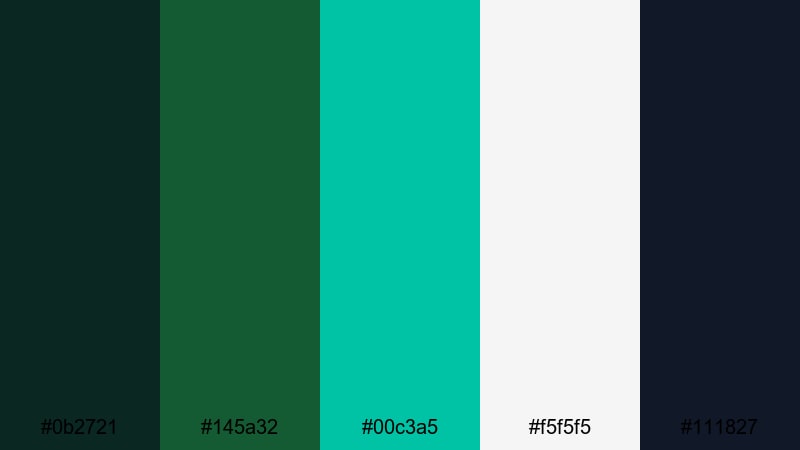
- HEX Codes: #0b2721, #145a32, #00c3a5, #f5f5f5, #111827
- Mood: futuristic, edgy, and cinematic
- Use for: Best for app promos, gaming intros, and high-contrast cinematic title cards.
Tech Noir Pine pushes Pine Green into a darker, more cinematic world. Deep greens (#0b2721, #145a32) sit beside neon teal (#00c3a5), bright white (#f5f5f5), and a nearly black navy (#111827). The contrast feels futuristic, like a UI in a sci-fi film or a cyberpunk cityscape.
Use the neon teal to highlight important UI elements, subscribe buttons, or gamer tags in your intros and stream overlays. The dark Pine Green and navy provide rich backgrounds that make white text and teal accents glow, perfect for eye-catching thumbnails and title sequences.
Pine Glass Interface
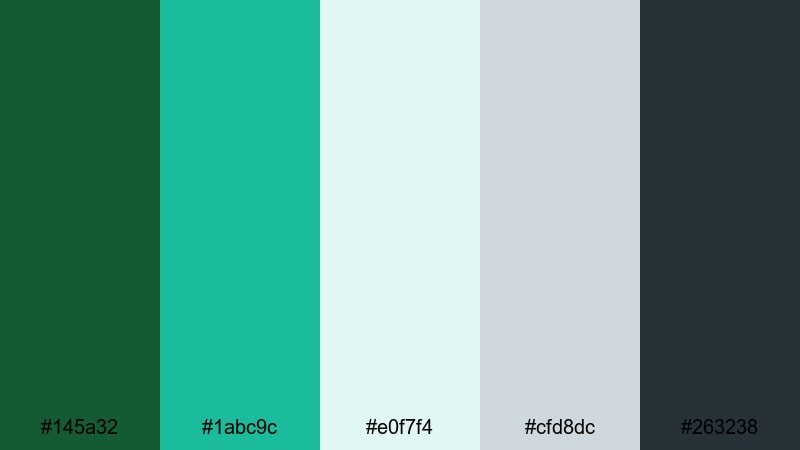
- HEX Codes: #145a32, #1abc9c, #e0f7f4, #cfd8dc, #263238
- Mood: sleek, airy, and digital
- Use for: Perfect for UI mockups in screen recordings, tutorial overlays, and software demos.
Pine Glass Interface pairs Pine Green (#145a32) with aqua accents (#1abc9c) and frosted-glass neutrals (#e0f7f4, #cfd8dc, #263238). It feels like a modern dashboard or mobile app, airy but professional.
Use this palette in screen recording tutorials and app walkthroughs by designing panels, callout boxes, and cursor highlights in the aqua and Pine Green tones. The light backgrounds help keep attention on the interface while maintaining a cohesive, branded look across intros, chapter cards, and outro screens.
Neon Pine Accent
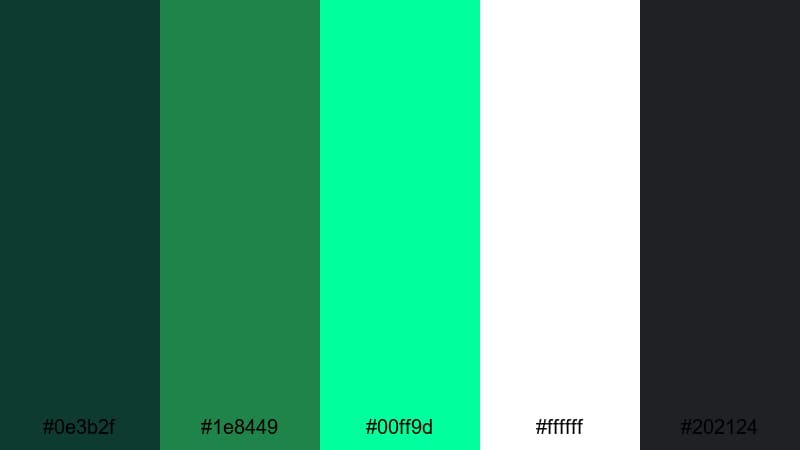
- HEX Codes: #0e3b2f, #1e8449, #00ff9d, #ffffff, #202124
- Mood: bold, energetic, and attention-grabbing
- Use for: Ideal for YouTube thumbnails, call-to-action screens, and short-form social ads.
Neon Pine Accent uses Pine Green (#0e3b2f, #1e8449) as a grounding base and shocks it with electric neon green (#00ff9d), crisp white (#ffffff), and a near-black gray (#202124). It screams for attention while still feeling slightly organic due to the Pine Green foundation.
Use the neon color for urgent CTAs, arrows, and highlights on thumbnails and Reels covers. The dark background colors are perfect for full-screen end cards and title sequences where you want white or neon text to pop instantly in a busy feed.
Soft Pine Green Color Palettes
Pine And Blush Serenity
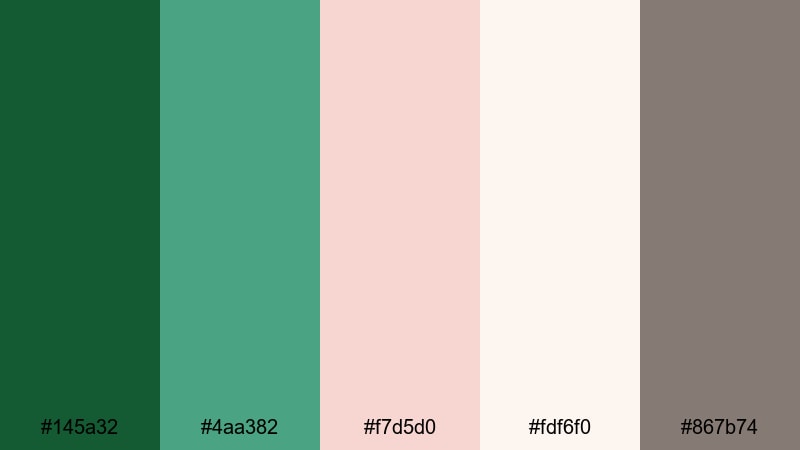
- HEX Codes: #145a32, #4aa382, #f7d5d0, #fdf6f0, #867b74
- Mood: romantic, gentle, and soothing
- Use for: Great for lifestyle vlogs, wedding highlight reels, and personal brand intros.
Pine And Blush Serenity softens Pine Green (#145a32, #4aa382) with romantic blush (#f7d5d0), airy cream (#fdf6f0), and a gentle taupe (#867b74). It feels tender and elegant, like a garden wedding or a curated lifestyle photo grid.
Use Pine Green for subtle frames and logo marks, while blush and cream carry your backgrounds and text blocks. This palette works beautifully for wedding highlight videos, couple shoots, morning routines, beauty intros, and feminine personal branding across YouTube, Instagram, and Pinterest cover designs.
Pine Pastel Storyboard
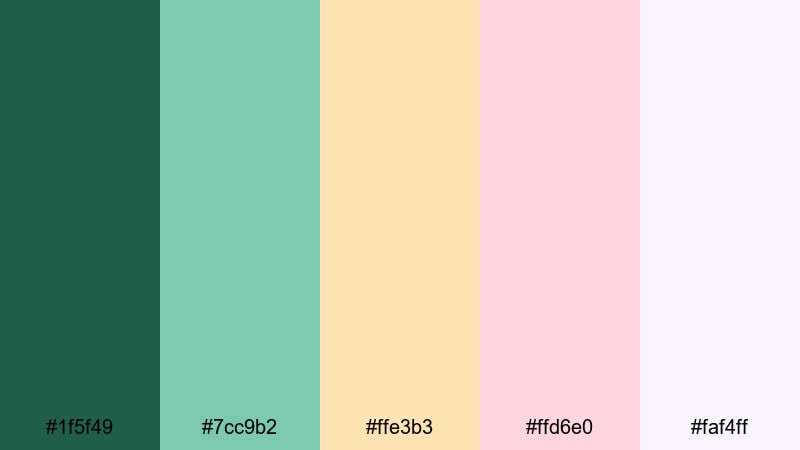
- HEX Codes: #1f5f49, #7cc9b2, #ffe3b3, #ffd6e0, #faf4ff
- Mood: playful, light, and whimsical
- Use for: Perfect for animated explainers, educational videos, and creative channel branding.
Pine Pastel Storyboard turns Pine Green (#1f5f49) into a friendly anchor surrounded by minty teal (#7cc9b2), peachy cream (#ffe3b3), soft pink (#ffd6e0), and lilac white (#faf4ff). The palette feels playful and inviting, like hand-drawn frames on a storyboard.
Use this set for explainer videos, kids content, DIY tutorials, and teacher channels. Assign each pastel tone to a different category or segment, and keep Pine Green as your main accent for titles, icons, and key callouts in animations or slide-style video layouts.
Soft Pine Bedroom
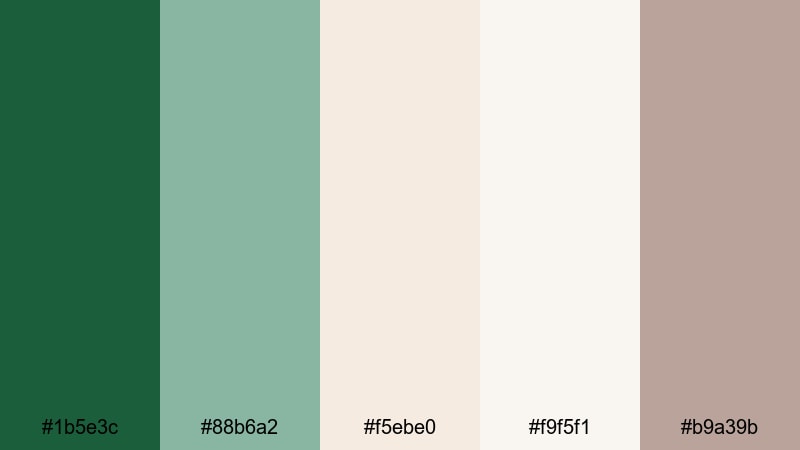
- HEX Codes: #1b5e3c, #88b6a2, #f5ebe0, #f9f5f1, #b9a39b
- Mood: cozy, intimate, and relaxed
- Use for: Ideal for home decor tours, room makeover videos, and slow living vlogs.
Soft Pine Bedroom mixes a muted Pine Green (#1b5e3c) with sage-like mint (#88b6a2), warm off-whites (#f5ebe0, #f9f5f1), and soft mocha (#b9a39b). It feels like a sunlit bedroom with linen sheets, houseplants, and a warm coffee on the nightstand.
Use this palette to brand interior design channels, room makeovers, and cozy slow living vlogs. The greens can highlight plants and decor graphics, while the nudes and off-whites make clean, calm backgrounds for text overlays, Pinterest thumbnails, and chapter title cards.
Cozy Pine Latte
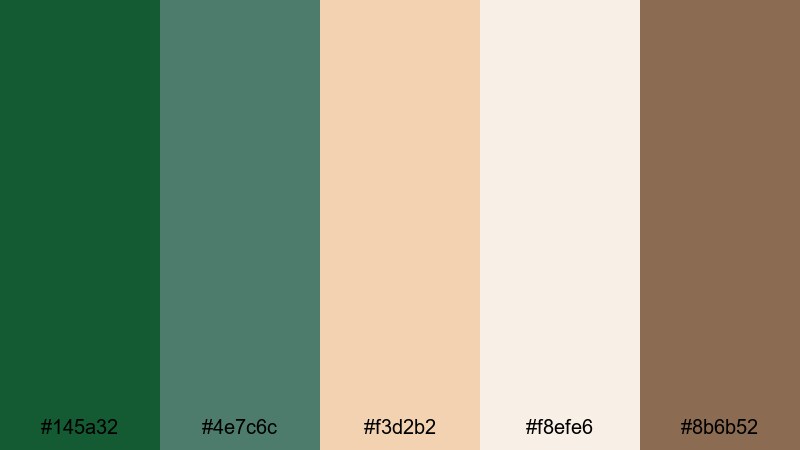
- HEX Codes: #145a32, #4e7c6c, #f3d2b2, #f8efe6, #8b6b52
- Mood: warm, comforting, and inviting
- Use for: Works well for cafe vlogs, journaling videos, and podcast cover art visuals.
Cozy Pine Latte pairs Pine Green (#145a32, #4e7c6c) with latte creams and caramels (#f3d2b2, #f8efe6, #8b6b52). It feels like a quiet coffee shop corner, warm lamp light, and notebook pages ready for ideas.
Use this palette for cafe hopping vlogs, journaling and productivity content, or relaxed podcast visuals. Pine Green can anchor your logo and titles, while the latte hues create soft backgrounds for quotes, timestamps, and social media covers.
Moody Pine Green Color Palettes
Midnight Pine Cinema
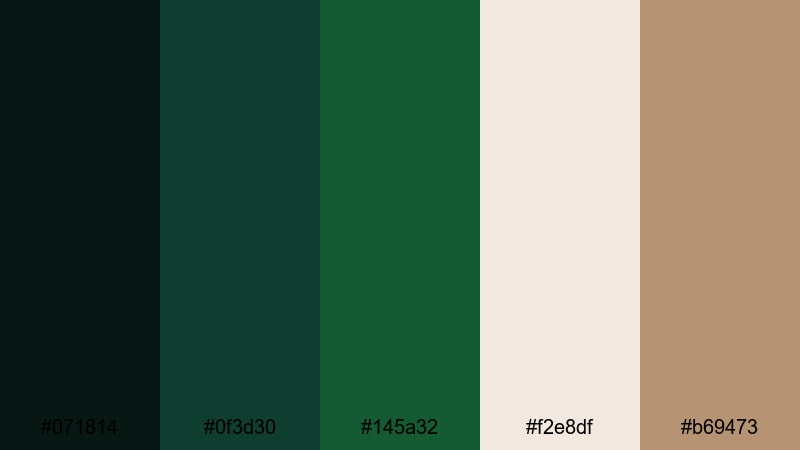
- HEX Codes: #071814, #0f3d30, #145a32, #f2e8df, #b69473
- Mood: dramatic, cinematic, and introspective
- Use for: Great for cinematic vlogs, narrative shorts, and atmospheric title sequences.
Midnight Pine Cinema layers inky greens (#071814, #0f3d30, #145a32) with soft highlights (#f2e8df) and a warm tan (#b69473). It feels like a slow, moody film shot at dusk, with light spilling through a window or across a forest road.
Use this palette when you want your vlogs or short films to feel more cinematic and introspective. The deep greens work beautifully in color grading for night scenes, while the lighter cream and tan tones help your titles and credits remain readable without breaking the dark, immersive mood.
Stormy Pine Harbor
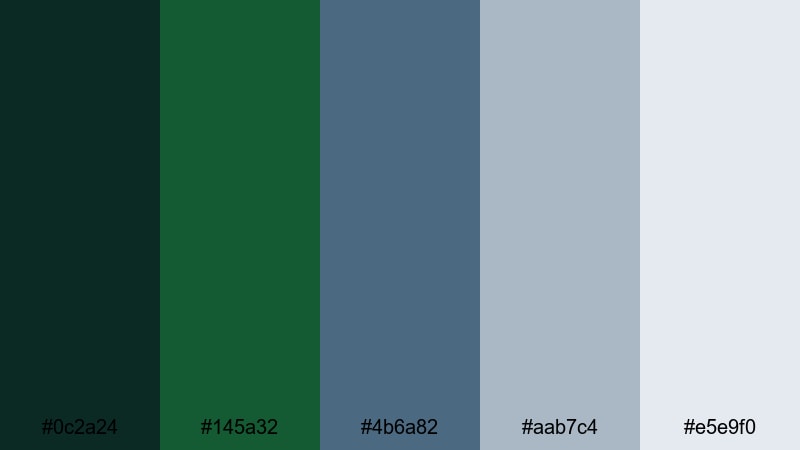
- HEX Codes: #0c2a24, #145a32, #4b6a82, #aab7c4, #e5e9f0
- Mood: brooding, coastal, and cinematic
- Use for: Ideal for travel films with cloudy weather, sea documentaries, and introspective montages.
Stormy Pine Harbor anchors cool slate blues (#4b6a82) and soft grays (#aab7c4, #e5e9f0) with Pine Green (#0c2a24, #145a32). It captures the feeling of a coastal town under heavy clouds, waves crashing against dark rocks.
Use this palette for overcast travel days, sea documentaries, or reflective storytelling. The blue and gray tones help unify cloudy sky and ocean footage, while Pine Green grounds title cards, maps, and lower thirds so the color identity still feels unique.
Vintage Pine Film Grain
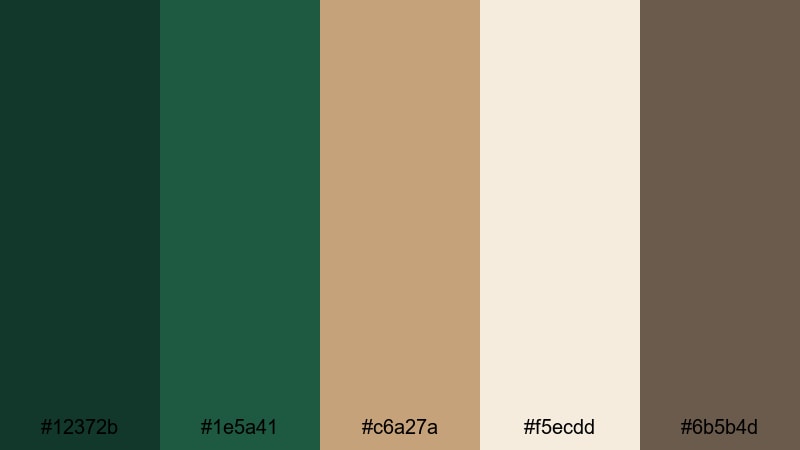
- HEX Codes: #12372b, #1e5a41, #c6a27a, #f5ecdd, #6b5b4d
- Mood: nostalgic, cinematic, and warm
- Use for: Perfect for retro-inspired edits, film grain overlays, and aesthetic reels.
Vintage Pine Film Grain uses classic Pine Greens (#12372b, #1e5a41) with aged browns and creams (#c6a27a, #f5ecdd, #6b5b4d). It feels like an old print photograph or Super 8 film, slightly faded but full of emotion.
Use this palette with film grain overlays, subtle vignettes, and slower editing to create nostalgic travel diaries, memory montages, or retro brand promos. The warm browns are ideal for typography and frame elements, while Pine Green keeps the look fresh enough for modern platforms.
Tips for Creating Pine Green Color Palettes
Pine Green is versatile, but the colors you pair it with will decide whether your project feels modern, rustic, romantic, or cinematic. Use these tips to build Pine Green palettes that look great both in design tools and inside your Filmora timeline.
- Balance dark and light: combine deep Pine Green with at least one light neutral (cream, off-white, or pale gray) so titles and UI elements stay readable.
- Use one hero accent: pick a single accent color (gold, blush, neon teal, or latte) to draw attention to CTAs, key phrases, and icons instead of competing accents everywhere.
- Test thumbnail contrast: export a frame or thumbnail mockup and view it small on mobile; if text on Pine Green is not clear, adjust brightness or switch to a lighter background from the same palette.
- Keep branding consistent: reuse the same Pine Green HEX code for logos, lower thirds, and buttons across videos so your audience instantly recognizes your channel.
- Match footage and graphics: when grading your footage in Filmora, gently nudge greens, browns, and highlights toward the HEX colors in your chosen palette, so overlays and live action match.
- Adapt for different platforms: use more contrast and bolder accents for short-form content and thumbnails; keep softer combinations for long-form, relaxing videos and intro slates.
- Check skin tones: if Pine Green is very intense, use HSL tools to keep greens rich without making skin tones look sickly or oversaturated.
- Save presets: once you find a Pine Green palette that works, save color presets, text styles, and LUT combinations in Filmora so you can apply them in a few clicks to new projects.
Pine Green can be earthy, futuristic, soft, or moody depending on how you combine it with neutrals, accents, and contrast. By choosing a clear palette and sticking to a few core HEX codes, you can shape a recognizable visual identity that supports your storytelling, whether you film in forests, studios, or city streets.
Try these 15 Pine Green palettes in your next intro, thumbnail set, or full edit. Bring your favorite combination into Filmora, match your footage to it, and then refine with HSL, curves, and LUTs until your visuals feel exactly like the mood you have in mind.
Over time, your Pine Green aesthetic can become a signature for your brand, helping viewers recognize your content instantly across YouTube, Instagram, TikTok, and beyond.
secure download