

 100% Security Verified | No Subscription Required | No Malware


 ChatGPT
 Perplexity
 Gemini
 Claude
 Grok
Grok
Pixel art colors are bold, simple, and incredibly emotional. Because each block of color is so visible, your palette instantly sets the mood of a scene, thumbnail, or channel brand: bright 8 bit hues feel playful and nostalgic, while moody blues and muted golds feel like a story driven RPG. The right pixel art color palette can make your video intro feel like a classic cartridge start screen, or turn a simple YouTube thumbnail into a tiny retro game poster.
This guide collects ready made pixel art color palettes with HEX codes that you can copy straight into your designs, thumbnails, overlays, and game inspired edits. Whether you create in Filmora, design retro game UIs, or just want a pixel aesthetic for vlogs and shorts, you will find pixel art color combinations that work for intros, titles, lower thirds, and full cinematic edits.
In this article
Retro Game Pixel Art Color Palettes
8 Bit Sky Adventure
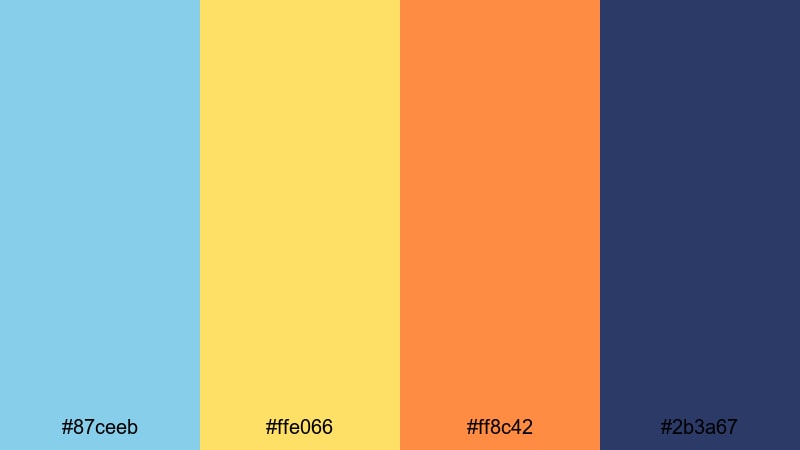
- HEX Codes: #87ceeb, #ffe066, #ff8c42, #2b3a67
- Mood: Upbeat and nostalgic, like a bright platformer level on a clear day.
- Use for: Use for cheerful gaming intros, family friendly channel branding, and playful tutorial thumbnails.
8 Bit Sky Adventure mixes clear sky blue, warm gold, and energetic orange with a deep navy accent, instantly calling back to side scrolling platformers and classic cartridge covers. It feels positive, energetic, and safe, which is perfect if your channel leans into wholesome gameplay, kid friendly learning, or upbeat tech explainers.
Drop these colors into pixel title cards, lower thirds, and end screens to make your videos feel like one connected adventure. The lighter tones (#87ceeb and #ffe066) are ideal for backgrounds and large UI blocks, while the darker #2b3a67 gives you strong outlines, text, and shadowed platforms for thumbnails and overlays.
Pro Tip: Enhance Bright Pixel Art Adventures in Filmora
In Filmora, you can keep this sunny pixel art palette consistent across your whole edit by reusing the same HEX codes in titles, shapes, and background solids. Set your main title in sky blue with a bold navy outline, then reuse the warm gold and orange for subscribe buttons, progress bars, and animated pixel icons so every scene feels like part of the same 8 bit world.
When you build a series, create a custom preset for your intros, countdown screens, and transition cards using this palette. That way, any new gameplay highlight, tutorial, or short you edit in Filmora instantly matches your retro sky adventure brand without manually guessing color values each time.
AI Color Palette
If you already have a reference screenshot from your favorite retro game, you can turn it into a full color theme for your video. Filmora's AI Color Palette feature lets you sample the look from one frame or image and apply it to other clips, so your facecam, B roll, and overlays all share the same 8 bit style.
Import a bright platformer scene or your custom pixel background, let AI analyze the colors, and then match that palette across your main footage, cutscenes, and outro. This keeps your blues, oranges, and golds balanced, so nothing feels out of place next to your retro overlays and pixel UI.
 secure download

HSL, Color Wheels & Curves
Sometimes your pixel art palette looks great on screen but clashes slightly with your camera footage. Use Filmora's HSL and color wheels to fine tune the blues and oranges so they sit better with your skin tones and background lighting. For example, you can shift the sky blue a bit toward teal or adjust saturation so it does not overpower your facecam.
By combining curves and HSL tools, you can give your entire edit a subtle retro glow without losing detail. If you want more guidance, check out Filmora's color correction tips in Filmora to see how shadows, midtones, and highlights can be pushed toward your chosen pixel palette while still looking professional.
secure download1000+ Video Filters & 3D LUTs
If you want a fast way to stylize your pixel art overlays and live action shots, Filmora's video filters and 3D LUTs make it easy to create a uniform retro look. You can stack a soft glow LUT over your gameplay captures and then apply the same filter to your webcam so colors feel part of the same fictional world.
Layer scan line, VHS, or arcade inspired filters on top of your pixel palette to push the nostalgia even harder. Combine them with your custom HEX based titles and you get thumbnails, shorts, and full length videos that all share that classic 8 bit sky adventure vibe.
secure downloadDungeon Quest Shadows
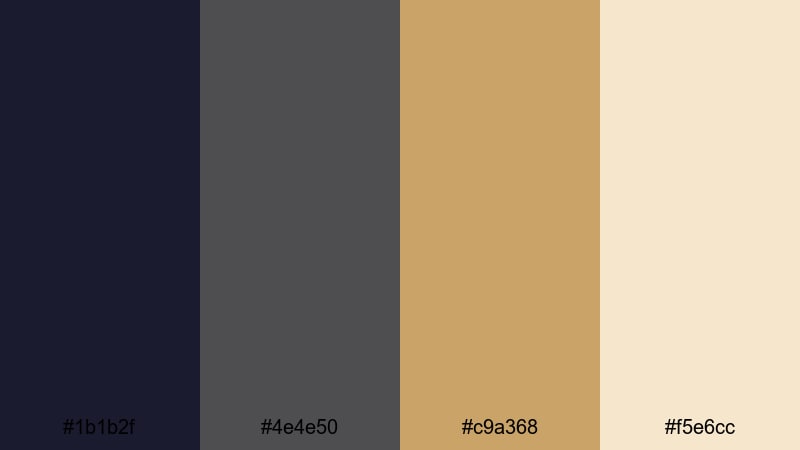
- HEX Codes: #1b1b2f, #4e4e50, #c9a368, #f5e6cc
- Mood: Moody and tense with a sense of hidden treasure and danger.
- Use for: Use for RPG style intros, boss battle overlays, and story driven gaming highlight reels.
Dungeon Quest Shadows uses inky blues and charcoals for depth, then punctuates them with muted gold and parchment tones. It feels like torchlight flickering on stone walls and unrolled treasure maps, perfect for story heavy content, lore breakdowns, or DnD inspired channels.
Use the darker shades as backgrounds for text and dialogue boxes, and let the warm gold (#c9a368) guide the eye to key elements like titles, damage counters, or chapter cards. In Filmora, this palette suits dramatic motion graphics for boss fights, intro sequences, and narrative recaps that need a sense of risk and mystery.
Arcade Sunrise Glow
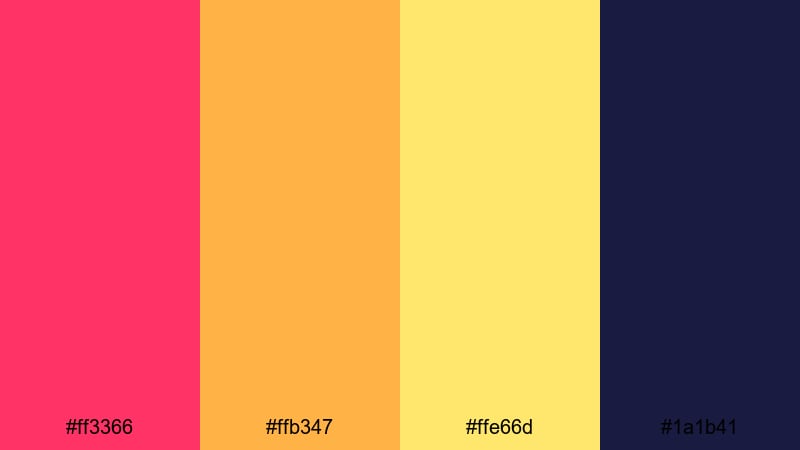
- HEX Codes: #ff3366, #ffb347, #ffe66d, #1a1b41
- Mood: Energetic, bold, and instantly attention grabbing.
- Use for: Use for click worthy thumbnails, channel logos, and fast paced highlight montages.
Arcade Sunrise Glow is all about neon energy: punchy magenta, hot orange, and bright yellow blasting against deep indigo. It feels like standing in front of a glowing arcade cabinet or a retro synthwave poster, which makes it perfect for action heavy gaming edits and promo trailers.
Use the magenta (#ff3366) for big headline text or character outlines in your thumbnails, reserving #ffe66d for score counters, combo labels, or subscribe CTAs. The dark #1a1b41 gives you a strong contrast background, so even tiny pixel icons or animated overlays stay readable on mobile feeds.
Forest Village Dawn
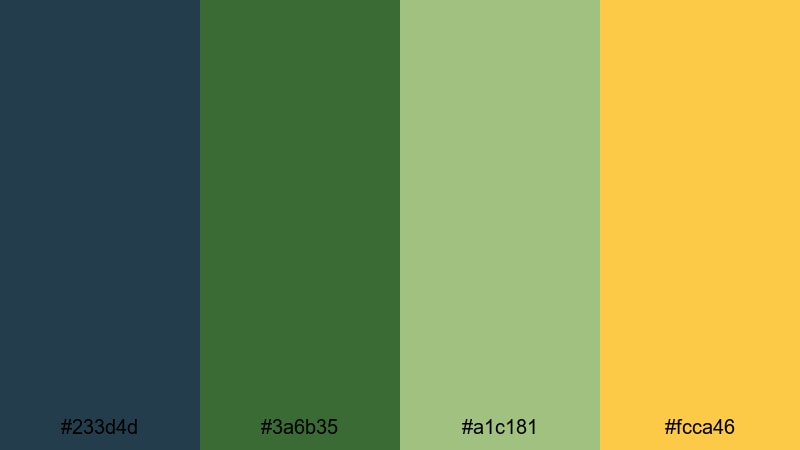
- HEX Codes: #233d4d, #3a6b35, #a1c181, #fcca46
- Mood: Calm, adventurous, and warmly inviting.
- Use for: Use for cozy farming sim edits, chill gaming livestream overlays, and wholesome story recaps.
Forest Village Dawn blends deep teal and forest green with soft herb and golden light, creating a calm, hopeful atmosphere. It feels like early morning in a pixel village, when the fields are quiet and the first quests of the day are just starting.
The darker tones make gentle backdrops for menus, inventory screens, or YouTube lower thirds, while the warm gold (#fcca46) highlights important buttons and labels. This palette is ideal for relaxing long play videos, cozy visual essays, and streaming overlays that should feel friendly rather than loud.
Pastel Pixel Art Color Palettes
Candy Cloud Overworld
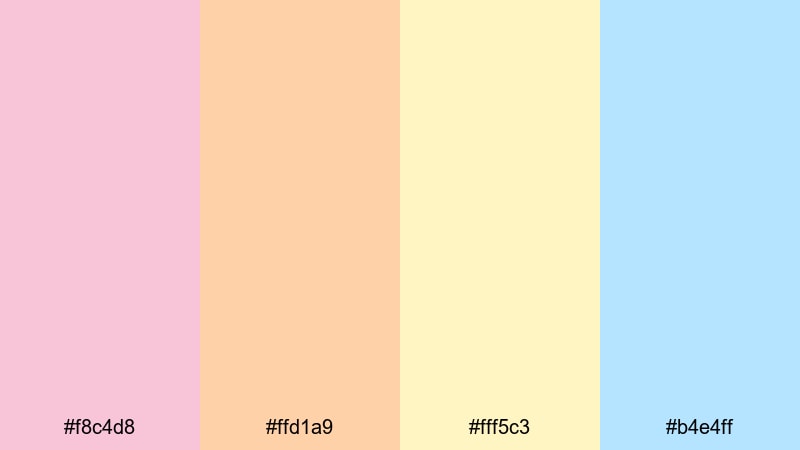
- HEX Codes: #f8c4d8, #ffd1a9, #fff5c3, #b4e4ff
- Mood: Sweet, dreamy, and lighthearted.
- Use for: Use for cute channel mascots, pastel gaming edits, and aesthetic vlog overlays.
Candy Cloud Overworld wraps your visuals in soft pinks, creams, and baby blues, like a world made of cotton candy and clouds. It is perfect for kawaii inspired channels, slice of life vlogs, or any content that needs a gentle, sugar sweet tone instead of harsh contrast.
Use the softer yellows and pinks for large background panels and speech bubbles, then bring in the baby blue (#b4e4ff) for outlines, icons, or progress bars. On thumbnails and intro cards, this palette gives you a recognizable pastel brand that still reads clearly on small screens.
Pixel Pastel Dreamscape
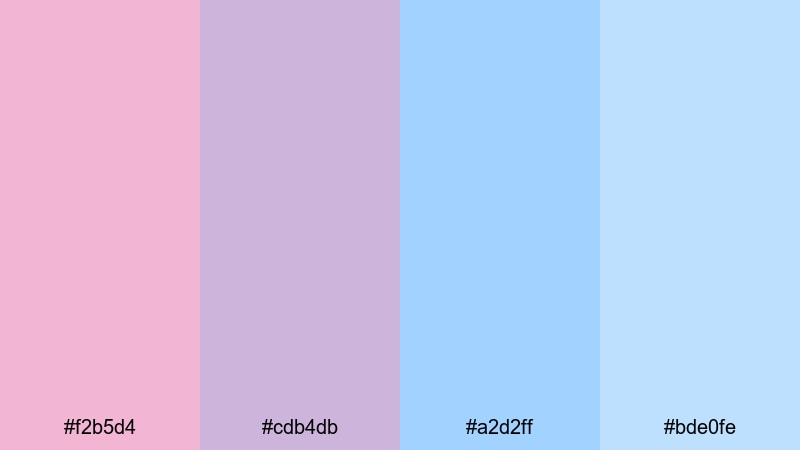
- HEX Codes: #f2b5d4, #cdb4db, #a2d2ff, #bde0fe
- Mood: Airy and soothing with a touch of fantasy.
- Use for: Use for dreamy title cards, soft animated lower thirds, and calm study or lo fi streams.
Pixel Pastel Dreamscape layers lavender, blush, and powder blue to create a soft fantasy world. It feels like magical girl intros, gentle JRPG menus, or lo fi study loops with floating islands and clouds.
Use the slightly deeper lavender (#cdb4db) for pixel outlines and readable text, while the light blues can fill skies, character portraits, or animated background loops in Filmora. This palette suits study streams, gentle tutorials, and any series where you want time to feel slower and calmer.
Soft Sprite Meadows
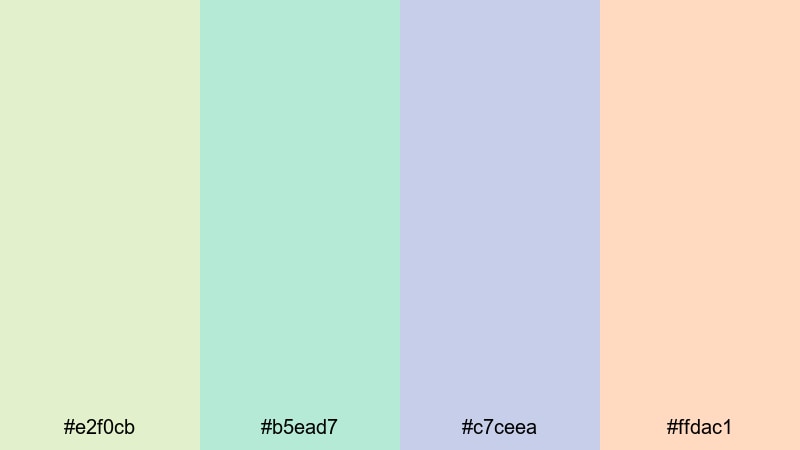
- HEX Codes: #e2f0cb, #b5ead7, #c7ceea, #ffdac1
- Mood: Fresh, playful, and comforting.
- Use for: Use for wholesome game reviews, kids content, and gentle educational explainers.
Soft Sprite Meadows combines mint, lilac, and peach into a fresh, welcoming meadow feel. It is playful but not loud, making it ideal for kids content, wholesome game reviews, and educational explainers where clarity and kindness matter.
Use the cool greens and lilacs for backgrounds and environmental elements, with the peach (#ffdac1) adding warmth to characters, badges, or highlight text. In thumbnails and intro cards, this palette instantly signals that your content is safe, calm, and family friendly.
Cozy Town Palette
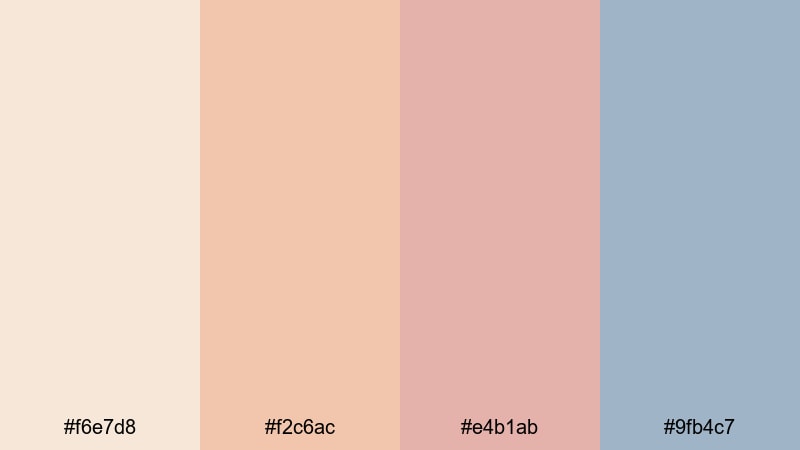
- HEX Codes: #f6e7d8, #f2c6ac, #e4b1ab, #9fb4c7
- Mood: Warm, nostalgic, and quietly comforting.
- Use for: Use for slice of life vlogs, cozy town builders, and narrative pixel diaries.
Cozy Town Palette leans into warm creams and muted corals, balanced with a soft blue gray for shadows. It feels like late afternoon in a small town, or the inside of a favorite cafe captured in pixel form.
Use the warm tones for pixel interiors, character portraits, and story panels, while #9fb4c7 grounds your UI elements and text. In Filmora, this palette works beautifully for narrative vlogs, pixel diaries, or commentary videos where you want viewers to feel like they are visiting a familiar place.
Neon & Cyber Pixel Art Color Palettes
Cyber Grid Nights
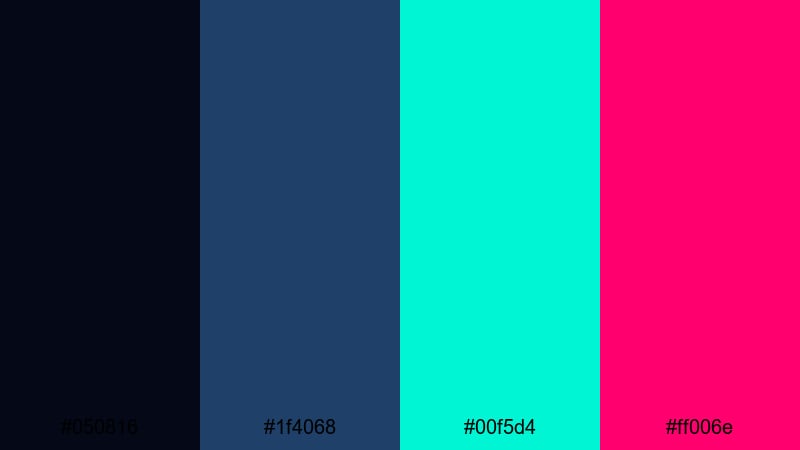
- HEX Codes: #050816, #1f4068, #00f5d4, #ff006e
- Mood: Futuristic, electric, and intense.
- Use for: Use for tech intros, cyberpunk gaming content, and motion graphics with glitch transitions.
Cyber Grid Nights pairs inky midnight blue with electric teal and hot pink, building a glowing cyber city grid. It feels high tech, fast, and a little dangerous, like a hacker interface or neon skyline at 3 a.m.
Use the deep blues as your base layer, then sketch in pixel lines, HUD elements, and glitch titles with #00f5d4 and #ff006e. In your Filmora edits, this palette is perfect for tech intros, product launches, and cyberpunk highlight reels with glitch effects and bold motion graphics.
Neon Alley Runner
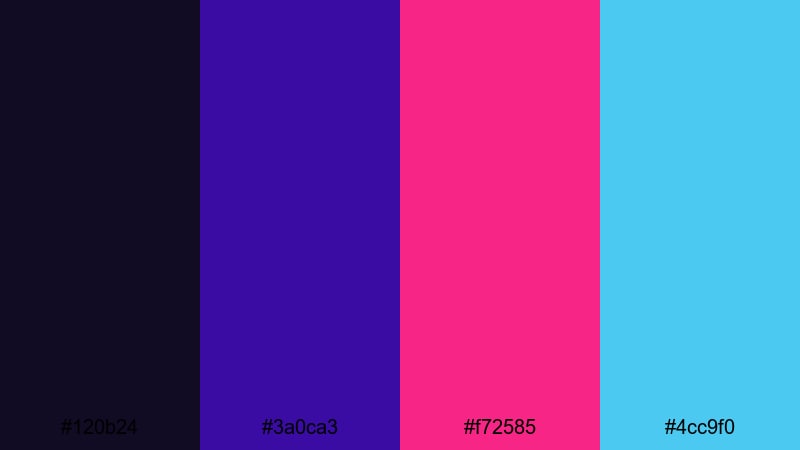
- HEX Codes: #120b24, #3a0ca3, #f72585, #4cc9f0
- Mood: Fast, edgy, and high contrast.
- Use for: Use for speedrun highlight reels, parkour edits, and high tempo trailer sequences.
Neon Alley Runner combines deep violet shadows with piercing cyan and neon magenta. It feels like sprinting down a futuristic backstreet, lit only by signs and holograms, which is perfect for showing speed, skill, and tension.
Use #f72585 as your main accent for combo counters, timer graphics, or episode titles, while #4cc9f0 outlines characters and motion paths. In thumbnails, this contrast grabs attention immediately, helping speedrun compilations and fast parkour edits stand out in crowded feeds.
Glitch City Hologram
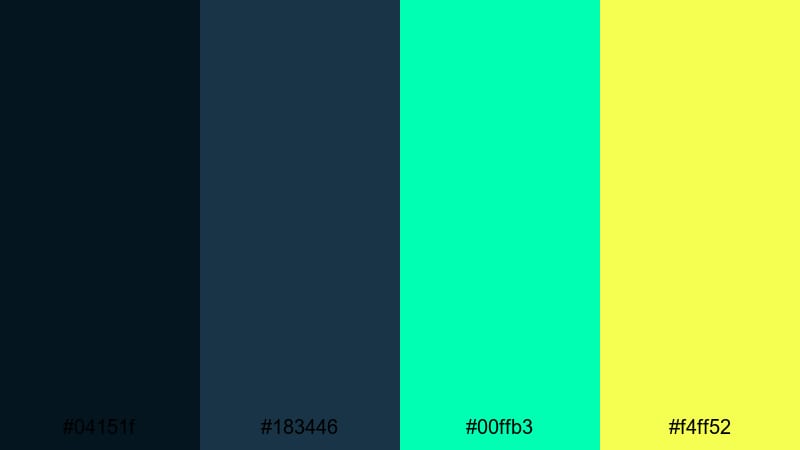
- HEX Codes: #04151f, #183446, #00ffb3, #f4ff52
- Mood: Surreal, experimental, and techy.
- Use for: Use for glitch transitions, tech explainer intros, and experimental music visuals.
Glitch City Hologram sets cool teal and navy bases under fluorescent mint and yellow highlights. It creates a holographic, almost unstable feel that works beautifully with datamosh, glitch, and stuttering pixel animations.
Let the darker colors frame your footage, then slice in #00ffb3 and #f4ff52 for scan lines, error messages, or audio reactive shapes. In Filmora, this palette pairs well with glitch transitions and split screen layouts for tech explainers, cyber music videos, and experimental visuals.
Vaporwave Pixel Horizon
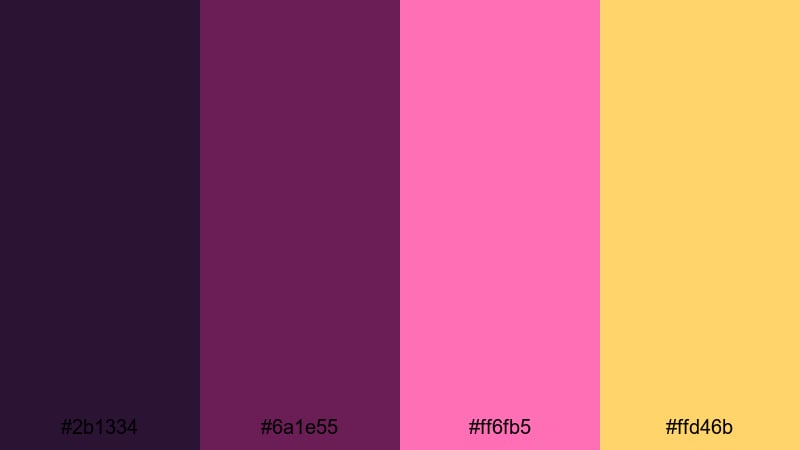
- HEX Codes: #2b1334, #6a1e55, #ff6fb5, #ffd46b
- Mood: Retro futuristic, nostalgic, and chill.
- Use for: Use for synthwave playlists, late night chatting streams, and aesthetic desktop loops.
Vaporwave Pixel Horizon blends dusky purples with hot pinks and golden haze, echoing those classic retro sunsets. It feels nostalgic but relaxed, ideal for channels built around synthwave, late night chatting, or aesthetic desktop backgrounds.
Use the darker purples as a gradient sky or backdrop, then draw pixel suns, palm trees, or gridlines in #ff6fb5 and #ffd46b. This palette works perfectly for looping backgrounds behind your facecam in Filmora, subtle animated intermission screens, or Spotify style playlist visuals.
Cinematic Pixel Art Color Palettes
Noir Rainy Streets
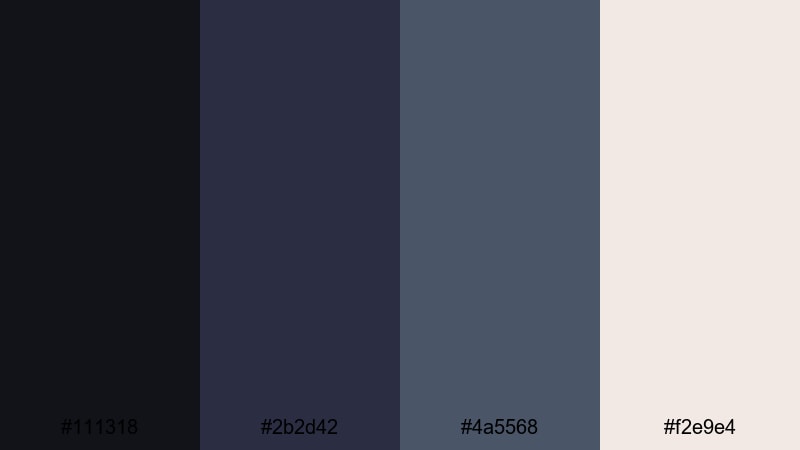
- HEX Codes: #111318, #2b2d42, #4a5568, #f2e9e4
- Mood: Dramatic, cinematic, and introspective.
- Use for: Use for story driven edits, detective style shorts, and atmospheric pixel cutscenes.
Noir Rainy Streets uses ink black and slate blues with soft highlights to recreate film noir in pixel form. It feels brooding and introspective, like following a lone detective through rain soaked alleys.
Build your overlays and thumbnails with the darker blues, then reserve #f2e9e4 for text, window reflections, and small highlights. This palette suits monologues, detective roleplays, crime analysis content, or any story where mood and shadow are more important than bright color.
Sunset Metro Panorama
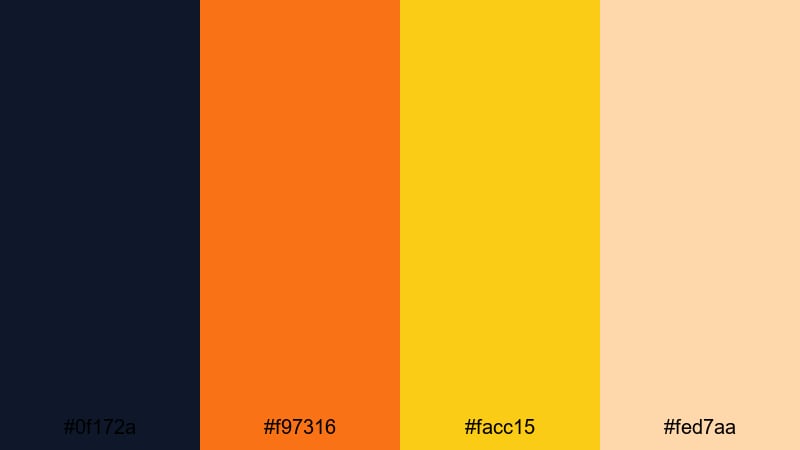
- HEX Codes: #0f172a, #f97316, #facc15, #fed7aa
- Mood: Epic, warm, and slightly melancholic.
- Use for: Use for skyline time lapses, travel vlogs with pixel overlays, and emotional outro cards.
Sunset Metro Panorama contrasts deep navy shadows with glowing orange and gold, capturing the feeling of a city at golden hour. It is cinematic and a little melancholic, great for outro cards, reflective travel vlogs, or highlight reels that celebrate the end of a journey.
Use #0f172a for silhouettes and skyscraper outlines, while #f97316 and #facc15 paint the sky, light trails, or pixel clouds. In Filmora, this palette works especially well with time lapses, drone footage overlays, and animated credit sequences.
Moonlit Harbor Story
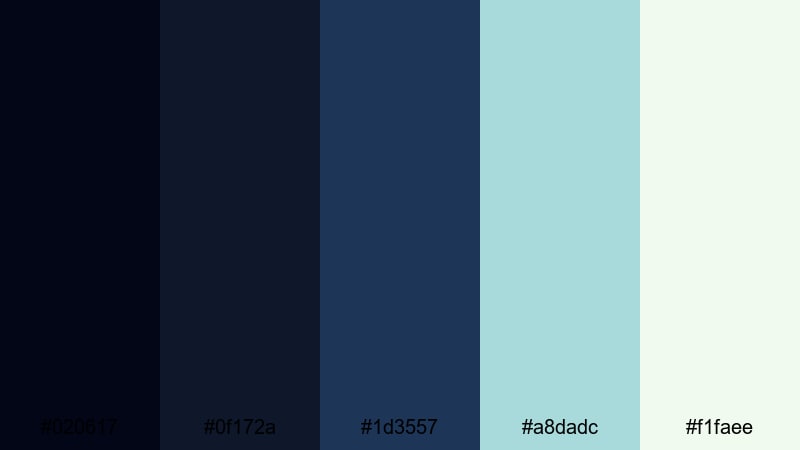
- HEX Codes: #020617, #0f172a, #1d3557, #a8dadc, #f1faee
- Mood: Quiet, reflective, and story rich.
- Use for: Use for narrative podcasts on YouTube, pixel animatics, and reflective commentary videos.
Moonlit Harbor Story stacks layers of navy and steel blue with gentle seafoam and soft white. It feels like a calm harbor at night, with lighthouses in the distance and quiet waves in the background.
Use the darkest blues for water, sky, or background panels in your overlays, then pick out highlights like moonlight, speech bubbles, or chapter markers in #a8dadc and #f1faee. This palette is ideal for narrative podcasts, reflective commentary, or animated pixel essays edited in Filmora where the focus is on voice and atmosphere.
Tips for Creating Pixel Art Color Palettes
When you create or customize a pixel art color palette for video and design, think about both aesthetics and practicality: how it feels, how it reads on small screens, and how it connects different parts of your brand across Filmora projects.
- Start with 3 to 5 core colors only so your pixel scenes stay clean and readable, especially in small thumbnails and mobile layouts.
- Use one dark and one light neutral for outlines, shadows, and highlights, then reserve bright accent colors for UI elements, text, and calls to action.
- Check contrast on text by zooming out or viewing your design at thumbnail size; if you cannot read it instantly, darken the background or lighten the font color.
- Match your palette to your content type: bright and saturated for action and arcade videos, pastel for cozy or educational content, and muted cinematic tones for stories and commentary.
- Reuse the same HEX codes for titles, lower thirds, and end screens in Filmora so viewers can recognize your channel at a glance.
- Test your palette on actual footage by adding solid color blocks, shapes, or pixel borders in Filmora, and adjust saturation so nothing clashes with skin tones.
- Create variations of the same palette (day, dusk, night) by shifting brightness and saturation; this lets different episodes feel fresh while staying on brand.
- Save preset templates in Filmora that lock in fonts, colors, and basic layouts so you can apply your pixel art branding to new videos in a few clicks.
Pixel art color palettes are small but powerful: with just a handful of colors you can suggest entire worlds, moods, and stories. From neon cyber alleys to cozy town streets, choosing the right HEX codes shapes how viewers feel about your channel, your characters, and your edits.
Use these 15 palettes as starting points, then tweak them inside Filmora until they match your footage and personality. Once your pixel art colors are set, you can reuse them across intros, overlays, thumbnails, and shorts to build a clear, memorable visual identity.
Open a new project, drop in your favorite palette from this list, and experiment with titles, filters, and color tools. With a consistent pixel art color theme and Filmora's editing tools, even simple clips can look like scenes from your own retro inspired game.
secure downloadNext: Candy Color Palette
