

 100% Security Verified | No Subscription Required | No Malware


 ChatGPT
 Perplexity
 Gemini
 Claude
 Grok
Grok
Red Green is one of the most striking color pairings in visual design. Red signals energy, excitement, and urgency, while green brings balance, growth, and calm. Together, they can feel festive and nostalgic, or modern and electric, depending on the exact shades you pick. For video creators, this contrast is powerful for drawing the eye to titles, buttons, product shots, and call to action moments.
Whether you are designing YouTube thumbnails, vlog intros, festive overlays, or a full channel brand, choosing the right Red Green color palette keeps your visuals consistent and memorable. Below you will find 15 ready made Red Green color palettes with HEX codes, plus ideas for how to apply them in Filmora so your edits, graphics, and social cutdowns all share the same polished look.
In this article
Festive Red Green Color Palettes
Cranberry Evergreen Cheer
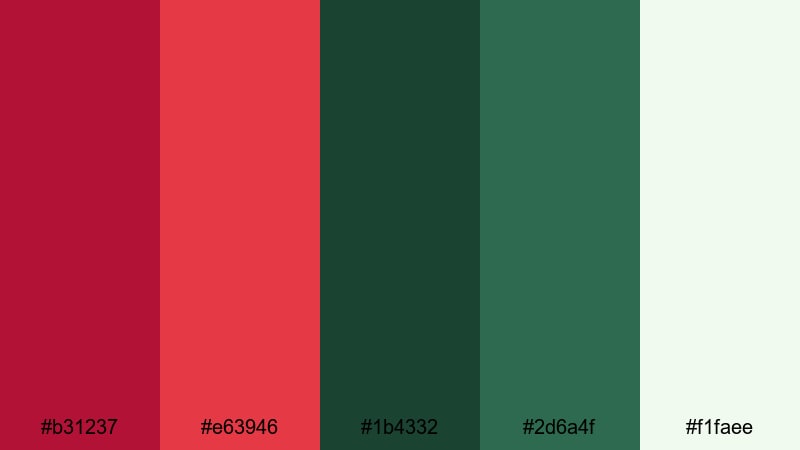
- HEX Codes: #b31237, #e63946, #1b4332, #2d6a4f, #f1faee
- Mood: Warm, joyful, and nostalgic with classic holiday energy.
- Use for: Great for festive video intros, seasonal promos, or celebratory thumbnail frames.
Cranberry Evergreen Cheer mixes rich berry reds with deep evergreen tones and a soft off white highlight. It instantly feels like cozy knit sweaters, mulled drinks, and glowing fairy lights, which makes it ideal for any content that leans into holiday nostalgia or warm family storytelling.
Use this palette for YouTube thumbnails around Christmas or New Year, animated lower thirds on festive vlogs, or title cards for seasonal product launches. In Filmora, you can color match your overlays, text, and elements to these HEX codes so your intro, b roll, and end screen all share the same timeless Red Green look.
Pro Tip: Enhance Your Red Green Visuals With Filmora
When you commit to a palette like Cranberry Evergreen Cheer, consistency is everything. In Filmora, you can define your main Red Green tones as custom colors, then reuse them across titles, shapes, transitions, and stickers. This keeps your festive storyboards, promo edits, and short form clips visually connected, even if they mix indoor, outdoor, and stock footage.
Build a simple style guide inside your project: use one red for key headlines and call to action text, one evergreen for buttons or badges, and the soft off white as your default background or subtitle box. Over a whole series of uploads, this gives your channel an instantly recognizable holiday brand.
AI Color Palette
If you already have a Red Green mood board or a favorite still frame, you can turn it into a project wide look with Filmora's AI tools. Filmora's AI Color Palette feature lets you pick a reference image that uses Cranberry Evergreen Cheer, then automatically applies those tones to the rest of your clips.
This is especially useful when you are combining footage from different cameras or lighting setups. The AI analyzes hues, contrast, and warmth, then matches your entire edit to the same cozy Red Green atmosphere, so your intro, talking head sections, and b roll all feel like part of one festive world.
 secure download

HSL, Color Wheels & Curves
Even with a fixed palette, you might want to push your reds a bit warmer or your greens slightly deeper. In Filmora, HSL controls, color wheels, and curves give you precise control over your Red Green tones. You can selectively boost reds for more punch in thumbnails, or mute greens slightly for a more cinematic, less saturated look. For more ideas, you can explore Filmora's practical color correction tips in Filmora and apply them directly to this palette.
Use the color wheels to separate your festive highlights and shadows: a soft red bias in the midtones for skin, a cool green push in the shadows for trees and decor, and a gentle S curve to add contrast without clipping your whites. This keeps your Red Green aesthetic strong while still feeling natural on different screens.
secure download1000+ Video Filters & 3D LUTs
To style your Red Green palettes even faster, Filmora includes a large library of looks that can sit on top of your chosen HEX codes. Filmora's video filters and 3D LUTs make it easy to add soft glow, vintage film grain, cool winter tones, or bright holiday pop to your Cranberry Evergreen Cheer edits.
You can apply a LUT as your base creative grade, then tweak titles, stickers, and overlays so they still match your core reds and greens. This workflow helps you build cohesive festive intros, shorts, and promo spots in minutes, without having to color grade every clip from scratch.
secure downloadHoliday Ribbon Sparkle
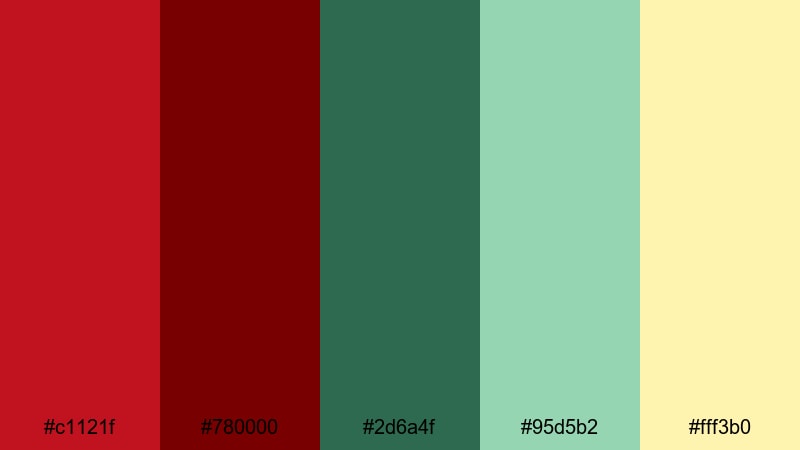
- HEX Codes: #c1121f, #780000, #2d6a4f, #95d5b2, #fff3b0
- Mood: Luxurious and celebratory with a hint of vintage charm.
- Use for: Ideal for product reveal videos, gift guides, and promo graphics with a premium festive touch.
Holiday Ribbon Sparkle feels like carefully wrapped gifts and glowing shop windows. Deep ribbon reds create a sense of luxury, while layered greens and a soft golden cream accent add warmth and sophistication. It is festive, but with a slightly vintage twist.
Use these HEX codes in your lower thirds, end cards, and logo animations when you want a premium holiday style. In thumbnails, make your main call to action or discount tags the brightest red, supported by the lighter green and cream for background shapes and frames.
Mistletoe Market Glow
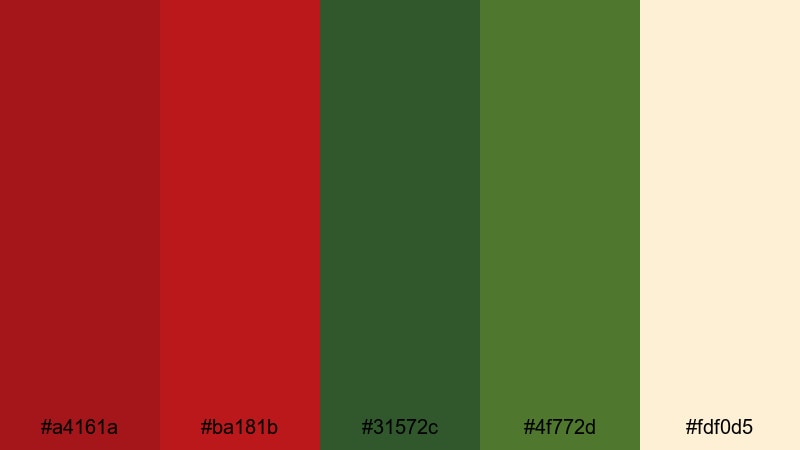
- HEX Codes: #a4161a, #ba181b, #31572c, #4f772d, #fdf0d5
- Mood: Cozy, bustling, and inviting like a warm winter market night.
- Use for: Works well for travel vlogs, Christmas markets, lifestyle reels, and warm storytelling edits.
Mistletoe Market Glow blends earthy greens with glowing brick reds over a creamy backdrop. It captures the feeling of cobbled streets, hot drinks in hand, and strings of lights overhead. The tones are rich but not aggressive, which keeps your footage looking inviting and homely.
Use this palette for travel vlogs about winter destinations, lifestyle reels, or storytelling shorts that focus on cozy routines. The lighter cream (#fdf0d5) works perfectly for text boxes and subtitles, while the deeper green and red can appear in icons, badges, and animated callouts.
Peppermint Parade Lights
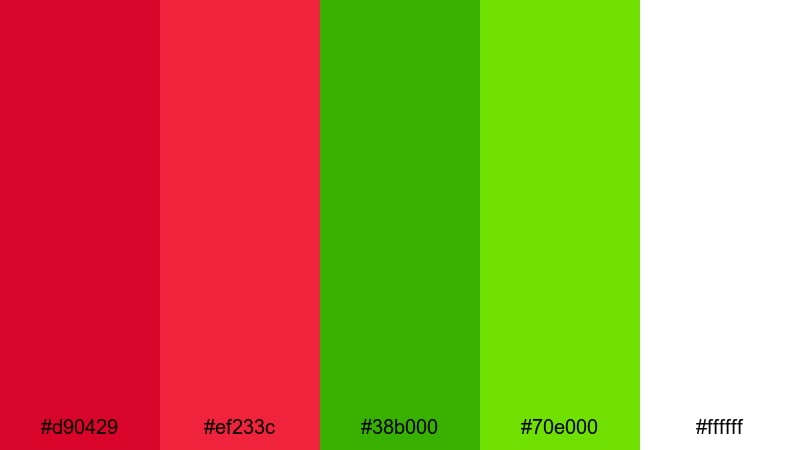
- HEX Codes: #d90429, #ef233c, #38b000, #70e000, #ffffff
- Mood: Playful, bright, and high energy with candy like contrast.
- Use for: Perfect for attention grabbing thumbnails, kids content, and upbeat holiday countdowns.
Peppermint Parade Lights is all about high energy fun. Punchy reds sit next to neon greens and clean white, creating a candy shop glow that jumps off the screen. It feels modern and playful rather than traditional, making it great for younger audiences.
Bring this palette into countdown timers, animated stickers, and bold thumbnail titles. In Filmora, use the brightest green as accent strokes or glow effects around text, and keep #ffffff as your clean backdrop for clarity on mobile screens.
Modern Red Green Color Palettes
Urban Neon Contrast

- HEX Codes: #ff1744, #d50000, #00e676, #00c853, #121212
- Mood: Edgy and futuristic with bold neon accents on a dark base.
- Use for: Great for gaming intros, tech reviews, motion graphics, and title cards that need strong impact.
Urban Neon Contrast throws intense neon reds and greens against a deep charcoal base. It feels like city lights reflecting on wet asphalt, full of movement and attitude. This is your go to palette when you want a techy, cyberpunk, or nightlife vibe.
Use the dark #121212 as your background for titles and outros, then let #ff1744 and #00e676 do the heavy lifting on text, icons, and HUD style graphics. For gaming intros and tech reviews, this high contrast Red Green scheme will make your overlays and lower thirds stand out even on small screens.
Digital Matrix Ember
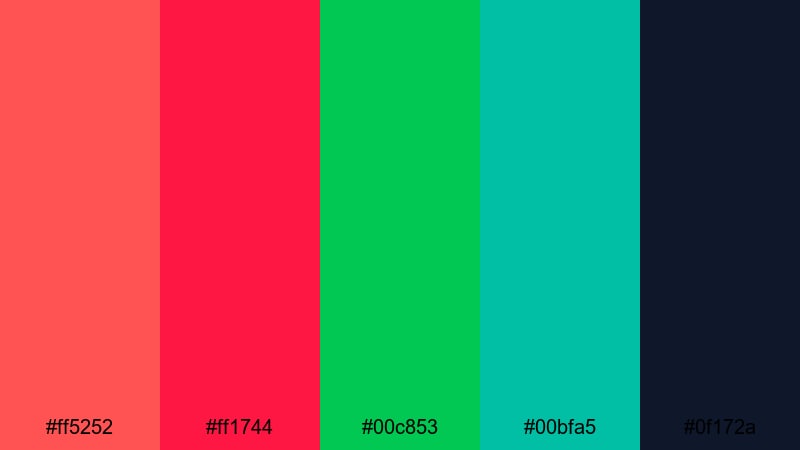
- HEX Codes: #ff5252, #ff1744, #00c853, #00bfa5, #0f172a
- Mood: High tech, intense, and sleek with cinematic depth.
- Use for: Ideal for sci fi edits, app promos, glitch transitions, and logo stings.
Digital Matrix Ember mixes glowing ember reds with cool matrix greens on a midnight blue base. The combination feels like a futuristic interface or a sci fi film poster, with both warmth and digital sharpness in the same frame.
Apply this palette to animated logo stings, glitch transitions, and app promo graphics. Keep #0f172a as your foundation, then use the reds to highlight important UI elements or text, while the greens and teals (#00c853, #00bfa5) bring that unmistakable tech identity to your overlays.
Minimal Studio Accent
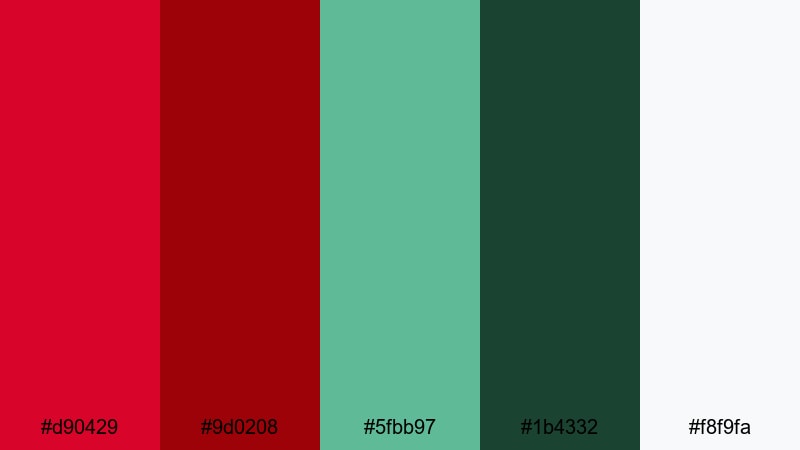
- HEX Codes: #d90429, #9d0208, #5fbb97, #1b4332, #f8f9fa
- Mood: Clean, stylish, and editorial with controlled bursts of color.
- Use for: Use for design tutorials, portfolio reels, and minimalist channel branding.
Minimal Studio Accent softens the Red Green pairing into something stylish and editorial. The reds and greens are slightly muted, sitting on a light neutral base (#f8f9fa), which keeps your layouts breathable and professional.
This palette works well for design tutorials, behind the scenes studio vlogs, and creative portfolio reels. Use the lighter neutral as your canvas, then reserve the bold reds and greens for accent lines, subtle gradients, or call to action buttons in your end screens.
Retro Arcade Punch
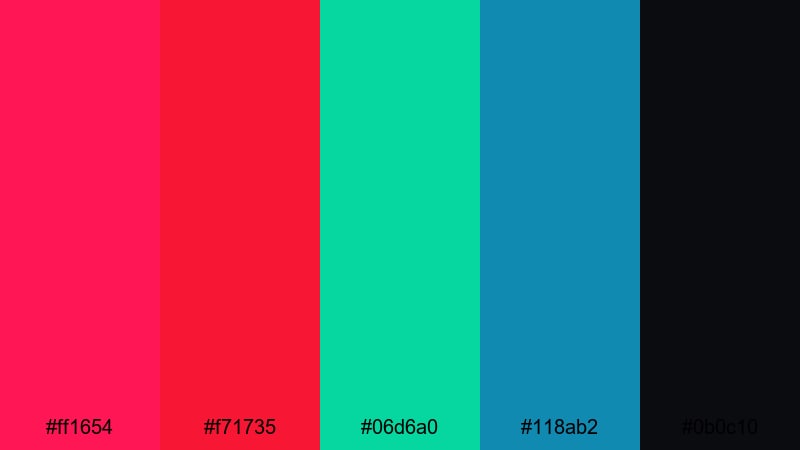
- HEX Codes: #ff1654, #f71735, #06d6a0, #118ab2, #0b0c10
- Mood: Energetic and nostalgic with a retro gaming twist.
- Use for: Perfect for esports edits, highlight reels, and dynamic title sequences.
Retro Arcade Punch is loud, colorful, and full of throwback energy. Electric reds and teals pop against a deep arcade black, echoing pixel art, neon cabinets, and synthwave posters from the 80s and 90s.
Drop this palette into esports highlight reels, countdown animations, and dynamic title cards. Use #0b0c10 as your base, then let #ff1654 and #06d6a0 frame player names, scores, or match titles in your Filmora motion graphics templates.
Soft Red Green Color Palettes
Watermelon Sorbet Breeze
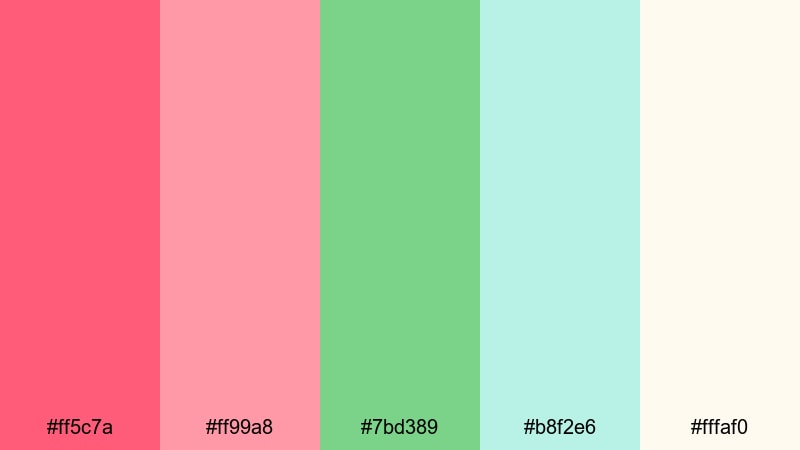
- HEX Codes: #ff5c7a, #ff99a8, #7bd389, #b8f2e6, #fffaf0
- Mood: Light, refreshing, and youthful with a summer picnic feel.
- Use for: Great for lifestyle vlogs, picnic scenes, food content, and playful intro cards.
Watermelon Sorbet Breeze softens Red Green into juicy, pastel tones. Pinkish reds and light greens are cooled down by airy creams and a hint of aqua, creating a friendly, sunlit atmosphere perfect for casual content.
Use it in recipe videos, summer vlogs, or playful channel intros. The lighter shades (#b8f2e6, #fffaf0) are wonderful for backgrounds and lower thirds, while #ff5c7a can carry your main titles or subscribe prompts without feeling too heavy.
Rose Garden Haze
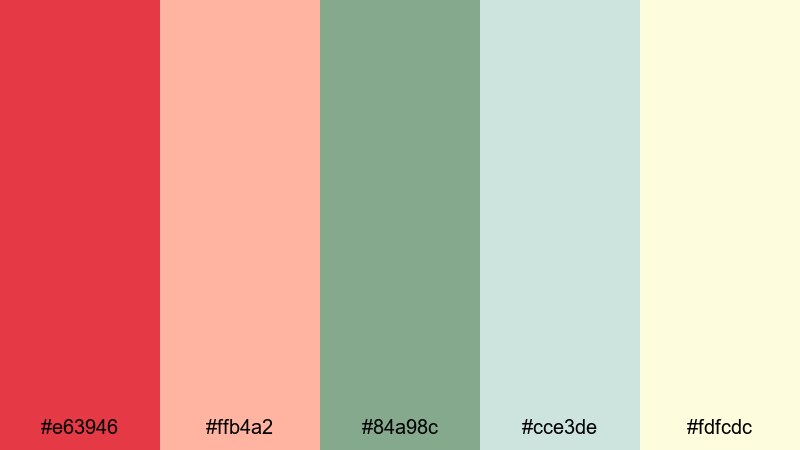
- HEX Codes: #e63946, #ffb4a2, #84a98c, #cce3de, #fdfcdc
- Mood: Romantic and calm with a dreamy garden atmosphere.
- Use for: Use for wedding videos, slow travel edits, or aesthetic reels and shorts.
Rose Garden Haze combines soft rose reds, muted greens, and hazy neutrals for a romantic, dreamy feel. It has just enough color to be expressive, but stays gentle and calming, which is perfect for emotional or reflective storytelling.
Bring this palette into wedding highlight films, slow travel montages, and aesthetic reels. Use the delicate green and neutral tones for text boxes and frames, while #e63946 and #ffb4a2 can highlight key words, chapter titles, or name overlays in a graceful way.
Pastel Holly Whisper
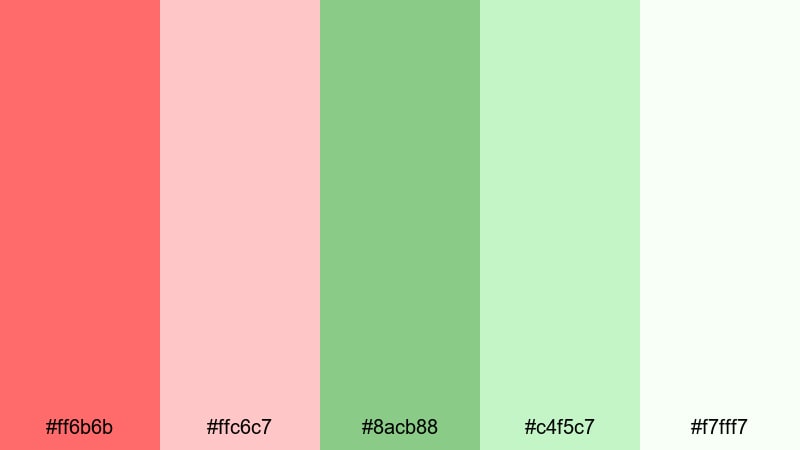
- HEX Codes: #ff6b6b, #ffc6c7, #8acb88, #c4f5c7, #f7fff7
- Mood: Delicate, airy, and comforting with a subtle festive note.
- Use for: Great for calm Christmas edits, family vlogs, and soft product flat lays.
Pastel Holly Whisper takes traditional holiday reds and greens and turns them into light, airy pastels. The overall feeling is quiet and comforting, like soft morning light on snow, rather than flashy or loud.
Use it for family vlogs, calm Christmas montages, or gentle product flat lays. The near white #f7fff7 makes a beautiful background for typography and icons, while the pastel red and green accents can guide attention without overpowering your footage.
Bold Red Green Color Palettes
Tropical Matcha Heat
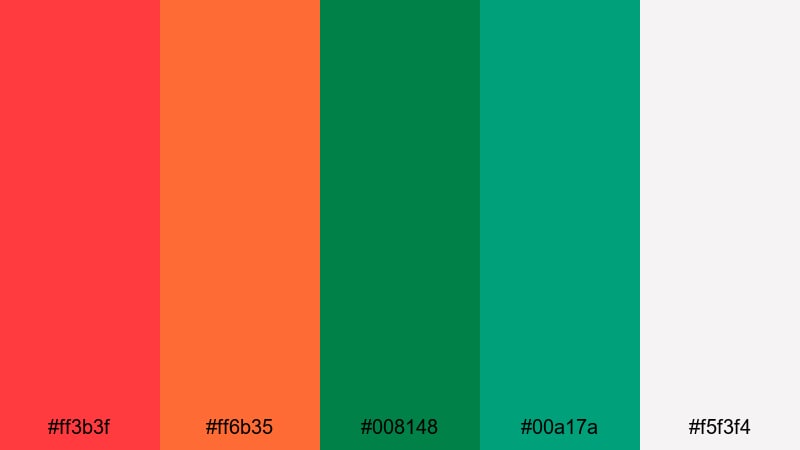
- HEX Codes: #ff3b3f, #ff6b35, #008148, #00a17a, #f5f3f4
- Mood: Hot, tropical, and adventurous with a fresh edge.
- Use for: Ideal for travel vlogs, street food videos, and summer campaign visuals.
Tropical Matcha Heat feels like a busy street market in a hot climate. Fiery reds collide with lush matcha greens, anchored by a light neutral. It is bright, confident, and packed with vacation energy.
Use this palette in travel vlogs, food tours, and summer campaigns. Reds can highlight spicy food shots or action moments, while greens reinforce freshness and nature. The light neutral #f5f3f4 keeps text easily readable on thumbnails and title cards.
Streetwear Rebel Tones
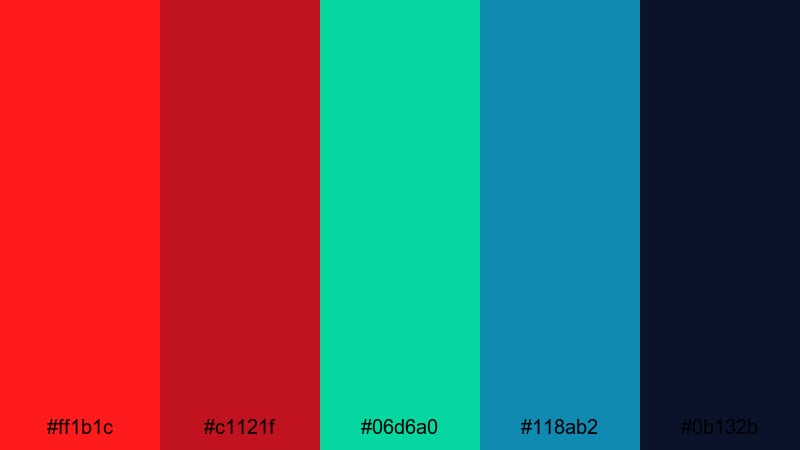
- HEX Codes: #ff1b1c, #c1121f, #06d6a0, #118ab2, #0b132b
- Mood: Rebellious, bold, and stylish with a street culture vibe.
- Use for: Great for fashion lookbooks, urban edits, and dynamic social teasers.
Streetwear Rebel Tones mixes striking reds and punchy greens with deep navy for attitude filled contrast. It has the energy of street art, sneakers, and late night city shoots, making it perfect for style focused content.
Apply these colors to kinetic typography, fashion lookbooks, and reel covers. Use #0b132b as a dark base that lets your subject stand out, and bring in the bright red and green as accent colors on text highlights, borders, and animated stickers.
Dragonfire Jungle
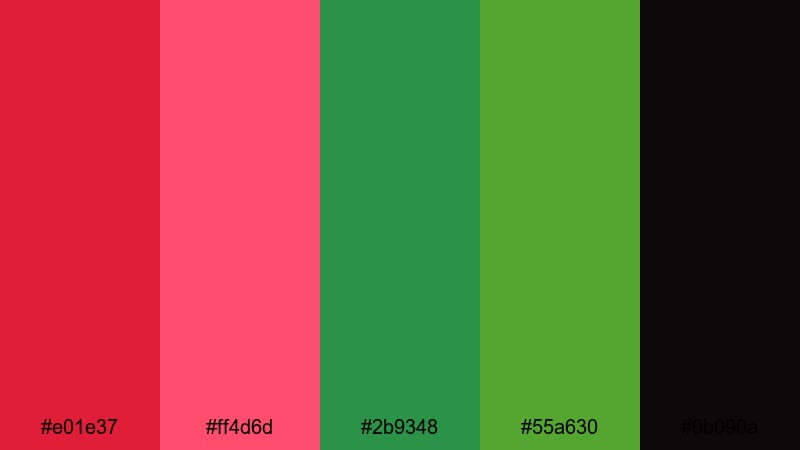
- HEX Codes: #e01e37, #ff4d6d, #2b9348, #55a630, #0b090a
- Mood: Mythic, intense, and dramatic with cinematic depth.
- Use for: Perfect for trailers, fantasy edits, and dramatic title screens.
Dragonfire Jungle pits blazing dragon reds against dense jungle greens on a near black base. It feels mythic and powerful, like a fantasy film poster or a dramatic game trailer splash screen.
Use #0b090a as your stage, then let the hot reds and rich greens define title sequences, character name cards, or chapter screens. In Filmora, you can add subtle smoke or particle overlays on top of this palette to push the cinematic mood even further.
Esports Arena Clash
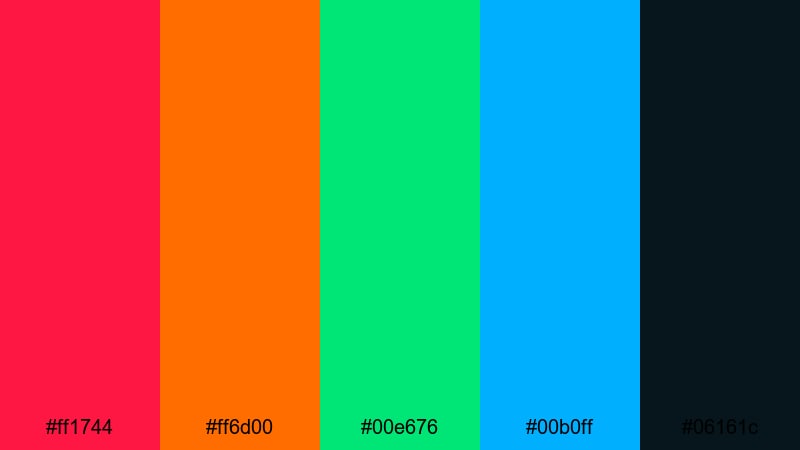
- HEX Codes: #ff1744, #ff6d00, #00e676, #00b0ff, #06161c
- Mood: Competitive, high energy, and electric like a live arena stage.
- Use for: Best for esports highlights, tournament promos, and gaming channel branding.
Esports Arena Clash combines intense reds, greens, and blues over a dark arena backdrop. It instantly recalls LED stage lights, massive screens, and live crowd noise. The palette is designed for maximum hype and clarity.
Use this for match recaps, tournament trailers, or full channel branding for gaming content. Let #06161c sit behind your scenes, while the bright Red Green tones outline player cards, stats, and timers. This makes your content look organized and professional, even in fast paced edits.
Tips for Creating Red Green Color Palettes
Red Green combinations can be powerful, but they need careful handling to stay readable and on brand. Here are some practical tips for building Red Green palettes that work beautifully in video, thumbnails, and motion graphics.
- Balance saturation: if your red is very intense, try pairing it with a slightly muted green (or vice versa) to avoid visual overload.
- Use neutrals as a buffer: add off whites, dark charcoals, or soft creams between red and green areas to keep your layouts clean and readable.
- Prioritize contrast for text: always test your title and subtitle colors on mobile; darker text on light backgrounds (or the reverse) is usually safer than pure red on pure green.
- Assign clear roles: decide which shade is for headlines, which is for buttons, and which is for backgrounds so your viewers can quickly read the visual hierarchy.
- Match footage temperature: if your video is warm, lean toward warmer reds and greens; for cooler footage, shift them slightly towards blue in Filmora's color tools.
- Stay consistent across assets: reuse the same HEX codes in your intros, lower thirds, and end screens so your channel looks cohesive over time.
- Test on different devices: preview your Red Green graphics on phones, tablets, and desktops to make sure fine details and small text still stand out.
- Use motion to support color: subtle animations like scale, glow, or slide in effects can help draw attention without needing oversaturated reds or greens.
Red Green color palettes can feel festive, tropical, futuristic, or soft, depending on the tones you choose and how you balance them. Used well, they shape your brand identity, guide the viewer's eye, and make your videos more memorable across intros, b roll, overlays, and end screens.
Try these 15 palettes as starting points: drop the HEX codes into your titles and elements in Filmora, then adjust saturation, contrast, and lighting until they match your footage and story. Over time, you will develop your own signature Red Green look that viewers recognize instantly in their feed.
Open a new project in Filmora, pick one palette that fits your next video, and build your titles, transitions, and thumbnails around it. With AI Color Palette, HSL tools, and ready made filters, you can turn a simple Red Green combination into a polished, professional visual style.
secure downloadNext: White Blue Color Palette
