

 100% Security Verified | No Subscription Required | No Malware


 ChatGPT
 Perplexity
 Gemini
 Claude
 Grok
Grok
Retro 90s color is all about loud neons, soft pastels, and hazy vaporwave gradients that feel straight out of arcade cabinets, mall food courts, and CRT screens. These palettes tap into nostalgia and playfulness, which instantly makes your visuals feel energetic, fun, and a bit rebellious. The right combination of hot pinks, aqua blues, and sun-faded yellows can change how viewers feel about your brand, your channel, or your story in a single frame.
For video creators, YouTubers, and designers, Retro 90s color palettes are perfect for thumbnails, intro sequences, overlays, lower thirds, and even full-screen color grading. Below are 15 Retro 90s color palettes with HEX codes you can copy directly into your designs or use inside Filmora to keep your aesthetic consistent across intros, B-roll, vlogs, shorts, and social posts.
In this article
Playful Retro 90s Neon Color Palettes
Mall Food Court Glow
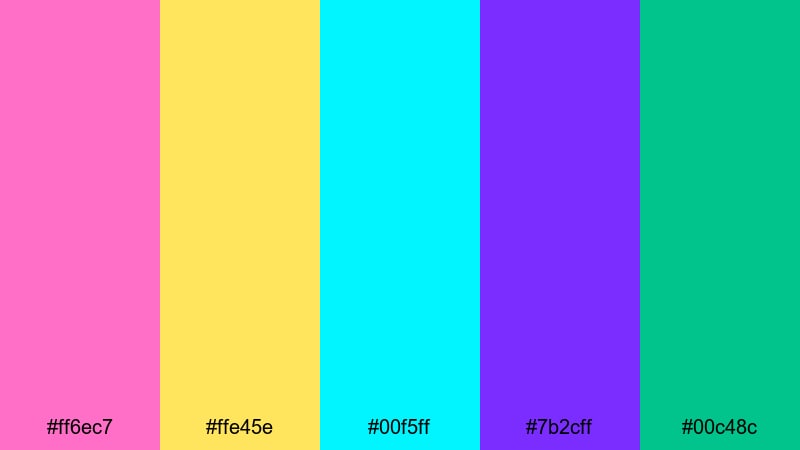
- HEX Codes: #ff6ec7, #ffe45e, #00f5ff, #7b2cff, #00c48c
- Mood: Bouncy, fun, and high-energy with a candy-bright glow.
- Use for: Ideal for upbeat YouTube intros, nostalgic vlog titles, and playful gaming thumbnails.
Mall Food Court Glow feels like neon menu boards, plastic trays, and glossy tiles all lit up at once. The hot pink, citrus yellow, and aqua cyan bounce off each other, while the purple and minty green anchor the palette so it stays bold but not messy. It instantly gives your visuals that retro 90s mall energy: loud, social, and full of motion.
Use this palette for opening titles, animated stickers, and channel branding when you want to grab attention in the first second. It works especially well on YouTube thumbnails, karaoke-style lyric screens, and playful motion graphics where bright outlines and type need to stand out on mobile. In Filmora, you can apply these HEX codes to titles, shapes, and overlays to keep your entire edit glowing with the same nostalgic vibe.
Pro Tip: Enhance Your Retro 90s Visuals with Filmora
To keep a Mall Food Court Glow style across your whole project, build a simple branding kit inside Filmora. Set your main title color to the hot pink, your accent shapes to aqua or yellow, and use the purple as a subtle background or shadow tone. Save these as custom presets so every intro, lower third, and end screen continues the same Retro 90s story.
You can also duplicate your main intro sequence and swap out text while keeping the same colors and animations. That way, your playlists, series, and shorts all feel like they belong to the same neon 90s universe without needing to redesign everything from scratch.
AI Color Palette
If you have a screenshot of a mall, arcade, or candy store that nails your Retro 90s look, you can turn it into a video-wide style in a few clicks. Filmora's AI Color Palette feature analyzes your reference frame and automatically applies a similar palette to the rest of your clips.
Drop a still image or a short reference clip with these pink, yellow, and aqua tones into your timeline, then use AI Color Palette to match other scenes. This keeps your A-roll, B-roll, and cutaway shots consistent, so your edit feels like one cohesive 90s world instead of random clips stitched together.
 secure download

HSL, Color Wheels & Curves
Once you have your basic Retro 90s look, use HSL, color wheels, and curves in Filmora to polish it. Boost the saturation in pinks and blues to make signs and titles pop, then gently lower saturation in skin tones so your subjects still look natural. Adjust midtones and highlights in the color wheels to push your footage slightly toward magenta or cyan for that unmistakable 90s cast.
If some shots feel too harsh, shorten the contrast curve and lift the shadows a bit for a softer, more nostalgic glow. You can follow along with Filmora's color correction tools in Filmora to see how subtle curve changes can turn modern footage into a throwback scene without losing detail.
secure download1000+ Video Filters & 3D LUTs
To speed things up, you can combine your Retro 90s palette with Filmora's built-in looks. Filmora’s video filters and 3D LUTs make it easy to add VHS, glitch, and analog-style grading on top of your neon color blocks, so your edit feels both stylized and cohesive.
Try stacking a soft vintage or VHS LUT over your Mall Food Court Glow elements. This lets your titles and graphics stay bright and punchy while the footage behind them picks up that slightly faded, tape-recorded charm that screams 90s home video.
secure downloadSticker Bomb Pop
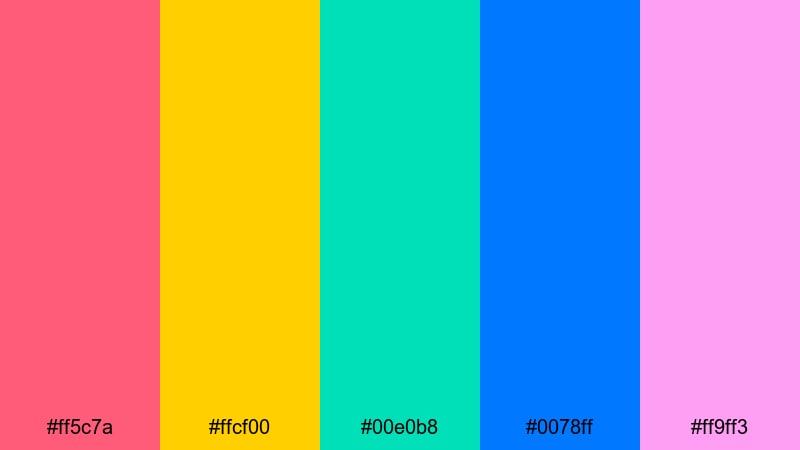
- HEX Codes: #ff5c7a, #ffcf00, #00e0b8, #0078ff, #ff9ff3
- Mood: Loud, cheeky, and chaotic like a notebook covered in stickers.
- Use for: Works well for creator logos, channel art, and social shorts aimed at younger audiences.
Sticker Bomb Pop feels like a backpack or locker door that got covered in stickers and candy wrappers. The punchy pinks and yellows sit next to teal and bright blue, giving you a crowded but exciting canvas that screams fun and zero seriousness. It is messy in a deliberate, graphic way, just like 90s school supplies and skate stickers.
Use this palette for bold logos, creator mascots, subscription buttons, and short-form vertical content where every frame has to be scroll-stopping. In Filmora, layer these colors across text, arrows, speech bubbles, and animated shapes to build a sticker-bomb overlay on top of otherwise simple footage.
Bubblegum Boom Box
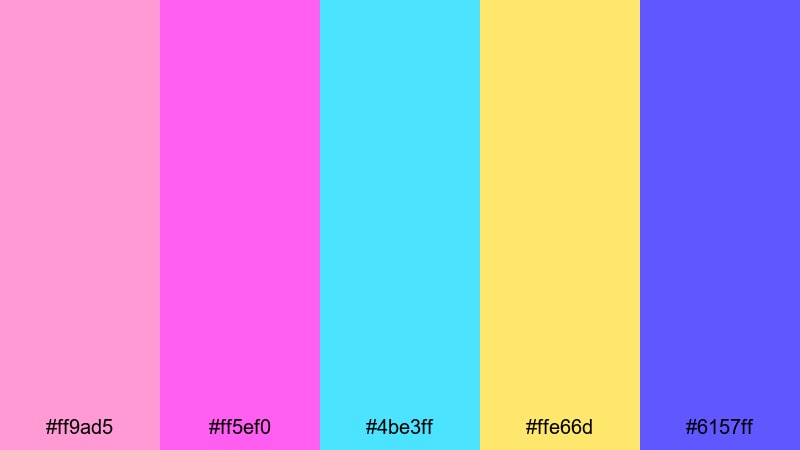
- HEX Codes: #ff9ad5, #ff5ef0, #4be3ff, #ffe66d, #6157ff
- Mood: Sweet, musical, and energetic with a pop-radio vibe.
- Use for: Perfect for music video lyric screens, dance reels, and bouncy channel bumpers.
Bubblegum Boom Box is sugary and rhythmic, like a mixtape cover packed with stickers and hand-drawn doodles. The pinks and lilacs feel sweet and lighthearted, while the electric blue and sunny yellow inject movement and volume, as if the colors themselves are pulsing to the beat.
Try this palette for lyric videos, dance transitions, or K-pop inspired intros where on-beat graphics jump around the screen. In thumbnails, use the darker purple as a background and layer bright type or illustrated elements on top, so your text stays legible without losing that candy-coated 90s feel.
Roller Rink Lights
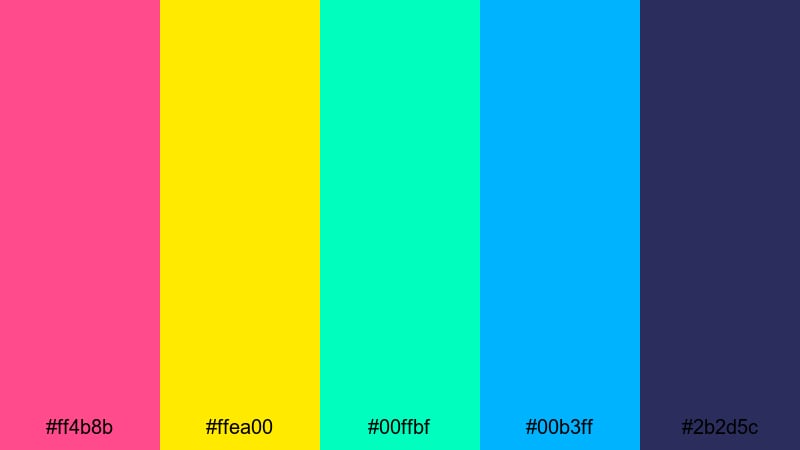
- HEX Codes: #ff4b8b, #ffea00, #00ffbf, #00b3ff, #2b2d5c
- Mood: High-energy nightlife with a nostalgic roller disco twist.
- Use for: Great for kinetic typography, sports montages, and dance or skate themed edits.
Roller Rink Lights layers neon magenta, yellow, and teal over a deep blue base that feels like a dark rink lit by colorful spotlights. The contrast between the glowing brights and the moody navy adds a sense of speed, spins, and light trails in motion.
Use this palette for energetic text reveals, tracking shots of skating or sports, and hype reels where you want every frame to look like a party. In channel branding, the dark blue makes an excellent background color for banners, while the neons highlight subscribe buttons, emojis, and animated callouts.
Soft Retro 90s Pastel Color Palettes
Polaroid Summer Haze
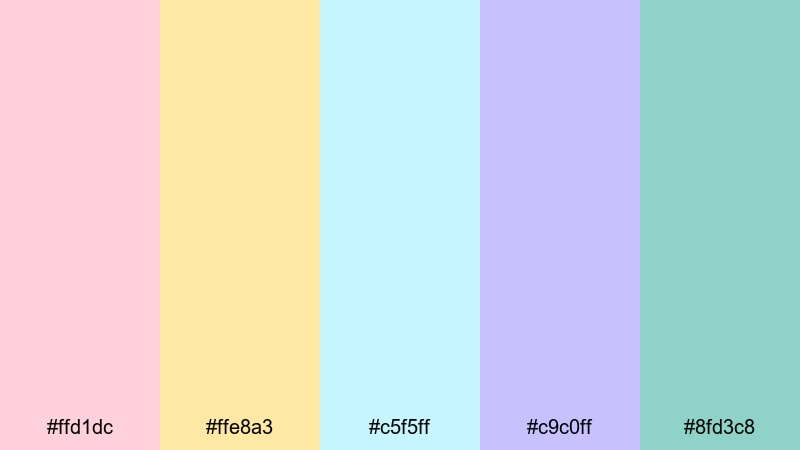
- HEX Codes: #ffd1dc, #ffe8a3, #c5f5ff, #c9c0ff, #8fd3c8
- Mood: Soft, dreamy, and sun-faded like old instant photos.
- Use for: Best for lifestyle vlogs, travel recaps, and gentle storytelling edits.
Polaroid Summer Haze feels like warm air and late-afternoon sun on instant film. The pastel pinks, creamy yellows, and hazy blues mimic the slightly washed-out edges of old snapshots, giving your footage a nostalgic, emotional softness.
This palette is perfect when you want your vlogs or travel recaps to feel intimate and reflective instead of loud and neon. Use these HEX codes for lower thirds, chapter markers, and subtle frame borders, or as a base for light color grading that adds warmth and soft contrast to your entire timeline.
Pastel Game Boy Dreams
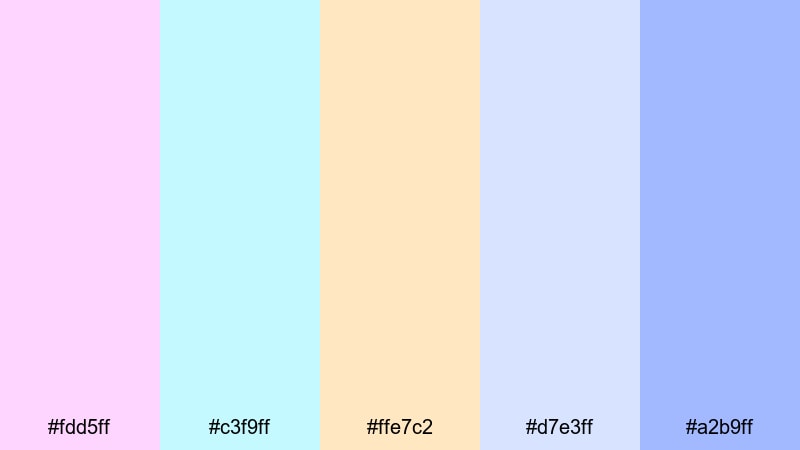
- HEX Codes: #fdd5ff, #c3f9ff, #ffe7c2, #d7e3ff, #a2b9ff
- Mood: Gentle, geeky, and whimsical with handheld-console charm.
- Use for: Works well for cozy gaming channels, lo-fi streams, and UI overlays in tutorials.
Pastel Game Boy Dreams captures the feeling of translucent console shells and pixel menus with soft edges. The lilac, baby blue, and cloud-white tones are light and geeky, but never aggressive, which makes them ideal for chill, long-form content.
Apply this palette to on-screen controls, tutorial callouts, and minimal lower thirds for gameplay commentary or tech explainers. It keeps everything readable and on-theme without tiring your viewers eyes during longer watch sessions.
TV Static Soft Fade
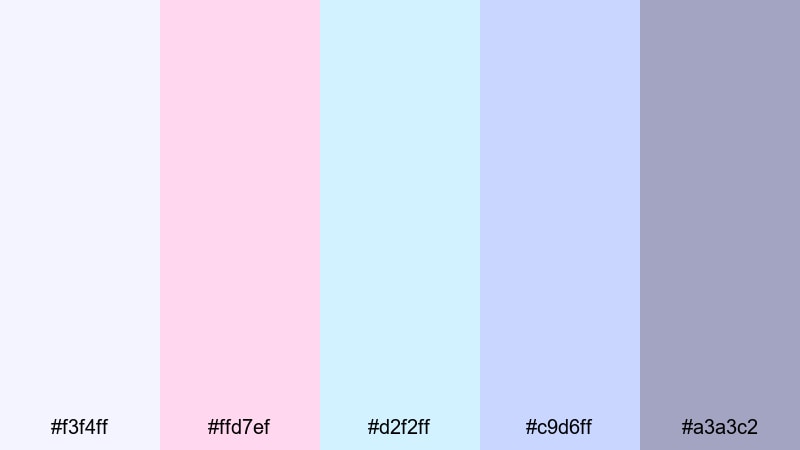
- HEX Codes: #f3f4ff, #ffd7ef, #d2f2ff, #c9d6ff, #a3a3c2
- Mood: Calm, misty, and slightly surreal like a quiet TV glow.
- Use for: Ideal for introspective video essays, tech nostalgia pieces, and subtle lower thirds.
TV Static Soft Fade is all about muted lilacs and misty blues that feel like the glow from a CRT on a quiet night. The palette is gentle and cinematic, giving a retro feel without relying on extreme contrast or heavy saturation.
Use these colors for essay-style videos, nostalgic tech breakdowns, or any content where your words matter more than flashy graphics. Soft gradients using these tones work beautifully in intro slates, end cards, and background panels behind text.
Notebook Doodle Day
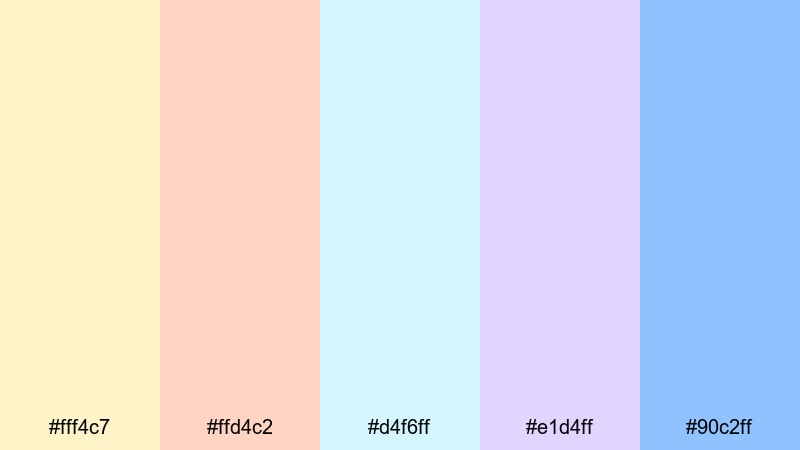
- HEX Codes: #fff4c7, #ffd4c2, #d4f6ff, #e1d4ff, #90c2ff
- Mood: Light, nostalgic, and comforting like school-day sketches.
- Use for: Great for study vlogs, journaling content, and hand-drawn animated titles.
Notebook Doodle Day blends soft yellows, blush oranges, and sky blues to evoke loose-leaf paper and gel pen doodles. It is gentle and organized but still playful, perfect for content that mixes productivity with a bit of whimsy.
Try this palette for study timers, to-do list overlays, or animated handwriting titles. The colors keep your frames bright and positive while maintaining enough contrast for clean, readable text on both light and dark devices.
Bold Retro 90s Arcade Color Palettes
Arcade High Score Night
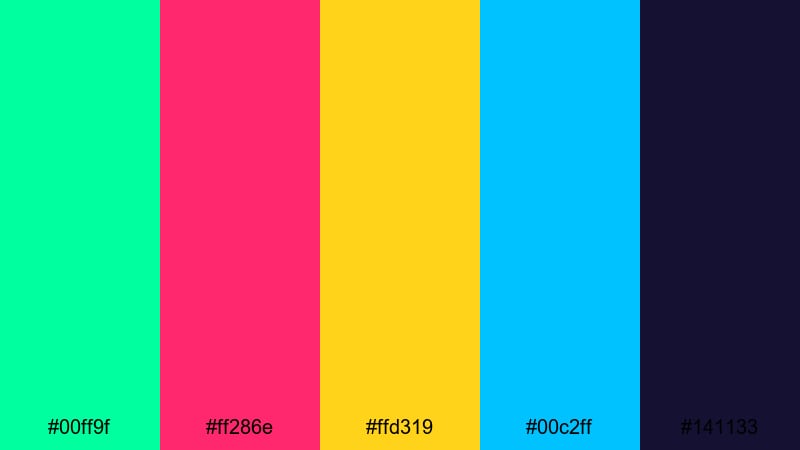
- HEX Codes: #00ff9f, #ff286e, #ffd319, #00c2ff, #141133
- Mood: Intense, competitive, and electric like a crowded arcade.
- Use for: Perfect for gaming montages, esports highlights, and fast-paced channel trailers.
Arcade High Score Night uses neon greens and hot magentas punched against deep navy shadows to recreate the glow of arcade cabinets in a dark room. Every color feels sharp and urgent, like the moment before a new high score.
Use this palette to brand your gaming channel, highlight killstreaks, or introduce tournament brackets. The dark blue acts as a strong background for overlays, while the neon accents draw the eye to scores, timers, and player names.
Pixel Fighter Clash
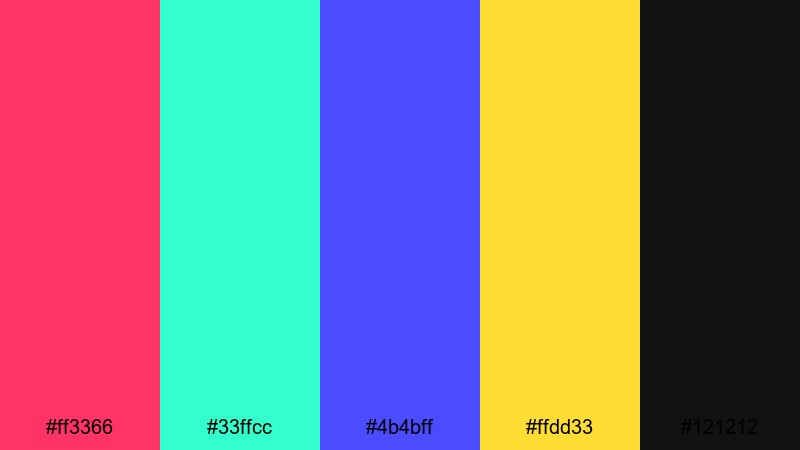
- HEX Codes: #ff3366, #33ffcc, #4b4bff, #ffdd33, #121212
- Mood: Dramatic and punchy with classic versus-screen tension.
- Use for: Works well for punchy title cards, versus match overlays, and action-heavy edits.
Pixel Fighter Clash fuses crimson, cyan, electric blue, and a hit of yellow over near-black. It is aggressive and cinematic, made for versus screens, character intros, and combo replays that feel like a boss battle.
Use the dark base as your canvas, then reserve the bright tones for names, health bars, or dynamic text. This keeps attention focused on key information while still delivering that retro arcade punch your audience expects from fighting game content.
Laser Tag Showdown
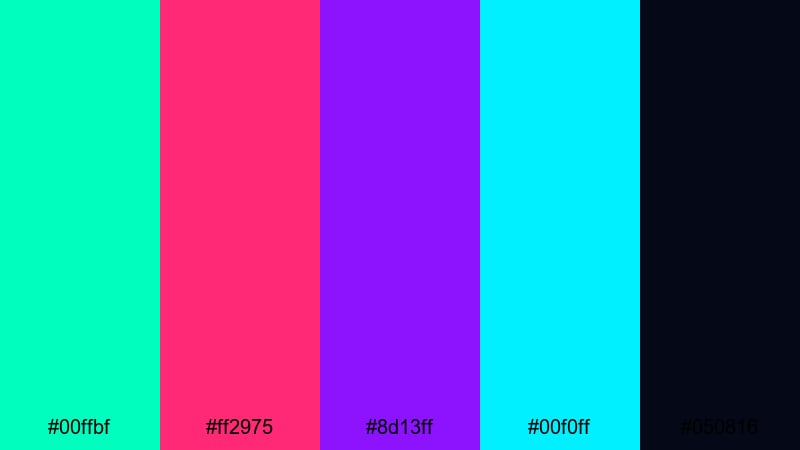
- HEX Codes: #00ffbf, #ff2975, #8d13ff, #00f0ff, #050816
- Mood: Futuristic, energetic, and competitive with glowing beams of color.
- Use for: Great for sports edits, tech promos, and dynamic motion graphics in intros.
Laser Tag Showdown slices teal, magenta, and violet beams through almost-black space, exactly like a fog-filled laser arena. The result is sci-fi, fast, and thrilling, with colors that feel like moving light rather than flat shapes.
Use this palette for tech promo intros, cyberpunk transitions, or sporty highlight reels. Animated streaks, outlines, and HUD-style graphics look especially good in these hues, turning even simple clips into high-stakes showdowns.
Graffiti Alley Beats
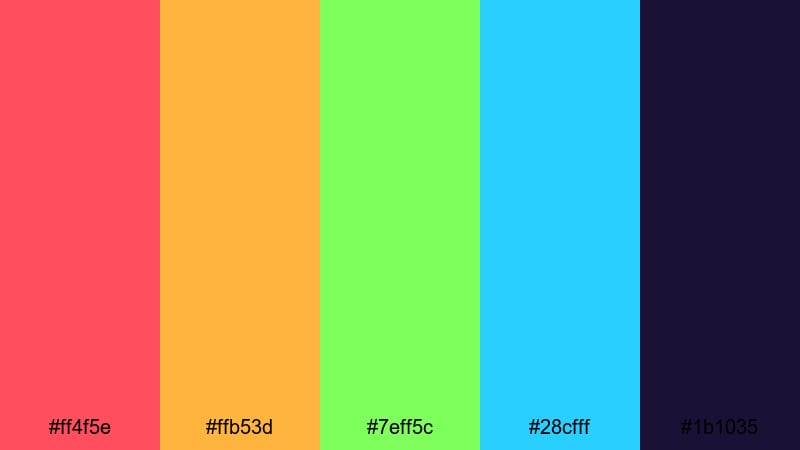
- HEX Codes: #ff4f5e, #ffb53d, #7eff5c, #28cfff, #1b1035
- Mood: Urban, rebellious, and rhythmic like a back-alley cypher.
- Use for: Ideal for street-style edits, dance videos, and bold text overlays on reels.
Graffiti Alley Beats combines hot reds, acid greens, and sharp blues over deep purple night, evoking spray paint on bricks under streetlights. It is raw and rhythmic, perfect for content with strong beats and bold moves.
Use these colors for stylized titles, glitchy transitions, or animated tags in street dance, rap, or skate edits. On social reels, let the purple act as your stage and use the neons to spotlight talent names and key hooks from the track.
Retro 90s Vaporwave Aesthetic Color Palettes
VHS Glitch Dreams
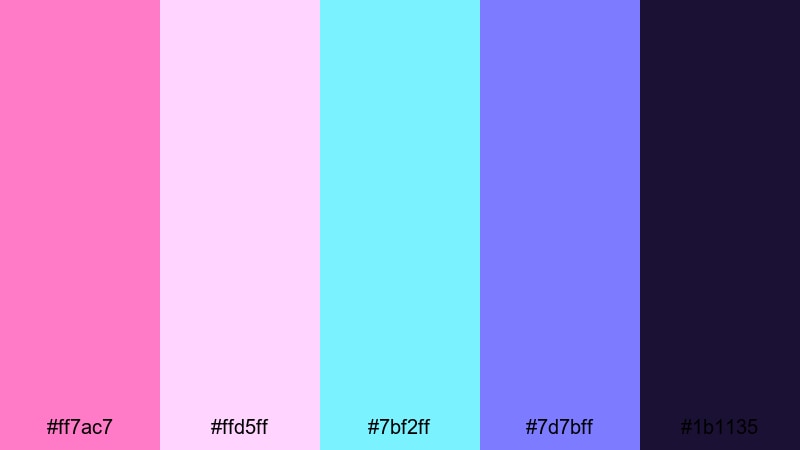
- HEX Codes: #ff7ac7, #ffd5ff, #7bf2ff, #7d7bff, #1b1135
- Mood: Surreal, dreamy, and nostalgic with a digital haze.
- Use for: Best for vaporwave edits, lyric visuals, and aesthetic loops for backgrounds.
VHS Glitch Dreams floats cotton candy pinks and aqua blues above deep midnight purple, like a warped tape playing under glitch art overlays. It feels dreamy, slow, and slightly broken in a deliberate, aesthetic way.
Use this palette for looped backgrounds, slow lyric visuals, and vaporwave-style B-roll in your intros or outros. Combine these colors with scan-line overlays, light noise, and gentle zooms to get that endless, nostalgic drift.
Midnight City Skyline
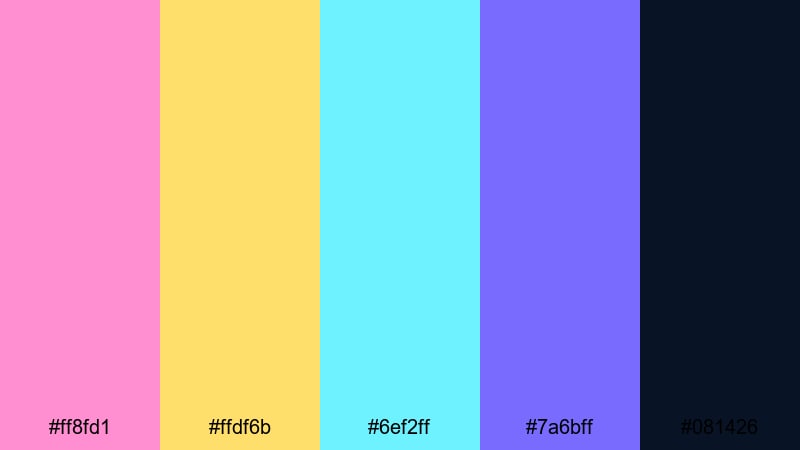
- HEX Codes: #ff8fd1, #ffdf6b, #6ef2ff, #7a6bff, #081426
- Mood: Moody and cinematic with neon city-night energy.
- Use for: Works well for synthwave music videos, night-drive vlogs, and title screens.
Midnight City Skyline mixes warm billboard golds and pink neons with cool aqua accents over a deep navy night. It feels like cruising through a downtown skyline, with lights reflected on wet streets and glass windows.
Use these HEX codes for synthwave or lo-fi title cards, speed-ramped driving sequences, or reflective vlogs shot at night. The dark blue is perfect for backgrounds, with pink and gold reserved for key titles and logo lockups so your message glows like a sign in the distance.
Sunset Dial Up
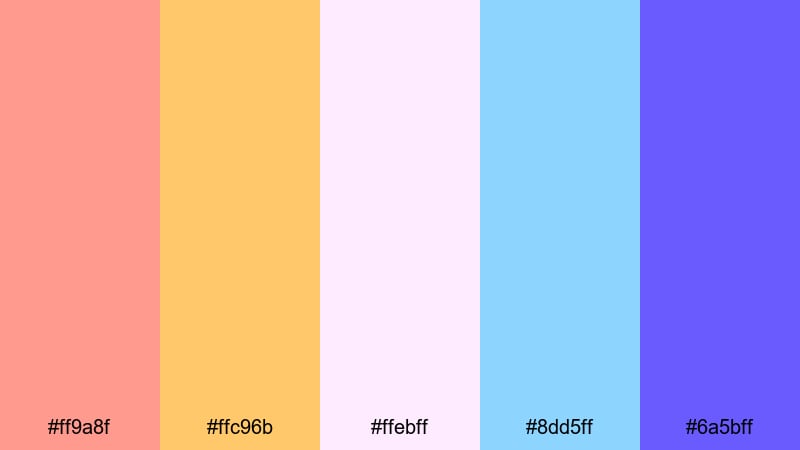
- HEX Codes: #ff9a8f, #ffc96b, #ffebff, #8dd5ff, #6a5bff
- Mood: Warm, nostalgic, and gently glitchy like a sunset desktop background.
- Use for: Great for nostalgic tech retrospectives, intro cards, and outro screens.
Sunset Dial Up blends peachy oranges, soft lavenders, and cool blues to echo those old desktop wallpapers and dial-up era screensavers. It is warm and comforting but with a digital twist that fits perfectly into vaporwave and net nostalgia vibes.
Use this palette for intro and outro cards, subscribe screens, and end slates where you want to leave viewers with a calm, satisfied mood. It also works well for tech history videos or UI mockups that need to feel retro without being too dark or edgy.
Tips for Creating Retro 90s Color Palettes
When you build your own Retro 90s color palette or adapt the ones above, focus on balancing bold nostalgia with modern readability. This helps your thumbnails, intros, and overlays stay eye-catching without becoming hard to watch.
- Pair a strong neon or pastel accent with at least one darker anchor color so titles and icons have something to contrast against.
- Test your text over both light and dark backgrounds to be sure it is readable on phones, tablets, and TVs.
- Limit yourself to 3 to 5 main colors per video and reuse them for titles, shapes, and callouts to build a recognizable channel identity.
- Use warmer tones (pinks, yellows, peaches) for emotional, lifestyle, or story-driven content and cooler tones (blues, purples, teals) for tech, gaming, or night scenes.
- Match your palette to your footage by nudging saturation and temperature in your color grade, instead of forcing overlays that clash with the scene.
- Create separate color roles: one color for headlines, one for buttons or CTAs, one for highlight strokes, and one for subtle backgrounds.
- Check how the palette looks in grayscale to ensure your contrast is strong enough for viewers with different screens or mild color vision issues.
- Save your favorite Retro 90s combinations as presets or style guides so you can quickly apply them to new videos, thumbnails, and social posts.
Retro 90s color palettes can completely change how your content feels, from candy-bright neon intros to soft pastel vlogs or moody vaporwave cityscapes. By choosing a palette that matches your tone and niche, you build a stronger visual identity that viewers will recognize at a glance in their feed.
All 15 palettes above include HEX codes you can plug straight into titles, graphics, and overlays, or turn into color grades inside Filmora. Experiment with them, mix and match, and then refine using Filmora's AI Color Palette, HSL controls, and 3D LUTs until your edit feels exactly like the 90s memory you want to create.
Once you find a Retro 90s look that fits your channel, keep it consistent across thumbnails, intros, and reels so every piece of content supports your brand and keeps your audience coming back.
secure download