

 100% Security Verified | No Subscription Required | No Malware


 ChatGPT
 Perplexity
 Gemini
 Claude
 Grok
Grok
Retro gaming colors tap straight into nostalgia. Neon magentas, cyan grids, and warm cartridge browns instantly recall CRT screens, arcade cabinets, and pixelated HUDs. Used well, these palettes make your gaming content feel exciting, familiar, and deliberately styled instead of random. Color choices alone can signal whether your video is about high speed arcade action, cozy pixel adventures, or sentimental console memories.
For creators and Filmora users, a clear retro gaming color palette is a shortcut to consistent branding across thumbnails, intros, overlays, and social cuts. Below are 15 ready made retro gaming color combinations with precise HEX codes, so you can copy them directly into your graphics, titles, and color grading for a polished, on theme look.
In this article
Neon Arcade Retro Gaming Color Palettes
Neon Boss Battle
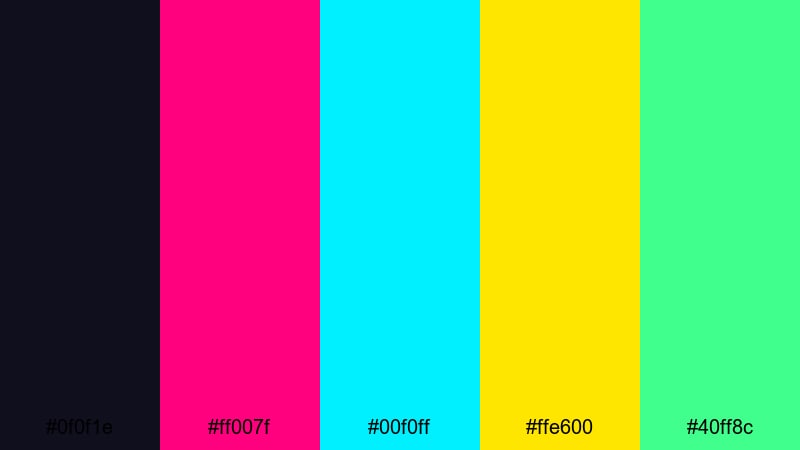
- HEX Codes: #0f0f1e, #ff007f, #00f0ff, #ffe600, #40ff8c
- Mood: Intense, electric, and competitive like a final arcade showdown.
- Use for: Use this palette for high-energy gaming intros, esports highlights, and bold YouTube thumbnails that need to pop on dark backgrounds.
Neon Boss Battle throws bright magenta, cyan, toxic yellow, and green onto a deep midnight base. It feels like standing in a dark arcade with only the boss fight screen lighting your face. The contrast is extreme, so every UI element, score counter, and title card jumps out instantly.
Drop this palette into Filmora for aggressive, fast cut montages, clutch moment highlights, or anything competitive. Use the darkest shade (#0f0f1e) for backgrounds, then layer titles, streak transitions, and subtitles in neon accents to grab attention on YouTube home feeds and Shorts reels.
Pro Tip: Amplify Neon Retro Gaming Energy with Filmora
With a palette this strong, the key is consistency. In Filmora, you can build a Neon Boss Battle look by keeping your backgrounds dark and reusing the same magenta and cyan tones in lower thirds, transitions, and callouts. That way your intros, gameplay overlays, and end screens all feel like part of one electrified arcade world.
Use shape elements and titles filled with #ff007f and #00f0ff, then add glows, lens flares, or light leaks in similar hues. Even simple b-roll, facecam shots, or controller close ups will feel more cinematic when framed by these neon Retro Gaming colors.
AI Color Palette
If you already have a screenshot, thumbnail, or reference artwork using this neon look, Filmora's AI Color Palette feature can copy its colors to the rest of your footage. You do not need to match every HEX code manually; the AI analyzes the reference frame and applies a similar Retro Gaming grade across the timeline.
Pick your boldest neon frame as the source, then let AI Color Palette push other clips toward that same mix of deep shadows and bright magentas, cyans, and yellows. It is a quick way to get a unified arcade style for intros, full matches, and TikTok cuts without endless tweaking.
 secure download

HSL, Color Wheels & Curves
Once the base look is in place, refine your Retro Gaming tones with HSL, color wheels, and curves. Use HSL controls to target your pinks and cyans, nudging them more toward magenta or teal for that perfect arcade glow. Then adjust the color wheels to cool down shadows while warming midtones, so faces remain natural against neon UI.
Curves let you deepen the blacks without crushing detail and lift highlights for extra pop on HUD elements. If you want a step by step walkthrough, the Filmora color grading guide pairs well with this kind of neon look and helps you avoid banding or oversaturation.
secure download1000+ Video Filters & 3D LUTs
If you want a Retro Gaming vibe fast, start with Filmora's built in effects. Filmora's video filters and 3D LUTs make it easy to push your Neon Boss Battle palette toward vaporwave, cyberpunk, or classic arcade looks without manual grading from scratch.
Stack a neon or glow style filter over your footage, then fine tune saturation and contrast to keep your key HEX colors visible. Save the effect as a custom preset so every episode in a series uses the same retro look across intros, outros, and highlight reels.
secure downloadLaser Grid Horizon
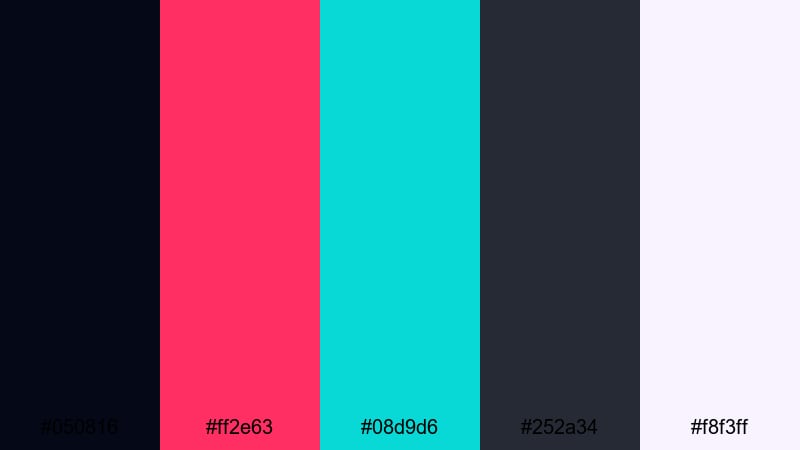
- HEX Codes: #050816, #ff2e63, #08d9d6, #252a34, #f8f3ff
- Mood: Futuristic, synthwave, and slightly mysterious.
- Use for: Ideal for cinematic game montages, cyberpunk edits, and animated grid backgrounds in title sequences.
Laser Grid Horizon mixes deep navy shadows with hot pink, teal, and a soft off white. It feels like racing across an endless neon grid at night while synths play in the background. The darker tones keep things moody, while the neons add a razor sharp, digital edge.
Use the darker blues (#050816, #252a34) for full frame backgrounds or lower thirds, then draw attention with titles in #ff2e63 and accent lines or HUD frames in #08d9d6. This palette is perfect for motion graphic intros, chapter cards, and cyberpunk countdowns that transition smoothly into your gameplay footage.
Arcade Cabinet Glow
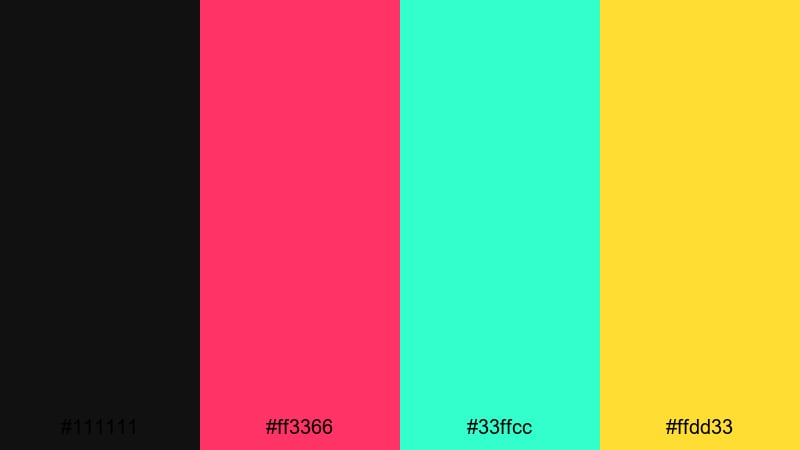
- HEX Codes: #111111, #ff3366, #33ffcc, #ffdd33
- Mood: Playful, nostalgic, and attention grabbing.
- Use for: Great for game review videos, channel banners, and overlay graphics that need a classic arcade feel without looking dated.
Arcade Cabinet Glow is pure retro: pitch black combined with juicy neon pink, aqua, and yellow. It mimics the glowing outlines of old machines in a dark arcade, where every button and marquee seems to shine from within.
Set #111111 as your primary background in Filmora overlays, then use #ff3366 and #33ffcc for bold text, score boxes, and animated arrows. #ffdd33 works perfectly as a highlight for subscribe buttons, calls to action, and logo strokes, making your thumbnails and outros instantly recognizable.
Midnight High Score
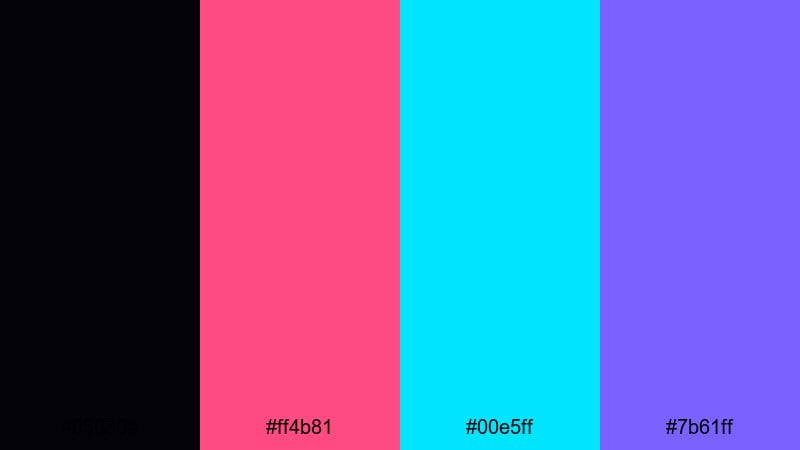
- HEX Codes: #05030a, #ff4b81, #00e5ff, #7b61ff
- Mood: Cool, triumphant, and late night focused.
- Use for: Use this palette for end screens, victory animations, and leaderboard graphics that highlight achievements.
Midnight High Score combines deep inky blue with magenta, cyan, and violet accents. It feels like chasing the leaderboard in a dark room long after everyone else has gone to bed. The neon accents carry a sense of triumph without being too harsh on the eyes.
Use #05030a for background cards and overlays, then animate rank numbers, badges, and streak counters in #ff4b81 and #00e5ff. #7b61ff is perfect for softer details like outlines, shadowed text, or subtle glows around buttons in your end screens and highlight reels.
Pixel Pastel Retro Gaming Color Palettes
Soft Pixel Sprites
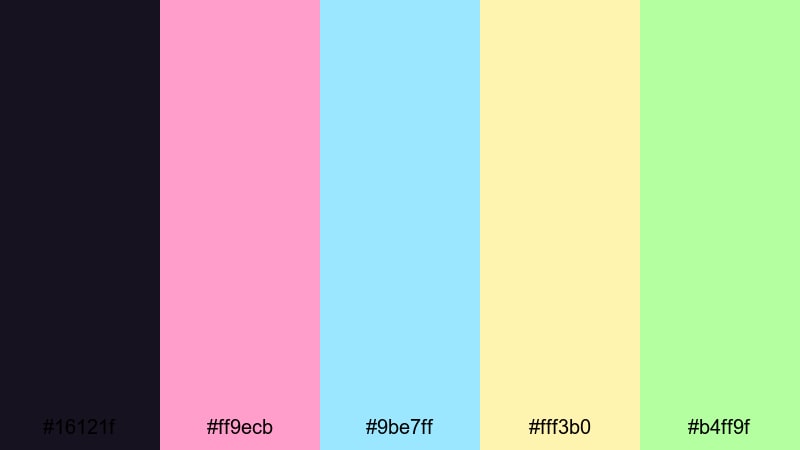
- HEX Codes: #16121f, #ff9ecb, #9be7ff, #fff3b0, #b4ff9f
- Mood: Cute, cozy, and lightly nostalgic.
- Use for: Perfect for wholesome gaming channels, cozy stream overlays, and kawaii style tutorial thumbnails.
Soft Pixel Sprites places sugar sweet pinks, baby blues, and soft yellows over a deep plum base. It feels like a pastel version of an 8 bit world, where everything is friendly and approachable. The mood is relaxed, perfect for cozy streams, chill lets plays, or creative building games.
Use #16121f as a dark yet gentle background for panels and chat boxes, then build your UI in #ff9ecb and #9be7ff. Accent badges, icons, and emojis in #fff3b0 and #b4ff9f to keep things playful. This palette works beautifully for profile banners, channel art, and thumbnail borders that stand out without relying on harsh neon.
Candy Cartridge
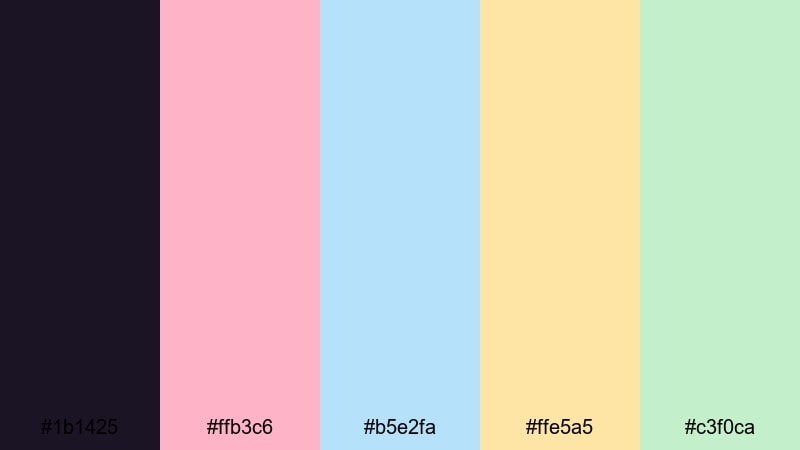
- HEX Codes: #1b1425, #ffb3c6, #b5e2fa, #ffe5a5, #c3f0ca
- Mood: Sweet, relaxed, and family friendly.
- Use for: Use in kid focused content, casual mobile game promos, and friendly tutorial lower thirds.
Candy Cartridge blends faded pinks, powder blues, creamy yellows, and mint greens set against a muted deep violet. It feels like a pile of pastel game cartridges and candy colored handhelds scattered on a bedroom floor.
In Filmora, lay down #1b1425 as your base, then design lower thirds, level labels, and pop up tips in #ffb3c6 and #b5e2fa. #ffe5a5 and #c3f0ca are great for buttons, badges, and subtle borders around facecam frames, giving your videos a soft, family friendly look perfect for younger audiences.
Retro Marshmallow HUD
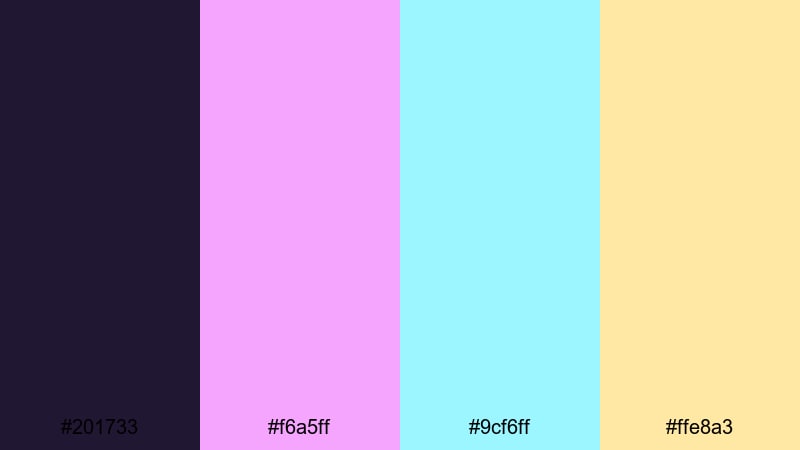
- HEX Codes: #201733, #f6a5ff, #9cf6ff, #ffe8a3
- Mood: Dreamy, floaty, and slightly futuristic.
- Use for: Ideal for soft sci fi overlays, relaxed streaming scenes, and minimalist UI mockups.
Retro Marshmallow HUD combines velvety violet with marshmallow pink, icy cyan, and pale gold. It feels like a gentle, floating interface in a pastel sci fi adventure, where everything is clean, rounded, and easy on the eyes.
Use #201733 for fullscreen overlays, then create thin HUD frames and progress bars in #9cf6ff. Highlight important stats, chapter titles, and menu labels with #f6a5ff and #ffe8a3. This palette is great for clean motion graphics, lo fi study streams with subtle overlays, or tutorial videos that need a futuristic but friendly touch.
Pastel Quest Map
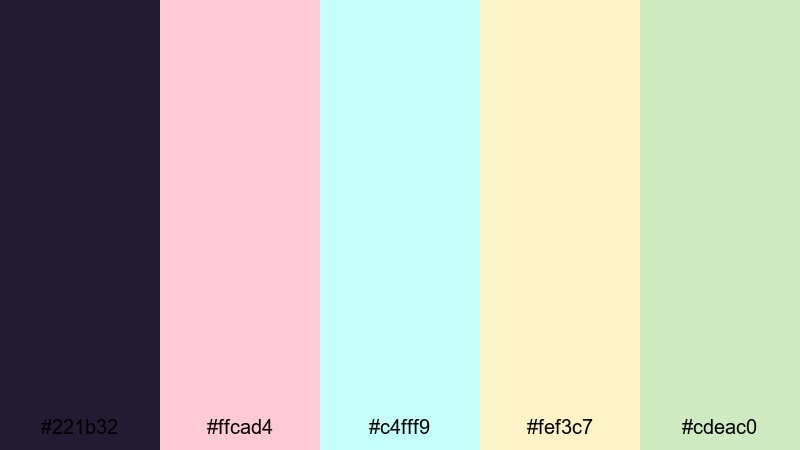
- HEX Codes: #221b32, #ffcad4, #c4fff9, #fef3c7, #cdeac0
- Mood: Adventurous yet calm, with a storybook charm.
- Use for: Great for narrative intros, chapter cards, and map style motion graphics in indie game videos.
Pastel Quest Map lays soft pinks, mint, and buttery cream over a muted violet background. It calls to mind hand drawn RPG maps, gentle storybook illustrations, and light hearted quests rather than gritty battles.
In Filmora, use #221b32 for title card backgrounds, then draw map paths, markers, and labels in #ffcad4 and #c4fff9. #fef3c7 and #cdeac0 work well for parchment style panels and quest banners. This palette is ideal for storytelling videos, lore explanations, or episodic series where you want viewers to feel like they are flipping through a pastel adventure book.
Dark Mode Retro Gaming Color Palettes
Cyber Dungeon Raid
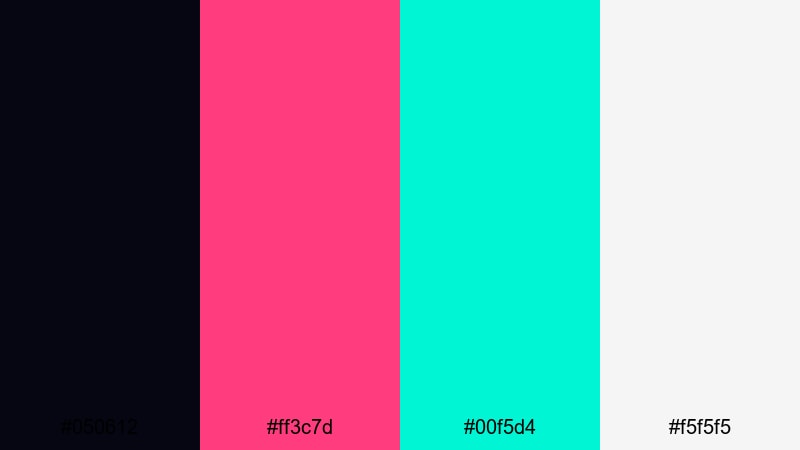
- HEX Codes: #050612, #ff3c7d, #00f5d4, #f5f5f5
- Mood: Moody, high contrast, and action packed.
- Use for: Use for dark mode overlays, glitch transitions, and intense dungeon or boss raid highlight reels.
Cyber Dungeon Raid grounds your visuals in almost black navy, then slices through with hot pink, toxic teal, and crisp white. It feels like a futuristic dungeon crawler UI, combining fantasy raids with cyberpunk interfaces.
Set #050612 as your dark mode background in overlays and menus. Use #ff3c7d for health bars, warning messages, and hit markers, while #00f5d4 works for mana bars, shields, or tech themed elements. #f5f5f5 is a clean choice for text and icons that must stay legible on small screens, especially in thumbnails and Shorts.
Glitch Night City
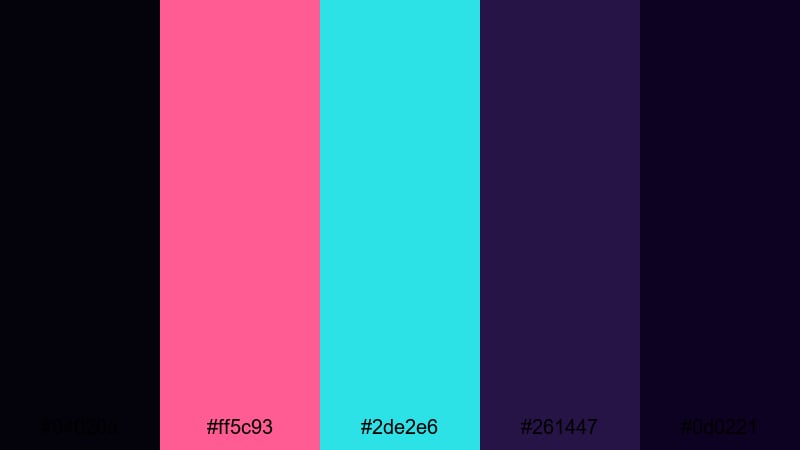
- HEX Codes: #04020a, #ff5c93, #2de2e6, #261447, #0d0221
- Mood: Edgy, cyberpunk, and slightly chaotic.
- Use for: Perfect for glitch effects, techno music videos, and neon cityscape animations behind titles.
Glitch Night City layers multiple indigos and violets with hot pink and bright blue neon accents. It feels dense and electric, like a city skyline flickering through interference and scanlines.
Use #04020a and #0d0221 for deep backgrounds, then build glitch transitions, split screens, and pixel sort style effects in #ff5c93 and #2de2e6. #261447 is a great midtone for panels and cards that sit between footage and UI. This palette shines in title sequences, music synced edits, and cyberpunk highlight reels.
Noir Pixel Racer
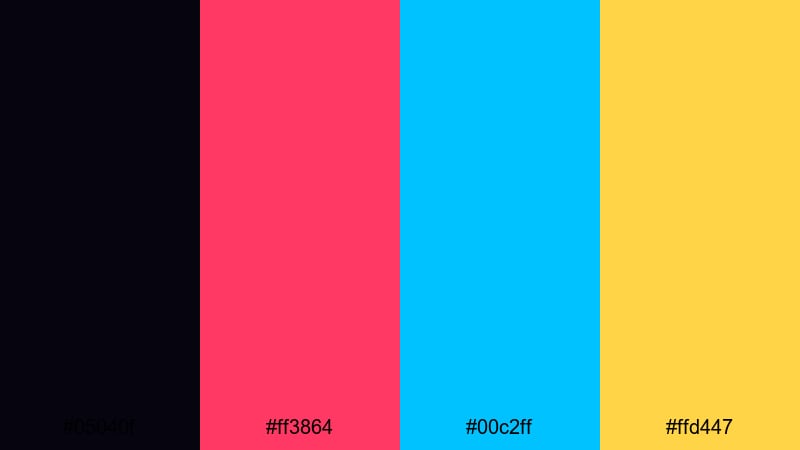
- HEX Codes: #05040f, #ff3864, #00c2ff, #ffd447
- Mood: Fast, dangerous, and cinematic.
- Use for: Ideal for racing edits, speedrun highlights, and countdown animations that need urgency.
Noir Pixel Racer combines a nearly black purple with punchy red, cyan, and gold. It feels like a retro street racer or neon soaked highway chase, full of speed and tension.
Use #05040f as your base for countdowns, timers, and race overlays. Trigger urgency with #ff3864 in lap times, KO text, or split comparisons, while #00c2ff outlines track layouts or minimaps. #ffd447 is perfect for medals, best time badges, and final result screens in your speedrun compilations.
CRT Shadow Scanlines
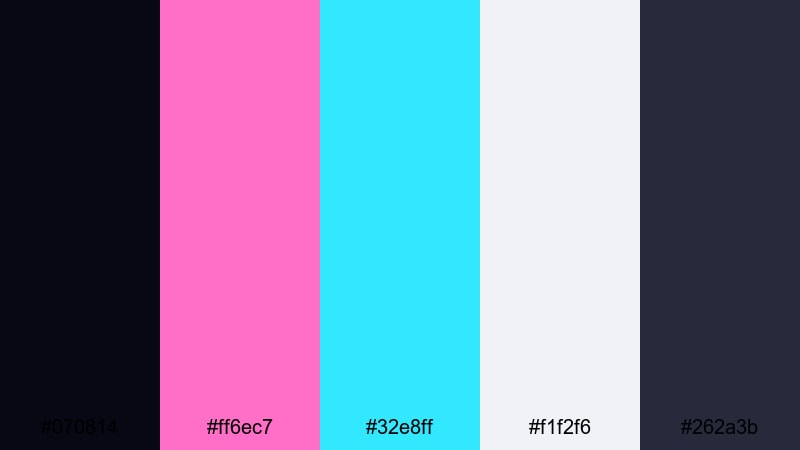
- HEX Codes: #070814, #ff6ec7, #32e8ff, #f1f2f6, #262a3b
- Mood: Analog, nostalgic, and slightly hazy.
- Use for: Use this palette for CRT style overlays, retro title cards, and vintage console review videos.
CRT Shadow Scanlines mixes soft blacks and steel blues with washed neon pink and cyan, plus a dusty white. It feels like watching faded arcade footage through a CRT monitor, with a gentle haze over everything.
Use #070814 and #262a3b for background layers and fake scanline panels, then highlight titles and subtitles with #ff6ec7 and #32e8ff. #f1f2f6 works for desaturated logos, subtitles, and UI labels that aim to look slightly aged. This palette fits perfectly with VHS effects, static overlays, and console retrospectives.
Vintage Console Retro Gaming Color Palettes
8 Bit Living Room
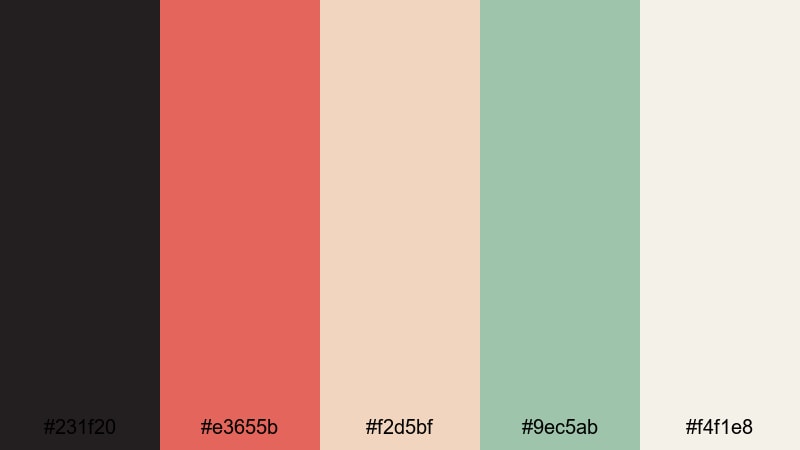
- HEX Codes: #231f20, #e3655b, #f2d5bf, #9ec5ab, #f4f1e8
- Mood: Warm, homey, and nostalgic like weekend game sessions.
- Use for: Great for retro console retrospectives, storytime vlogs about childhood gaming, and cozy channel branding.
8 Bit Living Room swaps neon for muted brick red, soft beige, and sage green, anchored by a dark warm gray. It feels like old carpets, sofas, and consoles under dim living room lights on a Saturday afternoon.
Use #231f20 as your base background color for storytime overlays, then bring in #e3655b and #f2d5bf for title text and timeline labels. Accent photos, Polaroid frames, and clip borders with #9ec5ab and #f4f1e8. This palette is great for channels that lean into memory, comfort, and personal stories rather than high octane competition.
Cartridge Dust Memories
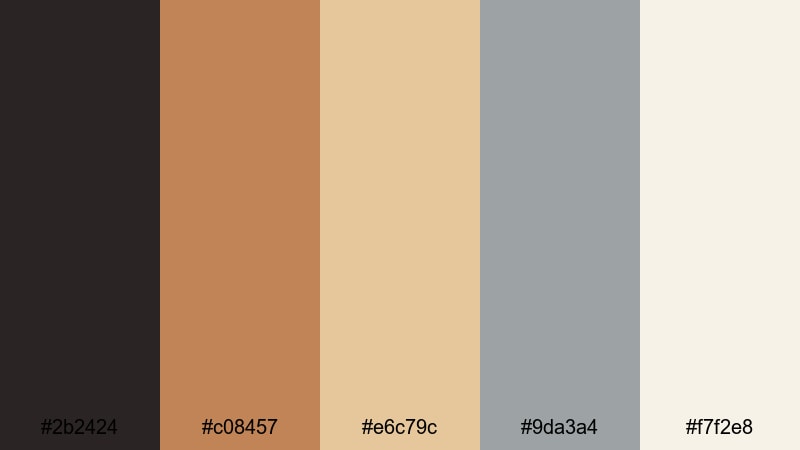
- HEX Codes: #2b2424, #c08457, #e6c79c, #9da3a4, #f7f2e8
- Mood: Earthy, sentimental, and quietly retro.
- Use for: Ideal for documentary style edits, unboxing vintage gear, and minimalist title cards with a nostalgic edge.
Cartridge Dust Memories uses warm browns, tan, and dusty gray, echoing worn plastic shells and slightly yellowed labels. It feels sentimental and grounded, like digging through a box of old games in the attic.
Use #2b2424 and #9da3a4 for subtle backgrounds and lower thirds in documentary style edits. Highlight chapter titles, years, and console names with #c08457 and #e6c79c. #f7f2e8 is ideal for text, giving a printed, slightly aged paper feel. This palette supports slower pacing, interviews, and close ups of hardware where the color tone should feel real and unpolished.
Handheld Pixel Sunrise
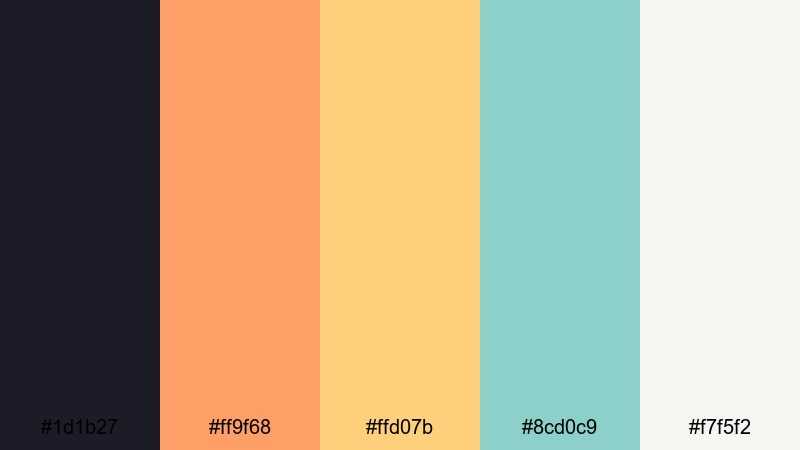
- HEX Codes: #1d1b27, #ff9f68, #ffd07b, #8cd0c9, #f7f5f2
- Mood: Optimistic, soft, and nostalgic with a travel vibe.
- Use for: Use in handheld gameplay montages, travel vlogs with retro overlays, and calm intro scenes.
Handheld Pixel Sunrise combines a deep slate base with sunrise oranges, pastel gold, gentle teal, and off white. It feels like playing a handheld console in the back seat at dawn, with light streaming in through the window.
Use #1d1b27 for backgrounds in travel vlogs or day in the life montages, then color titles and location tags in #ff9f68 and #ffd07b for a soft sunrise feel. #8cd0c9 and #f7f5f2 make excellent accent colors for borders, icons, and minimalist line art, giving your edits a relaxed, optimistic Retro Gaming twist.
Tips for Creating Retro Gaming Color Palettes
Retro Gaming colors are powerful tools for shaping mood and brand identity. When you combine them thoughtfully with neutrals, pastels, or deep shadows, you can design overlays, thumbnails, and intros that feel instantly on theme and easy to recognize.
- Pick one dominant background color and 2 to 3 accent colors so your overlays stay clean rather than chaotic.
- Use high contrast pairs (dark navy vs neon pink, deep purple vs cyan) for text and key UI elements to keep them readable on mobile.
- Reserve your brightest neon or pastel for calls to action like subscribe buttons, end screen links, and key stats.
- Match your palette to game content: neon and dark mode tones for arcade and cyberpunk, vintage browns and creams for retro consoles, and pastels for cozy or kid friendly games.
- Keep brand consistency by reusing the same HEX codes for logos, overlays, and thumbnail frames across all platforms.
- Use Filmora's color tools to push raw gameplay footage toward your chosen palette, especially in shadows and highlights.
- Test thumbnails at small sizes to make sure text and icons stand out against your Retro Gaming background color.
- Limit heavy effects; let your color palette do most of the visual storytelling, with motion graphics supporting it instead of competing.
Retro Gaming color palettes can turn ordinary gameplay into something memorable. From neon arcades and glitchy cityscapes to pastel pixel worlds and warm cartridge tones, each combination sets a different emotional tone for your channel and videos.
By working with HEX codes and consistent palettes, you make your thumbnails easier to spot, your intros more cohesive, and your overlays more professional. Filmora gives you the tools to apply these colors across titles, effects, and color grading so the entire edit feels unified.
Experiment with a few of the palettes above inside Filmora, customize them with HSL and LUTs, and then save your favorites as reusable presets. Over time, your Retro Gaming visual style will become as recognizable as your gameplay and commentary.
secure downloadNext: Aquamarine Color Palette
