

 100% Security Verified | No Subscription Required | No Malware


 ChatGPT
 Perplexity
 Gemini
 Claude
 Grok
Grok
Rosy Brown sits between warm brown and gentle pink, so it instantly feels human, intimate, and calm. It hints at skin tones, vintage paper, and late-afternoon light, which is why it works so well for romantic storytelling, lifestyle branding, and soft cinematic looks. Used well, Rosy Brown can make your videos feel more approachable and emotional without looking overly sweet or childish.
In video editing and design, Rosy Brown is perfect for YouTube thumbnails, title cards, lower thirds, background shapes, and color grading. The palettes below give you ready-made Rosy Brown color combinations with HEX codes, so you can quickly recreate them in Filmora for intros, vlogs, reels, and brand identities.
In this article
Soft & Romantic Rosy Brown Color Palettes
Blush Evening Glow
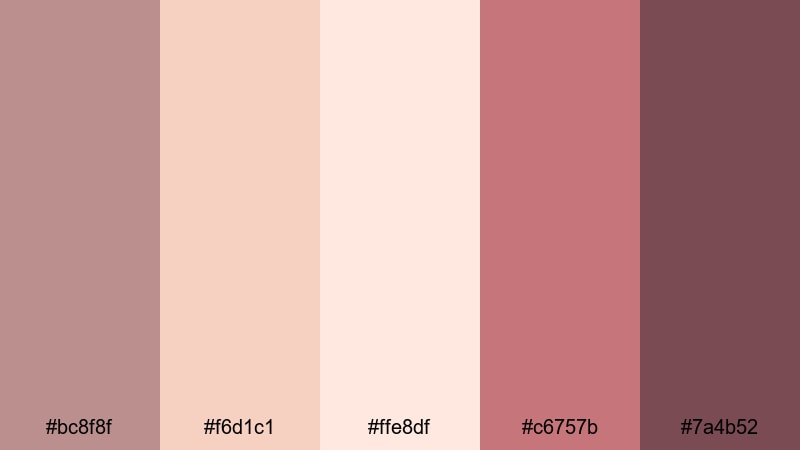
- HEX Codes: #bc8f8f, #f6d1c1, #ffe8df, #c6757b, #7a4b52
- Mood: Tender, warm, and nostalgic like a soft sunset.
- Use for: Perfect for romantic vlog intros, engagement slideshows, and dreamy travel recaps.
Blush Evening Glow feels like golden-hour light on skin, with Rosy Brown anchored by creamy blush tones and a deeper berry accent. It is gentle but not flat, giving you enough contrast to make titles and shapes pop while keeping the overall look soft and emotional.
Use this palette on YouTube thumbnails for couples vlogs, romantic B-roll sequences, or heartfelt storytelling edits. In Filmora, you can color your titles, overlays, and transitions with these HEX codes so everything from intro screens to end cards feels consistently warm and nostalgic.
Pro Tip: Build A Romantic Rosy Brown Look In Filmora
To keep this Blush Evening Glow palette consistent, pick Rosy Brown (#bc8f8f) as the main accent for titles and key shapes, then reserve the lighter blush tones (#f6d1c1 and #ffe8df) for backgrounds. The deeper wine and plum shades (#c6757b and #7a4b52) work perfectly for call-to-action buttons, outlines, and drop shadows in your Filmora titles.
Once you set up one scene, save your title presets and color settings in Filmora. That way, you can reuse the same Rosy Brown look across your intro, talking-head clips, B-roll overlays, and social cutdowns without manually rebuilding the palette every time.
AI Color Palette
If you have a reference image that nails this rosy sunset vibe (a photo from an engagement shoot or a golden-hour portrait), you can turn it into a reusable grade with Filmora's AI Color Palette feature. Import the image into a reference clip, match your other clips to it, and Filmora will automatically transfer the Rosy Brown and blush tones across your timeline.
This is ideal when you are editing a series of vlogs or reels and want every video to share the same romantic mood. The AI Color Palette keeps skin tones soft and warm while avoiding harsh, oversaturated pinks that can break the aesthetic.
 secure download

HSL, Color Wheels & Curves
To fine-tune Rosy Brown tones, open the Color panel in Filmora and use HSL to target reds and oranges. A slight desaturation can make the palette feel more cinematic, while a small shift toward orange will keep skin tones natural under this blush-heavy scheme. Color Wheels then let you push shadows slightly toward the deeper wine tones while keeping midtones softly rosy.
For more advanced looks, pull a gentle S-curve in the Curves panel to deepen contrast without crushing detail. You can also consult Filmora's color correction guides, such as the tutorials on its color correction tools, to see practical examples of matching highlights, mids, and shadows to a palette like this.
secure download1000+ Video Filters & 3D LUTs
If you want an instant romantic Rosy Brown style, Filmora's video filters and 3D LUTs make it easy to test different vibes above your base palette. Try warm film-style LUTs to enrich the rosy shadows or soft vignette filters to draw the eye to faces against blush backgrounds.
Combine these filters with your custom HEX-based elements (titles, frames, overlays) so the footage and graphics share the same Rosy Brown character. This speeds up your workflow, especially for series-based content like wedding highlight reels or recurring romantic vlog formats.
secure downloadDusty Rose Daydream
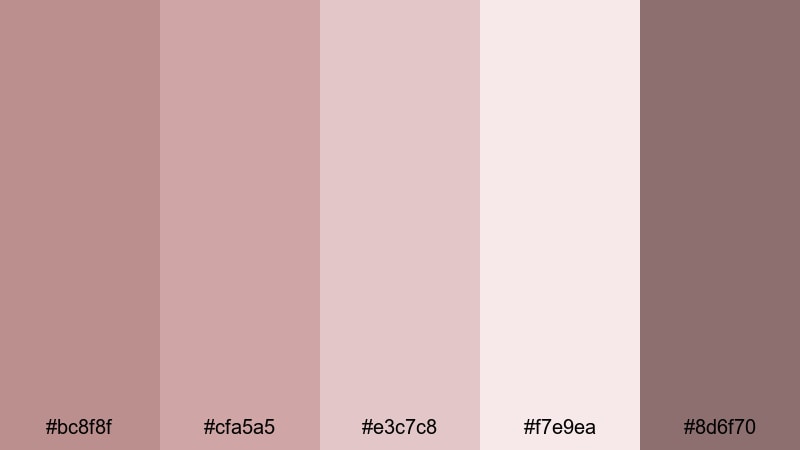
- HEX Codes: #bc8f8f, #cfa5a5, #e3c7c8, #f7e9ea, #8d6f70
- Mood: Soft, dreamy, and sentimental with a vintage touch.
- Use for: Use in wedding highlight reels, lyric videos, and aesthetic reels on social media.
Dusty Rose Daydream leans into muted rose tones, giving your visuals a diary-like, intimate feel. The slightly desaturated colors echo old photographs and printed albums, which is perfect when you want emotion without loud saturation.
Apply this palette to wedding title screens, Instagram reel covers, or lyric videos with handwritten-style fonts. In Filmora, keep backgrounds in the lightest tones and use Rosy Brown plus the darker mauve for lyrics, icons, and frames so everything stays readable and cohesive.
Petal Kiss Wedding
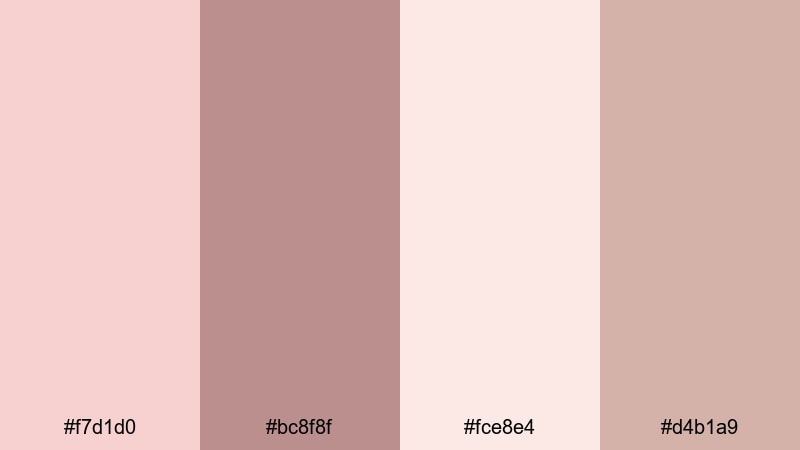
- HEX Codes: #f7d1d0, #bc8f8f, #fce8e4, #d4b1a9
- Mood: Romantic, airy, and tender like scattered rose petals.
- Use for: Beautiful for wedding titles, save-the-date videos, and bridal brand promos.
Petal Kiss Wedding is light, airy, and filled with bridal softness. The pale petal tones and creamy highlights keep the frame bright, while Rosy Brown and the muted taupe bring just enough structure for typography and logos.
Use this set when designing wedding openers, bridal brand bumpers, or save-the-date animations in Filmora. Create lower thirds and overlays in the soft pinks, then highlight names, dates, and CTAs in Rosy Brown so they stand out without breaking the delicate aesthetic.
Powdered Vintage Lace
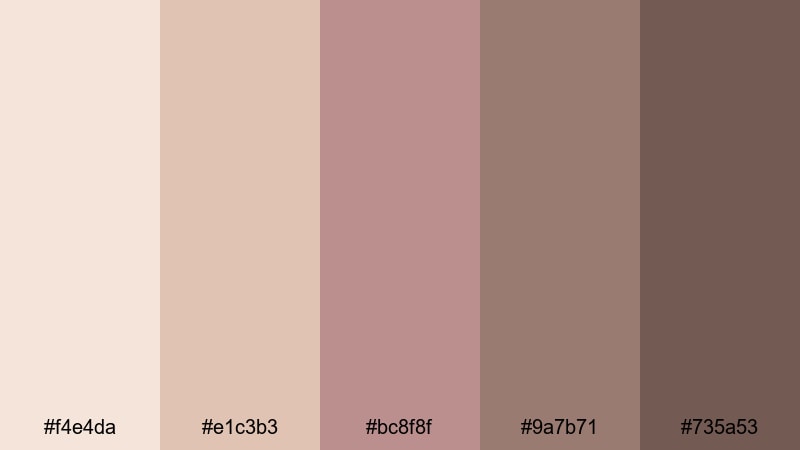
- HEX Codes: #f4e4da, #e1c3b3, #bc8f8f, #9a7b71, #735a53
- Mood: Old-world, romantic, and slightly antique.
- Use for: Great for nostalgic film edits, heritage brand pieces, and vintage-inspired YouTube channels.
Powdered Vintage Lace mixes creamy, lace-like tones with grounded Rosy Brown and cocoa shadows. The palette feels like leafing through a box of old letters or family photos, with gentle warmth and a timeworn edge.
Use it for heritage brand intros, memory-filled family films, or retro-inspired channel branding. In Filmora, combine light beige backgrounds with Rosy Brown titles and deeper cocoa borders or frames to mimic the look of old prints around your footage.
Warm Latte Blossom
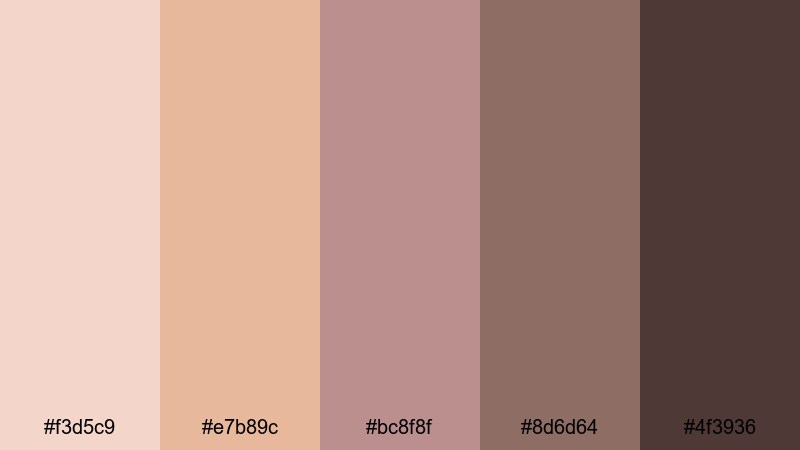
- HEX Codes: #f3d5c9, #e7b89c, #bc8f8f, #8d6d64, #4f3936
- Mood: Cozy, inviting, and softly romantic like a cafe date.
- Use for: Perfect for lifestyle vlogs, coffee shop b-roll, and soft product promos for skincare or stationery.
Warm Latte Blossom blends latte creams, warm caramels, and Rosy Brown shadows for a cozy, cafe-like mood. It feels approachable and down to earth while still flattering skin tones on camera.
Use this palette on thumbnails for cafe vlogs, morning routines, or small-business promos. In Filmora, try using the lighter tones behind text and reserve Rosy Brown and the deeper browns for product highlights, logo stings, and subtle frames around your clips.
Modern & Minimal Rosy Brown Color Palettes
Rosy Neutral Interface
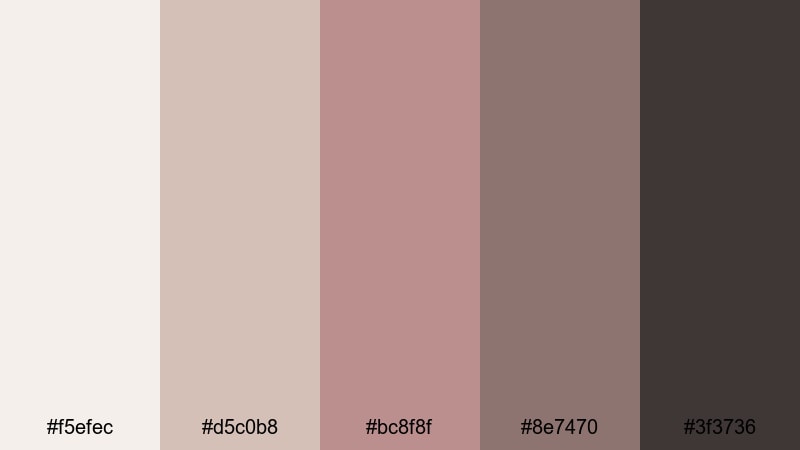
- HEX Codes: #f5efec, #d5c0b8, #bc8f8f, #8e7470, #3f3736
- Mood: Clean, minimal, and confident with a subtle warmth.
- Use for: Ideal for channel branding, lower thirds, and UI-inspired motion graphics.
Rosy Neutral Interface feels like a sleek app interface softened with warm tones. The off-whites and beige neutrals keep things minimal, while Rosy Brown, taupe, and charcoal add structure and hierarchy.
This palette works well for tech channels, productivity content, or portfolio videos. In Filmora, design UI-style lower thirds, sidebar panels, and button graphics using the light tones as base and Rosy Brown for active states, progress bars, and key text.
Muted Studio Loft
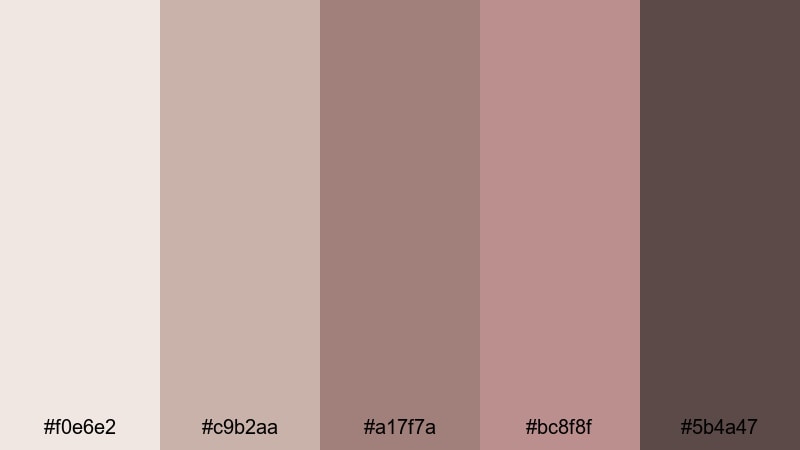
- HEX Codes: #f0e6e2, #c9b2aa, #a17f7a, #bc8f8f, #5b4a47
- Mood: Urban, artistic, and understated.
- Use for: Use for studio tour videos, design portfolios, and minimalist lookbooks.
Muted Studio Loft captures the feel of an artist loft: soft, neutral walls, worn wood, and muted textiles. The Rosy Brown tones act like accents in furniture or decor, giving your visuals a creative but calm atmosphere.
Use it for design process videos, behind-the-scenes studio tours, or fashion lookbooks that favor subtle color. In Filmora, keep backgrounds in the lightest beige and use the mid Rosy Brown and deeper brown for text, navigation strips, and simple geometric overlays.
Soft Clay Branding
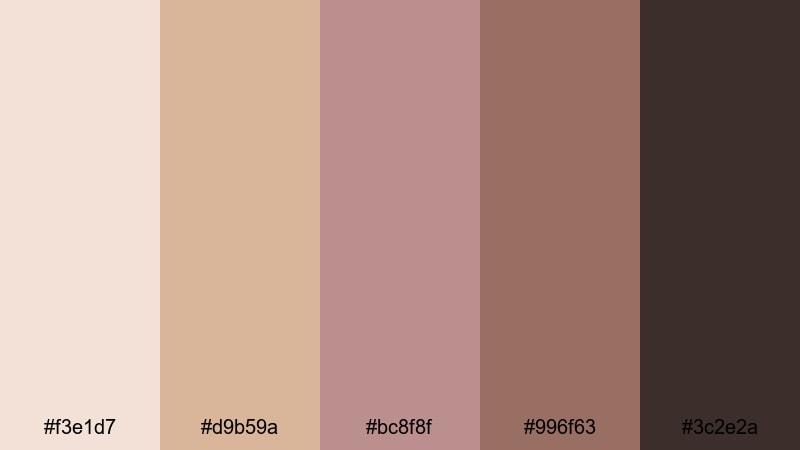
- HEX Codes: #f3e1d7, #d9b59a, #bc8f8f, #996f63, #3c2e2a
- Mood: Earthy, grounded, and design-forward.
- Use for: Great for brand intros, logo reveals, and packaging mockups in beauty or lifestyle niches.
Soft Clay Branding feels like a shelf of handmade ceramics and earthy makeup swatches. It is warm and grounded, with Rosy Brown sitting at the heart of the palette while clay and chocolate tones provide depth.
This combination is perfect for beauty brands, wellness creators, and lifestyle businesses that want a premium yet approachable look. In Filmora, build brand bumpers and title cards using the lighter clay for backgrounds and Rosy Brown for logo locks, text, and accent lines.
Bare Linen Edit
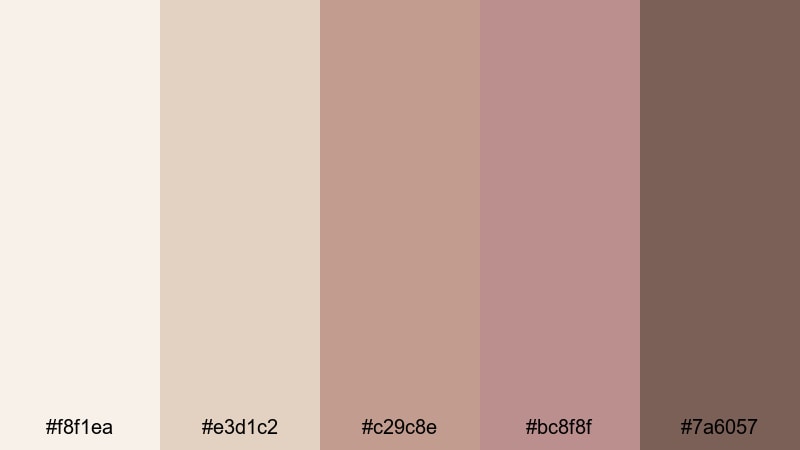
- HEX Codes: #f8f1ea, #e3d1c2, #c29c8e, #bc8f8f, #7a6057
- Mood: Airy, natural, and quietly sophisticated.
- Use for: Ideal for minimalist edit templates, typography-based reels, and calm productivity videos.
Bare Linen Edit is all about breathable, neutral space with a Rosy Brown anchor. It mimics the look of linen fabric and soft daylight, so your content feels clean and uncluttered.
Use it in typography-led reels, Notion-style productivity videos, or simple tutorial layouts. In Filmora, keep generous negative space in the palest tone, and use Rosy Brown plus the mid browns for headings, icons, and subtle line dividers.
Airy Rose Workspace
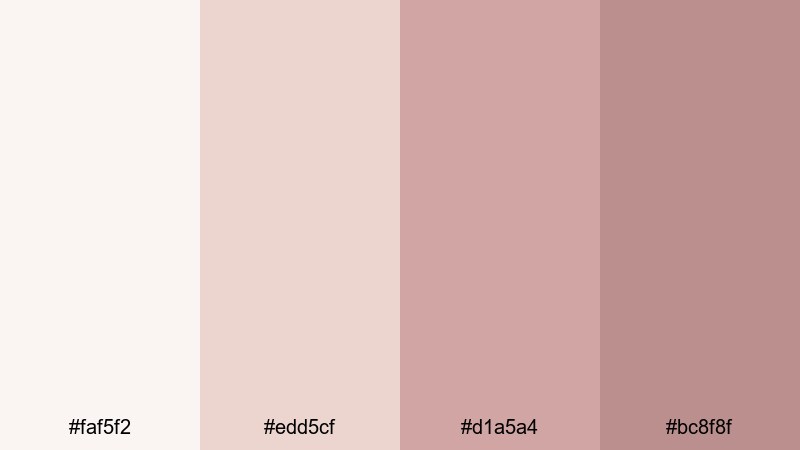
- HEX Codes: #faf5f2, #edd5cf, #d1a5a4, #bc8f8f
- Mood: Light, focused, and slightly feminine.
- Use for: Use for desk setup tours, study-with-me videos, and soft tech reviews.
Airy Rose Workspace combines pale rose tints with a Rosy Brown anchor, creating a focused and bright aesthetic that still feels warm. It is ideal if you want your workspace content to feel tidy but not sterile.
Apply it to desk tour overlays, chapter markers, and thumbnail backgrounds. In Filmora, use the lightest tone as your canvas, stack soft rose shapes behind text, and keep Rosy Brown for headings, drop shadows, and key buttons so your visuals remain clear and clickable.
Cinematic & Moody Rosy Brown Color Palettes
Twilight Rosy Noir
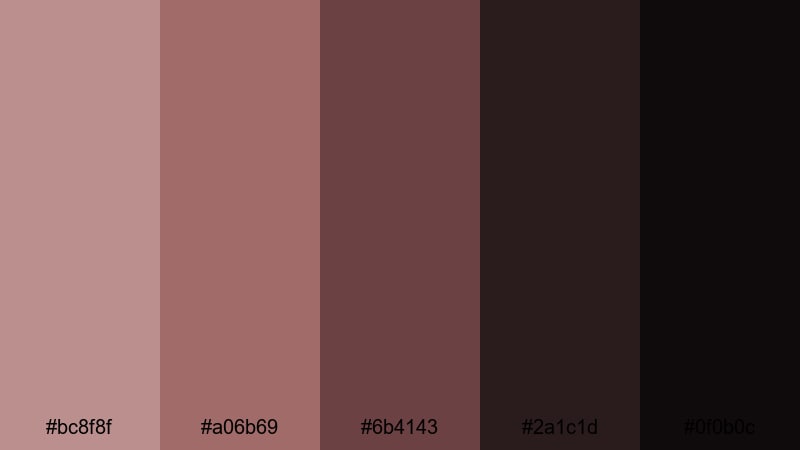
- HEX Codes: #bc8f8f, #a06b69, #6b4143, #2a1c1d, #0f0b0c
- Mood: Dramatic, intimate, and filmic like dusk scenes.
- Use for: Perfect for short films, narrative intros, and music videos with emotional depth.
Twilight Rosy Noir pushes Rosy Brown into a moody, dusk-inspired direction. The midtone rosy hues drift into deep wine and nearly black shadows, giving you strong contrast and a cinematic, intimate atmosphere.
Use it for narrative intros, serious vlogs, or music videos where emotion and tension are central. In Filmora, you can grade your footage toward these tones, then use the richest dark colors for frames, bars, or letterboxing to echo a modern film look.
Dusky Ember Frames
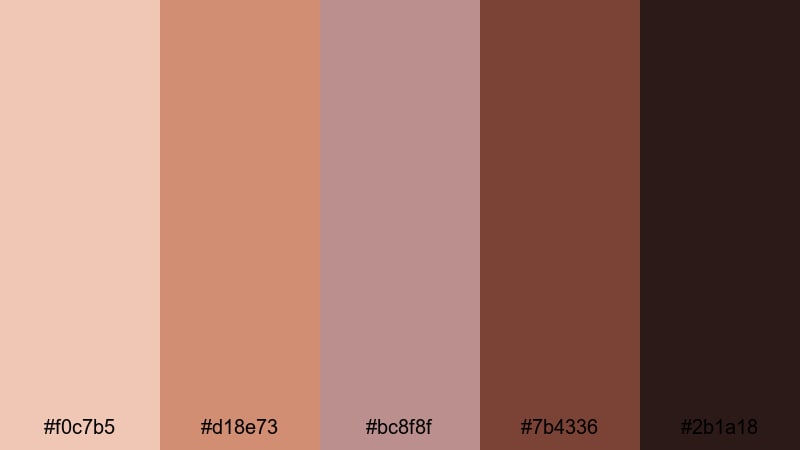
- HEX Codes: #f0c7b5, #d18e73, #bc8f8f, #7b4336, #2b1a18
- Mood: Smoldering, emotional, and story-driven.
- Use for: Use in dramatic trailers, character portraits, and moody b-roll sequences.
Dusky Ember Frames mixes warm ember highlights with Rosy Brown skin tones and deep, smoky browns. It feels like the glow of a fire fading into night, rich with drama and emotion.
Use this set for trailers, character-focused edits, or moody lifestyle B-roll. In Filmora, grade your footage a touch warmer, then accent titles and frames in Rosy Brown and ember tones to tie everything into one cohesive story look.
Autumn Velvet Story
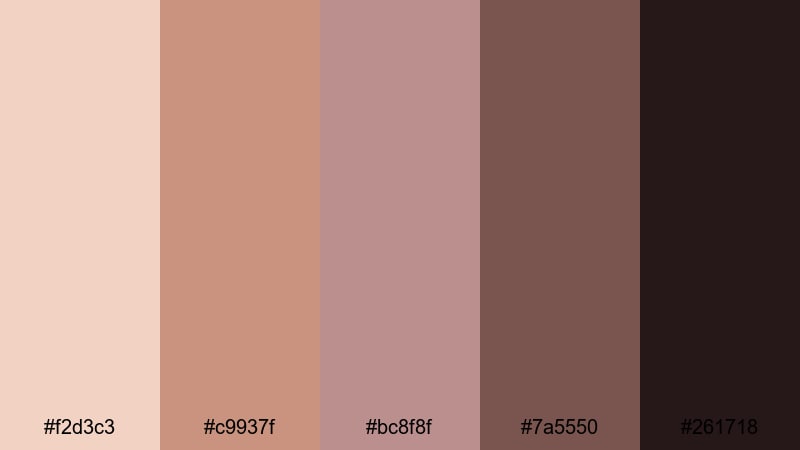
- HEX Codes: #f2d3c3, #c9937f, #bc8f8f, #7a5550, #261718
- Mood: Cozy, cinematic, and storytelling-focused.
- Use for: Great for autumn vlogs, travel diaries, and narrative brand films.
Autumn Velvet Story captures the feel of late-fall light: soft, low sun with velvety shadows and warm, muted color. Rosy Brown works as a bridge between skin tones and the deeper browns, adding emotional warmth.
Use it on autumn travel vlogs, seasonal brand films, or cozy home diaries. In Filmora, pair the lighter peach tone with Rosy Brown for titles and use the darkest shades in vignettes, transitions, and lower thirds to deepen the cinematic mood.
Old Film Rosegrain
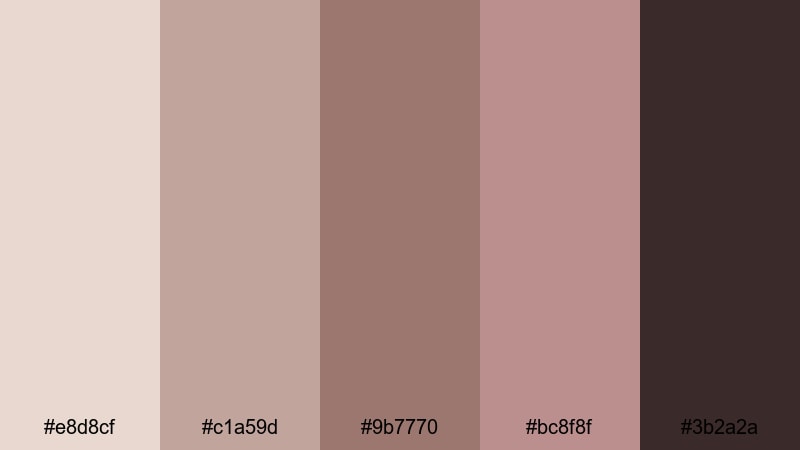
- HEX Codes: #e8d8cf, #c1a59d, #9b7770, #bc8f8f, #3b2a2a
- Mood: Retro, grainy, and emotionally rich.
- Use for: Ideal for Super 8-inspired sequences, memory montages, and stylized title cards.
Old Film Rosegrain uses desaturated, rose-tinted browns to echo the look of aged film prints. The palette feels nostalgic and tactile, especially when paired with grain and subtle flicker.
It is perfect for memory montages, throwback edits, or stylized channel openers. In Filmora, combine this palette with film grain overlays and slight blur on text backgrounds, using Rosy Brown and the dark brown for typography to keep everything legible.
Noir Cafe Montage
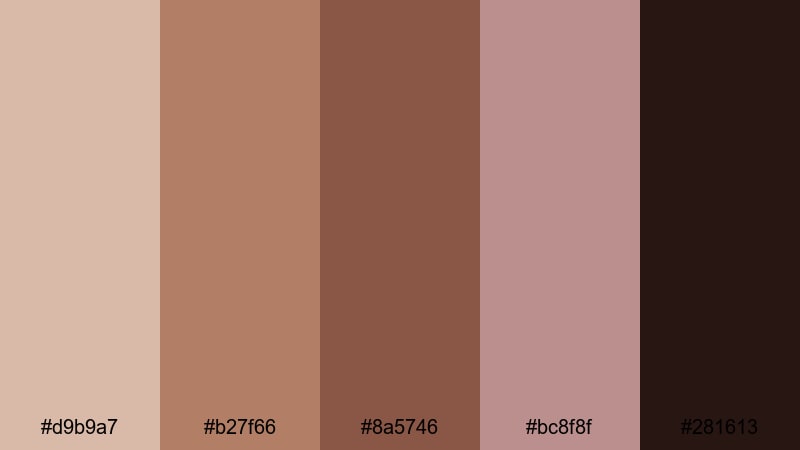
- HEX Codes: #d9b9a7, #b27f66, #8a5746, #bc8f8f, #281613
- Mood: Intimate, jazzy, and slightly mysterious.
- Use for: Use for cafe vlogs, night city b-roll, and stylish cinematic reels with dialogue overlays.
Noir Cafe Montage blends caramel cafe tones, rosy highlights, and inky espresso shadows. It feels like a late-night conversation under warm bar lights, with just a hint of mystery.
Use it in cafe vlogs, spoken-word reels, or night-city B-roll. In Filmora, combine warm color grading with Rosy Brown titles, then use the darkest espresso shade for background bars, subtitles strips, or letterboxing to frame your story.
Tips for Creating Rosy Brown Color Palettes
Rosy Brown works across romantic, minimal, and cinematic styles, as long as you balance it with the right lights, darks, and accent colors. Here are some practical tips for building and using Rosy Brown palettes in your videos and designs.
- Pair Rosy Brown with light neutrals (ivory, cream, pale beige) when you want soft, breathable layouts for thumbnails and title cards.
- Add at least one deeper shade (rich brown, plum, or charcoal) to keep contrast strong enough for readable text and clear UI elements.
- For romantic edits, lean into blush and dusty pinks; for modern looks, mix Rosy Brown with taupe, greige, and off-white.
- Keep your text mostly in the darkest color and reserve Rosy Brown for headings, buttons, and key highlights so your design does not feel washed out.
- Match your color grading to your graphics: in Filmora, gently shift midtones toward Rosy Brown so footage and overlays feel like part of the same world.
- Create a simple style guide: define which HEX colors are for backgrounds, which are for titles, and which are for accents, then reuse them in all your templates.
- Test your palettes on both desktop and mobile thumbnails to make sure Rosy Brown elements remain clear and clickable at small sizes.
- Use subtle gradients between light beige and Rosy Brown to add depth to panels, lower thirds, and full-screen titles without overpowering the footage.
Rosy Brown color palettes can completely change the way your videos feel, from tender and romantic to sleek and cinematic. With the right combinations, you can build a recognizable visual identity that carries through your thumbnails, intros, lower thirds, and color grading.
Try dropping these HEX codes into Filmora, build a few reusable title and overlay presets, and then match your footage using color tools and filters. After a couple of projects, you will have a polished Rosy Brown look that feels uniquely yours and is fast to apply to any new edit.
Whether you are crafting soft wedding films or moody cafe montages, using a clear Rosy Brown palette helps your audience recognize your style instantly and stay immersed in your stories.
secure downloadNext: Vineyard Color Palette
