

 100% Security Verified | No Subscription Required | No Malware


 ChatGPT
 Perplexity
 Gemini
 Claude
 Grok
Grok
Royal Purple sits between deep violet and classic purple, carrying associations of royalty, creativity, luxury, and mystery. On screen, it instantly feels premium and cinematic, whether you are building a brand, designing a YouTube thumbnail, or grading a moody vlog. Paired with softer lilacs, glowing neons, or warm metallics, it can push your visuals from simple to unforgettable.
This guide collects 15 ready-to-use Royal Purple color palettes with HEX codes, designed for video creators, designers, and Filmora users. You can use them for YouTube thumbnails, intros, channel branding, overlays, color grading references, and social content, then refine the look directly inside Filmora.
In this article
Soft and Romantic Royal Purple Color Palettes
Twilight Orchid Whisper

- HEX Codes: #7851a9, #e1c4ff, #fbe8ff, #4a2b70.
- Mood: Dreamy, intimate, and poetic.
- Use for: Ideal for wedding highlight reels, save the date animations, and soft storytelling thumbnails.
Twilight Orchid Whisper wraps your visuals in a gentle haze of Royal Purple and powdery lilac, like the sky just after sunset. The deeper purples (#7851a9 and #4a2b70) give you a cinematic base, while the pastel tones (#e1c4ff and #fbe8ff) add softness for text, light leaks, or overlays.
Use this palette when you want your videos to feel romantic and emotional: wedding highlight reels, couple shoots, anniversary edits, or slow, intimate vlogs. In thumbnails and intros, let the darkest purple carry the background while the lightest pinkish lilac frames faces, titles, and key details so everything stays readable and flattering.
Pro Tip: Build a Cinematic Royal Purple Romance in Filmora
In Filmora, you can turn Twilight Orchid Whisper into a consistent visual language across your whole project. Use the darker Royal Purple tones for title cards and lower thirds, then echo the softer lilacs in your subtitles, overlays, and end screens so every scene feels like part of the same story.
Try adding a gentle vignette in deep purple around your footage and layering a soft pastel gradient on top. This keeps attention on your subjects while surrounding them with a romantic Royal Purple glow, perfect for emotional B-roll, vows, and cinematic close-ups.
AI Color Palette
If you have a reference frame, a color card, or even a screenshot of this palette, you can spread its exact Royal Purple tones across your entire edit using Filmora's AI Color Palette feature. It analyzes the color style of one clip and intelligently applies that look to other shots.
Filmora's AI Color Palette feature helps you match your wedding ceremony, reception, and romantic B-roll so they all share the same twilight-inspired mood. It is especially helpful when mixing clips from different cameras, phones, or lighting setups but you still want a unified Royal Purple aesthetic.
 secure download

HSL, Color Wheels & Curves
Royal Purple can easily slip from romantic to overly dark or saturated. Filmora's HSL, color wheels, and curves tools let you fine-tune those purples: soften the saturation in midtones, add a subtle warm lift in highlights, and anchor shadows in a deep violet instead of pure black. This keeps skin tones natural while the environment stays cinematic.
You can combine HSL adjustments with subtle curve tweaks and the built-in color correction tools in Filmora to balance exposure and contrast. Lean the midtone color wheel slightly toward magenta for a romantic glow, then cool the shadows for depth, creating a layered, premium Royal Purple grade.
secure download1000+ Video Filters & 3D LUTs
Once your Royal Purple palette feels balanced, Filmora's library of filters and LUTs lets you push the style further in seconds. Add a soft haze, vintage glow, or subtle film grain to make Twilight Orchid Whisper feel even more dreamy and nostalgic.
Filmora's video filters and 3D LUTs make it easy to test different looks on top of your Royal Purple base. Apply a cinematic LUT to unify mixed lighting conditions, then dial back the intensity so your vineyard, beach, or city wedding still looks true-to-life but with a polished, romantic finish.
secure downloadLavender Evening Glow

- HEX Codes: #6d3fa8, #caa6ff, #ffe6f5, #3a235c.
- Mood: Calm, cozy, and nostalgic.
- Use for: Works beautifully for slow-travel vlogs, cozy productivity videos, and reflective montage sequences.
Lavender Evening Glow blends rich Royal Purple with hazy lavender and blush tones to create a calm, introspective atmosphere. The deeper hues are perfect for backgrounds, gradient wipes, and end cards, while the pale pinks and lavenders keep titles soft and welcoming.
Use this palette for study-with-me edits, slow-travel vlogs, and reflective storytelling. In thumbnails, let the darkest shade frame the edges while the lighter colors highlight your subject and text. It is especially effective for branding a channel around comfort, mindfulness, and quiet creativity.
Rose Petal Amethyst
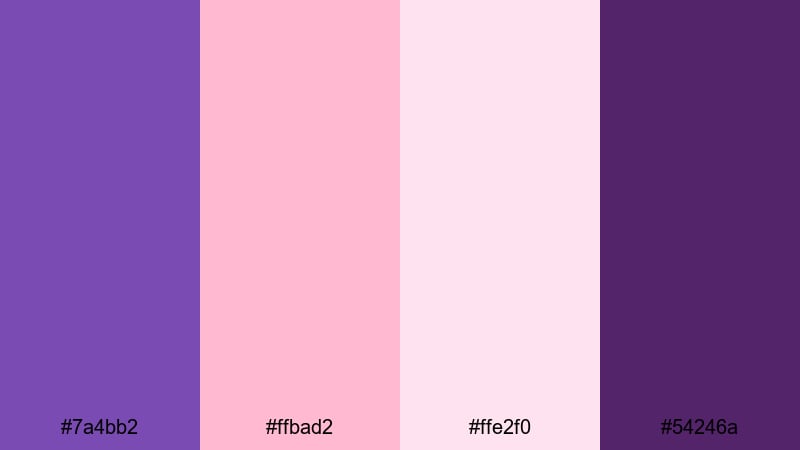
- HEX Codes: #7a4bb2, #ffbad2, #ffe2f0, #54246a.
- Mood: Romantic, feminine, and uplifting.
- Use for: Great for beauty channels, get ready with me videos, and feminine brand intros or lower thirds.
Rose Petal Amethyst mixes confident Royal Purple with blush pinks to create a palette that feels feminine yet strong. The darker violet (#54246a) grounds your frames, while the pinks keep the overall look airy and flattering on skin.
It is an excellent choice for beauty and lifestyle channels, Instagram Reels, or brand kits that lean into self-care and elegance. Use the deep purple for logos and call-to-action buttons, then let the lighter pinks fill backgrounds, product shots, and text bars for a cohesive, stylish feed.
Moonlit Wisteria Garden

- HEX Codes: #6f3e96, #b78cff, #f2e5ff, #2f1847.
- Mood: Enchanted, serene, and cinematic.
- Use for: Perfect for dreamy B-roll, lyric videos, and gentle documentary storytelling.
Moonlit Wisteria Garden feels like walking through a violet garden at night. Deep Royal Purple shadows (#2f1847) contrast with delicate wisteria highlights (#b78cff and #f2e5ff), creating a layered, cinematic mood that suits slow, drifting camera moves.
Use this palette for dreamy B-roll sequences, lyric videos, or reflective mini-documentaries. In Filmora, you can build gentle gradients from dark to light purple behind your footage, then overlay subtle text in the palest hue to keep everything legible while preserving the enchanted, nighttime atmosphere.
Bold and Cinematic Royal Purple Color Palettes
Electric Neon Royal
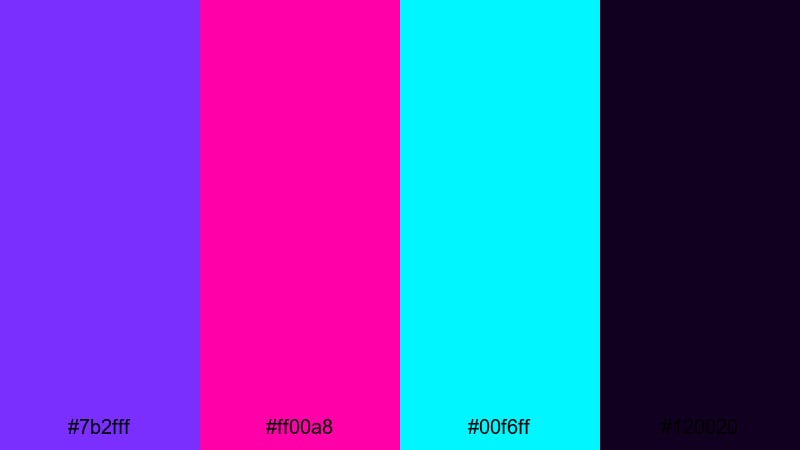
- HEX Codes: #7b2fff, #ff00a8, #00f6ff, #120020.
- Mood: Energetic, futuristic, and edgy.
- Use for: Designed for gaming intros, EDM edits, glitch transitions, and cyberpunk motion graphics.
Electric Neon Royal slams vivid purples into hot magenta and cyan over a nearly black base. The result is pure cyberpunk energy that feels perfect for fast-paced edits and glitchy motion graphics.
Use the darkest tone (#120020) for backgrounds and letterboxing, then punch in neon accents for HUD elements, streaks, and titles. This palette works especially well for gaming overlays, stream starting screens, EDM lyric videos, and any thumbnail that needs to stand out on a crowded page.
Imperial Spotlight Stage

- HEX Codes: #5d2b90, #ffcc33, #1a1a1f, #f4f4f4.
- Mood: Regal, dramatic, and powerful.
- Use for: Great for event promos, award-style openers, and cinematic title screens.
Imperial Spotlight Stage pairs Royal Purple with spotlight gold for a red-carpet feel. The dark gray-black background (#1a1a1f) lets your purple and gold elements glow, while soft white (#f4f4f4) keeps text clean and high contrast.
This palette fits award-style intros, event promos, conference openings, or channel trailers that aim for a premium, professional tone. Place your logo on deep purple, surround it with gold accents and motion streaks, and use white for clear titles and date information.
Cosmic Nova Burst
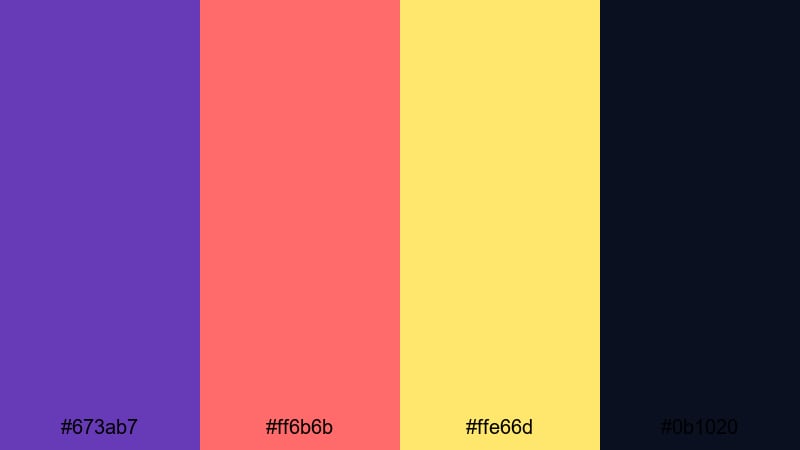
- HEX Codes: #673ab7, #ff6b6b, #ffe66d, #0b1020.
- Mood: Explosive, adventurous, and bold.
- Use for: Perfect for travel teasers, action edits, and dynamic channel trailers.
Cosmic Nova Burst feels like a supernova frozen in time. Royal Purple (#673ab7) anchors the frame while fiery coral (#ff6b6b) and bright yellow (#ffe66d) blast through as accents, all set against a deep space background (#0b1020).
Use it when you want strong impact in travel teasers, sports montages, or action-packed channel trailers. In thumbnails, place your subject over the dark purple-blue, then streak coral and yellow shapes behind them for motion and energy. It is a powerful combo for cinematic titles and short-form promos.
Urban Royal Streetlights
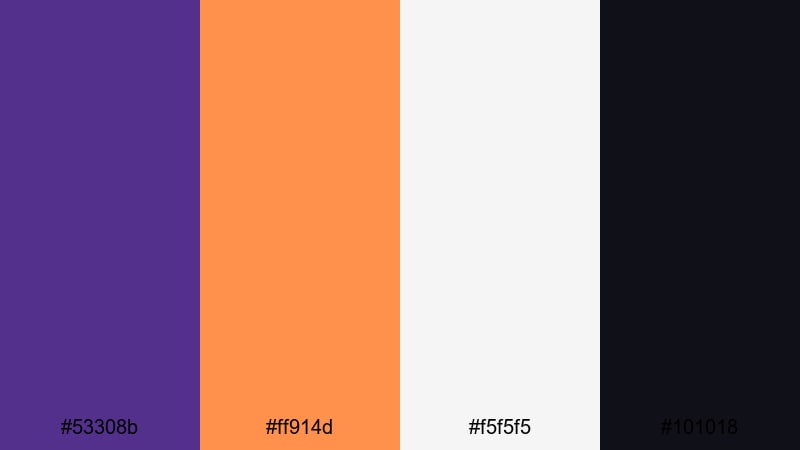
- HEX Codes: #53308b, #ff914d, #f5f5f5, #101018.
- Mood: Gritty, modern, and stylish.
- Use for: Ideal for street photography videos, city-night B-roll, and lifestyle lookbooks.
Urban Royal Streetlights brings together moody Royal Purple with warm streetlight orange and cool monochrome tones. It captures the feel of city streets at night, where neon signs and traffic lights cut through the dark.
Use this palette for street photography edits, nightlife vlogs, sneaker or fashion lookbooks, and cinematic city B-roll. Let the deep purple and near-black define your shadows, while the orange pops in signs, headlights, or animated shapes. The soft off-white keeps your titles crisp on both dark and saturated backgrounds.
Modern and Minimal Royal Purple Color Palettes
Royal Tech Interface
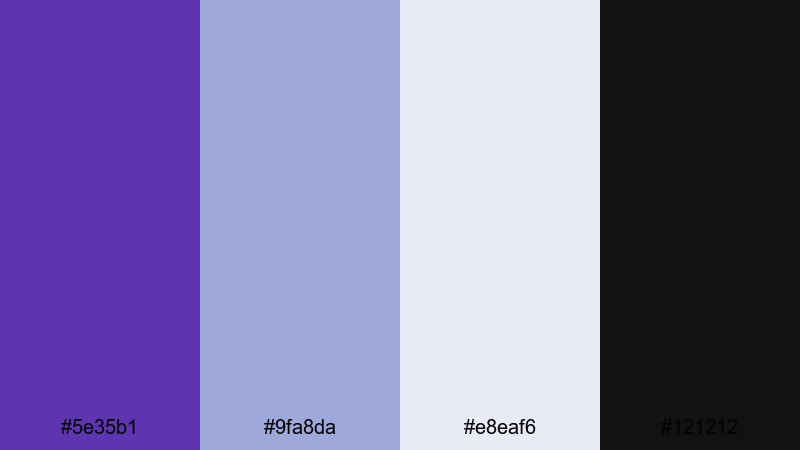
- HEX Codes: #5e35b1, #9fa8da, #e8eaf6, #121212.
- Mood: Clean, confident, and high-tech.
- Use for: Great for app explainers, UI overlays, and sleek tech brand intros.
Royal Tech Interface combines a strong Royal Purple with cool gray-blues and a dark UI base. It feels like a modern dashboard or SaaS product, making it perfect for tech-focused content and minimal layouts.
Use the darkest shade (#121212) for backgrounds and UI panels, the purple for highlights and buttons, and the lighter grays for charts, diagrams, and typography. This palette works especially well in explainer videos, software walkthroughs, and product demos where clarity and professionalism matter.
Minimal Regal Monochrome
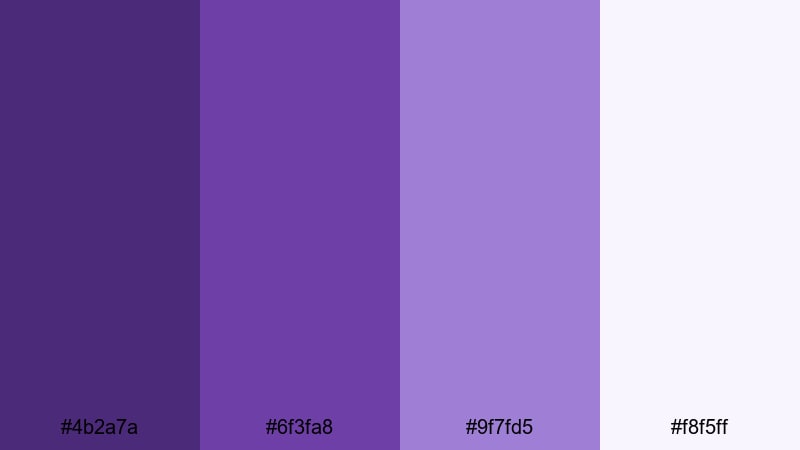
- HEX Codes: #4b2a7a, #6f3fa8, #9f7fd5, #f8f5ff.
- Mood: Sophisticated, restrained, and elegant.
- Use for: Ideal for logos, title cards, and brand kits that want a focused, monochrome look.
Minimal Regal Monochrome keeps everything in the Royal Purple family, stepping from deep violet to soft lilac. The absence of strong accent colors gives your design a focused, high-end feel that is perfect for serious branding.
Use the darkest tone for logos and hero titles, mid-tones for section headers and icons, and the lightest for backgrounds and frames. This palette suits brand intros, clean title cards, portfolio websites, and minimalist social feeds where purple is the unmistakable signature color.
Studio Royal Neutral
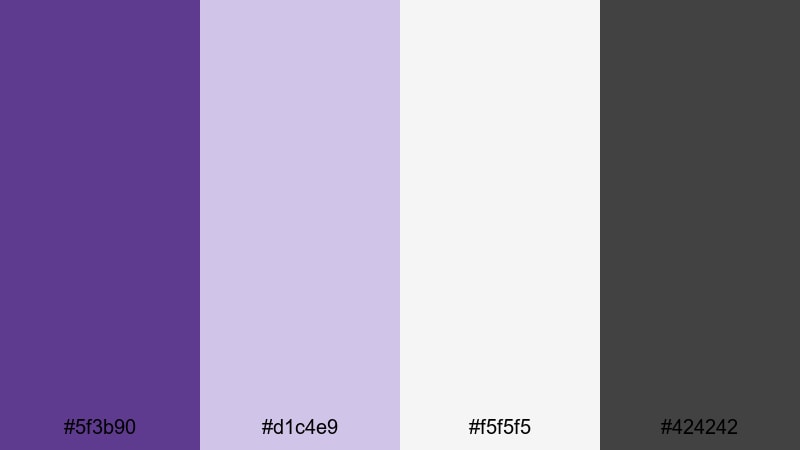
- HEX Codes: #5f3b90, #d1c4e9, #f5f5f5, #424242.
- Mood: Professional, calm, and versatile.
- Use for: Perfect for tutorials, productivity channels, and portfolio videos needing a subtle branded look.
Studio Royal Neutral softens Royal Purple against warm grays and off-white. It feels polished but not flashy, making it ideal for educational channels, course content, and professional portfolios.
Use purple as a subtle brand accent in your lower thirds, subscribe buttons, and key icons, while the grays handle backgrounds and text. Because it is not overly saturated, this palette stays comfortable for long-form content like tutorials and live streams.
Royal Sunrise Gradient

- HEX Codes: #45227a, #7c4dff, #ffb74d, #fff8e1.
- Mood: Optimistic, fresh, and modern.
- Use for: Great for animated gradients in openers, lower thirds, and social story templates.
Royal Sunrise Gradient glides from deep Royal Purple into bright violet, then into warm sunrise orange and cream. It is made for motion: smooth gradient wipes, animated backgrounds, and colorful lower thirds.
Use the darker tones for the start of your gradient and let the orange and cream emerge toward the center or edges of the frame. This palette is great for upbeat intros, announcement cards, and Instagram Stories where you want a modern, on-trend look without losing the richness of Royal Purple.
Fantasy and Neon Royal Purple Color Palettes
Mystic Crystal Cavern

- HEX Codes: #4a2d73, #7e57c2, #80deea, #e1f5fe.
- Mood: Magical, mysterious, and immersive.
- Use for: Perfect for fantasy edits, game streams, and narrative openings with a mystical twist.
Mystic Crystal Cavern blends Royal Purple with glowing crystal blues to create a palette that feels like an illuminated cave. The cooler cyan tones add a sense of depth and reflection, while the purples hold onto that fantasy atmosphere.
Use this palette for fantasy edits, character introductions, D&D recaps, or game streams with a mystical vibe. Let the darker purples define shadows and cave walls, while the bright blues appear in text glows, UI frames, and magical particle effects.
Arcade Royal Nights

- HEX Codes: #5d2a86, #ff4081, #40c4ff, #000013.
- Mood: Retro, playful, and high-contrast.
- Use for: Great for retro gaming edits, synthwave visuals, and bold streaming overlays.
Arcade Royal Nights is pure retro arcade energy: Royal Purple, hot pink, and electric cyan glowing over a nearly black backdrop. The contrast is strong, so your UI elements, logos, and characters jump off the screen.
Use it for synthwave edits, retro gaming compilations, nostalgic channel intros, and Twitch overlays. Let the darkest color (#000013) fill the background, then build neon outlines and shapes with pink and cyan to frame your facecam and gameplay windows.
Enchanted Galaxy Drift

- HEX Codes: #512a8a, #9575cd, #ffeb3b, #1a0933.
- Mood: Otherworldly, expansive, and epic.
- Use for: Ideal for sci-fi intros, space animations, and cinematic logo reveals.
Enchanted Galaxy Drift layers deep Royal Purple and violet with bright cosmic gold. The combination feels like drifting through a nebula with distant stars sparkling in the distance, making it ideal for epic intros and logo reveals.
Use the darkest shade (#1a0933) as your space background, then paint gradients of purple and violet across the frame. Add gold accents to highlight logos, subtitle bars, and key moments in your animation. It works especially well for sci-fi channels, tech brands, and cinematic openers that need a sense of vastness and wonder.
Tips for Creating Royal Purple Color Palettes
Royal Purple is versatile, but it can easily overpower a design if it is not balanced. These tips will help you combine Royal Purple with supporting colors for video, thumbnails, and brand assets that feel cohesive and professional.
- Pair Royal Purple with light neutrals (off-white, pale gray) to keep text readable on thumbnails, lower thirds, and end cards.
- For premium or award-style visuals, mix Royal Purple with warm metallics like gold or maroon gold; use metallics as accents, not backgrounds.
- Use deep Royal Purple in shadows and borders, then reserve brighter purples and lilacs for highlights, text bars, and UI elements.
- Always test legibility: overlay your title fonts on both the darkest and brightest colors in your palette and check them on mobile screens.
- Keep skin tones natural by avoiding heavy purple in midtones; instead, use it in backgrounds, frames, and graphic overlays around your subject.
- When branding a channel, lock in 1 main Royal Purple, 1 light neutral, and 1 accent color, then apply them consistently across intros, overlays, and thumbnails.
- For neon or cyberpunk looks, balance vivid purples with a nearly black background so the scene feels bold but not cluttered.
- Save your chosen Royal Purple HEX codes and apply them through Filmora presets, color palettes, and titles so every project stays on-brand.
Royal Purple palettes can shift your visuals from casual to cinematic, from cozy to high-tech, and from dreamy to futuristic. By choosing the right supporting colors and using them consistently, you shape how viewers feel about your channel or brand the moment they see a thumbnail or intro.
All 15 palettes here give you a starting point, complete with HEX codes you can copy straight into your titles, overlays, and color grading inside Filmora. Try a soft romantic palette for vlogs, a bold neon combo for gaming, or a minimal purple set for explainers, then fine-tune the tones with Filmora's creative tools until they match your style.
Open a new project, drop in your footage, and test a few of these Royal Purple combinations side by side. Once you find the one that fits, save it as your signature look so every future video instantly feels like part of the same visual story.
secure download